Any avid gamer has probably spent time researching peripherals - ways to improve their gaming experience. That surround sound headset may give you the edge you need to hear footsteps coming, or that device may let you smell the gunfire, making your experience more immersive. More commonly, though, it’s probably a gaming mouse or controller. With the Stealth Flip controller, Turtle Beach took it a step further and asked the question, “Why not both?”
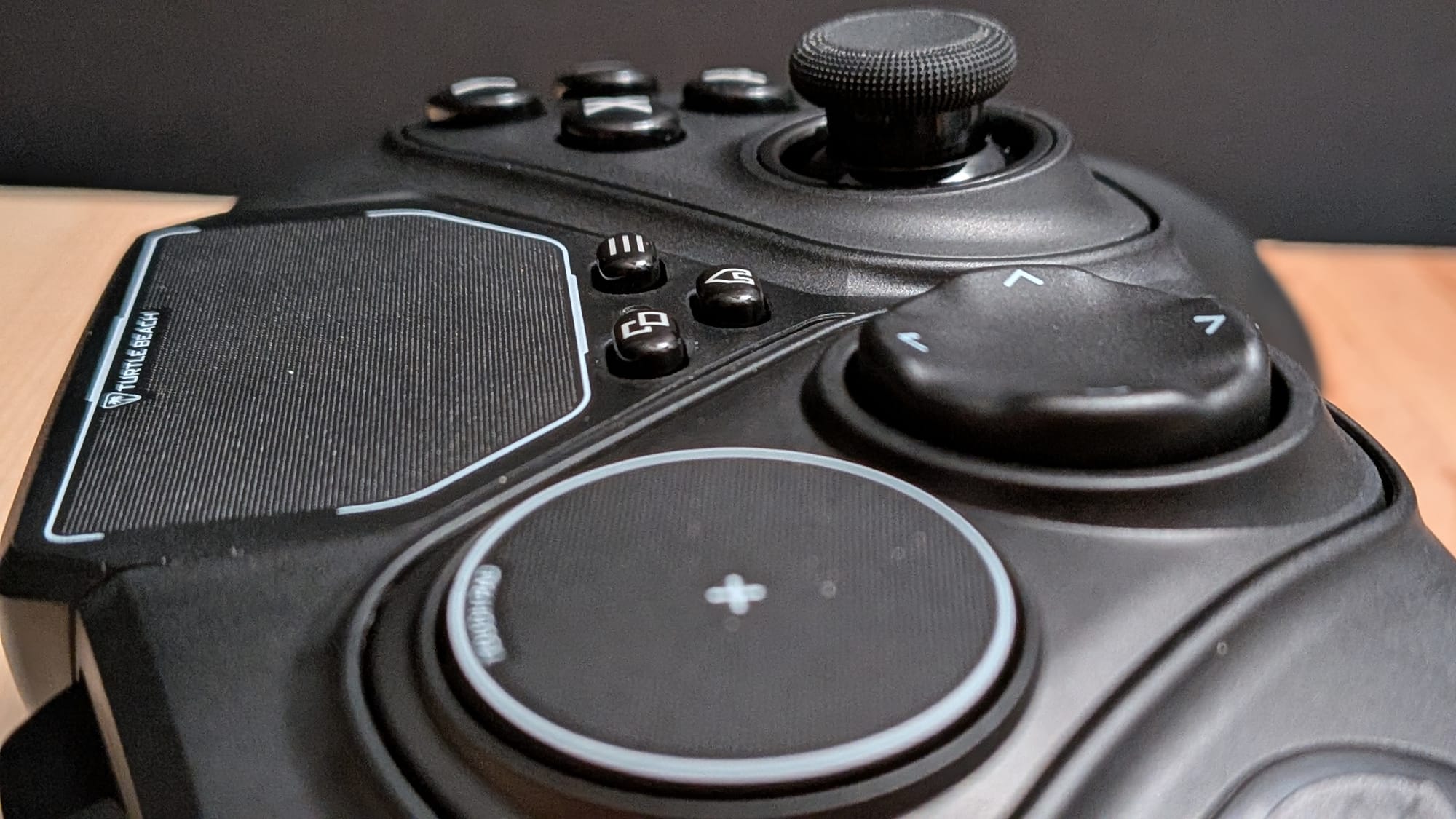
The Turtle Beach Stealth Flip comes from the interesting standpoint of appealing to PC gamers who prefer to sit back on the couch and play, but don’t want to drag a mouse and flat surface with them. There have been other controllers with a form of this feature set, like Valve’s own Steam Controller, but that raises a question. Do we need controllers that double as a sort of impromptu trackpad? In my opinion, controllers like this set out to solve a problem that we already have answers for.
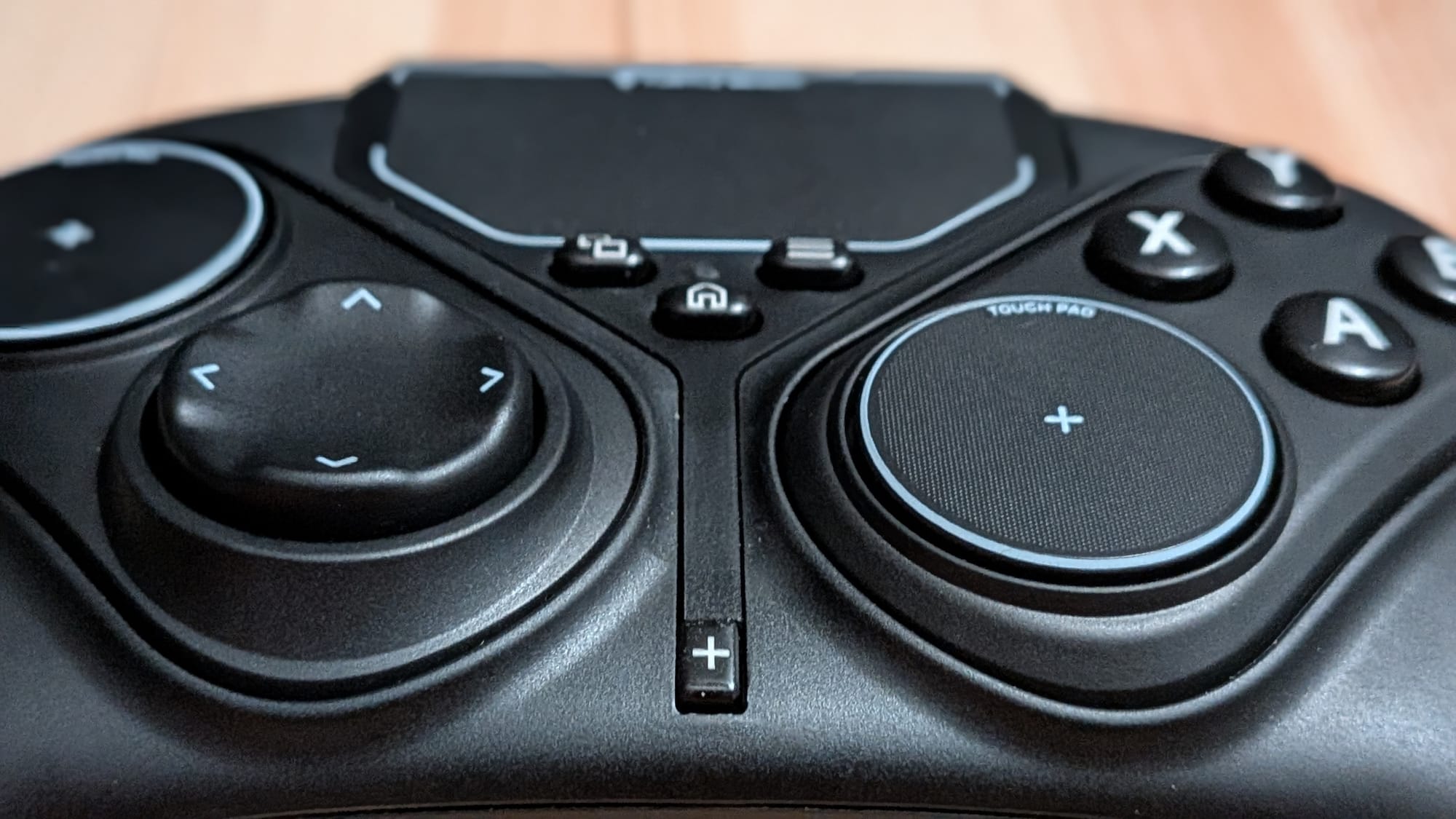
The Stealth Flip has a few interesting features worth noting. First, as mentioned above, is its built-in trackpad, which takes up about 60% of the top-center of the controller. With it, you can drag a mouse pointer around the screen, like you could with any laptop. Swiping up and down with two fingers together will let you scroll up and down. This could be handy if you wanted to browse a website in a pinch, but it feels a bit awkward in this context. Even more frustrating, in my experience, is that the trackpad has actually interfered with my gaming experience several times in my time testing it out.
In the last couple of weeks, I’ve test-driven the Stealth Flip with a handful of games. The way the controller is laid out, you have the trackpad in the top-center of the screen, and the Back, Home, and Start buttons are grains of rice under that. As I was pouring time into Phantom Blade 0, I noticed a particularly bizarre situation that I found to be recurring. I would reach for the Back button to check the map or the Start button to change my weaponry and accidentally graze the trackpad. This caused a sort of identity crisis for my PC, which would behave like I was moving the mouse in small, randomized directions. Even though I was using the thumbsticks for movement, my screen would jitter incessantly until I turned the controller off and back on.
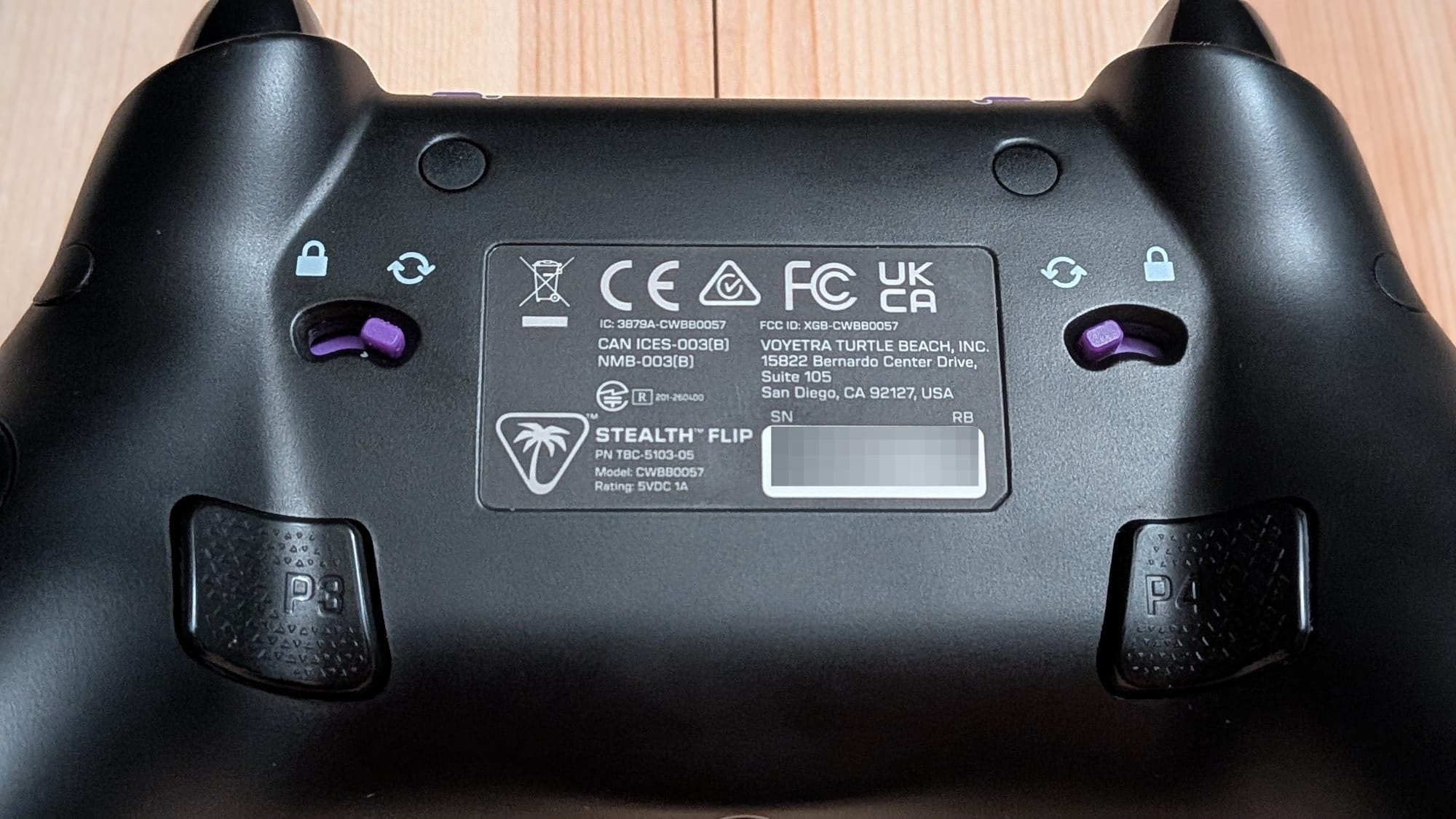
Apart from the central trackpad, the Stealth Flip has two trackpads that can take the place of the left and right thumbsticks, if you want. This is done by releasing a lock on the back of the controller and rotating the thumbstick itself 90°, which sinks the thumbstick into a pill-shaped controller block, which can then be rotated 180° into the controller. This exposes the trackpad for said thumbstick and a different D-Pad or face buttons, depending on the side. That gives you some layout options, so you can mix and match thumbsticks and trackpads. The problem I ran into, unfortunately, is that I couldn’t find any situations where I preferred the trackpad to a thumbstick. Platformers, first-person shooters, character action games…you name it, there were just no cases where I would rather use a trackpad than a thumbstick. It almost gave me flashbacks to my youth, trying to talk myself into loving the Turbo Touch 360 I begged my parents for, when in truth I longed for tactile feedback. If you want a controller that has trackpad functionality, it’s an option. It’s just not a use-case scenario I can see many PC gamers needing this sort of solution for.
Taking the mouse functionality away, that begs the question, “Is the Stealth Flip a good controller?” I think it’s a solid controller, for the most part, but that comes with some caveats, too.
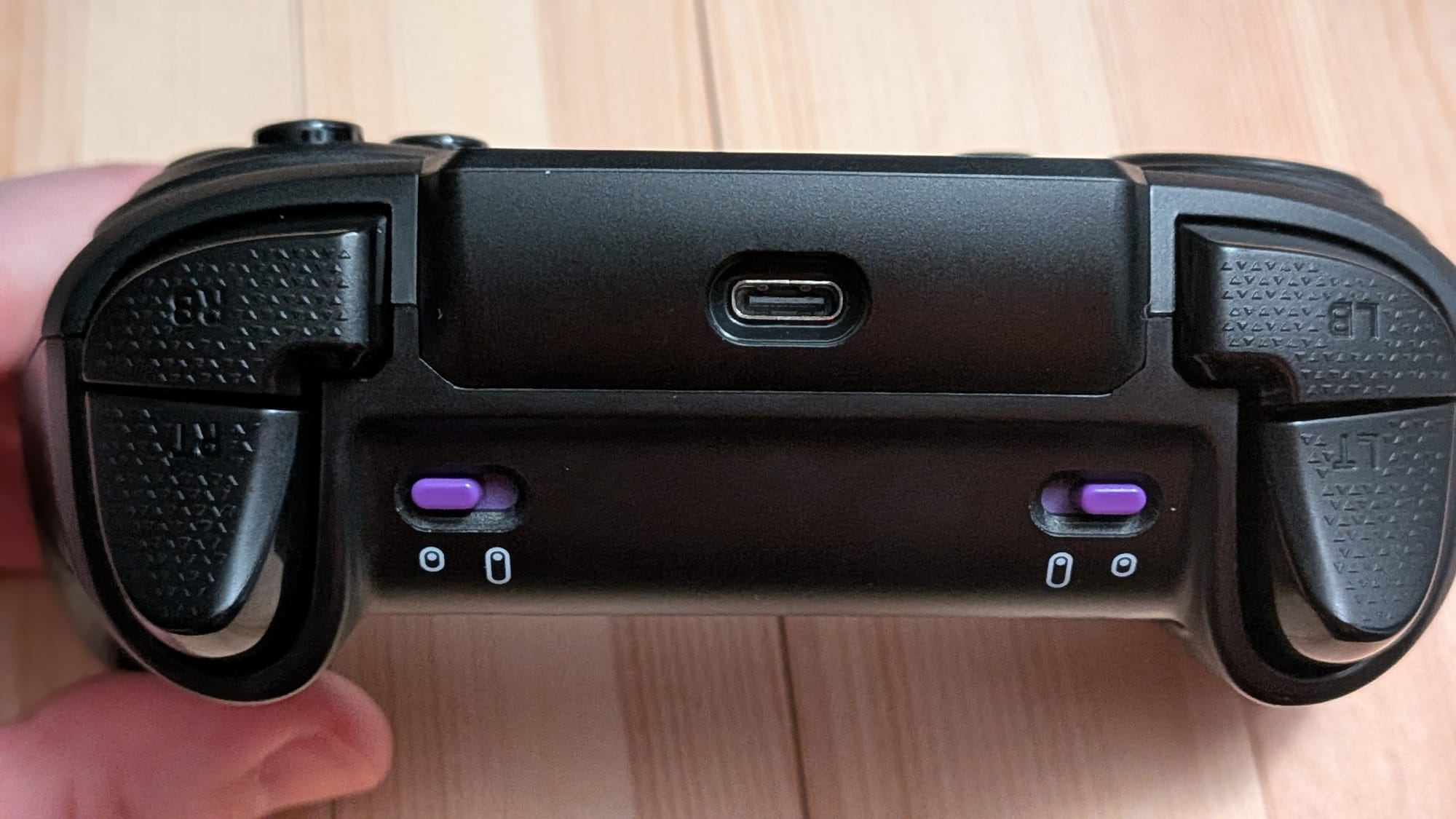
There are several things to like about the Stealth Flip. First, you have to admit that the ability to physically transform the controller is inherently cool. Second, like the less-expensive Stealth Rematch, it uses magnetic thumbsticks, which means no stick drift for a long lifespan. For my own preference, the Flip’s thumbsticks feel a bit too loose, which often causes me to overcompensate with aim and movement. The controller also features adjustable trigger stops with full range of motion or a hair-trigger setting. It also features two mappable back buttons. The mappable buttons can be set in the Swarm II software or quickly mapped using the “+” button on the front of the controller. The “+” button can also be used with LB and RB to cycle through four possible profiles, so you have setup options no matter your style.
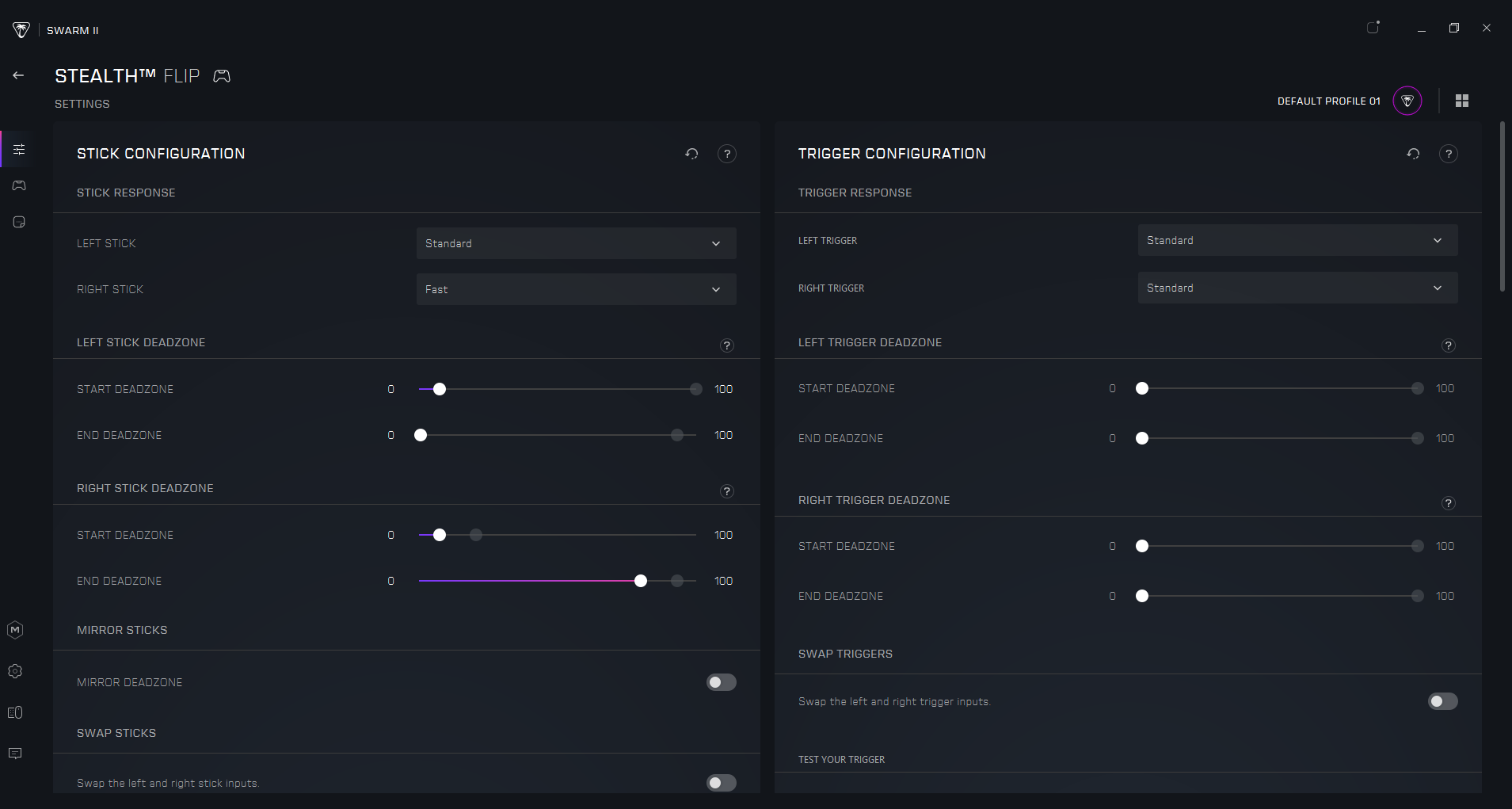
To correct the loose thumbsticks and make other tweaks, the Swarm II software gives you tools to customize your setup. If, like me, you don’t like how the thumbsticks feel, you can adjust the start/end dead zones on a per-stick basis. You can also change the dead zones on the trigger buttons, update the rumble intensity, adjust the sensitivity of the capacitive touch controls, and adjust the 3.5mm port’s sound with different equalization settings. There really is a lot you can do to customize your experience with the Stealth Flip.
Ultimately, the Stealth Flip is a decent controller that executes on a cool idea that just didn’t really need to be implemented. At $99.99, it’s priced on par with the Valve Steam controller, so if you’re in the market for a solution with a touchpad, that could be worth consideration. Physically flipping the controller is an impressive feature, but I couldn’t find any situation where I preferred capacitive touch to a thumbstick. On top of that, the touchpad’s proclivity to cause issues during normal play sessions is problematic. For those of us who want a decent controller and don’t mind using a mouse when necessary, I think Turtle Beach’s own Rematch PC controller is probably the better choice; it’ll save you some cash and save on potential frustration.
Turtle Beach Stealth Flip Controller review
Alright
While the act of flipping controller elements from physical to capacitive touch is inherently cool, the touchpad thumbstick replacements and central trackpad feel largely like workers without jobs. The Stealth Flip is a decent controller with a suite of handy tools and features, but the number of players who’ll need a trackpad is limited, and it can cause issues.
Pros
- Physically transforming the controller is freaking cool
- Mappable back buttons and switchable profiles
- Nice, hefty weight in the hand
- Swarm II software lets you adjust an impressive amount of functionality
- Hall Effect thumbsticks ensure longevity
Cons
- Placement of Start and Back buttons leads to frequent accidental activation of the trackpad
- Trackpad can cause jittering when activated, which requires restarting the controller
- Limited use-case scenarios for capacitive/touchpad options over thumbsticks
- Out of the box, thumbsticks feel loose
This review is based on a retail copy provided by the publisher.