Gaming has had no shortage of peripherals over the years. From the Power Glove to the Virtuix Omni One, manufacturers have worked for decades to create better ways for gamers to interface with their machines. Azeron is no different. Their founder, Imants, was frustrated with the fatigue and layout problems of standard keyboards during long MMO sessions, so he set out to create a better option. After a few weeks with the Cyborg II, I’m confident saying the Latvian-based company has gotten pretty darn close to creating one of the most comfortable, customizable gaming interfaces on the market.
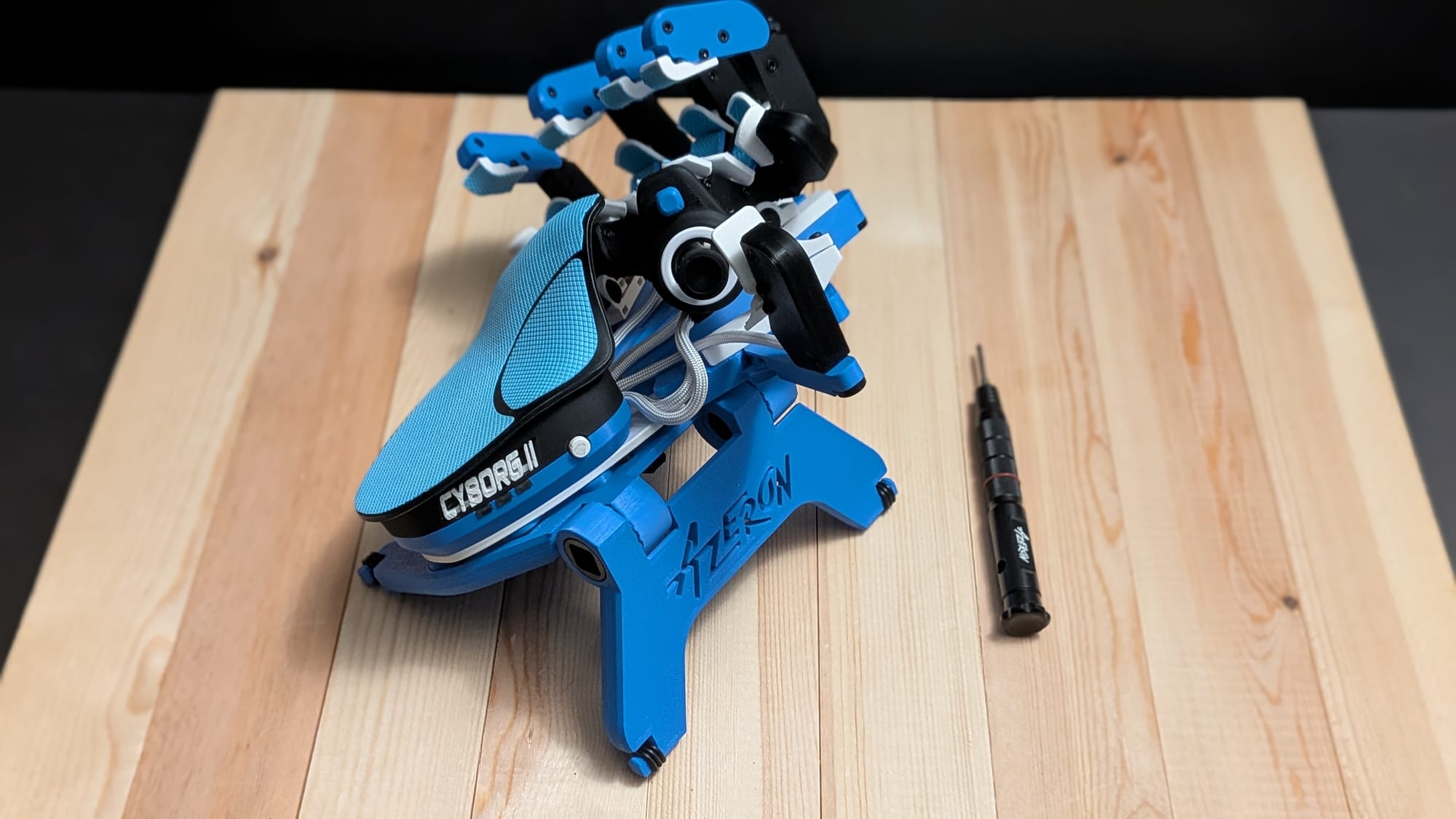
Looking at the Cyborg II, the device immediately evokes a biotechnological vibe. It looks like your computer is reaching out for connection. In fact, when my buddies got together for our annual Call of Duty launch party, one of my friends said it looked like I was holding hands with the computer and, in a sense, he’s not wrong…and that’s part of the beauty of it.
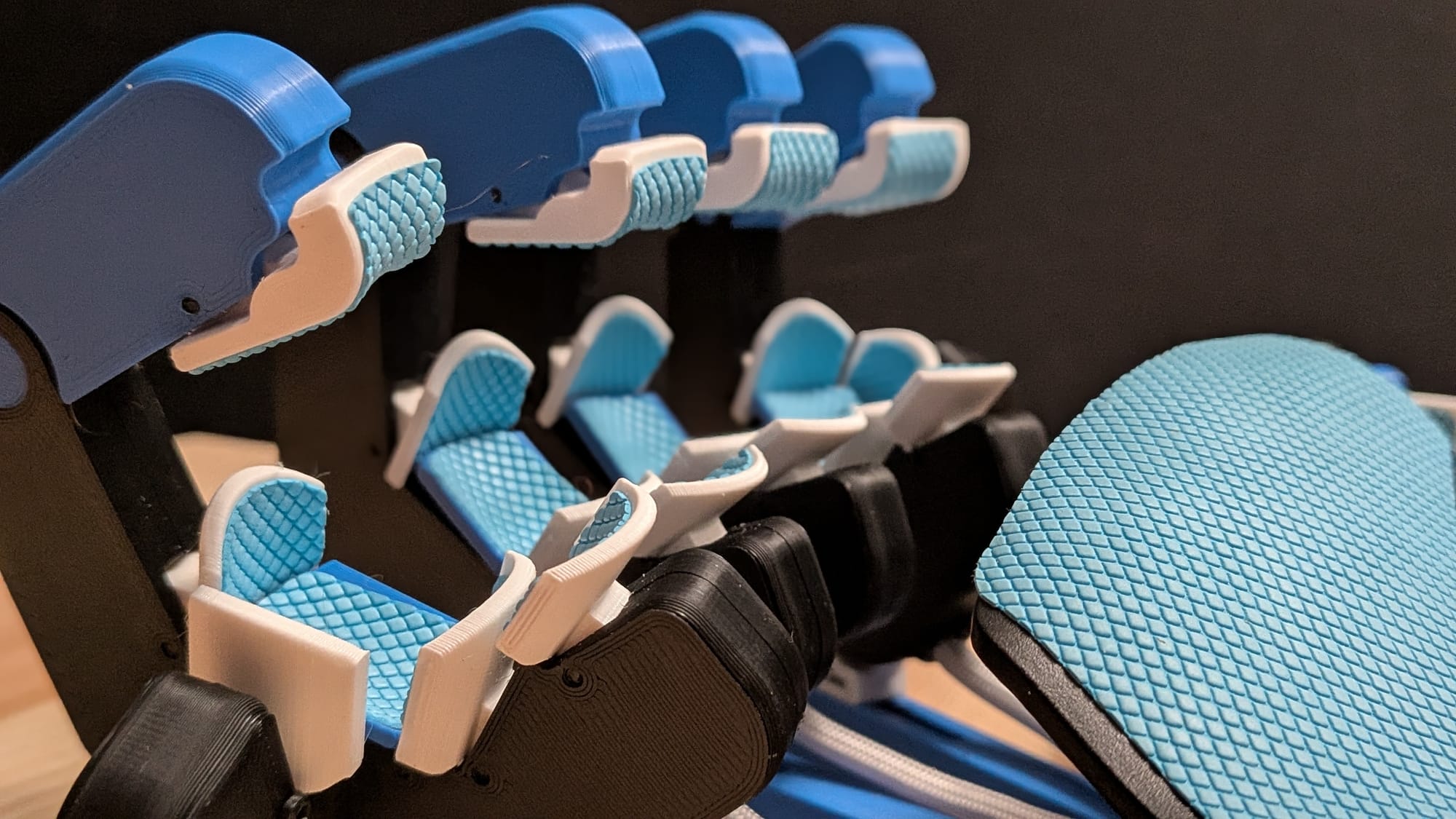
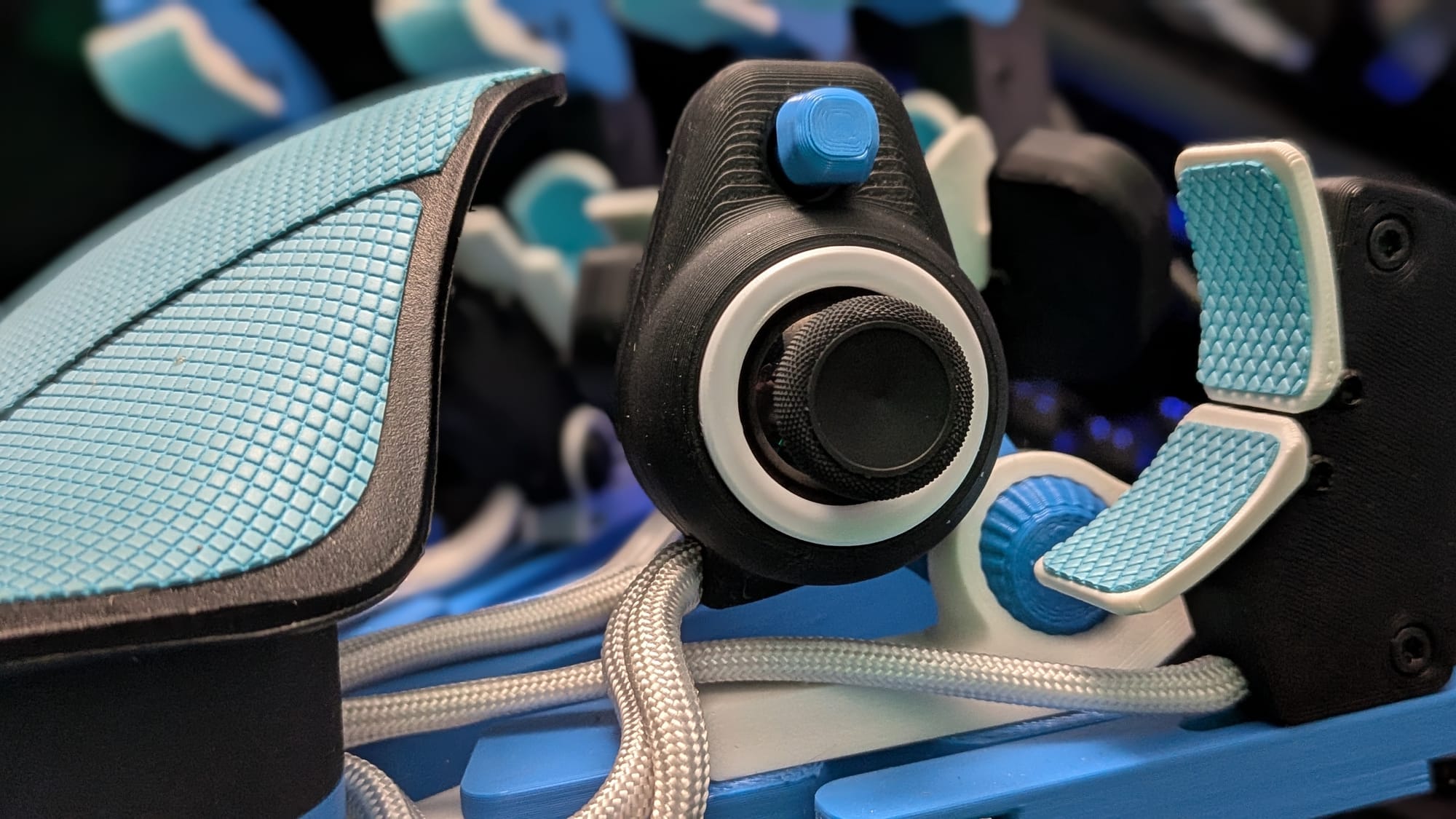
For the uninitiated, the Azeron Cyborg II is a sort of keyboard replacement peripheral. It’s laid out like your human hand with five buttons for each finger (and a couple extra for the pinky and pointer finger). Instead of a series of buttons, your thumb will sit on a Hall Effect joystick connected to a 4-way rocker switch and optional access to two more touch buttons. If none of that makes sense, I’d strongly encourage you to refer to the image above for better understanding
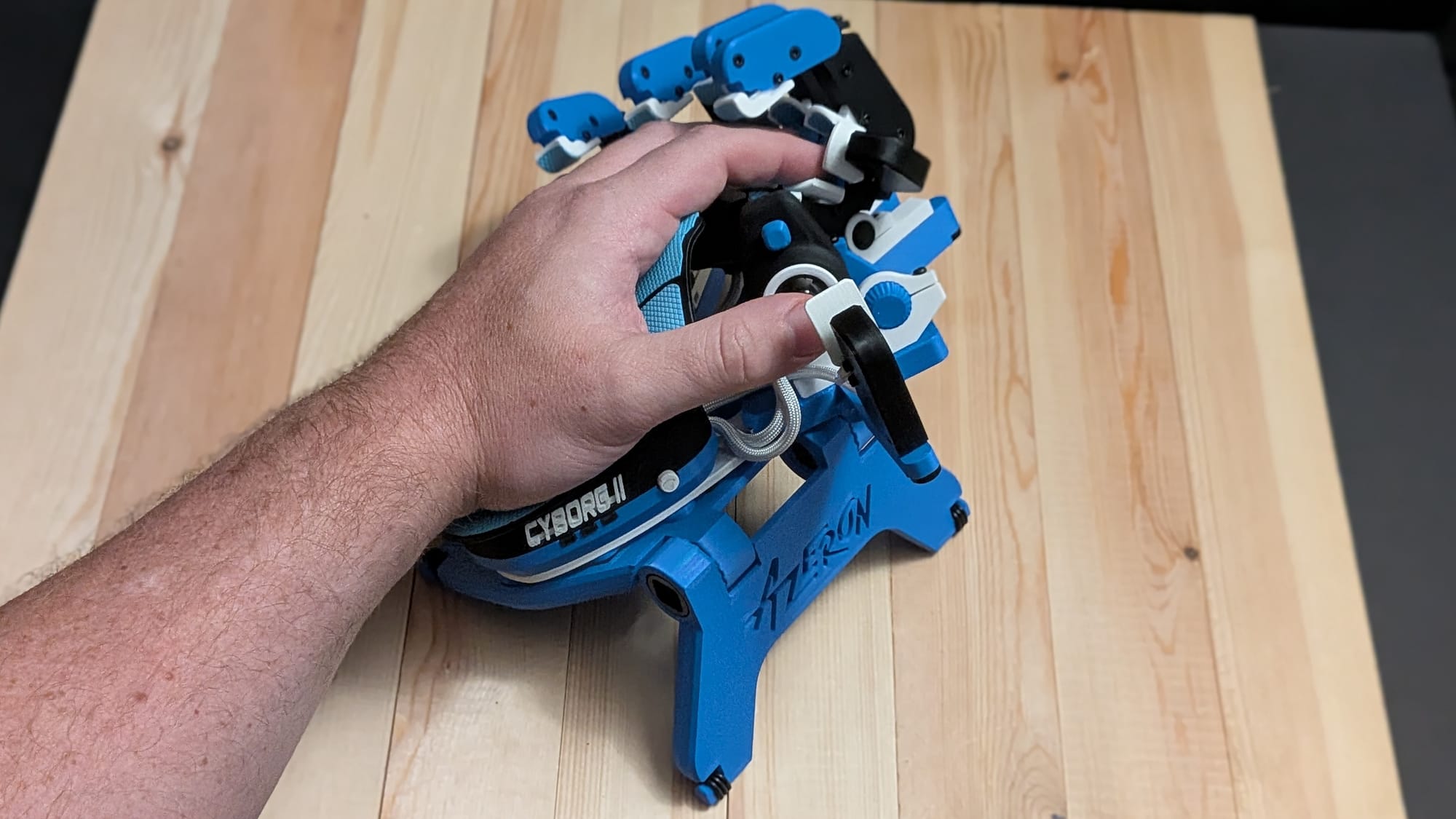
If the layout explanation sounds a bit overwhelming at first, that’s ok. It can be a bit daunting to begin working with. Azeron recommends a full setup protocol and 10-20 hours to start getting comfortable with the device. I can tell you from firsthand experience, bypassing the proper setup does yourself a disservice.
When I first got my Cyborg II, I got it out of the box, angled the fingers and joints in a way I thought was close enough, and started mapping buttons for Call of Duty. What I got was an approximation that let me see the potential of the device, but not its full capabilities. After a good night’s rest, I doubled back and went through the proper setup procedures. What I ended up with was a device that genuinely fit my resting hand positioning perfectly.
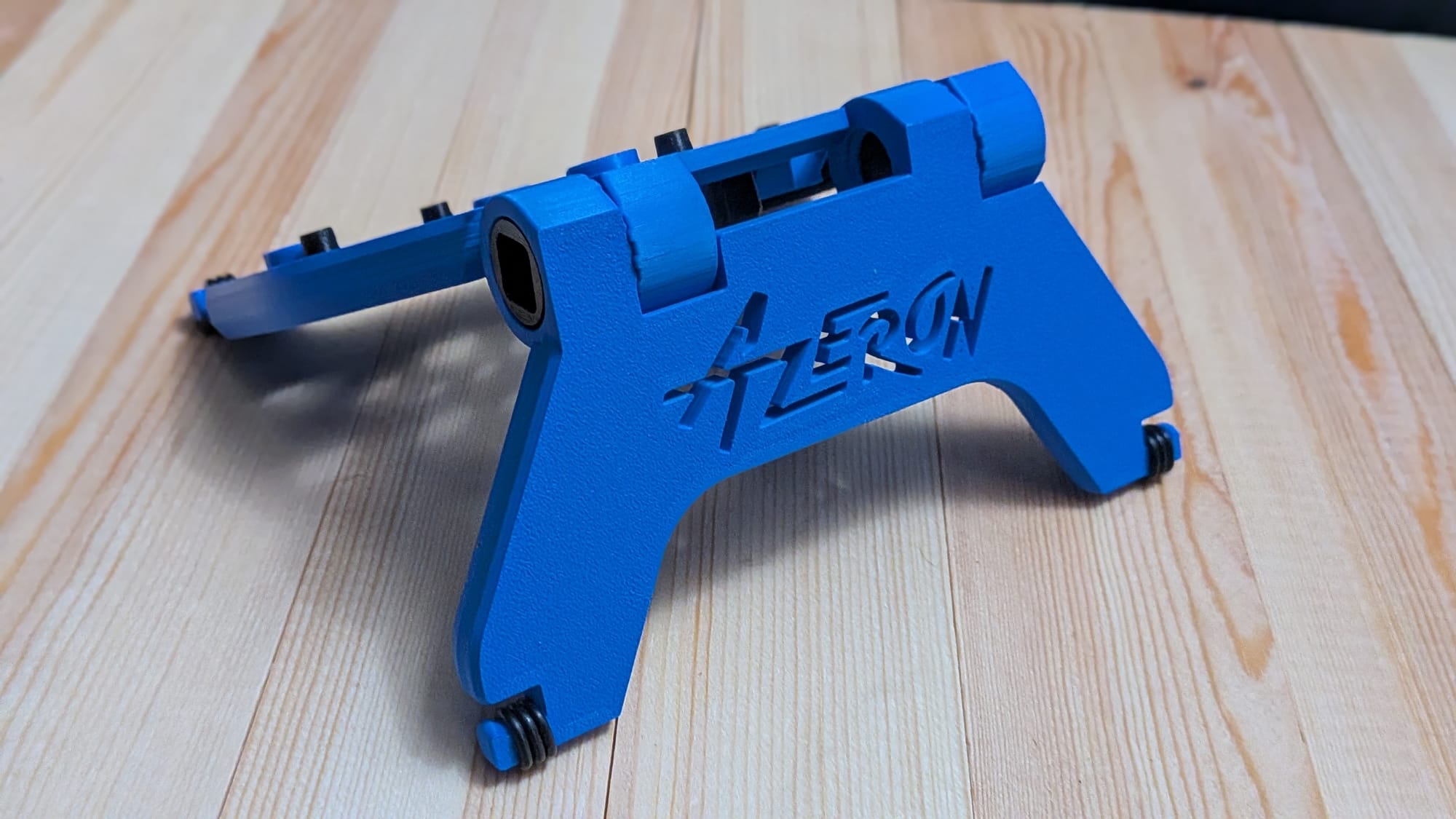
Azeron includes a small branded screwdriver in the box. That’s because each finger can be articulated and locked down into place. The fingers can be splayed out or tightened together to fit your resting hand position. On top of that, the sizing can be adjusted in or out. You’ll flip the unit upside down, adjust them to your liking, then screw them back into place so they’re sturdy during use.
On top of that positioning, each finger has a tower of joints and buttons with a couple of articulation points. You can angle the base higher or lower to fit your hand better. There’s a top button for each finger that can be adjusted to your liking, too. You can move it out of the way if you don’t need it, but I love having them there.
The thumb is a unique case here. There are adjustable thumb buttons you can move into position if you want, though you can fold them out of the way if you don’t plan to use them. The thumb also houses the joystick with a connected 4-way rocker switch. You can replace the default thumbstick with others (and for what it’s worth, I highly recommend upgrading to the Elite thumbstick package for better comfort and usability). Regarding the thumbstick housing, you’ll need to make sure its spacing fits you properly and, if you plan to use the rocker switch, rotate the housing accordingly. “But Joe, won’t that readjust the joystick’s cardinality?” Yes, dear reader, it does. That’s where Azeron’s software suite comes into play.
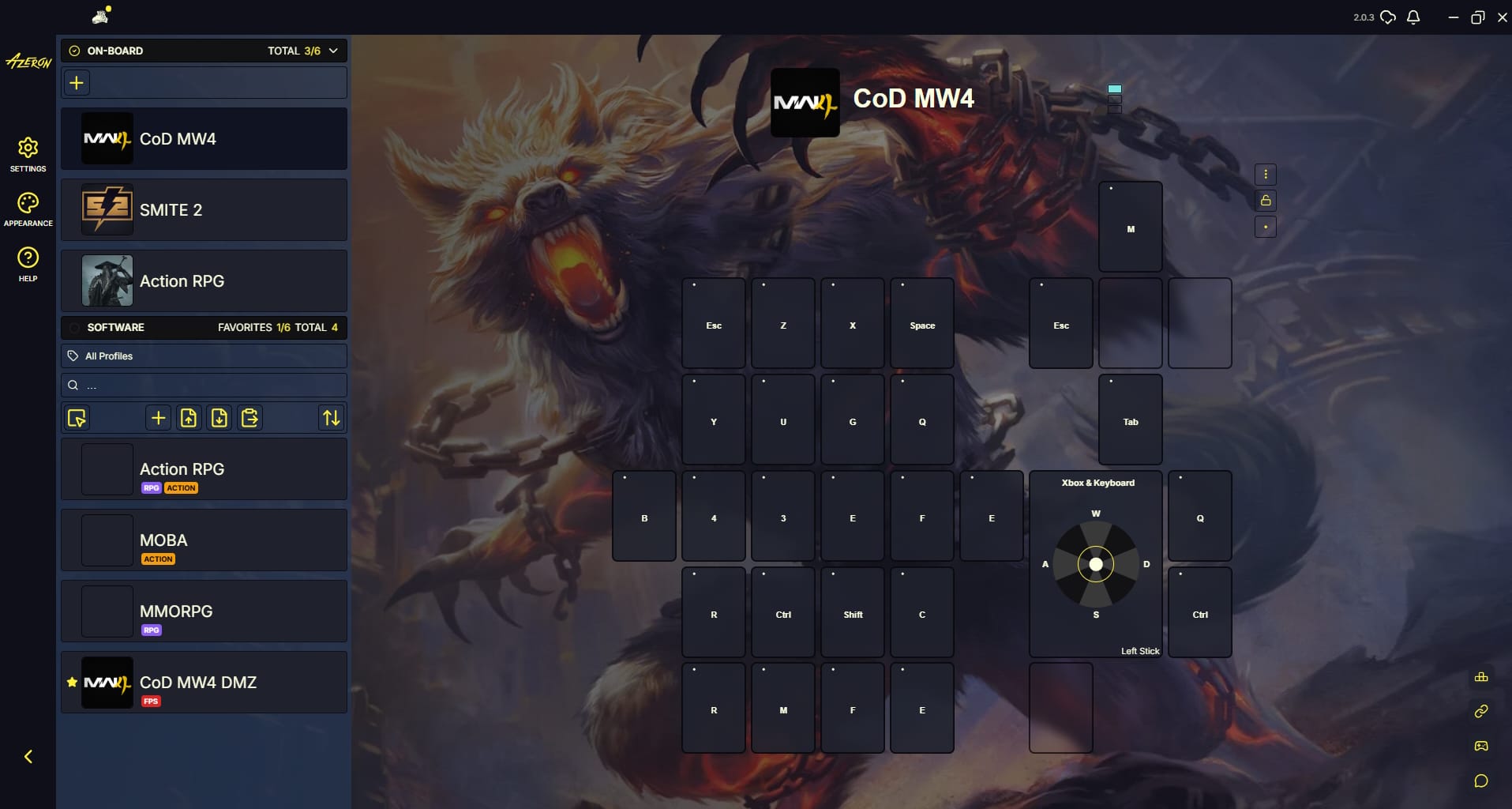
I’ve found that I quite like Azeron’s software suite. It’s similar to Razer’s Synapse software, but it accommodates the Cyborg II (and Azeron’s other devices) in a way that just makes sense. First, I’d suggest picking one of their pre-made profiles and working from there. You’ll notice Azeron built the button customization grid in a way that intelligently mirrors the Cyborg II’s layout. In there, you can map a wide range of functions to a button press: key press, mouse click, Xbox button press (yes, you can have these buttons fully mimic an Xbox controller), and more. I previously mentioned that you could change the orientation of the joystick. In the Azeron software, they give you tools to lock your “Up” direction for any orientation, so that becomes a snap, too. I’ve also found that, once you’ve been using your layout for a bit, you can turn on the software’s heatmap to see what buttons you use and how frequently.
Based on my own experience getting used to the Cyborg II, I have a few recommendations for new users. First, if you have two monitors, play your game on one and keep the Azeron software open on the other. I suggest playing a version of your game with something low-stakes so you can train your hands and brain. For myself, I began with DMZ in Modern Warfare 4. This gave me the chance to drop into a world with plenty of space to move, shoot, loot, etc., and start training my brain. Since the Azeron software lights up buttons when you physically press them, this also gave me an idea of how I could better customize my buttons in the process. All it took was a quick Alt+Tab, adjusting the keys, and then I was back in the action. Once I got comfortable there, I felt comfortable moving into more intense gameplay scenarios, like Team Deathmatch. At that point, my movement and interaction felt like second nature.
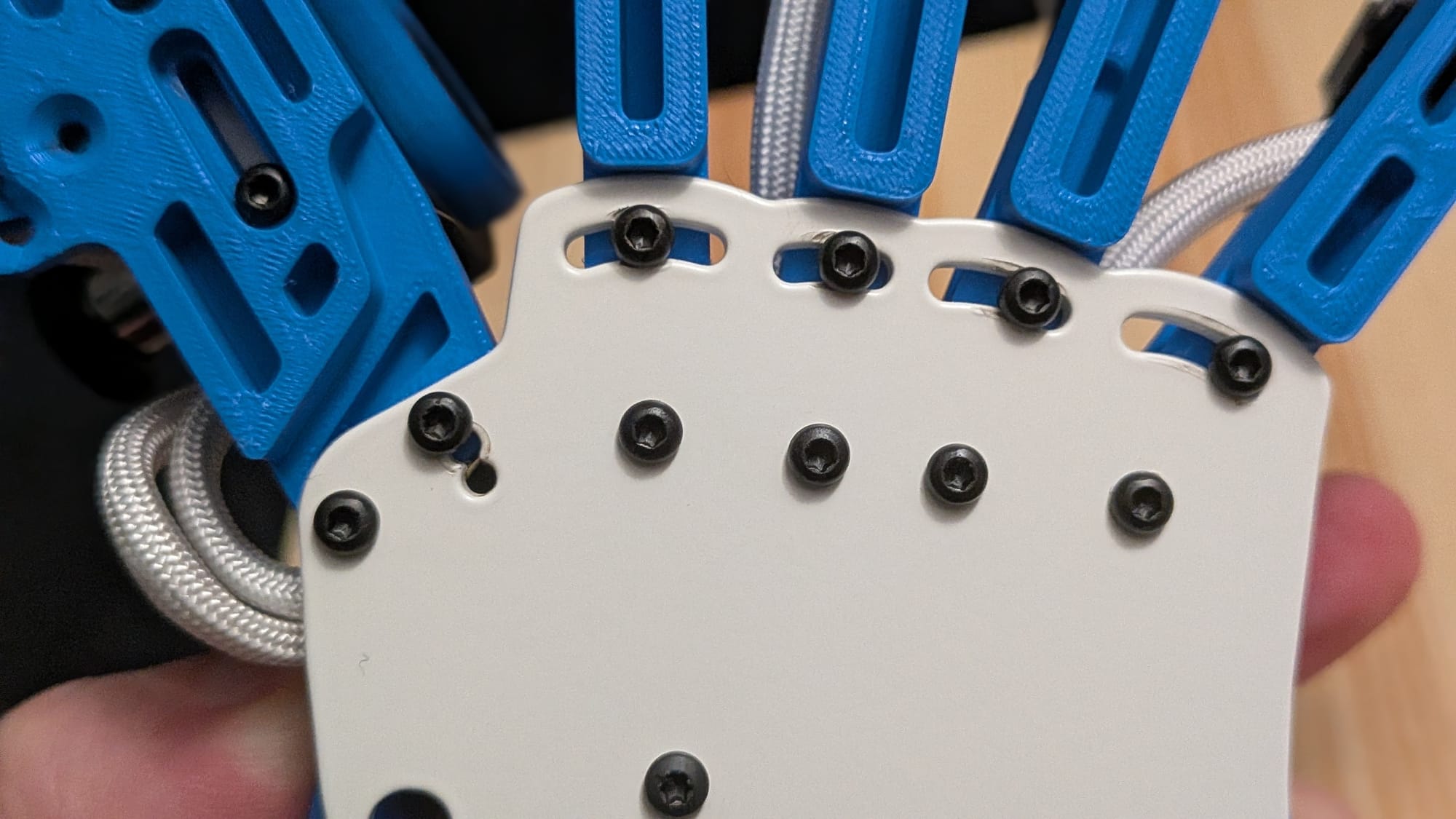
There are just a couple of concerns I want to address. First, yes, the Cyborg II clearly has 3-D printed parts. I’ve seen some people bring that up as a concern, but I believe you can put that to rest. The build quality is excellent. If they machined the entire device out of, say, aluminum, it would cost as much as an RTX 5090. Second, Azeron says it typically takes 10-20 hours to get used to the Cyborg II. The only caveat I would add is that you’ll probably have some spin-up time with every game you play, at least for a while. While genres may be similar, you may have some game-to-game adjustments to make, so keep that in mind.
With the basic rundown in the bag, I want to talk about a few quality-of-life upgrades Azeron offers. First, of course, you can get the hardware in different colors. To my chagrin, those colors can affect the cost of the unit. Second, you can buy an adjustable stand. I will admit, if you have wrist problems, the adjustable stand definitely adds some options for removing strain and putting your hand in a more comfortable position. The most significant upgrade they offer, in my opinion, is the $8 grip tape upgrade, which actually gives you a substantial boost in the tactile feedback of each button press. To me, this feels like an essential upgrade. I would also recommend the palmrest grip tape, which is sold separately.
I used to see the Azeron Cyborg II on my social media feed and think, “That looks cool, but I don’t know that it’s worth what they’re asking for it.” Now, I can confidently say that experiencing it for myself has made me a believer. If I’ve got the time to pour into a game and I plan to use a mouse to play it, I will 100% be using my Cyborg II to play it. The comfort and customization have made me a believer. I just don’t know that I can go back to a vanilla keyboard long-term after this.
All of that said, Azeron’s products are premium and come with a premium price tag. To their credit, they offer a 60-day money-back guarantee on their products. They’re so confident you’ll like it (like I do) that they’re willing to give you a refund if you don’t. I think that speaks volumes about the company and their confidence in the value they provide. If you’re a hardcore mouse-and-keyboard gamer looking for something more comfortable and customizable, the Cyborg II is an easy recommendation.
Azeron Cyborg II
Excellent
The Azeron Cyborg II’s name is apt. It isn’t just a peripheral - it’s a fusion of you and your PC. The setup time and learning curve are significant, but the payoff is well worth the investment for anyone gaming with a mouse. Azeron creates premium hardware any serious gamer will appreciate, and they back it with a 60 Day money-back guarantee if you don’t like it.
Pros
- Fully customizable button layout
- Hardware is deeply adjustable to fit your hand and preferences
- Software is responsive and easy to use
- 60 Day money-back guarantee if you don’t like it
- Both right- and left-handed units available
Cons
- Proper setup takes some time
- Learning curve can be 10-20 hours or more
This review is based on a retail copy provided by the publisher.