Game controllers have gotten really good in the past few years. Not just PC controllers, but for consoles as well: the DualSense has a ton of extra bells and whistles that enhance your experience, while the Switch 2 Pro controller is incredibly comfortable with one of the best D-Pads out there. As for third party controllers, you’ve got GameSir and 8bitdo coming in as cheaper options while still feeling great to use. I think it’s safe to say that the era of the bad controller you’d hand a younger sibling is officially over. Now even Valve has thrown their hat into the ring (again) with the new Steam Controller, essentially a Steam Deck without the screen. It’s got everything you’d want and expect in a modern controller, all the usual buttons and sticks as well as gyro, things you’d expect in a premium controller like four grip buttons, and more out there features we’ve never seen before on a traditional controller like the two trackpads and grip sensors. Unfortunately, all of this means it comes in at a slightly higher price than competitors we’ve mentioned so far: $100. For this review, I put my own money down to give the Steam Controller a shot. Is it worth the price tag?
Before we get into the controller itself, I want to talk a bit about the purchasing process. You do have to order this device through the Steam store, but I found that actually made things way easier than other sites. Two minutes before the Steam Controller was supposed to go live, I refreshed the page, saw the buy button, used my already saved payment info, and it was at my door in just a few days. I realize I’m something of an outlier in this experience as the controller sold out quickly, but Valve has kept stock going strong and seemingly foiled scalpers in the process. You can check eBay right now and see the controller priced at three or even four times its actual price, and no one’s buying because, even if it’s not immediately shipped, they can still order one from Valve. Being able to buy things feels like the bare minimum, but so many companies and retailers failing to meet that low standard makes this feel almost utopian.
The Steam Controller comes in a thick but soft cardboard box, with everything tightly packed inside so it shouldn’t move around in shipping. It’s all elegantly presented too, with a perforated strip of cardboard holding the lid down, which then easily lifts up when removed. Inside, you’ll find the controller itself, the wireless puck connector/dock, and a set of visual instructions to get you started quickly. You can lift up the top part of the instructions to find the manual and an included USB C to A cable for connecting the puck to your computer. The manual unfortunately isn’t much of a manual and pretty much just contains health and safety information, which I did find to be a problem later on.
Setting up the controller is easy enough. Just plug the puck or the controller itself in, turn it on, and run Steam. This brings us to my biggest problem with the Steam Controller: it will only work with games that are running through Steam. Want to use it with your GoG, itch.io, or Epic libraries? Better run all of those through Steam first as without Steam Input this thing is basically just a mouse, with the right trackpad moving your cursor and left and right trigger serving as inverse mouse clicks. On one hand, this is pretty useful if you just want to play with Big Picture Mode on a TV and don’t want to have to set up a keyboard and mouse. On every other hand though, why can’t the mouse functions just be on the trackpad and the controller otherwise have some XInput functionality or something? The controller and puck can receive firmware updates so maybe Valve can patch it in the future, but as of right now it feels needlessly restrictive. Valve basically has a soft monopoly over the PC gaming market, and that is because they’re doing it so well no one wants to switch to another launcher, but buying a controller that literally only works through their service rubs me the wrong way.
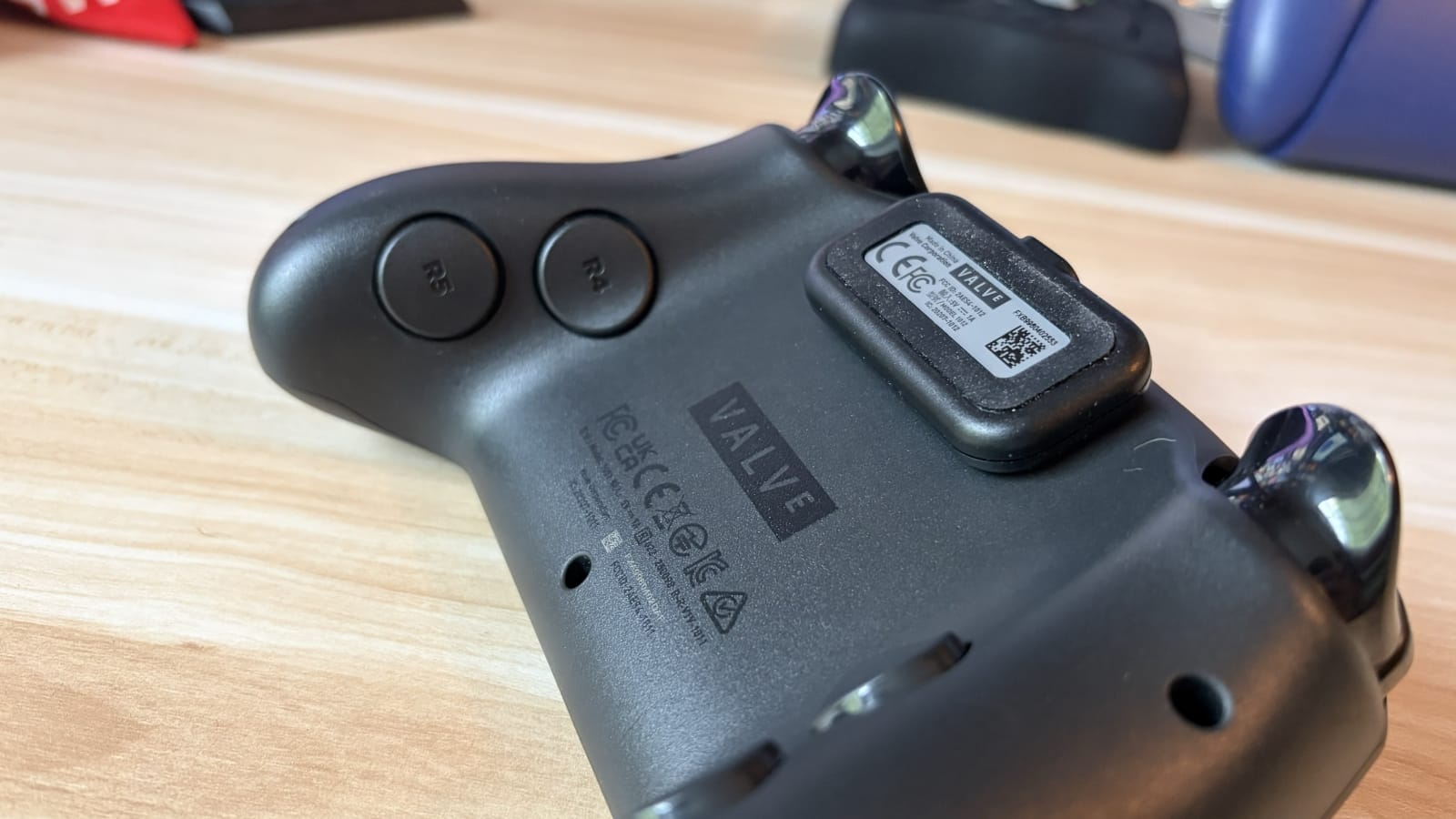
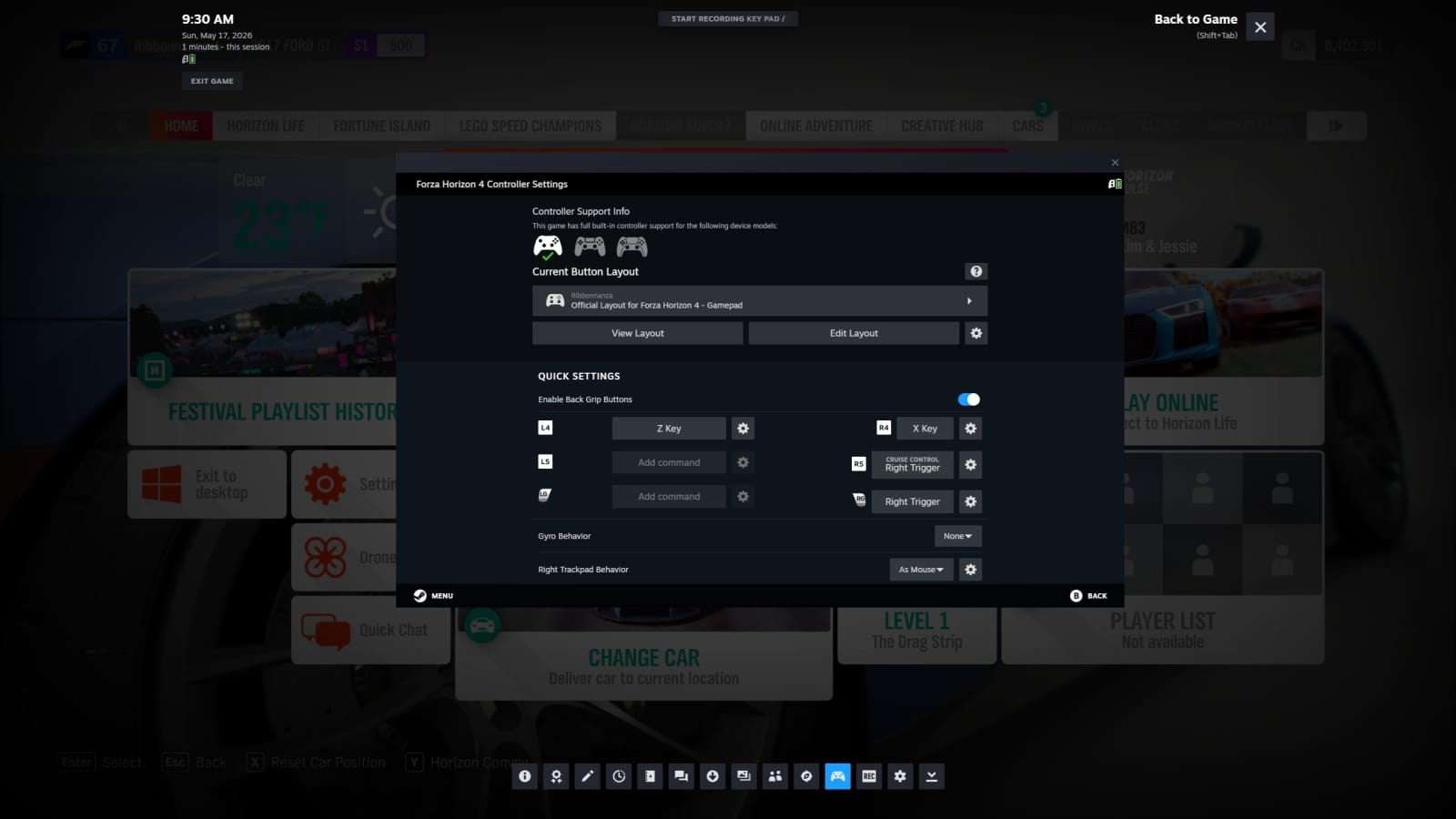
That said, this thing is a dream with Steam Input. I’ve been testing it with just about every game genre I can think of, and there’s almost always something cool you can do with the controller. In Forza Horizon 4, I put acceleration on the right grip sensor so all I needed to do to go forward was touch the right grip. In Kingdom Hearts 3, I set the gyro to turn on when I started using Shotlocks and could control the command menu with the L4 and L5 buttons. In Starfield I made a virtual radial menu to quickly switch between my weapons without needing to open the somewhat awkward D-Pad menu and could heal at the press of a button. Obviously not every game can take advantage of it effectively, I couldn’t think of anything to do with games like Unbeatable, Rhythm Doctor, Sonic Origins, Skullgirls, Tomba! 2, or Angeline Era, but there are still tons of others you can get creative with. Any Steam native games will also use cloud saves to move your configurations between devices, so set something you like up on Steam Deck and you can use it with the Steam Controller next time you boot up the game on your computer.
The best use case I found for this controller was Final Fantasy XIV. I bound the right trackpad to the mouse in case I ever need to use that, set L5 to turn off the UI and R5 as my screenshot button to quickly take clean shots, R4 to the Sprint action, and L4 to perform the Draw emote to take my weapon out in a cool way. It’s all pretty convenient, but then I decided to take it to the next level. Since I play exclusively on controller, there’s 10 or so hotbars for keyboard and mouse going completely unused here. I picked one of them out, put actions like Mount Roulette, Teleport, Return, opening Wondrous Tales, chat macros, Fashion accessories, and more on the bar. I then created a radial menu in Steam Input for use with the left trackpad to select any of these things almost instantly. The best part is that the hotbar is hidden on my UI, so I don’t even have to have it on screen to make use of it. It has a few too many entries to be as quick as I want though, so I may rework it to only be a few actions I really need as having that many inputs in the radial menu can also cause it to lag. Right now, I’m already thinking of how I can split up the radial menu into a few nested radial menus too for even more actions.
This is the strength and weakness of Steam Input. It’s incredibly customizable and you can do amazing things with it, but it’s very glitchy and takes a lot of time and effort to learn, let alone make whatever control adjustments you want. For Steam native games you can download and use community uploaded configurations, but I find those rarely feel good to use in a game and can have their own learning curve depending on how far that user went with customization. This makes it all pretty far from the pick up and play the controller initially presents, as Steam Input customization is the reason you would get this over another, more compatible, and possibly cheaper controller.
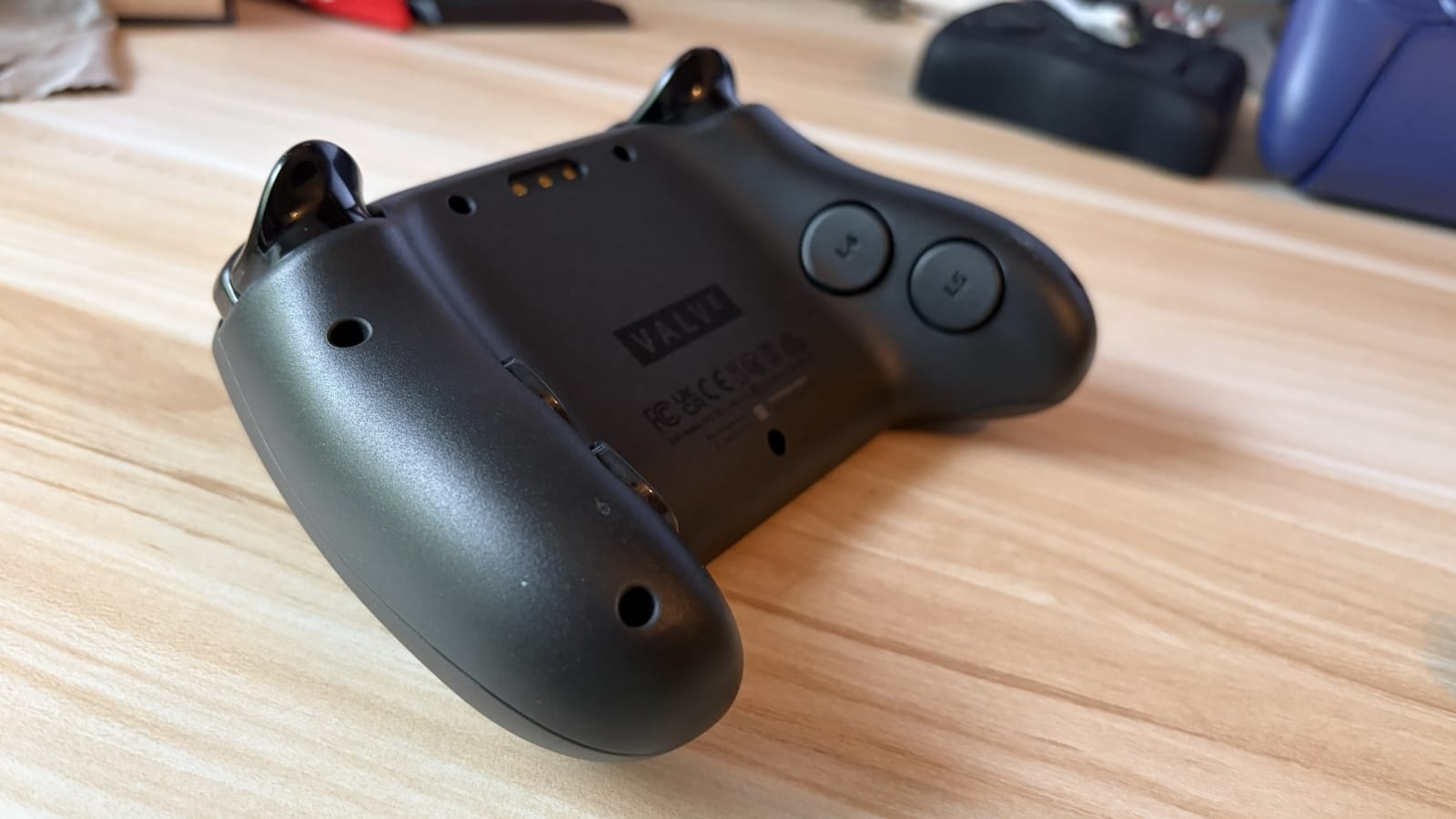
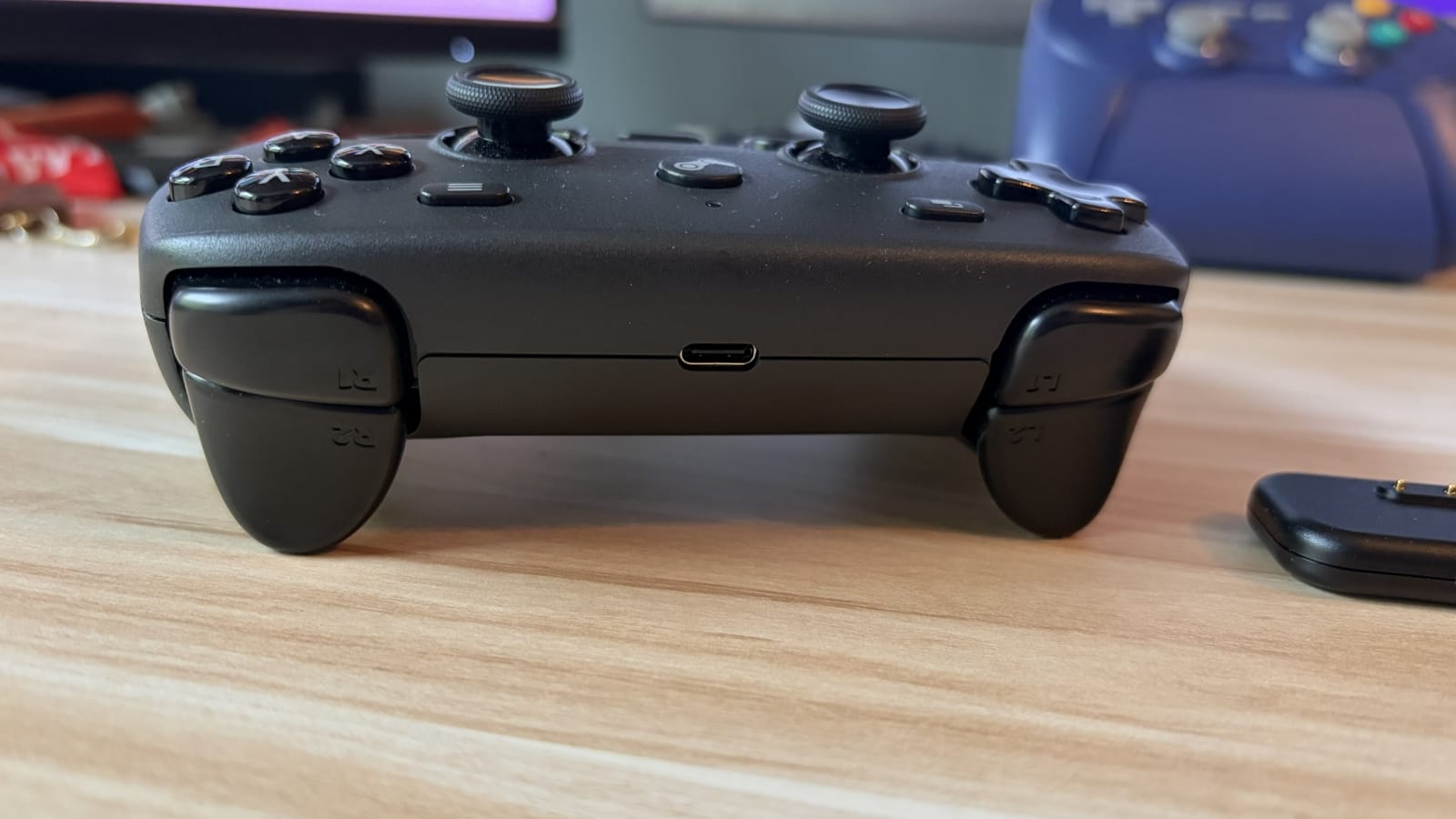
Then again, the Steam Controller feels amazing in the hand. Despite looking awkward, it’s super comfortable and fairly lightweight. There’s a lot of little design choices that go a long way towards the seamless experience the device offers. The sticks, D-Pad, and buttons are all set in such a way that your thumbs will rest naturally on them. The portion with the trackpads is also ever so slightly recessed, so your thumbs won’t accidentally touch them. The shoulder buttons have a soft press to them that still feels clicky enough to be satisfying, while the triggers glide effortlessly inward and even activate a slight vibration when pulled all the way. I only have a few, minor complaints with the device’s construction actually. I find the finish a bit rough on the hands and would have preferred something smoother, the rear buttons stick out a bit too much, and start and select are just a little too small for their own good. I also wish it had a headphone jack and a dedicated screenshot button, but that’s not a big issue. All of that is stuff I’ve gotten used to and really don’t mind anymore, but it’s worth noting if Valve wants to refine their design in the future.
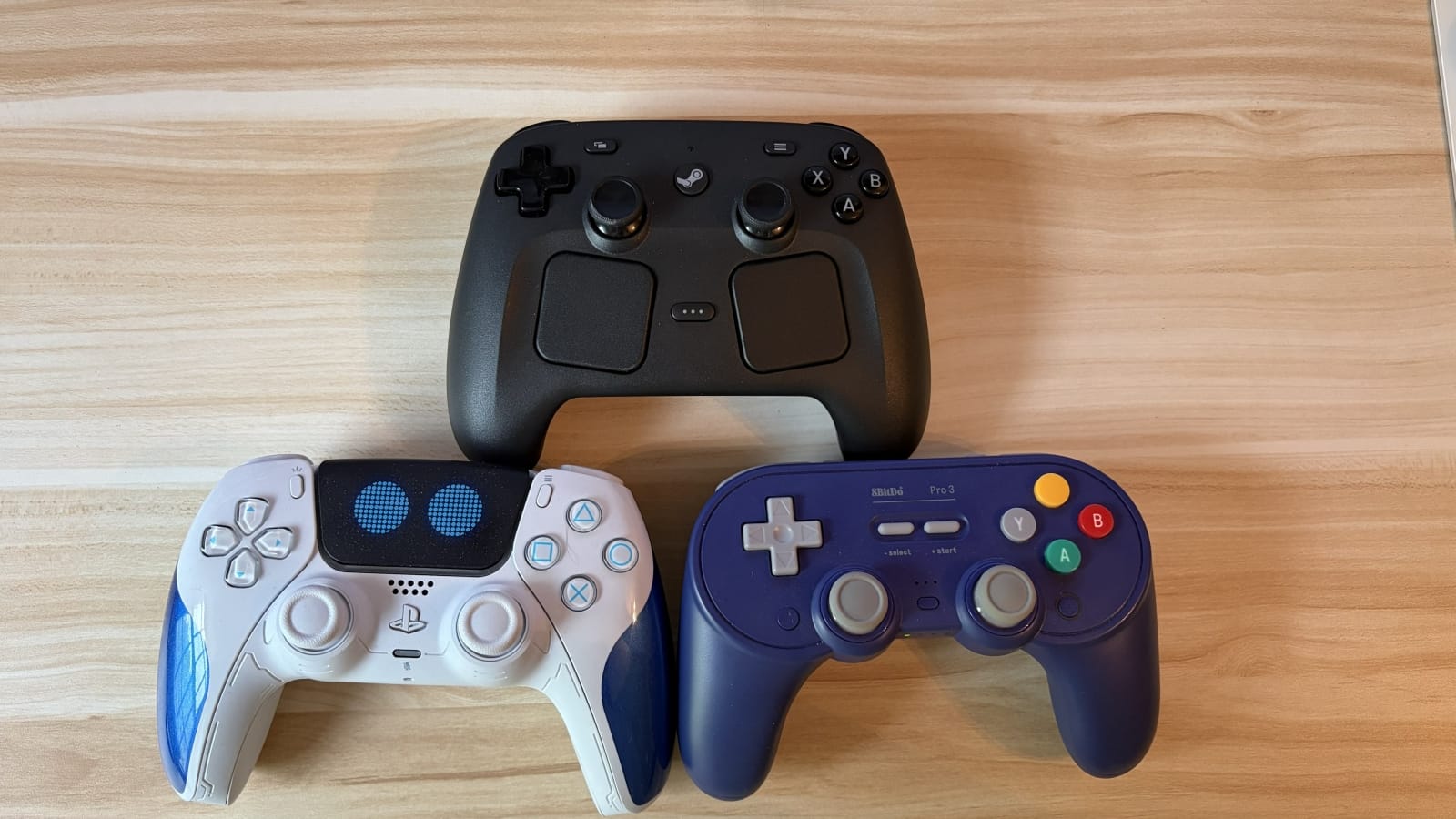

My final complaint is connectivity. Well, not the connectivity itself as the controller can pair with up to two pucks as well as at least one Bluetooth device. I say “at least” there because I don’t actually know, documentation for this thing is weirdly hard to find, which is my actual issue. The manual doesn’t tell you anything about the controller’s use or hidden functions, and because this thing shares a name with the Steam Controller from over a decade ago a search engine is going to find way more results for that device. It took me about five minutes with my search engine of choice to look up how to switch the controller from connecting to the puck to connecting to Bluetooth, which I used with my Steam Deck. Why wouldn’t Valve include documentation on this? Especially since it’s a button combination you wouldn’t think to try initially: R1+A+Steam Button for puck, R1+B+Steam Button for Bluetooth. To connect to another device, you can use L1 instead or R1. Once you get used to it it works well enough, but it’s never going to be as seamless or memorable as flipping a clearly labeled switch on my 8bitdo Pro 3.
The Steam Controller still has so much going for it that it’s hard not to recommend to the avid PC gamer. It’s comfortable, has greatly expanded functionality, the puck makes connecting and charging the device both effortless, and when combined with Steam Input can make any game more convenient to play. It all makes my complaints feel like small potatoes, but potatoes nonetheless they are, to foolishly continue the metaphor. Some of these problems could be fixed with firmware updates, like one to release the device from being chained to Steam, while others would need a revision, like the documentation problem or my nitpicks about the finish. Even so, this will be what I reach for first to play all my PC games.
Steam Controller
Excellent
The Steam Controller is a fantastic device for playing all your Steam games. It feels great to use and can do some amazing things when paired with clever use of Steam Input. Getting all that functionality does require a ton of work and learning though, and putting up with Steam Input’s buggieness, especially since you can’t use the controller as anything other than a mouse outside of Steam. Still, if you’re willing to put the work in and can tolerate the problems, it works like a dream.
Pros
- Feels fantastic to use
- The puck makes charging and connecting effortless
- Steam Input offers a wealth of customization
- Back buttons and trackpads
Cons
- Trapped within Steam ecosystem
- Steam Input takes time to learn and breaks frequently
- Lack of included documentation
- Several small things that annoy me
This review is based on a copy provided by the reviewer.