
As someone who has recently gotten into more competitive PC gaming that involves mouse and keyboard usage, it’s been fun to investigate the gear scene. There are A LOT of options, a lot of companies, and a lot of pricing structures. SteelSeries generally has most of the regular categories on lock, but their premium accessories have been exactly that. After a bunch of more budget-minded products in the recent Aerox and Rival lines, it’s time for a more luxurious upgrade. With the Rival Pro and Sensei Pro hitting the scene, SteelSeries has stepped up to the plate and hit a home run for intense gamers everywhere.
Opening the boxes, you’ll find the Rival Pro or Sensei Pro coupled with a large USB base station, two battery pucks, a USB-C cable, grip tape, and extra PTFE feet. As per usual, everything in the box is first-class. I’ll speak more on the base station later, but it’s a fresh item in the package. My customary yap about the USB cable included is positive, since SteelSeries always has nice braided and lengthy (this one is a 6.5ft) cables inside.
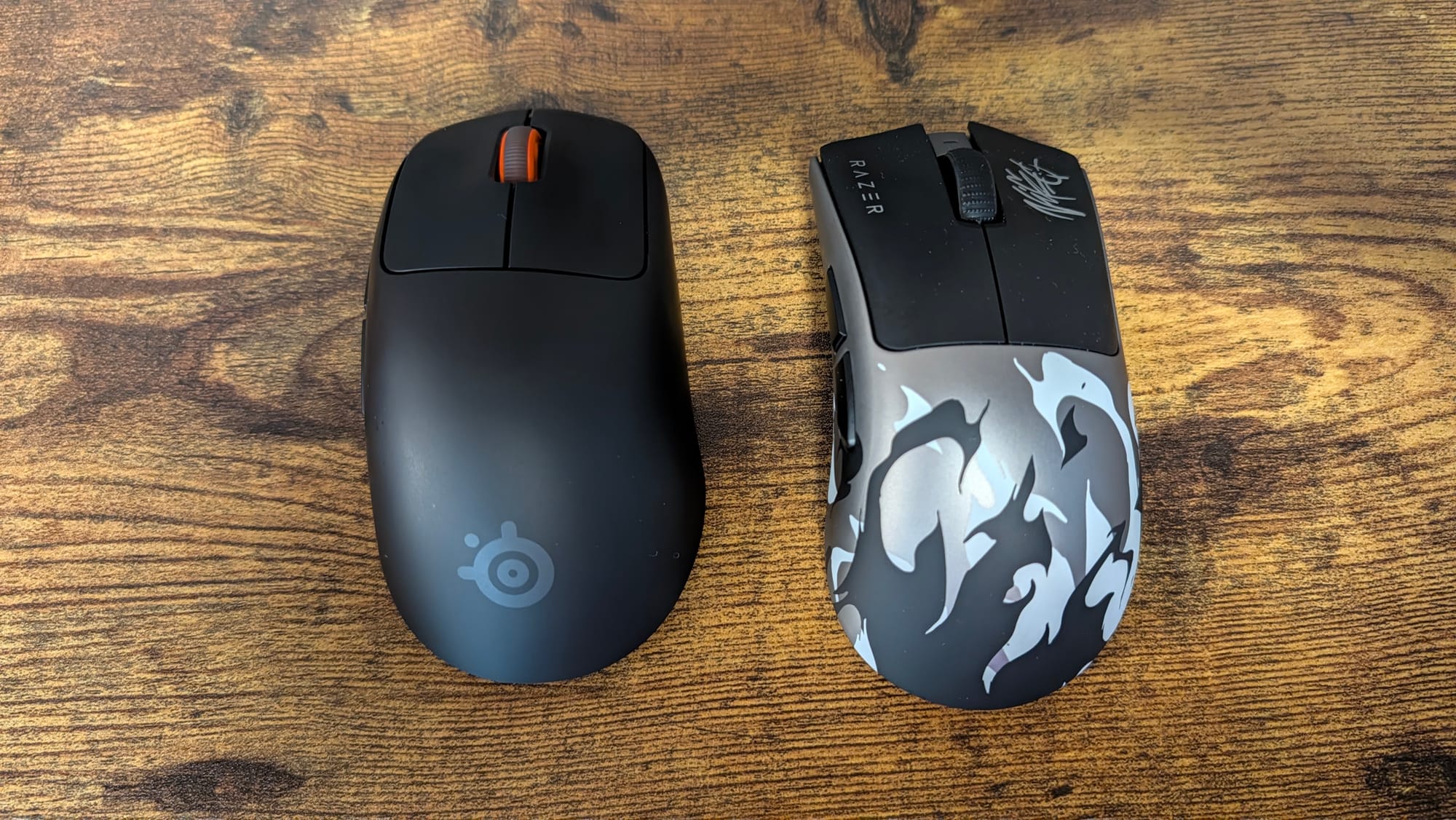
Both the Rival Pro and Sensei Pro feel great in hand. They are built in two unique forms: symmetrical and ergonomic. I've always been partial to an ergonomic mouse, but both mice fit so nicely in grip, it's one of the first times I feel like they're interchangeable. Size-wise, they are just right, snugly in palm. I have noticed that they seem to be smallish. My hands are smaller and I tend to complain about things being too large; this is the first time I'd almost say something like this. It's not a bad thing, but something to keep in mind if you have larger hands. Matching the size is the weight, a staggering 53 grams which feels like nothing as you use it while just enough to create the resistance you need.
On both gaming mice you'll find your usual stable of buttons. Two main right and left buttons, a scroll wheel, and two extra thumb buttons on the left side. SteelSeries has moved the DPI/power button to the bottom of the mouse, much to my chagrin. I get the choice, but I hate having to pick up a mouse to change the sensitivity. The base station is also equipped with a button that lets you switch polling profiles – but more on that later.
Speaking of DPI, let’s dive into the sensors and tech behind the mouse. Utilizing their own TrueMove 42K DPI Optical Sensor, using a customized PixArt 3955, you can get as intricate as you like in personalizing your cursor’s sensitivity. If you want to literally go up a single digit in DPI, it’s available. I’m not sure who wants that sort of pinpoint control, but there’s someone out there who functions best at 21,349 DPI, I’m sure of it.
This is where the fun really begins, with two additions to the SteelSeries feature arsenal. First up: 8KHz polling rate. I swear by it, and it’s amazing to finally be using it with a SteelSeries mouse. There is something about the smoothness of it that makes it worth the cost of entry, and SteelSeries has implemented it flawlessly in the Rival Pro and Sensei Pro. They even included 9K over-polling, which isn’t true 9K but ensures you get the most stable 8KHz out of your mouse. Even better, if your game doesn’t support 8KHz correctly, SteelSeries has a way around that – a software capability called SuperSync that lets you adjust your polling rate and sensor report rate separately.
Second is the 6GHz+ Ultra-Wideband, which is an amazing technology they’re introducing for the first time with these mice. This is done via their new USB base station, which is a hefty boy but makes up for its large nature by energizing your gaming mouse (and also houses the 8KHz polling rate functionality). Essentially, most of your wireless devices are running on 2.4GHz already. This can cause lag or interference between your inputs, and even on a micro-level, could cause harm to what is registering with each click. SteelSeries’ Ultra-Wideband is practically immune to these issues, and along with special GG LAN-ready software tweaks, can make your 8KHz register at its best.
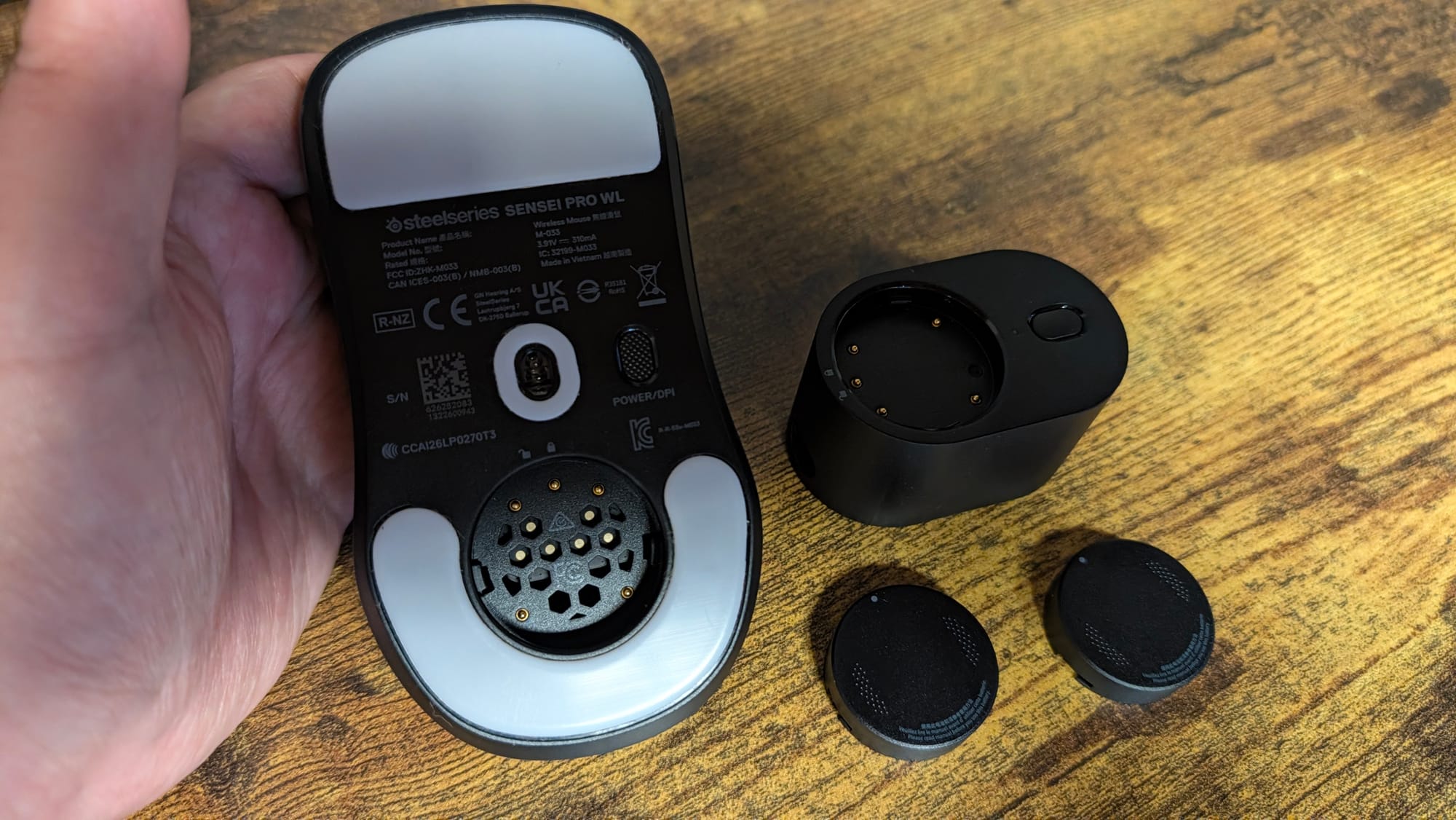
The worst part of all that power is losing it, and by that I mean battery drain. Thankfully, SteelSeries already has the right hardware in place for even that problem. If you’ve owned one of the Nova Pro line of headsets (our Omni Pro review here), or the new Aeon Pro controller (and you can read that review here), you know SteelSeries has mastered the infinite battery life system. Here, they’ve done it again, converting the mouse hub into a dual use charging station. Using a puck system, one remains attached to the bottom of your mouse, offering upwards of 16 to 60 hours of charge depending on the intensity of your settings. A second stays on the top of the USB base station, charging until you need it. Considering it will have a full charge in three hours, you can swap these instantly and keep playing for all of eternity. 8KHz gaming has never been so easy and less power dependent.
Alongside all of this are optical switches in the mouse buttons, rated for 100 million clicks. They feel great and are quite responsive. What hasn’t been as amenable is the scroll wheel, an underrated piece in the gaming mouse build. It’s still mechanical, and as such, doesn’t feel as precise. I’ve been able to sense the lack of attention with it; I’m not necessarily misclicking/mis-scrolling, but I haven’t felt as in control when using it.
SteelSeries has put all of these features together and boy, do they sing when you use the Rival Pro and Sensei Pro. My main game of choice has been Counter-Strike 2, and my performances have been in line with the best other gaming mice I’ve used. Controlling recoil, swiping into an AWP flick, and more has been smooth as butter. Halo Infinite has been much of the same, with accurate tracking that keeps me at the top of the leaderboards. Both the Rival Pro and Sensei Pro offer best-in-class performance, that’s for sure. I usually dive into the AimTrainer (Now Aim Tools) data to drive my point home, but as I broke my previous high in kills and saw a consistently high score, believe me when I say SteelSeries has triumphed in this mouse line update.
They lead on the software side as well. I’ve long spoken highly of SteelSeries’ GG app, and the efforts here are as stellar as ever. Being able to set up all of the above components, with full control over things like polling rate, sensitivity curves, angle snapping, and more, just gives you a wealth of tuning to be able to do. Through QuickSet, you can even set up custom profiles to swap around depending on the game you’re playing, which can be a bit simpler than changing all of your settings over and over. I’d love to see SteelSeries find a way for the software to recognize the game you’re in and at least change the polling rate. There has to be something they could do there given QuickSet’s specific game presets and Moments' ability to cue based on the game you’re playing. Another day perhaps.
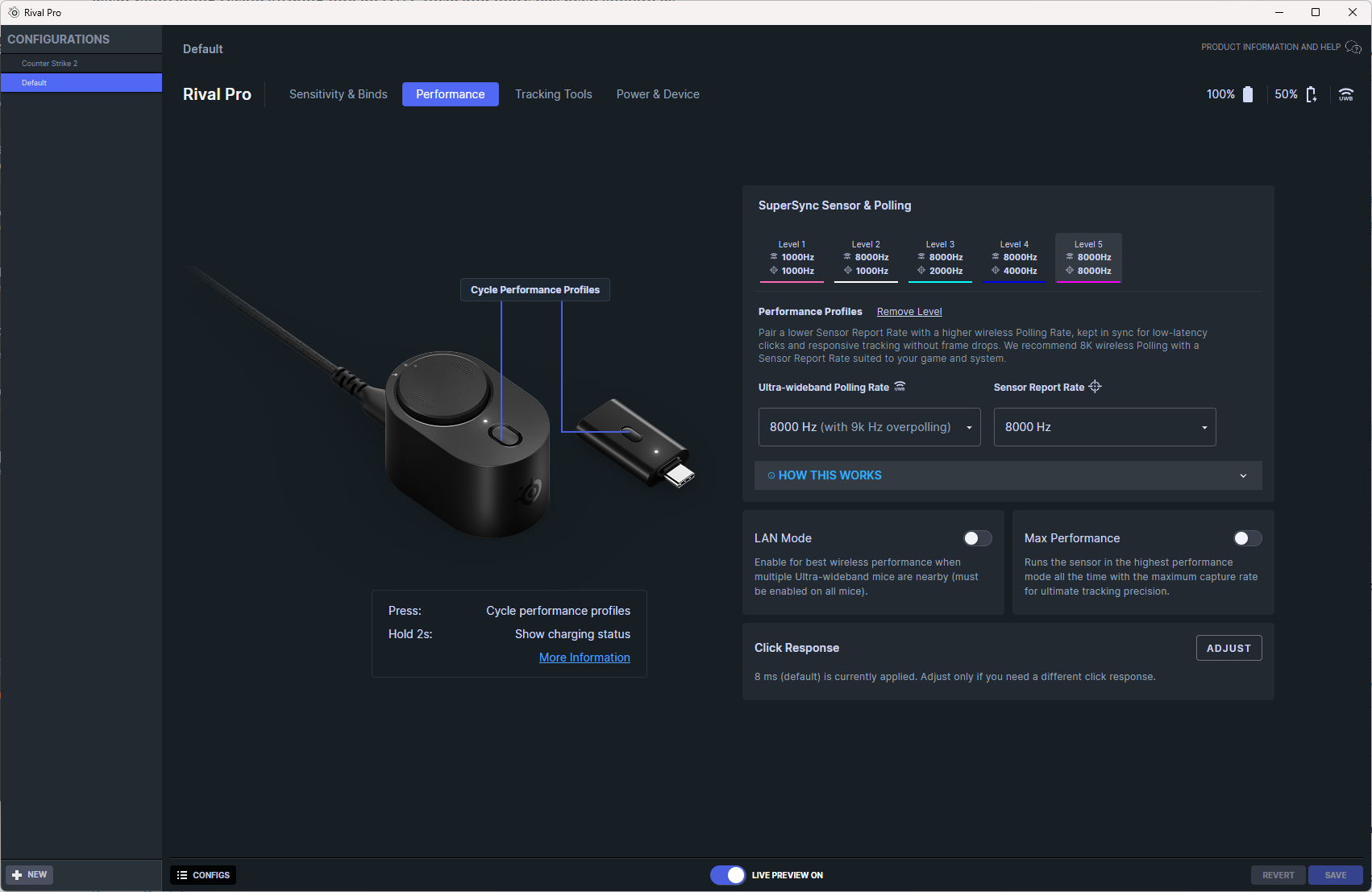
Two other things stand out on the software side: the emergence of a web app, and the aiming tools. Web apps are becoming the rage, but it’s a good trend to follow. Having the ability to at least capture some of the feature tweaking outside of a download is fantastic. If you were at a LAN tournament and ready to play, being able to make a micro-adjustment on the fly is a tremendous extra – especially as many game winners are decided by the slimmest of margins.
GG’s Aim Tools are a boon to anyone wanting to up their game. Between fun games that help you track your aim and train better habits and a sensitivity finder that assists you in dialing in the best one for a specific game, it’s hard to find any fault in the process. Not to mention, this is completely free and even works with other gaming mice. You’ll still get your best out of a SteelSeries mouse, but this trainer is something that gives the gearmaker an edge no one else has.
SteelSeries Rival Pro and Sensei Pro gaming mice
Excellent
For a first step into 8KHz, SteelSeries has done it right and exceptionally. Both the Rival Pro and Sensei Pro gaming mice excel on the mousepad, with accurate sensors delivering precision in your clicks. With 8KHz polling and 6GHz lasting forever thanks to the Infinite battery feature, you can game to your heart’s content. They're comfy, they’re responsive, they’re deadly. Say hello to the newest weapon on your desk.
Pros
- Comfortable and stable in grip
- Tremendously accurate
- 8KHz and 6GHz Ultra-Wideband are game-changers for SteelSeries
- The perfect battery system
- GG’s wealth of settings and tools
Cons
- Scroll wheel is a bit of an afterthought amidst all the upgrades
This review is based on a retail copy provided by the publisher.












