
SteelSeries’ conquest to take over your gaming space has, oddly enough, rarely included a controller. Especially a premium one. It feels like everyone is making one now, so it's worth throwing your hat in the ring to see if players resonate with what you bring to the table. The Aeon Pro is what the gear maker has drummed up, and now that I've used it for a decent clip, I could see it becoming a part of my rotation.
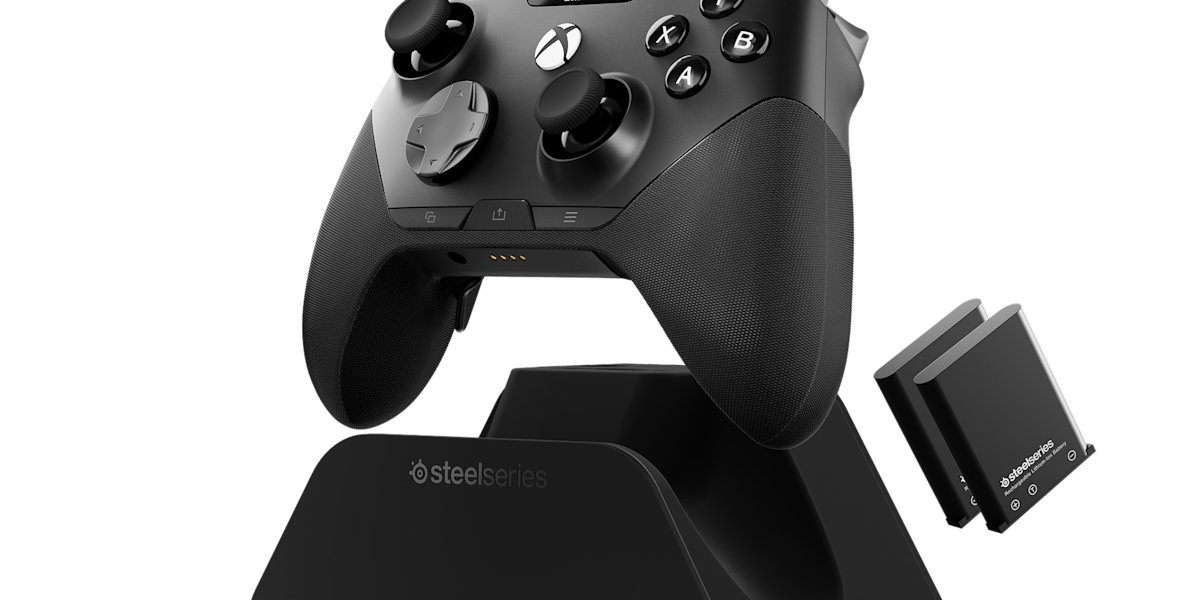
Inside the box you'll find the SteelSeries Aeon Pro wireless controller, the base station dock, a USB-C to A cable, two batteries (one is inside the controller at unboxing), and two additional thumbsticks. I made mention of this to the team when we chatted about the Aeon Pro, but through their relationship with KontrolFreek, it'd be cool to see an accessory package for the controller. That may not be in the cards for a while, but the designs KontrolFreek could provide could be an extra benefit you wouldn't get from any other controller.
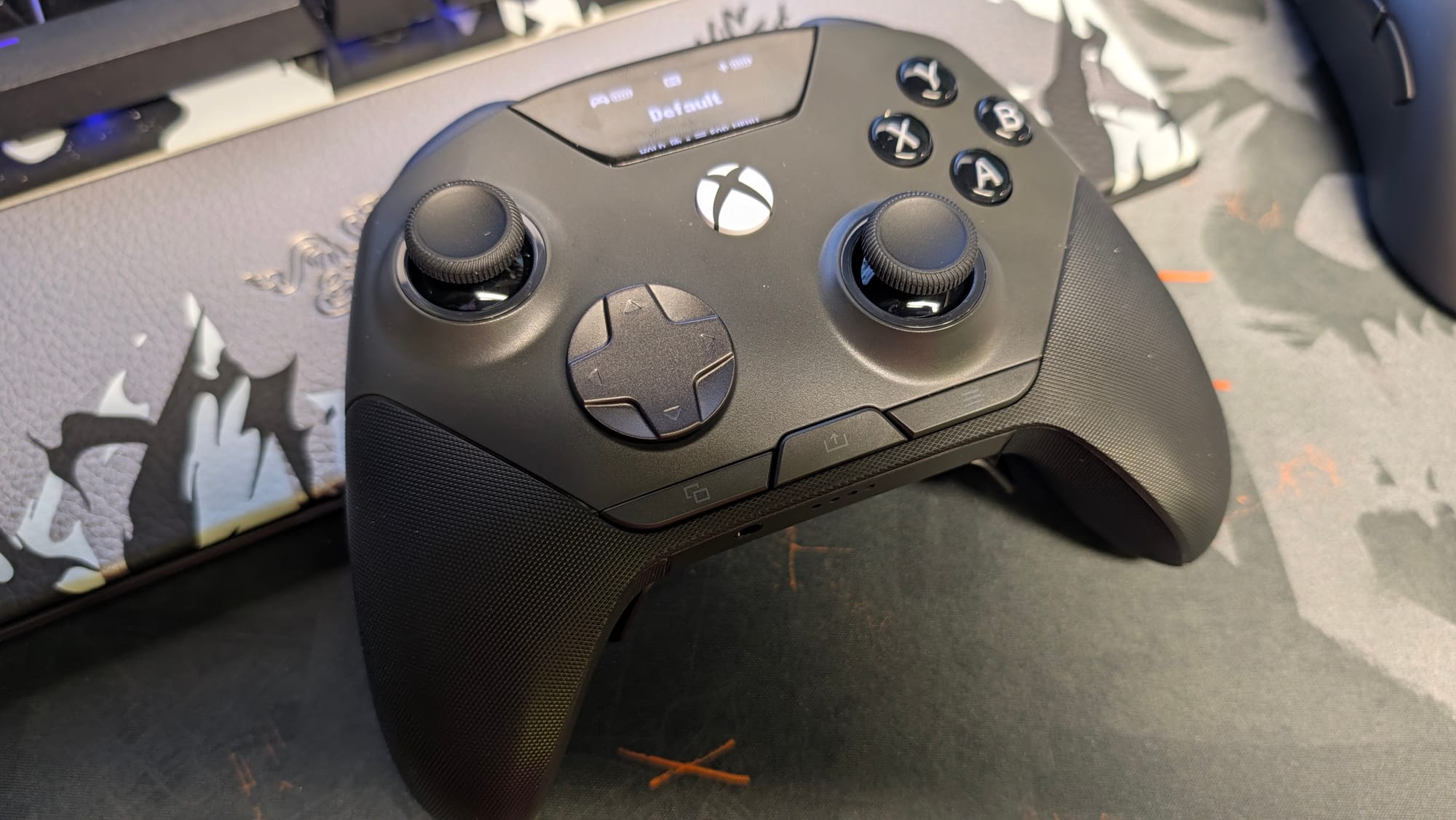
As soon as I picked it up, I immediately recognized how comfortable it felt. There's a really good heft to it, not unlike the Xbox Elite 2 controller. Besides that, the textured handles are outstanding in grip. This might be the best feel in hand I’ve gotten from any controller; it’s truly that well built, from the bumpers and triggers, to the face buttons and back buttons, to the aforementioned handles. I don’t know that people understand how much this quality matters in a controller, so I want you to know that the Aeon Pro rocks in this category.
You’ll notice I didn’t mention thumbsticks in the above paragraph, and that is intentional. While I still think they work well, there is something about them I can’t put a finger on. Yes, that is wordplay, considering they are THUMBsticks. I don’t know if the wells for the sticks are a bit wider, if there’s a minute height difference, or if it’s just the feel of the Hall Effect sensors. Whatever it is, I’ve felt a tad off with these sticks while using them, although I’ve been able to adjust somewhat as I’ve played (I also could be spoiled from using TMR sticks with 8K polling recently). This makes the most difference in a competitive game, but is fine everywhere else. As someone who plays a lot of Call of Duty, do know there will be an adjustment period, meaning you may miss a few shots in the beginning that you usually make.
This nuance doesn’t extend to the rest of the controller, and every bit of the meticulously-crafted Aeon Pro outside of the thumbstick anomaly screams excellence. For instance, all of the buttons on the controller are mechanical switches, which give a wonderful click when you press them. Not only is the actuation faster, but you don’t doubt your input is being registered. Another move that’s been made: the menu, options, and share button are all at the bottom of the controller face. It takes some getting used to, but the location makes more sense than having to stretch your thumbs just to pause or go to your map.
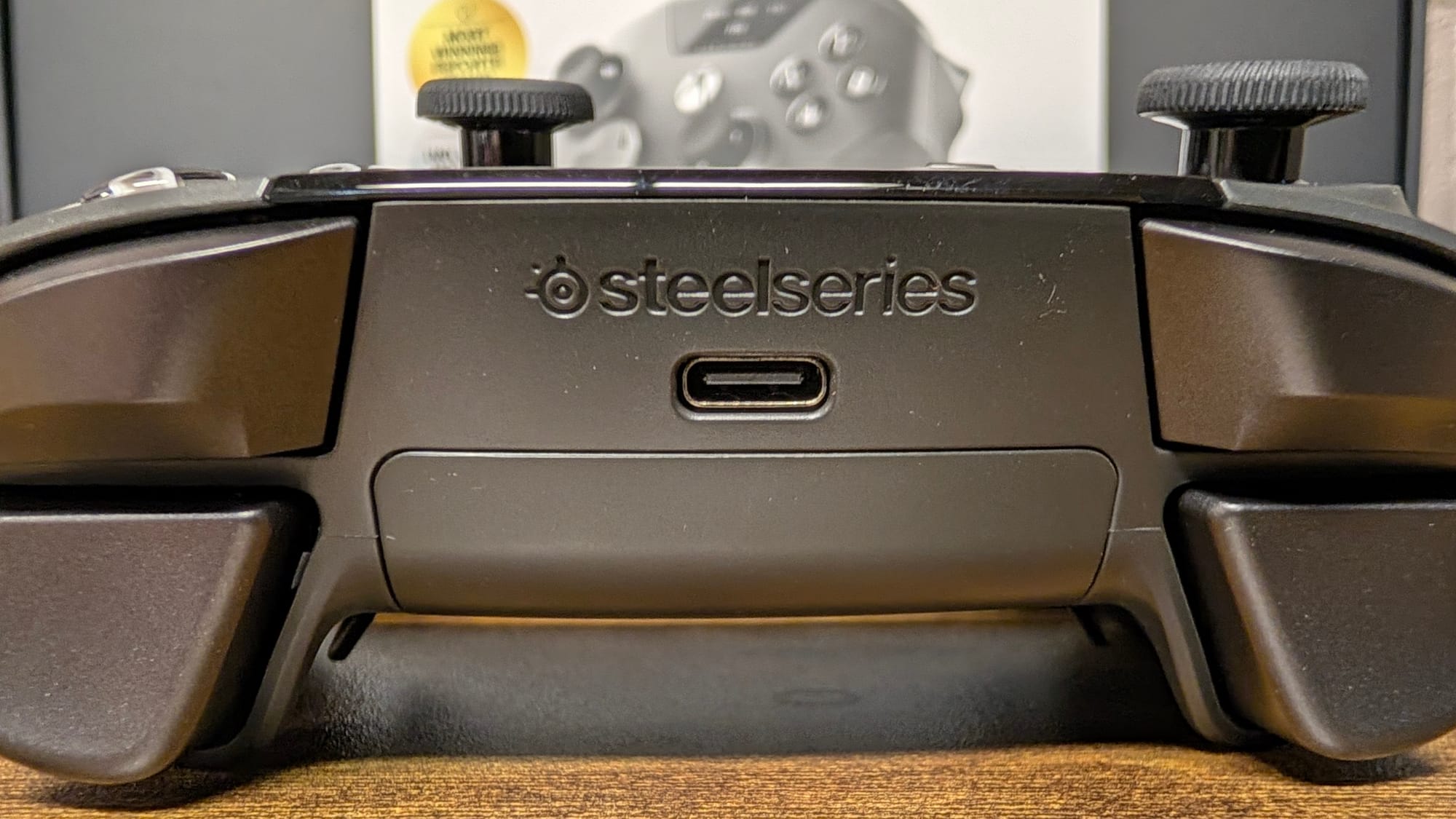
The metal Hall Effect triggers and the metal mechanical bumpers both feel terrific as well. The bumpers have that clicky nature that just feels good, and the triggers have it, but in a different way. As with many pro controllers, these feature trigger locks, which let you choose between a full pull and a mouse-like button press. I will always prefer the latter, and the Aeon Pro has just enough give that I don’t feel like I’m fighting the controller for the press.
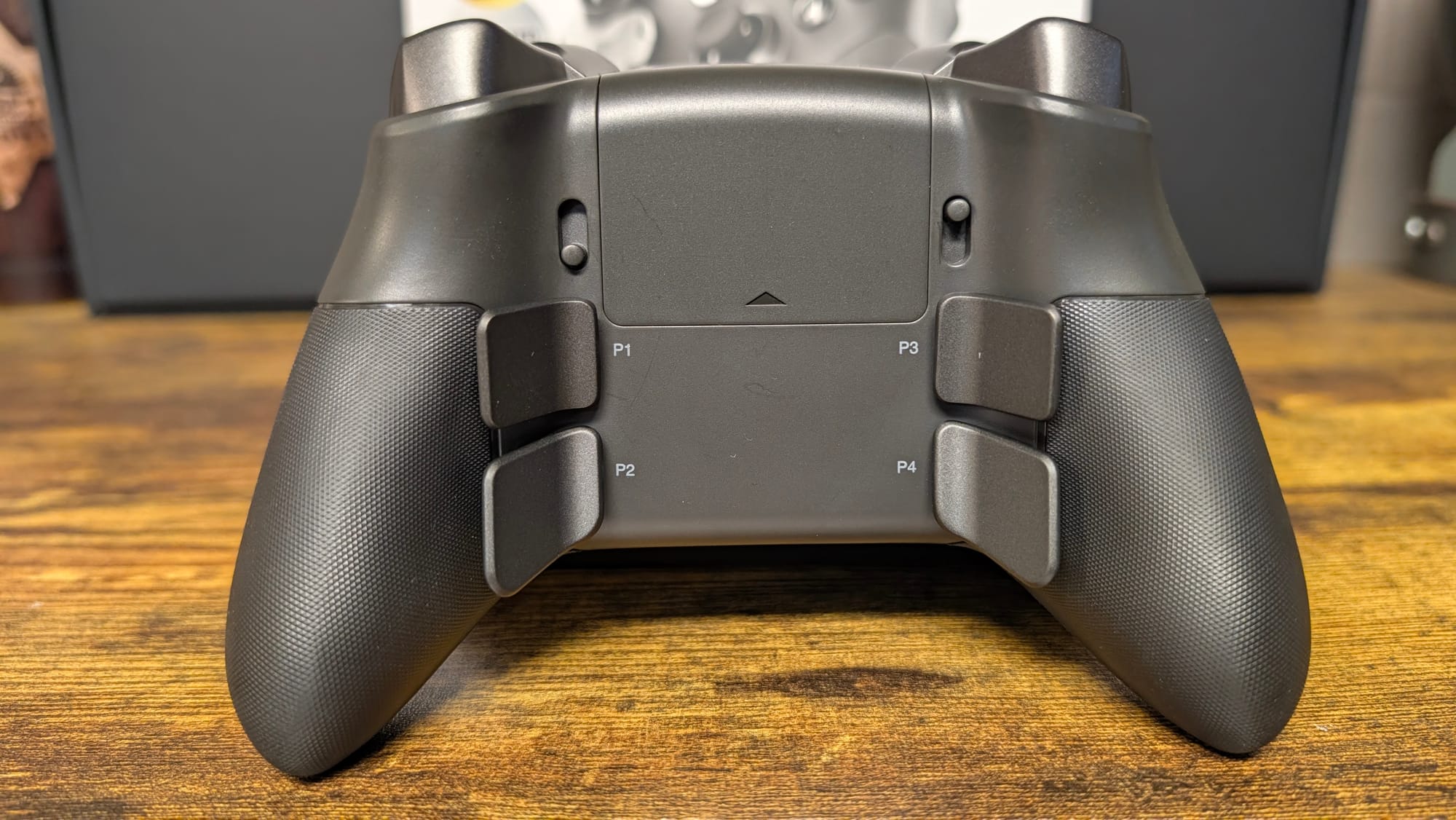
I didn’t think I’d like the back buttons from my initial look. When the team gave me a presentation on the Aeon Pro, my first concern was the symmetrical and humongous paddles on the back. Could these actually function correctly? I ended up dumbfounded, as they are some of my favorite back buttons on the market. They sit naturally in your grip, and the size helps you know exactly where they are. Besides this, they’re also mechanical and have a stellar click to them, along with perfect pressure to activate (a feature that gets missed). Along with matching the metal build of the triggers, they’re simply stupendous in action.
Put together, all of these things do amount to a tremendous gameplay experience. The Aeon Pro exudes its premium status, offering luxurious control as you play whatever game your heart desires. My qualms with the thumbsticks still stand for Call of Duty, but I’ve not had a single issue with my back paddles, as they give me that oomph I need to operate the advanced movement of the franchise to best my opponent. If I can dial in the best feel for the thumbsticks, this is truly up there in my favorite gaming controllers.
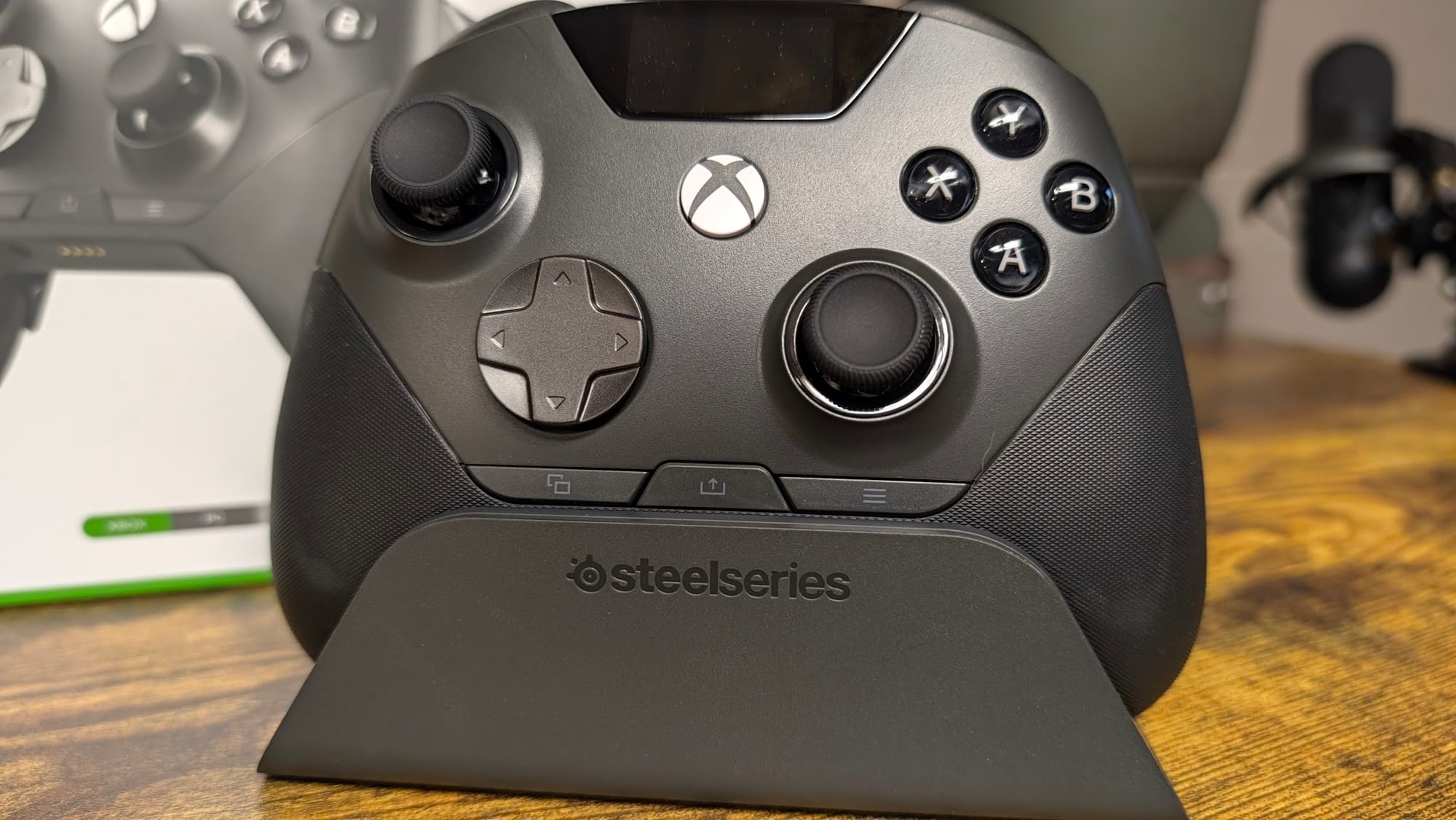
Not all docks are created equal, and SteelSeries has really powered up their base station dock. It doesn’t look like much, but this large plastic chunk houses two separate charging capabilities, alongside two nice little magnetic points to hold your extra thumbsticks. One of my favorite reasons to include a charging dock is, of course, the charging. Giving you a place to “store” your controller is one thing; charging it up for the next session while you aren’t using it is another entirely. It also has a port that allows you to charge a second battery, which leads us into the next conversation of this review.
That conversation is power, and like Emperor Palpatine, the Aeon Pro has it in unlimited variety. I already mentioned the methods, but together they make for a truly never-ending supply of battery life. When you aren’t using your Aeon Pro, it can be on the charge dock getting zapped to the brim. When you are using the Aeon Pro, a secondary battery is charging and ready in seconds, as the back of the controller houses the battery like any other controller. If for some crazy reason either battery were to fail, you could even use the ones in the SteelSeries Arctis Pro headset line. I loved SteelSeries’ implementation in the Pro headsets, and it's amazingly implemented here.
It works in a lot of places as well. The Aeon Pro will work on your PC, Xbox Series and One consoles, and other devices via Bluetooth connectivity. Utilizing their previous work with the control hub for their headsets, you can attach your dock to both an Xbox and PC simultaneously, which lets you use it on whatever hardware you’re on, and it generally recognizes it without you even needing to swap over to the corresponding mode. Given that SteelSeries has certified the controller with Xbox, it’ll also wake your system, which is something that isn’t always available with third-party controllers. On PC, you’ll get a boost from 1K polling, which will provide smoother input in your gunfights and more.

On the crown of the controller lies the pièce de résistance: an OLED screen. It’s not unlike the one on the top right-hand side of SteelSeries’ keyboard, and it has similar functionality. Here, you just about have a full GG suite of settings built into your controller. You can swap between fully customizable profiles, remap your buttons, and even adjust thumbstick circularity and haptics. While the GG app is still available, this does the trick in a pinch and works quickly.
Speaking of the GG app, there are a couple of additional features that are useful. You can swap trigger functionality, change thumbstick and trigger dead zones, and even change response curves. Although the app isn’t as necessary given the presence of the on-board settings and OLED screen, it’s nice to have it as a backup, alongside some bonus options.
SteelSeries Aeon Pro controller
Excellent
It might be a first in SteelSeries dive into premium controllers, but it’s a largely successful one. Featuring unlimited battery, the most comfortable grip on a gaming controller, and killer back buttons, they’ve mostly knocked this one out of the park. If you can adjust to the Hall Effect thumbsticks, or tweak them to your liking through the OLED display or GG app, you’re absolutely golden with the Aeon Pro.
Pros
- Extremely comfortable
- OLED display offers a wealth of personalization
- Phenomenal back buttons
- Triggers, bumpers, and buttons have responsive, clicky quality
- Infinite battery life is REAL
Cons
- I’m still figuring out the thumbsticks
This review is based on a retail copy provided by the publisher.












