If you've followed GamingTrend for any length of time, you've probably noticed we've been pushing a lot more video lately. What you don't see is where all of it lives. Every video shot in our studio starts with at least three cameras' worth of 4K S-Log3 footage, and every byte of it has to sit somewhere fast, safe, and big enough to keep growing. That somewhere is network-attached storage, or NAS, and over the last few years mine had quietly (and occasionally loudly) turned into a mess.
Before this review, my data was spread across four different devices. There was an aging Synology I lovingly called "The Box" (naming is not my forte) holding the family media library and a handful of documents like my resume. There was also a TerraMaster full of GamingTrend footage I used to assemble videos. The UGREEN DXP4800 GT I recently reviewed ran our Plex server, sitting at a nervous 92% full. An 8 TB external drive doing staging duty, thanks to that overfull container. That's four things to update, back up, worry about, and eventually consolidate. I guess I'm a data hoarder.
UGREEN has spent the last couple of years shaking up the home NAS market with its NASync line, and the DXP8800 Ultra is the new top of that range. This one isn't aimed at the casual home user, though. It's built for the small to medium business, the creator, and the home lab tinkerer who wants a powerful, self-hosted data center without the hosting bills. You get eight bays, an Intel Core 7 processor, two 10GbE ports, and two Thunderbolt 4 ports for $1,779.97 — without drives – roughly half the price of the competition. That's a big promise, and I had a big job for it. Let's see if it was up to the task.
Before anything else, a quick reminder: we're reviewing the chassis. The box says "diskless" right on the side, and it means it. The drives are on you, which is standard for a NAS, but I'd rather be upfront than have anyone surprised. Inside the box you'll find the NAS, a manual, a standard power cable, drive keys, two CAT7 Ethernet cables, a screwdriver, screws for 2.5-inch drives if you’d like to use small SSDs, and nice thick thermal pads for the M.2 slots. Tucked right behind the manual is a card for the three-year warranty – a welcome sight that clearly states that UGREEN stands behind this device for the long haul. Most NASes I see ship with one year, and UGREEN isn't hiding this on the last page in tiny print. They want you to know you're covered.
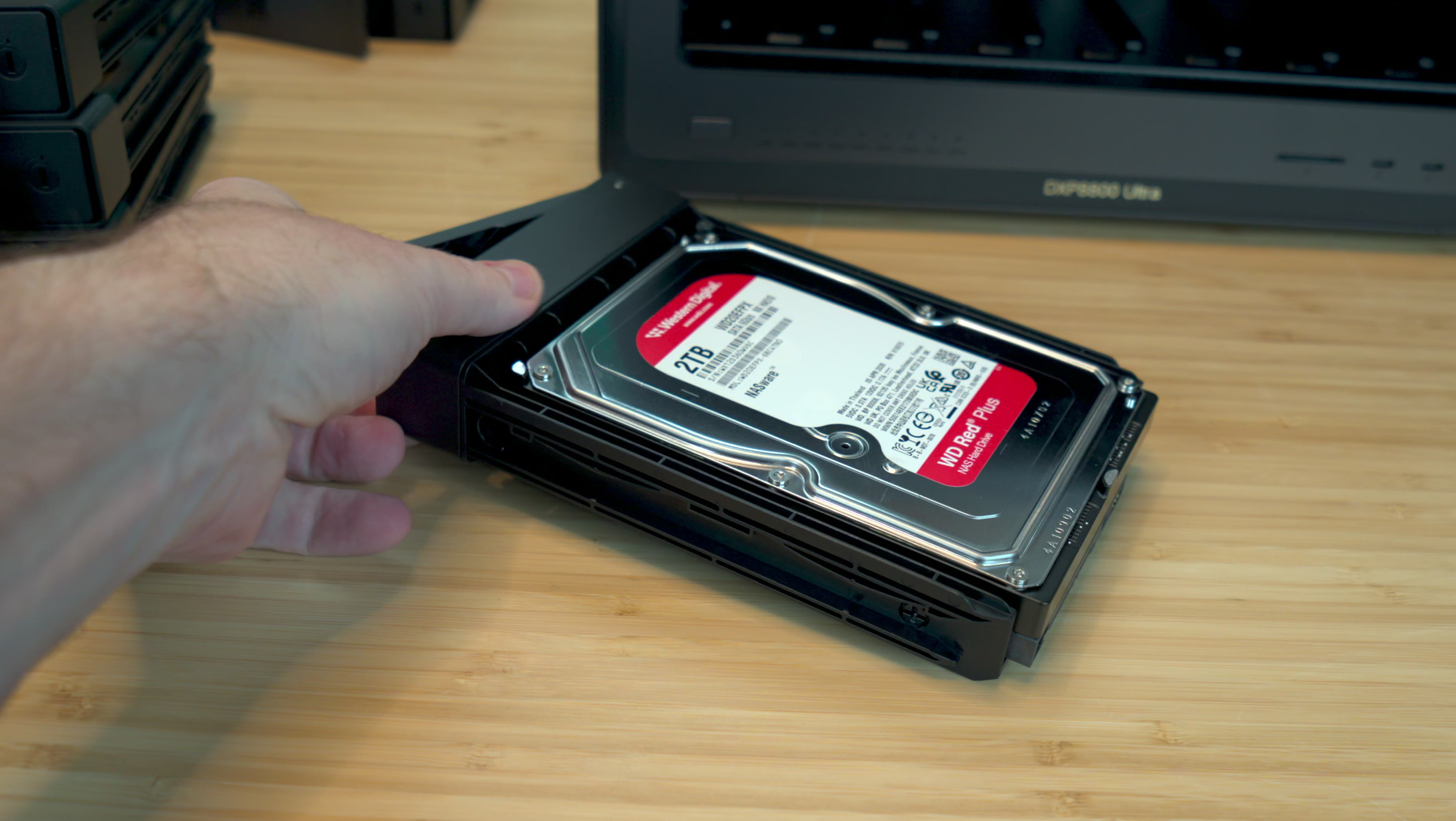
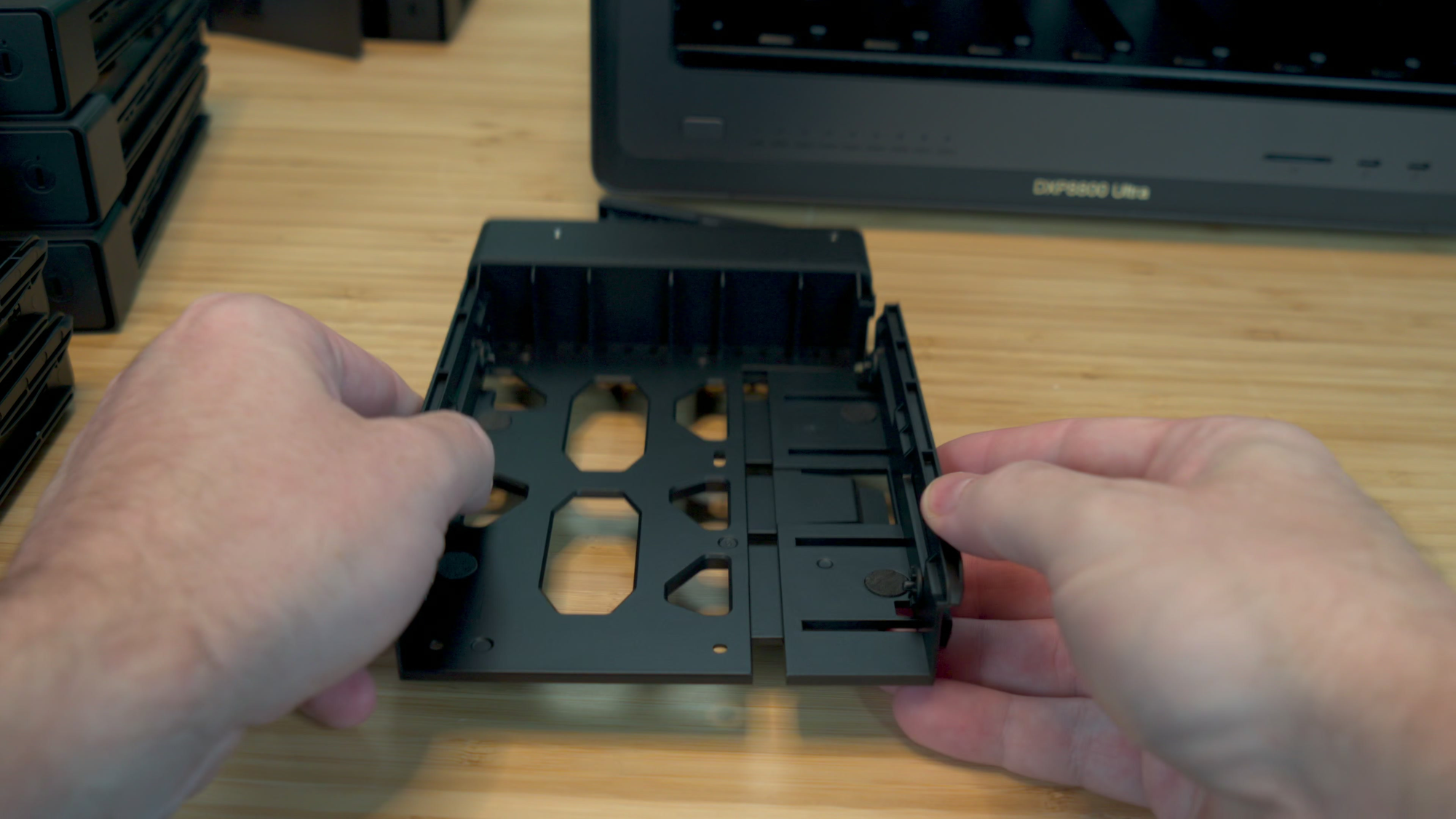
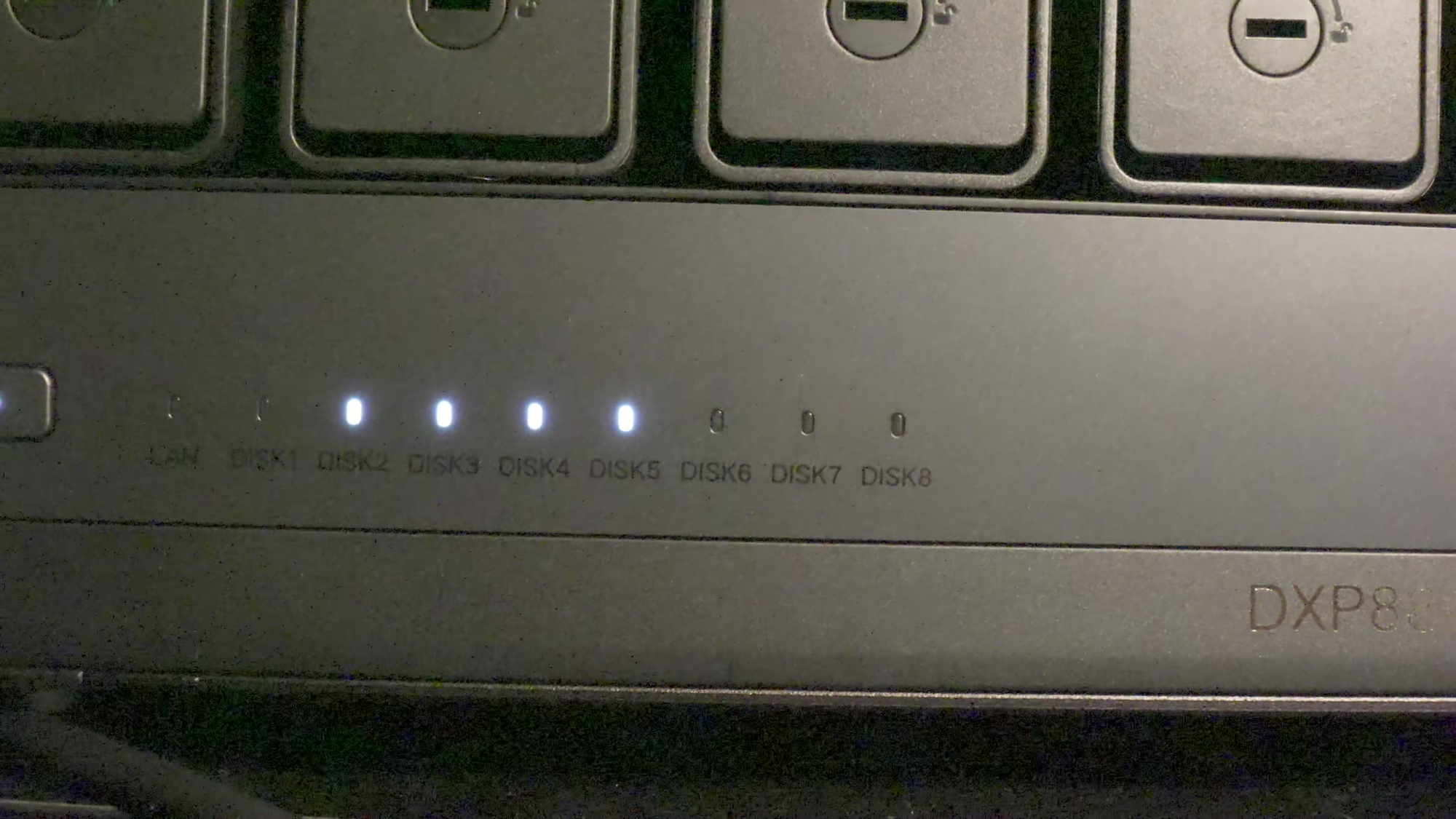
The chassis itself is solid aluminum, and that's about more than looks. Spinning platters generate heat, and an aluminum body pulls that heat away from your drives. Heat is what shortens their lives, so proper thermal handling is important. Up front, you get eight hot-swappable bays, numbered one through eight, so you always know which drive you're pulling, plus a power button and a row of status lights you can read from across the room. The drive cages are some of the most elegant I've used: press a tab, the cage opens to the side, line up the posts on the drive, and close it. No screws and no fuss – mounted in seconds.
The front edge is where this becomes a creator's NAS rather than just a storage box. There's an SD 4.0 card reader so you can pull footage straight off a camera card without touching your PC. I do wish it had a CFexpress reader, since more cameras are moving that way (including my Sony FX-30s) and the speed difference is dramatic. There's also a 10Gbps USB-A port up front, and two Thunderbolt 4 ports at 40Gbps each. Plug a laptop or workstation directly into one of those, and you've got a fast lane that skips your network entirely, which is perfect if your network infrastructure is still waiting on an upgrade.
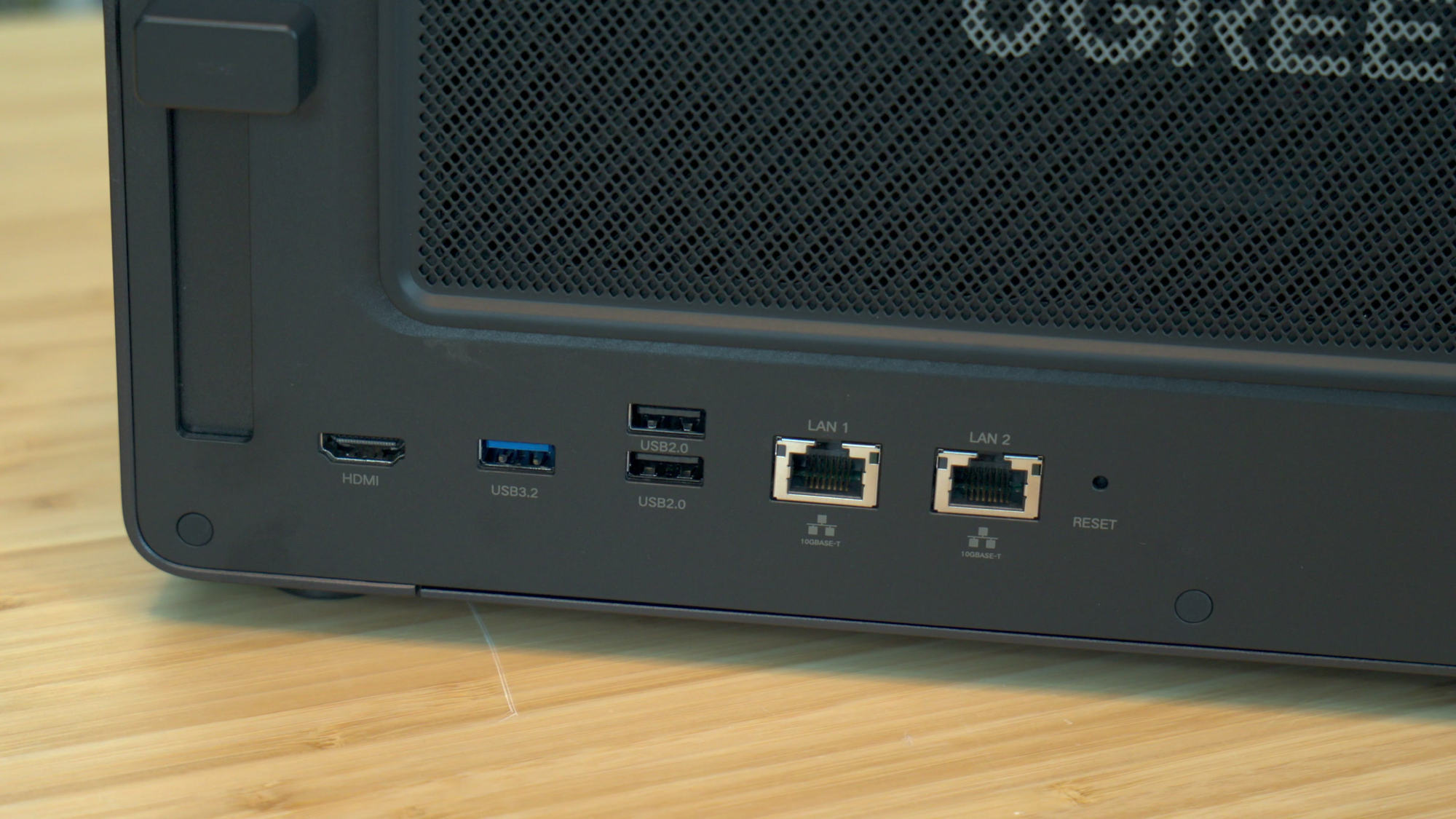
On the back of the chassis are two 10GbE ports, and if your switch supports it, you can bond them for 20Gbps of total bandwidth. That's phenomenal for moving big files, but it really shines when several people are pulling footage at the same time. There's an 8K HDMI port that's handy for troubleshooting with a keyboard and monitor, direct-to-TV media playback, or keeping an eye on your virtual machines. You also get another 10Gbps USB-A port for backup drives, two USB 2.0 ports (one of which should be connected to a UPS for graceful shutdowns), and a magnetic, removable dust filter that pops off for cleaning. None of my other NASes have anything like that filter, and I've had to blow air into spinning-platter boxes to clean them, which is as nerve-wracking as it sounds, as there’s always a chance a powerful burst of air damages internals or overspeeds spinning objects like fans or the drives.
The real secret weapon back there is a PCIe 4.0 expansion slot. That's your upgrade path to a lot of things: a network card to physically separate traffic, an NPU for more AI horsepower, a low-profile GPU for heavier transcoding, or a card full of NVMe drives. All of that depends on UGOS supporting your hardware, but having the option at all is one of the key differences between a consumer NAS and something enterprise-grade like this. Cooling sees a solid upgrade, moving from the 92mm fans on UGREEN's six-bay to a pair of standard 120mm x 25mm fans on this 8-bay. They used a standard 4-pin connector, making these the same kind of fans you’d find in a PC. If one dies, or you want something quieter, you can swap it yourself instead of shipping the whole chassis back.
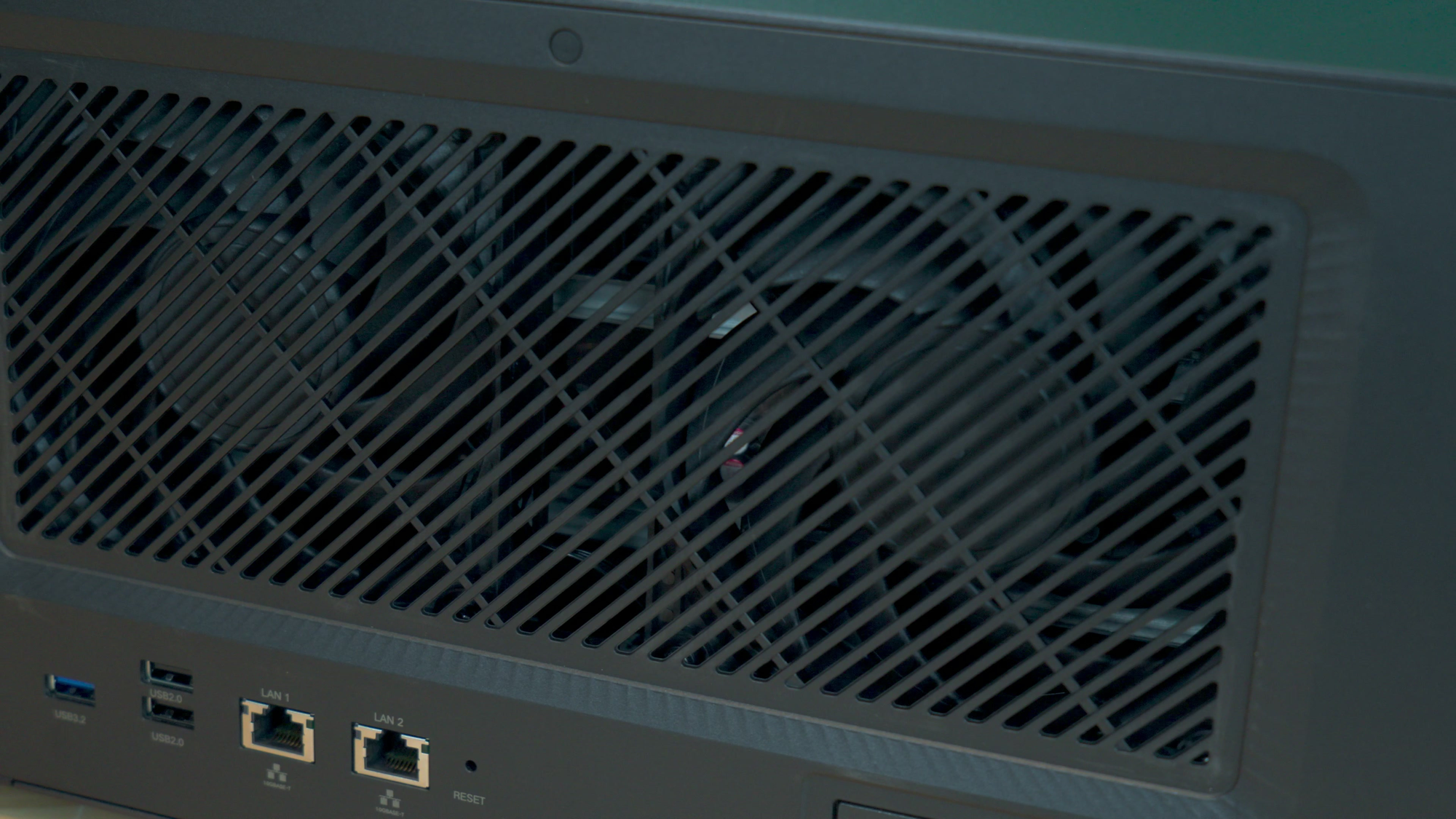
The brains of the operation is the Intel Core 7 150U with 10 cores, 12 threads, and a 5.4GHz boost. That's a laptop-class chip, not the tiny low-power mobile processors many NAS boxes have. The integrated graphics handle hardware transcoding for Plex, so the NAS can convert a 4K movie down to 1080p on the fly for a phone or tablet without everything else grinding to a halt. Memory starts at 8GB of DDR5 across two slots, with one slot left open, and it scales up to 96GB. It supports on-die ECC, which catches single-bit errors inside the memory chip itself. That isn't the full sideband ECC you'd find in an enterprise server (and no, SECDED isn't the hacker group from Watch Dogs; that's DedSec, but now you know where that name came from), but full ECC would add $800 to $1,000 to the cost for very little payoff in this use case.

The UGREEN operating system (UGOS) lives on its own built-in 128GB SSD, so it never steals space from your storage drives, and you never have that "am I about to lose data?" moment when you reinstall the OS. Each of the eight bays can handle drives up to 32TB, and the two M.2 NVMe slots take up to 8TB each. Max it out and you're looking at an eye-watering 272TB of raw storage. You can run RAID 0, 1, 5, 6, 10, or a plain bunch of disks (JBOD), but for an eight-bay system I recommend RAID 6 as it keeps your data safe even if two drives fail at the same time.
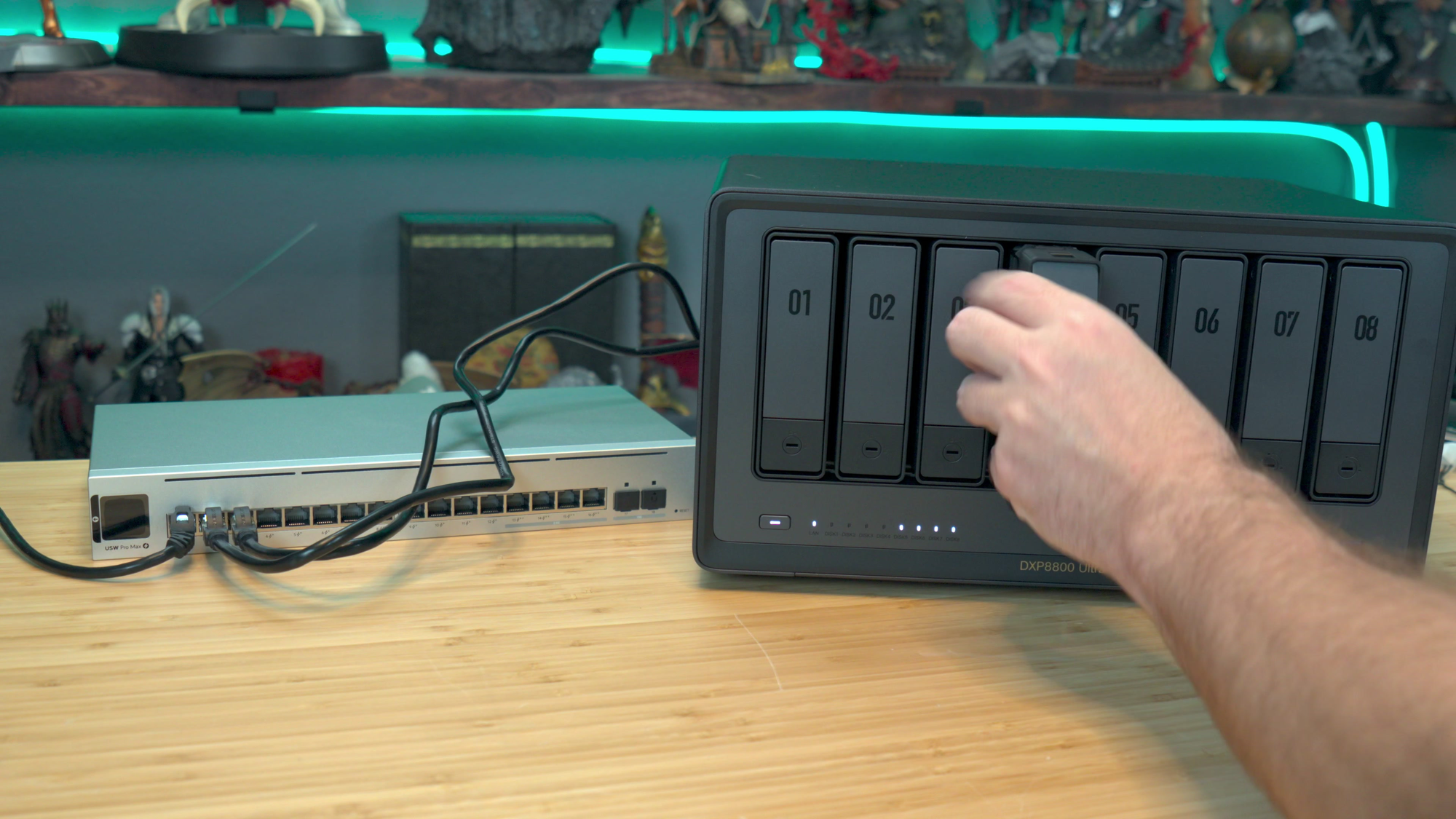
If this layout looks familiar, it's because UGREEN already sells the DXP8800 Plus. The Ultra keeps the same shape but upgrades the processor from the Core i5-1235U (4.4GHz boost) to the Core 7 150U (5.4GHz boost), with a beefier integrated GPU. Memory headroom jumps from 64GB to 96GB, which won't matter to most home users but absolutely matters once you start stacking virtual machines, containers, automation, and AI on the same box. UGREEN also moved one of the 10Gbps USB-A ports from the back to the front. It's a small change, but it's the kind of quality-of-life tweak that comes from listening to users, and I appreciate it.
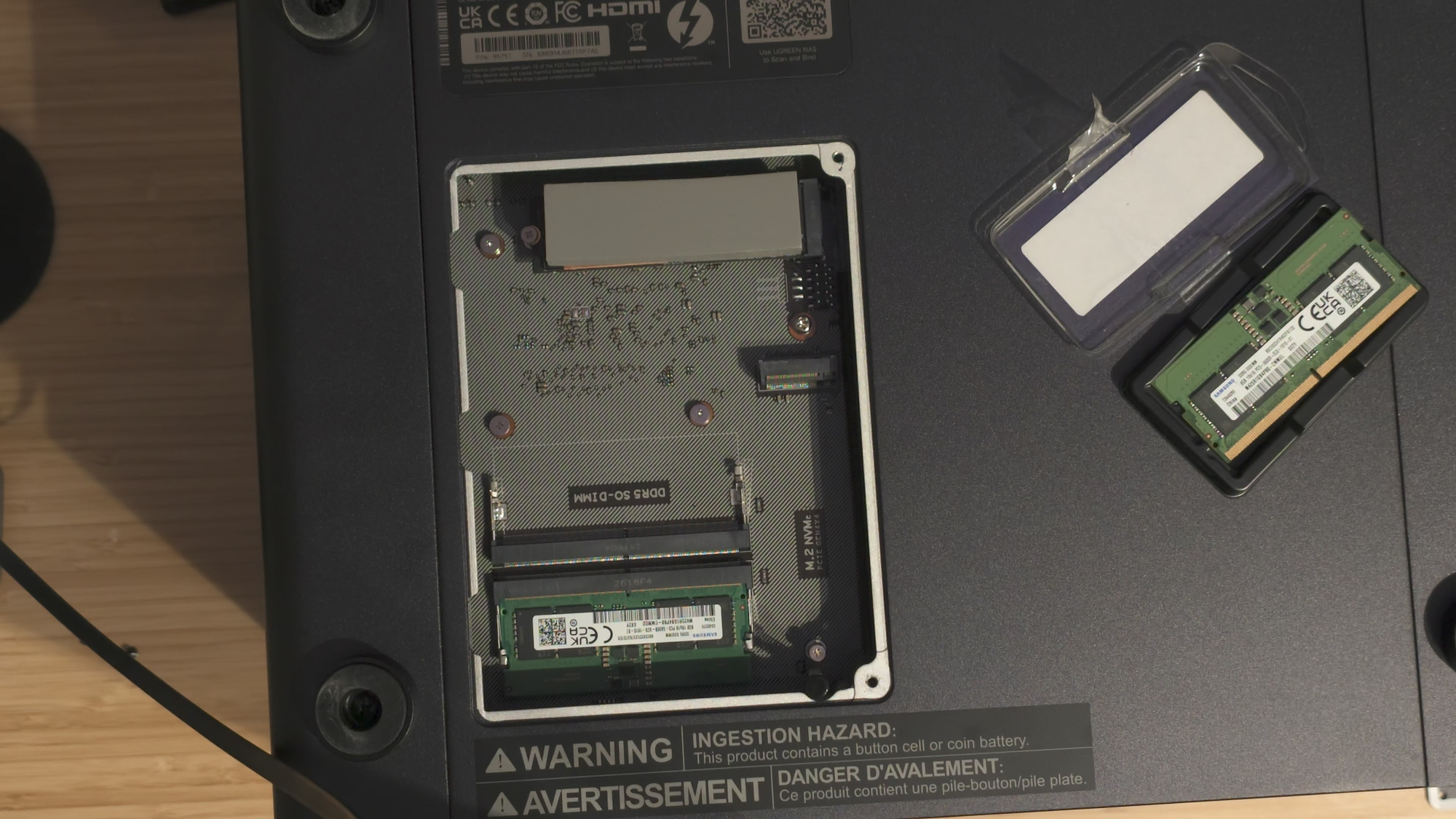
Getting inside the system is easy. Two screws on the bottom (and they even give you the screwdriver for it) expose both NVMe slots and the memory. I dropped in a 2TB Sabrent with the included thermal pad on top, which bridges the heat from the drive through the plate and out the back. There's also a spring-loaded intrusion switch in there that you can enable in the OS if you want to know whether someone has been inside the case.
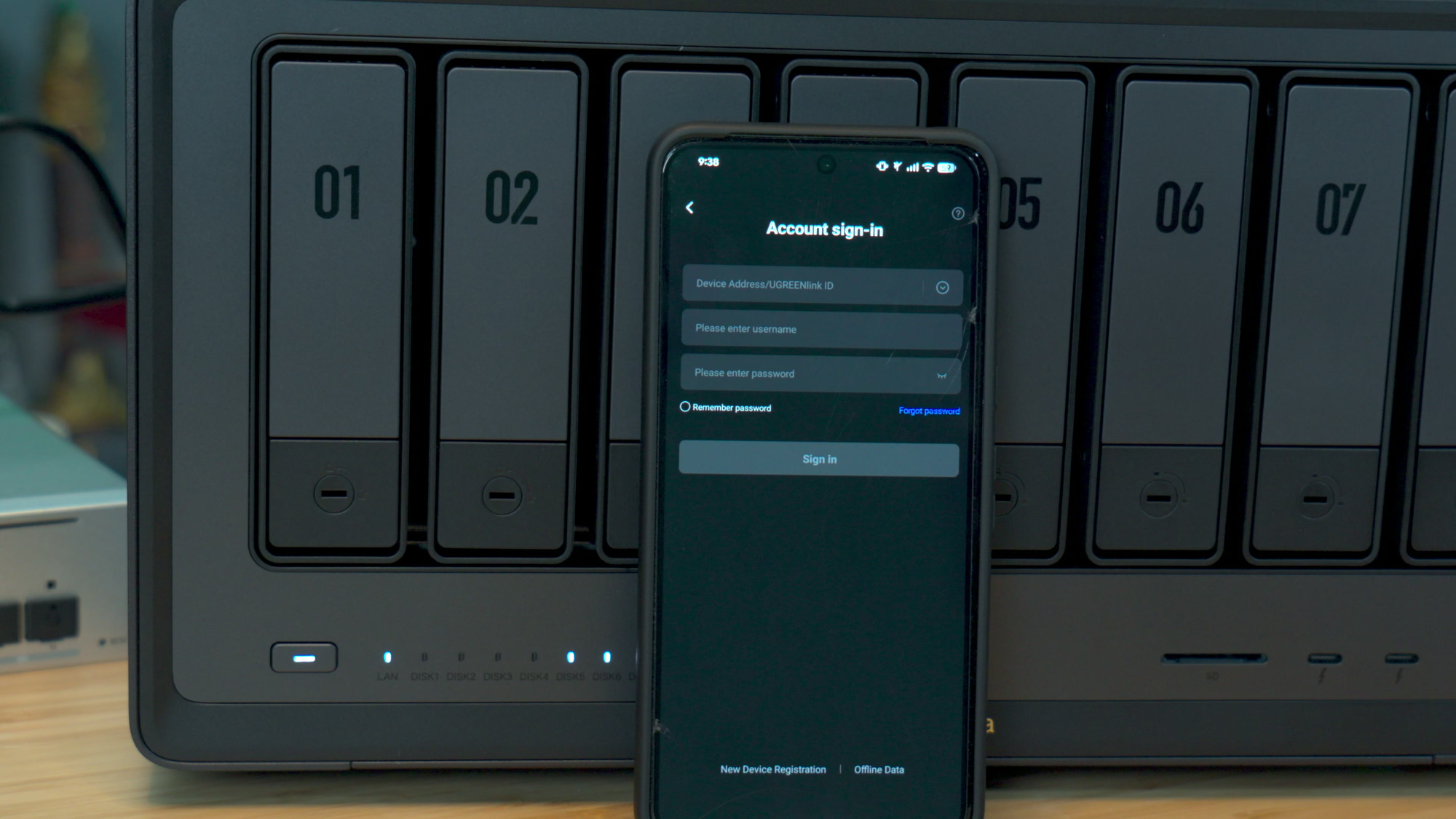
If you've ever fired up a commercial NAS, you know they usually sound like they're about to take flight. This one made no sound at all. It was online and showing up on my network in about 30 seconds, which is almost certainly that Intel processor flexing, but the ticking of the hard drives was louder than anything the fans had to offer. You can set up the 8800 Ultra from your phone or a PC. I registered it through the UGREEN app, named it, and moved over to my desktop to finish the job.
My migration was a lot more complicated than buying eight shiny new drives, but that had nothing to do with UGREEN’s gear, but entirely where I had my data scattered. It certainly would have been easier ot buy eight shiny new 32TB drives, but at roughly $500 a piece, that’d be a small fortune. My outgoing Synology had already failed a few times (and failed during this migration process!), so my priority was getting data off of it and onto something stable. Synology and UGOS don't speak the same language, so I couldn't just move the drives over. Instead, I did what I can only call the “Curly Shuffle”: staging pools, a Thunderbolt drive acting as a shuttle, and a lot of patience.
Days one and two built the RAID 6 array and copied 17TB onto it without a single failed copy. Days three and four moved our entire Plex automation stack into Docker. By day ten, every Plex library had moved into its new home without losing a single play count, with all the heavy lifting done after midnight so it never interfered with family viewing time. The best part is that nothing went to waste - The TerraMaster's four drives are now bays one through four on the 8800 Ultra, two spare 12TB drives fill bays five and six, and the six of them form a RAID 6 pool with roughly 43TB of usable space. Two of The Box's 12TB drives are going into bays seven and eight once all of the data is moved, with the NAS expanding the array in the background without wiping anything. When it finishes, the DXP8800 Ultra will hold about 65TB of usable space, 50% more than today, and it can still survive two simultaneous drive failures. The old four-bay gets The Box's other two drives plus a pair of 8TB drives off my shelf and becomes our on-site backup.
There's one lesson from this move I really want to pass along, as I almost made a big mistake. Everything on the old four-bay had "already been copied," so its drives could come out and be reused, right? Before pulling them, I ran one last read-only check comparing all 38,086 files against the 8-bay. It found 5.2TB that existed nowhere else in the house: 2.66TB of movies, 1.91TB of RiffTrax (I love RiffTrax), and a few hundred gigs of anime and TV. Somewhere in the migration, those files never made the trip. If I'd wiped those drives on schedule, they'd be gone. "Pretty sure that's already copied" is not a backup strategy - trust but verify.
I planned to clone our autoplexx Docker setup from the DXP4800 GT, move it over, and fire it up. Same OS, easy transfer, right? Spoiler: it was not an easy transfer. Merging media libraries is how you end up with every app disagreeing about where the files actually live. After the move, Plex was still reading an old mount from the previous box, and a stale setting made Bazarr think 980 movies were missing their subtitles. I even found a folder labeled 13 Assassins that was secretly holding 16 completely different films. The fix was boring on purpose: one folder tree on the 8-bay, shared by every app. Plex, Radarr, Sonarr, and Bazarr now all see the same thing. All seven Plex libraries moved over with a database backup and a rollback plan, and when it finished, all 1,183 movies were still there with their posters and watch history intact.
Then came the fun part. Adding a movie to our Plex server used to mean asking me. Now everyone in the family has their own login to an app called Seerr that they can use from their phone, anywhere. Requests go through a Cloudflare tunnel, so nothing on my home network is exposed to the internet. The 8-bay finds a copy, downloads it, files it, and Plex picks it up. In our first real test, Predator: Killer of Killers went from a tap on a phone to playing on the TV in about ten minutes, and I never touched it. Yes, I own that movie, and thousands more, but my mom can't climb the stairs to where our physical collection lives. This lets her watch all of it from a simple backup.
The best part is that everything plays with subtitles, which in my house is not optional. Everyone in my family, myself included, has hearing loss, so a movie without subtitles might as well not be in the library. Bazarr looks for English subtitles every time something lands. If nobody ever made them, the 8800 Ultra runs Whisper, an AI model that listens to the audio and writes them itself. For our old Saturday Morning cartoons, that's more than 1,100 episodes that were never subtitled by anyone. My desktop's RTX 5080 acts as a backlog booster, but the moment the PC reboots or goes to sleep (thank you, Windows Update), the NAS notices and takes the work back. The PC speeds things up; the NAS is the reason nothing falls through the cracks.
Our movies live on the NAS in full 4K HDR most of the time, but not every screen can handle that, so the DXP8800 Ultra reshapes them live: 1080p for a TV, 720p for a laptop on hotel Wi-Fi, 480p for a phone on cellular. The real question is how many it can handle at once, and here the Ultra beat UGREEN's own ratings in every single test.
DXP8800 Ultra · Transcoding
It beat UGREEN's own numbers in every test.
Our movies live on the NAS in 4K HDR. The 8-bay reshapes them live for whatever screen is watching. Here's how many streams it handled at the same time.
Simultaneous streams. On the 1080p to 480p test I stopped at 25 and never found the ceiling.
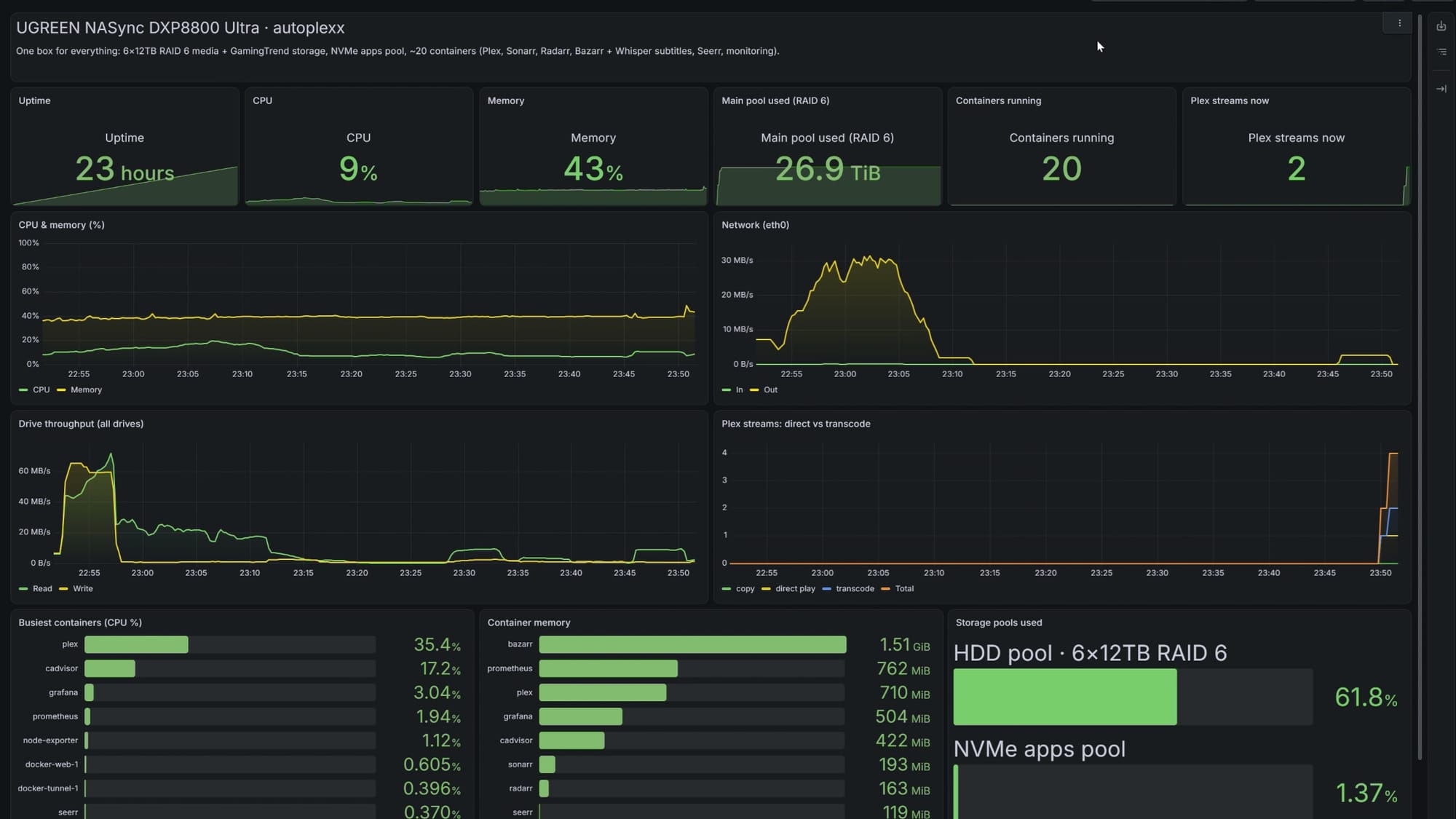
On that last test, I never even found the ceiling. Checking the dashboard after a full day of this, the box had been up 23 hours since its last update, with the CPU sitting around 7%, memory at 40%, 20 containers running, and about 27TB in the main pool. This one box is doing the work of four, and it's barely breaking a sweat.
What surprised me most about this device wasn't a spec. For years, I've had a long list of programming and scripting projects for GamingTrend that I could never quite pull off. Every one of them needed three things at the same time: lots of storage, real processing power, and a box that's always on and fast enough to keep up. The DXP8800 Ultra is all three, and it's become the core everything else is built on. Three of those projects are now real. Let’s talk about them.
DXP8800 Ultra · Project Vault
Old projects clean themselves up.
Every review shoot leaves hundreds of gigabytes of camera footage behind. The 8-bay now tracks every project, checks whether its video is live on YouTube, and clears the raw footage once it has done its job.
Figures from the first scan of the GamingTrend share, October 2026, before any YouTube links were confirmed.
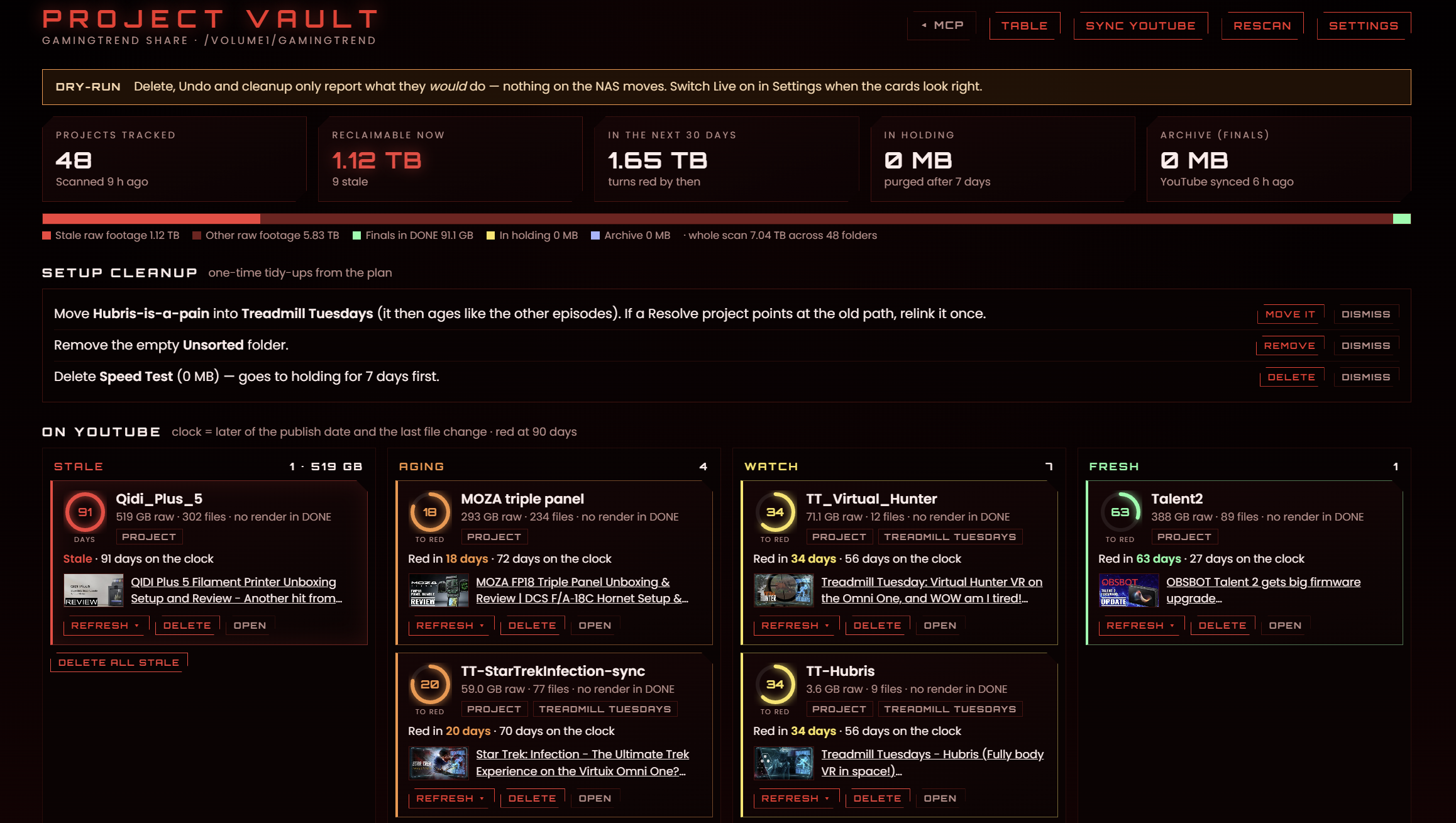
The first is Project Vault. A typical GamingTrend review leaves 300 to 500GB of camera footage behind, and once the video is live, almost none of it gets opened again. Project Vault scans every project folder on the 8-bay every night, checks our YouTube channel four times a day, and once a video is live and its folder goes untouched, starts a countdown. Each project shows up with its size, whether it's posted, and a color showing how long it has sat untouched. When I delete one, the final export, the Resolve project, and the YouTube link go into an archive I keep forever, while the raw footage sits in a seven-day holding pattern with an undo button before it's cleared after midnight. The scanner only reports out to our staff portal, so nothing on the internet can reach in. On day one, it found 43 projects and 6.5TB of raw footage, with nearly 600GB ready to clear right away.
The second is Trailer Recognizer.
DXP8800 Ultra · Trailer Recognizer
Every new trailer, on our channel, without the busywork.
During a showcase like Summer Game Fest, hundreds of trailers drop at once. The 8-bay collects them, figures out which game each one belongs to, packages it, and queues it for our channel. The last step is always a human approval.
Where trailers come from
What comes out
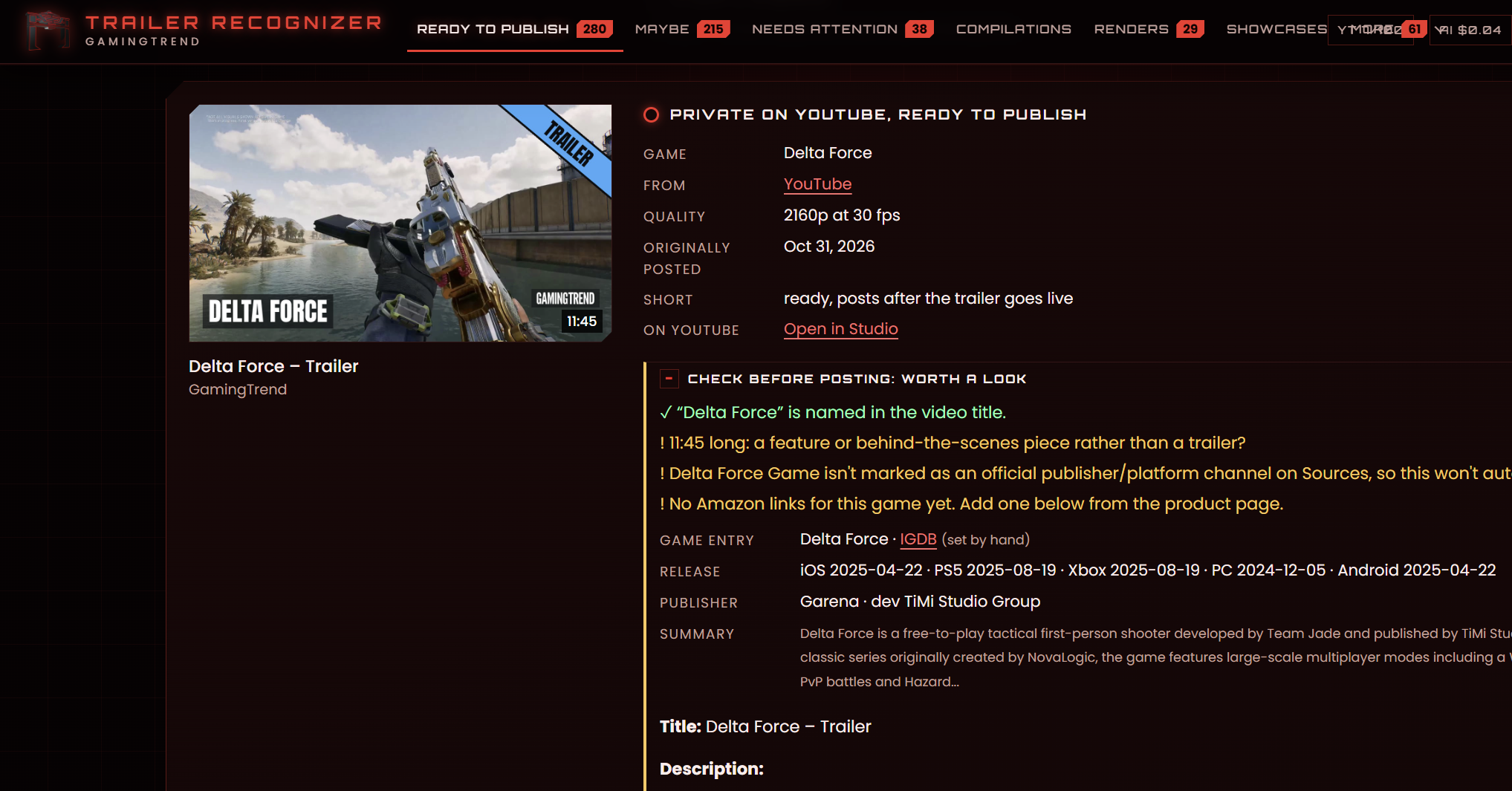
If you've ever covered a show like Summer Game Fest, you know you end up with hundreds of trailers at once, and you simply can't download them, re-upload them, and dress them up with descriptions, release dates, hashtags, and thumbnails between meetings. Doing it programmatically takes a lot of bandwidth, processing power, and storage, and I finally have all three. Trailers come in from publishers, platform channels, our release board, a press inbox, and anything else I add by hand. The NAS downloads each one, matches it to the right game using release dates, platforms, and studios, filters out anything old or anything from someone else's channel, and packages it with a thumbnail, title, description, release dates, and store links. It uploads privately, then releases on a schedule to our trailers playlist, along with a short version. For bigger pieces like top 10s and weekly roundups, the NAS preps the clips and my desktop renders them in DaVinci Resolve on my PC (via a Docker container) without me touching a thing. If a render stalls, the NAS fixes it and tries again. The last step is always approval, and that one is mine, but it’s the NAS acting as traffic cop that allows us to ensure all of this is done on time, and without needing to download and re-upload each one while at the convention.
The third is Guide Maker
GamingTrend · Guide Maker
Gift guides, from first pick to published page.
Our editors type a game's name or paste a store link. Guide Maker fills in the rest, and nothing reaches the site until an editor publishes it.
- Our own review, first
- Where to buy it
- Box art and images
- The description
This is how we'll build our gift guides once it goes into production. An Editor types in a game's name or pastes a store link, and Guide Maker does the rest: it finds our review, finds where to buy it, grabs the box art, loads the description, and saves it all as a card for an Editor to check. Editors drag the picks into the correct order, approve them, and exports the guide as a draft on the GamingTrend backend. Nothing goes live until one of us publishes it. We take these guides seriously, so saving time on the basic assembly is a big win, letting us focus on the content you come here for.
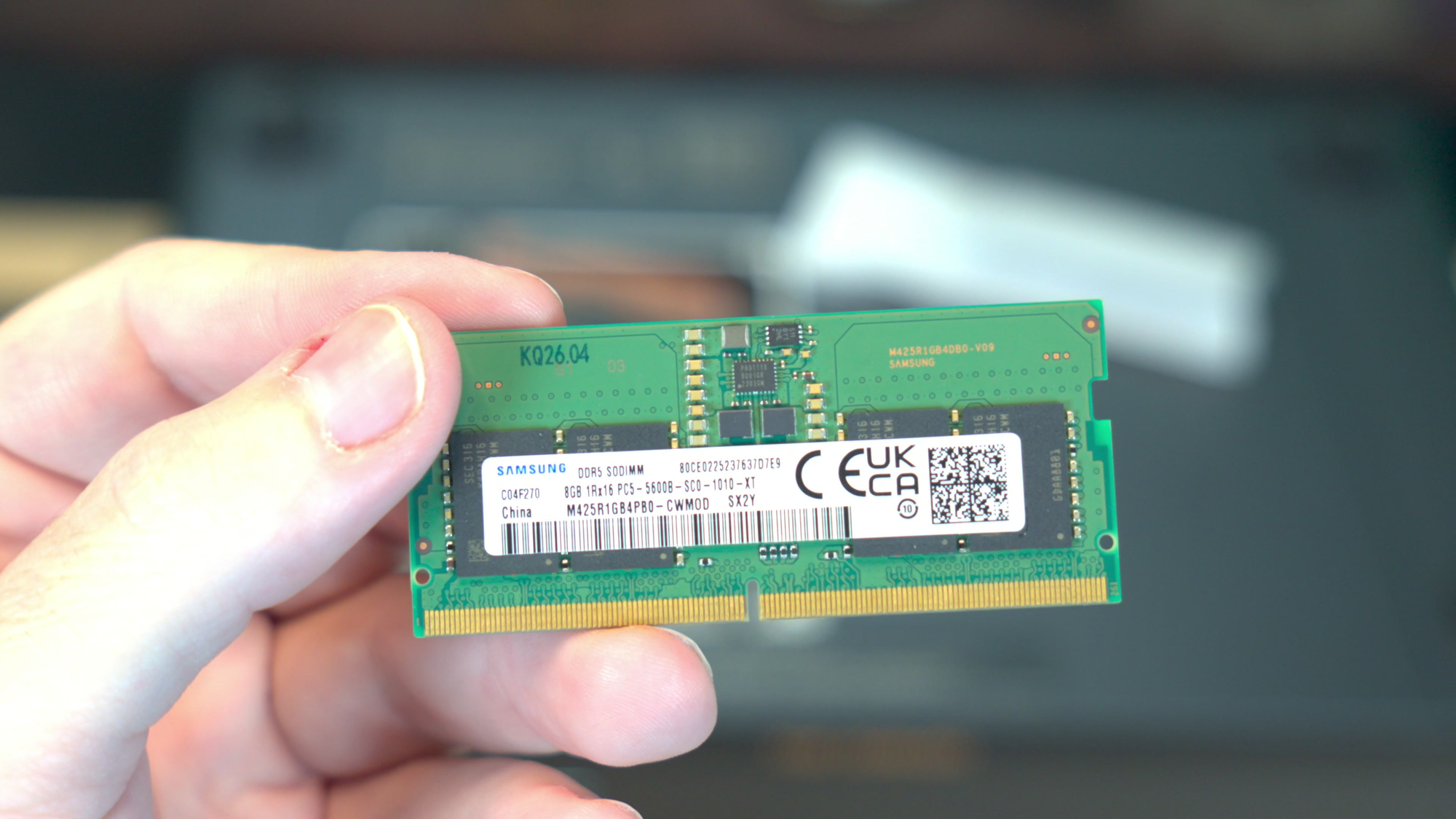
For everything it does well, the DXP8800 Ultra isn't flawless. At this price, 8GB of RAM in the base model just feels low. Everything else about this box says power user, and the memory should start at 16GB to match. I was about to set mine up with the 8GB it ships with, but I knew based on experience that it wouldn’t be enough for what I wanted to run through it. If you plan to run virtual machines or a pile of containers as I do, budget for an upgrade on day one - it’s about $150 for 8GB at the time of writing. With memory prices where they are right now, that's not a small line item.
The other issue is that the device also pushes some of its heat out the front. I'd much rather see all of that airflow exhaust out the back, especially if the NAS sits on a desk or a shelf near where you work. And while UGREEN's OS has come a long way, it's still not quite as easy to use as the more enterprise-focused NAS platforms. Some of those are simply easier to install, set up, and run day to day, and my migration had a few more "why does this app think the files are over there?" moments than I'd like as a result. UGREEN is getting there, though, and the gap is closing with every update.
Ten days in, this one box replaced four storage/processing targets – twice as many as I expected when I started. It holds everything my family and GamingTrend needs, it outperformed UGREEN's own transcoding numbers without breaking a sweat, and it's running tools we simply couldn't run before. The DXP8800 Ultra was the missing piece that finally let me take those ideas off the whiteboard and actually build them, and that's what's going to take GamingTrend to the next level.
UGREEN NASync DXP8800 Ultra NAS
Excellent
If you're a creator, a home lab tinkerer, or a family drowning in media (hello, fellow data hoarders), and you're willing to spend a few extra minutes on setup, the UGREEN NASync DXP8800 Ultra is one of the most capable NAS boxes you can buy right now. Just budget for a RAM upgrade.
Pros
- Upgraded Intel Core 7 150U processor
- 96GB of DDR5 is a lot of headroom
- PCIe 4.0 expansion slot
- Dual 10GbE Ethernet ports
- Dual 40Gbps Thunderbolt 4 USB-C ports
- 272TB of raw storage capacity
- Solid construction across the board
Cons
- 8GB of RAM for the base model seems low
- Pushes some heat out the front
- Not as easy as some enterprise NAS platforms
This review is based on a retail copy provided by the publisher.