
I am not a professional gamer, and even though I’ve been playing games all my life, my passion far exceeds my skill level. So when Razer sent me their brand-new Huntsman V3 Pro Low-Profile Tenkeyless 8KHz Keyboard, I knew the angle I chose to approach this review from would be the make-or-break factor in determining its quality. While testing this keyboard, I quickly came to the realization that it was not made for someone like me. This product was made for the type of person who cares about milliseconds when they game, not the type of person who’s busy figuring out what block template to use on their next Minecraft build–i.e., me.
That being said, something that everyone, no matter the playstyle, can appreciate is build quality, style, and comfort, and at a $229.99 (USD) price point, those aspects are never in short supply. As a Communications Major, as well as a Pre-Law college student, even over the summer, I have had a lot of work to do. In addition to that, I am also the Dungeon Master of a homebrew D&D campaign that my friends and I have been running for about a year now. I tell you all of this simply to show you that I type…a lot. With that in mind, the comfort of the keyboard was something that I noticed almost immediately.
This is a Low-Profile keyboard, meaning it's not meant to stand out and take up space. The front height is 19.5 millimeters, which is substantially closer to my desk than any keyboard that I have ever used before. While this feature of the build was a welcome and positive change, it also came with one large–but temporary–downside. To start with the positives, the angle my hands sit at while I use this keyboard is the most comfortable I have ever felt while typing. My wrists are in a much more natural place compared to my previous keyboard, which required me to use a wrist rest while gaming for long periods of time to avoid fatigue. It was due to that changed position of my hands that I experienced one of the biggest adjustments that came with testing this keyboard. For the first week of typing, my fingers slammed against each key every time I typed. This is, in part, due to this product being an analog keyboard while my previous one was mechanical, but it also has to do with the height difference between this keyboard and other ones that could be used. I felt it was important to mention this, although after a week of daily use, this effect seems to have faded, if not disappeared outright.
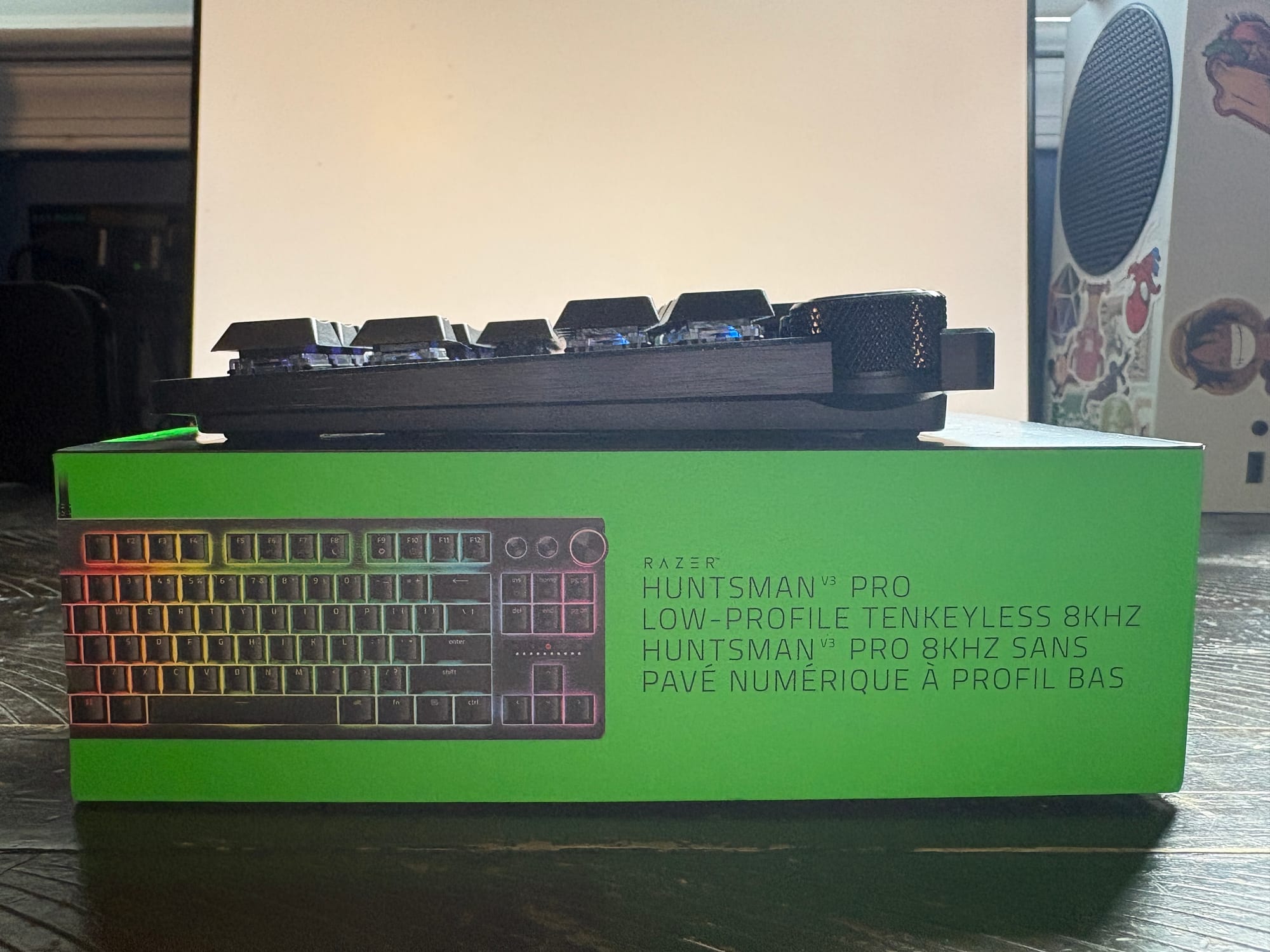
When it comes to the build quality of the Huntsman V3 Pro Low-Profile 8KHz, it's unlike anything I have ever seen before. The chassis of the product is sleek but solid, giving it a little bit of weight, which makes it feel rooted in place in your setup. This quality is consistent throughout the rest of the build, with it being especially noticeable in both the keys and the additional buttons. Although the sound of the keyboard leaves something to be desired, it isn’t an unpleasant one, and it doesn’t take away from the experience of using the device. In fact, I’m sure that for anyone using this product to gain a competitive advantage, this lack of a distinct “clack” is a positive.
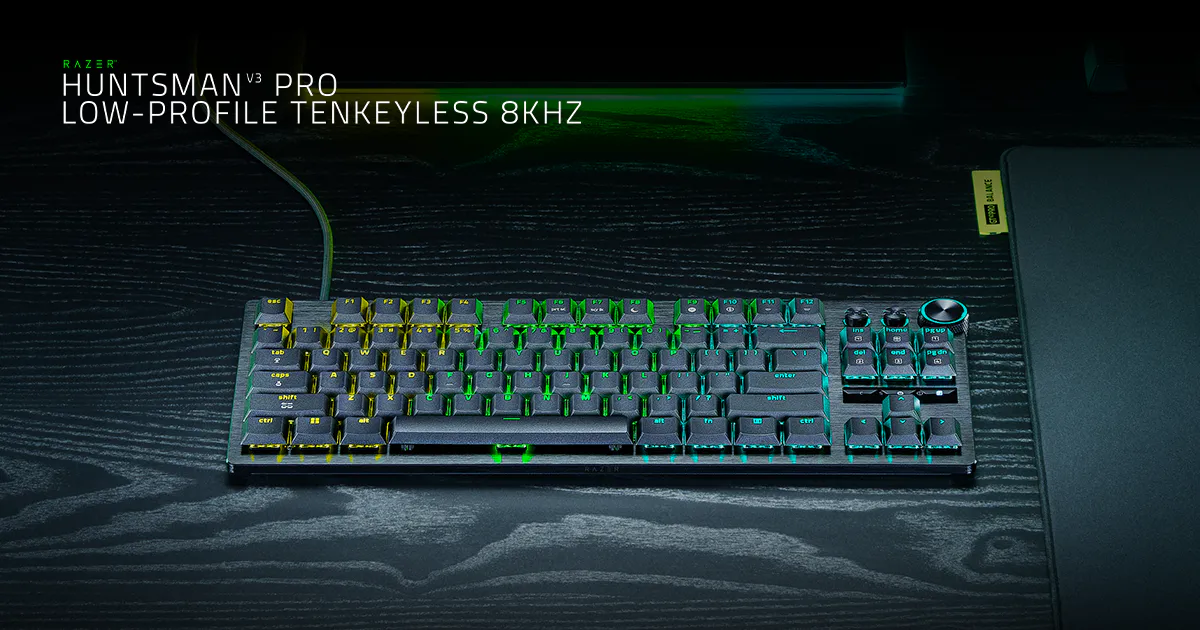
Beyond the materials and construction, the physical layout of the keyboard is another area where the Huntsman V3 Pro Low-Profile 8KHz stands out. It has a “Tenkeyless” form factor, which includes a full suite of function keys, which I severely missed having on my previous 60% keyboard, as well as a right-side panel that lacks a number pad. In a world where every single key is mappable to other functions, as well as some mice also having mappable buttons, the removal of the number pad is a welcome addition. There just isn’t a need for the number keys to be present twice.
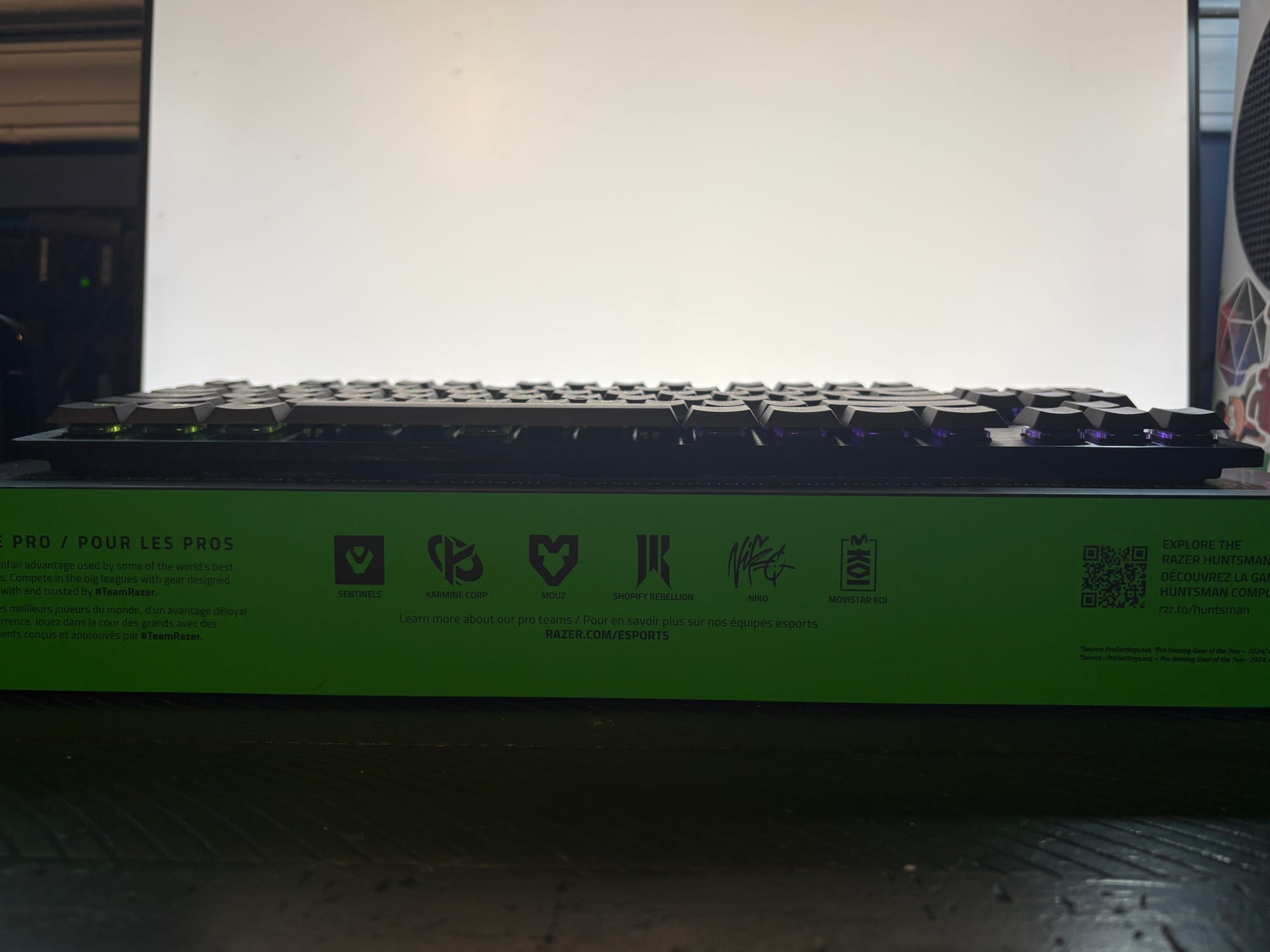
The Nav Cluster (Insert, Home, Page Up, Delete, End, Page Down) is still present, as well as the arrow keys below it. This allows for the same amount of control as a full keyboard without the clutter of extra keys. In place of the number pad, sandwiched between the nav cluster and the arrow keys, is a small informative display that displays the degree to which each key is being pressed in. This knowledge becomes incredibly valuable when paired with this keyboard's customizable actuation points, allowing you to set the depth of press at which each key will actually trigger its effect. The display shows you in real time how much pressure you are applying to the key, so you can monitor your settings and adjust accordingly depending on use case.
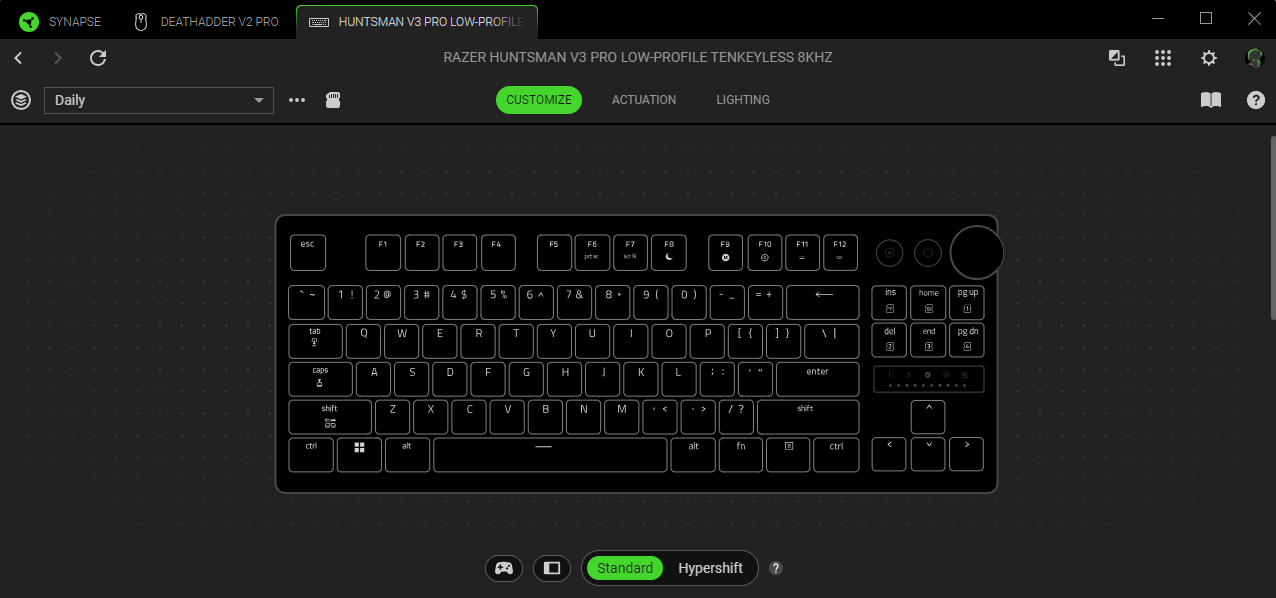
The right panel has two other features worth mentioning that you can’t find on your typical keyboard. In the top right corner, you can find two completely customizable buttons, meaning you can map them to any feature, or bind you want. You’ll do this in the Razer Synapse App, or in Synapse Web in your browser. For me, these buttons are bound to open up Spotify and Discord, as when I’m online, I'm usually using one, if not both, of those apps.
Next to the mappable buttons is a scroll wheel. By default, it's connected to your computer’s audio system, but it’s also mappable to other binds in Razer Synapse just like the buttons are. This opens up some surprisingly creative possibilities in games. For example, mapping the dial to an ability with no cooldown allows each turn of the wheel to register as another input, meaning that rapidly spinning the dial can produce a near-constant stream of commands. It’s an unconventional way to use a control that would otherwise be relegated to adjusting your volume, and one that could prove especially useful for abilities that can be activated repeatedly in quick succession.
While I may not be the target audience for a keyboard like this, that made testing its new features so much more interesting. My goal was to see whether features designed specifically to give a competitive advantage to pro players would actually make a noticeable difference to a casual player like me. So after getting comfortable with the physical layout of the keyboard, I started to put some of its most interesting attributes to the test.

One of the most advertised aspects of this keyboard is that it polls at 8KHz, meaning that it can send information back and forth to your computer 8,000 times in the span of a second. The browser-based polling tests I conducted had very inconsistent results, so I wouldn't consider them a reliable measurement of the keyboard's actual polling rate. What I can say, though, is that I didn’t notice any input delay during use, even when playing games where quick inputs are essential. So, while I can’t verify Razer’s 8KHz claim through my own testing, this keyboard consistently felt extremely responsive throughout my gameplay.
So, what games did I actually play to test this?
As I’ve mentioned before, I don’t have too much experience with the FPS games that this keyboard wants to give you an edge in. One of the few iterations of this genre that I have played, although very sparsely, is Counter-Strike. Unfortunately for me, some of the headline features of this keyboard, such as Snap Tap and Snap Flex, are banned or prohibited by Valve on their official servers. The official statement about this came from a Valve community announcement in August of 2024 stating that: “Recently, some hardware features have blurred the line between manual input and automation, so we've decided to draw a clear line on what is or isn't acceptable in Counter-Strike. We are no longer going to allow automation (via scripting or hardware) that circumvent these core skills and, moving forward, (and initially--exclusively on Valve Official Servers) players suspected of automating multiple player actions from a single game input may be kicked from their match” (Valve, 2024).
Valve's decision to uphold competitive integrity is, in my opinion, extremely respectable and very understandable…But that doesn’t change the fact that it definitely puts a damper on my plans to test some of the keyboard's main features in CS2. So if I wanted to see what the Huntsman V3 Pro could really do, I had to turn to somewhere darker, somewhere more sinister…Valorant.
I had never played Valorant before this review, so I figured it would be the perfect test to see if this keyboard could actually grant me some skill, even in a casual match. The two features I wanted to test here were Snap Tap and Snap Flex.
Snap Tap is specifically designed for movement, which is essential in FPS games where strafing can be the difference between exposed and covered. This feature prioritizes the most recent input when two opposing directional keys are pressed. So if a player is holding A to move left and then presses D to move right, Snap Tap will immediately prioritize D without requiring the player to fully release A first. Without this feature, if A wasn’t fully released before the D Input was given, it would force the player to stand still briefly, which is a moment that can be exploited by the enemy. I would say Snap Tap was the most beneficial aspect for me.
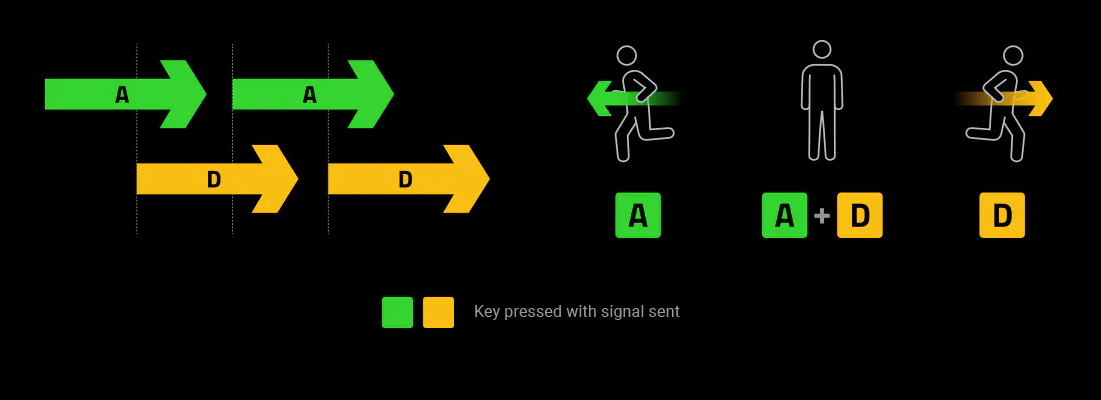
During my gameplay, I felt a clear difference in movement between using this feature and having it turned off. In sessions where I had Snap Tap turned off, I would consistently get caught when peaking around a corner. Towards the end of a round, specifically when guarding the Spike from the opposing team, peaking around the corner of a wall to check for enemies was my main defense. With Snap Tap, the brief moment of stillness in the overlap of the A and D inputs often resulted in taking damage, or even dying from a snipe. Movement is a core part of Valorant, and so limiting the opportunity the opposing team has to hit you through priority inputs made a noticeable difference.
Because of how important horizontal strafing is to the game, I also wanted to test another feature designed to make those movements as responsive as possible: Rapid Trigger. Unlike a traditional keyboard, which requires a key to travel back to a predetermined reset point before registering it as released, Rapid Trigger allows you to customize that release based on the key’s movement. With the sensitivity adjustable down to 0.1mm, this means that even the slightest upward movement can register as a release.
In Valorant, I tested this feature at The Range, basically the practice area, as I felt like I wouldn’t be able to fully judge the degree to which I saw an improvement mid-game. This environment allows me to more accurately judge the feeling, as well as record my results. I repeatedly strafed left and right before immediately firing at the dummies that were set up in front of me. With Rapid Trigger disabled, there was a noticeable amount of time where my bullet spread would remain as if I was in motion, even after letting go of the key. With Rapid Trigger enabled, though, that transition from moving to still felt significantly more immediate. While I couldn’t exactly quantify the difference between them in milliseconds, the responsiveness was noticeable enough that I could actually feel the benefit of having the setting enabled.
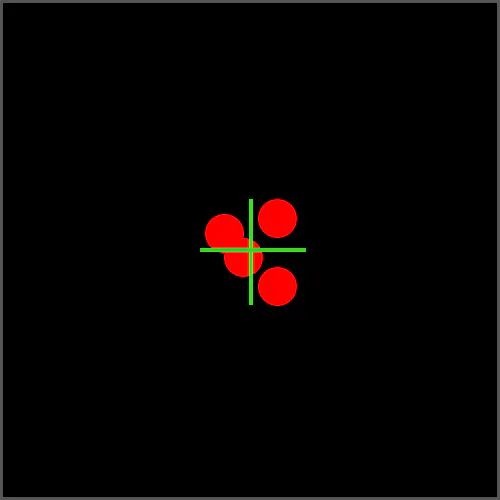
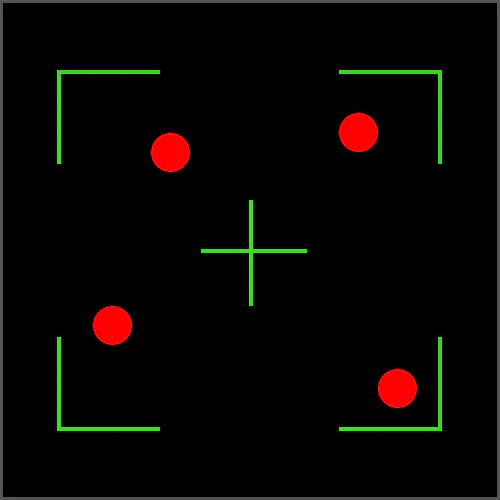
Left: Fired rounds stay close to crosshair while stationary | Right: Fired rounds stray randomly while moving
This is a feature that is designed to shave fractions of seconds off of movement and make you more accurate as a result, and even with much less experience than the intended audience, the result was still substantial. Its ease of use and clear noticeable change in the way I play made Rapid Trigger my favorite feature of this keyboard, and one that I will continue to use even in games outside of the FPS genre. The increased accuracy isn’t limited to bullets. This feature can find use cases in everything from rapid directional changes in Minecraft and Rocket League to even more precise movement in platformers, and games like Cuphead where a single wrong move can result in the loss of a life.
But while Snap Tap and Rapid Trigger are designed to limit the inputs your computer actually receives and shorten the length of your inputs, Snap Flex aims to accomplish almost the opposite goal, allowing for multiple actions to be executed from a single press and then the release of one key. This feature was a lot harder for me to test as someone without much experience in the game, but I eventually figured out a use for it.
I played as Phoenix, one of the agents that you have unlocked by default. My favorite ability of his was Curveball, effectively a flashbang that you can throw around corners. I consistently used this ability, especially at the start, so I decided to bind the release of my forward movement key (W) to the activation of this ability (E). Upon arrival at my desired location, usually a chokepoint between spawn and one of the sites to plant the spike, I would release the W key to stop moving, which would automatically trigger the input of the E key to ready up Curveball and then throw in the direction of my choosing. One thing to note is that this setting stays active until you turn it off, so while it is extremely useful to execute actions more effectively, it can also lead to performing the actions when you don't mean to. There were many cases while testing where I would activate Curveball and blind myself because the release of W would trigger it to ready, and then my left click to shoot would fire.
At this time, I haven’t found a use for this feature that doesn’t come with unintended consequences, but for a profession with a very specific set of actions in mind, it may come naturally.
Finding any use for these features was important to me because it proved that, even though the Huntsman V3 Pro Low-Profile 8KHz is designed for gamers who care about milliseconds, its benefits aren’t limited to them. Casual players can get use out of it too, and with enough experimentation, the benefits can extend beyond the professional world this product was built for.
At $229.99, though, this keyboard certainly isn't for everyone. But after spending time with it, I understand the appeal. No matter how you play, whether you’re chasing the milliseconds in a game like Valorant or just taking it slow and learning the ropes, the Huntsman V3 Pro Low-Profile 8KHz Keyboard gives you an impressive amount of control over how you play.
Razer Huntsman V3 Pro Low-Profile Tenkeyless 8KHz
Good
Razer’s Huntsman V3 Pro Low-Profile 8KHz is built for competitive gamers, but its impressive customization, responsiveness, and unique features offer plenty for casual players too.
Pros
- Excellent Build Quality
- Comfortable Typing Experience
- Highly Customizable
- Extremely Responsive
- Lots of Features
Cons
- $229.99 Price point makes it inaccessible for many gamers.
- Sound of the keys isn’t particularly impressive
- Low-Profile design requires an adjustment period
- Features may be difficult to take full advantage of for casual players/have limited usefulness depending on the game.
This review is based on an early copy provided by the publisher. Razer Huntsman V3 Pro Low-Profile Tenkeyless 8KHz comes out on August 20, 2026.












