
Most tech reviews I've done are based on experience with the device after a week to a month. It's not ideal, but it's timely and gives you a good, ballpark idea on whether you'd like something or not. A phone, though, is a bit different. It's something you use just about every day and, for the vast majority of people, is their primary computing device. Given how expensive they are, you want to make sure you'll be happy with it. After spending 4 years with a phone I hated, the Pixel 7 Pro (mostly because Google’s customer service told me to factory reset to fix an overheating problem, then deleted my phone backup too), I returned to the other side of the phone pond: iOS. After spending about a year with the iPhone 17, I'm pretty happy with it, though it's still more glitchy than I'd like.
Setup was super simple, despite going from Android to iOS. As they used to say, “there's an app for that”: simply download the transfer app from the Play Store, and it'll copy over all your photos, documents, and even auto-download some apps. My physical SIM card was also able to be transferred into a virtual SIM, as the 17 no longer has a slot for them. I do find that a little concerning, as if you’re traveling and need to buy a SIM card for international signal, you won’t be able to.

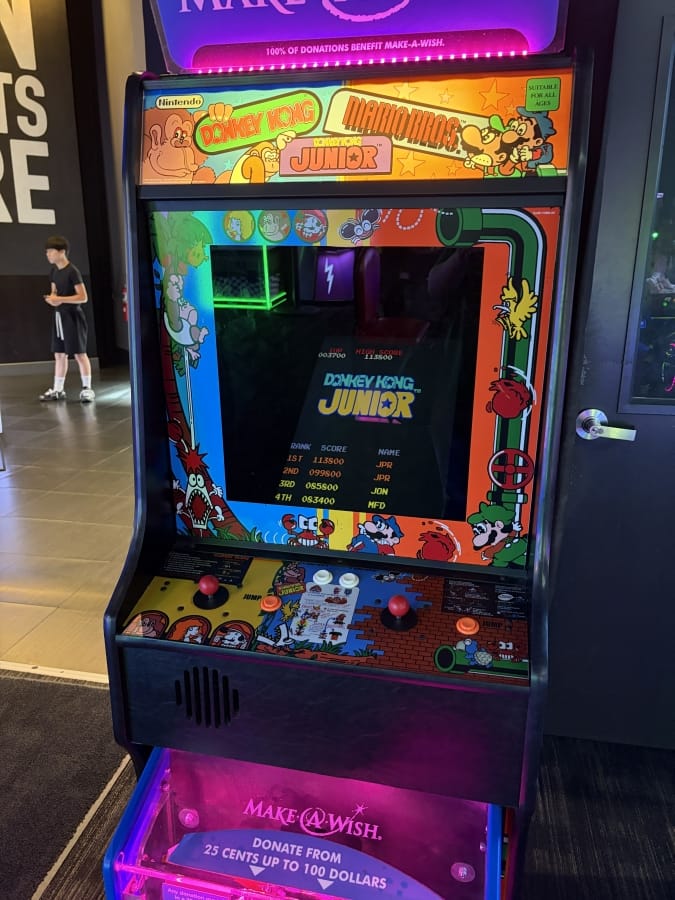

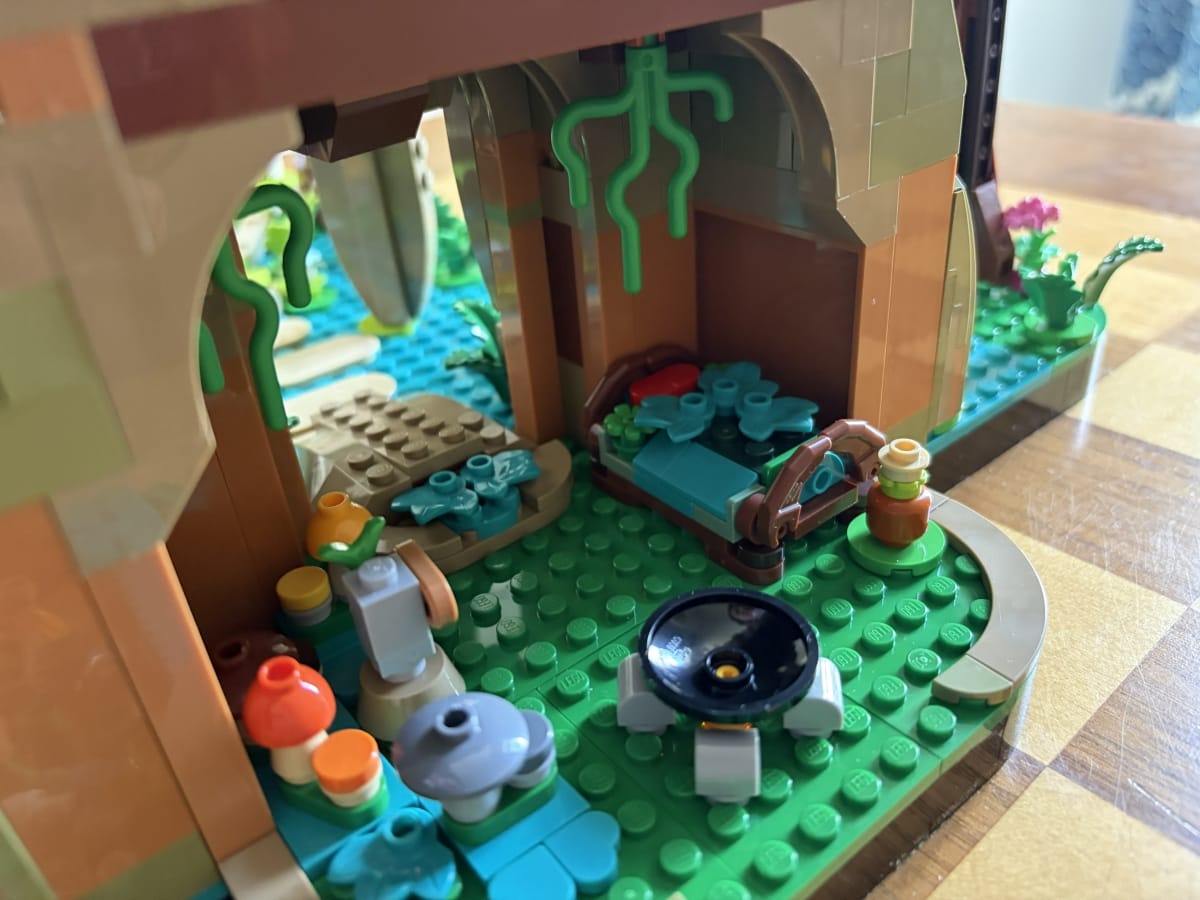
Taken on iPhone 17
After that, I was able to easily get back in the iOS groove. I do miss the fingerprint sensor to unlock my phone as I refuse to use Face ID, but I don't mind inputting a PIN if it means I don’t have to keep a scan of my face on…anything. Face ID states that it only stores locally on the device itself, and while Apple is probably one of the best companies when it comes to security, I still wouldn’t trust them with that. The privacy options on iOS are pretty decent, though not amazing, as you lose a ton of functionality if you turn off something like location data.
For example, one of my favorite things about the iPhone 17 is the always-on display and lock screen widgets. There’s not a ton I’ve been able to do with the latter, but I like to always have the current weather and my phone/earbuds battery displayed on my lock screen. These widgets will also display while the phone is asleep, alongside the time and date, with the always-on display. This is what would overheat my Pixel constantly, but they use some neat technical tricks to minimize that, as well as battery loss, like switching the display to 1hz. It’ll actually do that whenever your screen needs to be static too, but I digress. If I fully turned off location data, as I would prefer, I would be unable to use the weather widget. You can set a city to track the weather of in settings, but as much as I tried, the widget would just refuse to work without the occasional location ping. You can, thankfully, control location permissions on an app-by-app basis, so I only allowed permissions on weather and maps.
You can do the same with stuff like the camera and, sigh, Apple Intelligence. Every company in the world is still trying to shove AI down our throats, and iOS unfortunately is no different. Apple mandates that, on the latest release of iOS, you absolutely must sacrifice a whopping 12.38 GB of storage to our AI overlords, even if you don’t use it. iOS itself is only 16.25 GB, so that’s a hefty price to pay for something I consider abhorrent and, in certain ways, immoral. Even after the laborious task of turning off Apple Intelligence and Siri, which required flipping tons of settings in various places and even disabling permissions for every single app individually, you’re still not allowed to delete it. I seriously can’t wait for this dumb bubble to burst so technology can move on.
The more general software experience has been great, overall. Apple takes a walled garden approach, meaning you sacrifice control over your device (side-loading, other OS) for more stability. Apps hardly ever crash on me anymore, but things do feel less stable than when I last used an Apple product. The keyboard will occasionally get stuck on screen, persisting even through the lock screen and sleep mode, requiring manual input to dismiss. Additionally, if I switch to iMessage from a notification, auto-complete suggestions will stop functioning, requiring me to close the app and reopen it manually. Auto-complete as a whole seems to be worse too, as I would often move to hit the word I was typing and then it would quickly switch to something else entirely. There are no massive bugs, but several little things that are persistent frustrations.
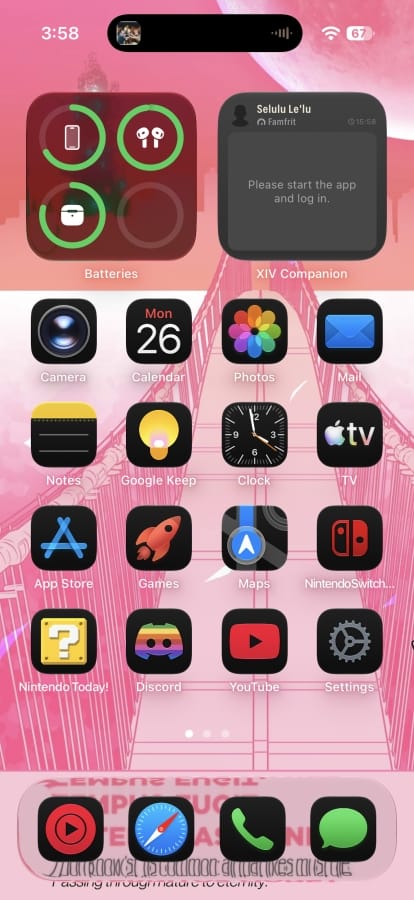
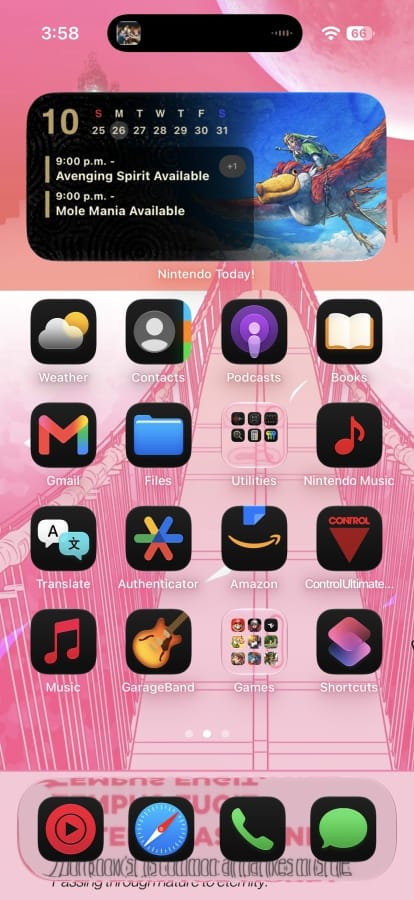
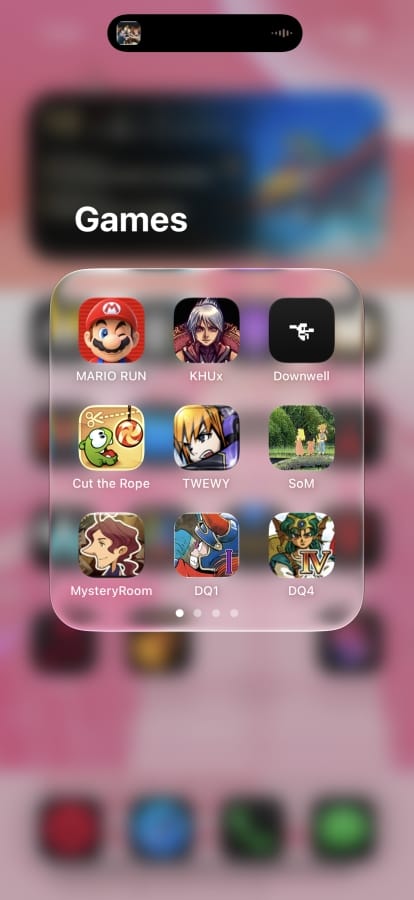
Some frustrations are less glitches and more design choices. I love liquid glass aesthetically, but it can be difficult to use. Combining a white background with a layer of transparency and then a white button on top of said transparency is just a usability nightmare. The latest iOS update did introduce some workarounds, like making the glass less transparent, but it’s still less than ideal. I like the idea of making every icon on the home screen liquid glass, but that also makes it incredibly difficult to use no matter what background style I’ve tried, including the default backgrounds. There are places where it looks great and works well, but they’re few and far between.
I’m also not the biggest fan of the Dynamic Island. Again, it’s cool in concept, and I love being able to see a tiny visualizer when audio is playing in the background, but it takes up a decent portion of the small screen, and often gets in the way of fullscreen apps like games or videos that use a non-16:9 resolution. I think something like this would be perfect as its own tiny screen on, say, the side of the device—similar to the camera button’s placement—but as part of the main display it’s something of a constant distraction even if I got used to it.
Part of the reason for the Dynamic Island is the inner camera. The island helps to disguise the little black dot…with an even larger black oval. I literally never use the inner camera personally, even for selfies, as the rear cameras are always higher quality. The quality difference on the 17 isn’t too bad, however, so I can see this as a worthy trade for some people. I use the rear cameras pretty frequently in my work for GamingTrend when covering anything physical or recording unboxing videos, and I’ve been very happy with the quality. I have it set to record footage in 4K 60 fps with HDR off, and all my videos look great. Just take a look:
Photos are fantastic as well. I’m not an avid photographer or anything, but if I see a good shot I’ll always take the opportunity. While my favorite of these kinds of photos I’ve taken was on Android, I did recently take a bunch of photos of my grandmother’s house after her passing, and looking at them really takes me right back there. (Love and miss you, Mimi!)
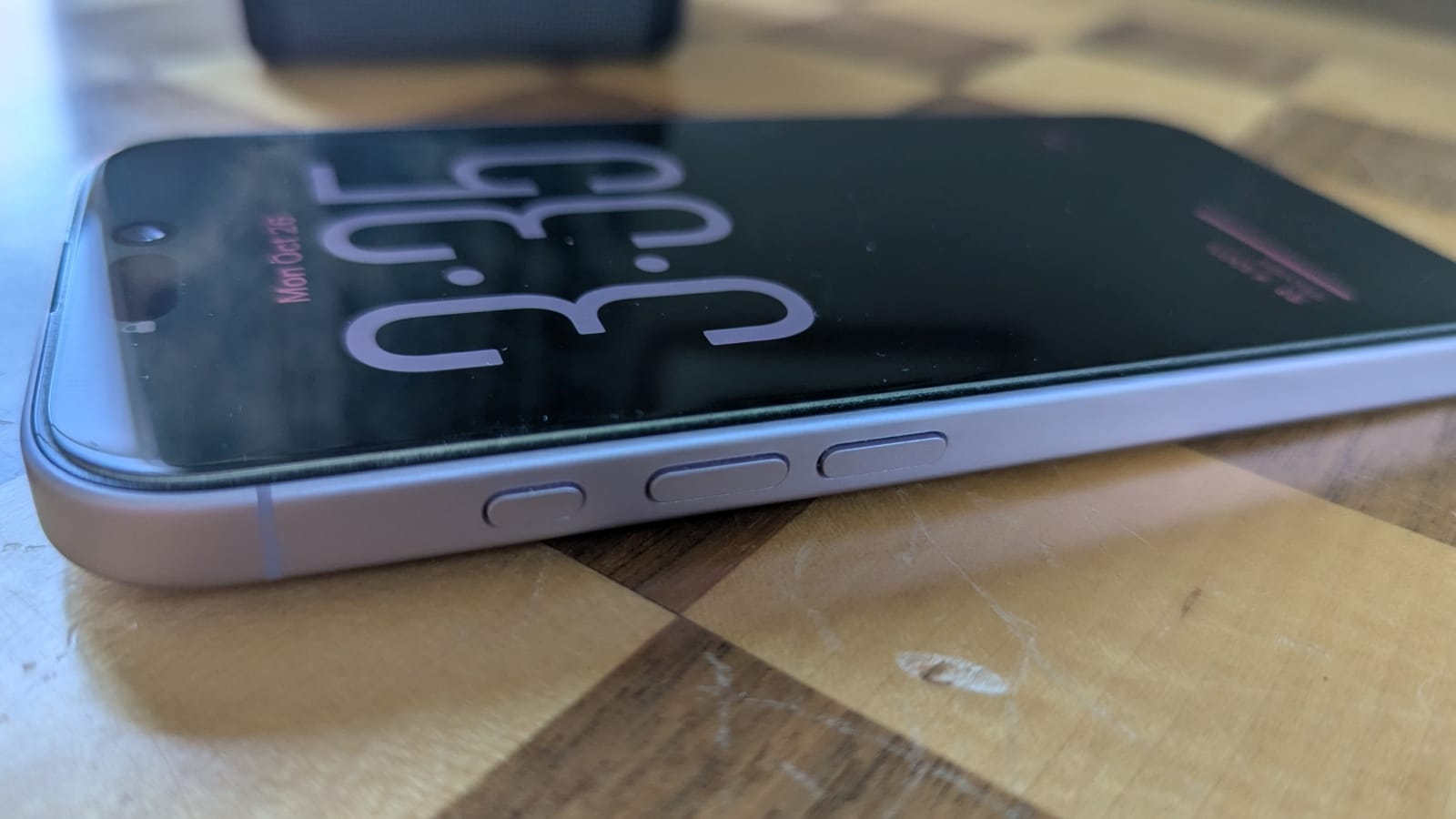
Something that really helps me with photo taking is the camera button, located on the device’s lower right side, slightly inset into the phone. This touch-sensitive button allows you to easily zoom by moving your finger along it with a tiny bit of force, then snap a pic by pressing the button. It’s super handy; I appreciate the tactile nature of it. As such, I use it all the time. If you don’t find that appealing, though, you can still use the virtual button on the screen.



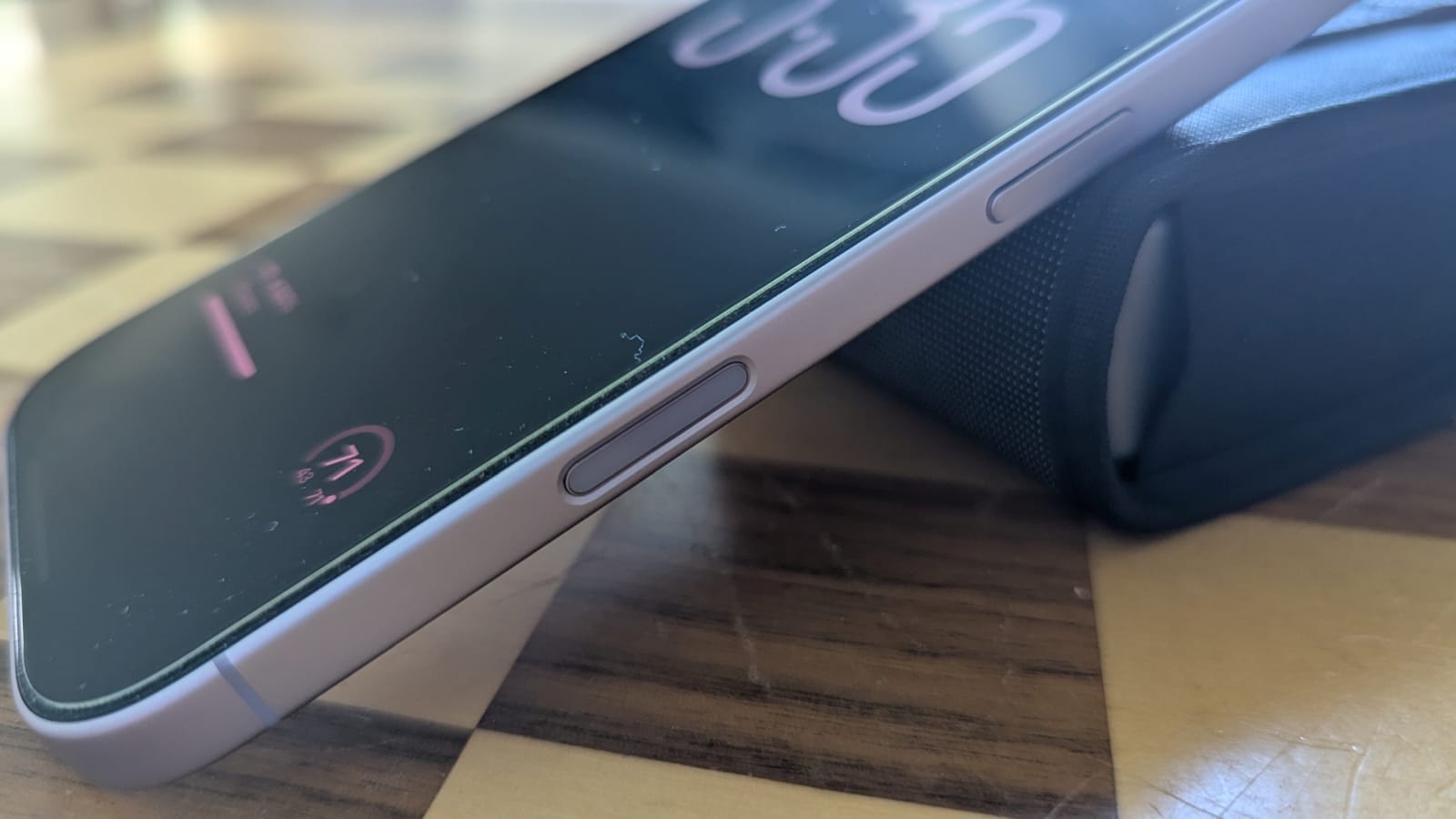
There are a few more buttons around the side of the phone, though most of them are the usual suspects: sleep, volume up, and volume down. However, above the volume buttons is the new Action Button. The Action Button can be assigned to a variety of functions, including toggling silent mode, activating Shazam to identify music, turning on the flashlight, activating a custom Shortcut, and more. I’ve had it set to Shazam pretty much the whole year, but when I first got the phone, I did try to make it a classic Home Button. (I miss buttons on phones, y’all.) I wasn’t able to figure out Shortcuts enough to do that, but I’m sure someone else could and more.
Obviously, the biggest part of any phone these days is the screen. In our sorrowful, bezel-less world, the screen takes up the entire front face of the phone. While I have my “old man yells at cloud” gripes, this display is absolutely stunning. It’s OLED, which makes colors really pop, high resolution at 2622x1206 (460 ppi) so everything looks sharp and clear, and 120 Hz with VRR for super smooth motion. Its brightness can range from dim enough so as not to hurt your eyes, bright enough to be mostly visible in direct sunlight, or anywhere in between. Anything that utilizes HDR also really shines on here, creating a vibrant image that’s unmatched by any other screen I own. Of course, it’s also smaller than pretty much all of those other screens, but I prefer that in a phone for easy pocketability. I would recommend a screen protector, though, which is a hidden cost to an already expensive device but well worth it to preserve your device. I’ve been using Dbrand’s, and I quite like it - here’s a link!
The onboard speakers for the iPhone 17 are nice and clear, though not perfect. You’ll definitely want some earbuds if you’re seriously listening to anything, though I have found that people can hear me more clearly without earbuds, specifically on phone calls. On Discord voice chat or any other situation, earbuds are better. Ringtones and text tones are loud and clear no matter what method you’re listening to, but vibrations can occasionally go unnoticed when on silent. There have also been a few instances of iMessage not notifying me of a received text. That’s pretty rare, but something to be aware of, just in case.
There’s no headphone jack still, so your two options are either Bluetooth wireless earbuds/speakers or wired through USB-C. I love having USB-C on my phone; it makes it super easy to connect to any device I need, but this single-port method means you can’t charge and use earbuds at the same time unless one is wireless. While MagSafe is great conceptually, I think wireless charging is too inefficient to be worthwhile quite yet, so wireless buds are another hidden cost here.
The battery in the iPhone 17 impresses more than expected. I’m constantly using my phone to have music on in the background, which usually has me hit around 20-30% battery by the end of the day – less if I’ve been watching YouTube or playing some games on it. This is partially due to the phone learning my habits and only charging up to 90% overnight for long-term battery health. I’d say that’s been worth losing that 10% a day, as my maximum battery capacity is at 90% after a year and exactly 200 charging cycles – something you can easily confirm in the settings, if you happen to be picking one of these up on the used market.
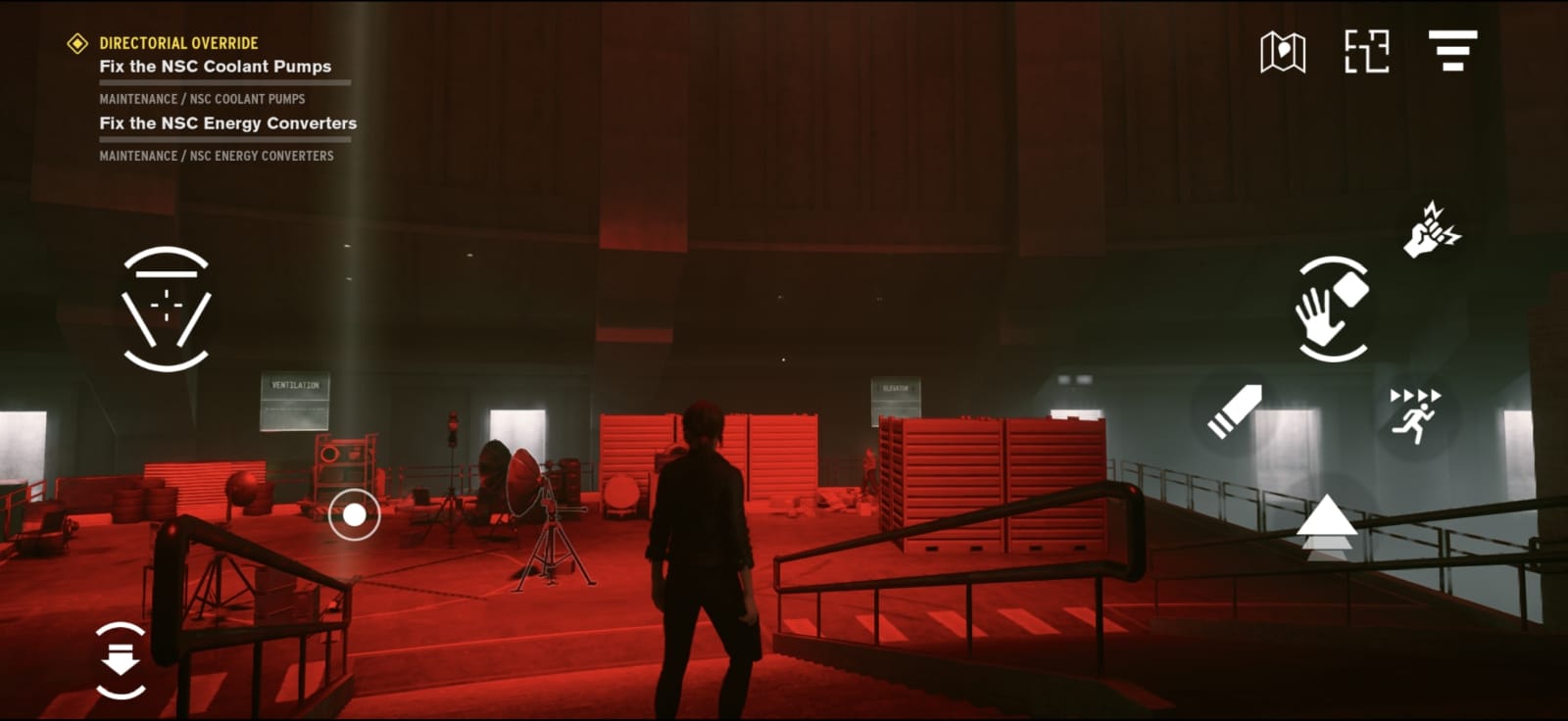
This is a website called GamingTrend, so if something can run games, you bet I’m gonna try and play them on it. Mobile gaming has gotten super impressive, with even recent releases like Resident Evil 4 Remake coming to iOS platforms, and with free demos nonetheless. While I can’t exactly measure the titles I played, they all ran pretty well in my experience. The biggest AAA release I spent a decent amount of time with was CONTROL, and it looks pretty good on the small screen. Not amazing when compared to the PC or PS5 versions, but good enough for a mobile title. It’s also scalable, which I haven’t really seen in a mobile game, so you can fiddle with the settings for the perfect balance of frames to fidelity, with the game even using frame interpolation to appear a bit smoother.
Gaming on the go is great and all, but the problems with mobile gaming on the iPhone 17 are twofold: controls and heat. Traditional gaming on a touchscreen just sucks, flat out. You can connect a controller through Bluetooth or USB-C, but at that point I’d rather just break out my Switch 2 or Steam Deck. It’s not really viable to connect to an external display for a somewhat portable gaming experience, as games look horrendous and scale poorly to anything that’s not the onboard screen.
Any sort of intense gaming will also cause the device to heat up significantly, to an uncomfortable degree. It’s why I mostly stick to simpler titles like Downwell or the Dragon Quest ports. Generally, you’re better off playing bespoke, designed for mobile games (that aren’t trying to get you to spend money all the time). With emulators now on iOS, I’d recommend finding a Game Boy copy of Tetris somewhere, dumping it, and then transferring the ROM to your phone. It’s the perfect type of game for mobile.

Speaking of file management, it’s a bit of a mixed bag. You can still use iTunes to create local backups and transfer data, but it’s quite the hassle – some things never change. I’m willing to go through it to avoid paying for iCloud storage, but I imagine most people won’t or can’t. Transferring photos off the phone is also frustrating, as they use a format that most devices I’ve tried that aren’t made by Apple won’t recognize. This requires you to then convert the images to a different format, usually with a conversion website. There is an option to have pictures stored as .jpeg, but I don’t think the convenience is worth the quality loss. There’s little reason for this inconvenience other than the walled garden approach that Apple has used to keep their users loyal for years on end.
Overall, this is a very good phone, and I’ve enjoyed using it over the past year. It hasn’t been frictionless, especially when compared to past iOS devices, but it works well enough and has some standout features.
iPhone 17
Great
The iPhone 17 is a great little device, though it does show signs of Apple fumbling the ball a tad. The latest iOS feels buggy, even if it’s getting better, and some design choices are stubbornly obtuse. Still, it has a gorgeous screen and is decently powerful with a good battery, and for most people, that’s enough.
Pros
- Amazing screen
- Great battery life
- High-quality cameras
- Fairly powerful
Cons
- Apple Intelligence
- Liquid Glass rarely has the intended effect
- Dynamic Island takes up too much space
- No headphone jack
This review is based on a copy provided by the reviewer.












