
In a world full of high-end gaming headsets that focus on providing everything from long battery life to maximum comfort to the richest surround sound experience, it comes as a surprise that soundbars aimed at gamers are surprisingly rare. That fact wasn’t lost on ROG, who’ve proven time and time again that their entire product line exists to serve gamers with high-quality products that pop. Enter the Gjallar, ROG’s premium gaming soundbar.
What’s in the box?
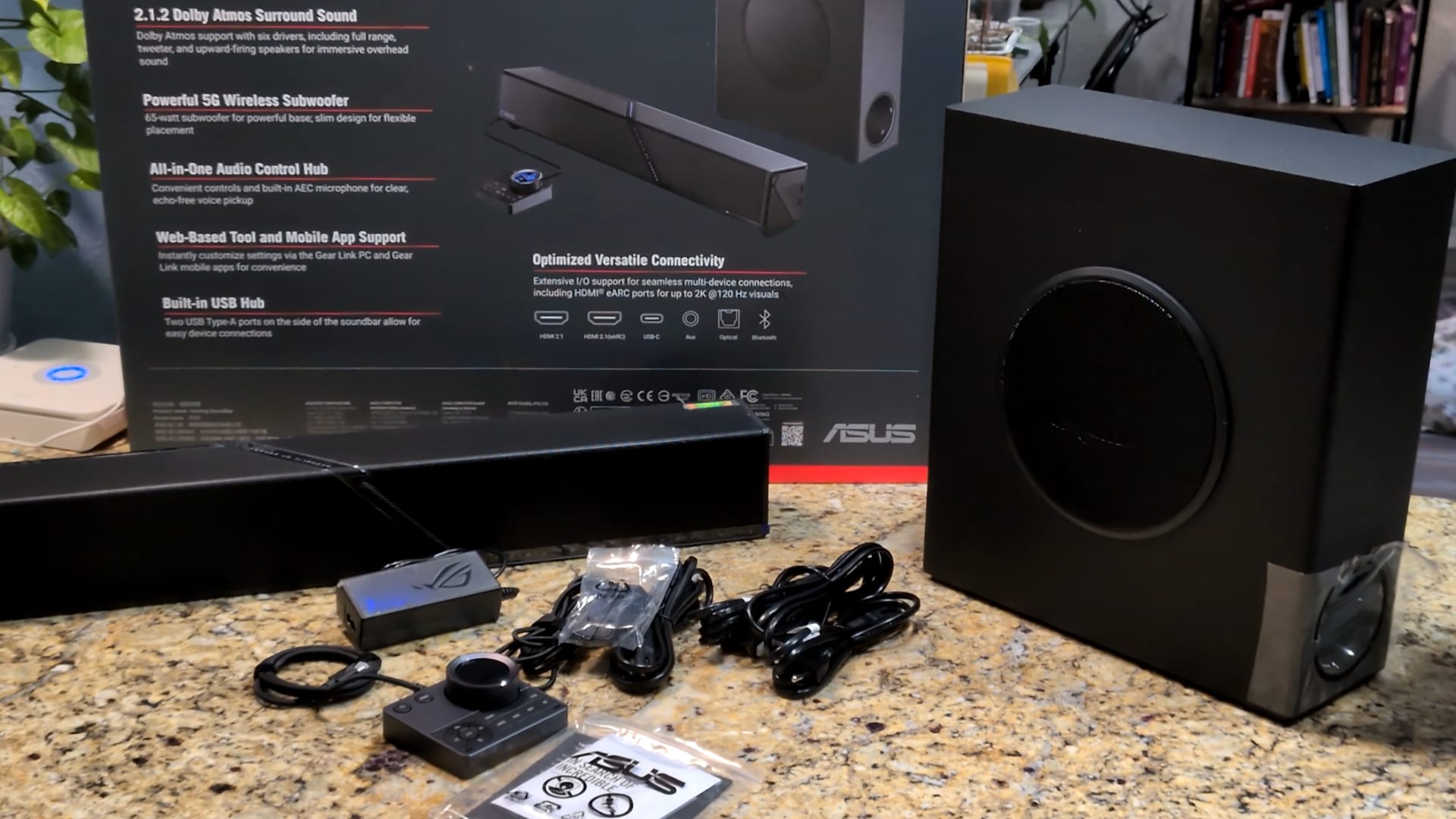
Unboxing a $600 soundbar is a whole event. The Gjallar’s box itself weighs nearly 20 pounds. In it, there’s the soundbar (607x92x82mm, 5.3 lbs), subwoofer (125x315x356mm, 12.5 lbs), and USB Control Hub (90x82x37mm, 0.42 lbs). The box also includes the appropriate power cables to plug in both the soundbar and subwoofer, and a set of feet you can screw into the bottom of the soundbar to give it a 10-degree angle if you need (and, in my opinion, you should).
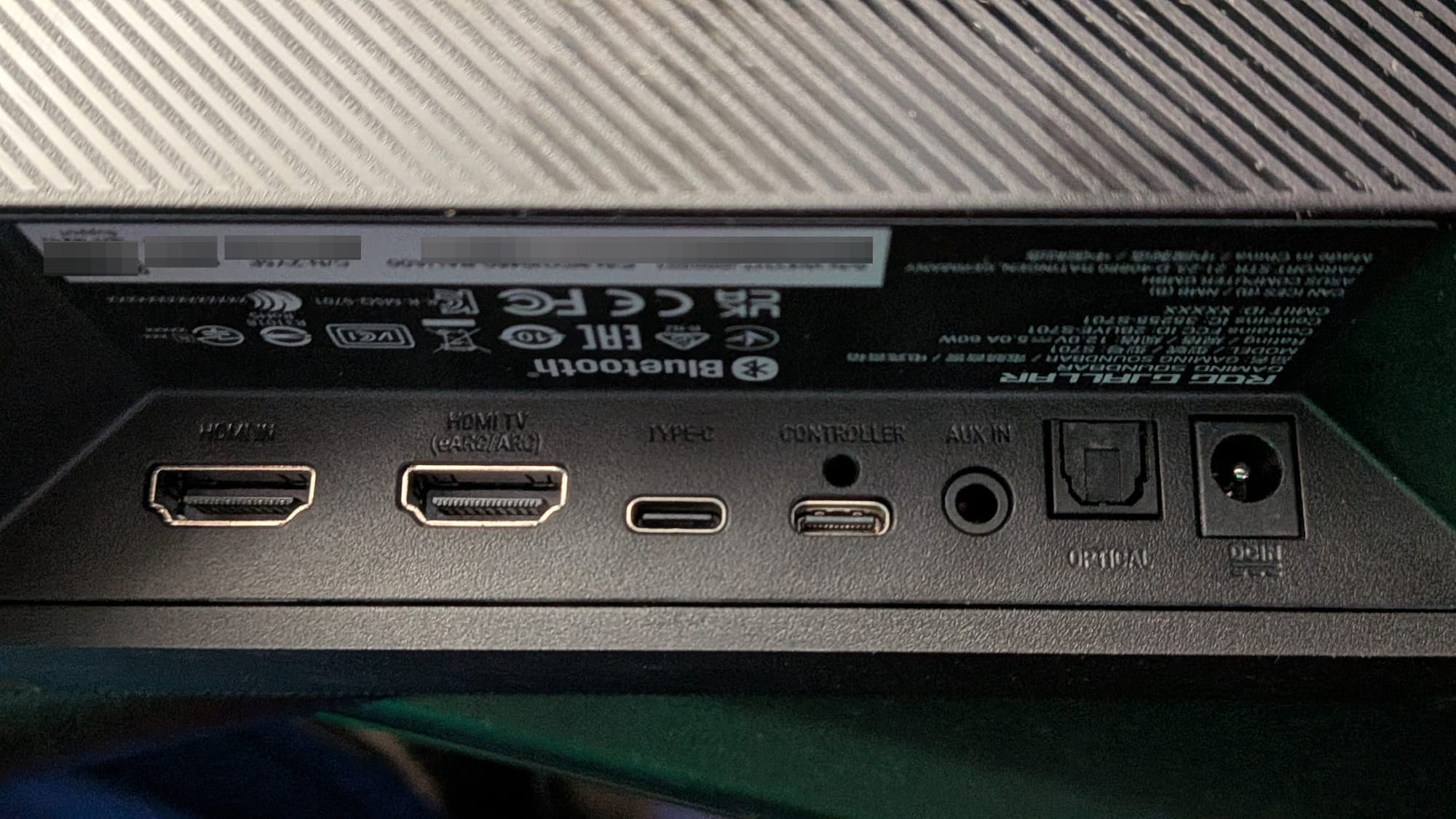
Focusing on the soundbar itself, it’s clear ROG put in the effort to make this device as widely usable as possible. The back of the soundbar has an impressive array of inputs: USB-C, HDMI, Optical, and 3.5mm are all supported. The unit itself also has an eARC HDMI-Out and supports Bluetooth 5.3, so you can enjoy the power and clarity of this beast on everything from your phone, computer, or game console to that cassette player you had when you were a kid. The unit also supports HDMI 2.1 & eARC connectivity for 4K/120Hz passthrough with no hit to your multimedia experience.
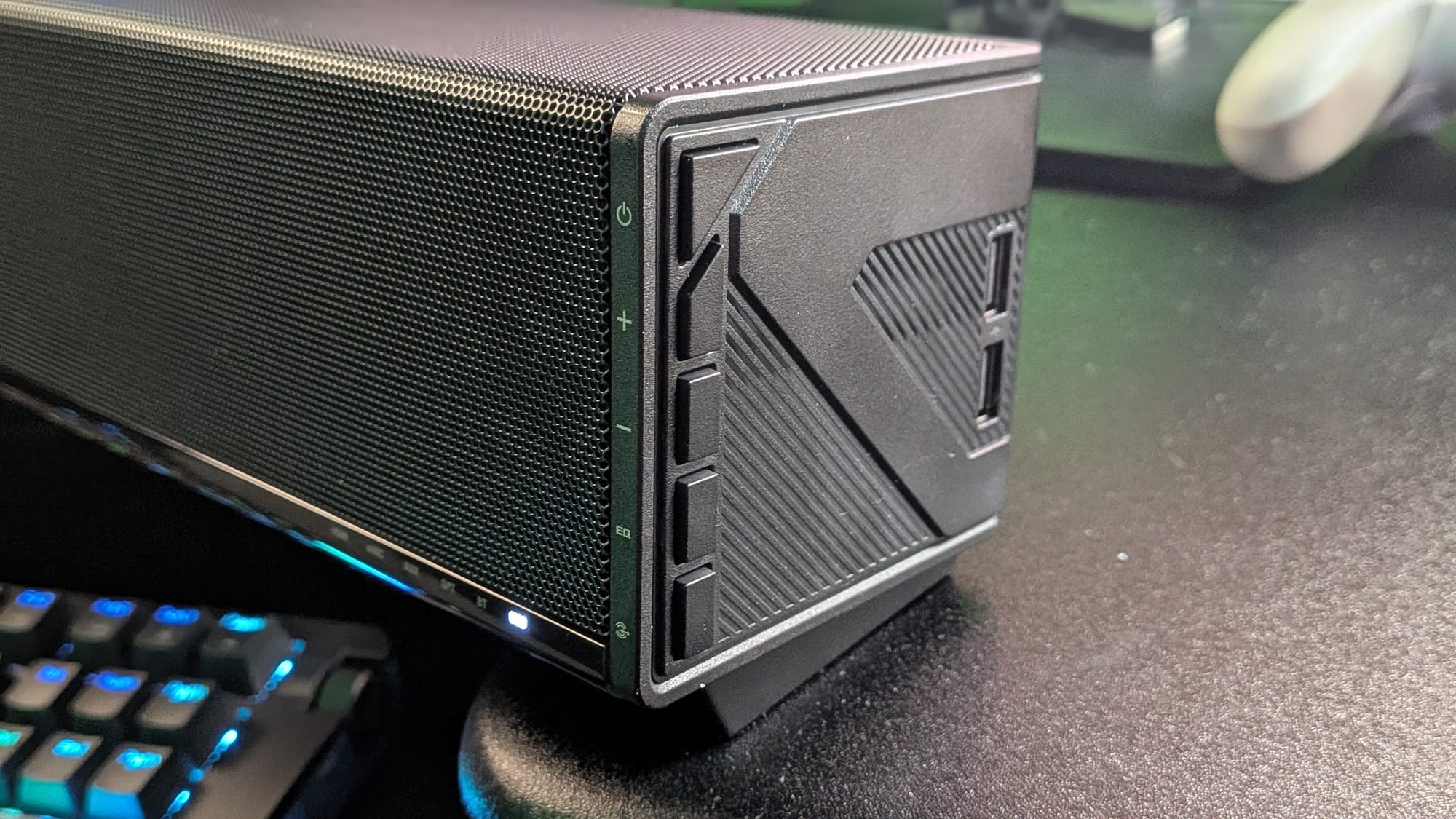
On the right end of the soundbar, there’s a manual control panel with volume, input, equalization, and power buttons. Oh yeah, this unit also doubles as a USB hub, providing two USB-A ports so you can plug in whatever you need or manage cables more cleanly. The Gjallar also features a customizable RGB strip angled across the top and front of the soundbar, because what better speaks to gamers as hardware built for them than customizable RGB?
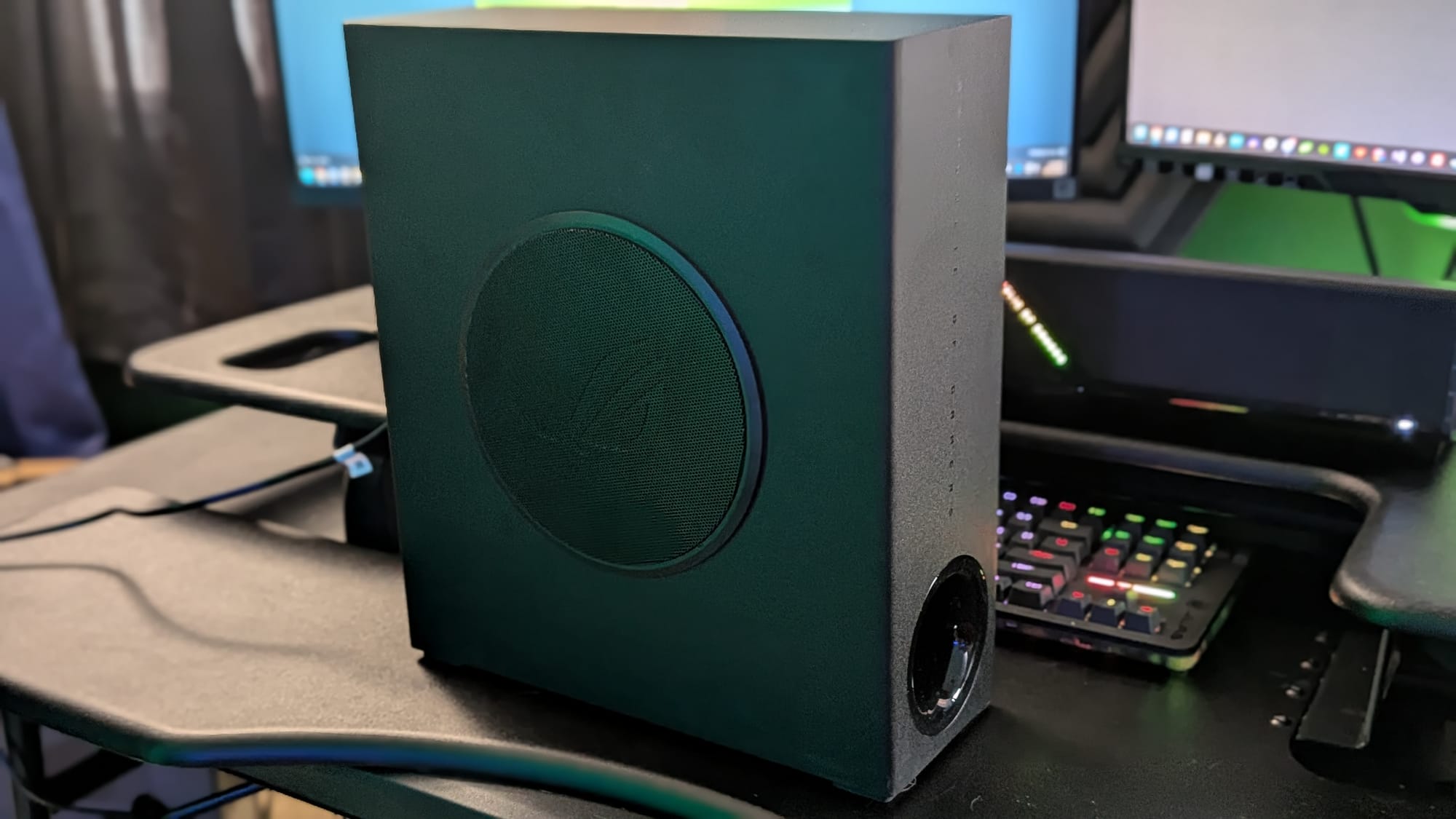
The Gjallar’s subwoofer was one of the coolest surprises to me. It uses 5 GHz wireless to relay its signal to the soundbar, so there are no cables required to drop that bass apart from the power cable.
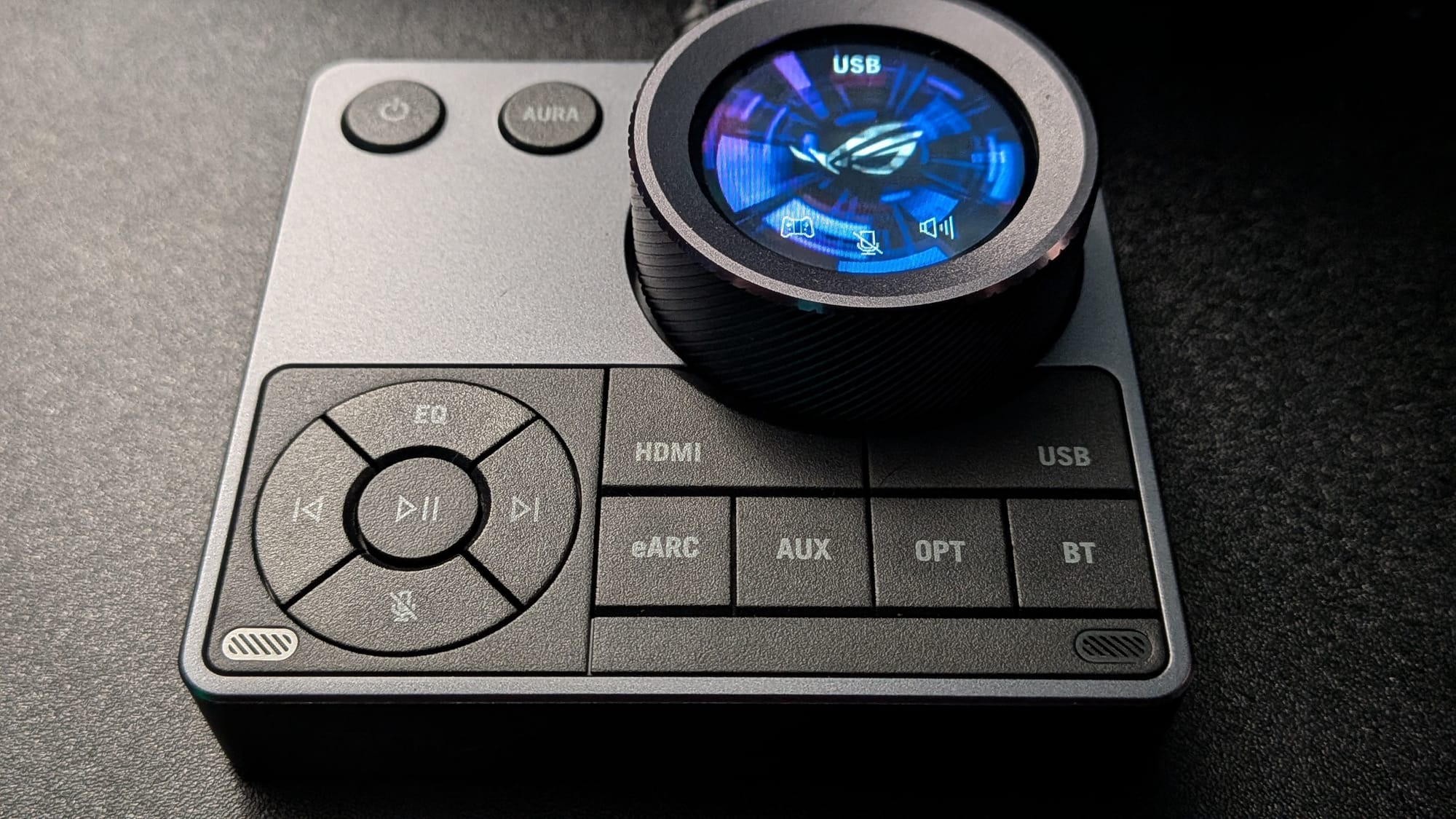
The Control Hub, which plugs into the soundbar, features nearly everything you’d need to control your sound experience without manually adjusting equalization settings (which you can do through their Gear Link software). You can use it to power the unit on, adjust/mute the volume, cycle through RGB presets, and switch through input devices easily. It also gives you control to go to next/previous tracks, play/pause, mute the built-in microphone, and switch through preset equalization settings (Communication, Gaming, Movie, Music)
Setup
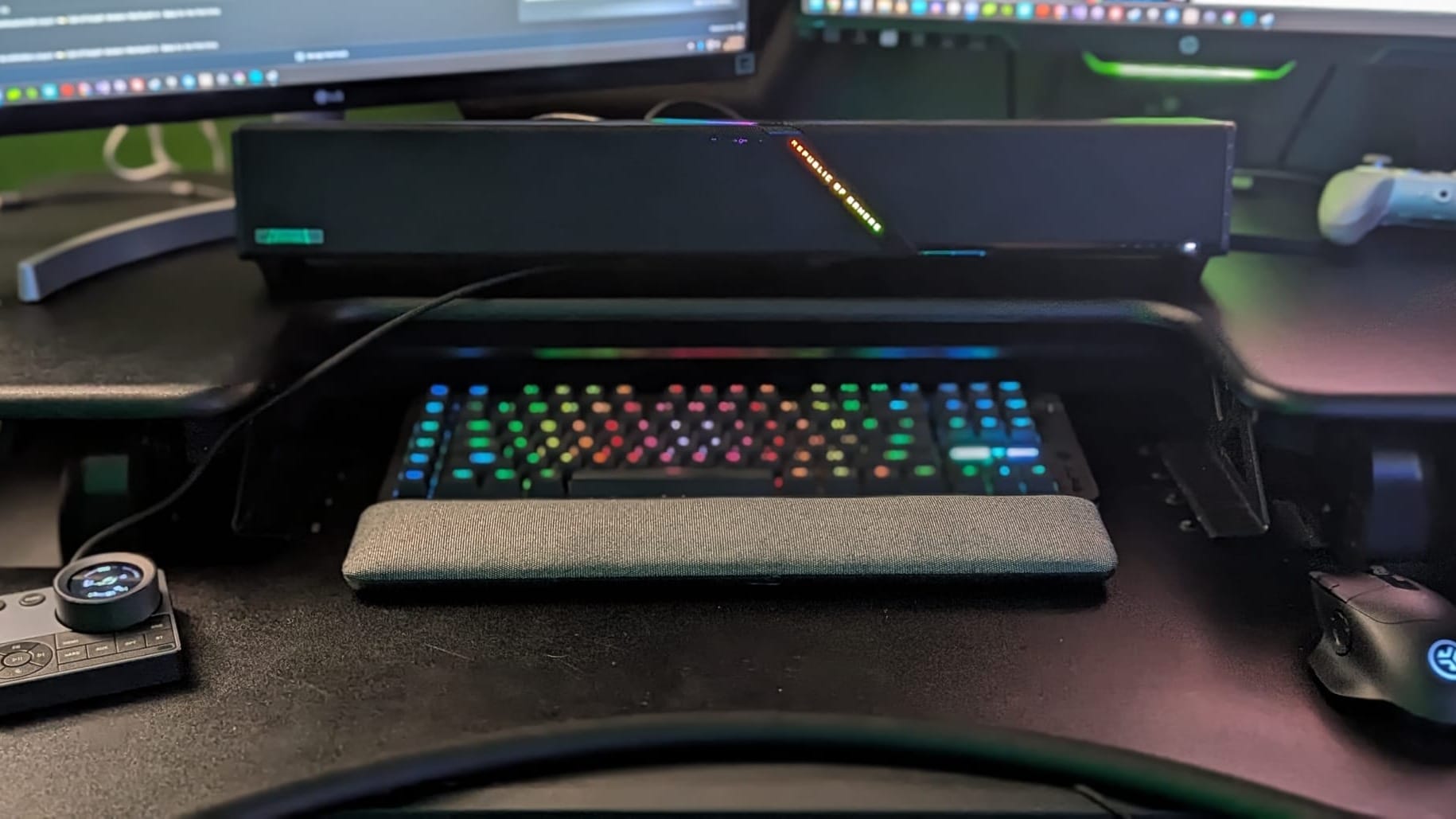
It’s recommended that you position the soundbar in the center, under your monitor. (I run a dual-monitor setup, so I placed it in the center of my desk). The subwoofer can be placed on the floor under your desk. The control hub should be set up to the left or right of your keyboard, 50-89 cm (19.6-31.5 inches) away, with the two microphones on the bottom of the control panel angled toward you.
Performance
The Gjallar is aptly named after Heimdallr’s Gjallarhorn, which was said to be so loud that every living being and deity across the nine realms could hear it. The Gjallar is a 2.1.2 soundbar featuring four 50mm range drivers, two 27mm tweeters, and an impressive 165mm subwoofer driver, and like its namesake, it will deliver audio loud enough that your entire neighborhood will know the forces of chaos are invading.
I put the Gjallar through its paces and was impressed across the board. First, of course, I played several video games with it. The Gjallar supports Dolby Atmos and creates an impressive 3D soundstage. I was able to use positional audio within the Call of Duty: Modern Warfare 4 beta to make out where fire and footsteps were coming from around me. Given that all this is driven from a device that sits in front of you, it probably won’t surprise you that I couldn’t hear footsteps coming from behind me as I would have with full surround sound, but it was just shy of that experience. What’s more, every sound effect, from gunfire to spoken voice to the high-pitched screech of sword-on-sword combat, rang through with beautiful clarity. It’s impressive just how engrossing an experience the Gjallar could create.
With regard to gaming, you’re probably going to want to communicate with your buddies while you’re playing a few rounds of CoD or Marvel Rivals. The microphone built into the control hub will get the job done. It has built-in noise cancellation that works surprisingly well. Even through relatively loud audio out of the soundbar just a couple of feet away, I was able to record and listen to decent-quality voice communication. The Gear Link software suite will give you the ability to adjust the intensity of the noise cancellation, and you may need to play around with that and the positioning of your unit to best suit your needs. The guys I normally play with are used to hearing me over an Elgato Wave 3, and there’s a notable difference. The Gjallar’s microphone quality isn’t quite up to that point, but it isn’t intended to be. The mic automatically cancels out audio coming from the soundbar, but it leaves your voice sounding mildly muffled due to the noise cancellation. The goal is good-quality audio that allows you to communicate while you enjoy your soundbar, and the Gjallar does, indeed, deliver on that.
Flipping the unit’s equalizer to Music mode, we tested everything from EDM to Rock to Orchestral music. (I had to see what this thing could do with the Clair Obscur soundtrack, after all). Piano, strings, guitar, voice…everything felt like I was sitting on the front row of a beautiful concert performance. I could feel every beat of the bass in my chest, thanks to the powerful 165mm subwoofer.
I swapped it over to the Movie EQ setting and caught a couple of Netflix films, including the cheesy sci-fi action flick War Machine. While the movie probably isn’t one I would recommend, I enjoyed the listening experience. Gunfire, voice, giant robots…the highs were all crystal clear, and the explosions and thumping gunfire provided that theater-quality experience worth sitting in a theater for, all in the comfort of my own home setup.
There’s also a Communication EQ setting I fiddled around with. It pretty well muffled everything but voice, so you’d be able to listen to and speak with others without needing to focus on anything else going on…though I’d personally probably just go with a high-quality microphone and a decent headset if that were going to be my focus.
Customization
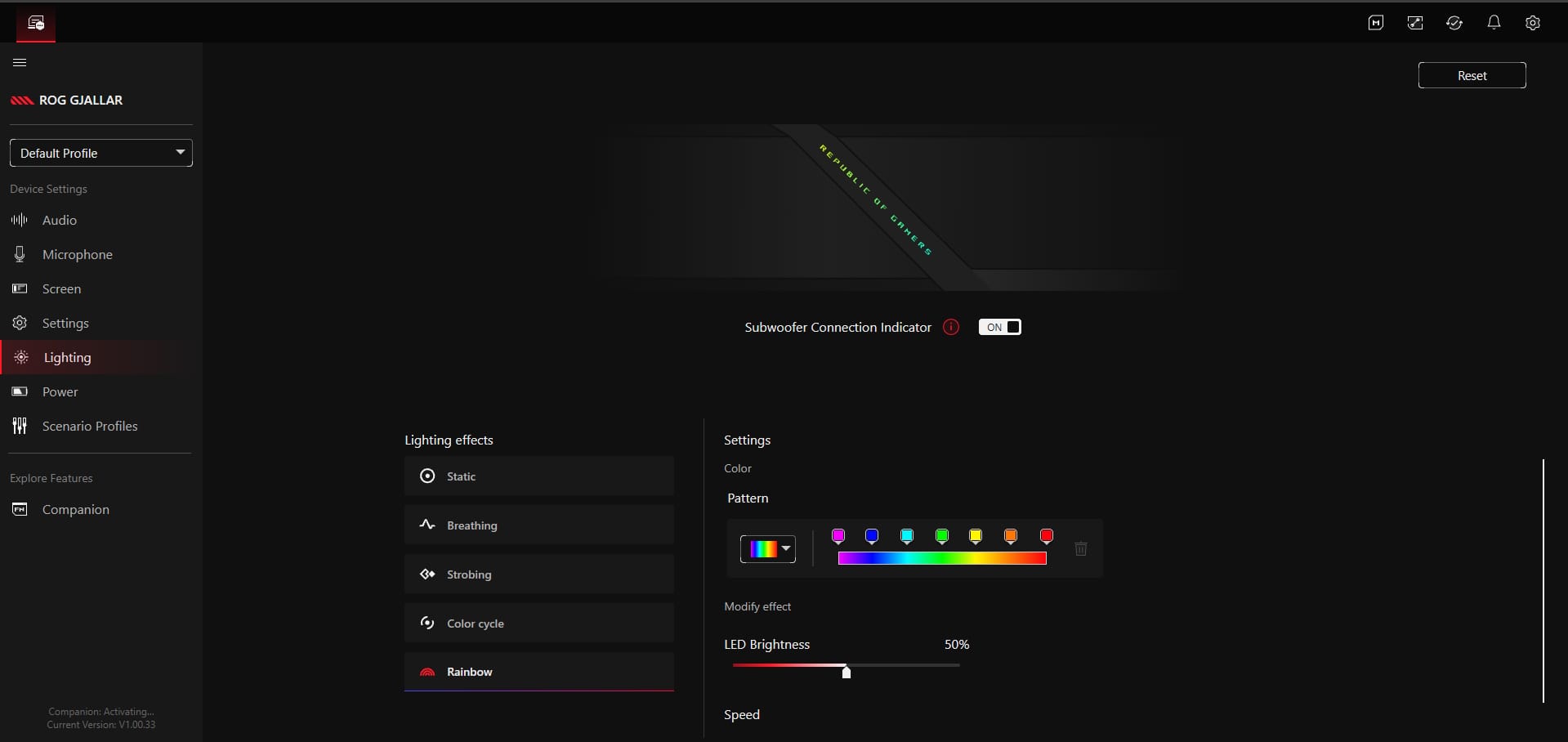
If you consider yourself an audiophile and want to get in and tweak the equalization or just like to fiddle with knobs and see how things play out, you’ll appreciate ROG’s Gear Link software, which provides a web portal to customize your gear. In Gear Link, you can adjust the low, mid, and high ranges as well as the subwoofer volume. It will also let you adjust the echo cancellation and noise reduction on the microphone, if you prefer to use it, as well as customize the RGB display/animation used on the Control Hub and the lighting profiles on the soundbar.
Bringing it all together
The ROG Gjallar has fundamentally shifted how I approach the audio landscape with my entertainment. I used to prefer a good surround sound headset (and sure, I still do on occasion), but getting powerful audio you can feel with clear highs and deep, percussive bass is a fundamentally satisfying experience. With Dolby Atmos, gaming is a delight (except, perhaps, those situations where you need to hear things in 3D space behind you). The microphone is serviceable but won't replace a high-end option. Music and movies are a blast to listen to with the right equalization settings, too. All of that said, the ROG Gjallar is high-end hardware that comes at a premium price. If you’re in the market for a great soundbar and have the dosh accessible, the Gjallar is an easy recommendation. If you’re on a tight budget, though, you may need to look at more budget-friendly options.
Buy your own:
ROG Gjallar Gaming Soundbar
Excellent
The ROG Gjallar soundbar is a fantastic multimedia device that provides a top-tier experience. While it comes at a premium, you’ll have a fantastic listening experience whether it’s with music, movies, or taking out enemies in online gaming with your friends. It’s compatible with an impressive range of inputs, gives you plenty of customization options, and provides a couple of USB ports of its own. While I wouldn’t expect the Control Hub’s built-in microphone to replace bespoke products like the Elgato Wave 3, it provides a good enough experience to enjoy gaming with your friends. If you’re in the market for a high-end soundbar built with the gamer in mind and have the money to spend, though, the Gjallar is an excellent choice.
Pros
- Crisp, clear highs and deep, satisfying bass
- Directional audio still makes for an immersive gameplay experience
- Easy to set up and EQ presets ensure it sounds great
- Compatible with nearly any audio input, including 3.5mm, Optical, Bluetooth, and more
- Gear Link software lets you customize your settings
Cons
- Microphone quality won’t match professional microphones, but it’s serviceable for gaming with friends
- While the directional audio is good, it ISN’T surround sound, so you are still missing an element of the soundscape.
This review is based on an early copy provided by the publisher. ROG Gjallar Gaming Soundbar comes out on August 24, 2026.












