
If gas station sushi is the best you’ve ever had, fresh is going to blow your mind. So it goes with your monitor setup. If one is good, two is probably better. Three might be too much food, but what if it’s just the right amount of whipped cream? That’s the best analogy I can give for the ROG Strix XG129C – another word salad of a name from the Republic of Gamers at Asus, but a wonderful addition to far more than just gaming. Let’s talk about how this little touch panel has changed the way I work and play.
Every time you need to check a secondary display, you're forced to pull your eyes away from the center of the action. Whether that's while playing a game, flying in a sim, editing in DaVinci Resolve, or even poking at a document in Word, constantly looking scanning away from your primary monitor to an equally large display interrupts your focus. The ASUS ROG Strix XG129C takes a completely different approach by using a compact 12.3-inch ultra-wide touchscreen with a unique 24:9 aspect ratio that's designed to live directly underneath your primary display. Instead of sitting beside your monitor and competing for desk space, it occupies the unused dead zone above your keyboard, but below your work. That placement alone makes a surprisingly big difference because your secondary apps remain in your natural field of view rather than off to the side. Seeing what song is up next, keeping an eye on chat, monitoring code compiles, or other low-concentration activities is perfect for this little device, but that’s just the beginning.
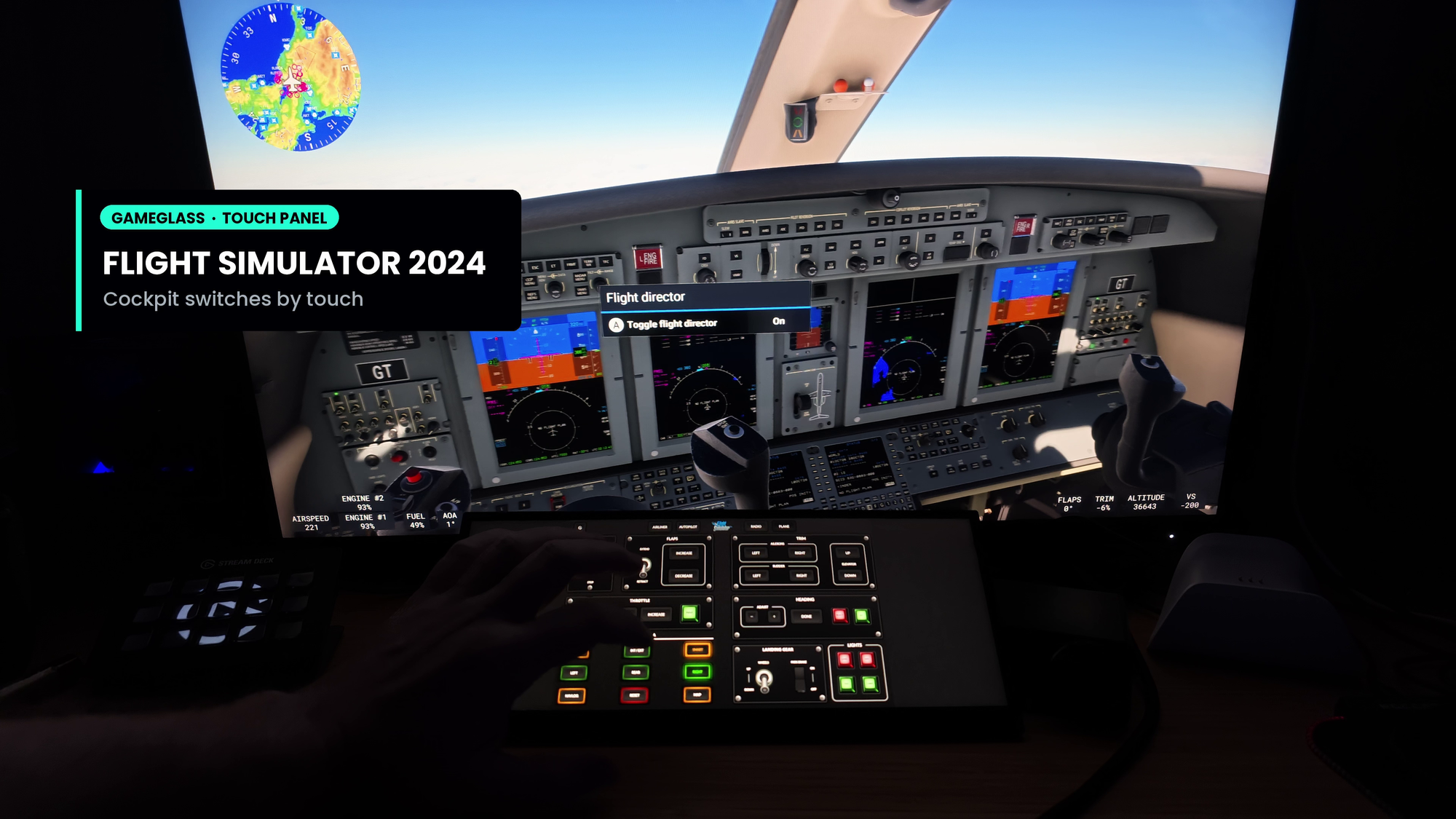
For simulator enthusiasts like myself, the XG129C immediately stands out as one of those pieces of hardware you don't realize you need until you start using it. In Microsoft Flight Simulator, screen space is valuable, not from an icon splatter perspective, but being able to remove any and all distractions from your field of view. Flight logs, autopilot controls, radios, or instrument panels cluttering up your primary display just takes away from the stunning vistas possible in modern flight simulation.
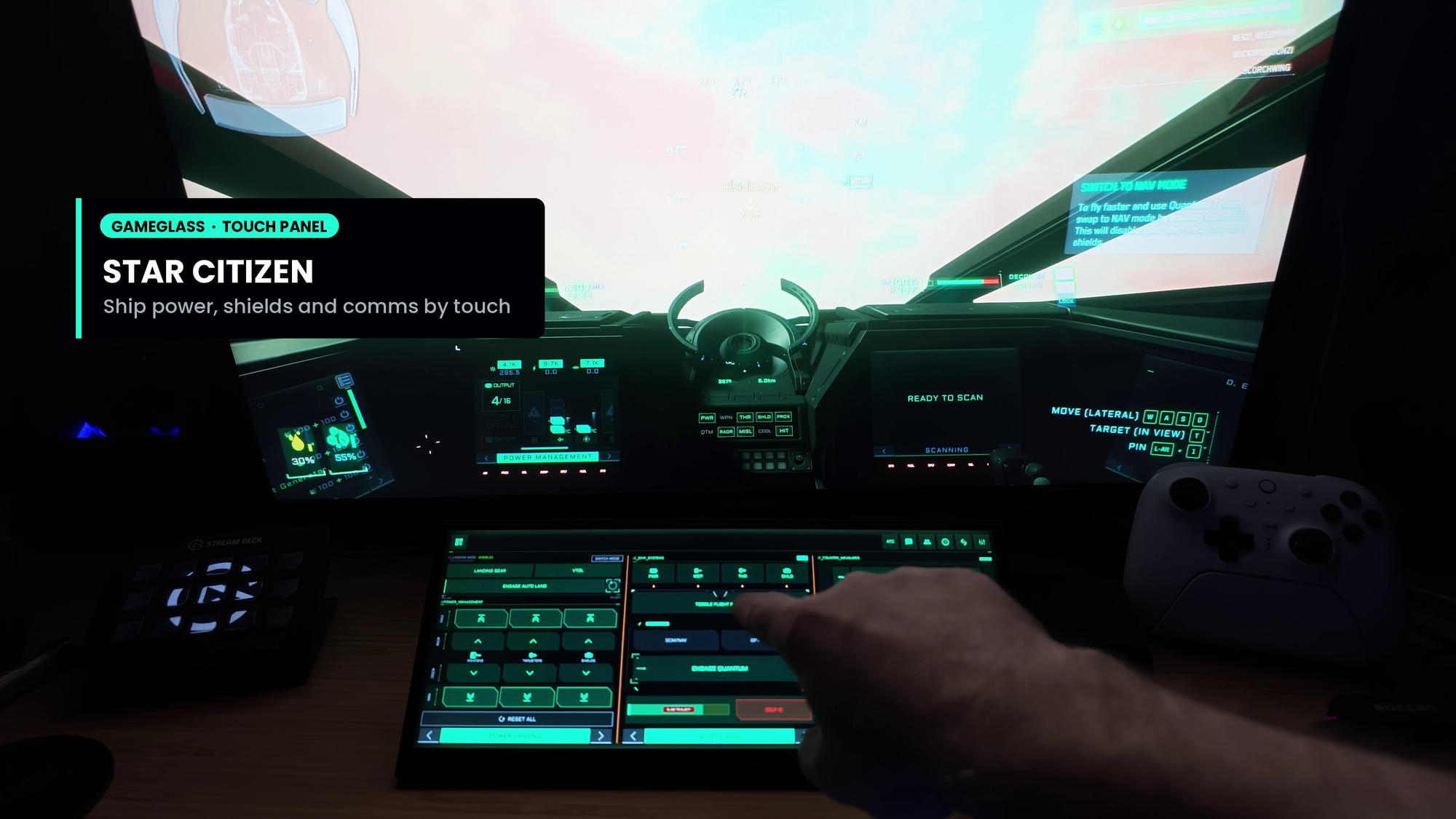
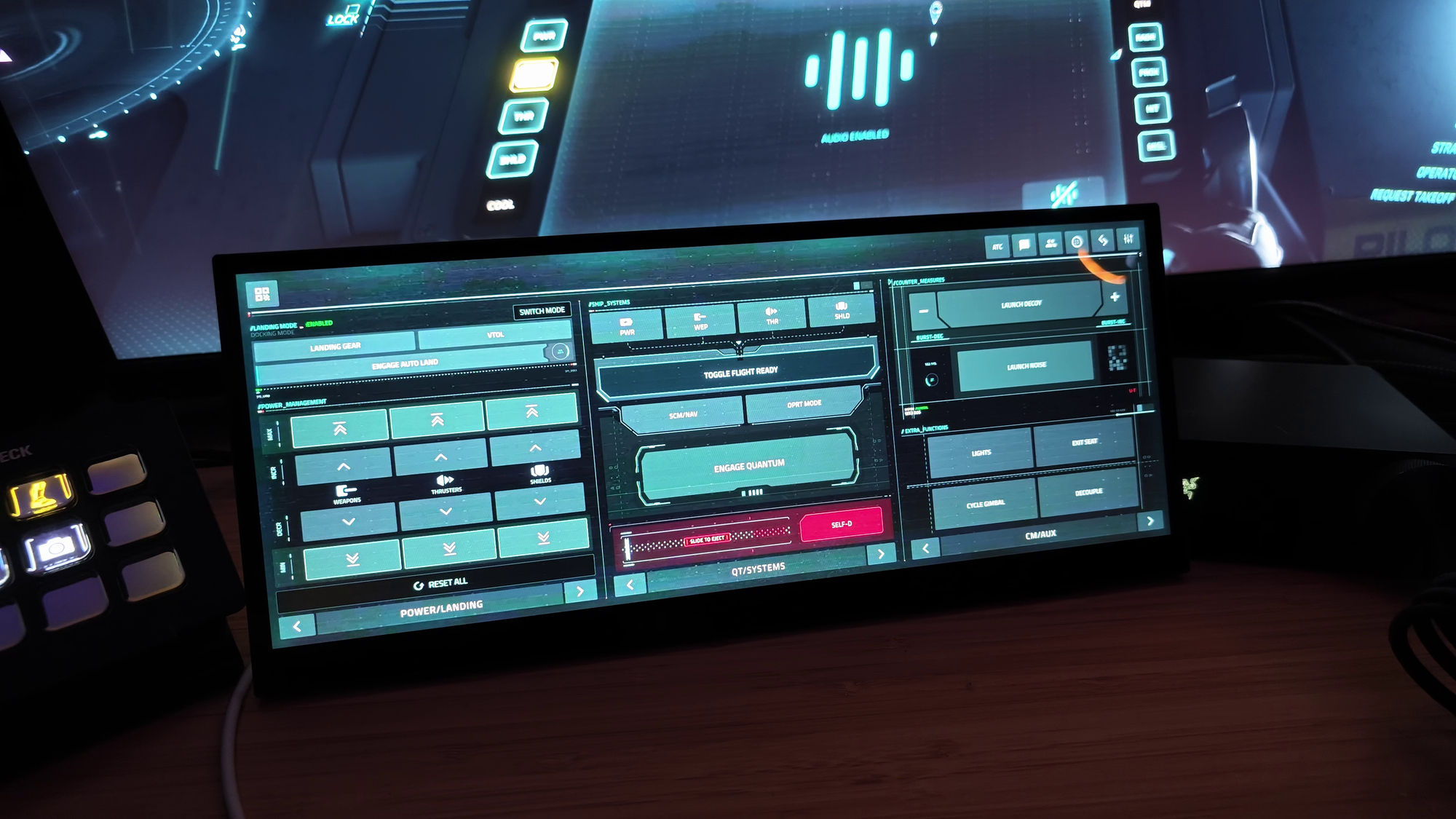
Switching to a game like Star Citizen, you gain a new appreciation for a touch panel. Flying in Star Citizen, the complexity ranges from crazy to “I should start taking notes” and a touch panel can make a world of difference. Paired up with software like GameGlass Hub the experience is frankly unrivaled. Instead of imagining you’re bringing up your mobilglass to call for ATC to release you from your berth, you can touch the panel and tap a few buttons like you would on the “real thing”. Adjusting a mining laser becomes a tactile experience, as does performing other complex ship functions like moving power between various subsystems.
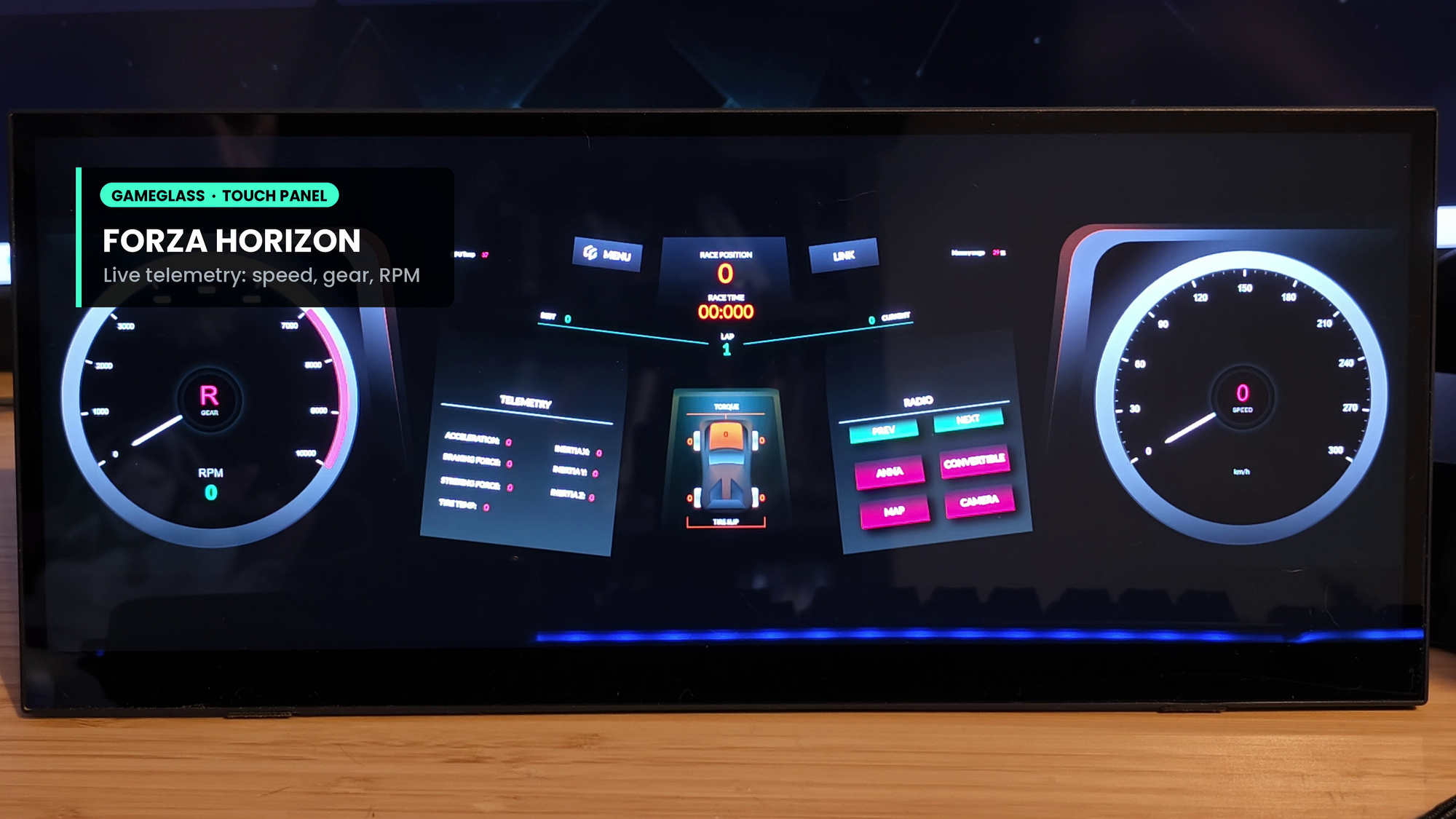
With its native 1920x720 resolution and responsive 10-point touchscreen, the XG129C becomes a dedicated control surface that brings a physical element to virtual cockpits. Instead of reaching for your mouse and hunting through menus during a flight, you can simply undock instrument panels and place them on the XG129C. Adjusting radio frequencies, working with GPS navigation, changing transponder settings, or interacting with maps suddenly feels much more natural in Flight Simulator. Seeing the slip and grip on your tires in Forza Horizon makes you feel like a tuner. Even using it to quickly switch between tactical and turn-based in Baldur’s Gate III suddenly feels purposeful. The touchscreen adds a level of tactile interaction that's difficult to replicate with a traditional monitor, helping bridge the gap between simulation and feeling like you’re actually there.
The physical design of the XG129C makes it even more appealing for simulator setups. ASUS includes a sturdy, adjustable kickstand, but more importantly, they've added a standard 1/4-inch tripod mounting point on the back. This makes it easy to integrate into a simulation hardpoint, or you can place it precisely where it needs to be and at just the right angle if it’s living on your desk. Mounted to a friction arm, or positioned to hover in front of you becomes a reality, and at that point my only wishlist item is that it could have had a simple VESA mount to make it easier to do exactly that.
Outside of simulation, the XG129C quickly proves its value as a desktop companion. One of my biggest complaints with adding a second (or let’s be honest, third) monitor is that it often destroys the clean aesthetic of a premium setup with a lot of clutter. Traditional displays take up a significant amount of desk space and pull your attention away from whatever you're doing. Bigger monitors help with things like editing, but the scanning necessary to find smaller things (like your cursor?) just to click “next” becomes tedious. Because this monitor sits directly below my main display, it feels far more integrated into my workflow. In some cases, it can also protect my workflow, ensuring a dedicated space that stays locked off. The 24:9 aspect ratio provides enough vertical space to comfortably run applications that would feel cramped on many portable displays, apps like Spotify, Discord, YouTube, Twitch custom monitoring dashboards, and browser windows all fit naturally without looking squashed or requiring excessive scaling adjustments that can ruin the image. It’s just the right amount of topping for this sundae.
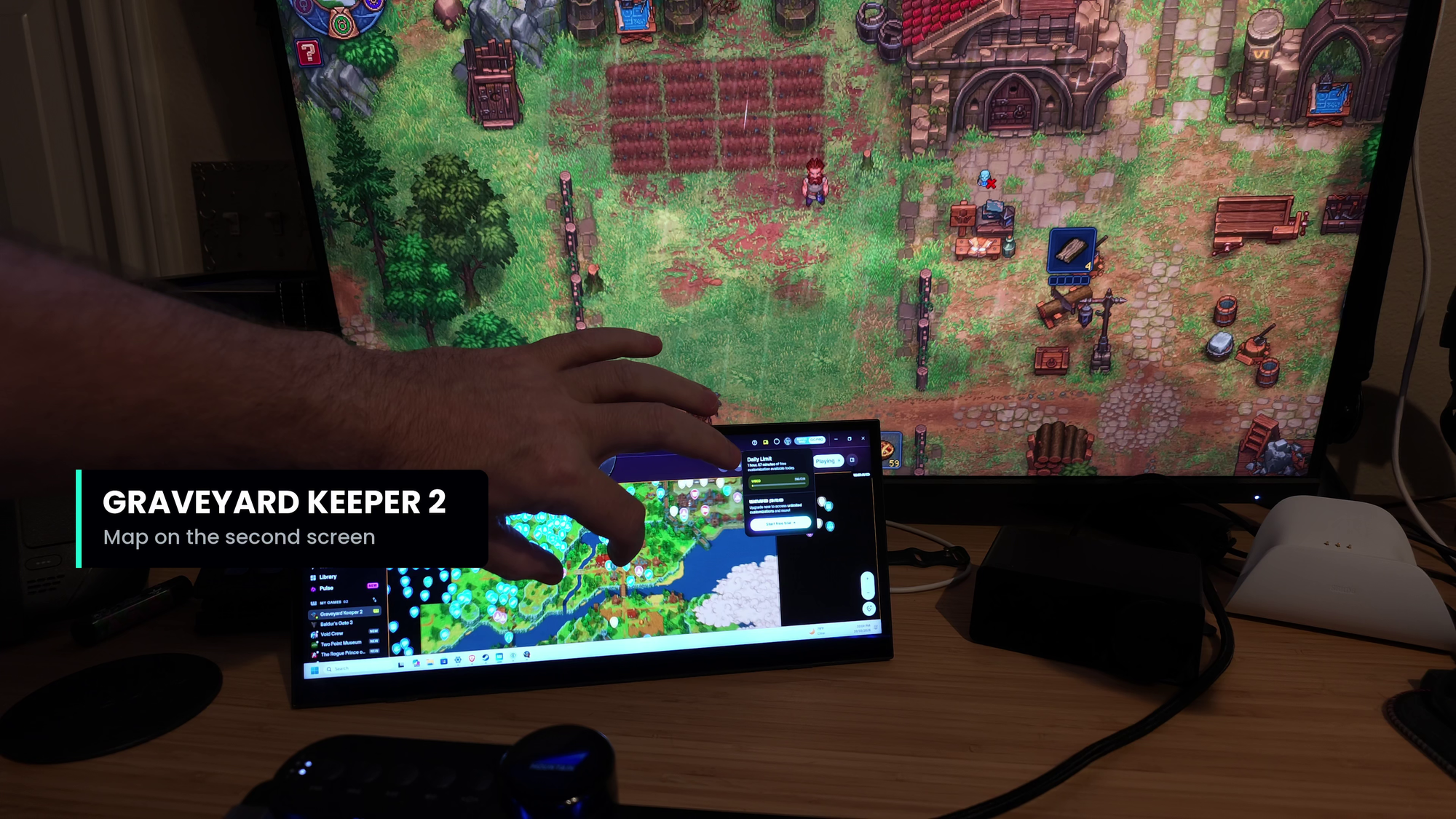
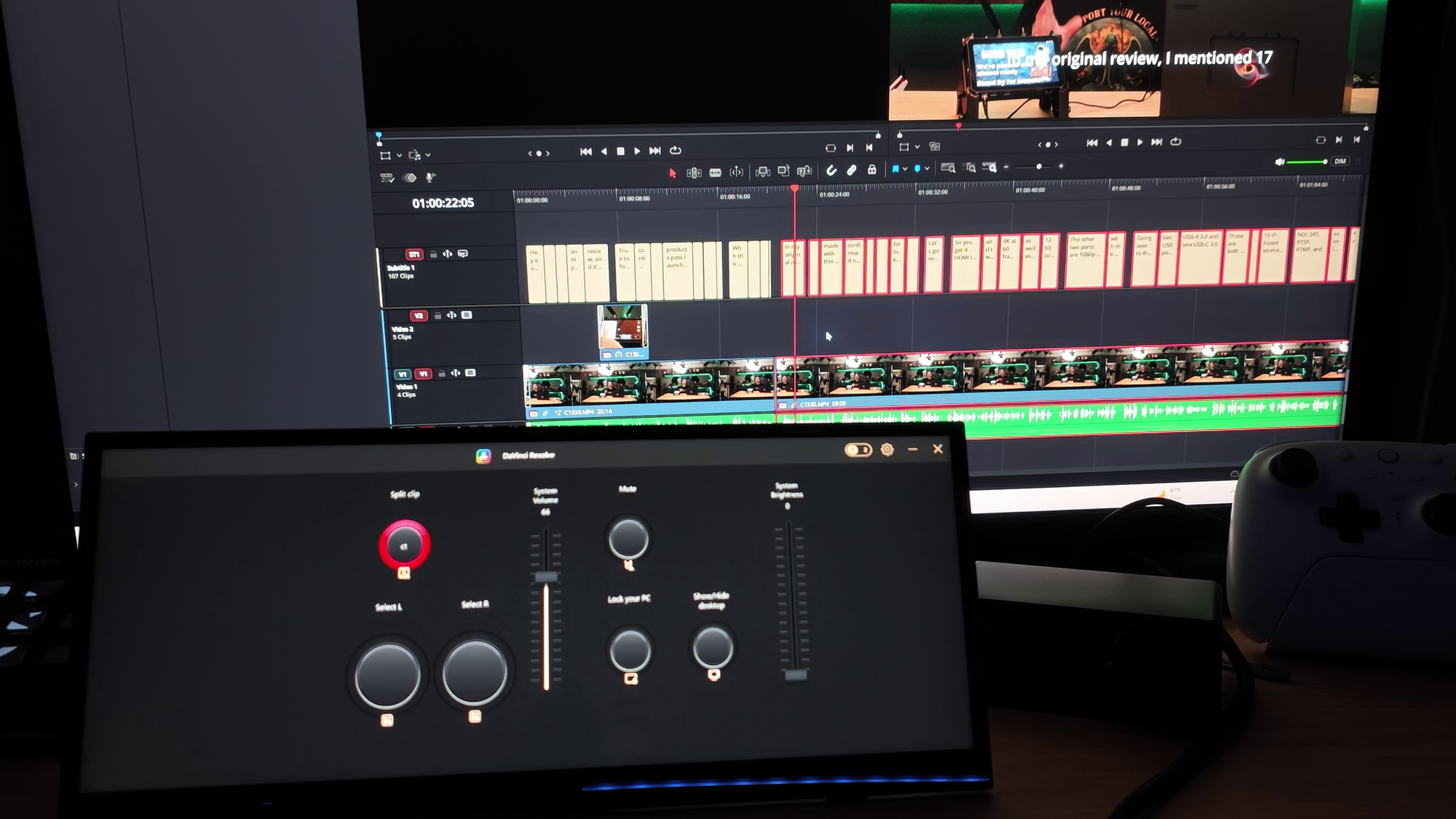
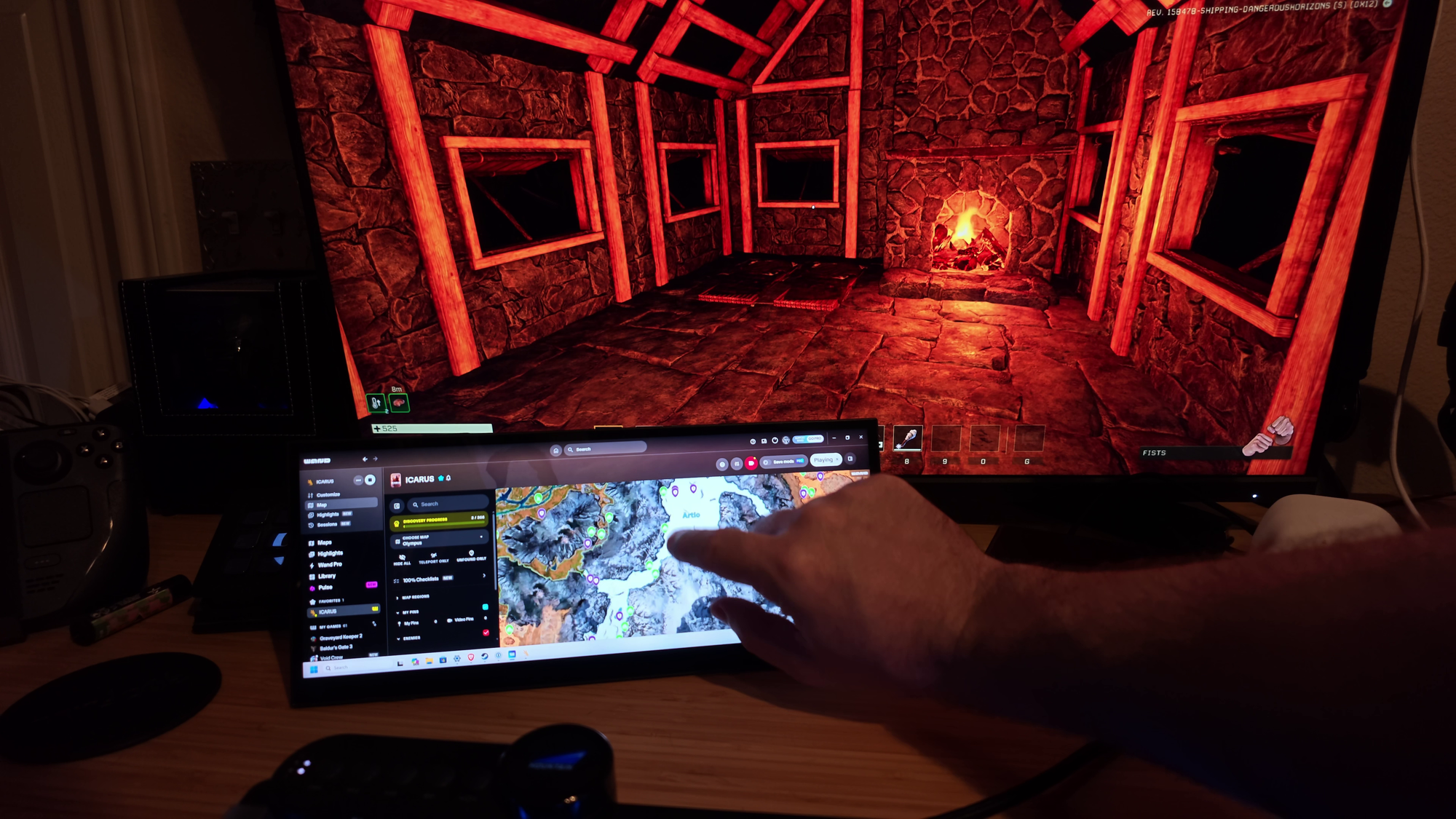
As I edited the video for the review on this device I found it particularly useful as a dedicated media and utility display. Having Spotify controls available with a simple tap while keeping a guide, tutorial video, or YouTube stream open alongside it makes multitasking effortless. Wand’s maps for games like Icarus or Baldur’s Gate are touch friendly, and having a tiny monitor I can set next to my laptop while gaming with the missus is invaluable. More importantly, it eliminates the need to constantly alt-tab out of full-screen games, which is still one of the most annoying disruptions during gaming sessions. Being able to browse a guide, look up a recipe, find a resource, or otherwise interact with things outside of a game without interrupting the game itself is one of those small conveniences that you’ll find yourself reaching for more frequently the more you use it.
Display quality is another area where ASUS avoided cutting corners. At 166 DPI, text remains crisp and easily readable from a normal sitting distance. Discord conversations, browser tabs, chat windows, and documentation all look sharp enough that I never found myself leaning forward to read smaller details. Pinch controls solved that problem nicely, even if I might have needed it. That's important because a display like this is likely to spend most of its life showing information rather than entertainment content.
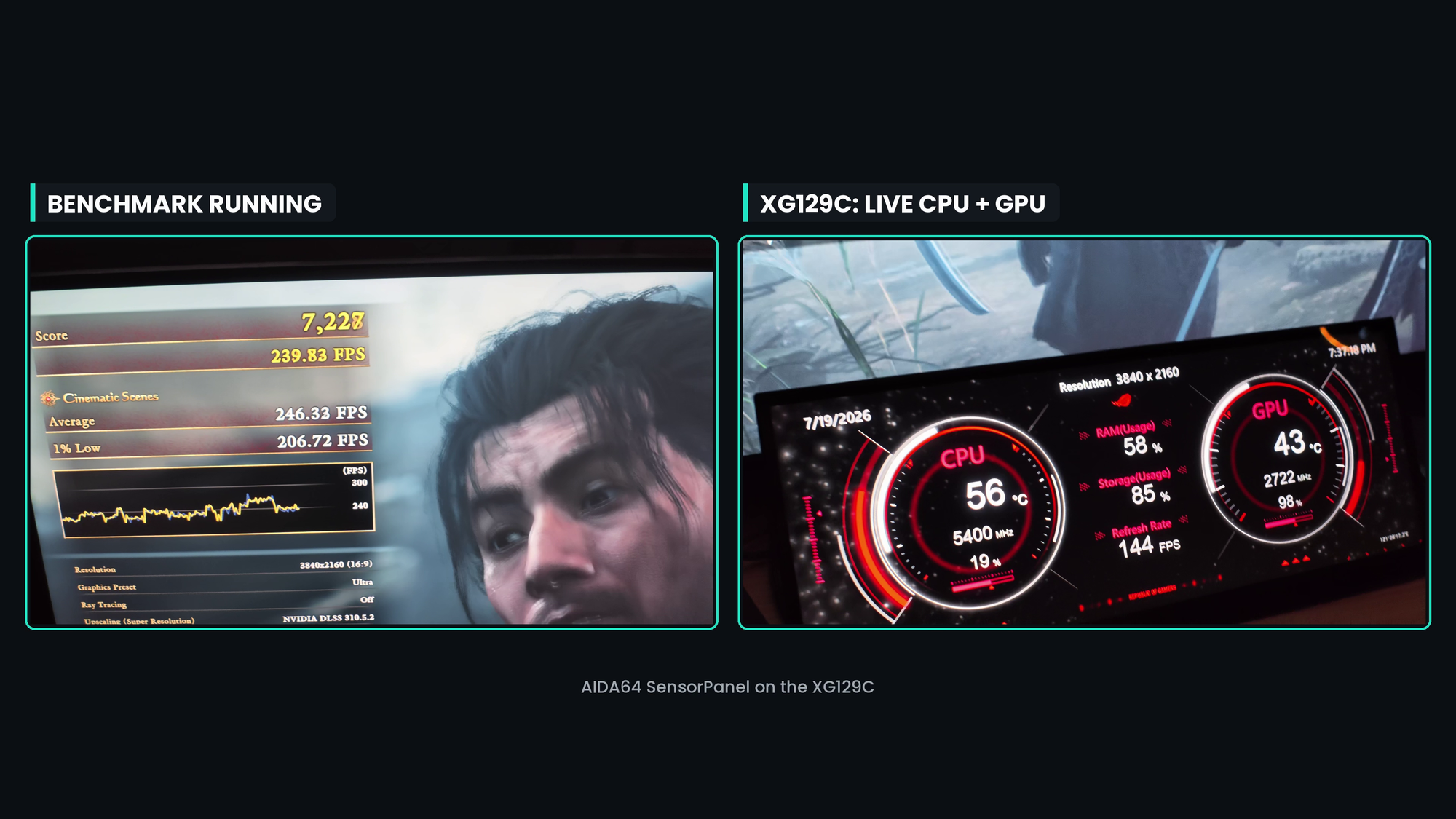
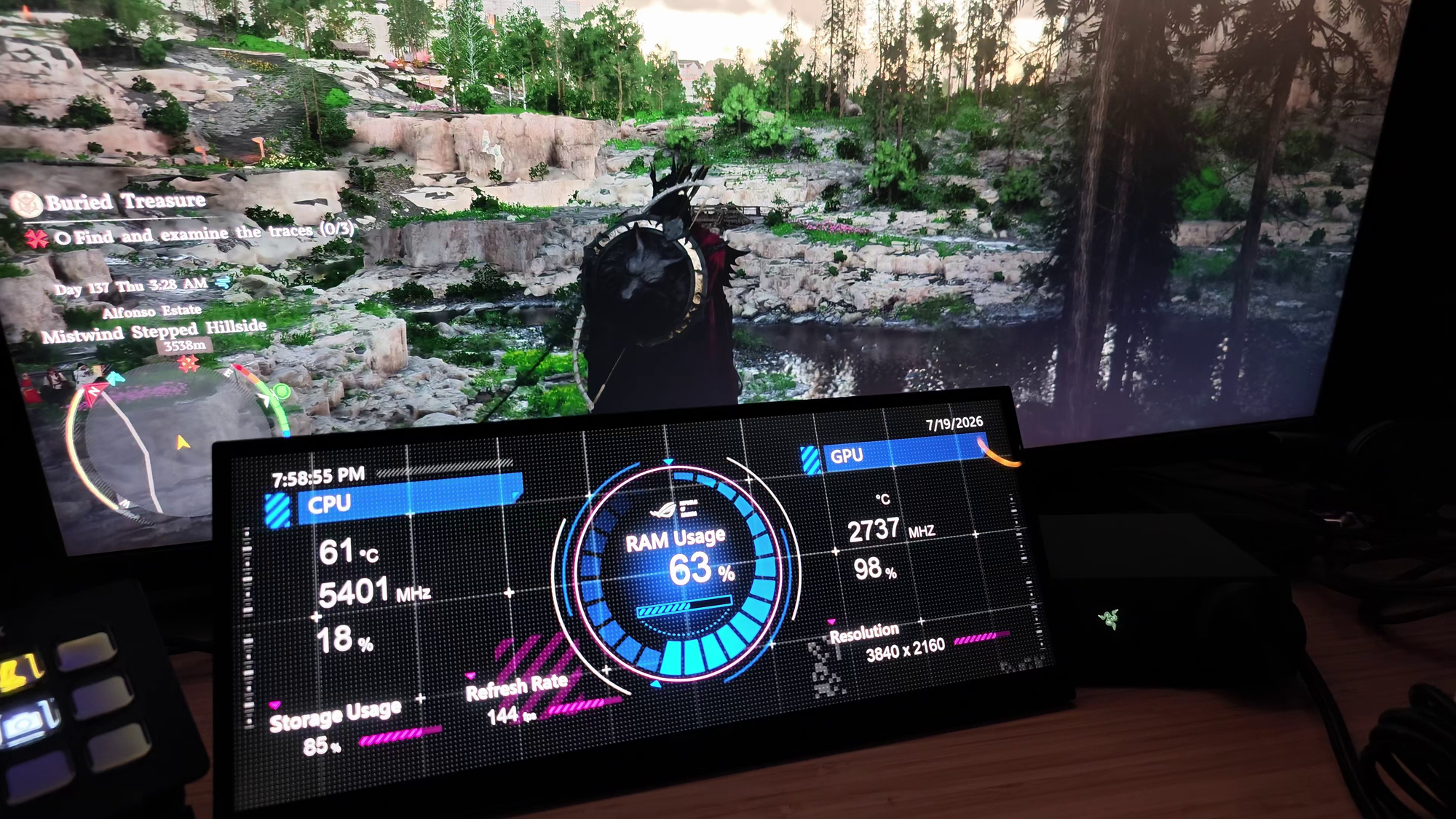
What really separates the XG129C from the sea of inexpensive portable monitors is the quality of the panel. ASUS equipped it with an IPS display capable of covering 125% of the sRGB color space and 90% of DCI-P3. In practice, that means it doesn't look like the cheap knockoff of the monitor above it. Colors remain vibrant and accurate, allowing the display to blend seamlessly into a premium setup. Whether you're displaying content creation tools, audio controls, color parades and wheels, monitoring applications (FinalWire was kind enough to include a version of AIDA64 for exactly that purpose), or media playback, everything looks consistent with the primary display rather than washed out or poorly calibrated.
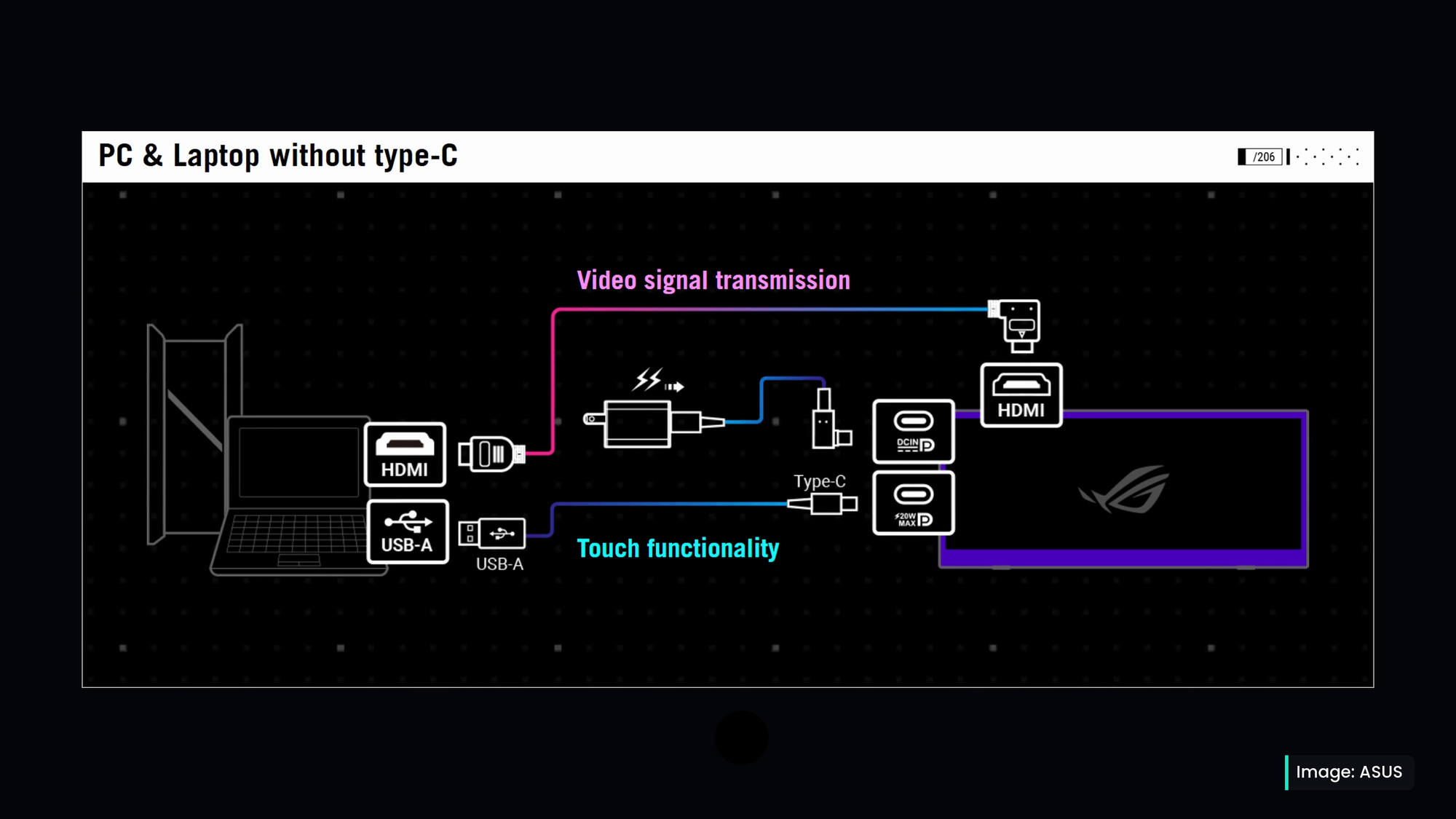
Connectivity on the XG129C is equally as well thought out. For many users, a single USB-C connection is all that's required. Video, power delivery, and touch functionality are all handled through one cable, (as long as that cable is DisplayPort 1.2 capable), dramatically reducing clutter compared to a traditional monitor setup. It's one of those features that's easy to overlook until you realize you're avoiding an extra power adapter and additional video cables running across the desk. For users who need more flexibility, ASUS also includes HDMI connectivity along with a secondary USB-C port capable of delivering up to 20 watts of power, allowing the display to double as a convenient charging hub,
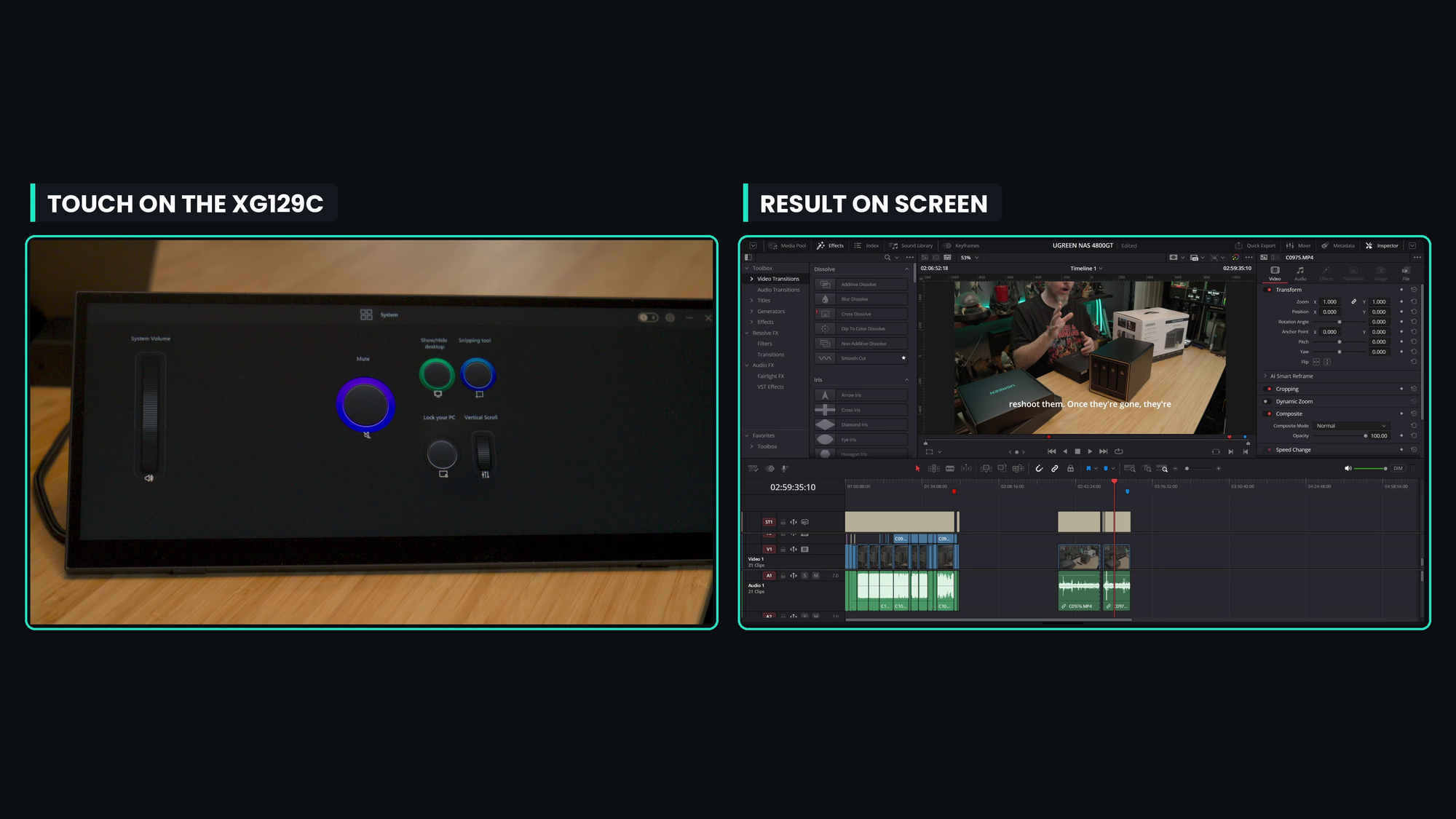
There is one area that I feel like Asus could do a lot of work: the software. While the Asus Dial software will allow you to create a number of layouts to allow you to control your PC via touch controls, the pre-rolled ones for things like DaVinci Resolve feel like an afterthought. Critical functions aren’t mapped, leaving you to fend for yourself. It’d be nice to see Asus spend a few days building out a number of common use cases and panels to address them. As it stands, you’ll have to use the robust touch / drag interface to make your own.
At around $199, the XG129C occupies a unique position in the market. If you're judging it strictly on screen size, there are certainly larger displays available for the same money. That's not really the point of this product. ASUS isn't trying to sell another traditional monitor. Instead, they've created a highly specialized companion display aimed at users who value gorgeous color depth and quality, ergonomics, efficiency, and workspace organization. You're paying for the form factor, touchscreen functionality, integration possibilities, and quality design rather than raw square inches of display area. More than that, you’re paying for a different experience than you can get anywhere else. It adds far more than visual real estate.
The ASUS ROG Strix XG129C isn’t for everyone. Its unusual dimensions make it unsuitable as a primary display, and the 75Hz refresh rate and 300-nit brightness clearly position it as a utility screen rather than a gaming monitor, so don't think this is your new portable gaming monitor for trips. That said, flight sim enthusiasts, racing sim users, streamers, creators, and anyone looking to elevate their desktop workflow without sacrificing valuable desk space will find that this device is not only capable, it’s downright necessary. It fills a niche that few products address, helping me add, protect, and use my workspace more efficiently than I otherwise would. After spending time with it, the biggest compliment I can give is that it feels less like adding another monitor and more like adding a dedicated touchscreen control panel to my entire setup, be it for gaming or anything else. For the right user, that's an upgrade that's surprisingly difficult to give up once you've experienced it.
ASUS ROG Strix XG129C touch-screen monitor
Excellent
A unique touch panel that serves certain use cases extraordinarily well, the ASUS ROG Strix XG129C is as perfect for flight sims, space flight, and racing games as it is for productivity, video editing, and monitoring. It protects your work from your personal, works as a portable map, and so much more. This is a device you won't know you need until you use it for yourself.
Pros
- Surprisingly useful in many ways
- Very clean panel provides excellent visual clarity
- Sturdy components - build to last
- Included software makes this more useful
- Incredibly easy to use
Cons
- Price is a touch high
- Lacking program profile depth
- No VESA mount
This review is based on a retail version provided by the manufacturer.












