
There are some reviews where you start writing and realize you need to do more homework. I unboxed and started configuring the SONOS Arc Ultra and realized that this is a refresh of a previous Arc product from the company. To properly evaluate this update, I would need to hunt down the original. Luck would have it that one of my neighbors has one! With the new device wired up in my house, and a real-world comparator down the street, it was time to review the SONOS Arc Ultra.
As I pointed out a moment ago, the SONOS Arc Ultra is a refresh of the original Arc, but from what I’ve seen and heard of both devices, it’s more than a fresh coat of paint. Addressing some of the biggest criticisms of the first-gen model, the SONOS Arc Ultra, this new soundbar is practically a reinvention. To demonstrate best where this new product lives in the marketplace, we’ll have to get under the hood to look at the features, compare them to its predecessor, and talk about how it stacks up to other similar devices. Without further ado, let’s get into what makes the SONOS Arc Ultra tick.
Form and Function
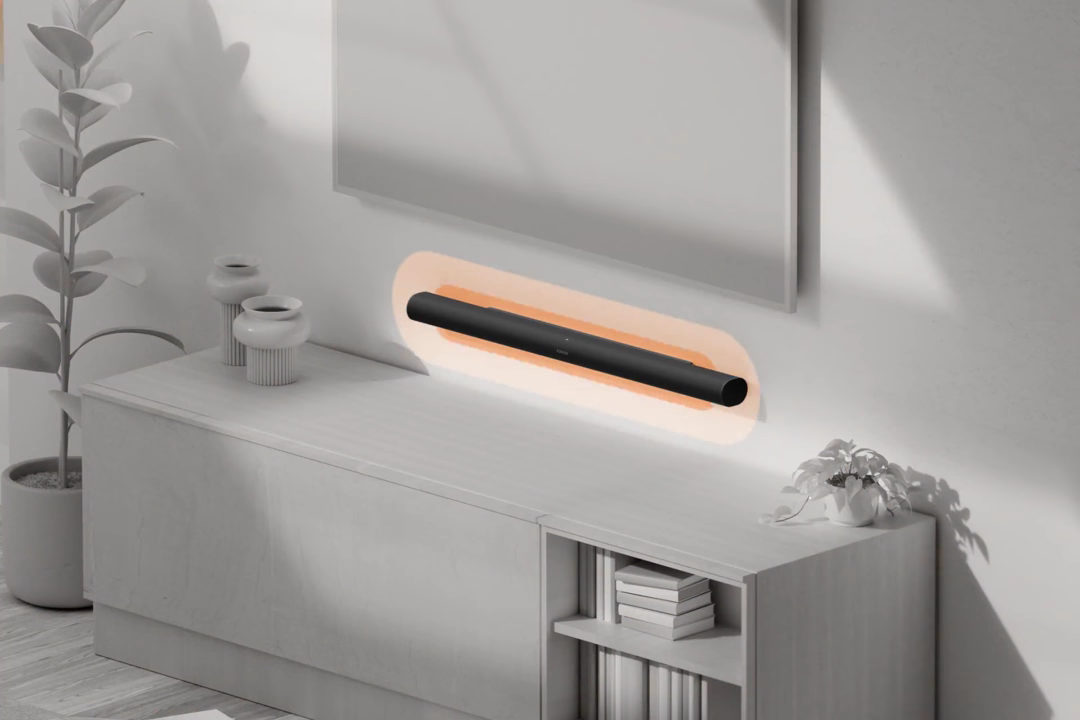
Physically, the Arc Ultra refines the original Arc’s design and form factor rather than replacing it entirely. The curved chassis, ventilated grille, and low-profile subtle nature remain, though this one is now available in white as well, if that matches your decor. It’s when you go just under the surface that the real changes begin.
The biggest change is that the Arc Ultra now contains 14 individually amplified drivers – namely, the following:
- Dedicated Atmos drivers facing upwards
- Spatial drivers that fire from the sides
- A new type of center channel system that fires from the center
- A new low-frequency transducer system called Sound Motion
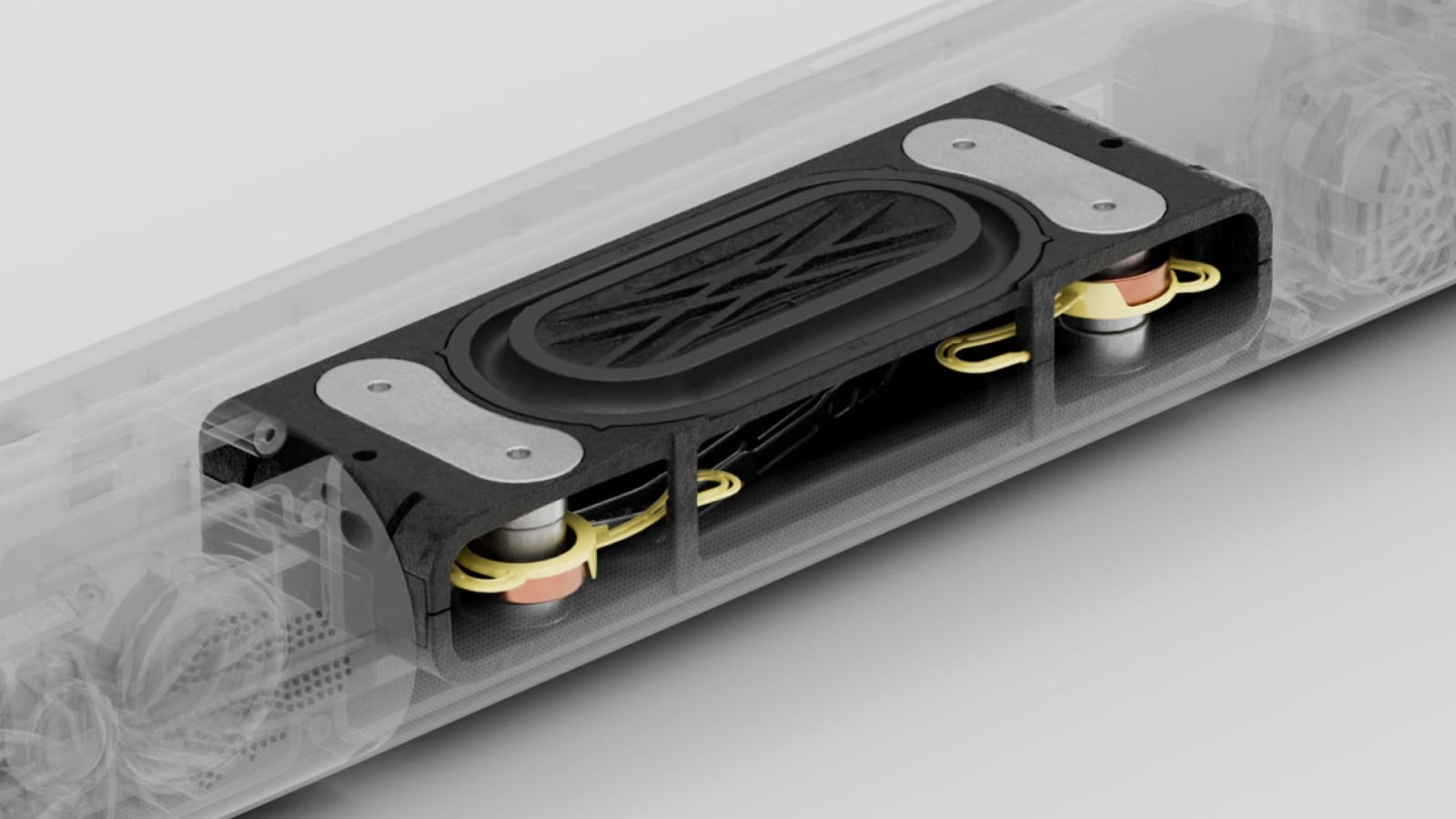
We’ll dig into the latter two as they’re stuffed to the gills with new tech, but let’s walk through the rest of the chassis first. The enclosure of the device is solid matte black plastic and despite how much sound these can throw, it’s also acoustically inert – you aren’t going to drive yourself crazy with some errant vibration through your cabinet. It’s clear that Sonos spent some engineering time in this space, reducing distortion and directing sound where intended rather than through the feet of the device.
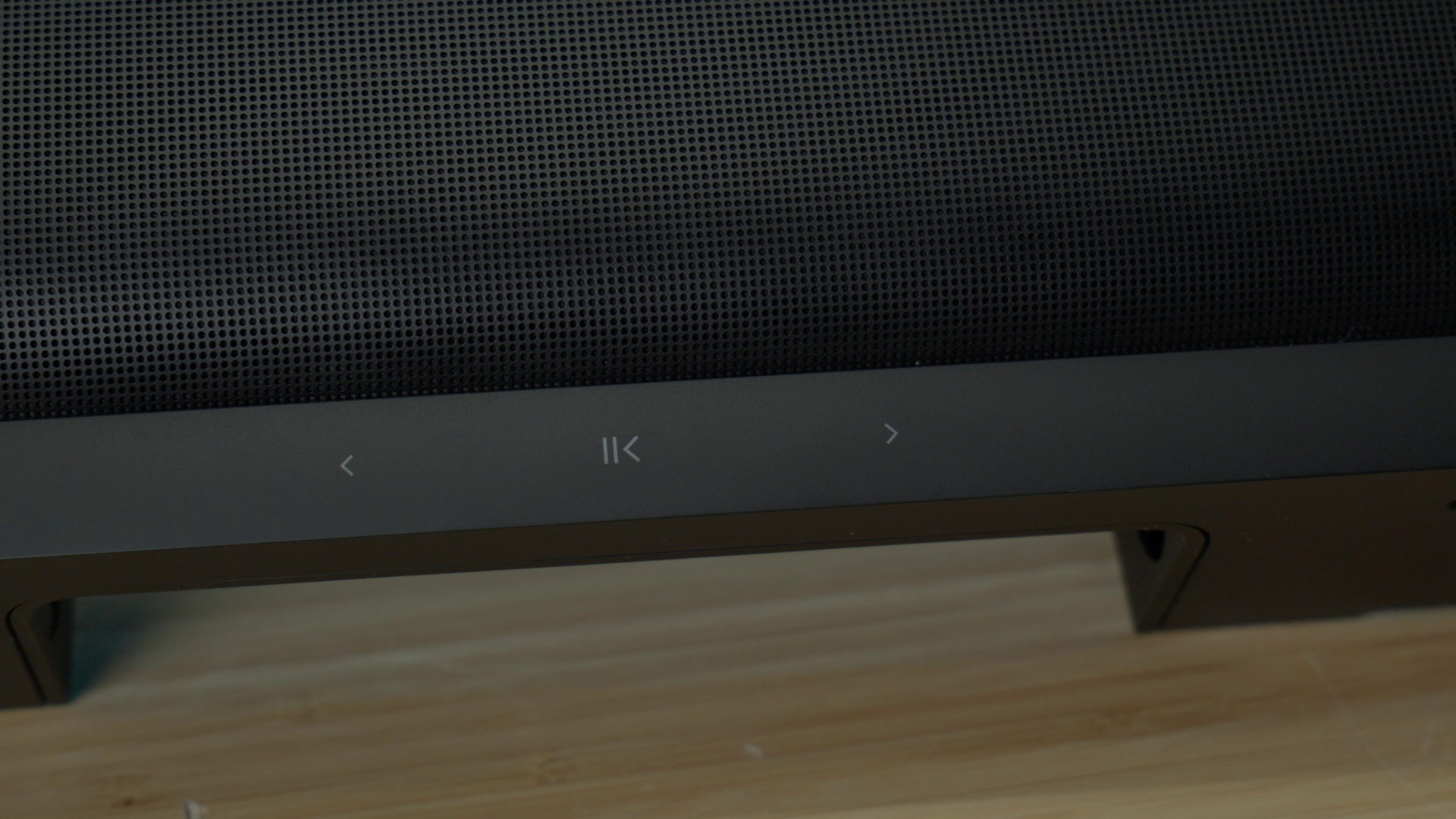
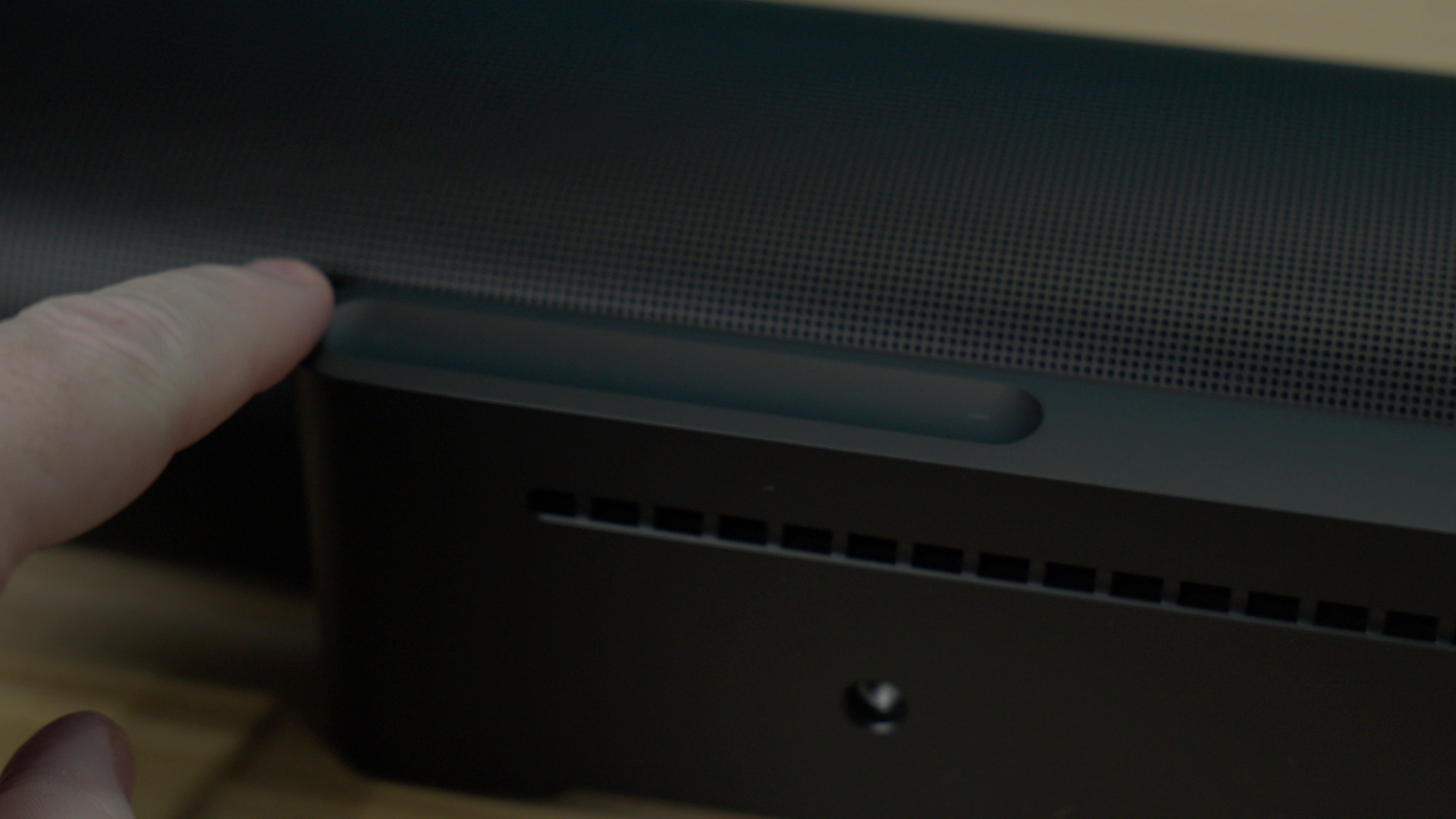
Another new addition to the chassis is the improved touch control system. With a trough for your finger, you can slide the volume up or down on the right top-rear of the device, and a set of pause, play, forward, and back controls in the center. On the opposite left-top of the Arc Ultra is the final touch button – a voice button that lets you bring up options for Alexa, Siri, or Google voice assistants.
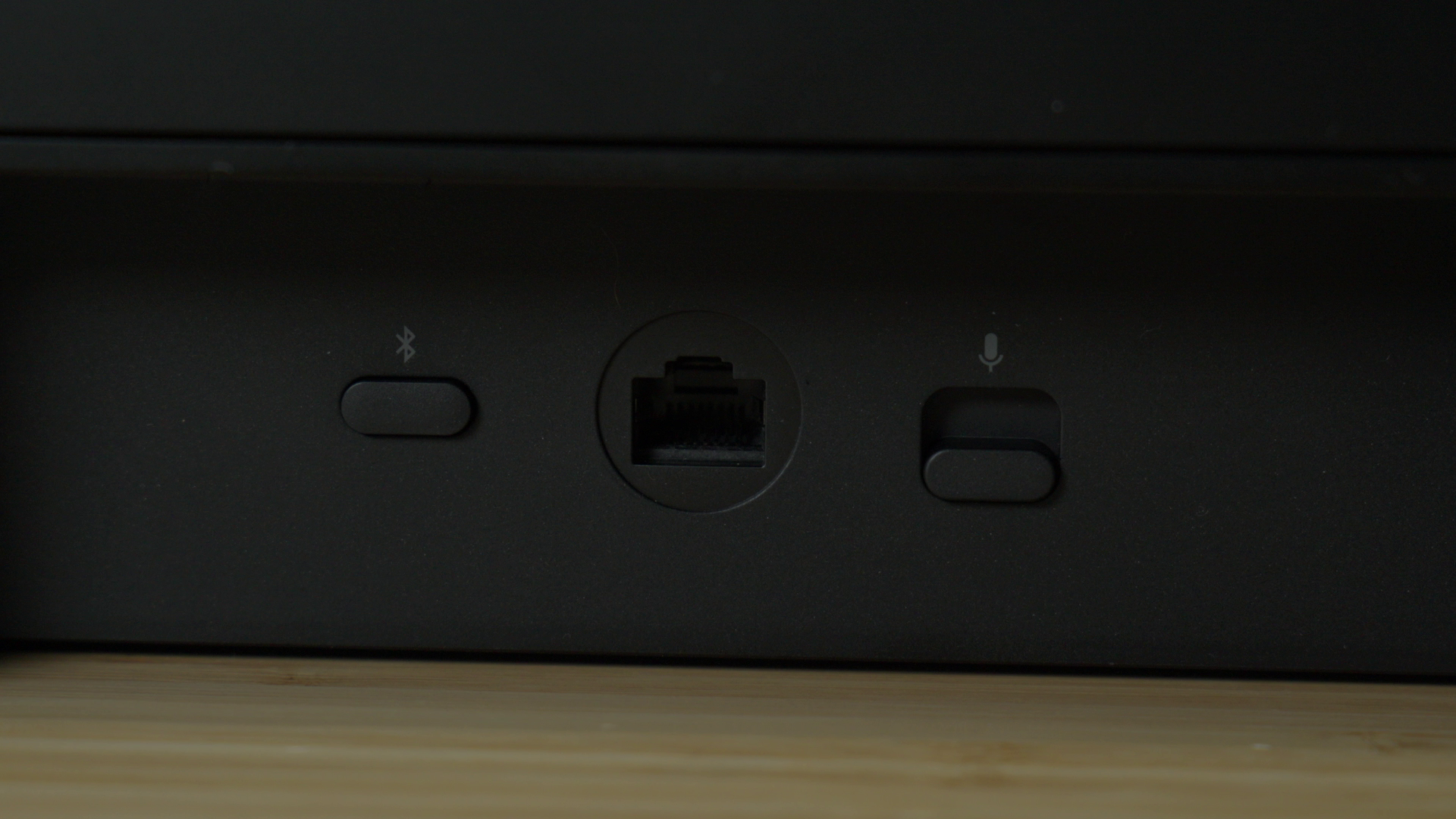
Popping to the rear of the chassis you’ll find an HDMI eARC port (that’s HDMI 2.1), a 10/100 Mbps RJ-45 port (more than sufficient for high-speed audio), and a power port. The power port is a standard IEC C7 “figure 8” connector, so you can replace the included one with a longer variety if the included 6 feet of cable isn’t getting it done. That said, the included cable has a fitted dust boot to seal it into the port completely, ensuring debris stays out, but also helping to hold it in place so there are no accidental power disconnects.
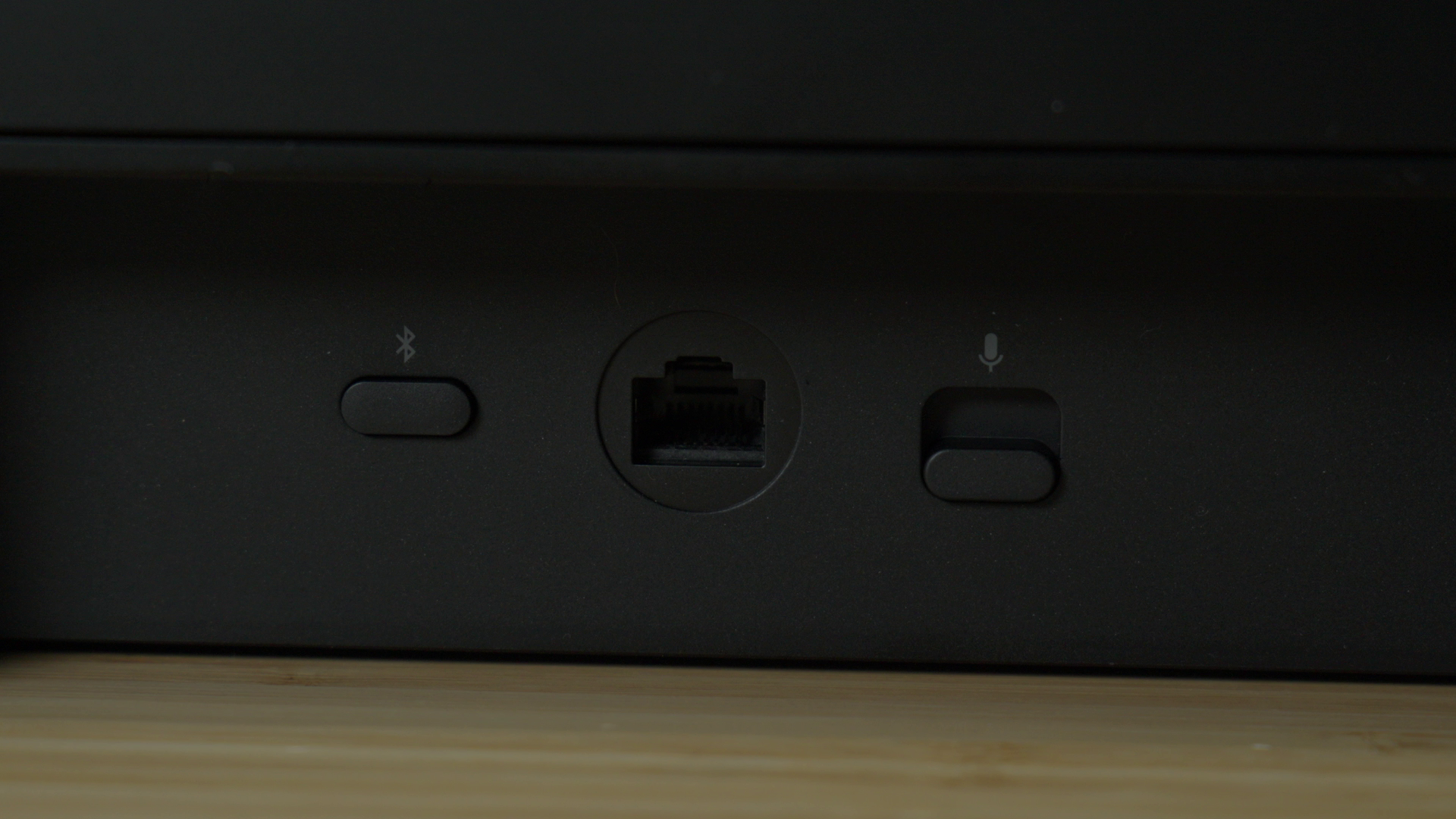
Also on the rear of the device is the Bluetooth pairing button and a physical switch. The switch is a toggle for whether or not the microphone is continuously listening. Like an Amazon Alexa, your Sonos can listen for wake words (“Hey Sonos”), allowing you to issue commands like “Turn the TV On”, “Play”, “Pause”, “Group the living room and dining room”, and “Move the music here”, just to name a few. We’ll talk about grouping at the end of this review as we’re only covering the Arc Ultra, but you’re right to raise an eyebrow on the thought of moving your music to different rooms – it’s pretty cool. That said, if the thought of another device listening to your every word is unnerving, you can physically disconnect it here.
Measuring 46.4" in length, 4.3" in depth, and 3.1" height, the Arc Ultra is slightly slimmer than its predecessor, despite the additional tech. The original Arc had a depth of 4.6” versus the 4.3” depth of the Arc Ultra, meaning it sticks out from the wall just a touch less than before. From a distance, however, the two devices are ostensibly the same – other than the option for white with the Arc Ultra.
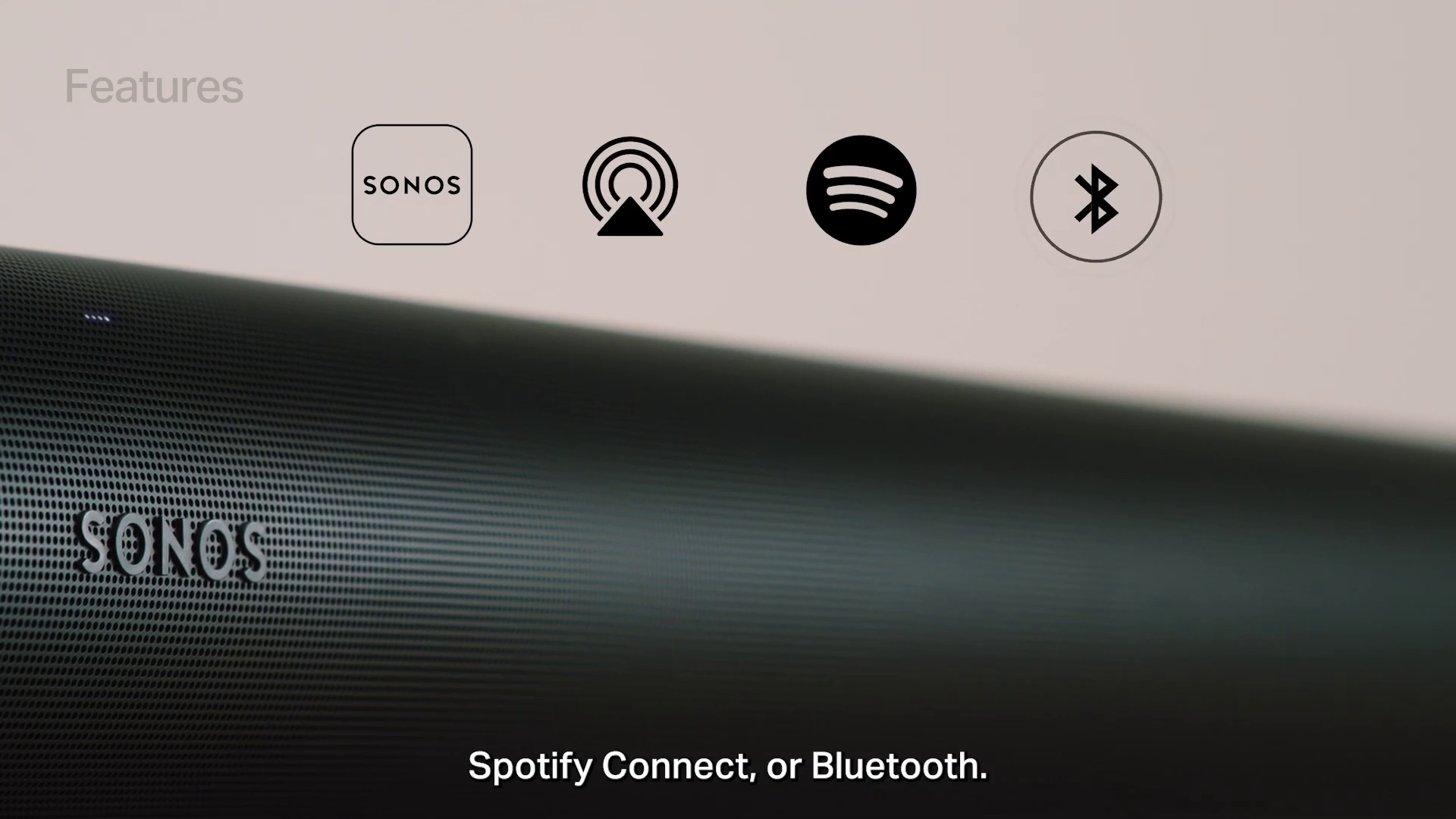
That Bluetooth button is the first major uplift for the Arc Ultra. I can’t explain why the original Arc lacked Bluetooth support, but that’s not a problem for the Arc Ultra. Sporting Bluetooth 5.3, the Arc Ultra is now capable of connecting to multiple devices, and can stream audio from effectively any Bluetooth-enabled device. This allows for direct, convenient wireless audio input without needing to touch the device at all, in addition to the Arc Ultra’s WiFi and HDMI eARC functions. Being able to say “Hey Sonos, connect to my phone” and then have it play from my Spotify playlist as I continue to paint a 3D printed item, without having to get up and fiddle with the Arc at all, is a major upgrade and one my neighbor was threatening to try to smuggle out the Arc Ultra to get!
Sound Motion Technology
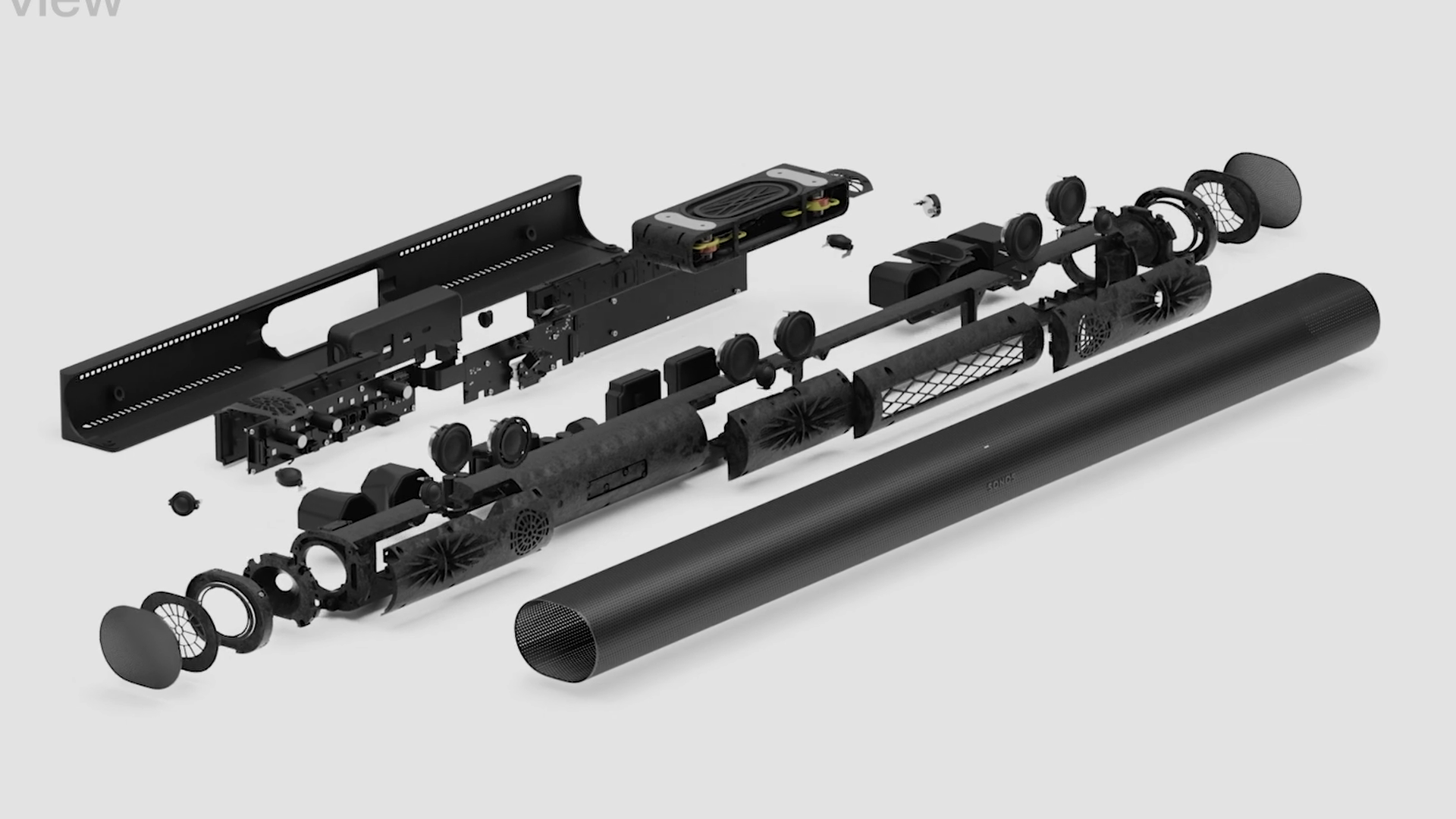
If you hit the webpage for the Sonos Arc Ultra, you’ll see “Sound Motion” plastered everywhere – it’s one of the key technological innovations for this new device, but what is it? In the center of the device is a new force-cancelling transducer system that acts as a bass driver, pushing the warmth into the soundbar that gives the device its signature sound. Sound bars, in general, tend to lack punch, instead relying on volume to try to make up for it. When Sonos purchased Mayht Audio, they also acquired this new technology. In roughly a third of the space of a traditional driver, the Sound Motion transducer places two cones on opposite sides of a rectangular box, using four magnet-driven motors connected at the corners with a flexible aluminum skeleton. This unique dual-diaphragm system allows the 1 and 3 pole, and the 2 and 4 pole to move together, pushing a great deal of air (roughly double!) in a synchronized way, while also cancelling out errant vibration I mentioned earlier. It’s a slick system that frees up a great deal of internal space to add more drivers. The combined result is literally triple the bass of its predecessor – something I could feel for myself when playing movies like Saving Private Ryan.
Comparing the original Arc to the Arc Ultra was almost pointless. The original Arc uses eight elliptical woofers to handle mids and lows, but the Sound Motion setup blows it away. The Arc Ultra is a 9.1.4 setup, which is to say one tweeter and mid-woofer left, right, and center for a total of 6 drivers, then two side-firing tweeters to widen the overall front soundstage, bringing the number to eight drivers. The beam-steering side-firing mid-woofers that create virtual surround without having a physically-separated rear speaker. The three height channel drivers (Atmos up-firing) consist of a pair of left and right tweeters, and the mid-woofer for center height. Add in the Sound Motion system and it makes stuffing a bunch of cones into a sound bar a little pedestrian by comparison. This is a huge step forward for Sonos, and more than just throwing “more” at the problem.
While this Sound Motion technology is impressive, it doesn’t replace a dedicated subwoofer. The sub-30Hz range that really provides punch to a scene is still best provided by a dedicated device, but there’s no doubt that the Arc Ultra provides a hell of a lot more punch than any soundbar I’ve ever tested or heard. It’s an impressive bit of tech, but far from the only surprise this device had in store.
Dolby Atmos
The original Sonos Arc provided a solid Dolby Atmos experience, but the Arc Ultra has it beat hands-down, thanks to a number of physical changes. The 14 total drivers in the Arc Ultra gives it better sound disbursement, and when combined with the improved directional tracking (more on that later), the end result is a significantly improved height-channel simulation and reduced front-channel congestion. What does all that mean? It means I can clearly hear everything this device has to offer. Let me explain.
Like everything with a circuit these days, the SONOS Arc Ultra has an AI processor. It has a sole purpose, and it does it remarkably well. In the Sonos app you can select from Low to High for AI voice processing, enhancing the voice track in every show, and pushing it forward. My mother is 80, and I was hit by an explosive while in the military, leaving me with profound hearing loss. We both struggle with weak center channels, so the difference between the first generation Arc and this Arc Ultra is profound. Even on the middle setting, the voice channel is remarkably clear. The AI also does a fantastic job of picking out center channels, even on basic stereo encoding, making voices remarkably clear. It’s an absolutely magnificent improvement that I can’t overstate. That brings me to the other component – channel separation.
One of the biggest differentiators between the Arc and the Arc Ultra is excellent channel separation. The Arc Ultra addresses this with more refined DSP processing, better dynamic bass thanks to the aforementioned Sound Motion technology, the AI processing we just discussed, and vastly-improved channel separation. Where the original Arc struggled with center-channel intelligibility when action scenes were frantic with all channels filled, the center was buried. With the Arc Ultra, the center is pulled forward and layered on top, making dialogue crisp and clear, even when you have Christopher Nolan’s Tenet-levels of bass.
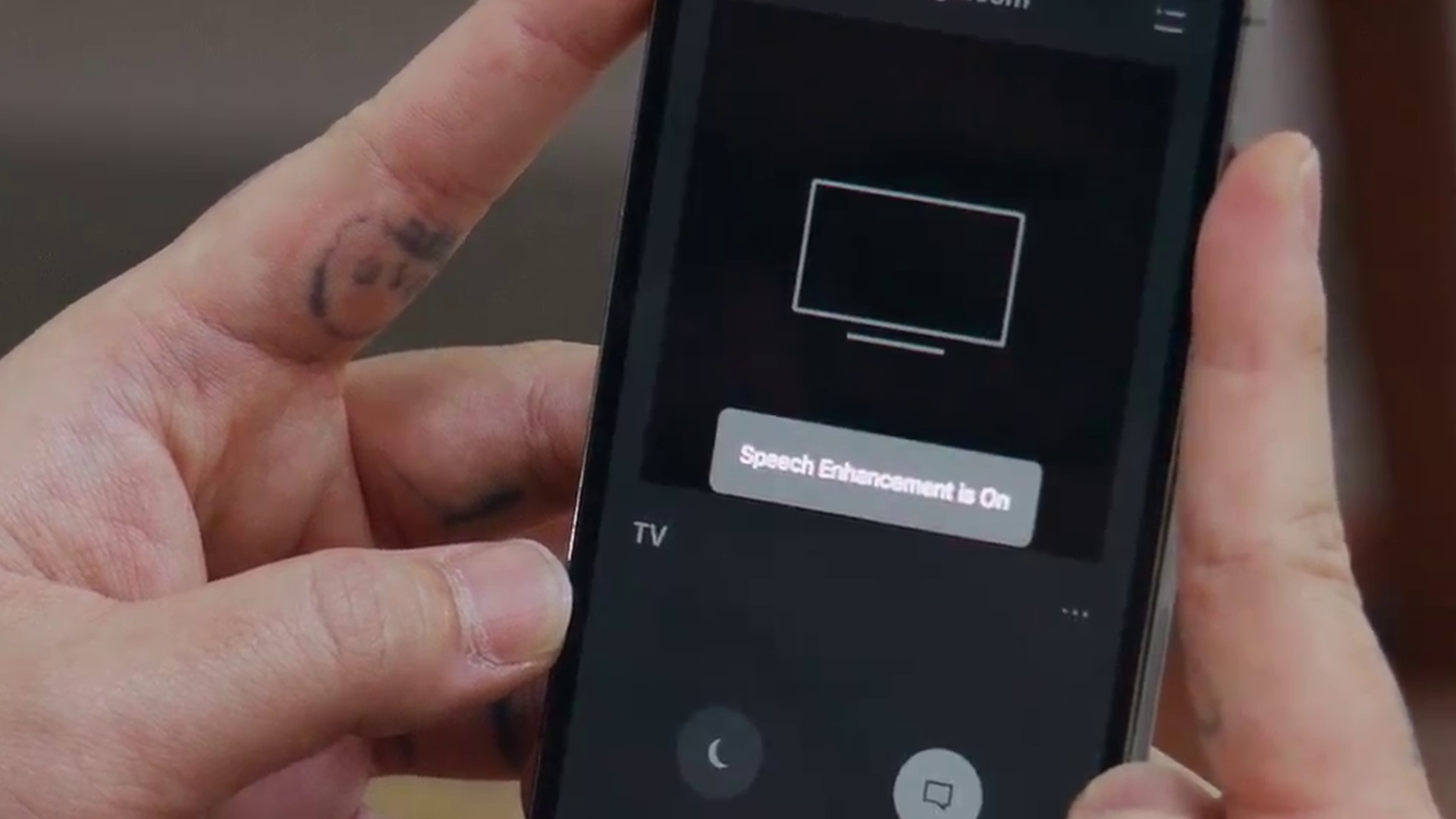
It’s funny to say, but the biggest improvement I found was actually in the most surprising of places – Rifftrax. If you’re unfamiliar with Rifftrax, it’s the team from Mystery Science 3000 doing their own thing, riffing on bad movies for fun. These are basic encoded stereo tracks, and the guys are talking over the top of the film. Even then, the AI knew what to do, letting me enjoy the jokes, without the need for subtitles. I also noticed the same phenomenon on YouTube, streaming services like Hulu, Tubi, and Disney+, and more. Despite the heavy compression that so often crushes the center channel, the improvements were significant. Frankly, if you suffer from any level of hearing loss, this improvement alone may be worth the price of admission – it makes literally everything better.
The Sound of Music
I already mentioned the improvements brought by adding Bluetooth to the equation, but music benefits greatly from the same separation that brings movies to life. The original Arc can be muddy in bass-heavy tracks, but the Arc Ultra has no such limitation. Vocals are once again pulled forward and made clear without wrecking the balance of the track. It’s not quite perfect, but it’s a solid improvement.
I mentioned that the Sound Motion tech is a solid improvement over the original Arc, but here’s where the lack of a dedicated subwoofer is going to get noticed. Compared to a dedicated stereo, the Arc Ultra is going to get beaten by a midrange setup with a subwoofer, but the excellent audio separation makes up for quite a bit. That said, it’s not even worth comparing to another soundbar – the Arc Ultra destroys all of them in the same price range for music playback.
Connectivity and Ecosystem
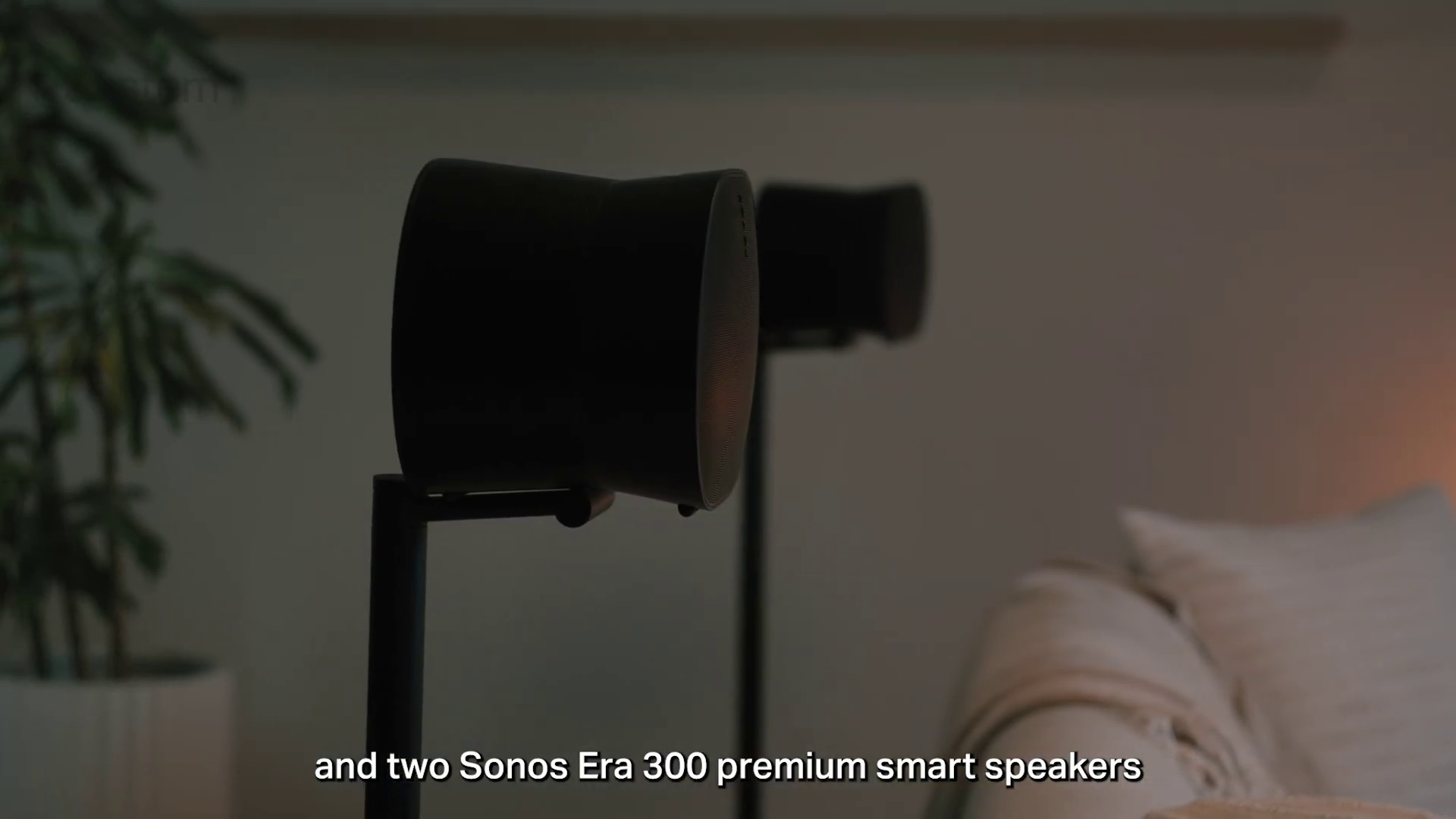
There are a few advantages to building a massive ecosystem. If we’re talking about Apple, they have full control over the hardware, the store for software, the operating system, and everything in between. It helps control the experience for the user, ensuring that everyone has a consistent experience. Sonos creates a very similar experience. Their speakers all connect the same way, adding new ones is remarkably simple, and expanding on a soundbar is an additive process that links together in a way that is frankly painful in other ecosystems. If you wanted to add a set of basic speakers that can tuck into a bookshelf without needing wiring, the Era 100 surrounds are a few clicks to add. The Era 300 adds Dolby spatial audio to the space, and suddenly you’re pushing into dedicated theater space. Add a Sub Mini and you’ve added a transformative amount of bass to the room. Not enough? The Sub 4 will wake the neighbors! While I don’t have all of these devices to test, my neighbor does – he’s been adding to his Sonos setup for years, and it’s impressive. He ripped out a few and re-added them so I could see the process, and frankly, it doesn’t get any easier. What impressed me most, however, was the tuning.
Tuning the Sonos ecosystem is accomplished with an app called Trueplay. Unlike when the original Arc launched, you can now use this on Android as well as Apple devices. In the Sonos app, simply select Trueplay Tuning and then move around the room. Your phone and speaker will chime at one another, measuring reflections in the space, distances to speakers, and more. It works well, and it’s something you should repeat any time you add another speaker or subwoofer. While the SONOS Arc Ultra does a fantastic job on its own, this is your starter package. Once you start down this road, there’s a good chance you’re gonna keep running down it. That’s actually one of the only problems I have with the Arc Ultra – connectivity.
The Arc Ultra, and the Arc before it, are meant to connect directly to your TV. If you have a setup like I do, with a PC, PlayStation 5, Xbox Series X, Switch 2, Shield TV, and a Blu-ray player all connected to an audio receiver, you may or may not have trouble with the Arc Ultra. In my case, my receiver is an Onkyo on the supported list, so I can select “Works with Sonos” and it mostly works.
Mapping my Shield TV controller to the Sonos was incredibly simple, and it worked flawlessly on the first try. I was able to control my Shield TV while using the volume controls to adjust sound, utilizing the eARC passthrough. I’m still using my Onkyo remote to switch inputs (no input switch on the Shield TV – this could be another driver to make me move to a universal remote like the Haptique RS90) but at least I can use the Sonos without adding yet another remote to the pile. If you don’t have a compatible receiver, your experience might be very different. It’s likely at that point that you might be out of luck. Without an HDMI passthrough, the Arc Ultra still feels like an unnecessary restriction over other devices from Sony or Samsung that can lace into an existing ecosystem.
Gaming Performance
You’re on a gaming site, so I’d be remiss if I didn’t talk about how the SONOS Arc Ultra handles gaming. I’m happy to report that it hit the mark on every console and PC without a single hitch. I didn’t find any latency issues, no strange echos or mistimings, and the same audio separation and AI-enhanced dialogue had me able to enjoy the excellent writing in games like Baldur’s Gate 3 without the need for subtitles. Saros sounded especially great on the Sonos, with a great blend of treble lasers and bass thumps from large projectiles cascading around me almost as if I was beset on all sides.
Two quick things thing…
There is an issue I ran into with the SONOS Arc Ultra, and unfortunately it’s not easy to fix. The Arc Ultra sounds fantastic with Dolby Atmos, and that worked flawlessly for 99% of things. Of all things, I put in a trilogy Blu-Ray for Mr. Bean’s Johnny English films. Surprisingly, or even inexplicably, the ONLY thing that trio of movies supports is DTS-HD. While standard DTS is supported by the sound bar, the Sonos DTS-HD or DTX: X format is not. That means I was completely unable to play these movies, and I don’t have a workaround of any kind. I couldn’t even kick it down to Stereo. I’m sure to find other examples of media that just won’t play, but just know that you might hit the occasional speedbump like this.
Frankly, I’m surprised Sonos hasn’t built a device specifically for this purpose. A simple plug-and-play Sonos switching device that allows you to interconnect multiple devices without the need for a compatible receiver, and could kick down an incompatible codec to stereo would sell like gangbusters, and Sonos could continue to avoid licensing fees for advanced DCS. Win-win!
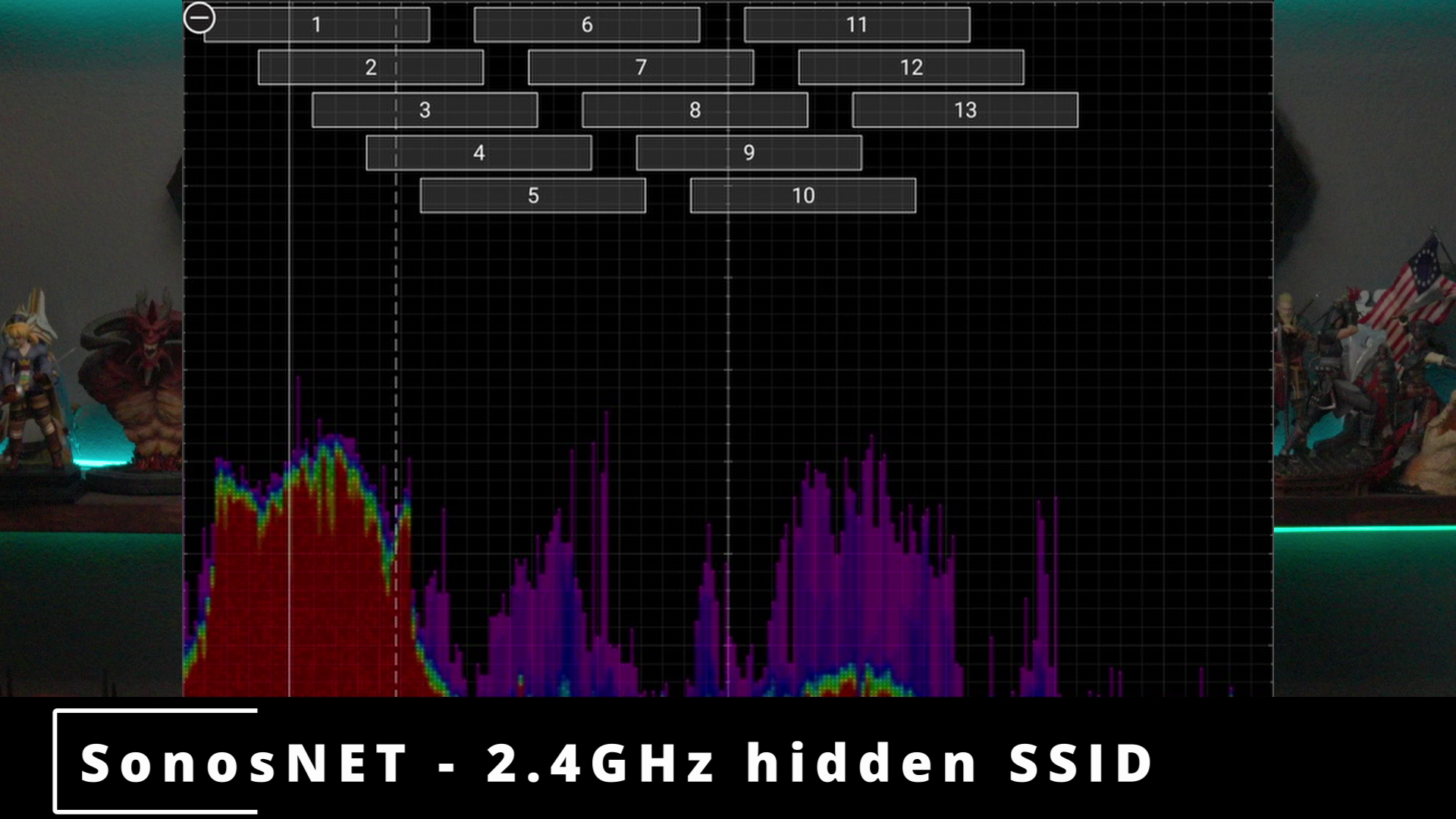
The other thing was even more odd – interaction with an invisible network. If you connect your SONOS Arc Ultra to Ethernet, it will try to reach out to other devices in an invisible network called SonosNET. It does this to make it seamlessly connect to other Sonos devices without added complexity. The challenge is that I use enterprise Ubiquiti networking gear which will not only detect the SonosNET, but also try to manage it. This creates Spanning Tree Protocol loops that can shut down ports and cause other issues. To solve this I had to enable Rapid Spanning Tree and define some routing weights to my various switches. Until I did, it would randomly shut down the port for my NVIDIA Shield, inexplicably, and randomly. It turns out the alternate resolution can be simpler than that, though – unplug the Sonos from your Ubiquiti switch and it’ll stop broadcasting SonosNET. Figuring that out took more than a few hours to diagnose and cure, so hopefully my pain is your gain.

Ultimately these two things together are the equivalent of pouring a few drops of oil into your water. It’s still going to taste like water, but you’ll see it on the surface. You can mitigate all of the issues I hit, but they require a little bit of research. If you are running entirely off your TV, this will be a completely seamless experience. The SONOS Arc Ultra represents the start of your journey with Sonos, and it can be simple, or a touch of complexity.
Price and Warranty
As always, our last stop on any review is price and warranty. The SONOS Arc Ultra is a premium device, but factoring in that it’s a 9.1.4 Dolby Atmos solution that doesn’t require a single other device to give you a full and rich audio experience, the $1099 price tag ($899 at the time of writing) becomes a little easier to swallow. Soundbars equipped with comparable features include the Marshall Heston 120 at $1299.99, the Samsung HW-Q990 Series at $1629.99, the Sony Bravia Theater Bar 9 at $1499.99, and finally the LG S95TR at $1599.99. That makes the SONOS Arc Ultra wildly affordable by comparison.
Truth be told, I actually owned a Sonos speaker – I won it in a Christmas giveaway. As an Android user, I had to borrow an iPad to configure it, and even then the software was painfully obtuse and unstable. While that experience turned me off of the whole platform, I’m happy to say that my experience this time has been the polar opposite. The app is now streamlined, and every aspect of it was easy to configure. It’s hard to argue when everything works perfectly on the first attempt, but Sonos has clearly put a great deal of effort into making the process as simple as possible, solving long-term concerns about software ease-of-use.
The warranty on the SONOS Arc Ultra is one year. Doing some quick research, I’m happy to report that failures on this aren’t being widely reported. In fact, I couldn’t find any documented cases of issues with the SONOS Arc Ultra, which is impressive. I’m not saying I looked everywhere, but when you can’t find any, that’s saying a good bit. Still – if you’re so inclined, you can pick up a 2 year extension for about $99 and 3 years for $130, but it’s up to you to figure out if you need that peace of mind.
Final Verdict
After a few weeks with the SONOS Arc Ultra, and after visiting my friend to check out his first gen Arc, I came away impressed with what Sonos has done with the Arc Ultra. The improvements to dialogue are worth the price of admission for me – frustration with not being able to clearly hear character voices in games or dialogue in movies. The new Sound Motion tech delivers a more rich and robust sound than the original Arc, with Sonos addressing the vast majority of weaknesses found in their previous attempt. The Arc Ultra represents an impressive re-engineering that addresses nearly all of the complaints owners of the original had. Unfortunately it still has no HDMI passthrough, and some DTS formats might trip you up, but there’s no arguing that this is an excellent start to a fantastic modular theater you can build over time.
SONOS Arc Ultra
Excellent
While HDMI passthru and lack of some DTS formats remains a challenge, the SONOS Arc Ultra improves on its predecessor in every conceivable way. Better audio separation, vastly improved AI-based center upsampling, a 3X improvement in bass response, and an upgraded setup process that now supports Android are just the start of all the ways this soundbar crushes the competition. If you’re looking to start a Sonos theater, the SONOS Arc Ultra is the place to begin.
Pros
- Sound Motion chamber adds fantastic bass
- AI center channel upsampling is incredible
- Easy to set up, and now supports Android
- Clean and discreet spatial separation improve audio quality
- Priced below other similar configuration soundbars
Cons
- No DTS-HD or DTX: X support
- No HDMI passthrough
This review is based on retail hardware provided by the manufacturer.












