
AI Smart glasses have become quite in vogue over the last couple of years, with Meta and Ray-Ban bringing them into the public headspace. Combine that with the rise in popularity of LLMs like Claude and ChatGPT and lifestyle content creators capitalizing on a hands-free first-person camera, and the soil is ripe for growth. Enter the Kaigerr AI glasses. This budget-friendly option boasts quite a few features of bigger brands at a much more affordable price point. Are they poised to give the big boys a run for their money?
Note: I want to urge consumers to use adequate caution and skepticism when approaching unfamiliar technology or devices. This includes the installation of apps, granting various permissions to apps, the use of artificial intelligence and LLMs, being aware of where your data is going, and so on.

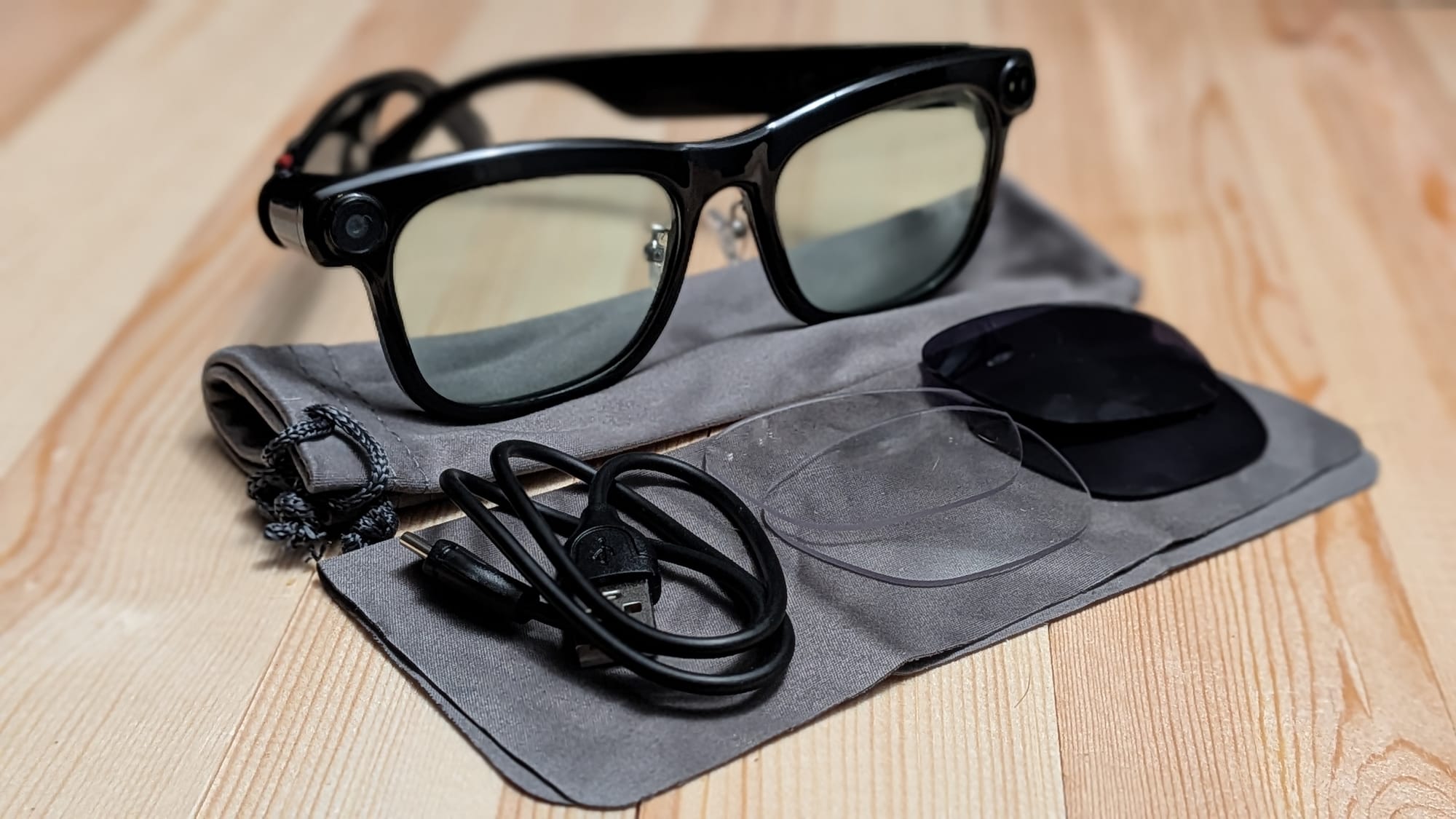
First, let’s discuss the basics. The Kaigerr glasses ship with clear plastic lenses and two extra sets of lenses in the box: a backup set of clear lenses and a set of sunglass lenses. There’s also a microfiber lens cloth and a cloth carrying bag included. The glasses themselves are comfortable to wear, and the extra lenses are a nice touch. I appreciated being able to swap over to the sunglasses lenses to enjoy a few walks while putting the device through its paces. It’s worth noting that I couldn’t find any documentation for properly changing the lenses, but after some testing and back-and-forth with the rep, I discovered you’ll have to apply some force to pop the old lenses out of the front and then work the new lenses in the same way. Given the other hardware in the glasses, I was afraid I’d damage something, but it all went off without a hitch.
Video/audio quality sample
Note: On top of your own security and privacy, it’s important to keep the privacy of others around you when using devices with recording capabilities. Hospitals, government facilities, and the like present potential legal consequences. You could dox yourself or others unintentionally. A lot of geek-adjacent conventions have begun to ban them as well, citing concerns that talent is being potentially recorded without their permission.
Regarding the technology side, the glasses feature a 13 MP camera on the right end piece that can record in 1080p (16:9) at 30 frames per second and, surprisingly, 4032x3024 photos (4:3 ratio). The right temple houses the unit's buttons, with a small circular button that controls power, video recording, and photography. There’s a longer button that can activate voice memo recording and the accompanying AI agent, and swipe buttons to control audio playback and more. The left end piece has a light that will turn on for recording when necessary, and the left temple houses the battery and USB-C charging port.
It connects to your phone via Bluetooth and requires the Da Echo app to pair and function. To my surprise, this includes downloading media from the glasses. The USB-C port itself only exists for charging. To my dismay, you can’t just plug these up to your computer and download the files. By my understanding, the same could be said of the Meta glasses as well.

The lion’s share of interactive functionality for the glasses is tied to the aforementioned Da Echo app, which requires, at the bare minimum, Bluetooth and Location permissions. If you want to use voice memos, translation, or AI, you’ll need to grant additional permissions.
With that out of the way, let’s discuss each of the functions tied to the glasses and app. First, let’s discuss video recording. Using the app, you can adjust the maximum length of clips from 15 seconds to 10 minutes, as well as adjust the video and photography aspect ratio. To clarify, the app says “Landscape 4:3”, but it actually records in 16:9, thankfully. To record, you’ll double-click the record button on the glasses, and it’ll go until you run out of time or click the record button again.
To download and watch the video, you’ll need to open the app, make sure the glasses are connected via Bluetooth, and initiate the import process. This import process is surprisingly power-intensive, as importing ~10 minutes' worth of video took 10+ minutes and 20% of the battery. I want to give credit where credit is due, though. The video quality looks great. There are a couple of additional caveats worth noting, though: What I considered to be the center of my field of view looking through the lenses is actually closer to the bottom of the frame in the video/photograph, thanks to the camera being positioned above the human eye. It’s also worth mentioning that the glasses won’t perform an import if they’re under 30% battery life.
Getting the images from my phone to my computer was a mild bit of hassle, too. I had to plug my phone up via USB-C, then dive through and find the Da Echo folder under videos and the Da Echo folder under photos to pull everything down. It’s possible, but it took some work and understanding of my phone’s folder structure to find it all.
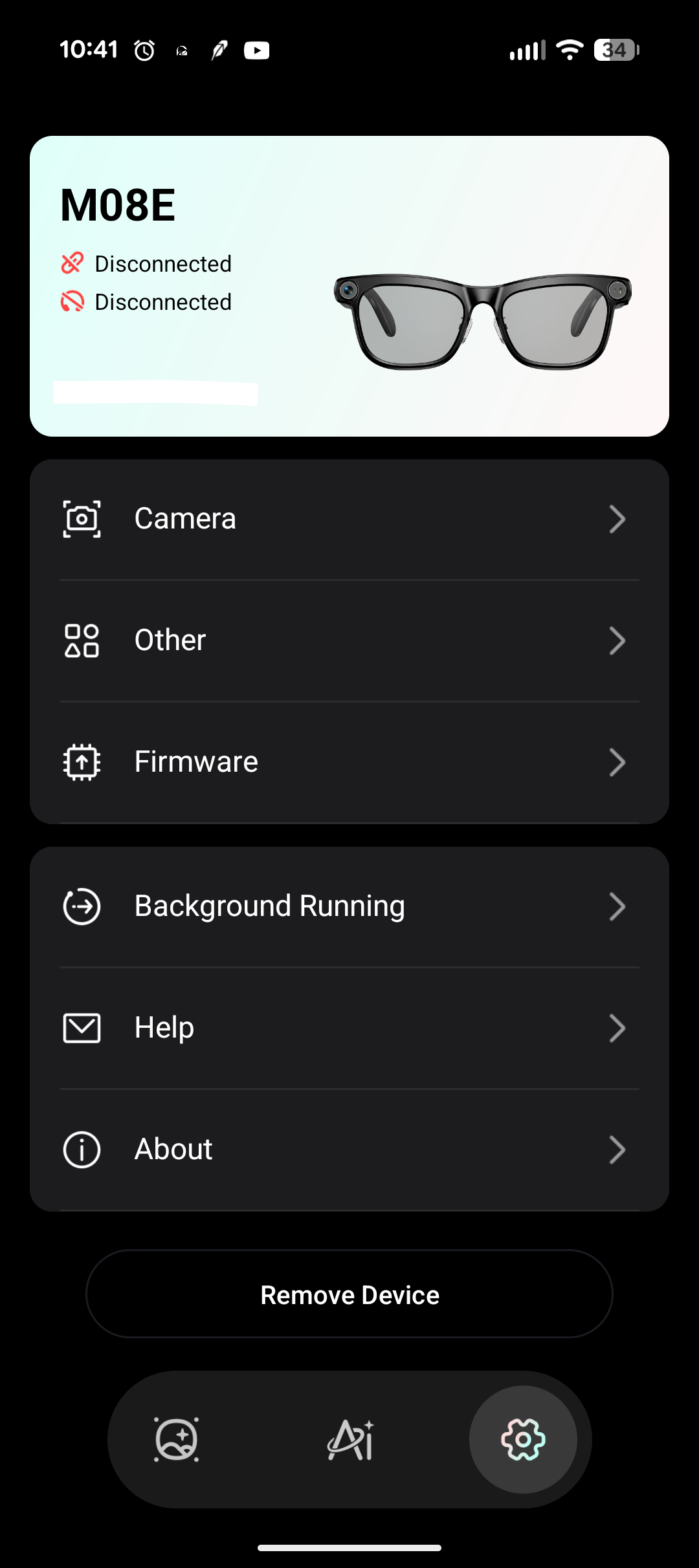
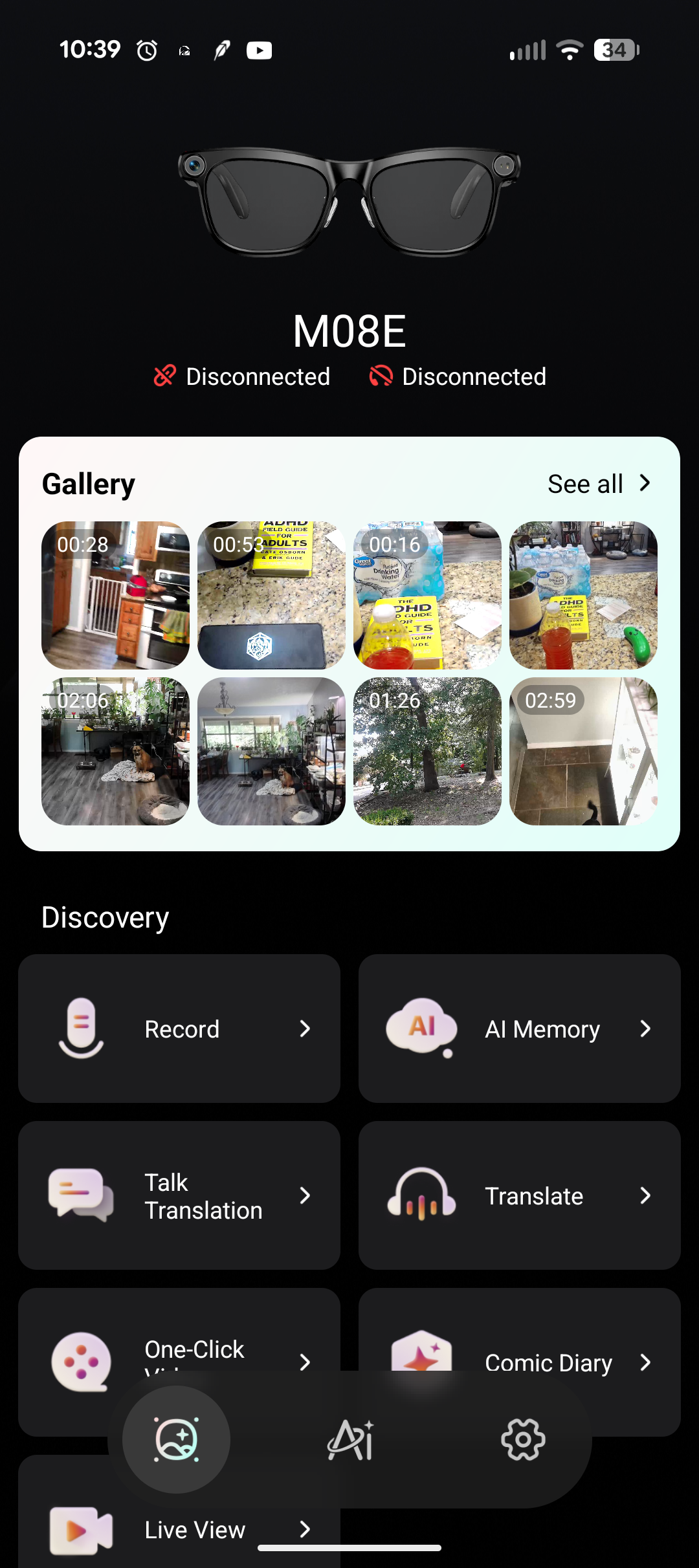
These shots let you see the layout of the Da Echo app
The Kaigerr glasses have a built-in AI companion/LLM that it can connect to through your phone. You activate it by saying, “Hello Echo.” From there, you can ask it questions like any other LLM. One piece of particularly interesting functionality, though, was to ask it, “What am I seeing?” That prompts the glasses to snap a photo, send it to the LLM, and give you a response back. I tried this a few times and each time, it was surprisingly on-the-money, sometimes down to an uncomfortably minute level of detail. Be mindful of your surroundings if you invoke this functionality. Note: It’s really cool to see this feature work so well, but it’s also somewhat disconcerting that I don’t know where that data is being routed to/through.
The glasses offer voice memo recording functionality. It’ll take what you say and store it in a sound file you can download. You do this by double-clicking the long button on the right temple of the glasses. This is where the quality of the hardware in the glasses feels like it starts to show some cracks. The audio recording quality feels rough at best, with playback sounding almost a bit hoarse or gravelly.
Da Echo also has linguistic translation features built into it. This allows two people to converse, with the glasses picking up the audio, sending it through the app’s translation, and displaying it on the screen in both languages. In principle, I could see this being really handy for travel situations. In my experience, the software struggled to keep up with basic Spanish and Russian translation. The software often left stray hanzi characters behind in the process, too. I believe the glasses’ poor microphone quality could be a contributing factor to this as well.
Finally, the Da Echo software offers a “Live View” function that effectively streams the glasses to the phone. I don’t really understand the use case scenario for this. The glasses are Bluetooth, which has limited data transfer capabilities and limited range. What comes across on the phone is basically a rough slideshow. I wouldn’t recommend using this functionality, especially since the 1080p video recordings look great anyway.

Asking, "Hello Echo, what am I looking at?" yields surprisingly comprehensive results.
If you’re in the market for AI glasses or you’re looking for a way to record first-person perspective HD footage without breaking the bank, the Kaigerr AI glasses could be worth considering. The glasses themselves are comfortable, and the additional lenses are nice, particularly when going from indoor to outdoor. At $80-$100 through Walmart or Best Buy, they’re certainly more affordable than what Meta and Ray-Ban are offering. That said, there are definitely caveats and drawbacks you’ll need to consider, but weighing those options, these could be a good option for you.
If you're interested in purchasing a pair, you can find them here:
https://www.walmart.com/ip/seort/20302252730
Kaigerr AI Glasses
Below Average
The Kaigerr AI glasses are comfortable and deliver good-looking 1080p videos. The microphone quality is questionable, and the translation software doesn’t seem robust enough to be useful. That said, if you want a pair of AI glasses, these are far more affordable than what the big companies are selling them for, so this could be a product worth considering.
Pros
- Comfortable
- Ships with extra lenses
- Takes great 1080p video
- More affordable than big box competitors
Cons
- Security and Privacy concerns
- Microphone and voice memo quality are rough
- Realtime translation functionality struggles to keep up
This review is based on a retail copy provided by the publisher.












