
The Huntsman has been one of my favorite keyboards for a while now. It’s always featured tremendous gaming capability, and now with the typing chops to keep up with my kind of use case. Making it smaller can work, but the right things have to come together. While Razer has managed to shrink this iteration and keep it successful for gaming, I’ve found enough issues while typing to tell you to think twice before spending your coin – if you need a keyboard for work as well as play.
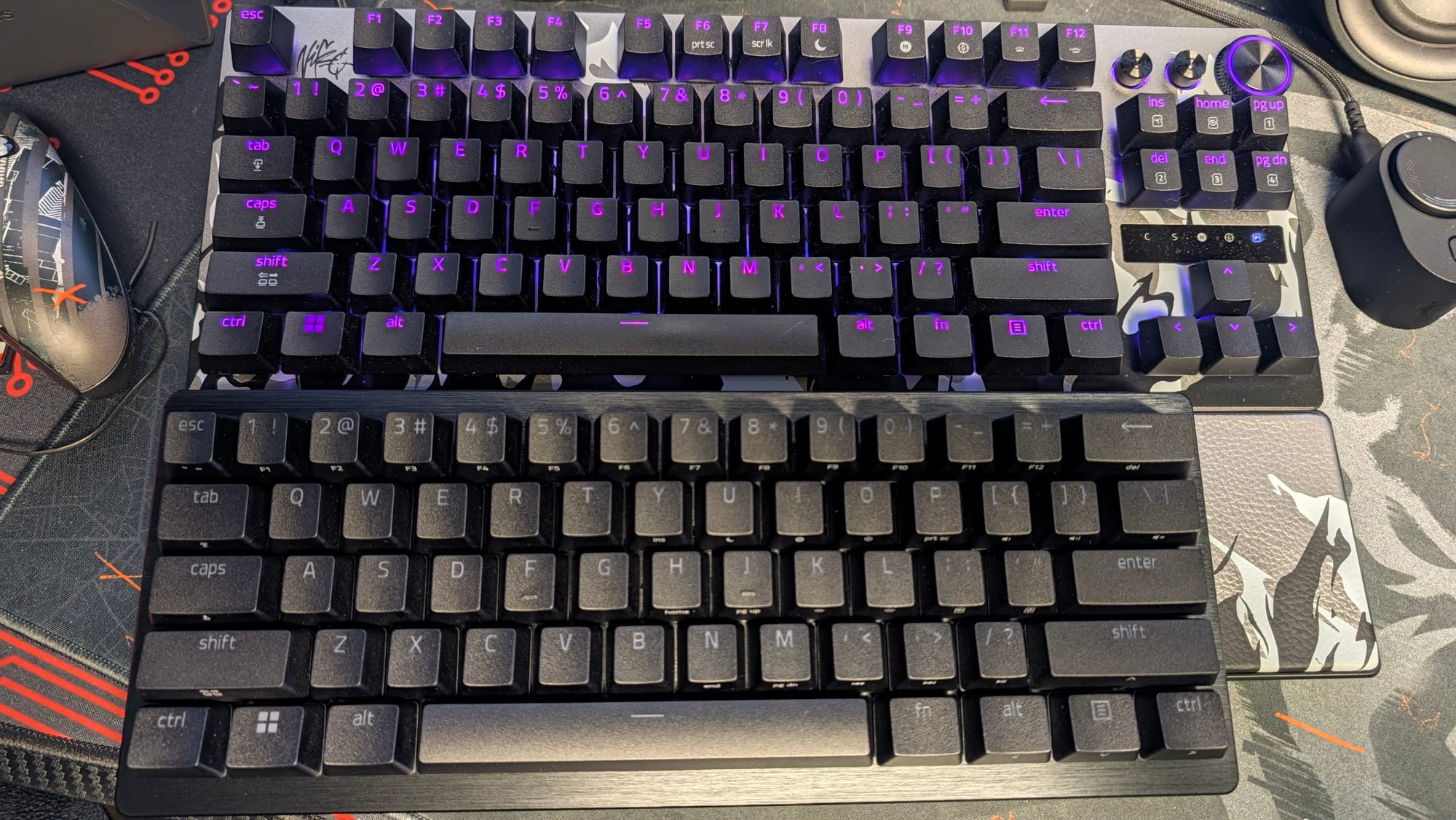
Inside the box you’ll find your Razer Huntsman V3 Pro Mini 8KHz keyboard and a USB-C cable, along with paperwork to help you through certain manual settings. You really don’t need more than this – this keyboard is about less being more. I have to brag about the compact nature of the Mini; I wasn’t sure how small one of these could get without it being untenable. As you’ll see in the images below, it be tiny.
Tiny isn’t always better, but I do think the team has managed to cram everything you need onto the smaller frame. I recently reviewed the Razer Reclusa Mini X 65%, and this is somehow even smaller. It’s also a near-perfect representation of a Huntsman keyboard, with the same great aluminum top plate and sturdy plastic bottom you’d expect in that line. I love how easy it is to chuck into a backpack, and if you’re an on-the-go gamer, this could be a go-to.
My biggest qualms with the compact design come in typing with it. It’s certainly comfortable enough to do, but the way the arrow keys and function button are handled hampers the usage of the Mini. The function button sits next to the space bar, which requires me to use my right index finger to press it for arrow keys. This would have worked better if the function key was on the far right, allowing you to use your dominant fingers for arrow key control. I know this idiosyncrasy doesn't sound that bad, and I’m sure you could adjust, but this design issue makes me not want to use it for typing. Also, turn off the dual-purpose modifier keys (makes the assigned arrow keys focus on that functionality unless you hold them down). I didn’t realize it was on and was killing my enjoyment of this keyboard for typing.
That said, for gaming, this thing is a beast. With the usual suspects of Razer’s Gen-2 Analog Optical Switches, Snap Tap, Rapid Trigger, and the recent Snap Flex, everything you need to slam the opposition in multiplayer matches is here. Being able to adjust your actuation as low as 0.1mm is simply insane, and of course, opens up the Huntsman line to offering even more from the keys you press, like Snap Flex’s dual functionality via the press and release of a key. Imagine holding the T key to prep a grenade to throw in Counter-Strike 2, then on release it could combine in the actual throw and a jump. While it’s use-case dependent, being able to assign different extras to your keys makes a small keyboard like this more useful. Dynamic Keystroke even takes this a step further, utilizing the deep actuation to let you assign up to four actions to a single keypress, with two on the press and two on release.
Snap Tap and Rapid Trigger aid in different areas. Rapid Trigger lets your keys reset faster, which in turn improves your recoil control. Moving hampers your bullet trajectory, so being able to stop on a dime helps immensely. Snap Tap is too powerful entirely, optimizing counter-strafing by ensuring two selected keys are never actuated together. It’s so good that Counter-Strike 2 has banned it, so make sure you have it turned off before you enter that arena.
All these amazing features are bolstered by 8KHz polling, which is a Razer staple at this point. Having incredible fidelity and depth of input doesn’t matter if your keyboard isn’t registering those actions at a blistering rate, and 8KHz makes sure that happens. Tapping your WASD keys to quickly maneuver through incoming utility is imperative to staying alive at times, and I couldn’t be happier with how cleanly the Mini handles.
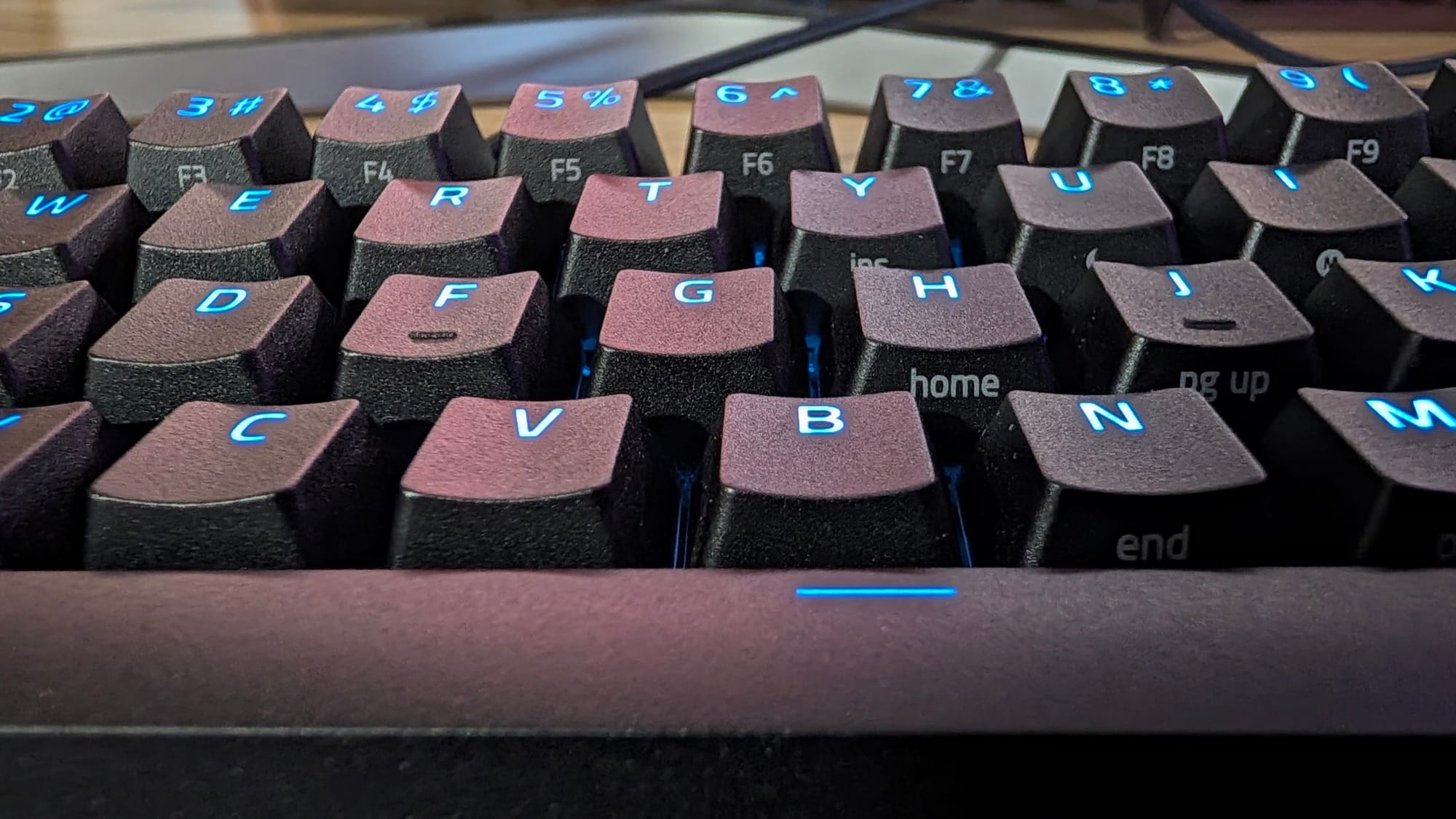
I keep mentioning Counter-Strike 2 in these reviews, and it’s because Razer has opened up my enjoyment of the game with their gear. They recently even became a partner with the BLAST Premier tournament for CS2, and many pros swear by them in ProSettings. Even so, the layman’s use matters, and as someone who isn’t even close to an amateur, let alone a pro, I can speak to how good this keyboard feels playing one of the most intricate shooters out there. If the Huntsman V3 Pro Mini 8KHz keyboard can tackle CS2 and I don’t skip a beat, it can take on any other shooter out there, period. Typing aside, the Mini is a monster for gaming.
Making adjustments on your keyboard is as easy as pie now, with three different options for tweaking your settings. For those stuck on a random computer, manual changes can be made in a couple of button presses. Razer even uses the RGB of the Huntsman to show you exactly what you’re doing (and the RGB lighting is brilliant in general). For instance, the numbers can highlight the intensity of your tweaks for actuation. It’s quick and effective, and done incredibly well.
For those who want deeper customization, that’s available in two ways: Synapse Web and the Synapse app. If you want to play around with any of Razer’s many features, you can do so easily in the Synapse app. I really like the Web app, however, as it negates the need to download any software and gives you better control over the settings if you’re on a new computer. Synapse has always been a standout software in the gear space; it’s nice to know you have access to your keyboard’s functionality almost anywhere.
Razer Huntsman V3 Pro Mini 8KHz keyboard
Great
Razer has stuck the Huntsman in the dryer. The Razer Huntsman V3 Pro Mini 8KHz keyboard nails its gaming capacity, although it has enough quirkiness in typing that I don’t prefer it for that. If you want an easy-to-travel gaming powerhouse, the Mini is mighty.
Pros
- As great as ever for gaming
- Just about every signature Razer feature is still here
- Compact without compromise
- Easy to make function tweaks
Cons
- Peculiar arrow keys that inhibit typing
This review is based on a retail copy provided by the publisher.












