
There’s a familiar arc to every flight simmers’ journey. It starts with a bargain‑bin flight stick and a few tentative hours in Microsoft Flight Simulator, most of it in configuring and reconfiguring. Then comes the first upgrade, and the next, and the next—better sticks, split throttles, rudder pedals, custom mounts, VR headsets, motion rigs. Before long, the hobby becomes a full‑blown pursuit of immersion, a chase for that elusive moment when the simulation stops feeling like software and starts feeling like machinery. And yet, no matter how elaborate the setup becomes, one thing always breaks the spell: reaching for the mouse.
The mouse is the great immersion killer. In the middle of a carrier landing, a radar mode change, a weapons configuration, or a frantic scramble in VR, the moment your hand leaves the HOTAS to hunt for a tiny cursor, the illusion breaks instantly. Second to that is simulation gear that reaches but doesn’t quite hit the mark. That’s recycled touchpads, middleware-dependent Raspberry Pi hacks, and cobbled-together screens that work perfectly until you reach for it when it matters and suddenly it decides that’s the time to stop working. The MOZA Flight FMP18 panel bundle is built to eliminate both of those scenarios entirely. More than just screens, it’s a purpose-built, tactile, and with any luck, flexible flight panel system. Time to get under the hood and see if it’s worth the not-insubstantial price of admission.
From the moment the hardware comes out of the box, it’s clear MOZA approached this system with the same seriousness they bring to their direct‑drive racing ecosystem. Even the packaging is dense, protective, and engineered to survive shipping abuse. Every structural component—mounting plates, brackets, adapters—is metal. The switches are metal. The buttons are injection‑molded, rubber‑coated, and travel with a satisfying, deliberate resistance before stopping firmly at their detent. Nothing flexes. Nothing rattles. Nothing feels improvised. This is hardware designed to be used, not babied.
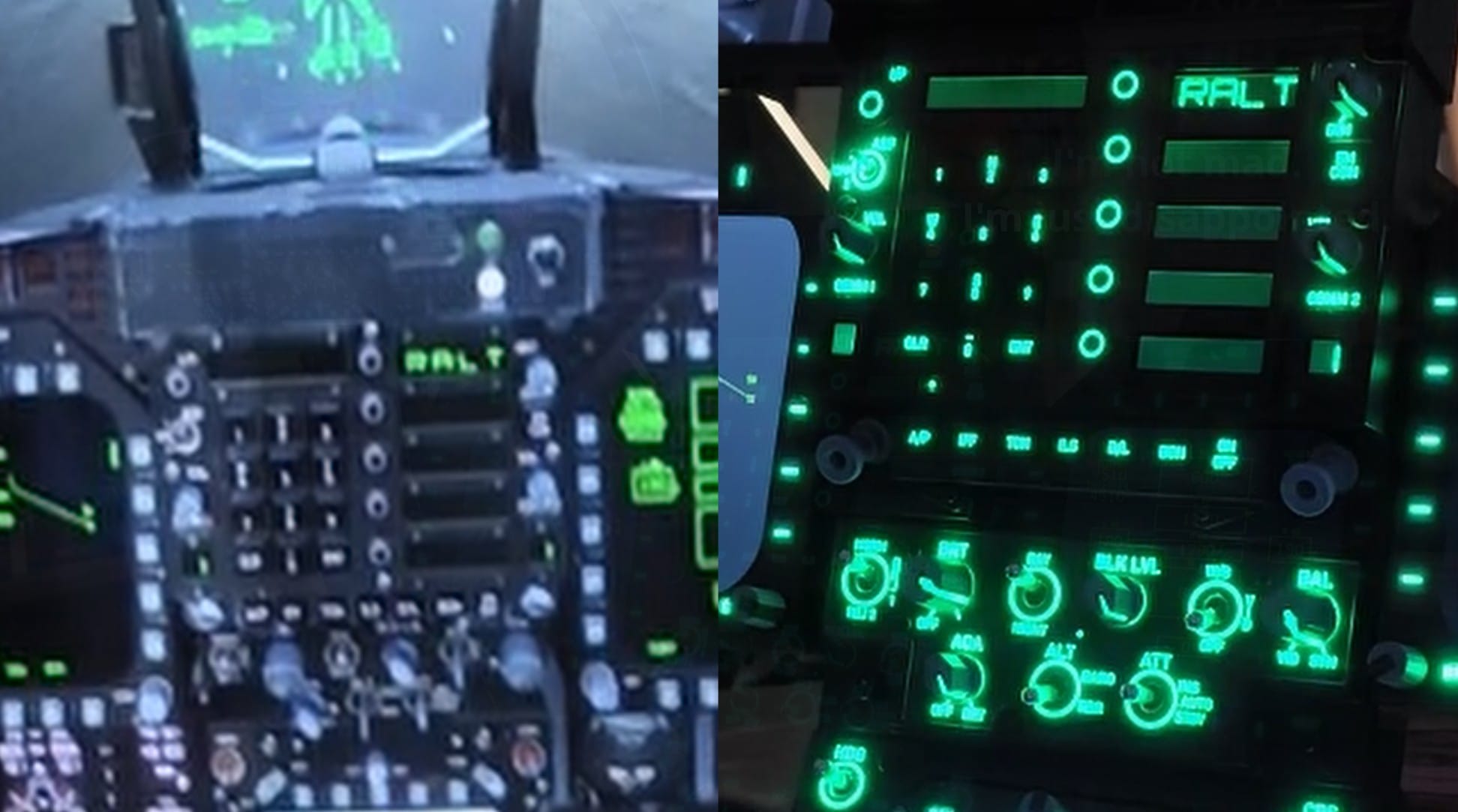
The defining feature of the FMP18 system is its modularity. Each display accepts magnetic overlays that snap into place with pogo‑pin connectors. There are no screws to align, no adhesive layers to fuss with, no fragile plastic tabs waiting to break. Things like repurposed iPads require overlays, emulation software, capacitive touch translation, and a chain of middleware that must interpret every tap. The FMP18 eliminates all of that. A button press actuates a physical switch, sends a signal through the pins, and the simulator responds. No translation layer, no guessing, no latency. It behaves like the real thing because it’s built like the real thing.
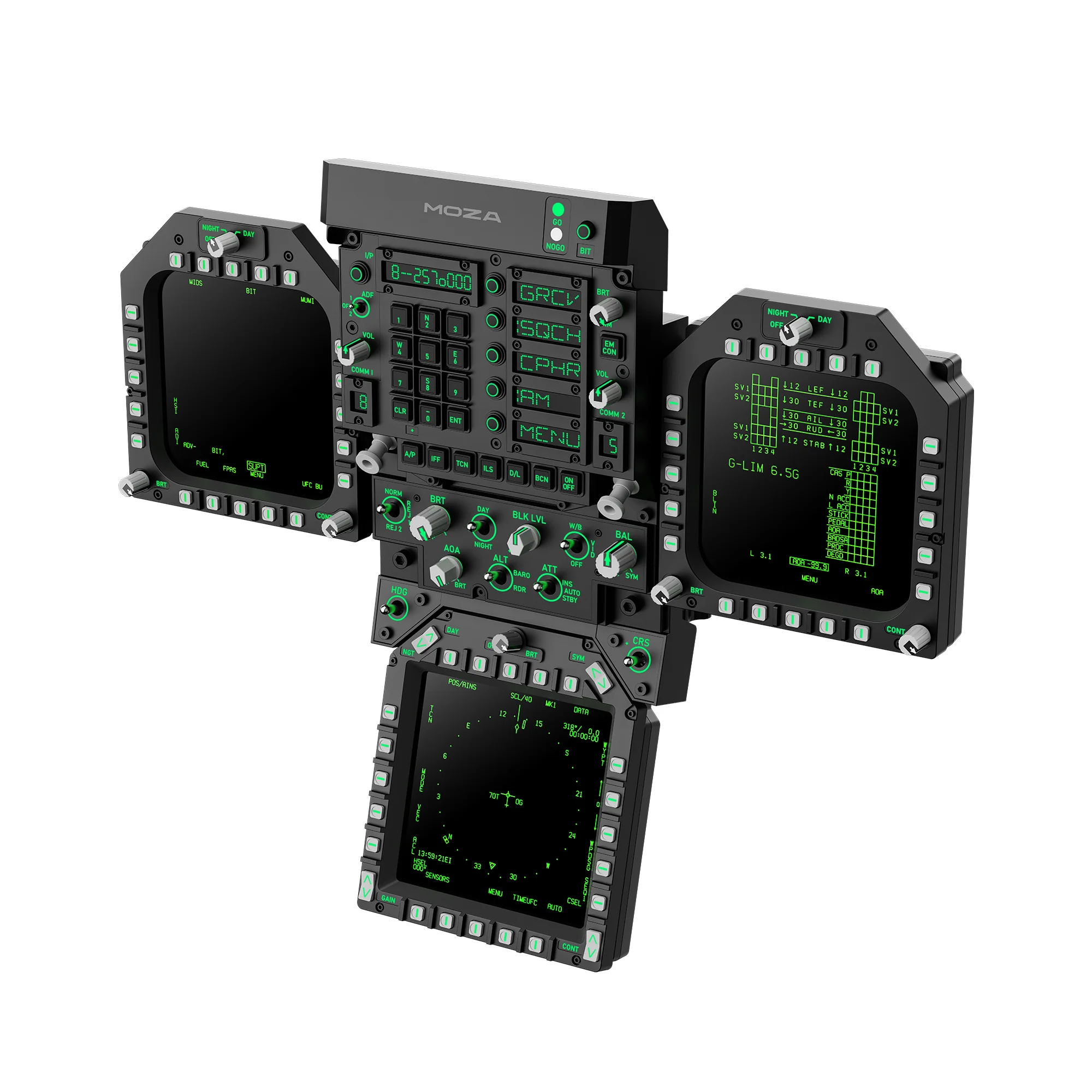
While the system is built to emulate a McDonnell Douglas F/A-18 Hornet Lot 20 fighter’s screen layout, complete with buttons around the multi-function displays, the way MOZA has designed the panel bundle means it doesn’t have to be that way. Since they attach with strong magnets, you can simply pull them off to change from one aircraft layout to another. At the time of launch, this is the only configuration and layout, but given that the panels are not permanently attached to the central section, it could be reconfigured. That means Moza could release different overlay setups. Should that come to pass, the result would be a cockpit that can transform instantly. Fly the F/A‑18C today, the A‑10C tomorrow, and a Star Citizen ship the next day – the hardware wouldn’t care. It might be wishful thinking, but given the way the software and hardware interfaces, there’s nothing stopping them.
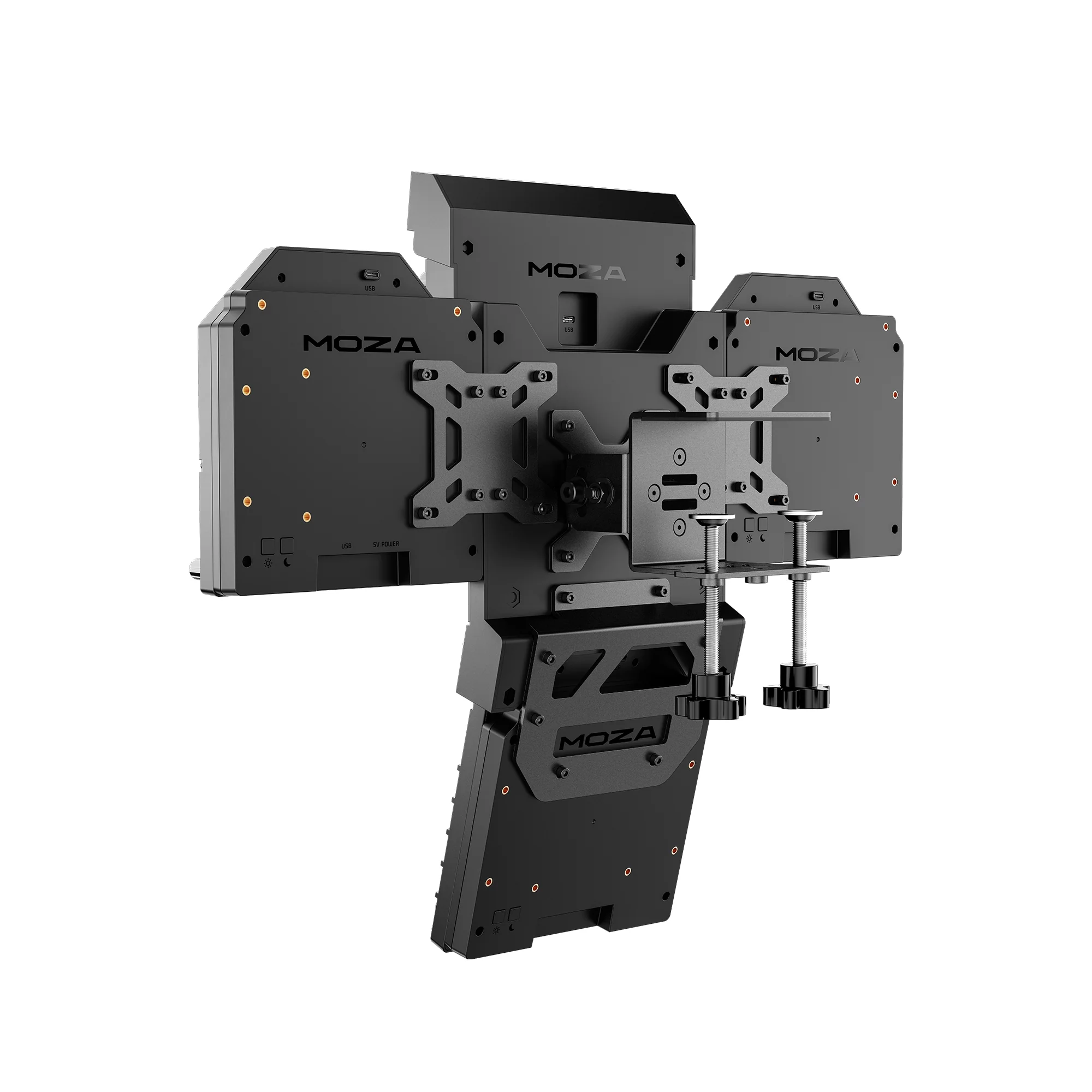
Mounting options for the FMP18 are equally thoughtful. MOZA includes a complete desk‑mounting system in the box, allowing newcomers to set up a full panel array without buying anything extra. For more advanced cockpits, every panel supports both 75mm and 100mm VESA mounts, making them compatible with monitor arms, crossbars, and in my case, motion rigs. This flexibility is rare in consumer flight hardware and makes the FMP18 viable for nearly any cockpit configuration—from a simple desk to monitor arms, to full cockpit insanity without the need for anything other than what’s in the box was a welcome surprise.
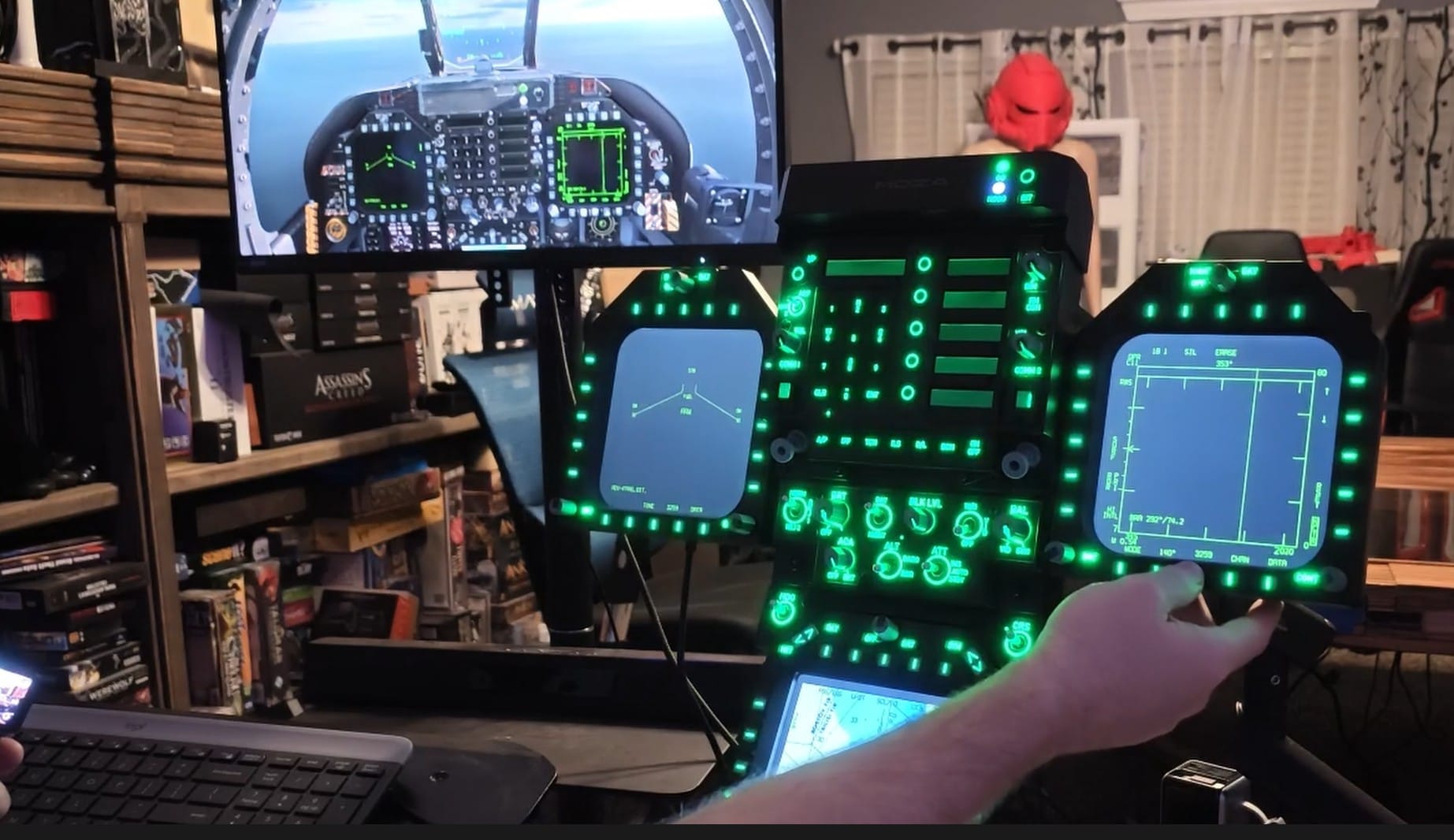
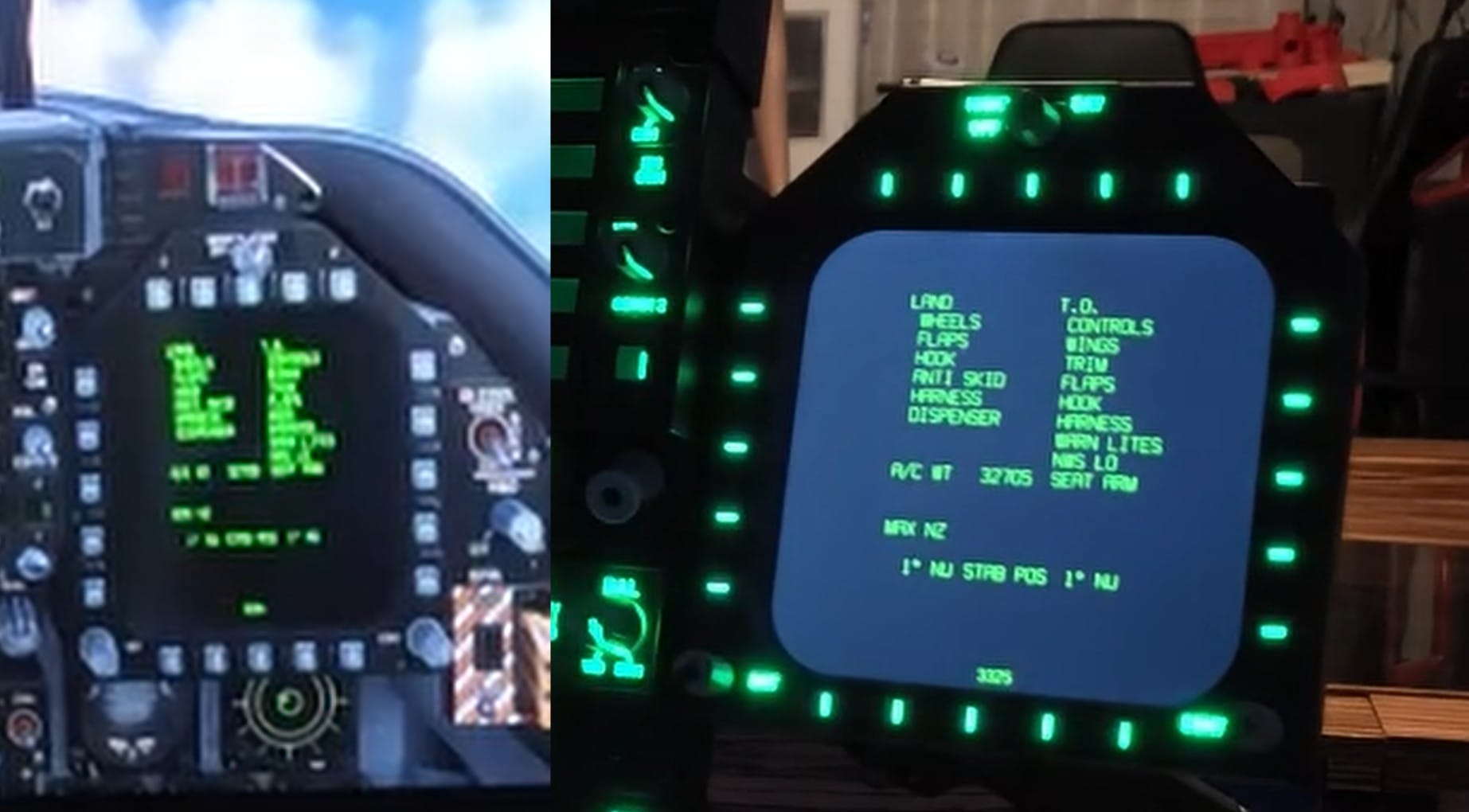
Once connected, the system’s integration with DCS is where it truly shines. The panels remain blank until the aircraft loads, then spring to life with real‑time telemetry. Weapon stores, tactical pages, ADF modes, comms, radar, barometer, angle of attack, HUD brightness, fuel totals, checklists—every system updates instantly. Turning a knob on the panel adjusts the corresponding control in the cockpit. Pressing a button triggers the correct action. Even HUD brightness changes as you rotate the physical dial help preserve the experience, and it’s nothing short of transformative. Instead of fumbling for a mouse or trying to click a tiny virtual button in VR or flatscreen, you interact with the aircraft the way pilots do: through tactile hardware.
There are frankly insignificant challenges, but none are deal‑breakers. The system connects with a handful of wires - one to each panel and one to the central body, and depending on your PC’s layout, you may or may not need a powered hub and some cable management to get it into the right position where cable lengths aren’t a problem. In my case, I went with a basic $25 powered hub from Amazon for the four USB connections necessary, and a pair of neoprene sheathes to keep it all buttoned up, but that’s going to be outside the cost of the device.
The second thing, and it’s more of a delay of play than a barrier, is the configuration itself. It’s not difficult, but it’s not plug‑and‑play either. Button mapping relies on Lua files, and while MOZA provides official configurations, full aircraft coverage is still expanding. The good news is that once configured, you can back up your Lua files and never touch them again. The process is front‑loaded, not ongoing, but it will require a lot of sitting on the runway and tinkering before you’re ready to take flight. Ex-military pilots will feel right at home with what’s here, but even they’ll have to take a beat to get the FMP18 tamed.
As always, all of our reviews touch on two elements at the end – warranty and price. MOZA offers 24 months on this device, and at this price point, a 36‑month warranty would inspire more confidence. There is a 14‑day return window, which helps, but only if purchased through official channels. Given MOZA’s strong reliability record, the shorter warranty isn’t a red flag, but it’s the one area where the company could improve.
As I mentioned earlier, the FMP18’s price is not insubstantial. $849 at launch, it’ll likely be one of the more expensive accessories in your lineup. That said, it is a leap forward for military flight simulation. The build quality is exceptional, the modularity is elegant, and the telemetry is completely unmatched. Thankfully, it’s also not just for veterans, with mounts aplenty for both beginners and full-time pilots alike. Frankly, it’s far from a novelty accessory or an impulse buy, but it does exactly what you hope it would. It’s a foundational upgrade that immerses you in the world of flight completely. With practice, it can completely change the way you fly.
Does the MOZA Flight FMP18 banish the mouse from your cockpit? I’d love to say yes, but that’s just not the case. You’ll still occasionally need some help from your little electronic-rodent friend, but while you’re in the sky, you should be thankfully free. Having spent more than two months flying with it, I can honestly say that it’s the kind of hardware you agonize over purchasing. Will it be worth it? Will you feel like you got your money’s worth? I’m here to tell you that it’s a device without compromise. It’s a purpose-built tool for pilots who want the closest thing to real without having to swear the Oath of Office to take on a commission. It doesn’t just enhance the experience—it transforms it. Is it worth it? Hell yes, it is.
MOZA Flight FMP18 Panel
Excellent
With unprecedented tactile feedback, the MOZA Flight FMP18 Panel Bundle is the ultimate in flight controls for any F-18 Lot 20 driver. If you’re ready to move away from clunky repurposed touchpads and immersion-breaking mouse work, this is the next evolution.
Pros
- Solid construction throughout
- Modular screen setup
- Wide variety of mount options
- Lua support means community support is easier
- Potential for future flexibility
- It’s just freakin’ cool to use!
Cons
- 4 USB ports needed
- Price is a little stiff
- Manual configuration even after official Lua config
This review is based on a retail version provided by the manufacturer.












