I’ve heard of GameSir controllers, but I hadn’t given them a lot of thought. Some of that is due to my preference for controllers associated with my console of choice, but they’re also a bit of an unknown for me. With our previous review for the G7 Pro, I was impressed with Joe’s glowing recommendation. Now, as an 8K polling rate model has arrived and I’m an 8K truther (as you can see from my Razer DeathAdder V4 Pro and Huntsman V3 Pro reviews), I just had to take a look for myself. Is the GameSir G7 Pro 8K as good as advertised? Or does cheaper not equate to better? Let’s break it down.
There is a lot included with your GameSir G7 Pro 8K controller. Besides the controller, there’s a charging station, a nearly ten-foot charging cable, a cable retainer, the USB dongle, additional D-pads and thumbsticks, and even a one-month trial for Aimlabs with this edition of the G7 Pro. While I’d love a carrying case for all this stuff, the price of $89.99 is more than fair here. That, and you can pick up a case with even more thumbstick replacements for only twenty bucks.
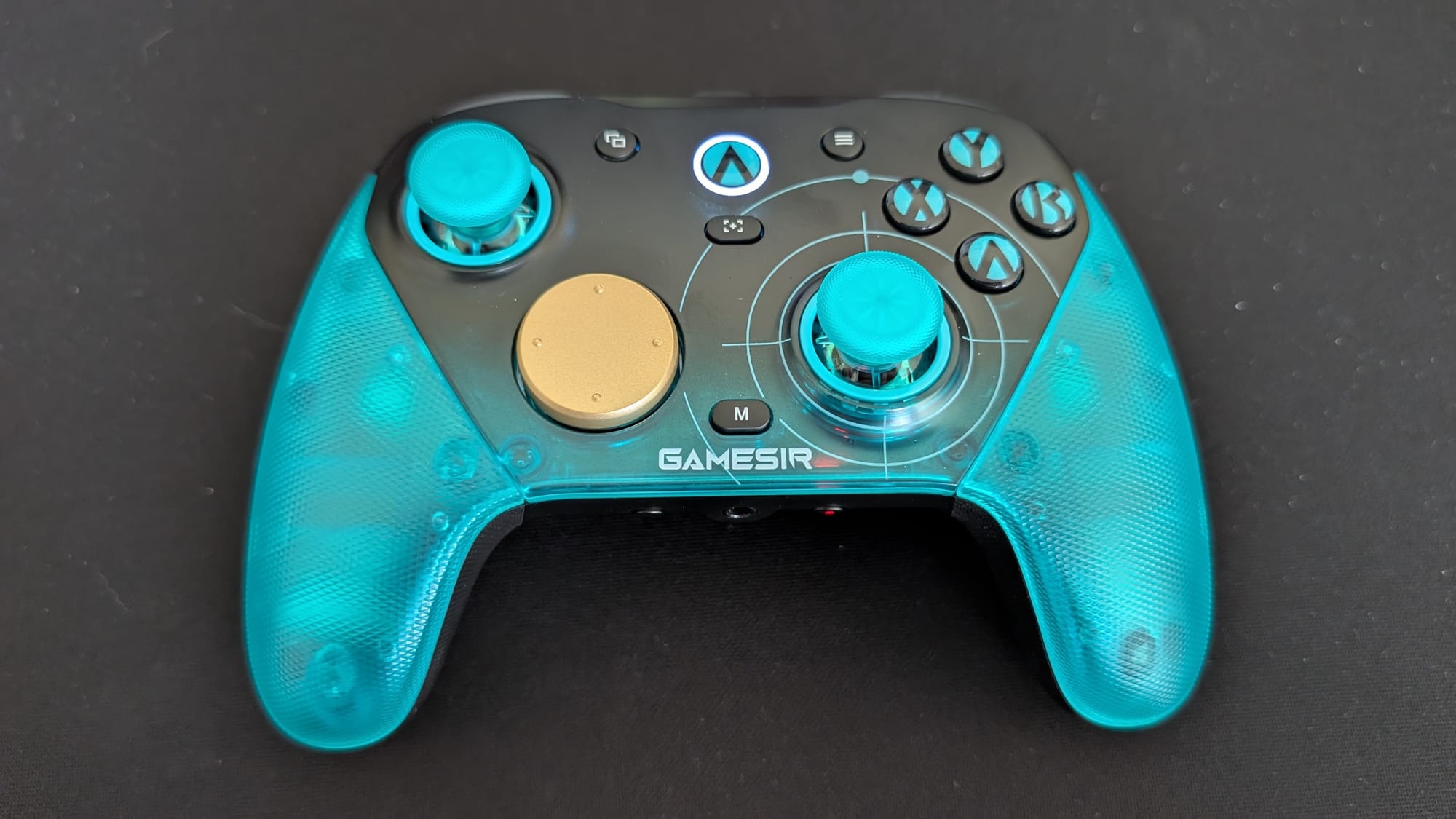
As soon as you take it out of the box, there’s an air of quality around the G7 Pro. I’ve held quite a few controllers twice the cost of this one, and it measures up to the competition. The shine of this particular variant is clean; the teal and black Aimlabs aesthetic is stellar. Besides this, the parts also exude a premium quality – for the money, I’d be hard pressed to find something of this caliber. In hand, it’s incredibly comfortable; I think the handles have a great feel to them, reminiscent of the Switch Pro controller.
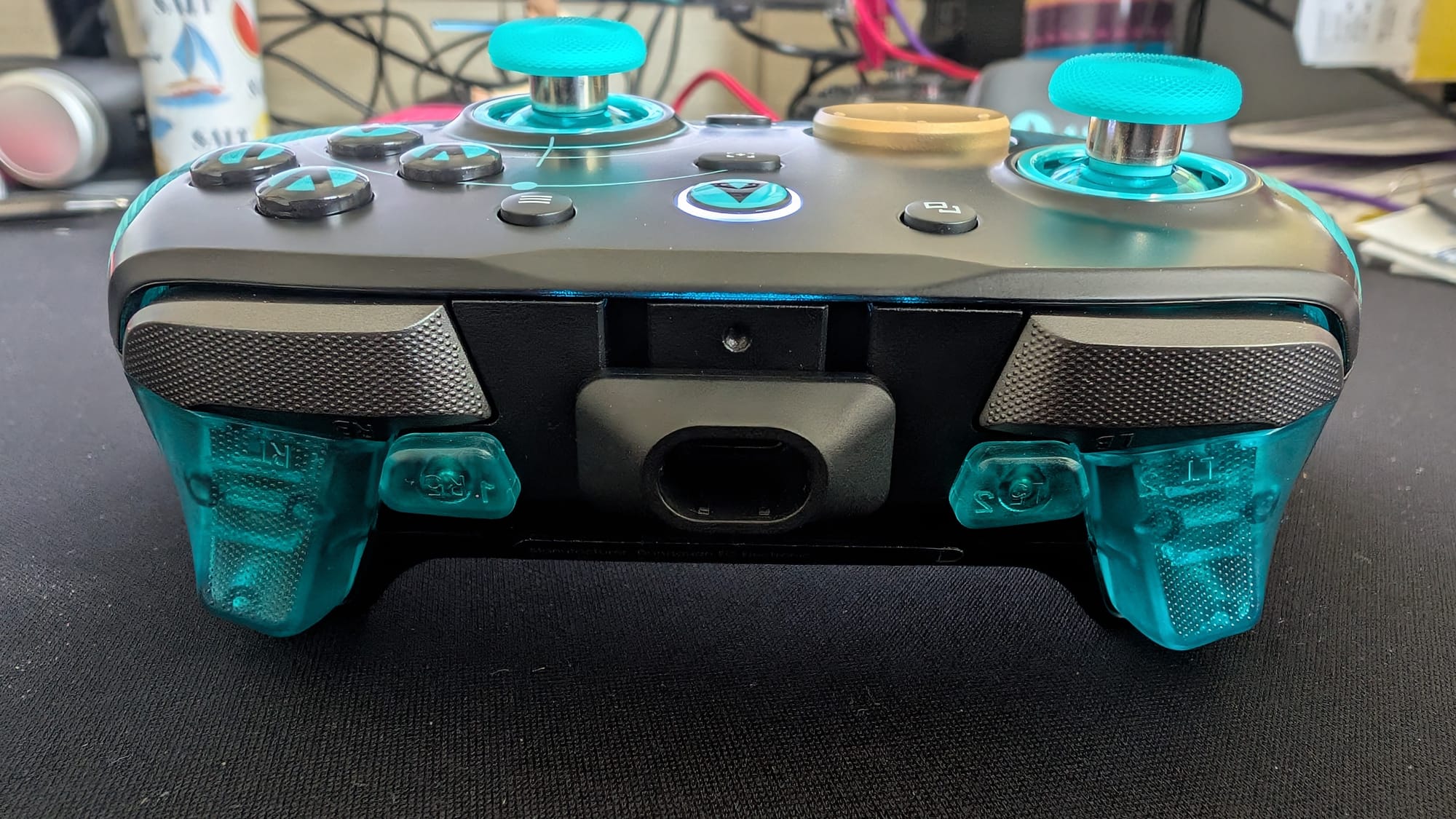
On the controller, you’ll find your usual suspects as far as buttons, sticks, and triggers. Following an Xbox layout, the thumbsticks are offset, there are menu and options buttons alongside the power button (which features the Aimlabs logo), the circle D-pad is Xbox-esque, and the four face buttons also copy that ABXY style. There’s a share button under the power button, and an M button for specific GameSir functionality at the bottom of the face. The back of the G7 Pro has two back buttons for your customization, along with locks for them and the triggers, as well as a Bluetooth and 2.4GHz switch. Even more adorns the top and bottom of the controller, with the USB-C port, two triggers and bumpers, and two additional mini-bumpers up top, with a pairing and mute button surrounding the 3.5mm jack on the bottom. That’s a whole lot to process, but the G7 Pro has a lot going on.
What matters most is how all of these design choices come together on the controller. First up: the thumbsticks. GameSir employs their own Gen 2 Mag-Res TMR sticks in this build. Tunnel Magnetoresistance (or TMR for short) thumbsticks assist with anti-drift tech and save the wear on your thumbsticks. They also help you to be more accurate, with the insides providing better response and recognition of your inputs. In my time using them, they’ve been pretty easy to get used to compared to others, with thumbstick wells that keep them in line with other controllers, so I’m not overcorrecting. You’ll still need to adjust to the feel, but it doesn’t take long. Long story short, these feel good and are in line with the best controllers I use.
 GameSir Official Store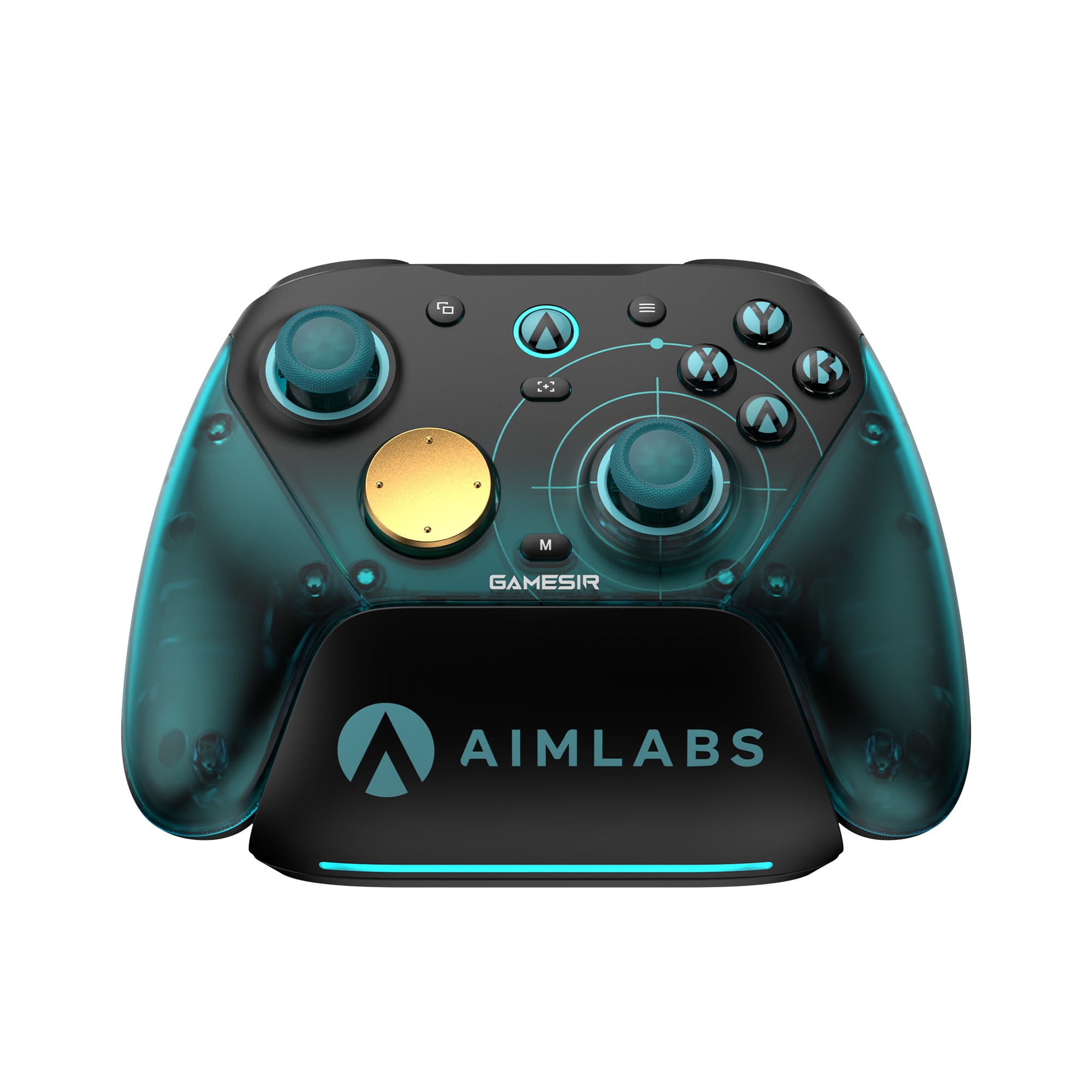
What might be more surprising was how great the left stick felt in conjunction with my right. I often review these controllers and rarely notice the left stick, as it’s not as important in aiming. That said, I really felt the precision when strafing around in Halo Infinite. There were a few moments in the training range where I was wrecking bots, and I was doing it no-scoping them with the S7 sniper from a decent distance. That was only made possible by great centering with the right stick, but backed up by insanely responsive strafing with the left.
Every button has a nice clicky feel to it, but not every button utilizes the same platform for input. Optical micro switches support that clicky-ness in the face buttons. Hall effect triggers have dual position locks built on micro switches, allowing you to go for the mouse button feel or a full trigger pull. The mechanical micro switch D-pad is responsive; you know when you’ve hit it via both the press and the input registering instantly. It’s an impressive package – you won’t be worried about this controller missing your inputs. You can even remap your buttons manually if you need to, via the M button.
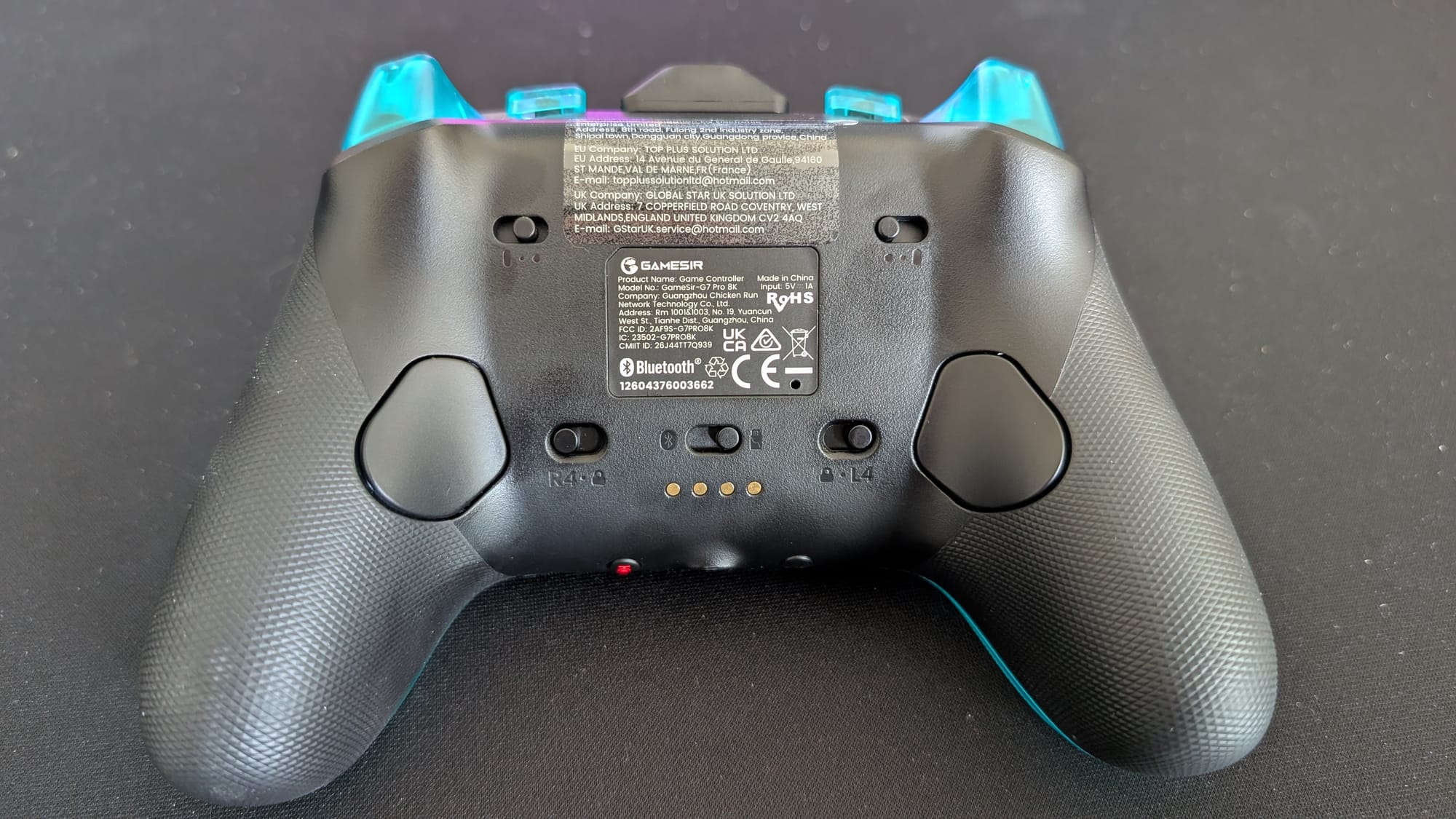
An area of improvement, however, would be with the back buttons. They are in no way bad, but are recessed a bit too much for my tastes. This, and possibly the positioning, leaves me having to press a bit hard to feel like I’m getting my intended action done. More pronounced buttons would help here. I do like them being macro recorded – you can make each press operate as a combo rather than a single input. The mini-bumpers seem to be more of a bonus, useful, but for someone like me with shorter fingers, they’re somewhat pointless. Plus, any competitive gamer hates to remove their fingers from the triggers.
I’m disappointed by the limited connectivity, but I understand it. Cost is a factor (the Xbox variant of the G7 Pro is $130), and consoles and mobile devices don’t support the 8K functionality this controller has. Even so, having wired, 2.4GHz wireless, and Bluetooth capability is great for PC, Switch, and mobile. No matter your preference, you’ll be able to connect it to your supported device.
Speaking of 8K functionality, I wouldn’t be surprised if this, when combined with the TMR sticks, is why I’ve been so impressed with the movement response. As mentioned in the opening paragraph, I’m a huge fan of 8K polling rates. It makes your button presses crisp, and your thumbsticks sing with the increased smoothness. When it’s done right, you feel like your micro-movements are one-for-one. I’ll always appreciate 8K polling rate inclusion, and the implementation works like a dream in the G7 Pro. Your PC does have to support it, but if it does, turn it on.
With the 8K addition, I was a bit shocked to see only a 1200mAh battery inside the G7 Pro. This battery generally lasts around eight to twelve hours, which is pretty tame. Still, during my longer Call of Duty sessions, I rarely noticed my battery life dropping. Some of this is because of the ingeniously included charging station/dock. Just set the controller on it (which displays it like a centerpiece) and let it charge. It also has an auto-turn-on function when you pick it up, a neat idea. Overall, the design choice GameSir went with is the best way to handle a smaller battery.
Finally, let’s talk software. GameSir’s Connect app does all the heavy lifting and makes tuning your controller easy. There’s not a whole lot to this software, with basic functionality being the aim. That said, I like it when an app is easy to understand and gives me access to the features that are important. Managing my settings, like button remapping, polling rate, deadzones, and more, is appreciated.
GameSir G7 Pro 8K PC - Aimlabs Edition
Great
Being the more inexpensive option in a sea of premium controllers can be great, but you have to prove you belong. The GameSir G7 Pro 8K - Aimlabs Edition controller absolutely does, with a feature set some devices only dream of. Limited connectivity and a back button adjustment may hamper the quality of the build, but you can’t be upset with the experience GameSir has delivered. This controller is a winner.
Pros
- Tremendous TMR thumbsticks
- Excellent 8K polling rate
- Responsive buttons and triggers
- Comfortable and sleek build
- Lots of customization
Cons
- Back buttons are a tad off
This review is based on a retail copy provided by the publisher.