
Painting miniatures, like any art form, has its moments of difficulty and moments of beauty. I’ve met a number of competitive display painters in the past 5 years and a shared sentiment amongst most of them is that, at one point during the painting process, it stops being fun. It becomes a labor, where you analyze small details, you question the choices you made previously, the color mixes…you start to wonder “why am I doing this to myself?”
During this project in which I render Onslaught to what I would say is a Display level, I experienced a lot of these emotions. I had to put the model down several times, ask for feedback, re-render, and repeat that cycle multiple times. I had a moment where I felt I wasn’t worthy of even writing this article, that I had somehow snuck through the theoretical gates and I was a sham. I wanted to quit, toss the model away, and just apologize to the editors of GamingTrend.
I felt this way despite being a past bronze winner of competitions, and last weekend I had won another shop competition, so really, why do I feel the immense pressure?
I’ll explore that while I walk you through these steps of painting Marvel Crisis Protocol’s Onslaught.

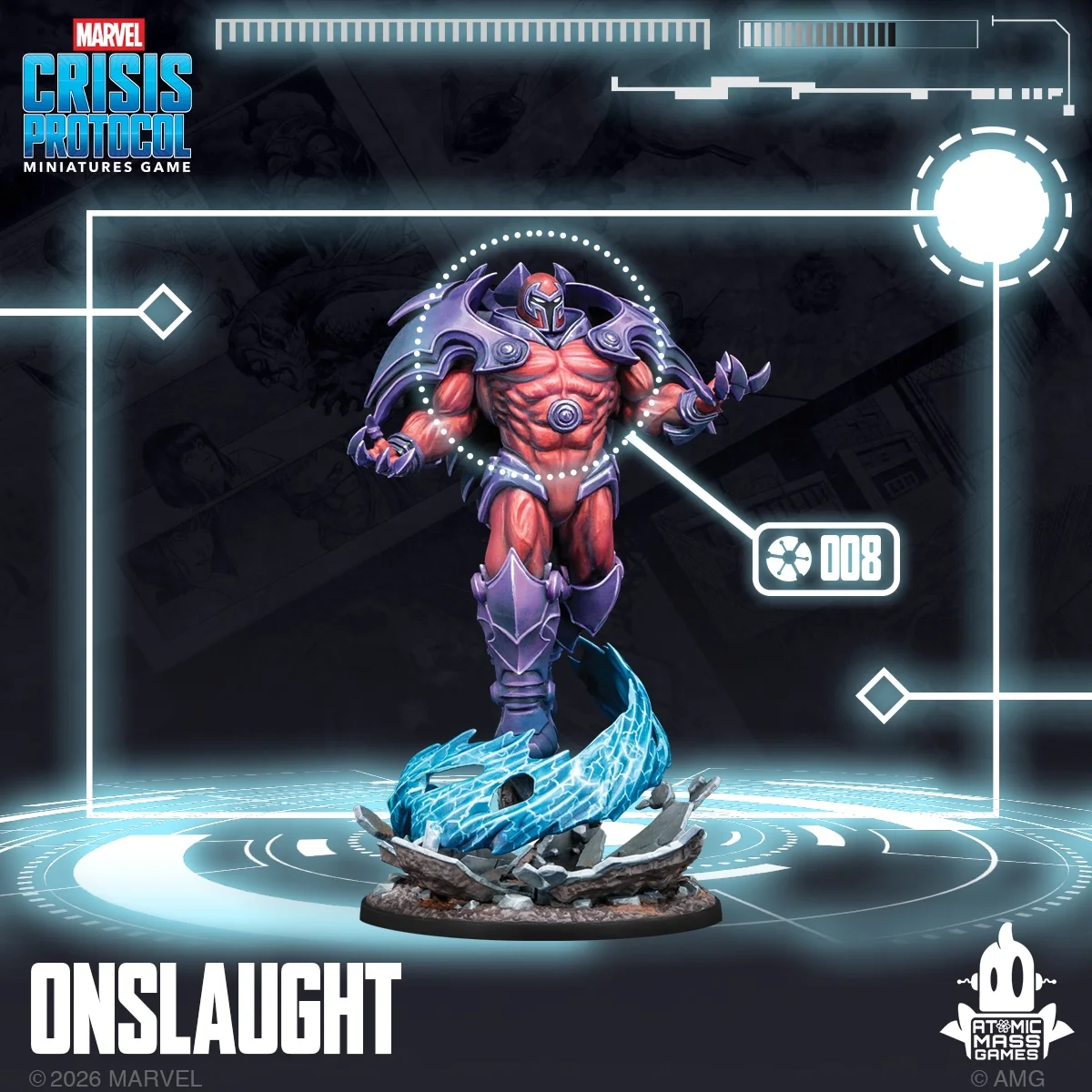
Assembly & Prep
This is a larger model with a lot of space to render volumes, so here’s my advice: skip the backpack and keep it in 3 pieces. I went for two pieces, the body and the base, though if you are looking at the model right now, I would keep the energy wave as its own piece, this way you can get into all the nooks and crannies. Also, consider inspiration. For me, I referenced the work of Sorastro, Jonathan Ho, and Brush Wizardry for my take on the model vs. comic book references. Each of these artists do a good job with blending NMM, incorporating the blue of the energy on the body, a bold brightness within the muscles, and have applied the same rigor to the base.
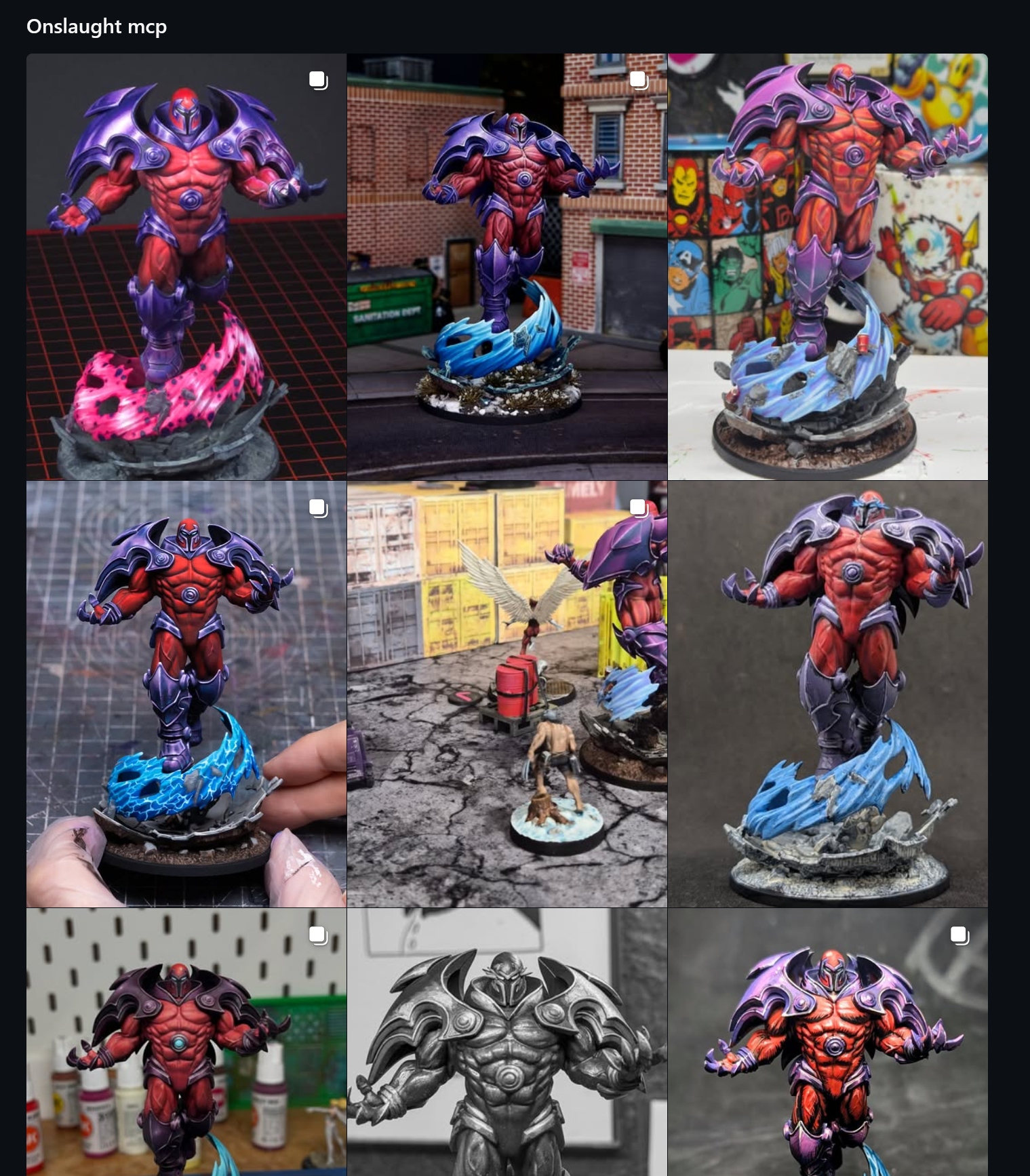
The downside of this is that you’re looking at some of the best Marvel Crisis Protocol painters out there, and it might set an expectation in your head, as it did to me. I am locked in the idea that if I didn’t hit the level of these folks, then why am I bothering to educate you? That’s negative thinking! Rather, I should look at their work, aspire to hit that but remember that my take on the model is my take and mine alone.
I also didn’t prep my model correctly. Since I didn’t initially view this as a competitive display project, I skipped some gap filling, because I was rushed and didn’t really make time for that correctly. Establish the goal of your project. Is it to look cool on the table? Practice a style? Win a competition?
Use whatever your goal is to guide the rest of your project.
Color choice and theory
When looking at the images of both the model of Onslaught and the comic book interpretation, the dominant color scheme is that of Magneto…purples and magenta, and maybe reds. The three of those colors is a great analogous grouping of colors going from cool to slightly warm colors. Blues and teals became the energy, while still cool, and then the base was a mix of warm and cool grays, along with browns.
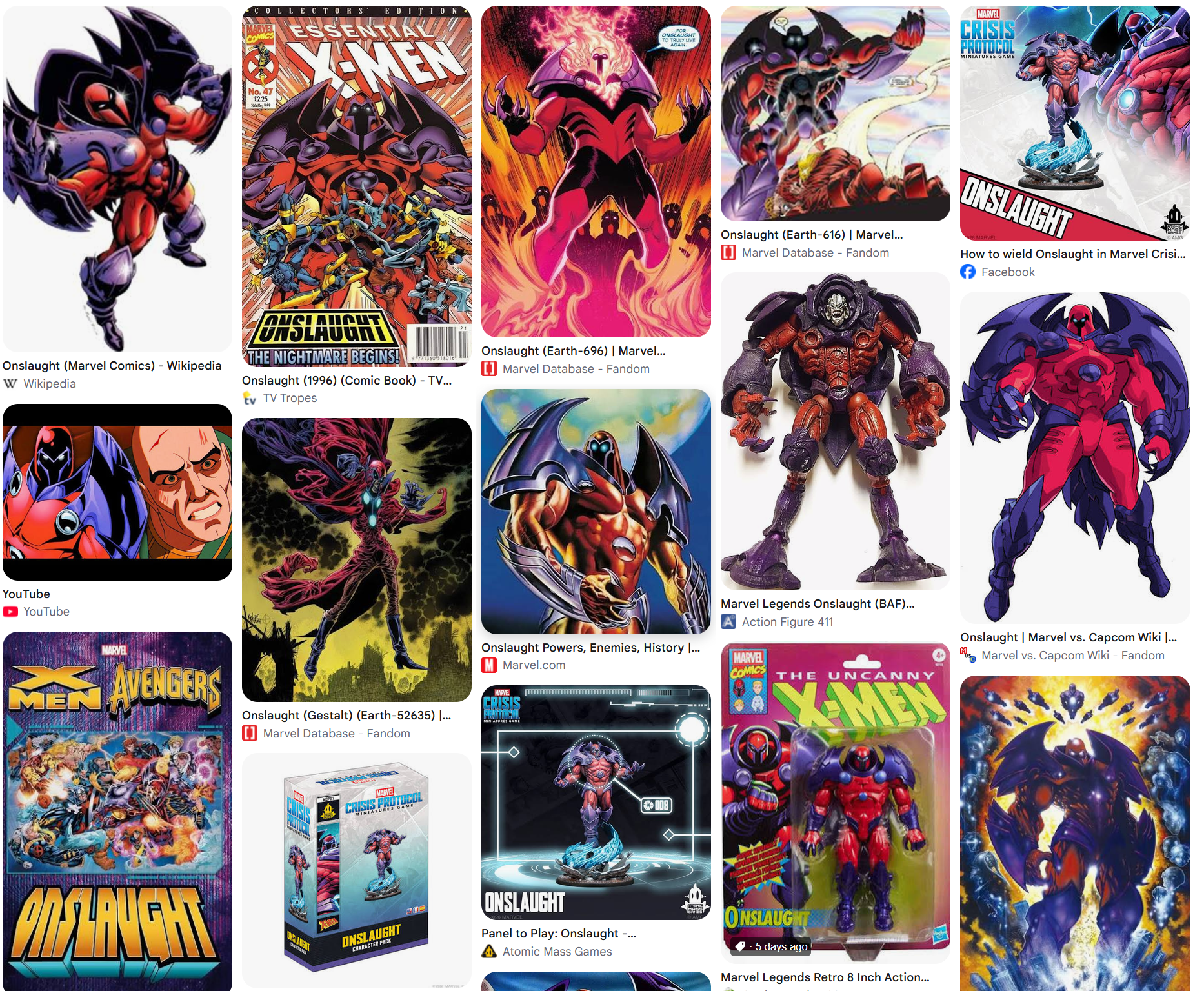
The paints I chose for this are heavily pigmented. Bear Cavalry for the magenta and purple, along with Army Painter to support the body, and some extra inks from P3 and Rotring to help give it all an UMPH of color. For the highlights, I dipped into Kimera Velvets, which are not true whites, but are close enough to a bright white without removing color. I highly recommend them and will be spotlighting them soon. I used Moonbeam Yellow to help create orange tones I would subsequently glaze into the muscles and helmet.
For my shadows, I used some of the darker purples, like Diabolic Plum, accented with Deep Ocean Blue or Frost Blue, depending on the level of shade.
For the basing, I used my normal MCP basing scheme, but then used the blue paints to make the energy effect. Titanium White and Greenish White were used sparingly throughout the project, typically as a finish highlight.
When working on a longer or more important project, consider how the colors will interplay. What creates contrast, and what doesn’t create contrast? Try to simplify. Go through your paints and find which ones work with which. And also consider the finish…a lot of my paint tends to go satin when it’s dry, and for the internet, you generally want that super matte finish that defeats any harsh lighting.
Basecoating
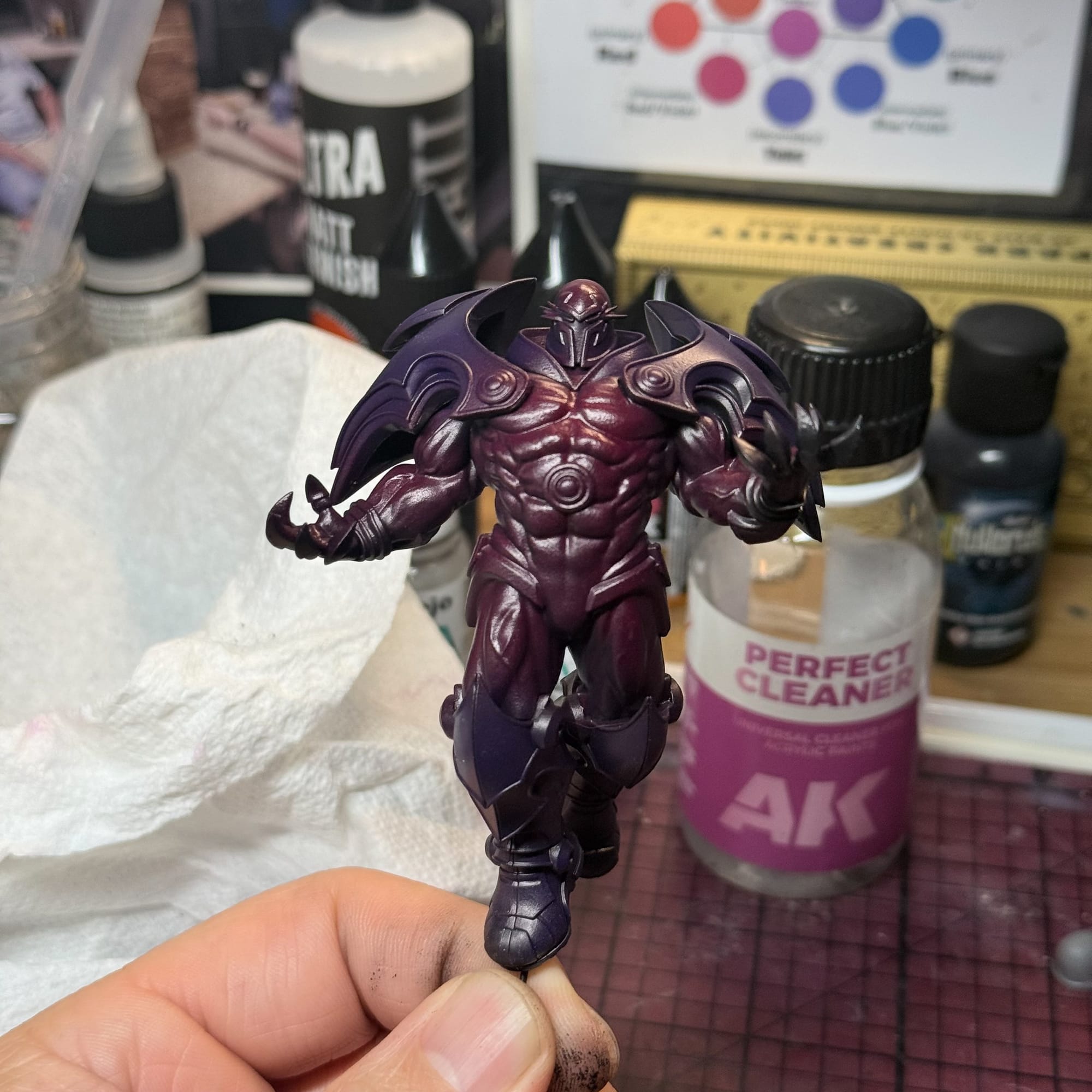
Alright, so let’s start painting. For the body, I started dark. Over a black prime, I used the Bear Cavalry paints through the airbrush, starting with the magenta and then pushing into the darkest purple. This technique allows me to not worry about cleaning the airbrush, because if I’m honest, heavily pigmented magentas, purples, and blues are probably the hardest to clear out of an airbrush. I had to bust out the hardcore cleaner, as you can see in the photo.
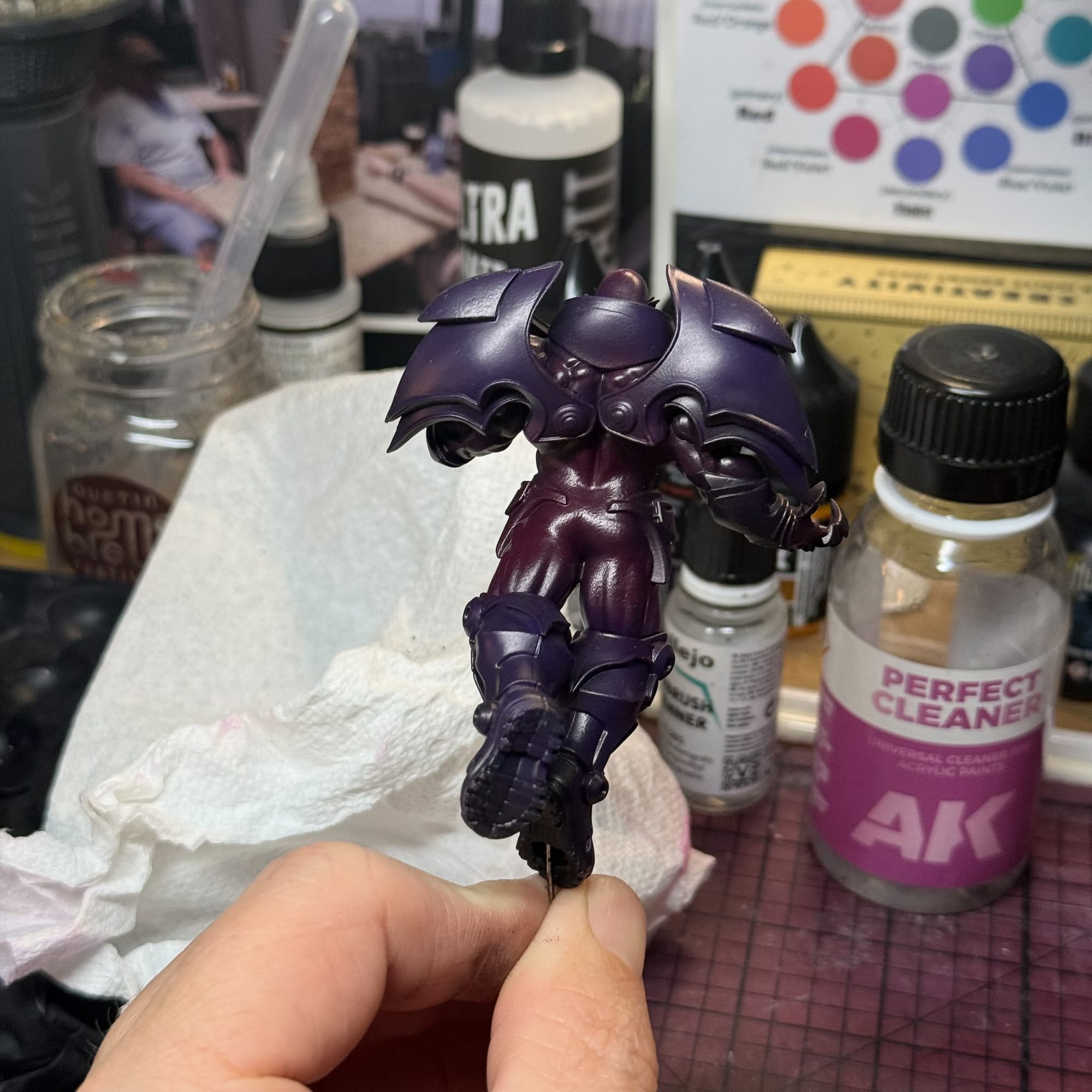
At this point, I started the arduous task of starting to pull my colors out of the darkness. Sticking with my palette, I worked in magenta into large volumes on the model. When painting something like this, it’s easy to fall into the trap of painting each muscle, so I encourage you to create a shape and paint that. In the photo you’ll see a large oval for the chest, and some blobs for the arms and massive thighs that the model has. You will go back and forth during this process. Paint a highlight, then a competing shadow. Repeat until you are mostly happy.
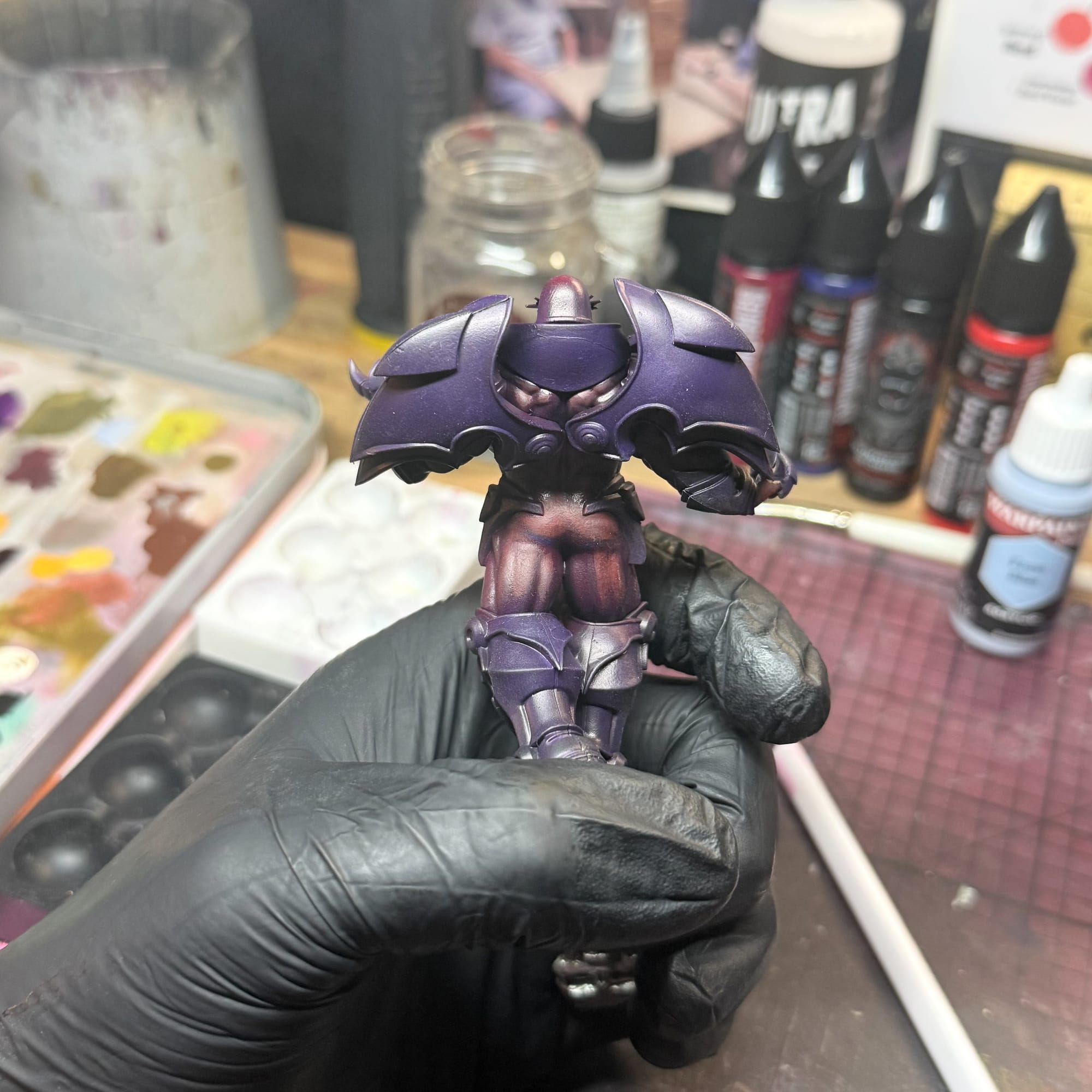
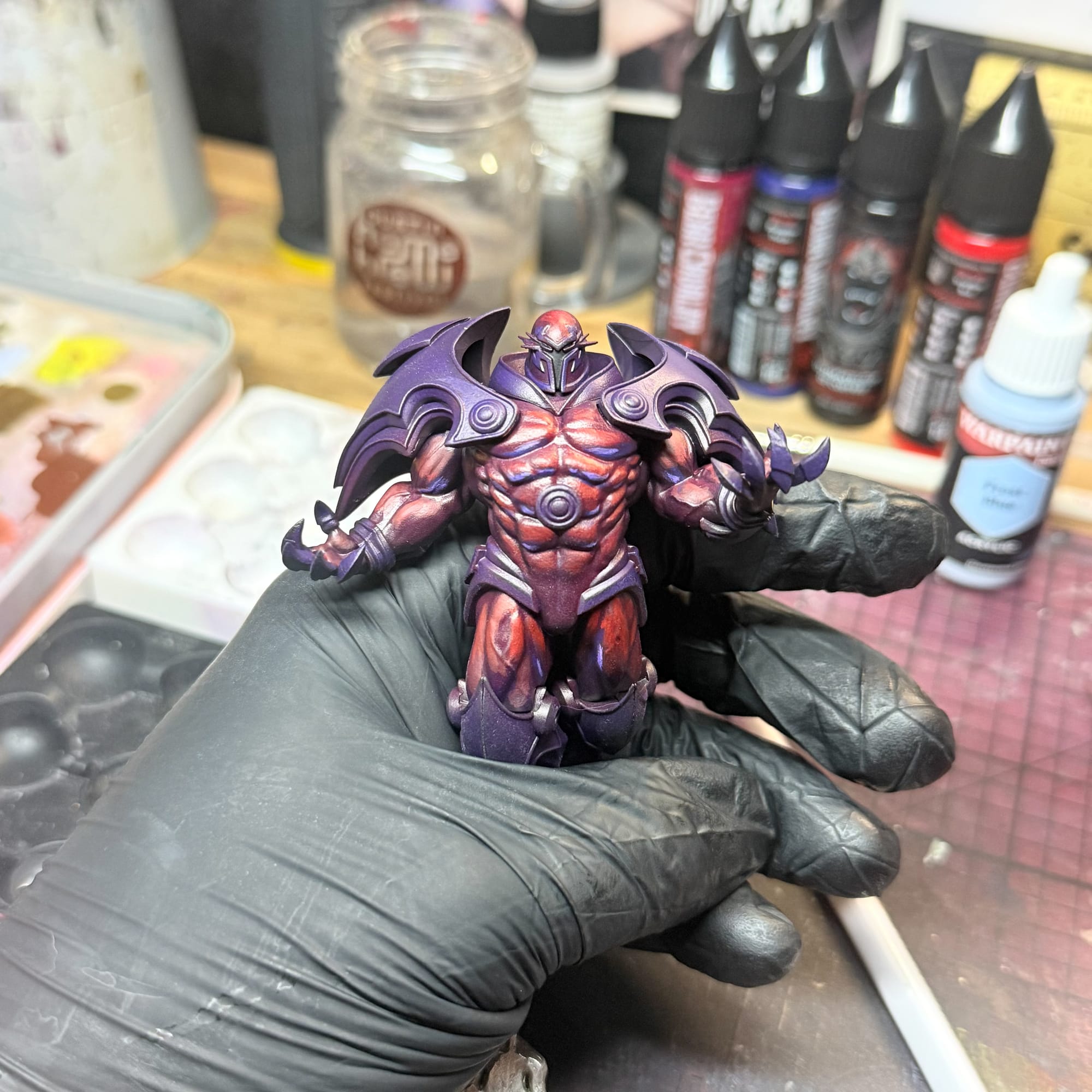
During this moment, I made a pretty wicked mistake that future Randy would curse. I took a pin and glued it into the connecting channel in his foot, thinking I would use this as a makeshift handle. In reality, I just wore a glove and used that to handle the model. Little did I know that I created a pretty horrid issue for me later, but it is the spooky season, after all.
Moving up in value
Moving on, I had hit a point in this model where I couldn’t get away from those muscles. At this point, I’m folding in some pinks and red into my mix so I can start building the base for the highlights, and this process can just drain you. This is also a moment where I’ve put so much satin paint on the model, my hobby light is betraying me by making everything shiny. While this looks cool, it can trick you. Twice during this project I used a matte varnish to knock back all of the lighting, to give me a better sense of what I was painting.
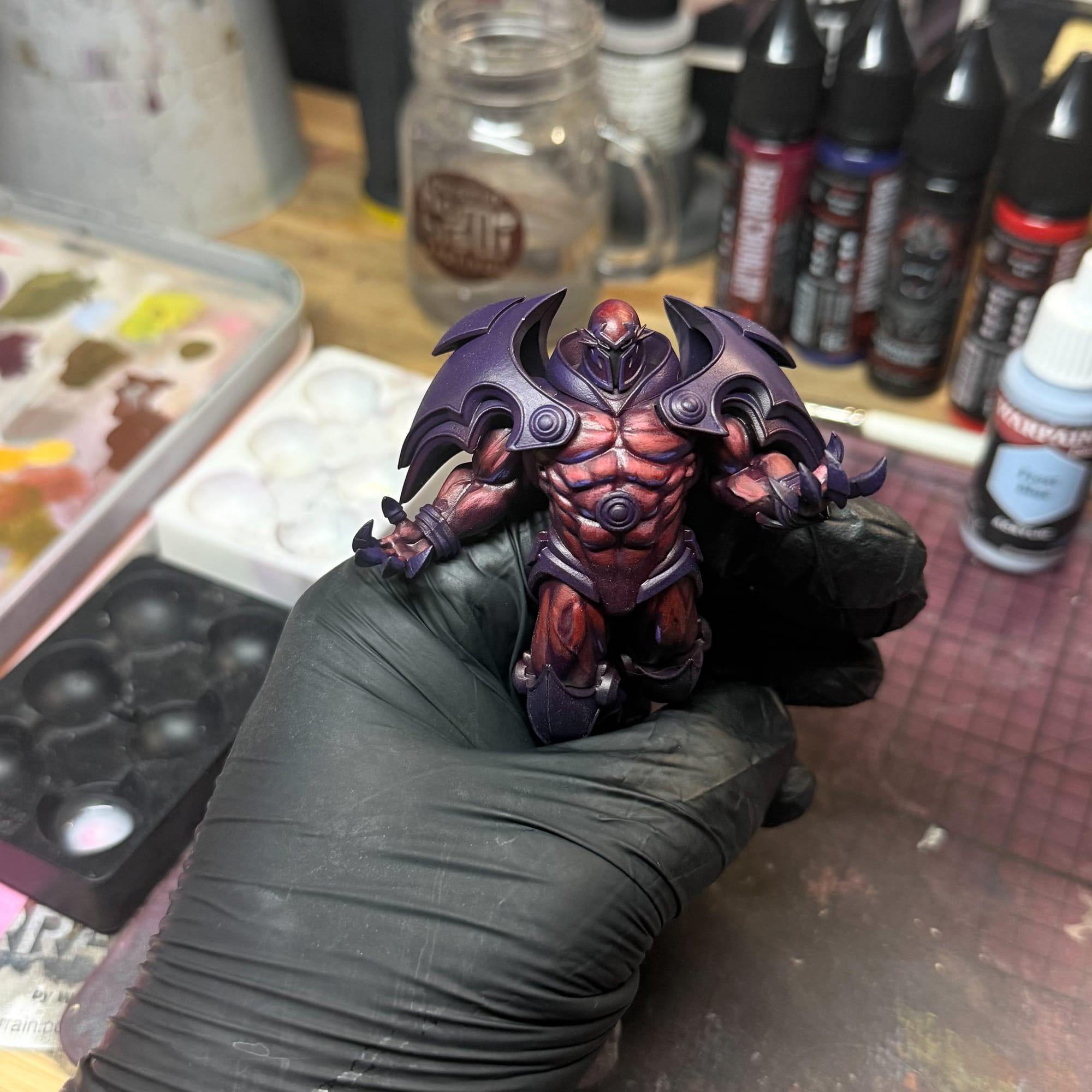
It can be tiring focusing on one thing at a time, which is why I jumped to the base. I apologize for the lack of process photos, but I was burnt out. Life, work, and even painting was dragging on me.
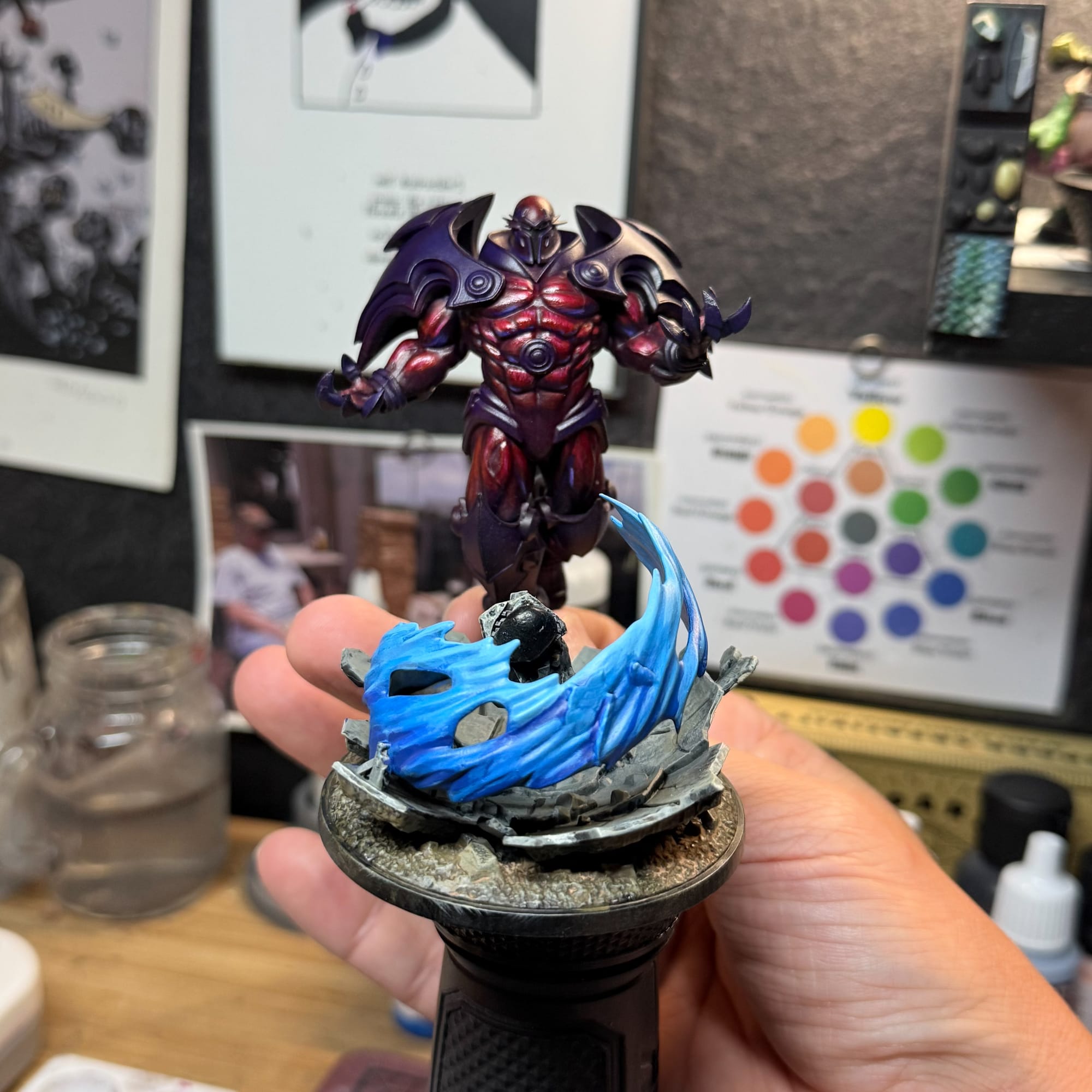
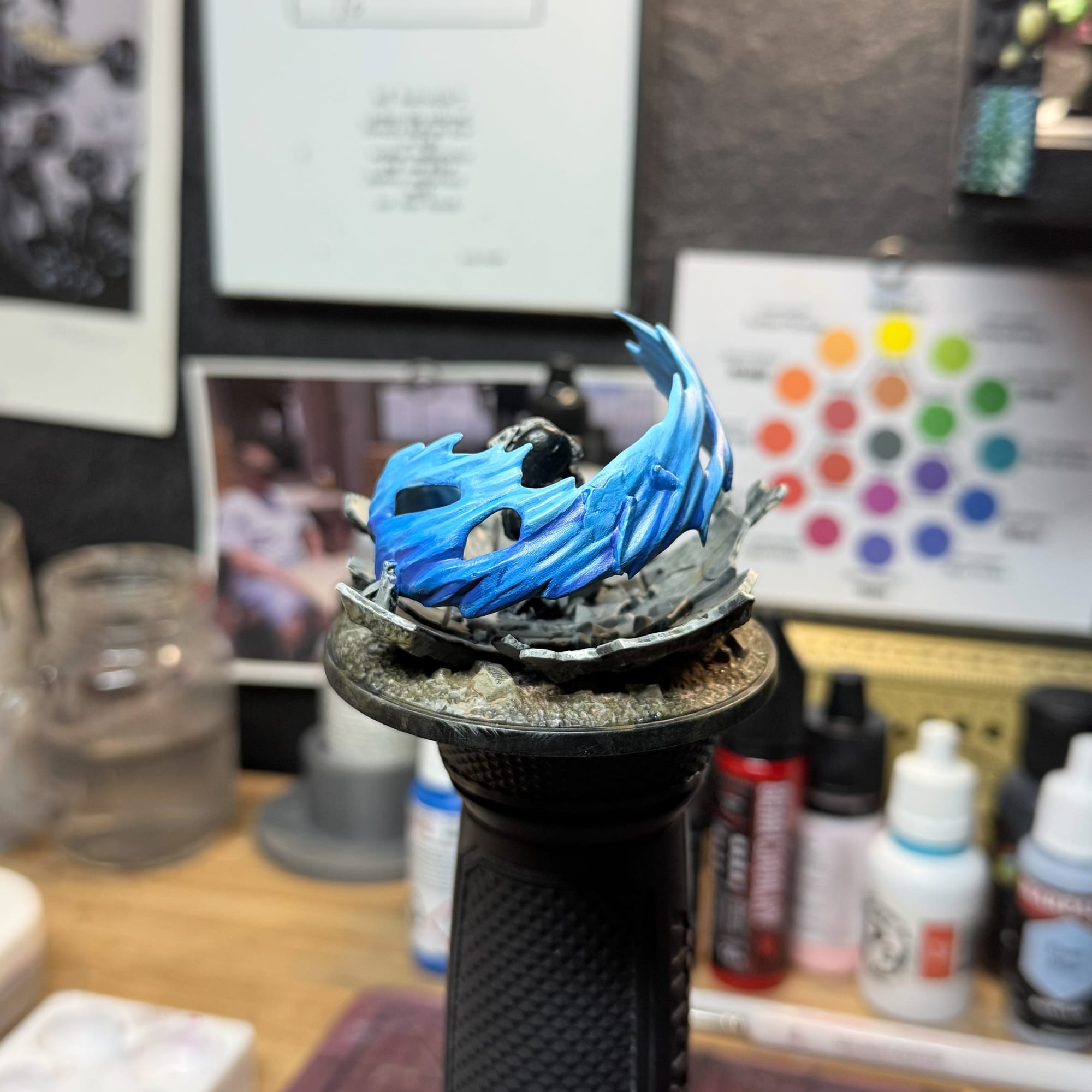
The base is really fun and easy. I used my normal basing method of three tan colors, a wash, and some enamel pigment to make it feel realistic, and then for the energy wave, I used four paints. Deep Ocean Blue, Frostveil, Frost Blue, and Greenish White (an AK highlight I like). Start dark and paint up in value. You can choose to keep the little concrete pieces blue or make them gray like I did, which I think helps break up the composition a bit.
This is also where I made an error in attaching the energy to the base. Don’t. Instead, keep it separate so you can paint the backside very easily, unlike me and a precariously balanced hand.
This is also when I took the first of a big mental break from the project. As I had mentioned earlier, stress had really gotten to me, so I took a bunch of terrain from Monster Fight Club and just had fun.
 Alec Kozak
I also filmed and wrote a review for a web camera, if you’re intrigued, check it out here…though spoilers, it’s a fine webcam, just not for mini painting.
 Randy Gregory II
The mental rush from just finishing another project was so rewarding, it made me pick up Onslaught again (at this point I’m also realizing what a great name for such a demanding model). I started adding Diabolic Plum and Enchanted Pink to the purples. As a tertiary color to the incredibly dark purple, this helped me sketch out my highlights, where I got lost. Remember how I looked at other artists for inspiration? It created a vision in my head that someone on a Discord pointed out was confusing, because I wasn’t being deliberate about where my light placement was. I will fix this later, but it became increasingly confusing until I finally figured out where to place the major highlight.
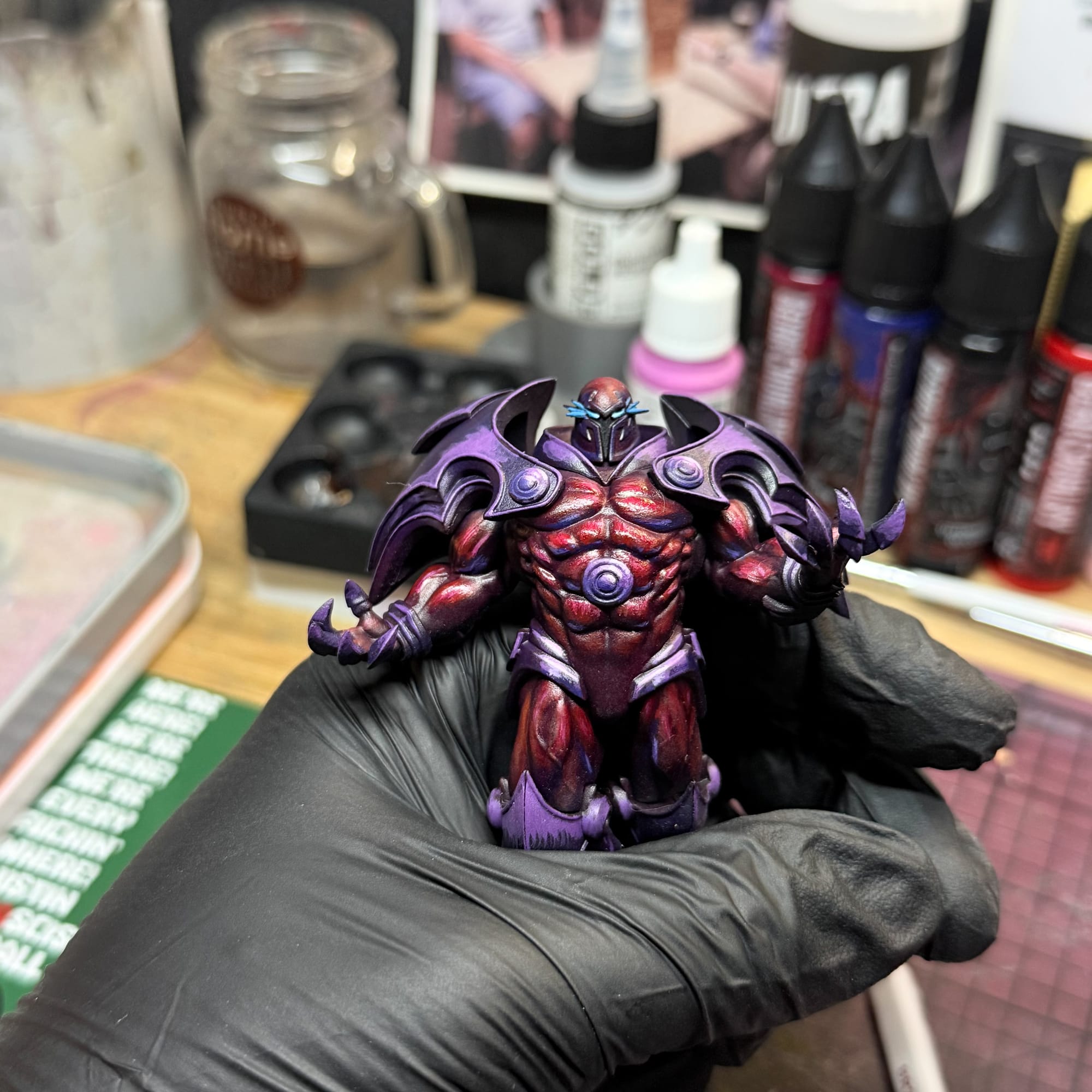
I then used the same colors to highlight all of the purple areas including the buckles, hands, wrists, knees, the neck, etc. I did keep the lower legs still dark purple, as I was intending on adding in blue as an OSL effect, and I don’t really want heavy attention paid to the feet. This isn’t a Quentin Tarantino film, after all.
Final touches
After writing a box opening for The Winter Guard, I found myself faced once again with Onslaught. As you can see, I had basically a finished model. I could put this on the table and be happy with it. But I wasn’t happy. I had fallen into a trap where I compared my work to the highly polished work on Instagram, and I was feeling like scrapping this article all together.
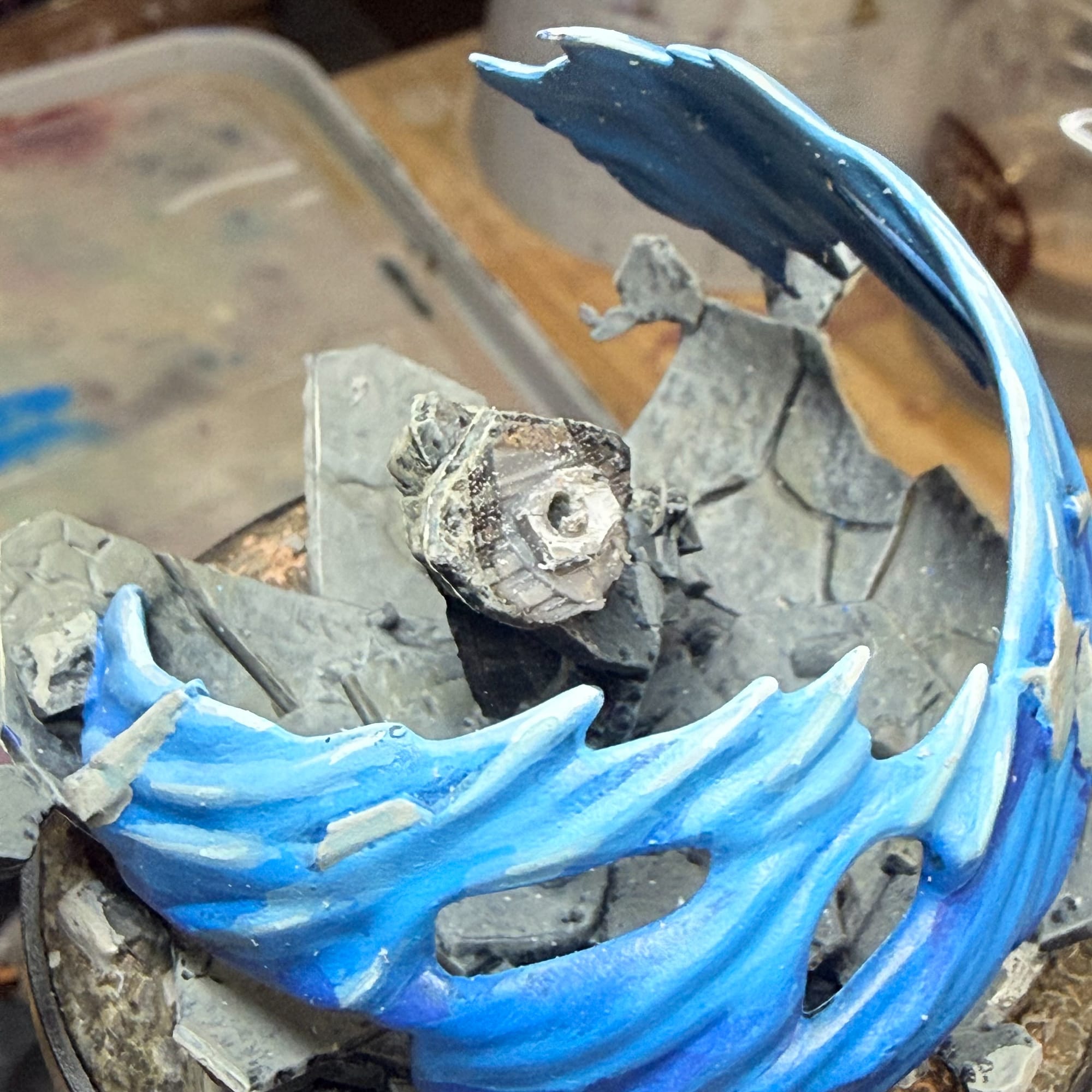
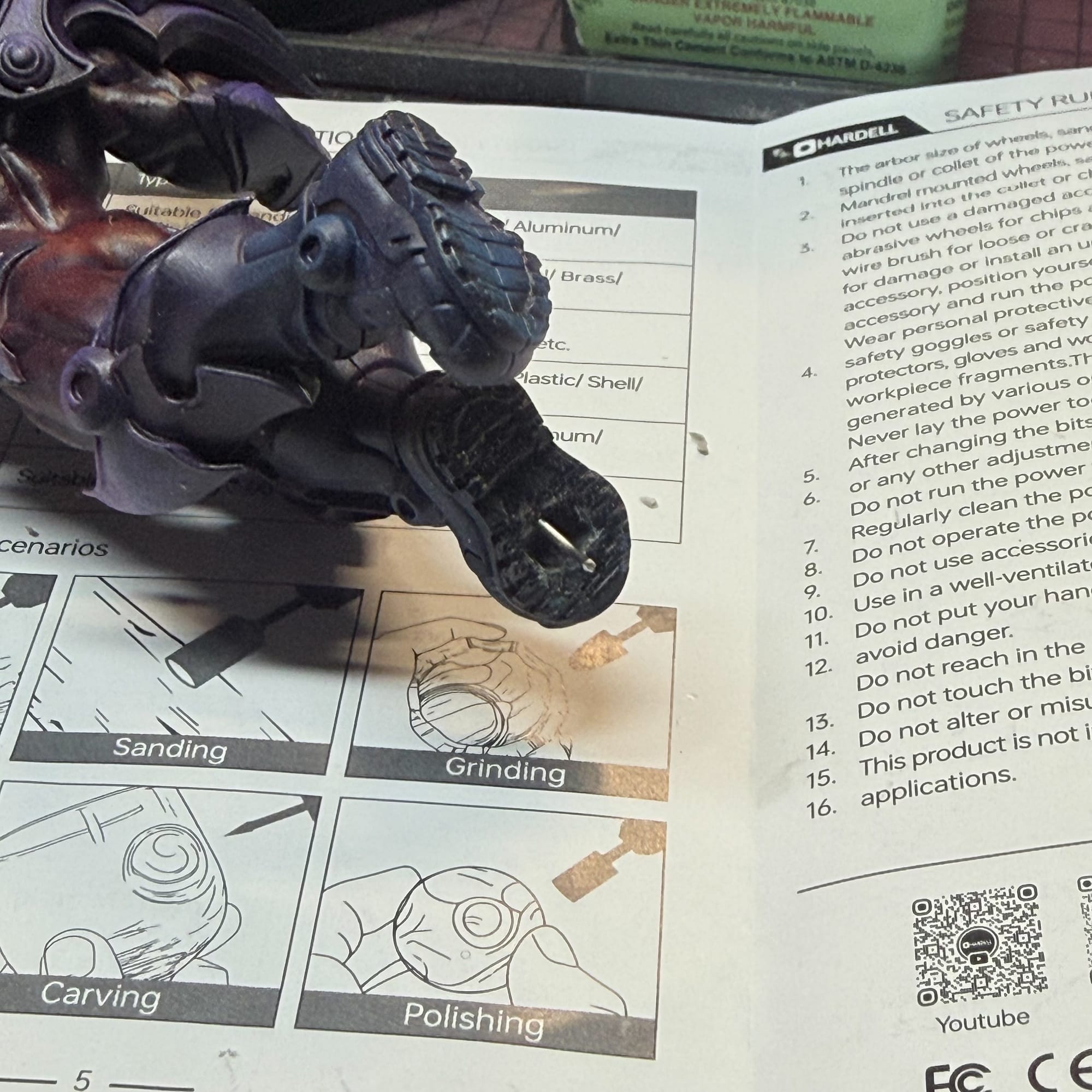
Not to mention my attempt at gluing a pin resulted in too much glue in the channel, which then meant that Onslaught didn’t fit on his base anymore. In order to fix this, I tried using a diamond file I normally use on metal models to dig out the glue, but it didn’t work. So I had to use my dremel tool, with which I tried to carve out the glue. At one point, I was worried I would break the model, which would ruin the project.
So I cut the base instead. After trying to sand it down, I took my plastic shears and clipped most of the key off the base (this is the part that fits into the slot of a model…think Key to Keyhole). I then drilled a hole in the key, which then I had a mounting point for a pin. So if you take a real close look at Onslaught, he is literally floating off of the base. Looks cool in retrospect, but was a complete accident. Take my advice and don’t try this at home unless you really know what you’re doing.
Now that I spent an hour trying to get Onslaught attached to the base, I had done it. But I was still unhappy. Maybe it was the energy spent trying to do this part of the project resulting in a negative feeling in general, but the model felt very shiny, very bleh. I took a black and white image of the model to diagnose what’s going on.
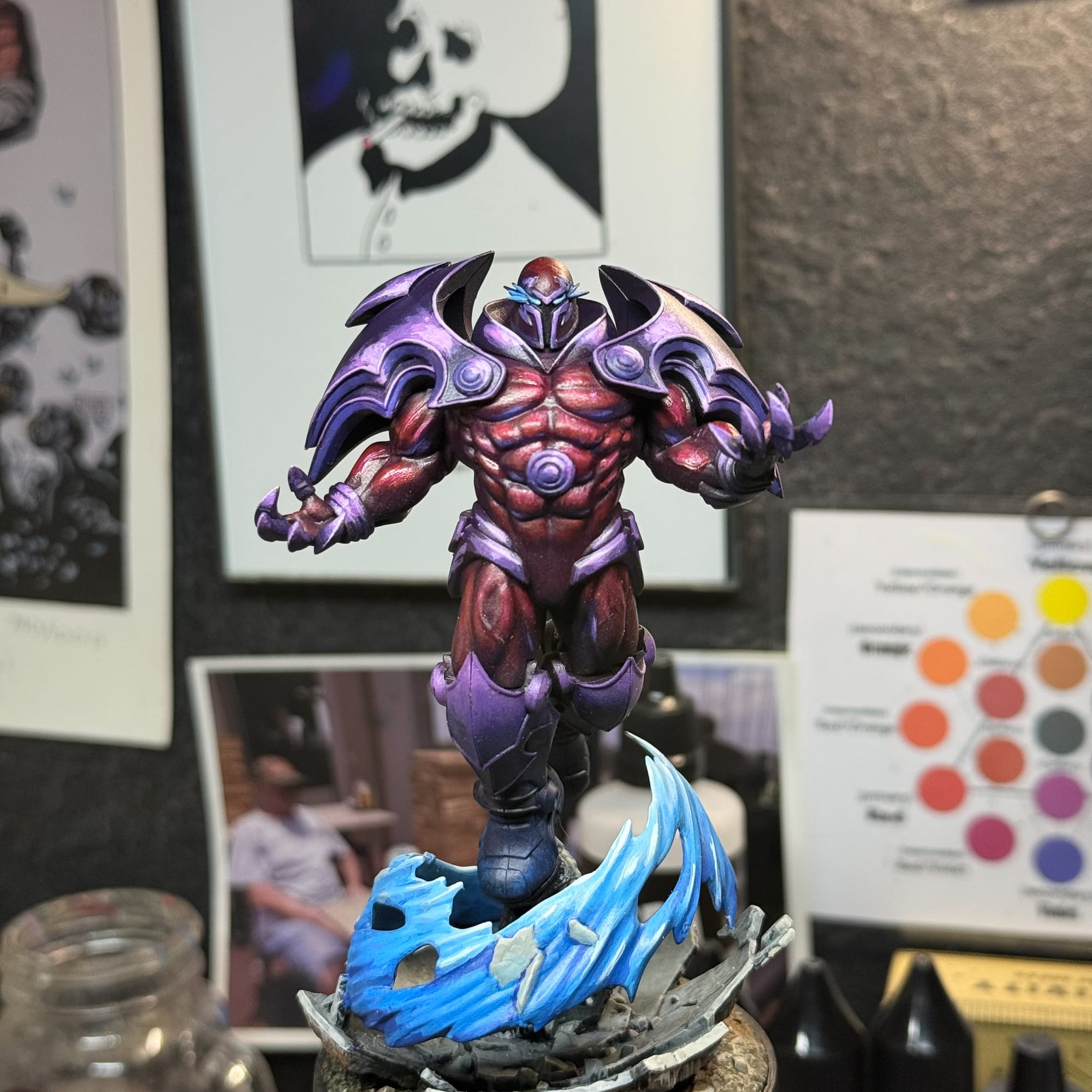
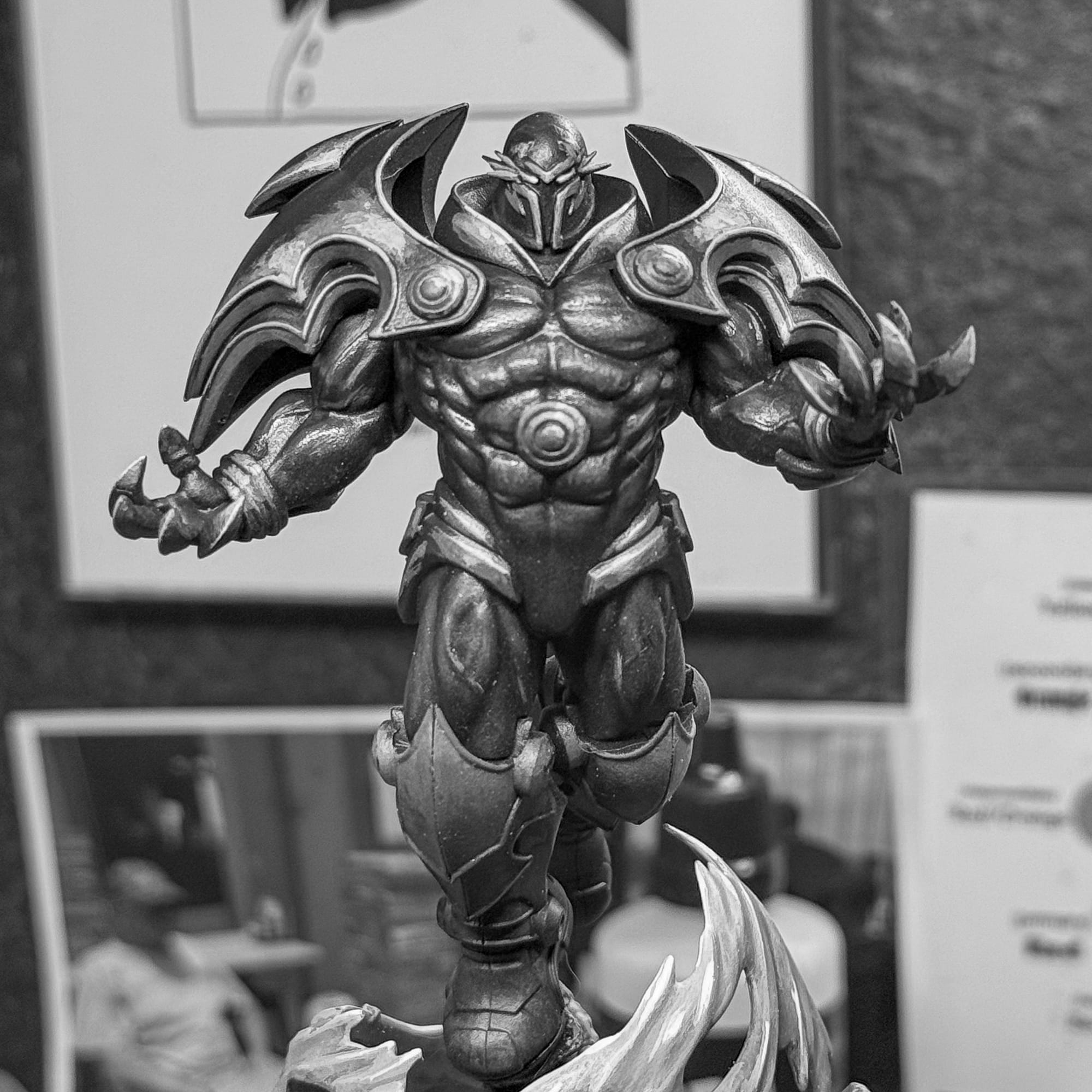
Black and White is a super valuable method for understanding light placement. By stripping out color you just see volumes. And in the photo you can see that while the shoulders are the brightest point on the model, the face and chest just don't have the same level.
A fellow painter recommended oranges, yellows, and reds for the chest. And that’s the direction I took. Using the Red Baron and some Moonbeam Yellow, I started glazing the chest. This process took a few hours. I made a few mistakes, like not waiting for a layer to dry, or using too thick of a paint. At one point, the chest was basically orange, so I then layered in magenta glazes in an attempt to knock it back.
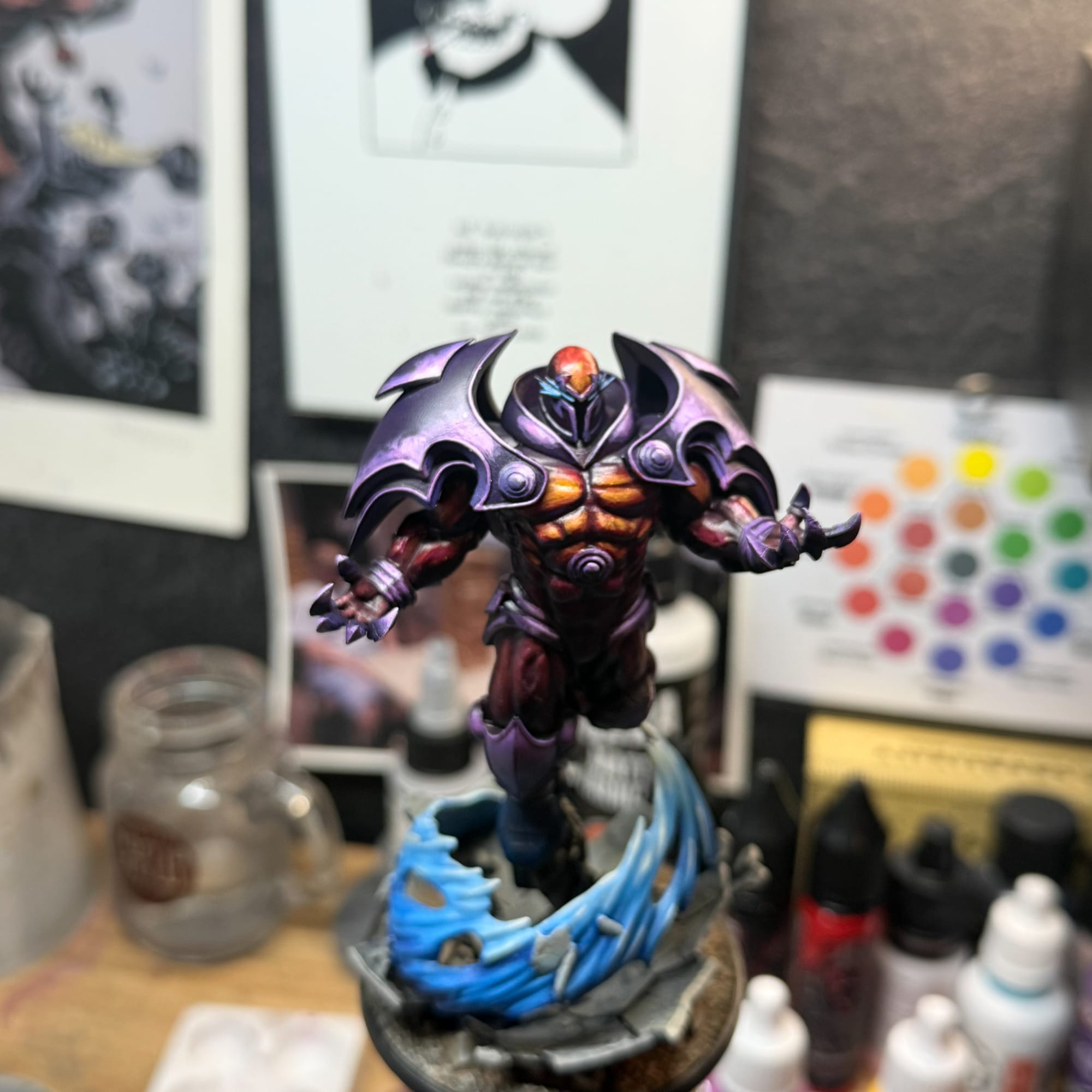
At the time, I felt like an amateur. Embarrassed, even. I felt like I didn’t deserve this role at GamingTrend. That, my friends, is our old friend, imposter syndrome. Reflecting now, I see why it happened, and my lesson for you is this: while it makes sense to look at how others are painting a model, it’s probably better to look up reference art. For Onslaught, of course there’s comic material which can serve as a reference, but you can also look at car reflections for the metal, anatomy studies for the body, fire glows in a firepit for the reflections. By mostly focusing on other people's work, I developed an expectation that I would never be able to hit. By taking on three other projects during this time, I procrastinated out of fear, getting some temporary relief, which quickly drained away.
Retro
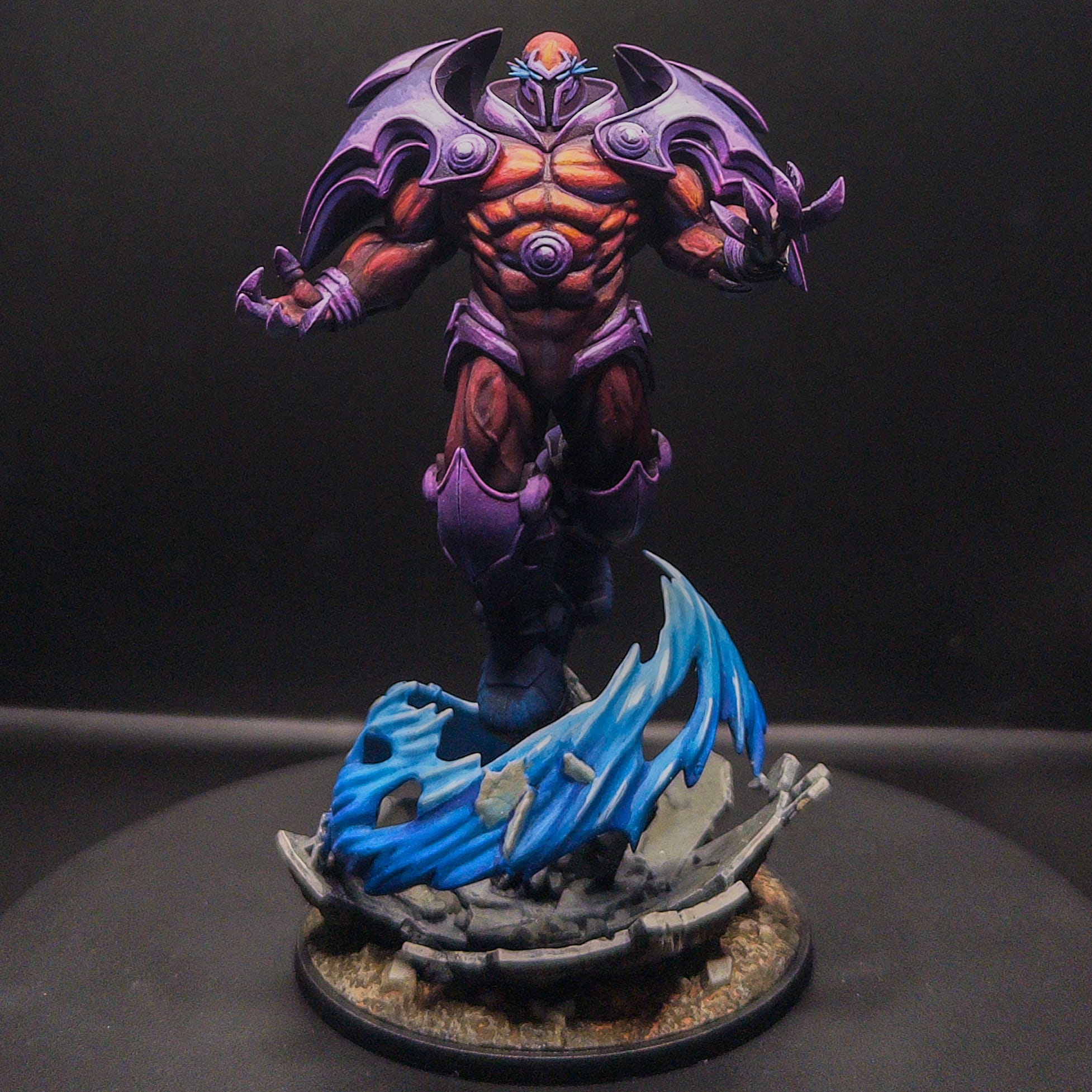
And here we are. After talking with some folks, I repainted the shoulders. Instead of trying to match other artists, I needed to focus on the light source and the volume it created. So I changed the reflection on the purples to reflect an overall spotlight which would work across the model and make more sense for the chest, face, and the claws. This is when I mixed some greenish white into the mix, and ultimately, Titanium White. This paint is the most white a paint can get, so you should save it for the very end. In the future, I’ll do an article about painting whites, as I’ve spent a lot of time on it!
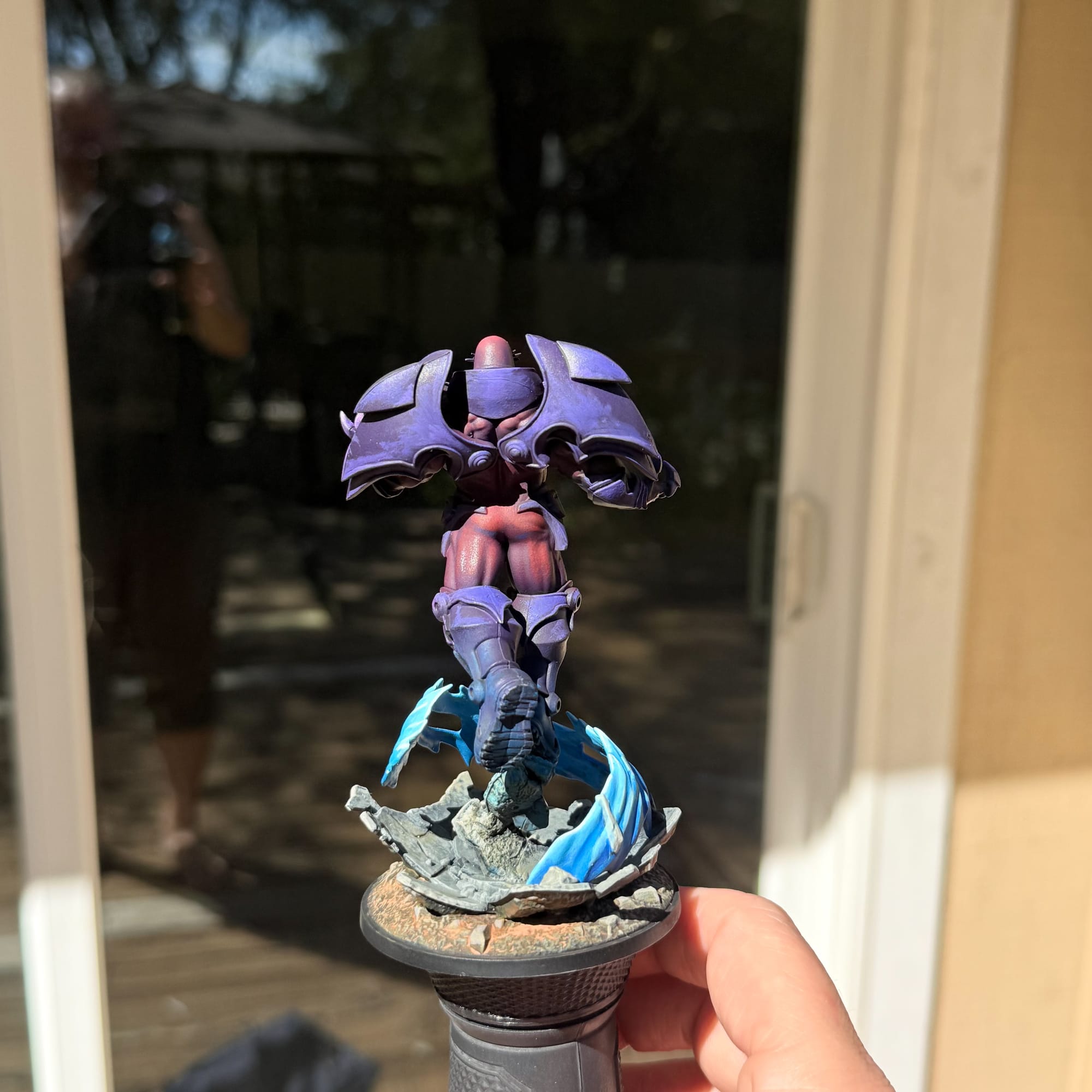
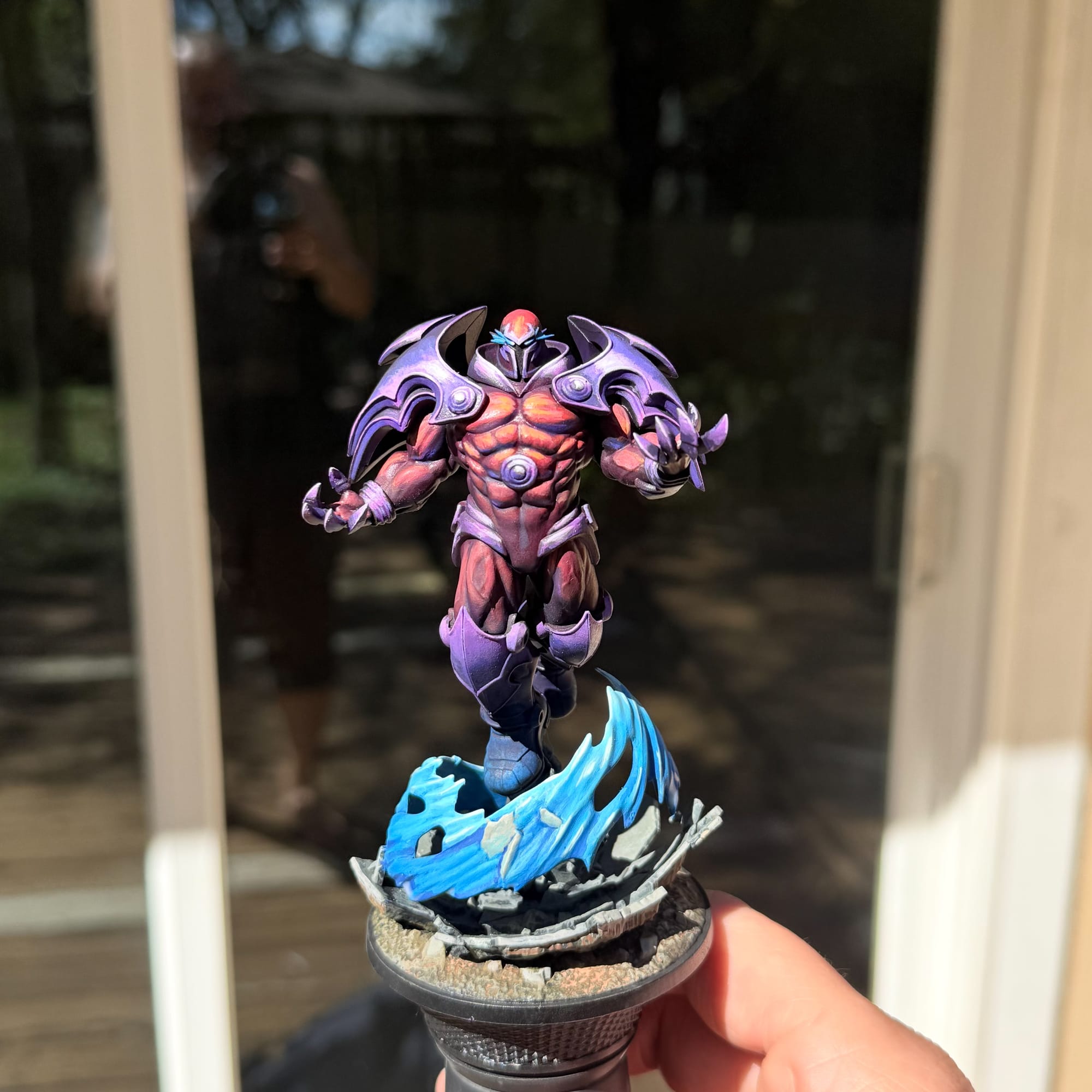
Taking your work outdoors can give you a much better feeling about the project!
I took the model outside, as my studio lights were very intense, and the true colors of the model really came out. I finally hit a state of happiness with the piece. Two passes with Ultra Matte helped reveal the volumes I had painted, and I was happy enough to call it done.
If I had continued, here’s what I would have done:
- Improve the highlight on the helmet and include a second light source
- Refine the shadows and blacklining throughout the body, with deep purples and blues.
- Render deeper shadows on the back to ultimately go from dark purple to black (think the reverse of the front)
- More OSL on the base, preferably with airbrush
- Microhighlights on certain sculpted areas (veins on the leg and arm)
- More rendering on the hands, interior of the collar
- Full black under the shoulder pads
And I would only continue if I were submitting this to an in person contest. And if I was doing that anyways, I would have improved a lot more in the beginning, as this model has an excessive amount of gap filling and lines that I normally don’t see in MCP models. I will most likely submit this to MPO and any relevant Baselair contests that pop up.
And in the end, I feel like I have vanquished my imposter syndrome for now. The reception to this piece on some Discords have really made me feel great, which is a point I need to make to you: find your communities, share your work, ask questions. You’ll not only get better, but you’ll be reminded that in this sometimes demanding hobby, you’re not alone, and you are constantly on the journey to get better and greater.
Reach out on Instagram if you made it down here, I’d love to hear from you. Or, shout out in the comments. See you in the next one.












