
Is it possible for a mouse to have too many buttons? I don't think anyone has ever asked Razer that question, and they haven't thought about it either. The Naga is one of Razer's most ingenious ideas, matching their prowess in gaming mice with MMO-style sensibilities. Returning for another run, the V3 Pro model sports all kinds of bells and whistles. Are they worth it? Or is there finally too much to handle?
Inside the box is the Razer Naga V3 Pro, two additional styles of button side plates, the HyperSpeed USB dongle with an adapter, and a USB-C cable. This is more than enough to get you started on your Naga V3 Pro journey. I’ll get to it in a moment, but the only thing I’m disappointed in not seeing is an 8KHz dongle; every recent Razer mouse I’ve covered has been utilizing this new tech.
One of the more intriguing things about the Naga is its signature feel. Where a lot of Razer mice are of a more standard design, the shell for this one is a bit more chunky and egg shaped, along with a lip on the right side. It’s a unique shape and feels interesting in grip, as the hump at the back tapers off quickly. I found my palm resting more towards the back of it as a result, but it's still largely comfortable. What I really like are the additional rubber textured grips on the sides – one is permanent, the other depends on what side plate you have on at the time.
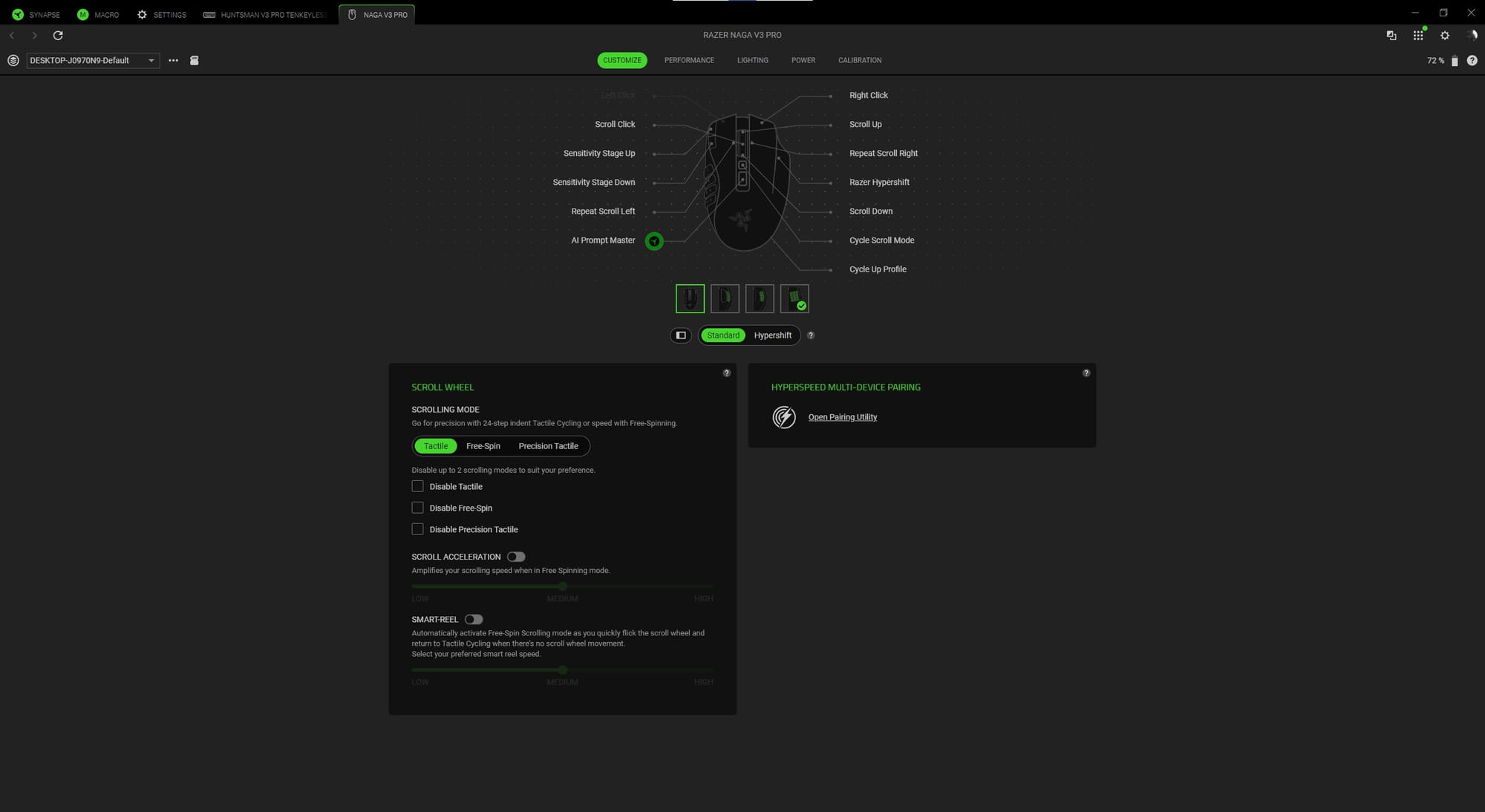
The reason you’re most likely here is about the buttons. The Naga V3 Pro doesn’t disappoint either, with up to 23 programmable buttons on it. Let’s try and get through the list, shall we?
- Right and left mouse buttons
- Scroll wheel/button
- Right and left scroll wheel buttons via pressing in said direction
- Scroll mode button
- AI prompt button (which I immediately remapped)
- Two left mouse button lip buttons (control DPI at start)
- Hypershift right side lip button
- Profile button on underside
- Up to 12 programmable buttons via left side plate
Okay, that is a lot, but what a crazy amount of customization, right? This is probably more than the average gamer needs, but if you get into MMOs, or just want variety, the Naga is one of the best picks.
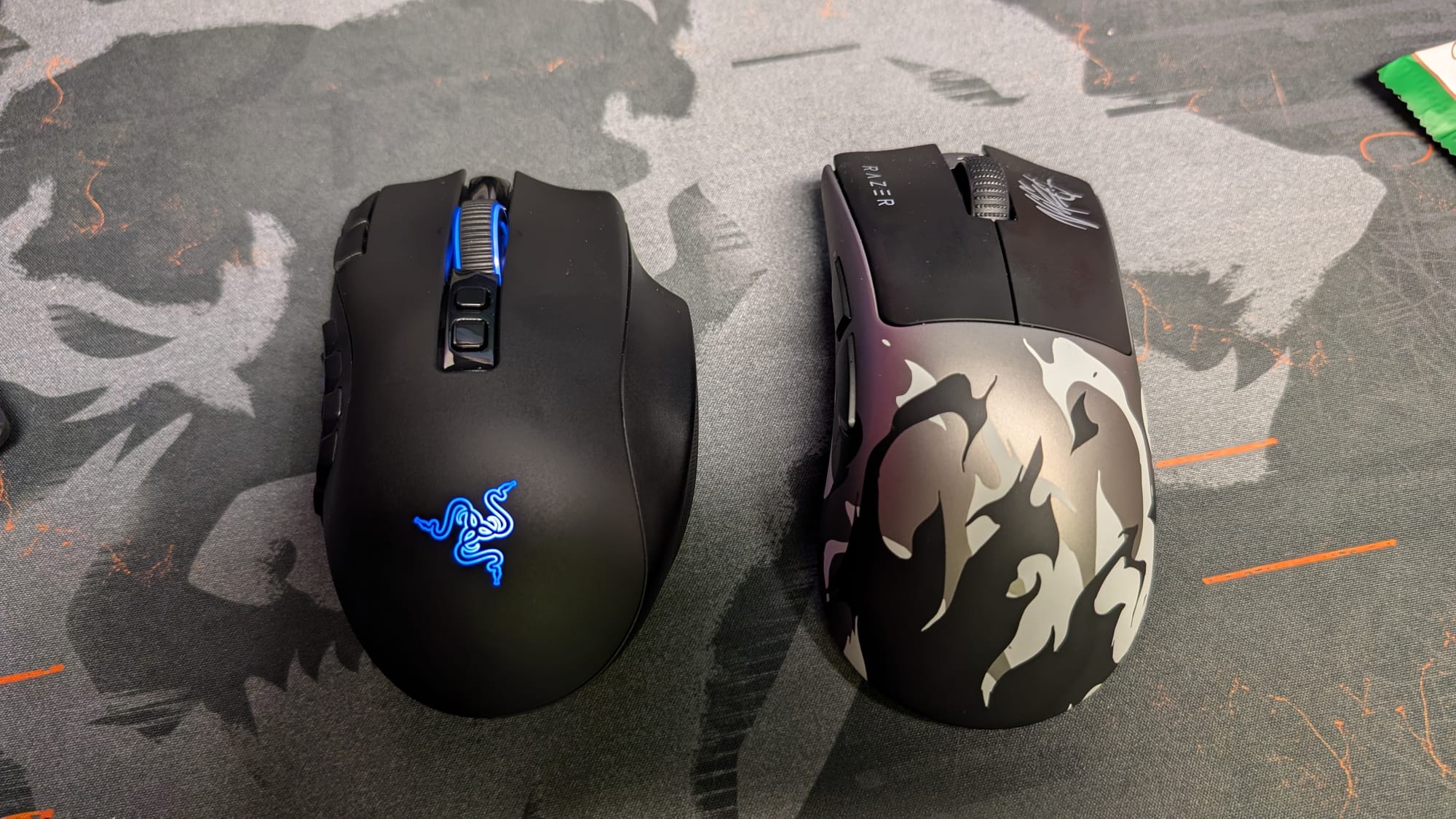
What makes the Naga special is, of course, the side plates. There are three different styles, and each one can be immediately swapped out in a matter of seconds. While I doubt any of us are suddenly needing twelve buttons instead of two, the capability of changing these out so quickly is an incredible feat. They’re also working in almost no time, allowing you to swap between plates faster than you can even swap the game you’re playing.
These three side plates are made for separate game genres, allowing you to be precise in what you’re trying to play. The two button plate is best as a jack-of-all-trades. The six button plate assists you in playing MOBAs or Battle Royale games where a lot of little things done fast can be the difference. Finally, the twelve button plate is bred for the battle of massive-multiplayer online games, or MMOs for short. The buttons on these are double-shot molded keycaps, making them incredibly durable. I like the translucent numbers personally, which let Razer’s iconic RGB lighting shine through. I’m also a fan of what they’ve done with the right side lip button – it doesn’t really get in the way, is a comfortable place to rest your pinky finger, and even has a lock you can slide into place so you don’t accidentally actuate it.
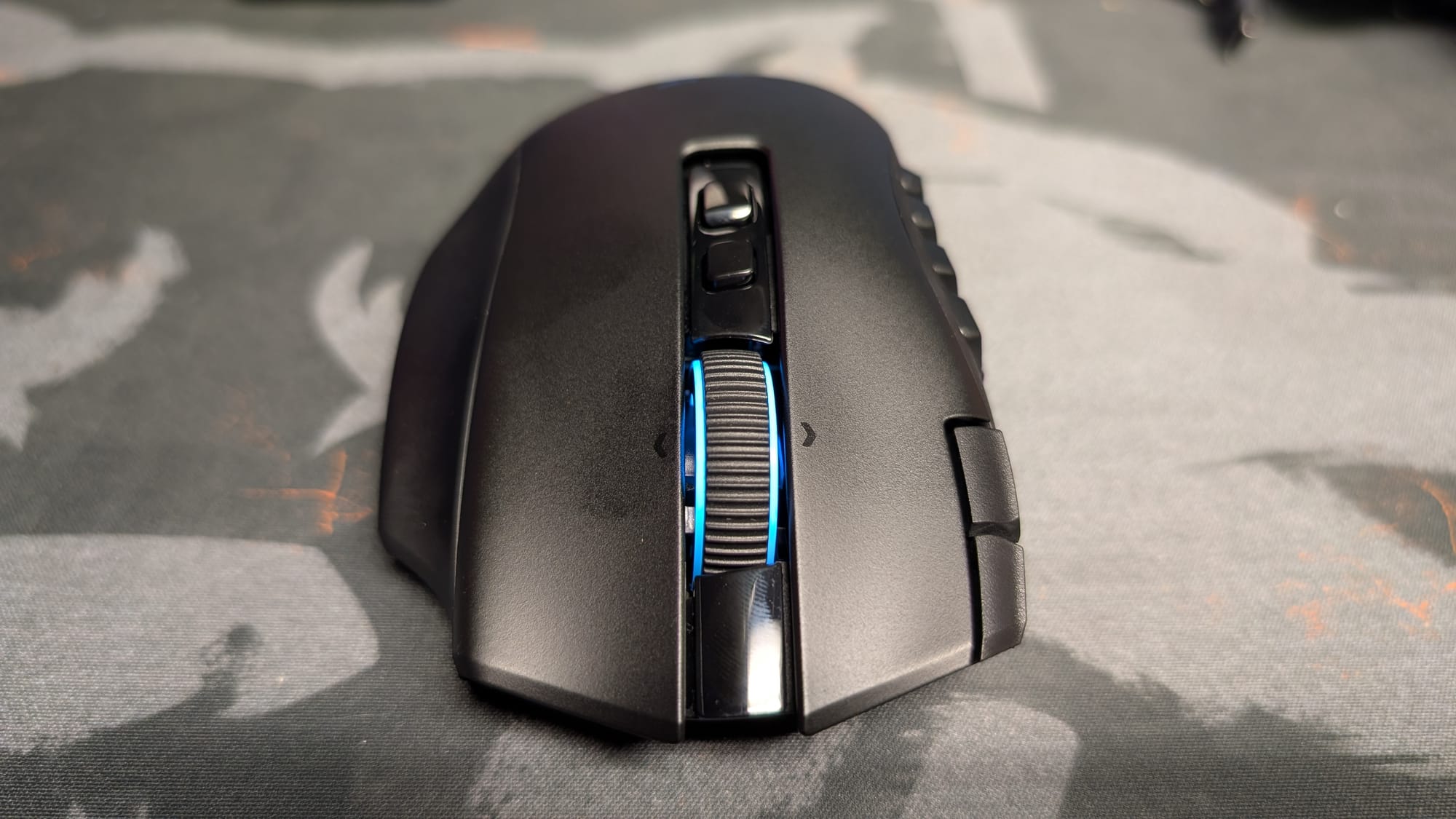
As attention grabbing as the side plates are, the scroll wheel might be more impressive and surprising. I’ve loved Razer’s optical scroll wheel, so I was disappointed at first to see a mechanical one instead with the Naga V3 Pro. However, in action, this thing is wild. Razer has added four scroll modes to it: Free-Spin, Tactile Mode, Precision Tactile Mode, and Smart Reel. Free-Spin is literally what it sounds like, a no resistance mode which lets you spin the wheel with the ferocity of a contestant on The Price is Right. If you were to bind some sort of instant cooldown ability on it, the chaos that would ensue would surely be glorious as it activated all over the place. Tactile and Precision Tactile offer a more grounded experience, somewhat of a middle and high intensity mechanical feel for those who prefer control. Smart-Reel is the most interesting, as it measures your scrolling to activate Free-Spin and Tactile modes independently. I miss my optical scroll wheel, but I welcome this sort of innovation in a gaming mouse.
Razer has, of course, kept what works. If it ain’t broke, there’s no need to fix it. Gen-4 optical mouse switches and the Focus Pro 50K optical sensor power the Naga V3 Pro. After all, they’re already fantastic, so why change anything there? Between these two optical inventions, your clicks will be accurately registered, and your mouse swipes responsively tracked. Misclicks and incorrect cursor movements haven’t been issues for Razer recently, and in bringing their best to the Naga V3 Pro, it won’t be a problem here either.
Playing a few different games, I certainly see the application of this gaming mouse. The obvious choice is trying it with an MMO, and I chose Star Wars: The Old Republic. Using the twelve button side plate, it completely changes how you play any game with that number of cooldowns. Being able to simply hit the buttons on the side of the mouse, which aren’t really that tough to memorize, made life simple in terms of using my abilities. I can see this making it easier to get into an MMO. The same goes with the six button side button, which gives versatility in any sort of MOBA or Battle Royale, like Fortnite with building quickly.
With the normal two button side plate, I feel like this mouse becomes a bit too basic. In something like Counter-Strike 2 or Halo, it still feels good, but between the lack of in-box 8KHz and the different style of grip, I felt slower than usual. The mouse being more set for a slower pace compared to the more competitive-focused DeathAdder or Viper, I’d suggest this more in a pinch than as your go-to.
While you can upgrade to it, or possibly repurpose one you already have, I am disappointed Razer didn’t include the HyperSpeed 8KHz dongle. I’m a fiend for 8KHz, having fully bought in beginning with the DeathAdder V4 Pro. Do you necessarily need it for a mouse most will pick for MMOs? Probably not, but it’s nice to have. The Naga V3 Pro still feels great at 1KHz, but I prefer the smoothness of 8K polling. Sadly, one of the other extras – Razer’s new HyperFlux V2 charging mousepad – negates 8Khz in design, so you will have to choose unlimited battery, or crisp, snappy one-to-one control.
Speaking of battery life, Razer has really made sure you can stay seated during a long raid session. Via the HyperSpeed 2.4GHz connection, you can hit upwards of 155 hours worth of battery life. If you want something a bit more infinite, Razer still has you covered. I’ve also been using their new HyperFlux V2 charging mousepad (more on that in later impressions), and by changing out a puck on the bottom, it can keep your battery charged at all times. There’s even battery health options available in Synapse, so you can make sure it’s only charging up so much before stopping.
Versatility is a strong suit for this mouse, and it makes sense given the side plates adding genres to the mix. With wired capability and 2.4GHz and Bluetooth wireless, it’s great to be able to use it where you like. Anytime you have a gaming mouse that’s plug and play, it takes a load off of your mind.
Synapse is the brain behind the scenes, offering a ton of customization to the feature set the Naga V3 Pro has. While the remapping of so many buttons is awesome, there is also the scrolling mode, 8KHz dongle pairing, polling rate, sensitivity matcher, and much more to dig into. One of my favorite functions involves a smart switcher, which recognizes what game you’re playing and will automatically swap your button profile to the game in question. It’s a lifesaver for those who play a bunch of different games, allowing you to maneuver through your catalog without having to set up your preferred button layout or riffle through separate profiles. Synapse is one of the better softwares out there for gear, and Razer continues to do a great job upgrading what it can do.
Razer Naga V3 Pro
Great
All the buttons in the world won’t make you a better player, but the Razer Naga V3 Pro does its best to elevate your game. With a comfy grip, eccentric side plates, and a killer battery life, this is a worthwhile purchase. That is, assuming you’re using it for its strengths, like MMOs and MOBAs.
Pros
- Tons of buttons
- Swappable side plates
- Great battery life
- Same stellar optical switches and sensors
- Awesome scroll wheel
Cons
- No included 8KHz dongle
- Only passable for certain genres
This review is based on a retail copy provided by the publisher.












