
One of my favorite affordable options for accessories is JSAUX. You can usually grab up their gear on the cheap, and it’s usually a great piece of equipment. When I picked up an ROG XBOX Ally X, I got a case and a screen protector, but then I caught a glimpse of JSAUX’s 7-in-1 Docking Station. Sure, it was flashy, but does it have the oomph where needed? Let’s dig into that.
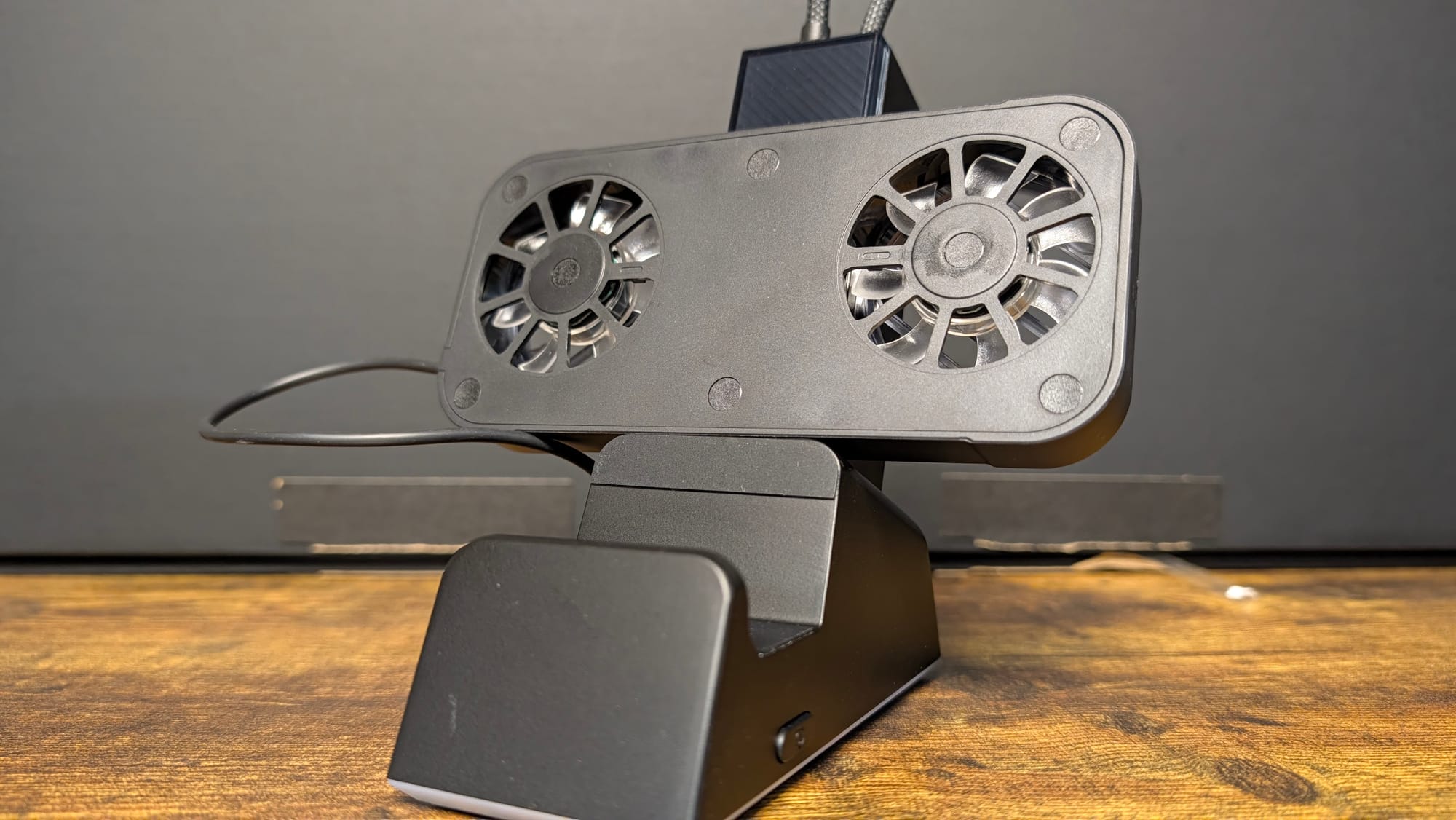
Pulling the 7-in-1 Docking Station out of the box, it comes in a few pieces. There’s the bottom half of the dock, the top half you plug into that which houses all the important ports, and the optional dual cooling fan. All of these are easy to assemble, and I had it ready to go in a minute or two. I appreciate how sturdy it is, built of an Aluminum Alloy + ABS & PC. After I set it down on a table or desk, I never felt like my ROG XBOX Ally X was going anywhere. There is also a rubber piece affixed to the bottom piece, which allows for dropping your Steam Deck or Legion Go.
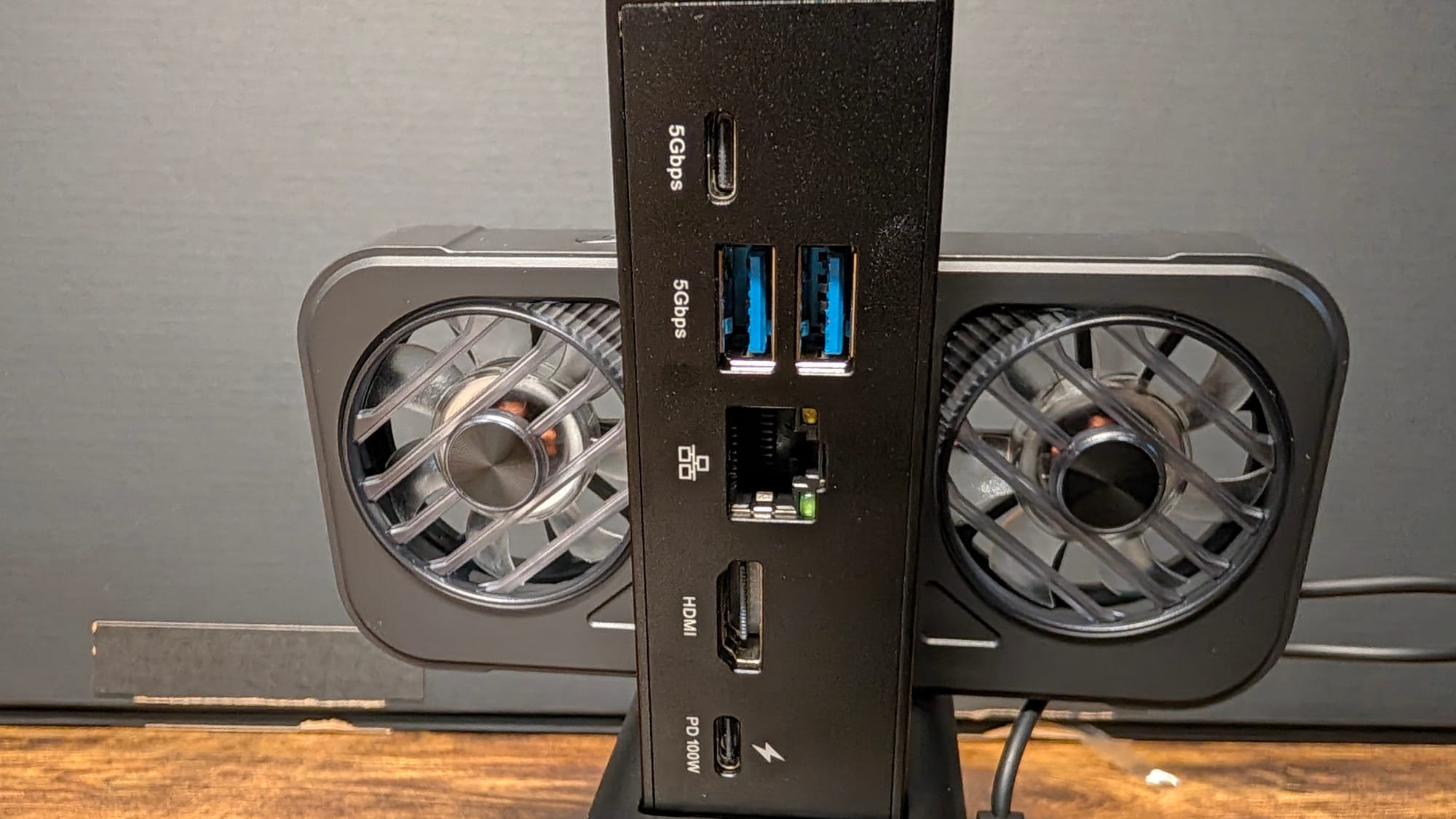
All of the ports you could possibly want are on this docking station. There’s a USB-C cable running from the top to easily plug into your ROG XBOX Ally X, along with a USB-C port flanked by two USB-A ports, all 5 Gbps speeds. There’s another USB-C on the bottom, specifically for the fans. One of my favorite features is a Gigabit Ethernet port, allowing you to run your device wired. I have gigabit internet at home, and being able to receive upwards of 400-700mb of download speeds changes how quickly you can game. The docking station is arguably worth the cost just for this benefit – especially since the ROG XBOX Ally X is capable of such intensive games.
That’s not even the best the JSAUX 7-in-1 Docking Station has to offer, as the HDMI 2.1 port is capable of a lot of power. It supports 4K at 120Hz or 1080p at 240Hz, and can handle VRR (Variable Refresh Rate), ALLM (Auto Low Latency Mode), HDR, and QFT (Quick Frame Transport). Just the 4K/120Hz was good enough, but all of these other benefits are tremendous.
Let me give you an example. I was attempting to play 007 First Light, which can be a power hog of a game. The ROG XBOX Ally X does its best, but it certainly isn’t as much of a looker on a 4K TV given the graphics settings you have to choose. It displays them beautifully, but there are going to be limitations to the hardware you’re using (more on that in a moment). For instance, the screen tearing in 007 First Light is gross. Since the docking station supports VRR, however, I was able to utilize that functionality to clean up the quality by a large margin. I also had no problems with input lag, a huge plus for a device that serves as a bridge between your method of control and the hardware itself.
Although the JSAUX 7-in-1 Docking Station can deliver these kinds of features, it’s not a miracle worker. Depending on the game you’re trying to play, you’ll want to make sure you’re double-checking your settings. I watched Halo Infinite struggle, and it ran great in handheld mode. Putting it on the dock and connecting it to my 4K TV caused it to swap over to 4K, and even with lower settings elsewhere, the frame rate stunk, and it eventually crashed. This docking station is not a substitute for better hardware, but it can enable great hardware to do awesome things, like my ROG XBOX Ally X.
JSAUX has intentionally built this model with the included dual RGB cooling fans for the ROG XBOX Ally X. This means any other device you use may not gain the same airflow advantages the Ally X gets. They can be somewhat loud, so that’s something worth noting if you’re trying to game quietly. I was impressed with how well they worked – my ROG XBOX Ally X stayed cool throughout a couple of hours of intensive testing of the fans. There’s also RGB lighting on them, which is a fun bonus.
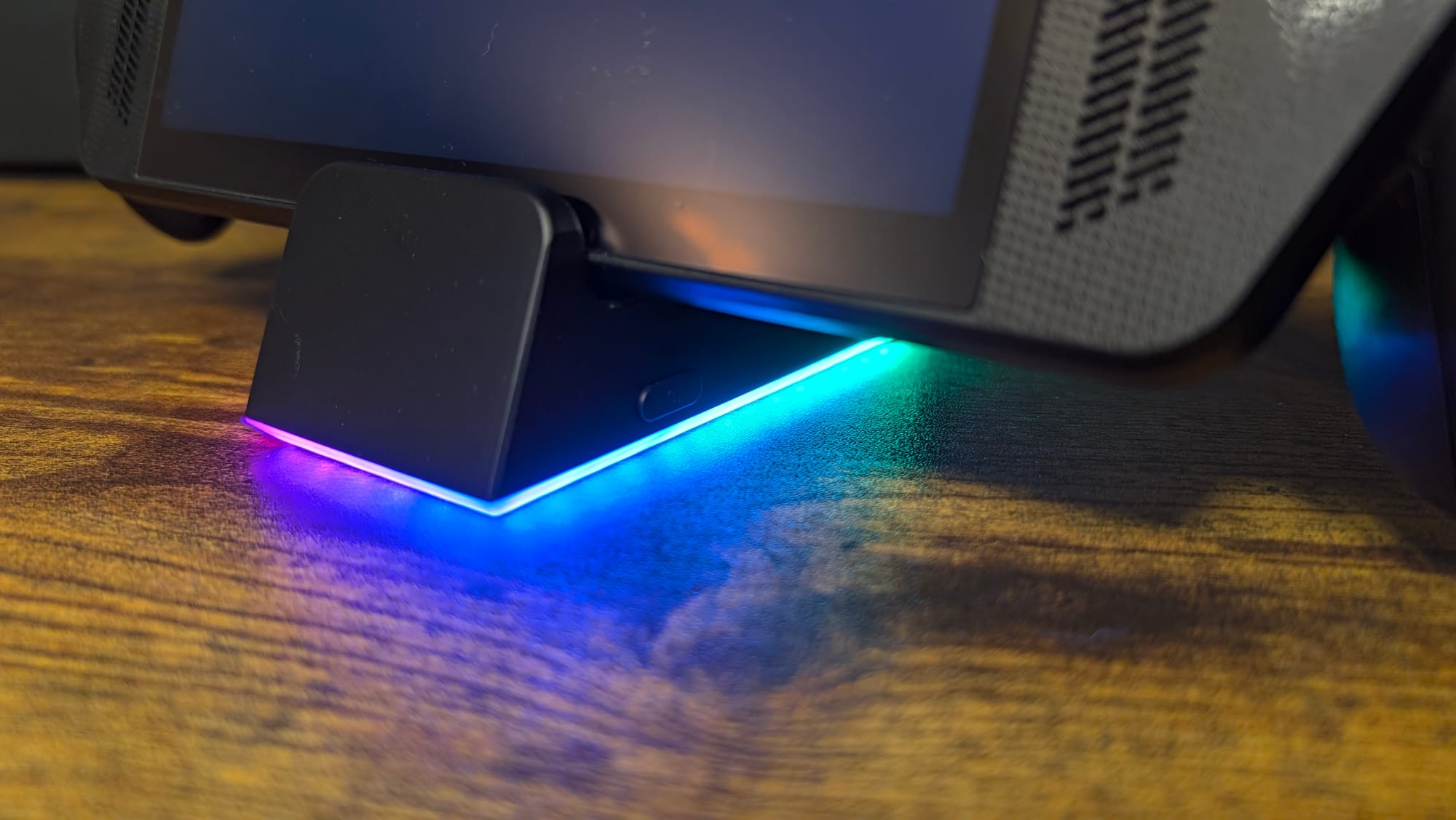
Speaking of RGB lighting, the base of the docking station has some. This is cool for us gamers, but a lot of times we’ll either be carrying the dock into a more public location, like a friend’s living room or shared space. Thankfully, JSAUX gave that thought; you can turn it off by holding down a button on the side. This button also enables you to swap between RGB modes, with five different ones to choose from. Like the RGB on the fans, it’s a nice touch – not necessary, but appreciated.
JSAUX’s 7-in-1 Docking Station
Phenomenal
JSAUX’s 7-in-1 Docking Station won’t necessarily improve your game’s graphics, but it will display the hardware to perfection. All of the capabilities of the HDMI port have to be lauded, and the Ethernet connection is to die for. It’s very rare when JSAUX doesn’t nail the gear they make, and here, they’ve done it again.
Pros
- Sturdy
- Wealth of ports
- Ethernet is amazing
- HDMI 2.1 with all the bells and whistles
- Bonus RGB
Cons
- None
This review is based on a retail copy provided by the publisher.












