
The Call of Duty: Modern Warfare 4 beta is almost here! Occurring directly after Call of Duty: NEXT, you'll be able to play Modern Warfare 4's multiplayer offerings, and even a campaign mission. There is a lot going on, and we have everything you need to know from the Call of Duty Blog below. Check it out as you ready your weaponry for war, along with the new multiplayer trailer!
 David Burdette
Prepare for the Call of Duty: Modern Warfare 4 Beta* with details on preloading and downloads, Early Access and Open Beta timing, PC specifications and performance updates, Beta Rewards, Twitch Drops, and more.
Tune in Details: Call of Duty: NEXT
Join the global Call of Duty community for Call of Duty: NEXT, live at 9:00 AM PT on Friday, August 21. Serving as the command center for Modern Warfare 4, NEXT brings together reveals, developer insights, live gameplay, and creator broadcasts from around the world into one global event.
Immediately following NEXT, at 11:00 AM PT, the Modern Warfare 4 Beta officially launches. Deploy alongside players worldwide and be among the first to experience everything Weekend One has to offer. Return here tomorrow for more details on the Weekend One content.
Modern Warfare 4 Beta: PC Specifications
Planning to deploy into the Modern Warfare 4 Beta on PC? Check your setup against the Minimum and Recommended PC specifications below to make sure you’re ready for the Beta.

Minimum Specifications
The minimum PC specifications needed to play the Modern Warfare 4 Beta:
- OS: Windows 10 64 Bit (latest update)
- CPU: AMD Ryzen 5 1600 or Intel Core i5-8400
- RAM: 12GB
- Video Card – AMD: Radeon RX 470
- Video Card – NVIDIA: NVIDIA GeForce GTX 970 / 1060
- Video Card – Intel: Intel Arc A580
- Video Memory: 3 GB
- Storage Space: SSD required
- Network: Broadband Internet connection
- Sound Card: DirectX Compatible
Recommended Specifications
The recommended PC specifications to play the Modern Warfare 4 Beta:
- OS: Windows 11 64 Bit (latest update)
- CPU – AMD: AMD Ryzen 5 3600
- CPU – Intel: Intel Core i7-8700
- RAM: 16 GB
- Video Card – AMD: AMD Radeon RX 6700 XT
- Video Card – NVIDIA: NVIDIA GeForce RTX 3060 Ti
- Video Card – Intel: Intel Arc B580
- Video Memory: 8 GB
- Storage Space: SSD required
- Network: Broadband Internet connection
- Sound Card: DirectX Compatible
Recommended Drivers
- NVIDIA: 610.47
- AMD: 26.7.1
- Intel: 32.0.101.8861
Required for All PC Specifications
- Internet: Broadband Internet connection
- DirectX: DirectX 12 compatible system
- Additional Requirements: TPM 2.0 and Secure Boot are required to play Call of Duty: Modern Warfare 4. Other security measures may be enforced. Players can run the Call of Duty Secure Attestation Wizard to verify that their PC meets our security requirements prior to Beta. Click here to learn more at the Trusted Platform Module (TPM) 2.0 and Secure Boot for Call of Duty Support Page.
Note: These specifications apply to the Modern Warfare 4 Beta and may differ from the PC specifications for the full game at launch.
PC Players: TPM 2.0 and Secure Boot Requirements
PC players: Before Beta begins, make sure TPM 2.0 and Secure Boot are enabled.
These Windows security features help establish a trusted foundation for RICOCHET Anti-Cheat™, especially for Call of Duty: Warzone players, and make system-level tampering more difficult, helping protect the integrity of the Beta from Day One.
If you have these features already enabled, you're ready for the Beta. If TPM 2.0 or Secure Boot isn’t enabled, you won’t be able to play the Beta online.
Need help getting set up? Watch our step-by-step guide here:
PC: Shader Preloading Comes to the MW4 Beta
QUICK INTEL: Shader Preloading gets a head start on preparing your PC’s shaders before you launch Modern Warfare 4. The result? Less time waiting. More time playing.
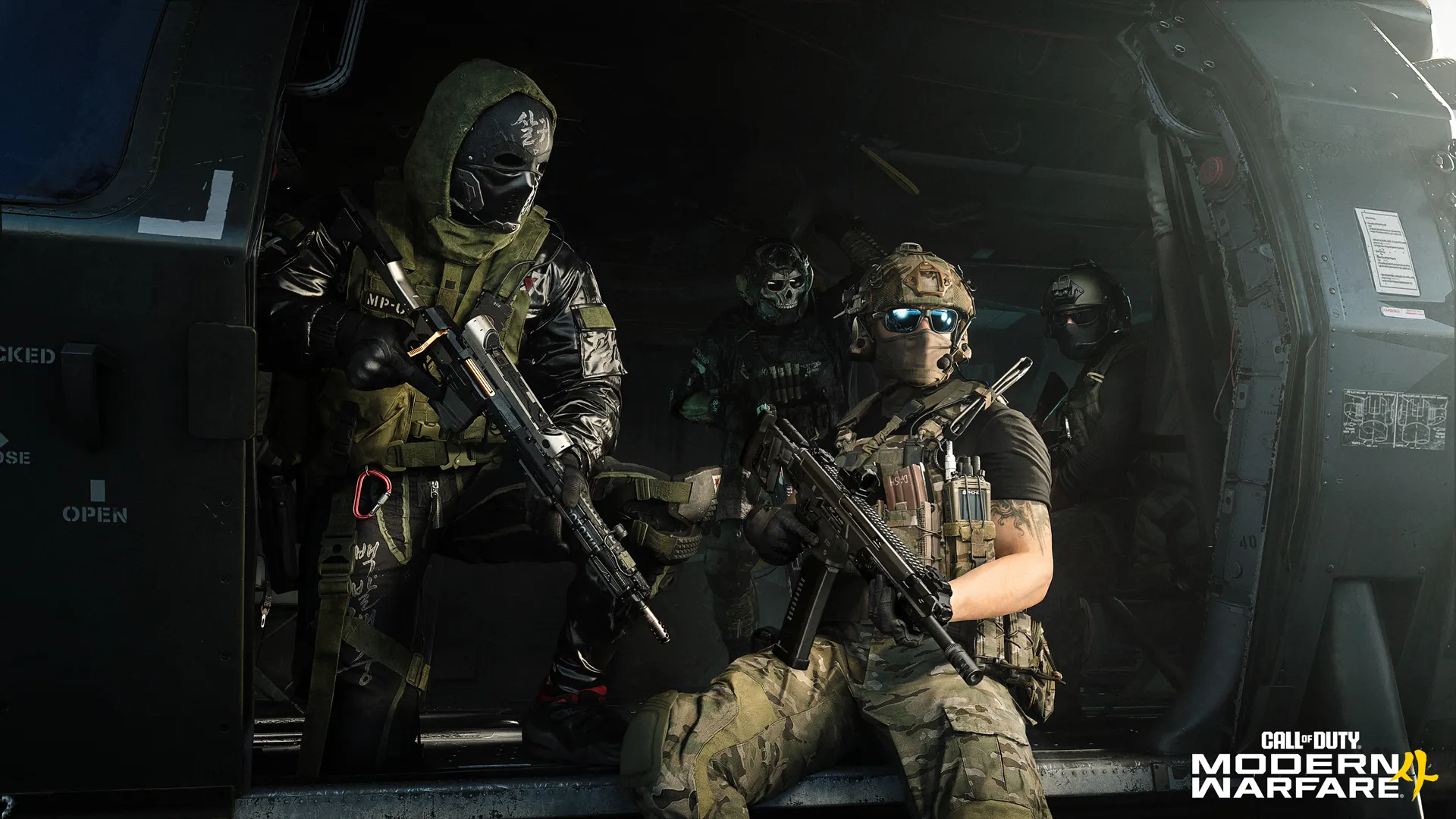
PC players: Shader Preloading is coming to the Call of Duty: Modern Warfare 4 Beta, helping cut down the wait between launching the game and getting into your first match.
Shaders: What Are They, and Why Do They Matter?
Shaders are small programs that tell your graphics card — or GPU — how to optimally render what you see on screen, from surfaces and lighting to shadows, visual effects, and more.
On consoles, developers can optimize for a standardized hardware configuration. PCs are different, with a huge variety of graphics cards, drivers, and system configurations available. That means certain shaders need to be prepared for your specific PC before they can do their job — rendering graphics properly during gameplay.
That’s where Shader Preloading comes in. Shader Preloading prepares these shaders ahead of time, rather than waiting until they’re needed during gameplay. This reduces the amount of shader processing that needs to happen when you play, helping to minimize stutters and other performance hitches.
What to Do Before You Drop into the Beta
With Shader Preloading, the Modern Warfare 4 Beta can get a head start by preparing shaders before you launch the game. Moving more of this process outside the game means less time waiting after you boot up, creating a faster route into your first match.
During the Beta, you may see “Call of Duty®: Modern Warfare® 4” appear as a notification in your Windows system tray with a “Shader Pre-Loading Will Start” mention, after you’ve installed or updated your game. Don’t be concerned: this is expected behavior. It means MW4 is preloading shaders in advance so they’re ready when you are.
Offline Shader Preloading uses some system resources while it’s running, but its impact is designed to be minimal. You can continue using your PC while the process runs in the background.
Prefer not to use Shader Preloading? This feature can also be disabled in your settings, and you can interrupt the preloading by right-clicking on this process without consequences, as the preloading will resume once you’re in the game.
Shader Preloading Availability During Beta
- Battle.net: Shader Preloading will be enabled, starting when you first install the Beta.
- Steam: Shader Preloading will be enabled, but a one-time shader compile is still needed on first boot:
- First game boot – precompile shaders (similar to how it works today)
- Game launches after subsequent updates – Shader Preloading takes effect
This means that for the MW4 Beta, Steam players who play during Weekend One will be able to use Shader Preloading for the Weekend Two update. After Modern Warfare 4 launches, the benefit will be fully realized as we move into our regular seasonal update cadence, and players only need to compile shaders once.
Infinity Ward and Beenox have collaborated to bring Shader Preloading to Call of Duty. Bringing the feature to the Beta allows us to see it working across the enormous variety of PC hardware and configurations in the community, giving the teams an opportunity to refine the experience where needed ahead of launch. We know you want to get into game as quickly as possible, and we will keep looking for ways to improve your experience for Xbox on PC, Battle.net and Steam.
The goal? Less time waiting. More time playing.
Update Requires Restart… Requires an Update
QUICK INTEL: For Modern Warfare 4, we’re reducing the number of situations where an update requires a restart. The experience varies by platform during the Beta, with further improvements planned for launch.

If you’ve played Call of Duty, you’ll definitely be familiar with “Update Requires Restart”: You launch the game, an update is applied, and you’re prompted to restart the game before continuing.
Many updates can already be applied without requiring that extra restart, including Playlist Updates, Store Updates, and other smaller updates that happen behind the scenes. With Modern Warfare 4, we’re expanding this capability to include data patches — updates that make changes to the game without requiring a full Title Update — reducing the number of times you’ll need to restart… and see that infamous screen.
There are still some exceptions. If you’re already playing Call of Duty at the same time a new data patch goes live, you will still need to restart for the update to take effect. There are also some platform-specific differences during the Beta. Here’s what to expect:
- PC (XBOX on PC, Battle.net, and Steam): Data patches will not require a restart in most situations. You may still need to restart if a data patch is released while the game is running.
- XBOX Series X|S: Data patches will continue to require a restart during the Beta. At launch, the plan is to reduce the situations in which these updates require a restart.
- PlayStation 5: In most situations, data patches will no longer require a restart. You may still need to restart if a data patch is released while the game is running or suspended.
- Nintendo Switch (Weekend Two): Data patches will continue to require a restart during the Beta and at launch.
While “Update Requires Restart” isn’t disappearing completely, the goal is simple: fewer required restarts and fewer interruptions between you and your next match.
Modern Warfare 4 Beta: Patch Notes Access
QUICK INTEL: Stay up to date throughout the Modern Warfare 4 Beta with the latest Patch Notes from the Infinity Ward Comms team.
Expect updates throughout the Beta covering everything from bug fixes and gameplay adjustments to new maps and modes. Visit the Modern Warfare 4 Patch Notes for the latest intel.
MW4: Changes to the Install and Launch Experience for Beta
QUICK INTEL: For Modern Warfare 4, we’re changing how you install and launch the Beta. The Beta is a separate install from the main Call of Duty experience, allowing you to download and launch it directly from your platform.
This year, for Modern Warfare 4, we’re delivering the Beta outside of the main Call of Duty install.
With this change, players can now access and launch the MW4 Beta directly without needing to cross-launch through the main Call of Duty experience.
Since the Modern Warfare 4 Beta is a separate install, it won’t download automatically as part of a regular Call of Duty update. You’ll need to find the Beta on your platform and initiate the download separately.
Preloading the game begins August 20, so be sure to download ahead of time and be ready when the Beta opens. Exact times are listed later in this blog.
Launcher: What Happens at the Modern Warfare 4 Launch?
When Modern Warfare 4 launches later this year, the full game will remain part of the connected Call of Duty experience, alongside Call of Duty®: Warzone™. Keeping the latest premium title and Call of Duty: Warzone™ connected allows the games to share content where possible, helping reduce overall file sizes. It also means that when Call of Duty: Warzone™is updated with Season 1, you can easily switch between titles in the same session.
We’re continuing to look for ways to make the overall Call of Duty experience simpler and easier to navigate. Before Campaign Early Access begins, we’ll introduce an updated UI and UX for the Call of Duty install, including the work-in-progress look shown below.
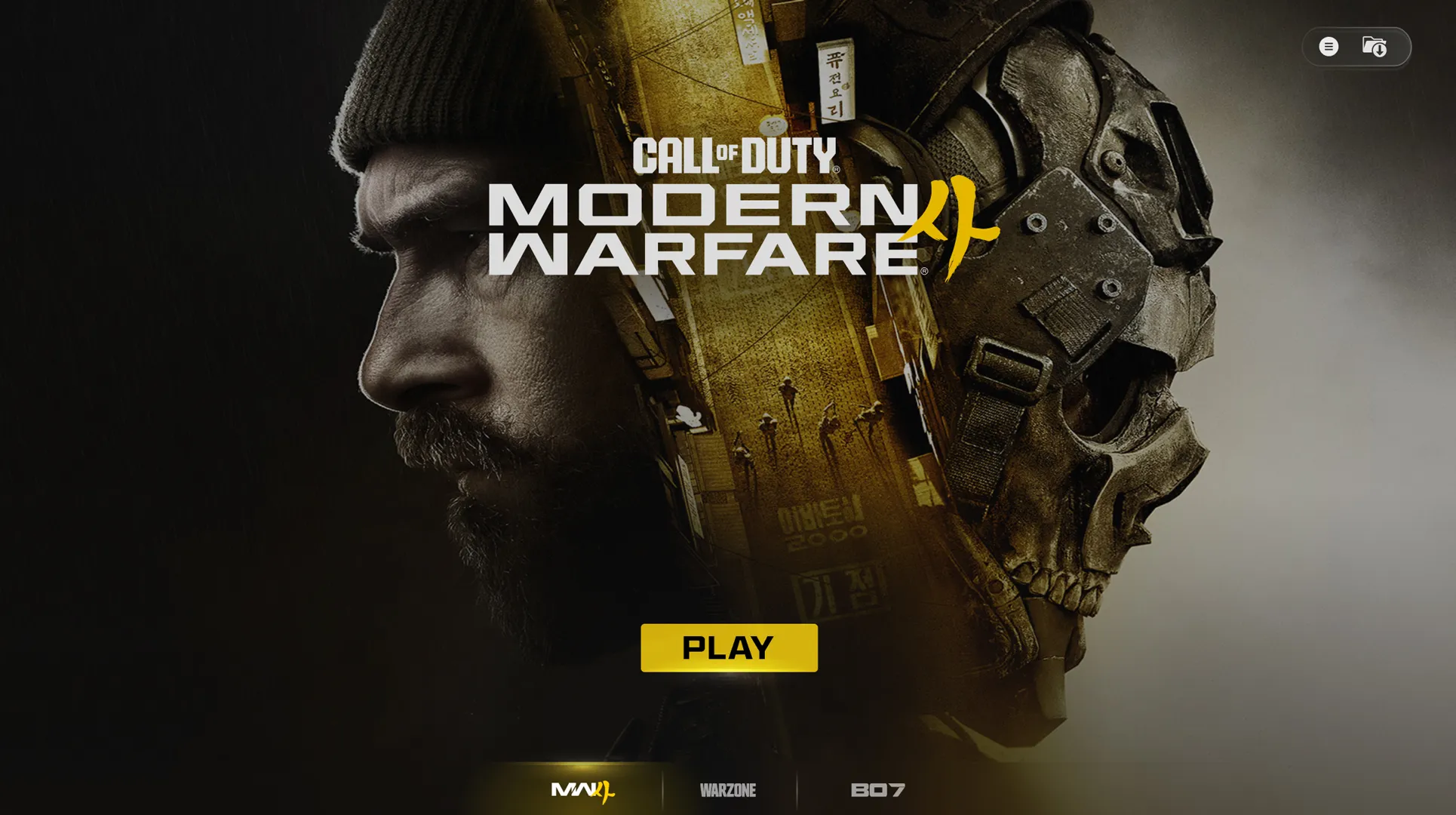
This continues our focus on giving each Call of Duty game its own distinct identity. Modern Warfare 4 launches with an entirely redesigned UI, and you’ll get your first look at part of that new experience during the Beta.
How to Download and Launch the Modern Warfare 4 Beta
Whether you're joining your first Call of Duty Beta or returning for another deployment, getting started is straightforward, no matter your platform of choice.
What do I need to do first?
Before downloading the Beta, make sure you're ready to play.
- Sign in with your Activision Account
Signing in with your Activision Account allows you to:
- Carry progression across supported platforms, letting you continue with the same profile if you play on more than one platform.
- Keep eligible Beta rewards tied to your Activision ID.
- Access earned Beta rewards when Modern Warfare 4 launches.
- Continue your progression if you switch between supported platforms.
Don't have an Activision Account? Create one here before launching the Beta to ensure your progression and eligible rewards are saved.
When is the Modern Warfare 4 Beta Available to Play?
The Modern Warfare 4 Beta is available during two scheduled Beta weekends.
Early Access (Weekend One)
Early Access begins at 11:00AM PT, Friday August 21 for players who have pre-ordered or pre-purchased Call of Duty: Modern Warfare 4 on XBOX Series X|S, XBOX on PC, PlayStation®5, Steam, and Battle.net. The Early Access Beta is scheduled to end at 10:00AM PT on Tuesday, August 25.
Here’s how to participate in the Early Access Beta:
- Pre-order or pre-purchase Call of Duty: Modern Warfare 4 or
- Redeem a Beta Code
TIP: If you can't find the Beta, confirm it's currently live for your platform, region, and Beta access window. Also, make sure that you’re eligible to play during Early Access via pre-order / pre-purchase or redeeming a Beta Code, or you may not be able to see the Beta on your platform of choice.
Weekend One access is not available on the Nintendo Switch™ 2.
How do I redeem a Beta Code?
For further information about redeeming a Modern Warfare 4 Beta Code, read our support article here. Beta Codes are only useful for the Early Access Beta.
Open Beta (Weekend Two)
The Open Beta begins at 10:00AM PT, Friday August 28 for players on XBOX Series X|S, XBOX on PC, PlayStation®5, Steam, Battle.net, and Nintendo Switch 2. The Open Beta is scheduled to end at 10:00AM PT on Tuesday, September 1.
Here’s how to participate in the Open Beta:
- The Beta is available to all players.
- Download the Call of Duty: Modern Warfare 4 Beta on your platform of choice.
- No pre-order or Beta Codes are needed.
How do I Download and Launch the Beta?
The Modern Warfare 4 Beta is downloaded separately through your platform's digital storefront. You can preload early before a Beta Weekend begins, or at any time during either Beta Weekend. Here’s how to accomplish this:
- Download and install the Beta, then launch the game once the Beta is live.
Can I preload the Modern Warfare 4 Early Access or Open Beta?
Providing you meet the participation criteria for the Early Access Beta (see above), you can pre-load the Early Access Beta starting at 9:00AM on Thursday, August 20 on all platforms excluding Nintendo Switch 2.
- All players can preload the Open Beta starting at 9:00AM on Thursday, August 26, on all platforms.
- If you are participating in both Beta Weekends, you only need to download the game once, as content and progression carries over from Weekend One to Two.
How do I download the Modern Warfare 4 Beta on XBOX Series X|S or XBOX on PC?
Download the Beta:
- Turn on your XBOX Series X|S console or open the XBOX on PC app.
- Open the Store.
- Search for Call of Duty: Modern Warfare 4 Beta.
- Select the Beta.
- Choose Install.
XBOX on PC: A small portion of the Beta will then be downloaded. The bulk of the download will be available to download on August 21 at 7AM PT.
Launch the Beta:
- Open My Games & Apps.
- Select Call of Duty: Modern Warfare 4 Beta.
- Choose Play (once the Beta is live).
How do I download the Modern Warfare 4 Beta on PlayStation® 5?
Download the Beta:
- Turn on your PlayStation®5.
- Open PlayStation Store.
- Search for Call of Duty: Modern Warfare 4 Beta.
- Select the Beta.
- Choose Download.
Launch the Beta:
- Return to the Home screen.
- Open Game Library if needed.
- Select Call of Duty: Modern Warfare 4 Beta.
- Press Play (once the Beta is live).
How do I download the Modern Warfare 4 Beta on Steam (PC)?
Download the Beta:
- Launch Steam.
- Open the Store.
- Search for Call of Duty: Modern Warfare 4.
- Open the Store page.
- Steam automatically adds the Beta to your Library and begins downloading.
Launch the Beta:
- Open your Steam Library.
- Select Call of Duty: Modern Warfare 4 Beta.
- Click Play (once the Beta is live).
How do I download the Modern Warfare 4 Beta on Battle.net (PC)?
Download the Beta:
- Open Battle.net.
- Navigate to the Call of Duty page from your Favorites bar or otherwise
- Select Call of Duty: MW4 Beta in the Game Version dropdown
- Click Install.
Launch the Beta:
- Wait for installation to complete.
- Navigate to the Call of Duty page from your Favorites bar or otherwiseSelect Call of Duty: MW4 Beta in the Game Version dropdown
- Click Play (once the Beta is live).
How do I download the Modern Warfare 4 Beta on the Nintendo® Switch™ 2?
Pre-orders for Modern Warfare 4 (full game) on Nintendo Switch 2 begins at 9:00AM on Thursday, August 26. This is also when Nintendo Switch 2 players can preload the Beta, ready to access the Open Beta (Weekend Two). You do not need to pre-order the full game to play; the Open Beta is available to all players.
Download the Beta:
- Turn on your Nintendo Switch 2.
- Open Nintendo eShop for Nintendo Switch 2.
- Search for Call of Duty: Modern Warfare 4 Beta.
- Select the Beta.
- Choose Download.
Launch the Beta:
- Return to the HOME Menu.
- Select Call of Duty: Modern Warfare 4 Beta.
- Press Start (once the Beta is live).
Frequently Asked Questions about the Modern Warfare 4 Beta
How can I find the Modern Warfare 4 Beta? I can't find it.
- Confirm the Beta is currently live.
- Verify your platform has access during the current Beta window.
- Restart your platform's storefront.
- Search again for Modern Warfare 4 Beta.
- If the Beta is in Early Access, ensure that you’re eligible to play via pre-order / pre-purchase or a Beta Code redemption
The Modern Warfare 4 Beta won’t launch. How can I fix this?
- Check for available updates.
- Restart your console or PC.
- Confirm the Beta live window has begun.
- Relaunch the application.
Will my Modern Warfare 4 Beta rewards be available in the full game?
Yes. Eligible Beta rewards (detailed below):
- Remain tied to your Activision Account.
- Will be available when Modern Warfare 4 launches on October 23.
The following Beta progress does not continue after the Beta concludes:
- Player level (Rank).
- Weapon unlocks.
- Other in-Beta progression.
Modern Warfare 4 Beta: Rewards
Progress through the Beta, level up, and unlock new cosmetic rewards along the way.
- During Weekend One, the first five of the Rewards, up to “Dread Tiger” Operator Skin for Reece, can be unlocked, as the maximum Player Level you can progress to is Level 20.
- During Weekend Two, all eight of the Rewards, up to and including the “Beta Forged” Weapon Blueprint for the ISO Nightshade SMG, can be unlocked. The maximum Player Level you can progress to is increased to Level 30.
These rewards will not be available to earn after the Modern Warfare 4 Beta concludes. All Beta Rewards that you unlock will be available in the full game when it releases on October 23.
Beta Rewards (Not Shown)
- Level 4: “Through the Paces” Legendary Emblem
- Level 8: “First Served” Weapon Charm
- Level 12: “Meonjeo” Legendary Weapon Sticker
- Level 16: “Last Charge” Legendary Calling Card
- Level 20: “Dread Tiger” Operator Skin – Reece
- Level 23: “Field Tested” Epic Spray
- Level 26: “Beta Rights” Epic Loading Screen
- Level 30: “Beta Forged” ISO Nightshade Weapon Blueprint
Additional Rewards
There's even more to unlock throughout the Modern Warfare 4 Beta. Keep an eye out for additional cosmetic rewards earned through a variety of activities, including:
- Default Items (immediately available): 3 Emblems, 3 Calling Cards, 1 Spray, and 3 Loading Screens.
- [CLASSIFIED] Challenge Reward: [CLASSIFIED] Charm.
- Combat Record Rewards: [CLASSIFIED] Weapon Blueprint, Emblem, and Charm.
- [CLASSIFIED] Challenge Reward: [CLASSIFIED].
Call of Duty: NEXT and Modern Warfare 4 Beta Twitch Drops
Tune in and earn rewards! Link your Activision account to your Twitch® account, then watch Call of Duty: NEXT and participating Modern Warfare 4 Beta streams to earn cosmetic content awarded in-game at the launch of Modern Warfare 4:
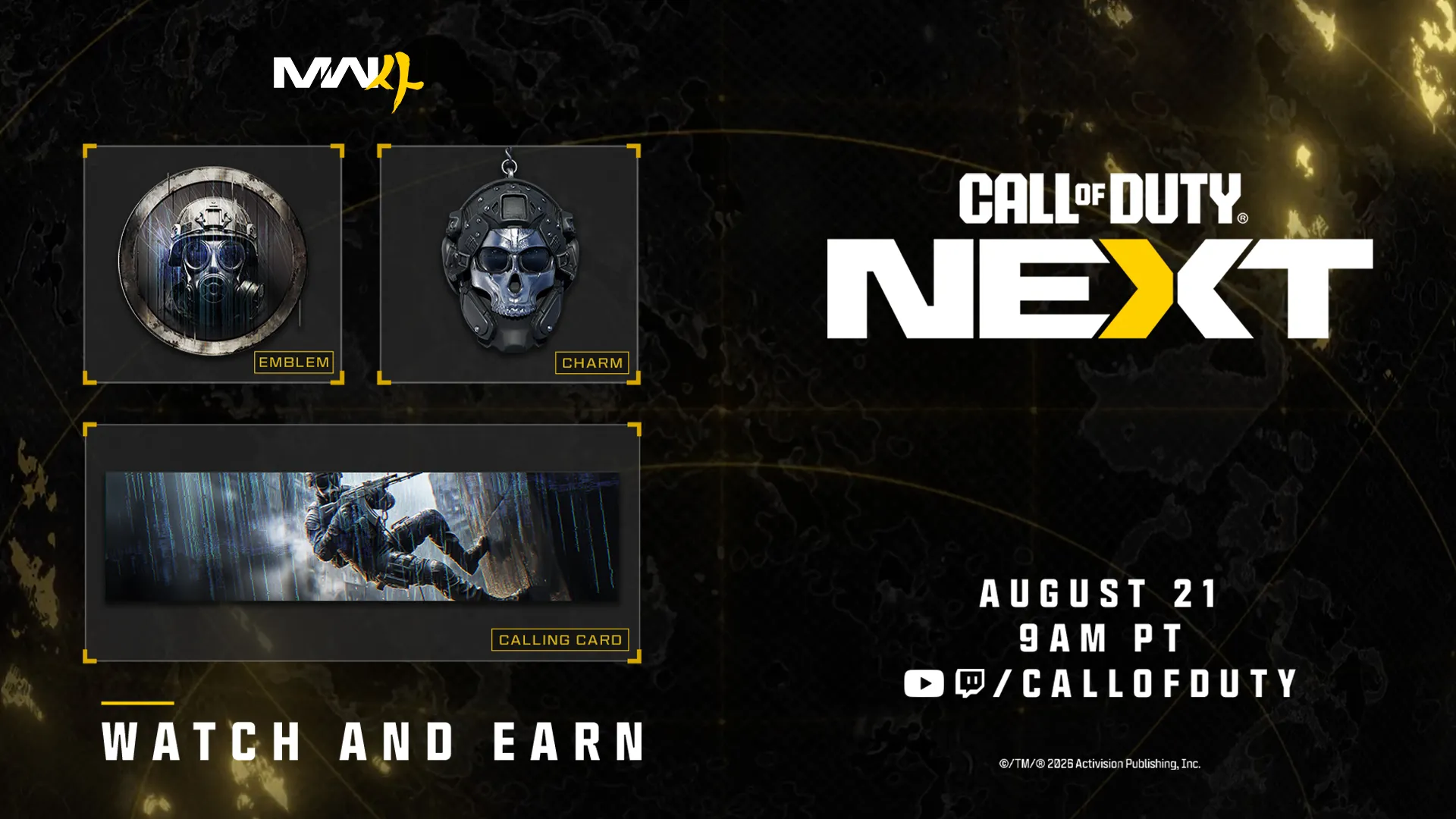
Call of Duty: NEXT Twitch Drops
- “Gas Ready” Emblem (for watching 15 minutes)
- “Rapple Repel” Calling Card (for watching 30 minutes)
- “Ghost Helmet” Charm (for watching 45 minutes)
Modern Warfare 4: Beta Twitch Drops (Not Shown)
- “Get Tactical” Emblem (for watching 15 minutes)
- “Clearing House” Calling Card (for watching 30 minutes)
- “Action Ready” Charm (for watching 45 minutes)
For further details on linking your Twitch account, click here.
Stay tuned to GamingTrend for more Call of Duty: Modern Warfare 4 news and info!












