
Most of the time, when a manufacturer releases a cheaper version of something, you know exactly what's coming. Features get trimmed, materials get cheaper, and the lower price is paid for with the things you loved about the original. So when Turtle Beach told me that the new VelocityOne H.O.T.A.S. would come in at $279.99, a full $120 less than the VelocityOne Flightdeck I reviewed back in 2024, I braced myself for the cuts. They never came. In fact, this pairing of the second-generation Flight Stick II and a brand new Dual Throttle does a number of things that my $400 setup simply can't, and it does them on both PC and Xbox. Let's unbox it, bolt it down, and put some hours on it.
As you can see in the video, the box is big, and that tells you something right away. This isn't one device, it's two. You can actually buy the Flight Stick II and the Dual Throttle separately for about $150 apiece, so the bundle saves you roughly twenty bucks over buying them one at a time. Inside you'll find both units, a set of swappable detent cartridges for the throttle, extra tension springs and screws for the stick, the instructions, and the always-present Turtle Beach sticker. Together the pair gives you 73 programmable inputs and 15 axes, which is a staggering amount of control for the money.
The Flight Stick II is where most of the upgrades live. It weighs about 3 pounds and stands just under 10 inches tall, and the high-grip rubber feet keep it planted on the desk. Well, mostly planted. If it wants to wander during a particularly aggressive dogfight, there are mounting points underneath for a universal mount plate (more on that in a moment). The big story here, though, is the sensors. Turtle Beach went with 16-bit Hall-Effect sensors, which works out to more than 65,000 input counts per axis. In plain English, Hall-Effect uses magnets instead of physical contacts, so there's nothing rubbing against anything else, nothing to wear out, and nothing to drift over time. That 16-bit resolution also means that tiny movements actually register, which matters a great deal when you're trimming an airliner on final approach or trying to nudge your way into a carrier landing.
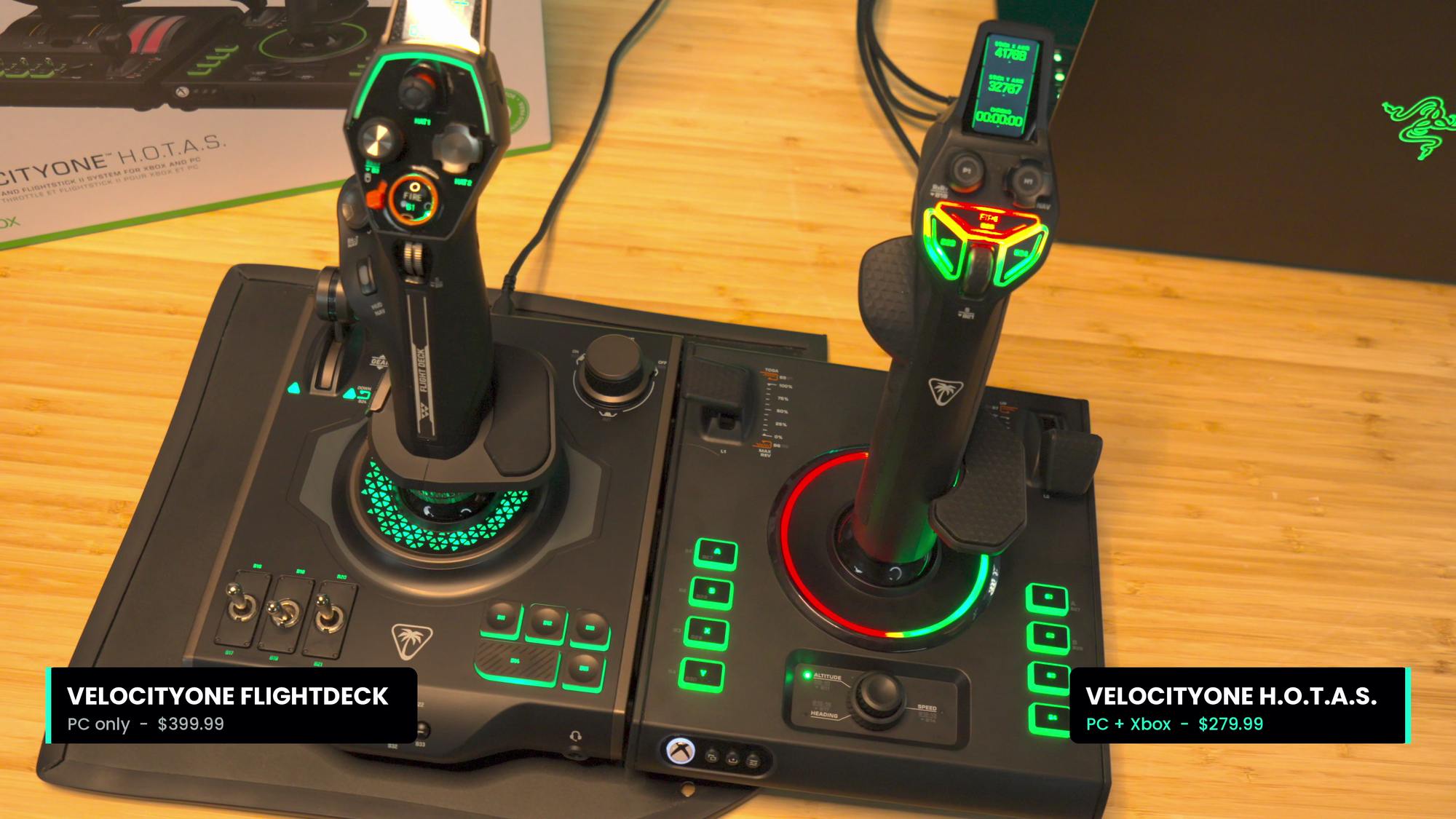
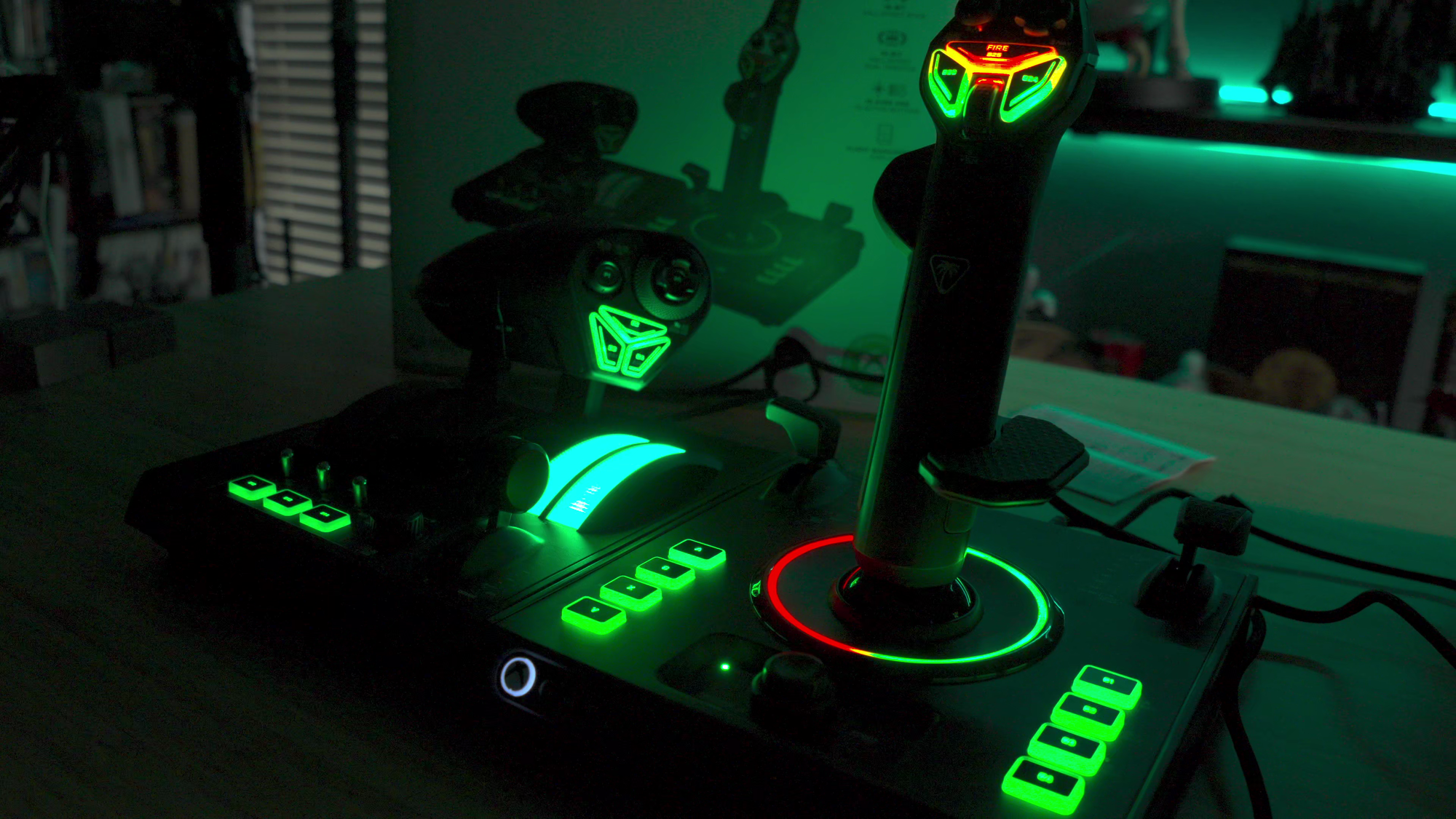
The stick has 38 programmable inputs and 8 axes, up from the 27 inputs on the original VelocityOne Flightstick from 2022. You've got a thumbstick up top, a two-stage multi-function knob, a scroll wheel right under your thumb, dual levers, and a twist axis that can handle your rudder. If you've picked up rudder pedals, a small physical switch at the base locks out the twist so you aren't fighting yourself. Swappable tension springs let you go lighter for nimble fighters or stiffer for heavy aircraft The original stick had a small monochrome display, and the Flight Stick II gets a full-color flight management version with real-time flight data. Add multi-zone RGB lighting throughout that actually serves a purpose, and it looks every bit as good on the desk as it does in the cockpit.
The feature that genuinely surprised me most is that this stick is truly ambidextrous. The palm rest now slides up and down to fit larger or smaller hands, and it has two mounting holes so you can change its angle. Pop off the side panel and you'll find a pair of screws holding the grip assembly in place. Remove them, swap in the left-handed grip, move the palm rest over, and you've got yourself a left-handed flight stick! Lefties typically get the shaft when it comes to flight controls, so this is a welcome change. The last flight stick I saw do this was from a company called Saitek that went out of business a decade ago. It’s fantastic to see Turtle Beach address this long-standing unaddressed need.
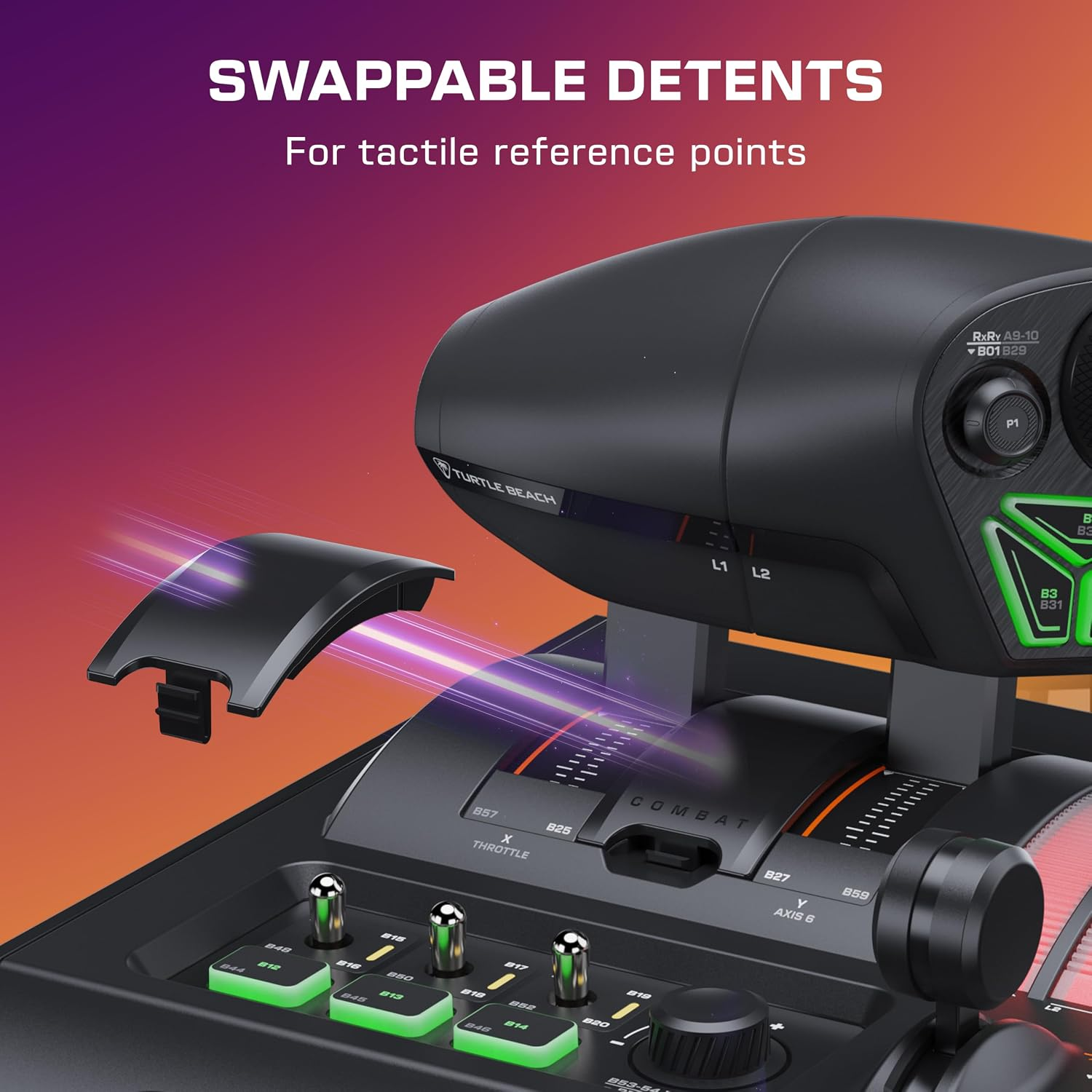
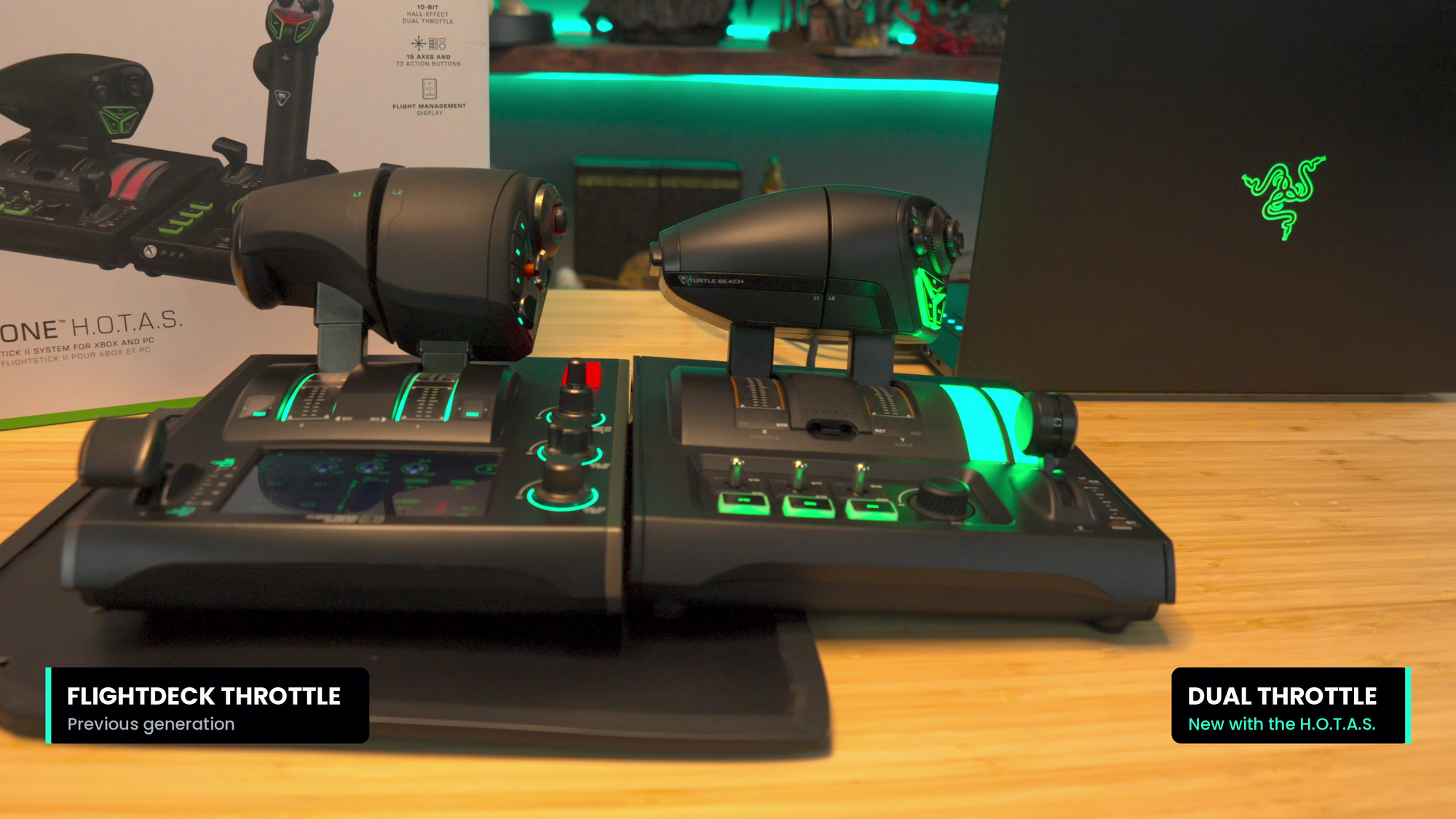
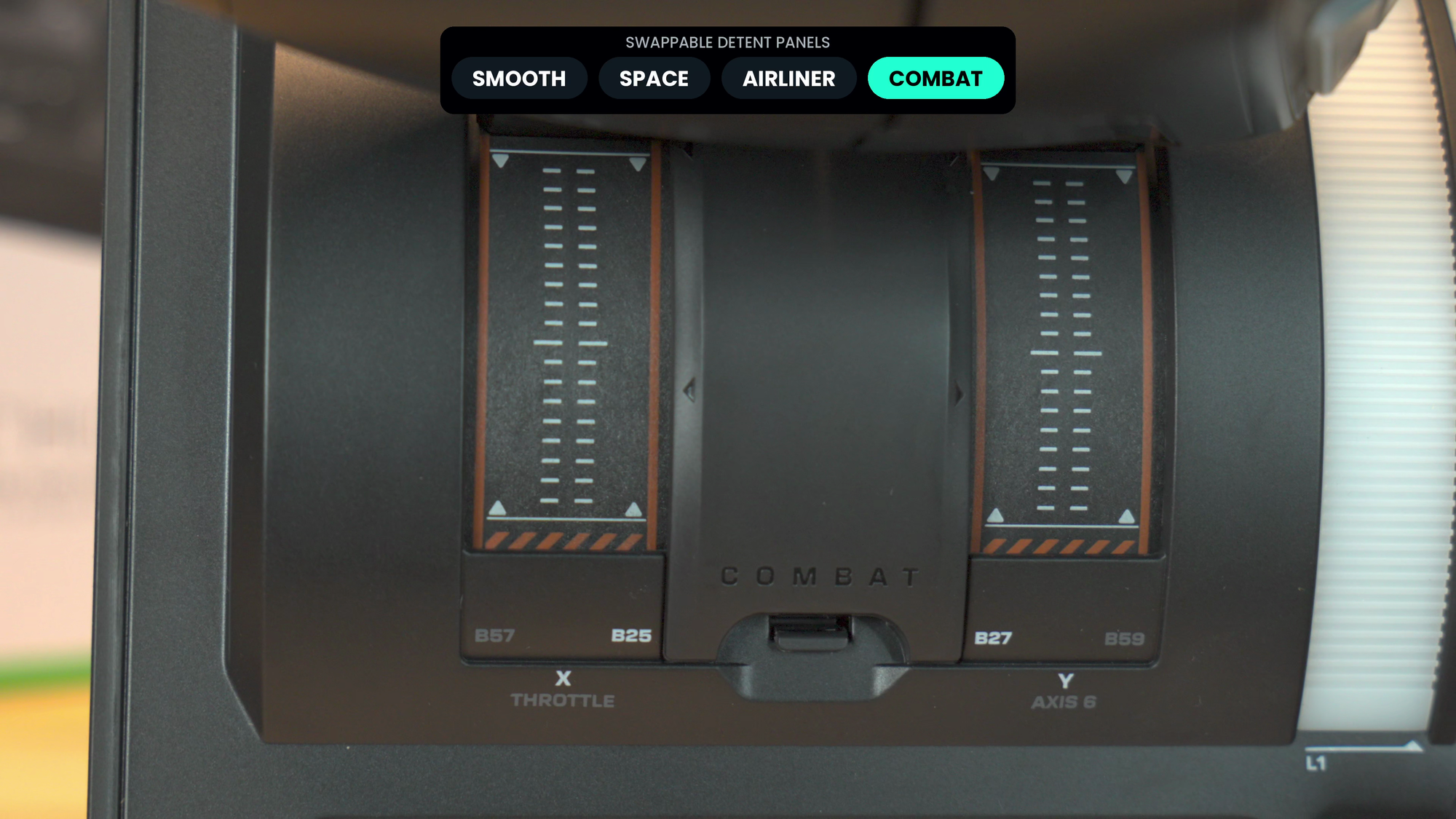
The Dual Throttle keeps the split design from the Flightdeck. Press a button to release the two levers and you can run each engine independently, then push them back into alignment and lock them together again. What's new is the little centerpiece, which pops out to reveal a swappable detent cartridge, and this is the advancement I didn't see coming. With no cartridge installed, the throttle is completely smooth movement from front to back. The space cartridge adds a center detent, so in a game like Star Citizen you know exactly when you're at zero thrust, with forward thrust ahead of it and reverse behind it. The airliner cartridge puts detents at roughly 25%, 75%, and full, just like the real thing. The combat cartridge moves those detents into different spots so you've got a clear click into afterburner for games like DCS. Underneath you'll find a tension adjustment for the whole throttle, and a new light bar on the base shows you what your engines are doing at a glance, whether you're running them together or split. These aren’t just cosmetic adjustments, but real advancements for the HOTAS platform.
Both units have universal mount plate holes on the bottom, so you can bolt them onto Turtle Beach's universal mount (which sells for $59, remarkably cheap having bought many a mount system myself) or mount them straight to a desk or rig. The pair works on Windows 10 and 11 as well as the Xbox Series X and S. On console, you can daisy chain the two units together for a single cable run. On PC, each unit needs its own USB connection. A QR code in the box takes you to Turtle Beach's VelocityOne Flight Hangar app, which runs on both PC and Xbox. That's where you'll set dead zones, adjust response curves, tweak the lighting, build profiles for specific aircraft, and grab firmware updates. Plan on a firmware update every time you plug this thing in. Turtle Beach kept adding functionality to its predecessor long after launch, and I fully expect the same here.
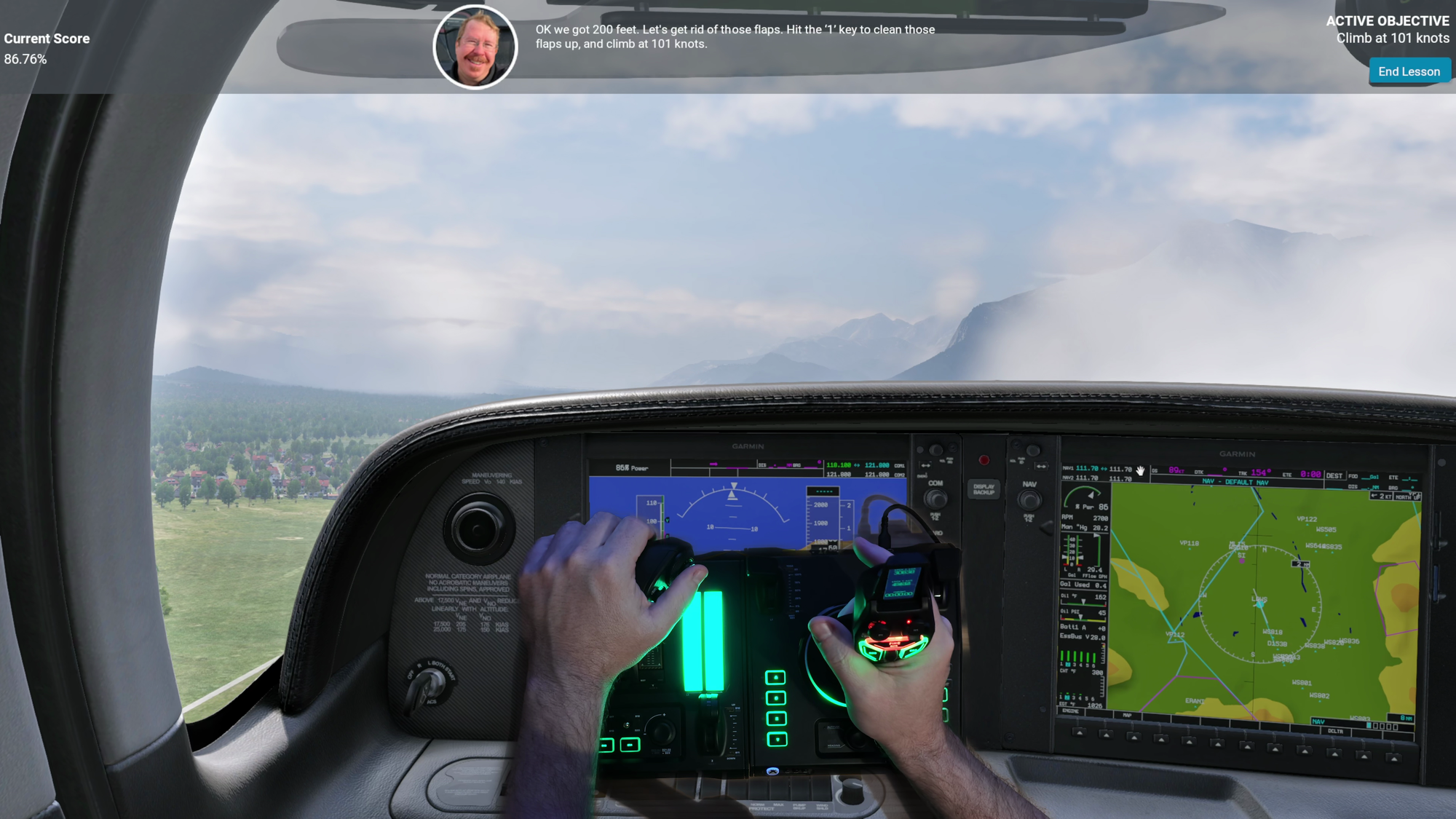
With everything set up, I took to the skies across six very different games. Microsoft Flight Simulator 2024 was first, and once the controls were set the experience was solid. I did have two full resets to get it there, though, so some work is still needed. Running the throttle back and forth, you can watch the engines spool up and down in the lower corner of the screen. Mapping the flaps to a lever and the trim to the scroll wheel made smooth flying (and happier passengers) easy, since most of the time you're really adjusting trim rather than hauling on the stick. I'll admit that Flight Simulator gave me grief a couple of times getting the various controls set, though.
X-Plane 12 was the opposite story. I don't have a lot of time in X-Plane, so I was surprised to see that it detected both devices immediately. A calibration wizard walked me through every axis, hat, and button on the stick and the throttle, and I only had to tell it which axis was the throttle before I was off the runway. Honestly, I'd argue it's easier to set up X-Plane than Flight Simulator. War Thunder doesn't have a preset for this HOTAS, but its setup wizard has you move each axis all the way in each direction and then press each button as it asks, and you're done in a few minutes. It works just fine, though I'd suggest inverting the throttle unless you enjoy taking off at war emergency power.
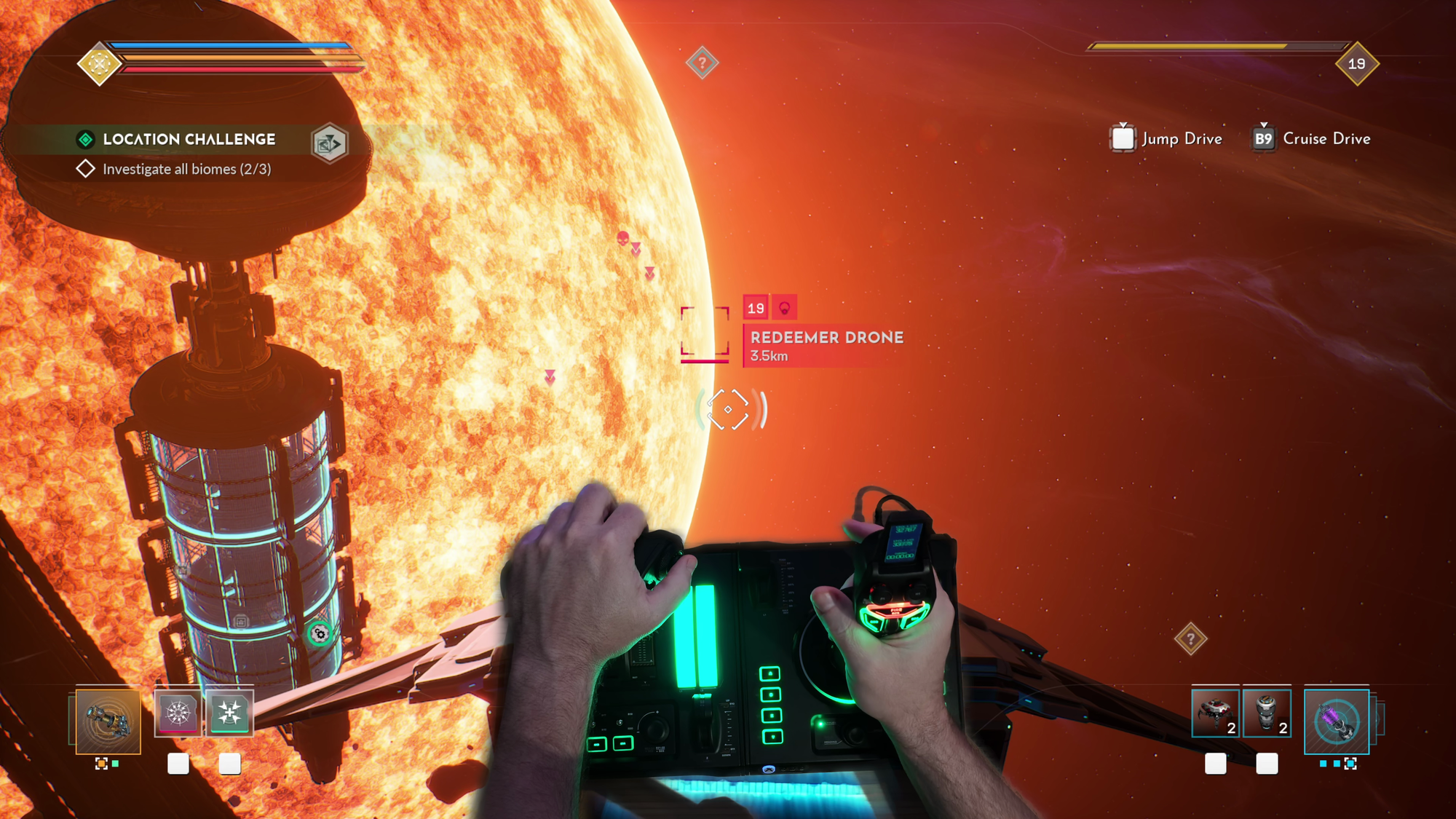
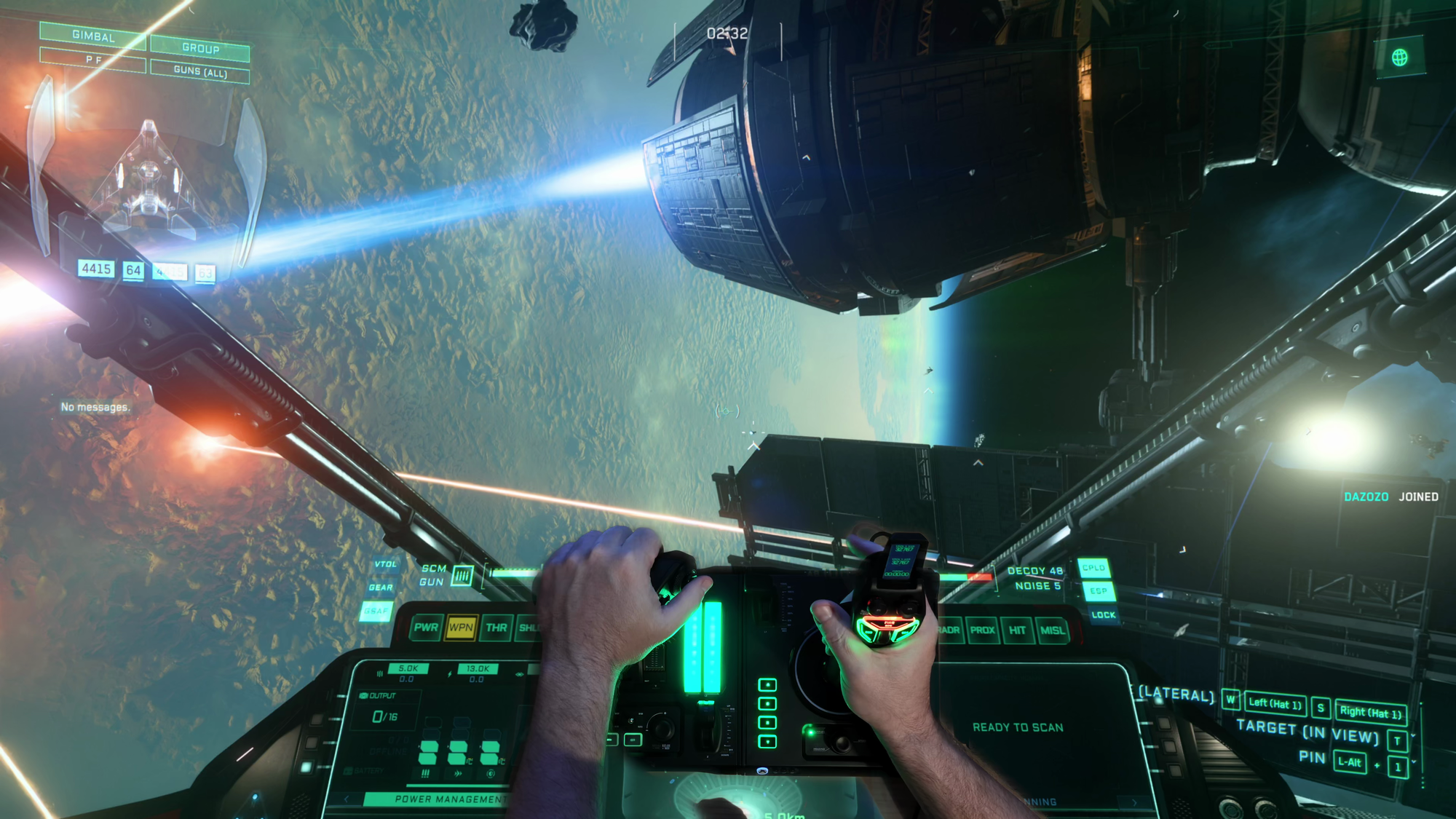
The space games are where that center detent earns its keep. Star Citizen (yes, still in alpha) already had a surprising amount mapped out of the gate, including the trigger for my primary weapons and the weapon presets on the hat. With the space cartridge in, center is zero thrust, forward is forward, and pulling back puts you in reverse, which is exactly how the game's flight model thinks. I can haul tail in one direction, whip around, and fly backwards while pitching, yawing, and blacking myself out, and the stick never missed a beat. Everspace 2 needed a custom profile, but once I defined my axes and buttons it worked remarkably well. It's a completely different experience from the mouse and keyboard I'm used to, and it still has the best soundtrack of any space game – full stop.
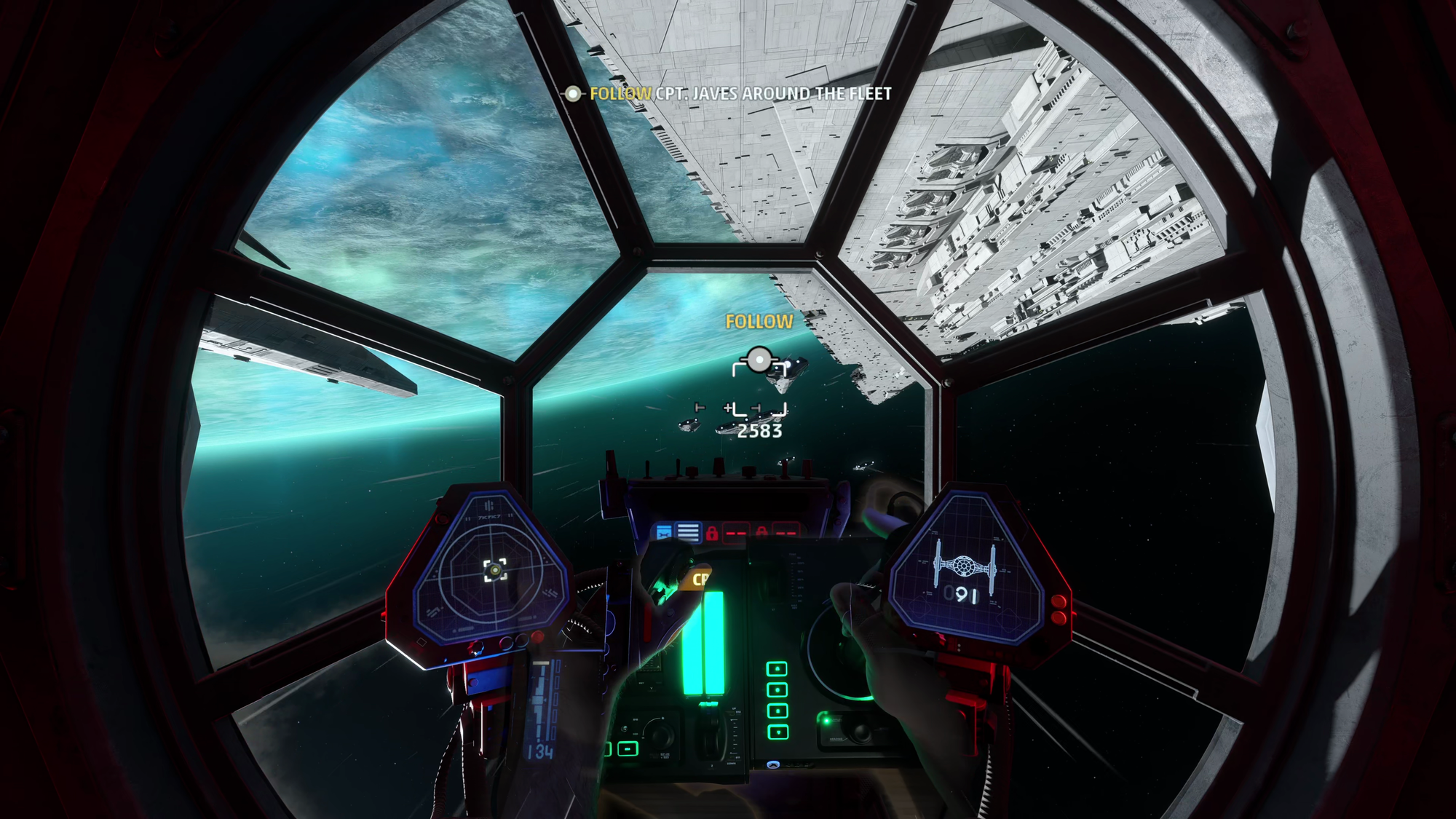
Star Wars Squadrons was the fight. The game is incredibly fragile, and its anti-cheat really doesn't like a HOTAS on a multi-core system. If you're struggling to get it to launch, open Task Manager, go to the Details tab, right-click Steam.exe, and choose Set Affinity. You'll need to experiment (or search the web) to find how many cores to disable for your processor. On my Core Ultra 9 285K, that meant disabling almost all of them. Once it launches, expect to clear the default bindings and remap pitch, yaw, roll, throttle, boost, fire, and targeting by hand. It's painful, but it's absolutely worth it, especially in VR. If you get stuck, ping me in the comments and I'll help you get it running on Steam while keeping anti-cheat intact for multiplayer.
As far as coverage goes, Turtle Beach backs the VelocityOne H.O.T.A.S. with a one-year limited warranty here in the US, with longer coverage in regions like the EU and UK where the law requires it. I'd still love to see more preloaded game profiles, because a little more out-of-the-box support would smooth over the setup friction in games like Microsoft Flight Simulator 2024, Star Wars: Squadrons, and War Thunder. There's also no force feedback, though almost nobody is making force feedback sticks at any price these days. Neither of those things comes close to sinking the experience.
This feels like version 2.0 of the stick I've been flying for the last couple of years. You give up a few bells and whistles from the Flightdeck, but you gain swappable detents, a fully ambidextrous grip, a color display, Xbox support, and Hall-Effect precision, all while saving $120. At $279.99, the VelocityOne H.O.T.A.S. beats just about everyone at their own game, in some cases by more than $100. If you're a flight junkie like me, or you're just looking for your first real hands-on throttle and stick, this is the one I'd point you to.
Turtle Beach VelocityOne H.O.T.A.S. Bundle
Excellent
With 16-bit Hall-Effect precision, swappable throttle detents, a fully ambidextrous stick, and a full-color display, the Turtle Beach VelocityOne H.O.T.A.S. adds features its $400 big brother doesn't have while costing $120 less, and only a few more preloaded game profiles stand between it and perfection.
Pros
- 16-bit Hall-Effect sensors, no drift
- Swappable detents are a game changer
- Truly ambidextrous stick
- Full-color display on the stick
- Works on PC and Xbox
- $120 less than the Flightdeck
Cons
- Few preloaded game profiles
- Some games take real work to set up
- 1-year warranty in the US
This review is based on a retail version provided by the manufacturer.












