I’ve reviewed just about every recent Razer Huntsman keyboard, so why not go back a bit? Razer’s BlackWidow line is a popular one, and one I know by name. That said, it's built a lot differently than the Huntsman. Is this keyboard going to be an incredible experience? Or am I just a Huntsman truther? Now that I’ve used the Razer BlackWidow V4 Pro 75% for a while, I fall somewhere in the middle.
Opening the very green box, you’ll find the Razer BlackWidow V4 Pro 75% keyboard, the magnetic wrist rest, a HyperSpeed dongle, a braided USB-C cable, a switch puller tool, and a couple of extra mechanical switches. It’s a little more than I’m used to, as the Huntsman is a wired keyboard with optical switches.

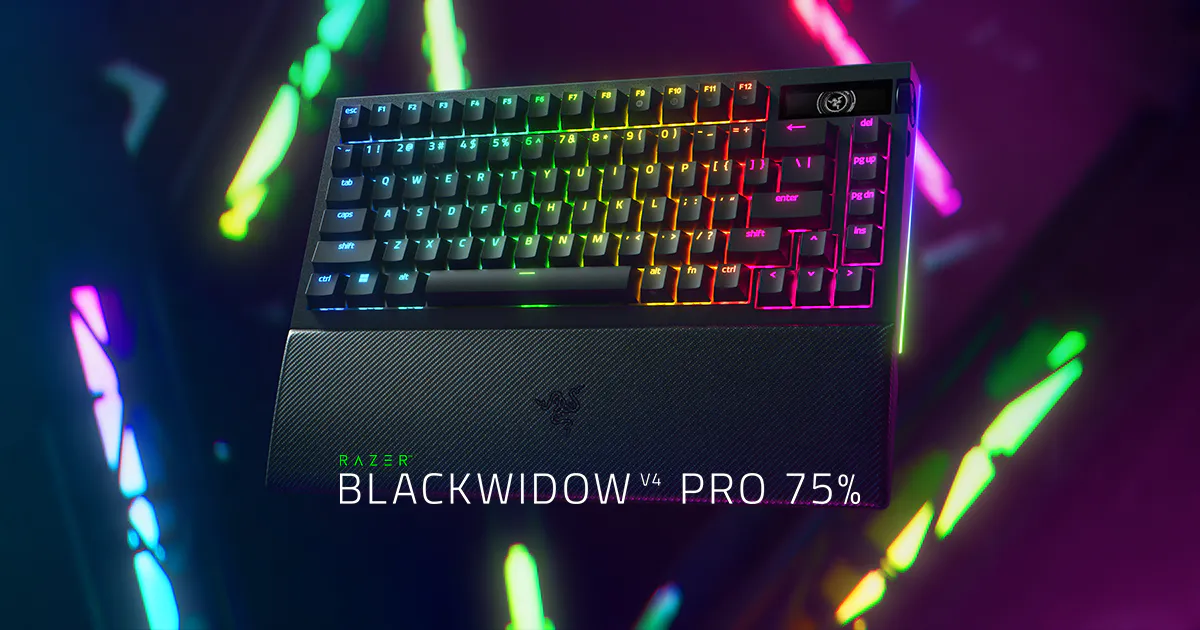
Speaking of the switches, this is a big difference. I’ve gotten so accustomed to the way the Huntsman feels, so going from optical to mechanical switches is a change. That said, the keys on this board are amazingly comfortable for typing – one of the best I’ve ever used. With Razer Orange Tactile Switches Gen‑3 loaded in, the clicky-ness of the switches is off the charts in how satisfying they are to use. I also love the doubleshot PBT keycaps, which are grippy as you touch them.
As a daily driver, this keyboard is stellar. I fill out constant invoices and send a bunch of emails at my day job. I’m also putting my keyboards through the paces with writing up the news, previews, interviews, and reviews that GamingTrend has me working on. Because of all that, I need a keyboard that feels great to type on, and the BlackWidow is outstanding for that. I’m guessing the team looked at it when they looked to improve the Huntsman V3 line, since this one is so good. Sure, the Huntsman is better than it was, but the BlackWidow V4 Pro 75% is Razer’s best for typing.
It’s a sturdy keyboard as well, weighing in over two pounds. Razer has beefed up this keyboard, with SEVEN layers to this build even if you don’t count the switches and keycaps. This was done to reduce hollowness, and help with the ticky-tack sound of the mechanical switches. It works too, dampening the intensity of what you’ll hear. A recent tactic by keyboard fans has been to add tape to the inside of their board, and one of the layers included by Razer is their own version of said tape. It’s safer, especially given their tape is fire retardant.
If you’re the kind of technophile that loves to modify your keyboard, the BlackWidow V4 Pro might be for you. Taking it apart does not void the warranty, although damaging any of the parts in the process will incur personal expense. The switches are easy to take out and replace if you’re looking for something with a specific keystroke feel as well, with Razer including the keycap and switch puller inside the box. However you want your BlackWidow to be, Razer gives you the option to mix things up.
This continues with the OLED display in the top right corner, that’s also flanked by a customizable dial and button on the side. Whether you’re like me and enjoy seeing system information or just want a funky animation, there’s a lot to mess around with. The dial and button are also great for different functions – you could use it for something as simple as volume or lighting brightness, or as intensive as scrubbing through footage while editing. Given my affinity for extras like this, I appreciate the opulence.
A wealth of bonus features is always nice, and although it’s probably a benefit the BlackWidow has had before, having a full suite of compatibility is fantastic. The BlackWidow V4 Pro 75% has 2.4GHz, Bluetooth, and wired connectivity, which is something I’m not that familiar with given the Huntsman’s wired only support. Being able to swap at will is a great bonus, but I’m a tad surprised the 4K HyperSpeed polling rate is locked to the 2.4GHz mode. I’d understand it not being available through Bluetooth, but it going missing in wired mode is an odd choice.
Battery life is an important part of this keyboard considering the amount of wireless connectivity that’s available. You’re a bit of a slave to your choice of features, as running the BlackWidow V4 Pro 75% with everything on high will drain the battery heavily. I’ve had the keyboard running hard today and managed to get it all the way down to 52%, meaning I’ve gotten a good 9 hours with most features turned on. If you want to use it with Razer’s Power Saving Mode, they advertise upwards of 2100 hours, but that would dramatically change your functionality. You don’t necessarily need all the keyboard can do, and given you can run it wired if necessary, 18-20 hours of battery life is fine. That said, the 4K polling rate being tied to the wireless mode means you’ll need to watch the meter while gaming.
My biggest question was how the BlackWidow V4 Pro would handle gaming. The Huntsman is the best gaming keyboard I’ve ever used, so I had high expectations. Playing my usual testing games—CounterStrike 2 and Halo Infinite—I found this keyboard to be competent, but not exceptional. It does just fine, but where it excels in typing, the flow feels a bit stiff while gaming. Again, it’s not bad, and it’s probably better than whatever other keyboard you may have, but compared to the Huntsman, it’s capable while not being sensational.
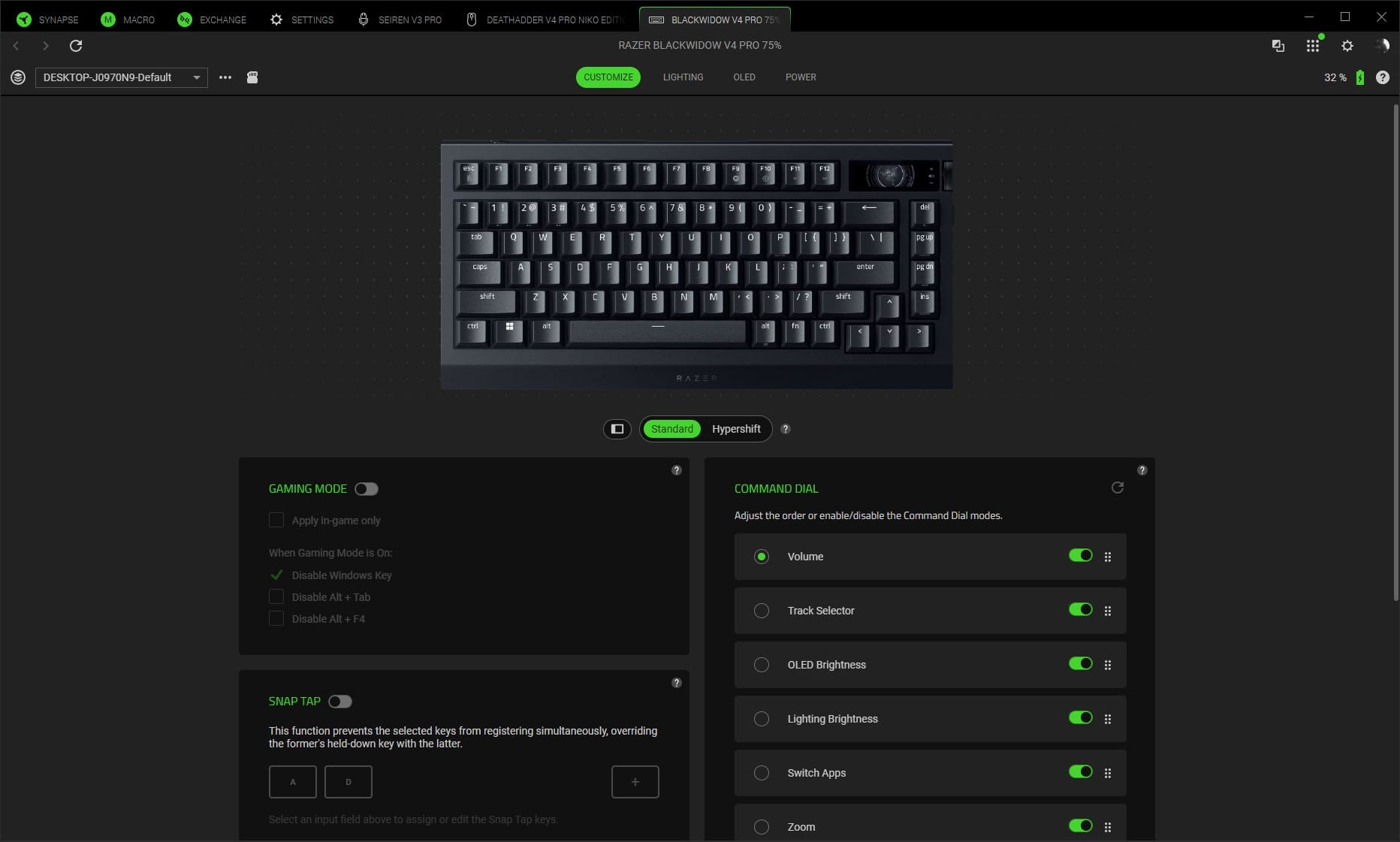
Synapse continues its tremendous work with the BlackWidow V4 Pro. Razer’s signature software has grown on me, and they’ve upped their game several times with more and more capabilities being built into it. With this model of keyboard being out for some time, the software amenities are impressive. Adjustable polling rates, the previously mentioned OLED and dial customization, Gaming mode and Snap Tap, and of course the full contingent of Chroma RGB (surprising no one, this keyboard looks spectacular when fully lit). For a keyboard that’s been around the block, it’s got plenty of Synapse support.
A fun final thought, I like the wrist rest, but it's a bit too poofy. The comfort level for the BlackWidow V4 Pro 75% is matched in the wrist rest, with a nice cushion attached to this model. As the Huntsman V3 Pro wrist rest has a tougher top for bracing your wrists; this keyboard goes for a more cushy typing experience. The only problem with it is the height – the cushion raises my wrists a bit too much. It also becomes a bit of an annoyance while gaming, which isn’t preferable. Maybe a magnetic cushion for a normal wrist rest could be in order with the eventual V5?
Razer’s BlackWidow V4 Pro 75%
Great
Razer’s BlackWidow V4 Pro 75% is great for your desk and as your daily use keyboard. It looks great, and with a wealth of functionality and compatibility, complemented by a comfortable typing experience, you’re set to love it. If you’re gaming, however, you may want to stick with the Huntsman line, as it doesn’t elevate that side and your battery life lessens considerably.
Pros
- Extremely comfortable
- Typing experience is sublime
- Sturdy build
- A lot of connectivity
- Synapse and Chroma support
Cons
- Gaming experience is just alright
- Battery drains fast when using best features
- Wrist rest is a tad high
This review is based on a retail copy provided by the publisher.