The ROG Xbox Ally handheld is an awesome device. Our own Anthony Shelton thought highly of it, which you can see in the below bookmarked review. It's always great when a product you have gets even better, and Xbox and ASUS have been putting in the work to improve the handheld via software updates. Today, you can get better docked play and new Auto SR, among other things. Take a look below and get to updating your Ally!
ROG Xbox Ally review—Versatile affordability
Yes, it can run Crysis. Kind of.
 Anthony Shelton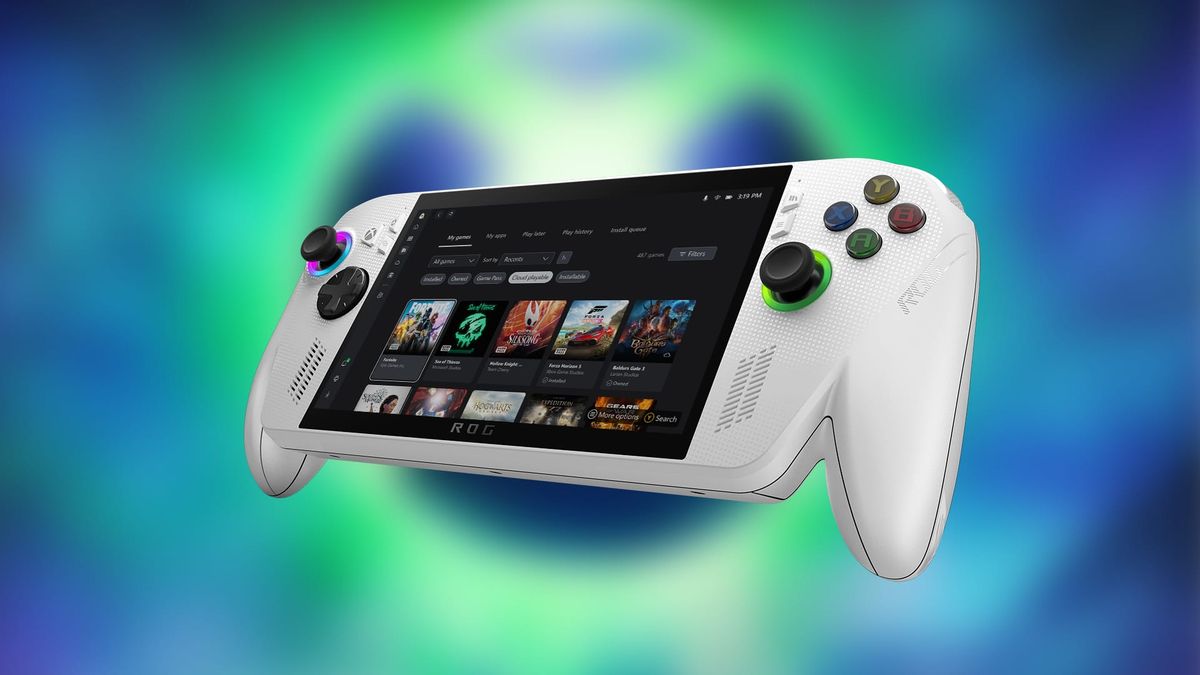
Today, Xbox announced a set of updates to the ROG Xbox Ally handhelds, focused on delivering a docked experience that looks, feels and plays more like the Xbox console experience players know and love. Among the updates:
Improvements to docked play
When connected to a TV, the ROG Xbox Ally handhelds automatically adjust display settings for a better big-screen experience, enabling features like Auto Low Latency Mode (ALLM) and Variable Refresh Rate (VRR) on supported Smart TVs, and improving controller pairing when docked. All of this is done in an effort to shift gameplay seamlessly to the big screen.
Auto Super Resolution (Auto SR) is now available in Xbox Insider preview on the ROG Xbox Ally X
Delivers sharper visuals and smoother frame rates on larger displays, addressing a long-standing tradeoff between performance and fidelity. With this preview, Xbox has added Game Bar integration so players can control when Auto SR is applied to their games.
Add custom games and apps to your library
The updated Xbox PC app brings all your installed games from different PC storefronts into one unified library, making it easier to access everything in one place. Rolling out this month, you can add, remove, edit, and launch any installed game or app directly from the Xbox experience, including those from other PC gaming storefronts and launchers.
Other updates include lower-latency Bluetooth LE Audio with high-fidelity voice chat, more refined vibration feedback for a more immersive experience, ongoing support for Handheld Compatibility, Default Game Profiles and Advanced Shader Delivery across current and upcoming titles, and more.
You can check out the full list of updates via the latest patch notes and find more details on Xbox Wire. Feel free to visit DirectX for a technical deep dive on Auto SR and how to get started with the Insider preview.
Stay tuned to GamingTrend for more Xbox and ASUS news and info!