
Have you ever run into a situation where you just really need a laptop within less than 24 hours but don’t want to break the bank? Well in the year of our lord 2026 you’re breaking the bank no matter what you do with even garbage laptops costing you upwards of $500, but I recently ran into that exact situation. I was going on a trip, and I needed something I could record video with, and preferably something I could write on. My mom’s a big fan of Dell and I didn’t really have the luxury of choice with my flight being in less than 24 hours, so I picked up the Dell Inspiron 15 3535 from Amazon, and here we are.
I’m used to covering tech geared towards gaming here on GamingTrend (gee, I wonder why?) and this is more productivity oriented, so of course I put some video games on it. But first, let’s talk about the biggest reason I got this thing: capture. The Inspiron 15 performed admirably in that regard, recording about 45 minutes of Crazy Taxi: World Tour using an external capture card plugged into a USB port and OBS. It’s not perfect, and some of my footage did come out stuttery and unusable, but the vast majority looked and sounded great. You can check out the results here in my preview of the game:
I mixed some b-roll Sega provided in there, and watching it back I really can’t tell the difference. Of course, I didn’t even try to edit the footage on here, and that’s because the Inspiron struggles with more intensive tasks like that. I’m pleasantly surprised by how well it does capture, but with an AMD Radeon graphics card (with 496 MB) that’s about the upper limit of what you can do.
So of course I put Cyberpunk 2077 on it. I didn’t have high hopes as I tested Zero Parades: For Dead Spies (a title that really doesn’t need that colon) and it got a whopping 24 fps on the 1080p screen. Cyberpunk achieved a stunning 14 fps on average in the benchmark, which is frankly pretty impressive for a machine not meant to run games.
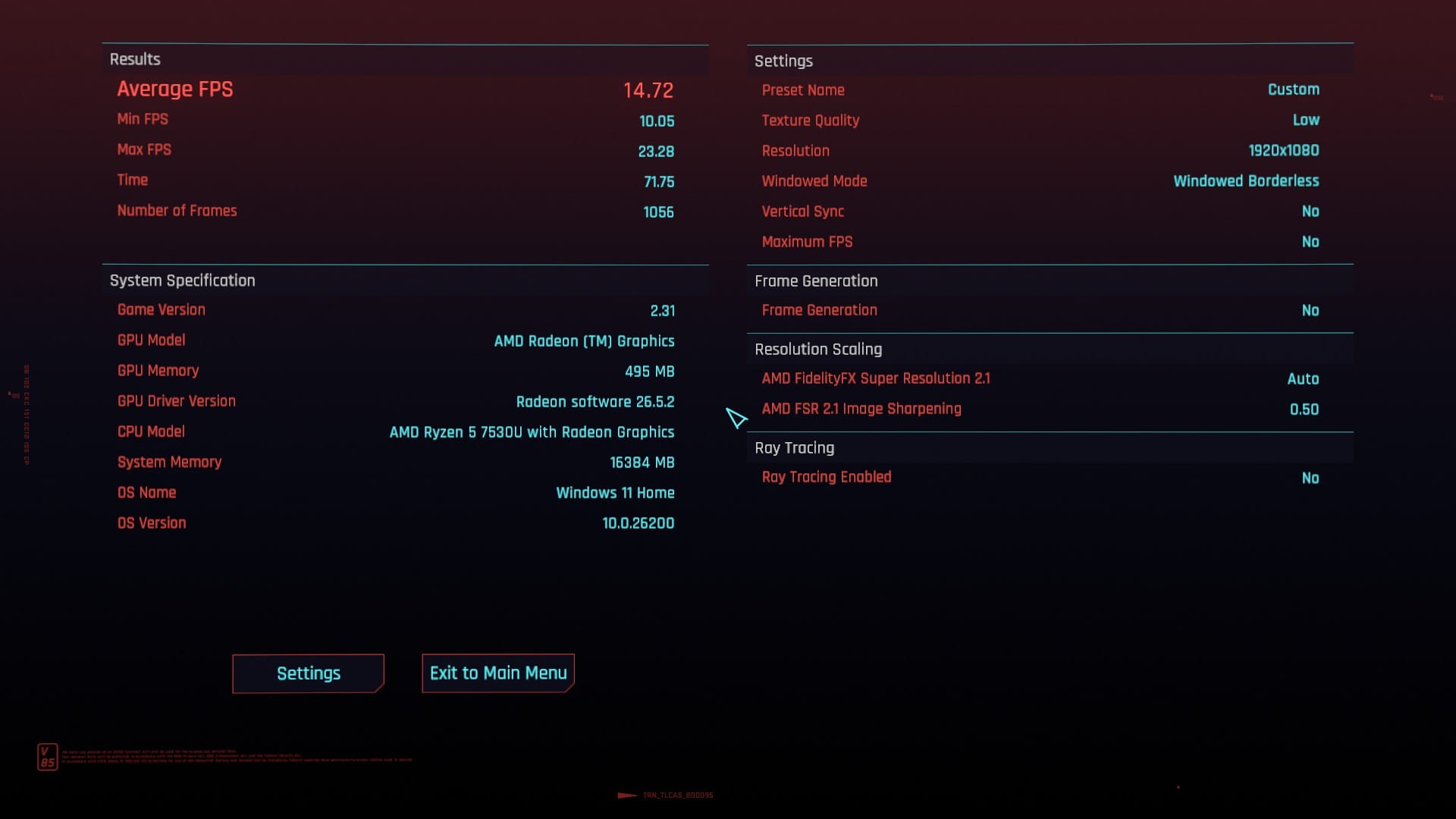
On the lighter side, I also tried out Final Fantasy XII: The Zodiac Age and Fields of Mistria. Mistria fared the best, getting an actual 60fps with some slowdown when walking around my field and town, while Final Fantasy XII managed around 25. Really, playing games on this thing is just unpleasant no matter what kind, so let’s move on to what the Inspiron is good or at least decent at.
The real reason you’d get the 3535 would be for office tasks like word processing, spreadsheets, and emails. It’s fine at all those things. The keyboard isn’t great but the buttons feel nice to press, the palm rejection is OK, and while it might not be the fastest at any of these tasks it will do all of them. Really, the worst thing about this device for those tasks is the screen. It’s dim even on the highest brightness setting, and it has a weird bug where it’ll get more and more desaturated every time you wake it from sleep. You can fix this by restarting, and you should be turning off your laptop occasionally as proper maintenance, but it is frustrating. The screen is also a touchscreen, and it’s fine as well. The display doesn’t exactly feel suited to touch, seeming like plastic, but it works and it supports multitouch. As for the camera, it too looks very washed out and cheap.
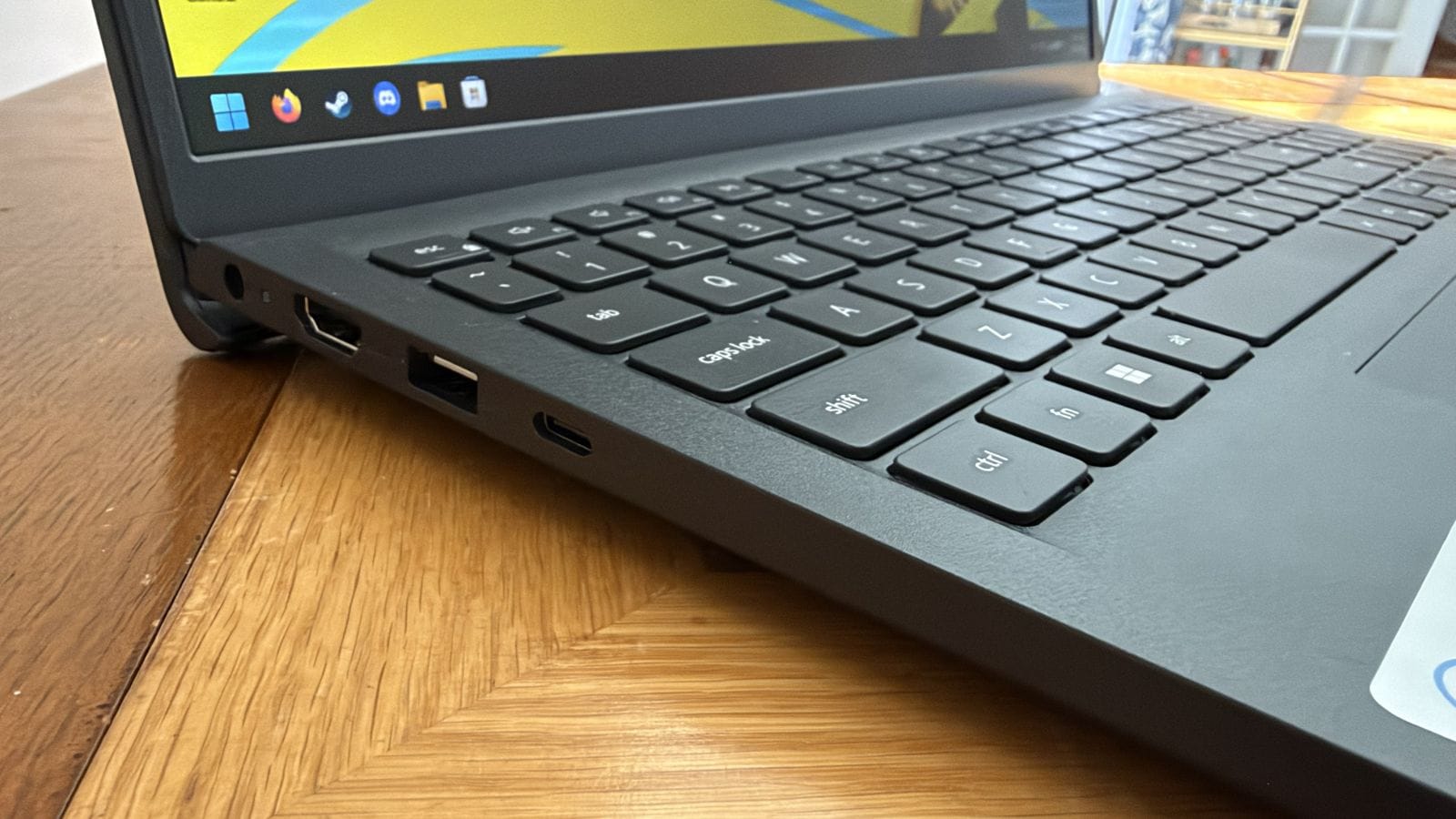
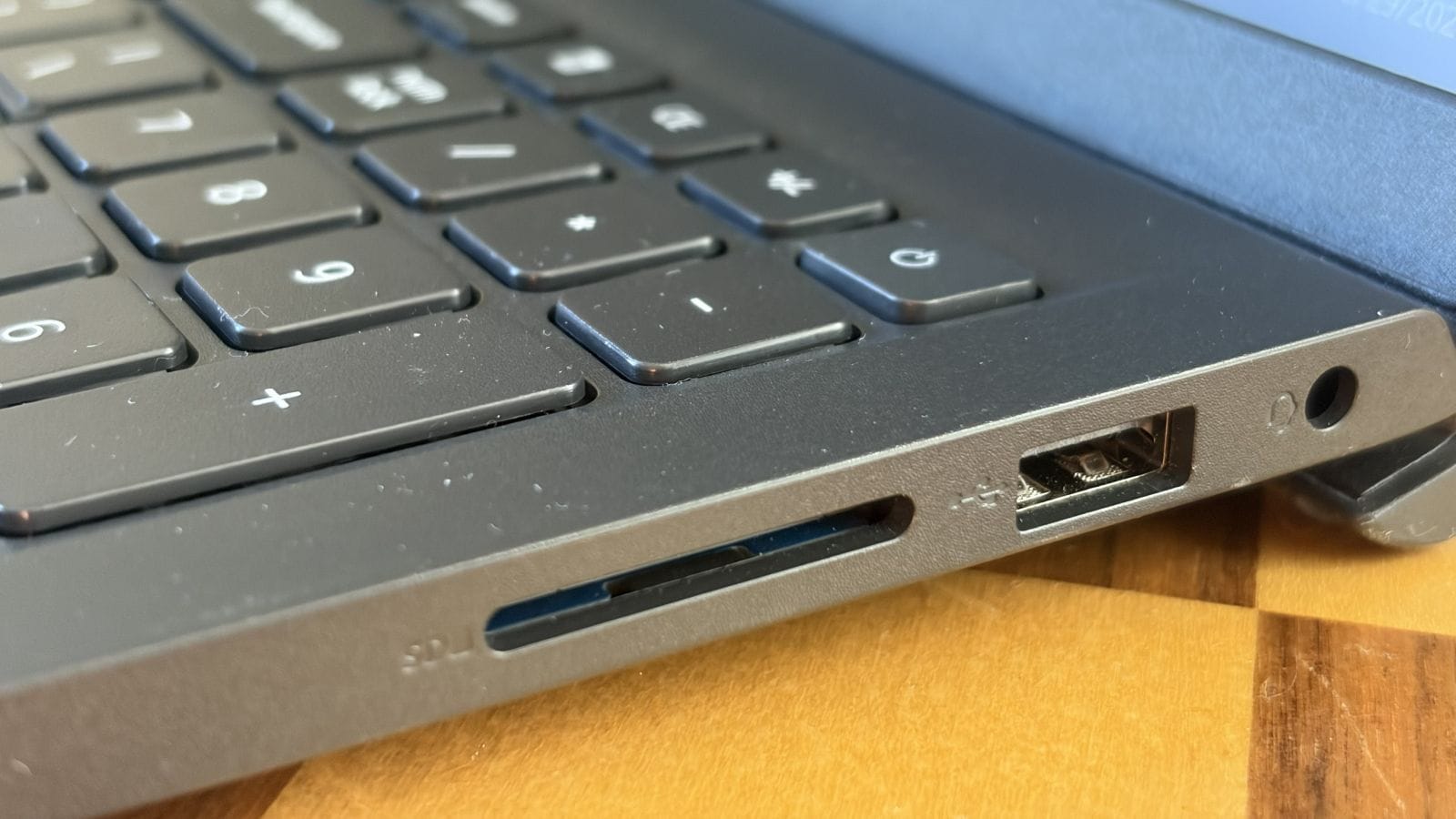
The biggest problem with this laptop is that it’ll just… give up, occasionally. It’ll randomly disconnect from WiFi or bluetooth for seemingly no reason or programs like Firefox will freeze up for a bit. It’s never for too long, but it’s enough to be disruptive. This mostly happens when I have downloads going in the background and the fan gets hot, as pretty much any task will cause the fan to noticeably spin up. Existence is struggle for the Inspiron 15, but it tries its best. The computer can get decently hot, but that heat is mostly concentrated between the keyboard and the screen, as the exhaust seems to be in the hinge area. The whole device is made of plastic, so it doesn’t get hot enough to be uncomfortable to type on, but I do worry it might melt.
Of course, any new Windows laptop will come with tons and tons of bloatware, but if you know where to look it’s gotten pretty easy to get rid of all of that. It’s time consuming, however, and you do get some special Dell bloatware along for the ride. I kept it all installed as I was worried things like drivers might fall apart if I got rid of it, but it didn’t seem to have an impact on performance and so far, in about 2 weeks of use, has only forcibly popped up once. The worst thing this device ships with is McAfee Security, which you’ll want to nuke from orbit as soon as you possibly can as it’s basically malware. If you don’t know how to get rid of all these unnecessary things, they’re going to take up a lot of space and constantly bother you or try to upsell you, which is especially frustrating as the Inspiron 15 will already run you about $500.
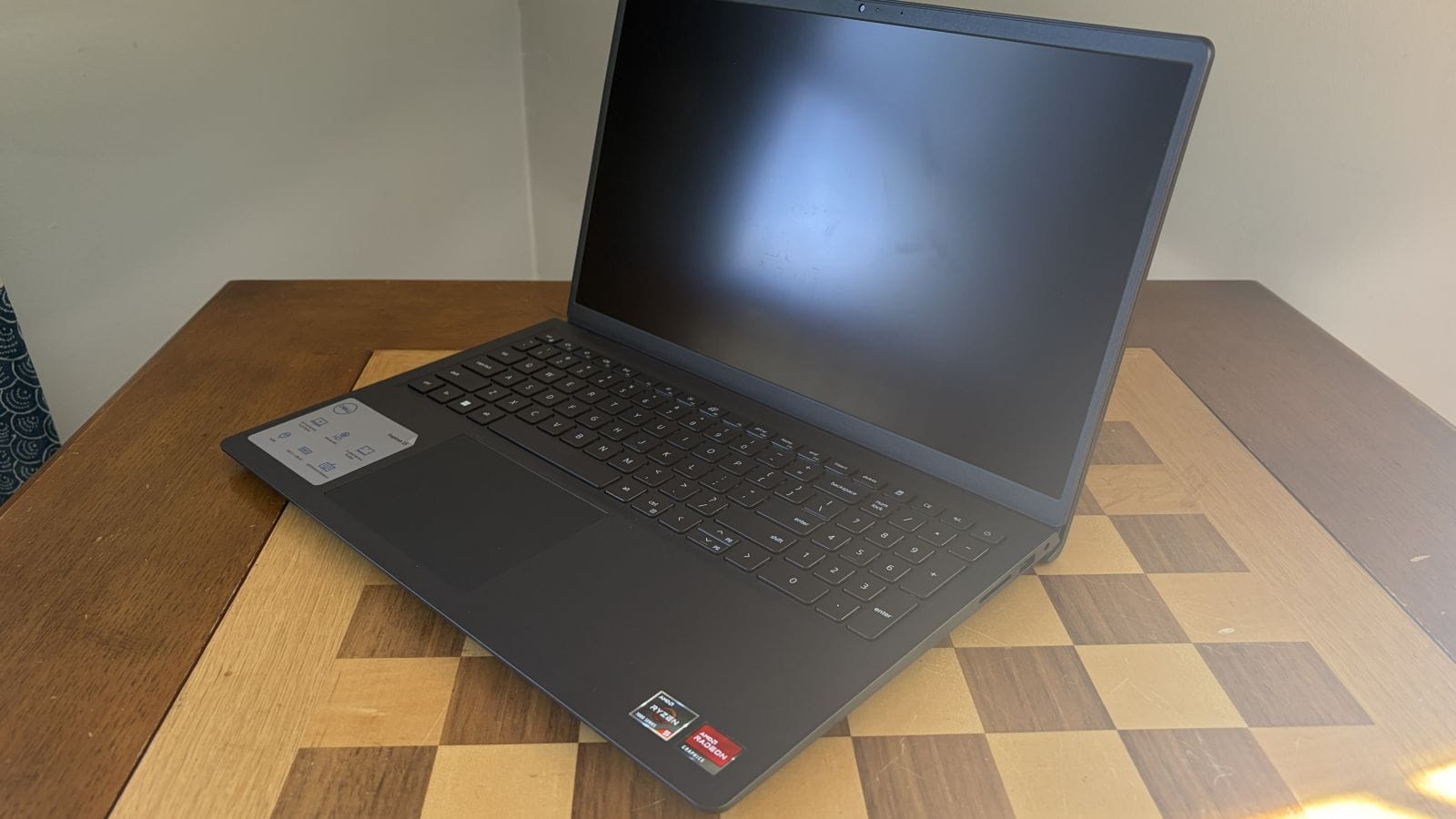
Because AI companies are holding the world hostage, a budget laptop is now half a grand. What a world! In normal times, if I paid about $200 for the Inspiron 15, I’d be ok with that. You get what you pay for at that price. But for $200 more than what this costs currently, you can get something better like the MacBook Neo. While I haven’t personally used that device, just looking at the specs and construction feels like a massive step up. I’m not a Mac person either, but with how unpleasant Windows is now I have seriously considered jumping ship. I like Linux, but it’s just not compatible with everything seamlessly like I want yet. It feels like there’s no real budget computing options anymore, and it’s a shame.
Dell Inspiron 15 3535
Alright
The Dell Inspiron 15 3535 is the bare minimum of what a laptop needs to be. It can accomplish light tasks, even if it may still struggle with them, and it has good enough construction to get you through the day. If you want to do anything more than daily office computing, though, look elsewhere.
Pros
- Relatively cheap
- Can run some very lightweight games
- Keyboard and trackpad feel decent
Cons
- Can’t do much beyond office tasks
- Awful screen
- Tons of bloatware
- Loud fan
- Will randomly disconnect from wifi and bluetooth
This review is based on a copy provided by the reviewer.












