You might know Insta360 for their absolutely crazy, sometimes impossible, video shots with their Insta360 X5 cameras, or awesome action shots coming from their Insta360 Ace Pro 2 microcameras. Whether you're checking out wild wingsuit videos, awesome Motocross vids, scary underwater shots, or awesome skateboarding fails - they've got a solid grip on the action cam market. But that's not what we're talking about today. No, today we're going to check out the Insta360 Wave and Insta360 Link 2. This pair is an on-the-spot mobile audio and video powerhouse that might just be the solution you need for… well, we'll get into all that. Let’s check out the Insta360 Wave and Insta360 Link 2.
As I mentioned, the Wave is, at its heart, an audio capture system – that's really selling it short, though. In point of fact, it's the heart of what could be your new meeting solution, replacing desk pucks, lavaliers, drop down audio solutions, and more. It allows you to have a versatile recording device that delivers pro-level audio quality at an extraordinary distance. In a conference room situation, that means having a central microphone everyone can use without leaning over to the nearest puck, or having to pass a microphone around for the people who might have joined a conference call. We'll come back to that. First...you've gotta see this thing come to life.
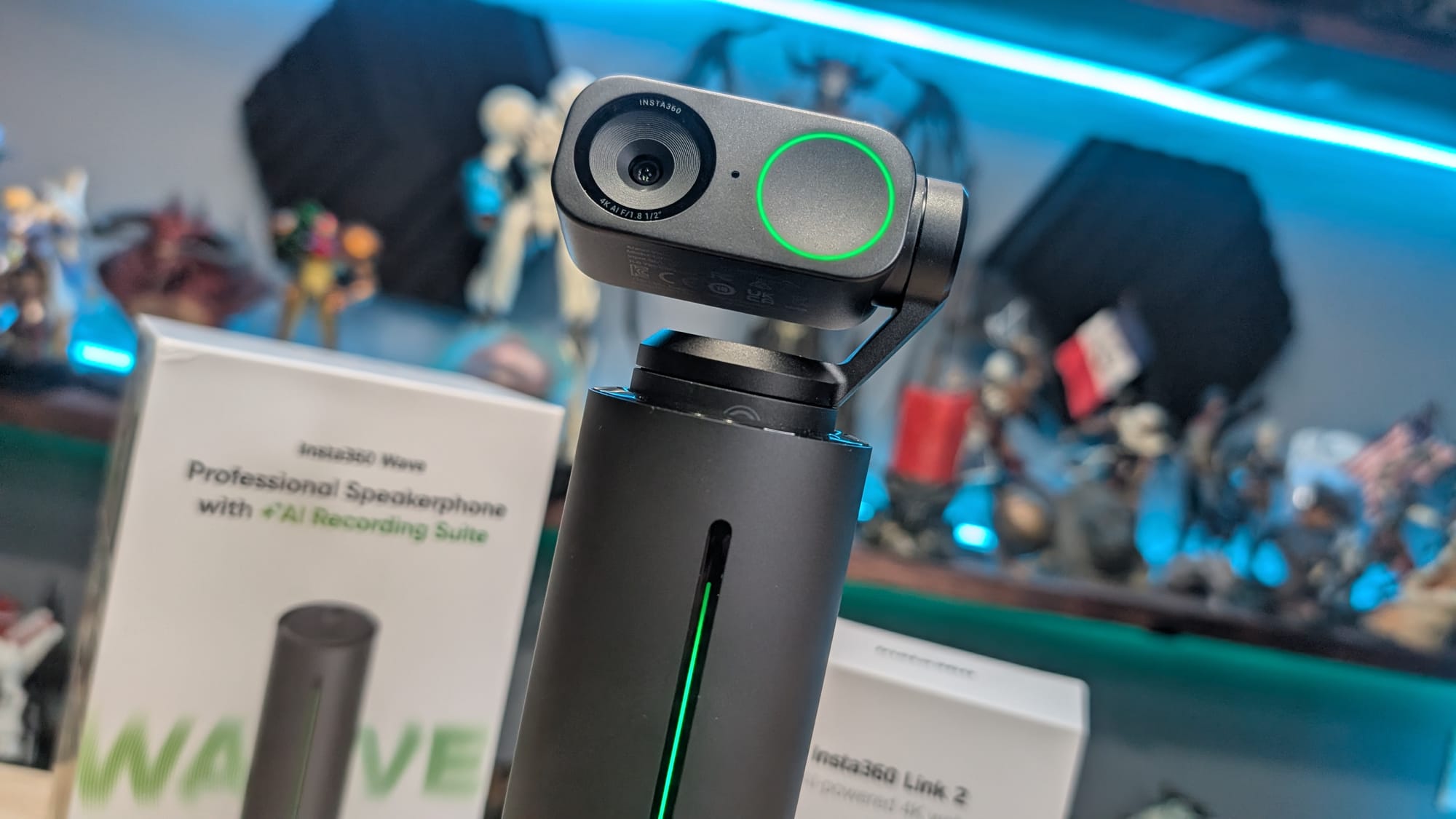
Starting the device, you can see it raises up a few inches, exposing the touchscreen and springing to life with a green light that runs the length of the Wave. If you have a Link camera on top it'll also bring that to life. It does this to ensure that it can both see and hear over the top of laptops and other objects on a table. It’s a smart solution to a problem you probably didn’t realize you had.
Under the hood on the Wave is an eight mic array with 48 kHz sampling, combined with five pickup patterns to match the type of recording you're doing at the time. The microphones are split throughout the body, but also on top, creating a bit of a bubble around the device. This is useful for capturing audio where your subject might not be directly in front of it, and in many cases might be standing. An advanced AI is used for noise cancellation and transcription, as well as trying to identify users in the room. Let's talk about that AI a bit as that's a game changer in this space.
The onboard AI removes echo and reverb using advanced AI acoustic echo cancellation, but that's not all. DaVinci Resolve, the program I use for editing my videos can do that same thing. This goes a step further, identifying and eliminating over 300 types of environmental noises such as vibration on a desk, air conditioner running, echoes bouncing off of concrete floors, and more. It also helps raise the overall warmth of the voice by eliminating the hollow sound that is so common with free-standing capture devices, though it could use some improvement as you’ll hear in the video above.
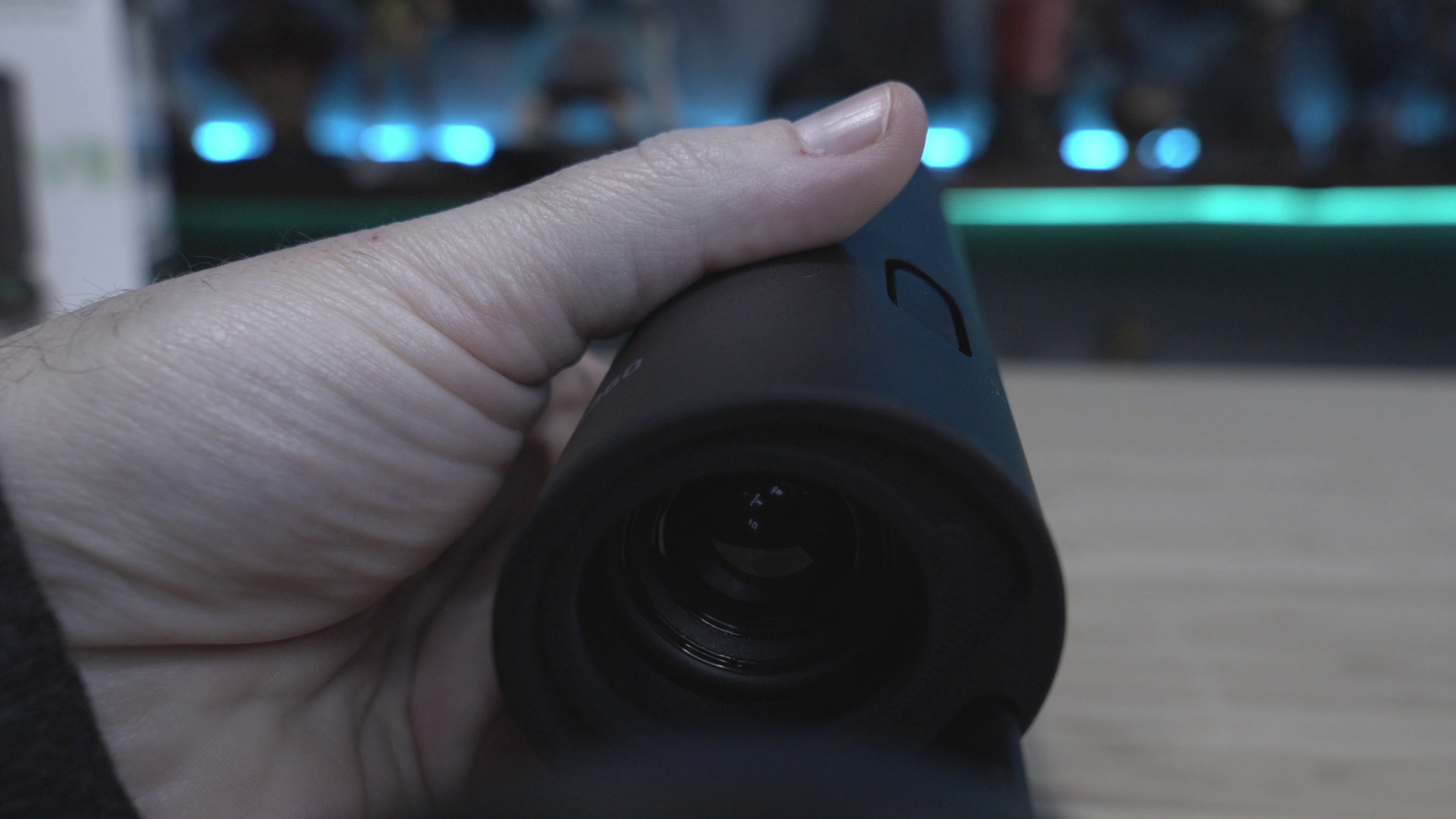
There are three speakers, which I was surprised to hear are pretty solid. The two on the sides provide stereo sound, as you'd expect, but the downward firing one is going to reflect off the surface the Wave is sitting on, helping to carry that sound off the reflection.
Arguably, this device is billed as an AI speakerphone, and it does a great job at that, but I found a hidden use case I didn't expect -- gaming. Now, of course it works for games -- it captures audio, and that's not something unique. No, this use case is specifically for couch gaming. Sitting back on my couch while using Discord means having to, again, wear a headset. With the Wave I can easily set up my audio and just have the device standing nearby, grabbing my team chat without having to worry about throwing on a headset. My wife Ara suffers from migraines and so do I, so not having to have something on my head for hours is a win all the way around.
It is worth noting that there are AI solutions out there that can do some of this audio processing in real time. That's great but it has a few limitations, the first of which: being tied to a single product manufacturer. If you're not using that manufacturer's cards, you're out of luck. You still have the tricky job of capturing the audio and no software is going to make up for a crummy microphone array.
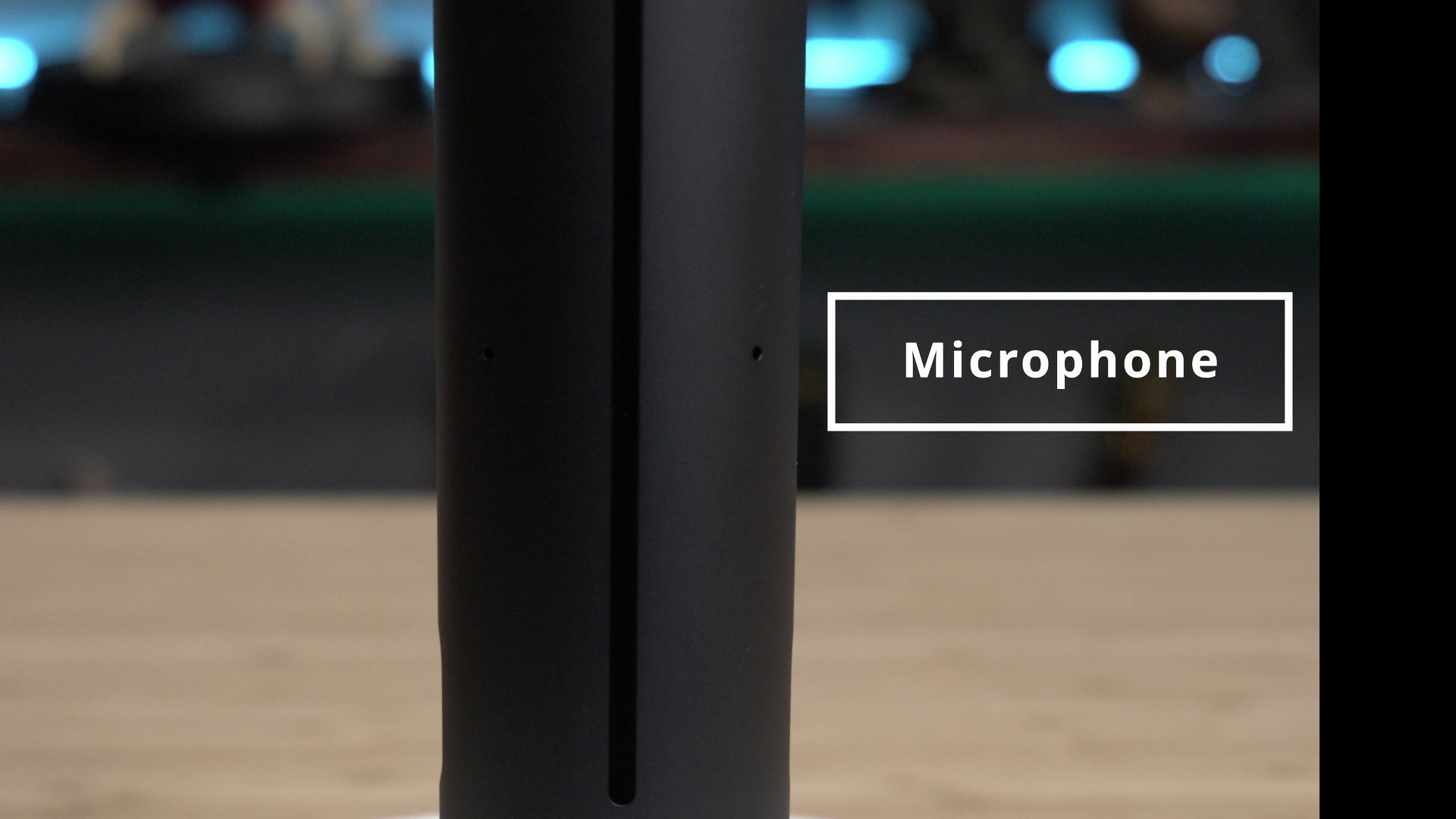
In practice, I found the Wave was great for about 6-feet of distance. My voice started to sound a bit hollow at around 10-feet but was still usable, and was approaching unusable at around 12-feet. This is pretty impressive as most of my microphones start to sound terrible if I get more than 3-feet away! It's going to be great as a gaming mic for showcasing online tabletop, an amazing mic for the work from home set, and a perfect device for an on-the-spot interview for things like trade shows like The Game Awards or Summer Game Fest, press events, or a chance meeting with a celebrity. If you do happen to need a much larger capture, you'll be happy to know you can chain multiple Insta360 Wav units together to extend the reach of the device. Looks like we can throw those pucks away after all...
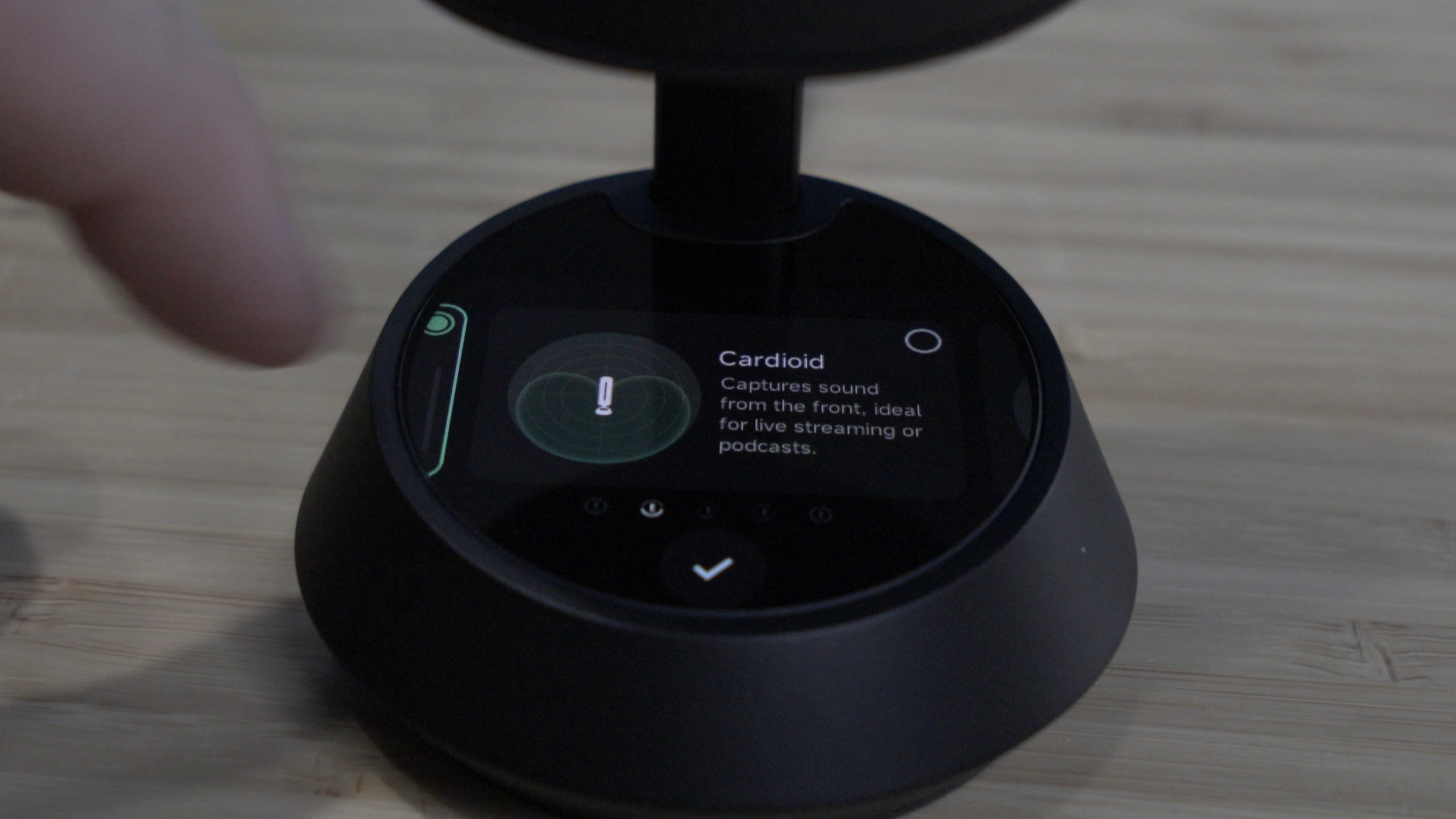
The Wave microphone has five pickup patterns – Cardioid, Supercardiod, Figure-8, Stereo, and Omni. Each of these have a use case, allowing you to pick up only what you want to capture, without picking up anyone around you. If you share desk space, or want to grab audio in a crowded room, using these patterns will always be a better outcome over just trying to put the mic right in front of the subject. If you're using it for a work from home situation, that means no longer having to lean into your laptop microphone, or having to wear a headset for hours. I don't know about you, but wearing a clamp in my dome for hours at a time is something I'd love to leave in the past.

Putting this in Omni mode, you can hear as the microphone is turned that your voice is not lost -- the microphone is picking up in all directions in this mode. Flipping to Cardiod, it creates a sort of a heart bubble directly in front of me, and as I rotate the device...my voice is all but lost when it reaches a certain point. Rotating it back, I gain my voice again. Supercardiod tightens that down, trying to grab just the audio in front, but not as far behind the user. Figure 8 is what it suggests-- a circular bubble in front of the device, and a matching one behind -- perfect for an interview. Stereo is your mode for capturing music, pulling in both left and right channels for a wider sound profile. What you’re trying to capture will dictate the mode. Best of all, you don't have to remember any of this -- it's on the touchscreen with a picture and use-case description for each one. Let's talk about that touchscreen a bit more.
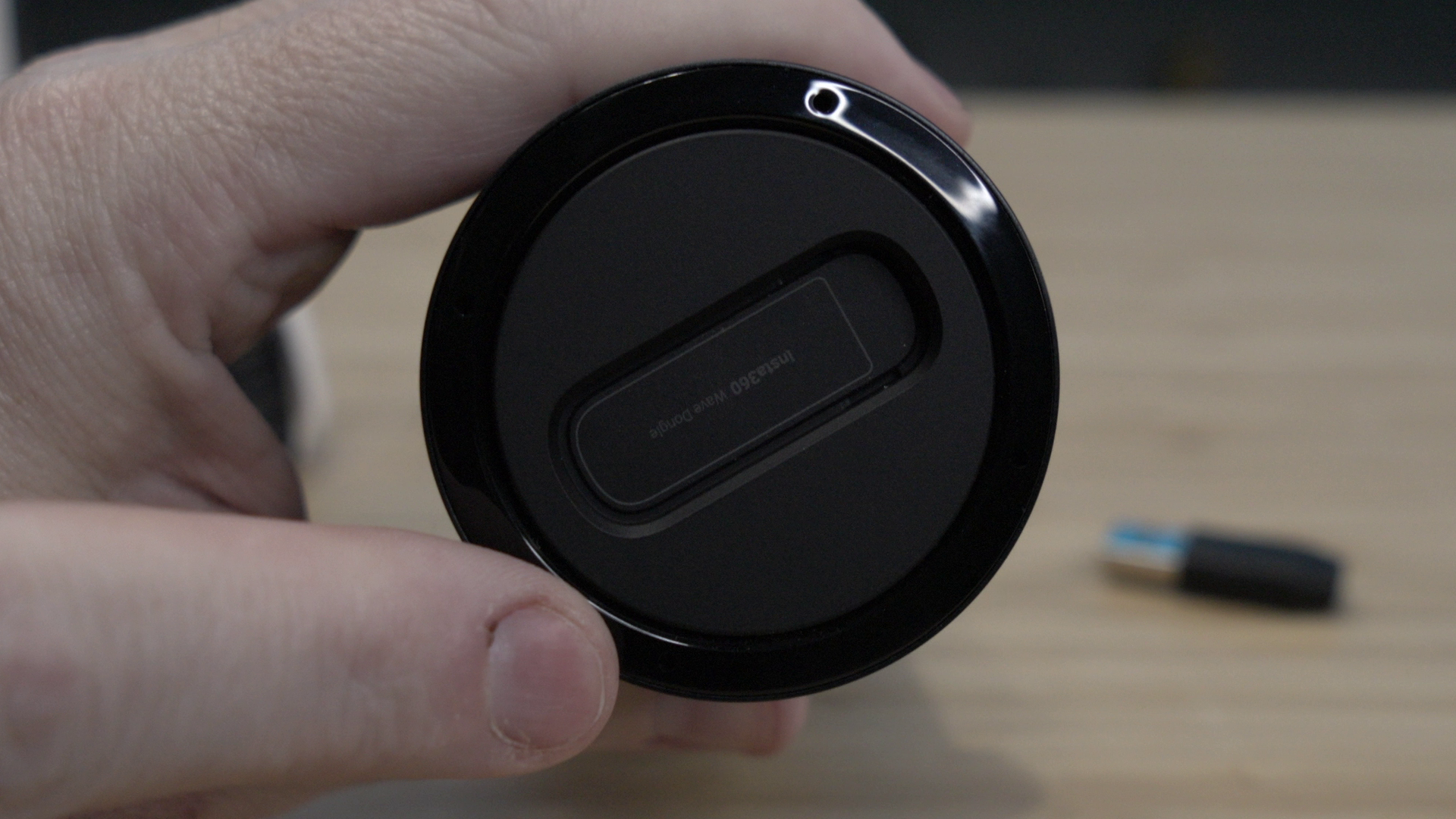
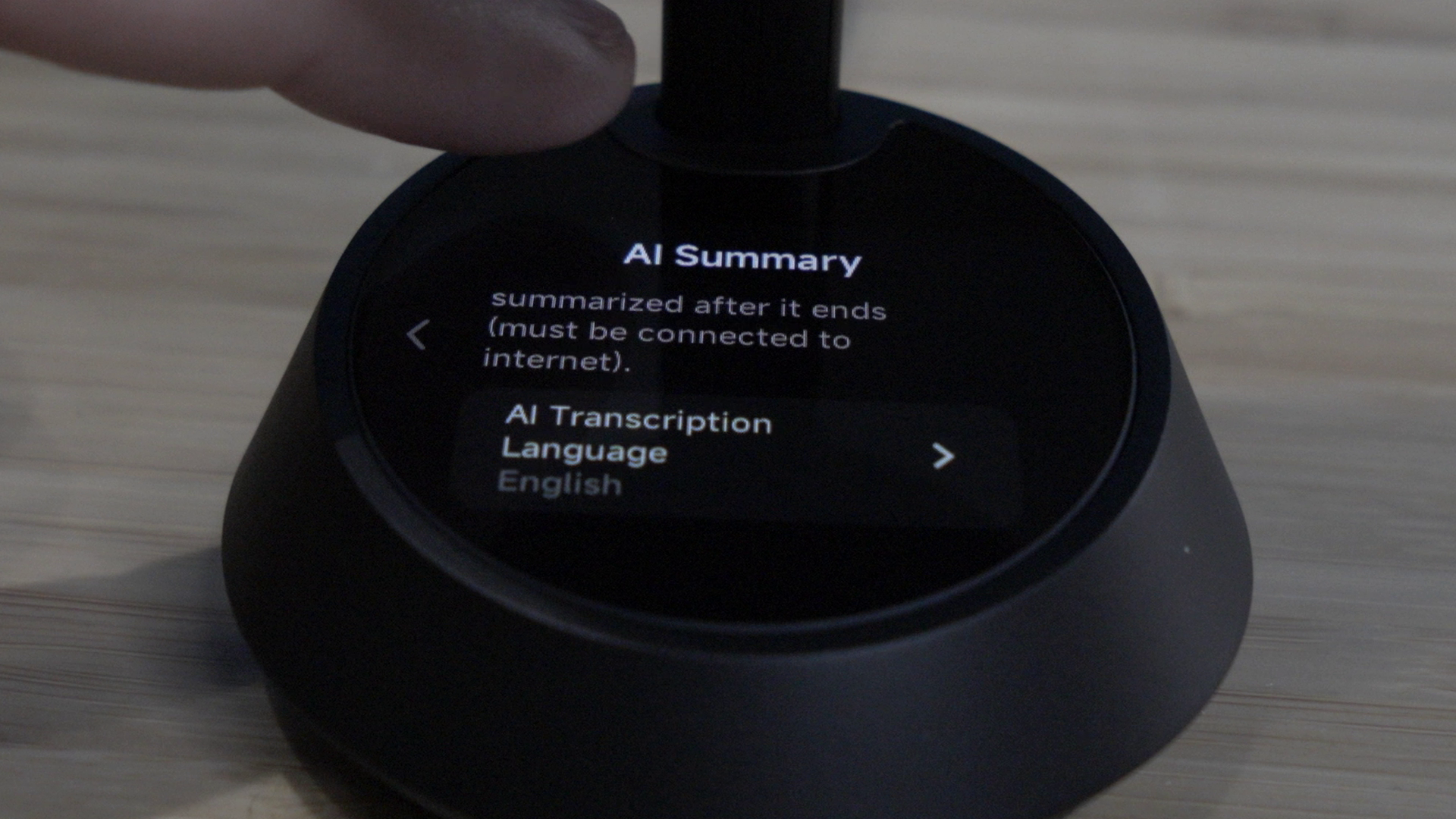
At the bottom of the Wave is a small touchscreen that can tell you what's going on with the device. You can stop and start recording, see the transcription in realtime, adjust volume, mute the call, mute your microphone, turn on transcription and auto-summary, and much more. It’s far more useful than I would have expected, and a welcome improvement over the traditional and more expensive conference phones in the market.
We’ll need to head back to the video for the best demonstration of AI noise cancellation I could come up with. Built into the device with a single button press is AI noise reduction. Using an 86 dB air blower, I demonstrate just how powerful this noise cancellation can be. While it does eradicate my voice in that scenario, it also completely removes the noise. You’ll have to hear it (or not hear it) to believe it, so check out the video above to see what I mean. Suffice it to say, it's incredible how effective it truly is.
The Link 2 is a camera from Insta360 that can be used as a normal 4K webcam, complete with the same AI nose cancellation as the Wave. It shoots in 4K, has gesture controls, does tracking of multiple people with facial recognition, and can even easily flip vertically for social media shooting – all somewhat expected things for a modern webcam. What’s not as expected is the way AI is utilized with the PTZ nature of the device. When you have multiple people in the shot, it'll automatically reframe and adjust the zoom to allow both of those people to remain in the shot. It's effectively doing what you'd expect somebody to do with the camera if they were shooting this with a traditional device, but without a second set of hands. It can also be used to view your hands as you type, or lock onto a whiteboard as you demonstrate a concept, all using the integrated AI.
Naturally, when connecting for the first time it’s likely going to ask you to update your firmware. I was disappointed to see that it can’t push that update through the Wave, requiring that you connect the Link 2 to a PC for that process, but it’s a fairly minor inconvenience. Maybe further firmware updates will bring that capability.
When paired with the Wave, you can simply pop it onto the top of the device and it'll spring to life. Following the sound of my voice, it will track around the room, keeping me centered in the frame. You can have the camera focus on your face, your upper torso, or your entire body. Interfacing with the Wave via a row of pins on the bottom, it can then utilize the audio capture from the Wave instead of using its onboard microphone. Let's get under that hood and learn a bit about what makes the Link 2 different.

Inside the Link 2 is a 4K/30 camera with a ½” CMOS sensor with an aperture of F1.8 and an ISO range of between 100 and 3200, with full HDR support, and low-light modes to ensure the cave you call your office is still getting captured well enough to make you look good. To help with that, the device’s AI once again jumps in to handle background blur, a natural Bokeh setting, or a background replacer. Again, this isn't new as there are several tools like this built into products like Zoom or Teams. What makes this different is that AI 2-axis gimbal tracker. It's impressive to see in action, and I have yet to see it fail to hit the target, no matter where I was in the room. I can see using this in a workspace where you might have multiple tools around the room and you'll use the camera to snap to where you are when you start talking again.
The device ships with an adjustable mount with a standard ¼” thread allowing you to place it on just about anything, including mounting it to a tripod. This optional mount allows it to sit on top of a monitor, locking onto the Link 2 magnetically, but seeing it in action linked up with the Wave, I think that's the best possible solution and where my Link 2 will live from now on. Sitting inside this recessed portion on top, the row of pins on the bottom provide power and link the two devices together. It's almost like it's why they named it that! Hmmmm…

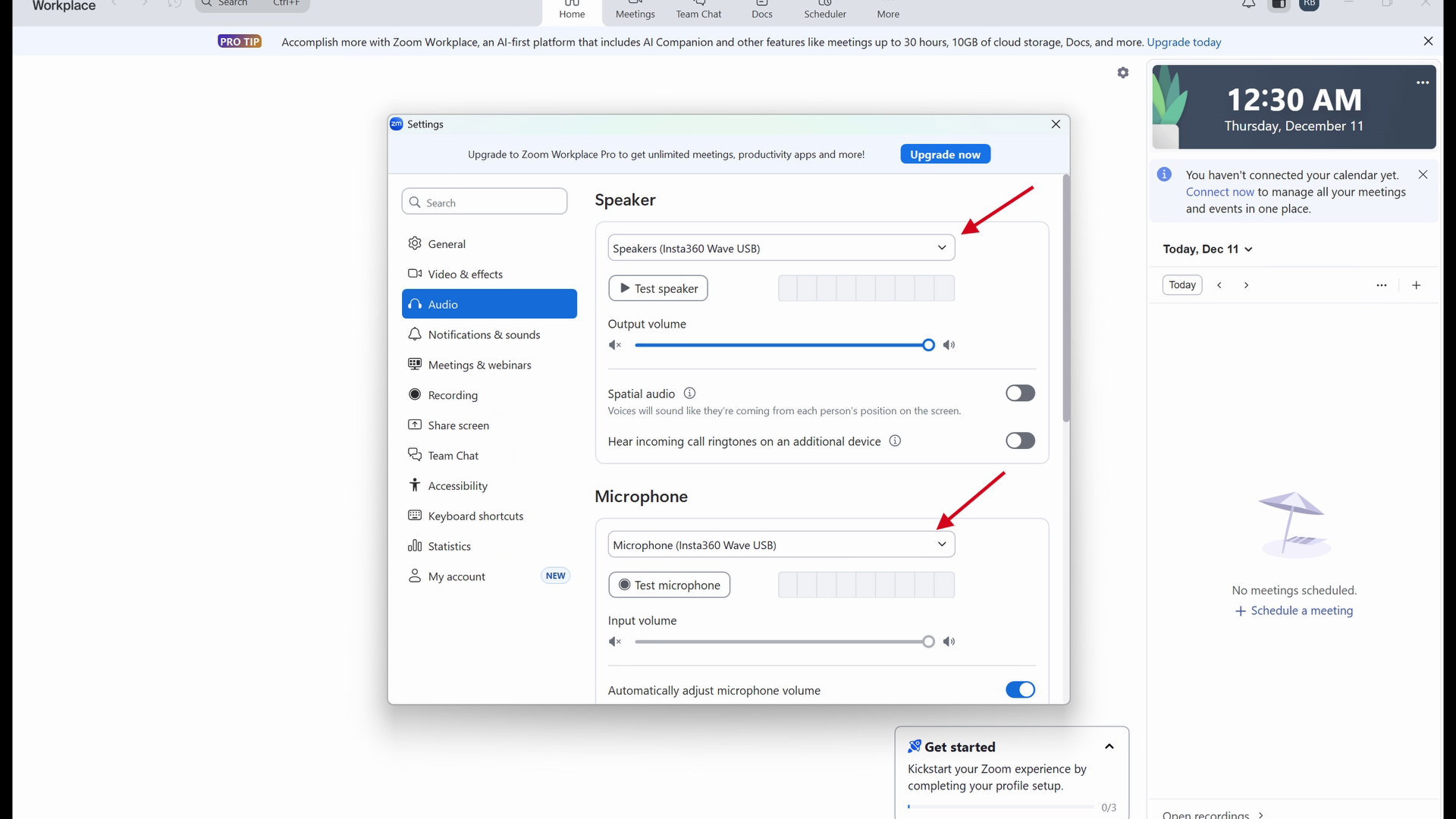
Ultimately it's not a huge surprise to see such good quality from the camera -- this is a company who has been laser focused on high-quality video, excellent motion capture in low-light conditions, and subject tracking. The device works wirelessly with things like Zoom and Teams, but I did have a few thoughts on how to use this device outside of the intended use case of being in an office. By connecting the Link 2 and Wave to my PC via USB instead of using Bluetooth, I was able to connect it to OBS. OBS saw the device as Wave and I was able to designate it as a camera and audio source. I suddenly had a portable streaming platform that I could use for tabletop. Setting the device in the middle of the table, it could rotate around, capturing all the players, and pull that into something I could integrate into a full show. Combined with direct control, I could watch the action up close as players moved their characters or took their turn, snapping to their faces if they talked. My new table shows up in about a month, so I'm eager to give that a try.
Since we're on the subject of software, let's talk about Insta 360 InSight. InSight is where you'll find all of the recordings you've made with your Wave. Inside you'll get all of your transcriptions either on a PC or on the mobile app version, allowing you to easily share it directly from either one to share notes from the meeting. The transcription is impressive. Not only does it format it up nicely, it also creates an organized punch list of items to accomplish. It tries to identify and label the speaker so you can differentiate between different people, though obviously it's going to be Speaker 1, Speaker 2, etc. It creates a glossary, which is very handy for finding things quickly after the fact, and much more. It also links up directly to ChatGPT in the app, so you can generate ideas or look things up or whatever else you might need to build out your content.
I'd be remiss if I didn't mention that you don't need the software for this device to work. It has 32 Gigs of onboard storage, meaning you could probably record audio till the sun burnt out of the sky before you'd need to tail some of them off. Joking aside, it's over 1000 hours or 41.6 whole DAYS of constant recording. That said, you are limited to 300 minutes of online storage with the free basic package. The paid version will run you $100 a year, but it gives you four times the transcription minutes, access to the aforementioned ChatGPT app, better voice recognition, and a wider range of glossary terms for use in that transcription function - very useful if you’re doing more complex work like medical transcription.
Speaking of the app, the Insta360 Link controller is a fantastic surprise. You can set all of your tracking, put it in whiteboard mode which allows you to walk up to a whiteboard and keep both you and the board in frame, or use deskview which is for showing both you and your desk, should you need to, for example, show your hands typing. You can set up to four preset positions to make the camera snap to those with the press of a button - great if you have predefined things you want to jump to quickly over and over again. You can also take control of the device directly, adjusting zoom or using a virtual joystick to move the camera up and down, or rotating 360 degrees.
As I was going through all the features for this device, I found one that surprised me - reverse charging. We've all been there – our phone is dead, but we need to be near it for a call or whatever else. Here you can plug in the included USB-C to your phone, put it in reverse charging mode, and charge your phone. Yeah, I'm as surprised as you.
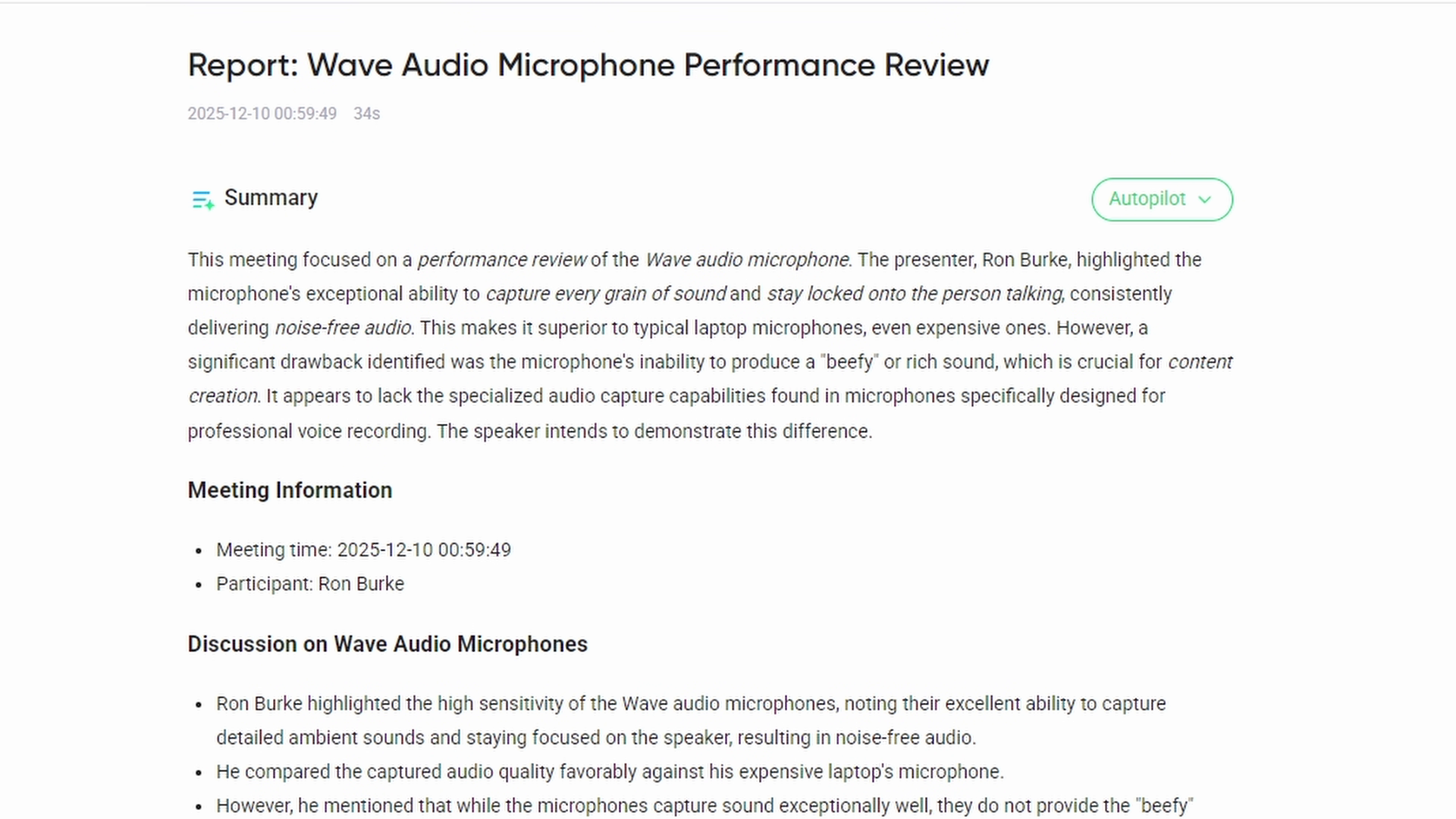
This brings me to the only thing that I wish was better for the Wave -- audio. The microphones are fantastic for capturing every grain of sound in the room, staying locked onto the person talking, and ensuring you have noise-free audio. What it's not as good at is making that sound...beefy. The captured sound is leaps and bounds better than anything I can pull off my stupidly-expensive laptop, but it doesn't compete with a microphone built specifically for capturing your voice. Essentially, a content creation microphone. Again, to demonstrate this you’ll need to check out the demonstration video. In it, you’ll be able to hear a sample from my Razer Blade 15 laptop, the Insta360 Wave, as well as my Maono PD 200W, all three captured raw and with no post production adjustments. You can hear a wholeness to my voice on the last one that you don't get on the other two. Again, the Insta360 Wave absolutely destroys even the expensive mic on my laptop, but it doesn't have the same whole sound capture. It's a nitpick, and post-processing I can improve it, but it is what it is.
Ultimately there are better microphones for content creation. There are better cameras for facial capture. There are none that combine those two things, run wirelessly, and can be up and running in a matter of seconds. Combine that with the incredible AI summary and transcription functionality and impossibly long-range audio capture, this combination is as unique as it is impossible to beat.
There are a lot of use cases where I can see the Insta360 Wave and Link 2 being incredibly useful. From trade shows to tabletop capture, from impromptu interviews with video to gaming without a headset and still having awesome audio anywhere you want, the portability of this device can’t be beat. Best of all, this device is incredible for grabbing a quick meeting where you don’t want to be scribbling notes. That last one is incredibly enticing as you have your head down writing while your subject waits, interrupting the flow of the conversation. It also means you won’t have to transcribe it later, as that can be incredibly time consuming or if done during the interview, highly distracting. Now you can be in the moment, go where the interview takes you, and your gear doesn’t have to interrupt either of you.
Let me know down in the comments if this is a device that would make your life easier, or do you have a use case I didn't think of? For me it’s a no-brainer if ANY of those scenarios are ones you encounter in your work or hobby life. One thing I know for sure, having owned Insta360 devices in the past – we can expect updates, new functionality, and support far into the foreseeable future, which is music to my ears. If this review piqued your interest, you'll be glad to see that Insta360 is running a holiday sale for the WaveLink (19% off for both items together), and another for just the Wave itself (15% off) if you plan to pick up the Link 2 later. Act quick as this will run through the holiday season, but wont' last forever!
Insta360 Wave
Excellent
Incredibly portable, and with top-shelf quality, the Insta360 Wave and Link 2 combo are an excellent choice for conference rooms, but can also be used for a lot of gaming and podcasting opportunities. While it’s aimed at productivity, there’s so much more to the Wave and Link 2 than that.
Pros
- Impossibly compact
- Excellent audio and video capture
- Works with Teams, Zoom, OBS, Twitch, and everything in between
- Off-the-chart noise cancellation
- Fantastic transcription, summary, and indexing
Cons
- Sound isn’t as whole without post-production
- 300 minutes/month limitation for transcription without subscription
This review is based on a retail version provided by the manufacturer.