Memory is undergoing a bit of a crisis right now, simultaneously hitting never-before-seen speeds, but also a pricing shortage that has everyone scrambling. Crucial has introduced a new entry into their DDR5 Pro line, the Crucial DDR5 Pro OC 6400 CL32. With extremely low latency, impressive speeds with room to overclock, and support for both Intel XMP 3.0 and AMD EXPO, these may just be Crucial’s best memory offering yet. There’s only one way to find out – let’s get it into the lab and get to testing.
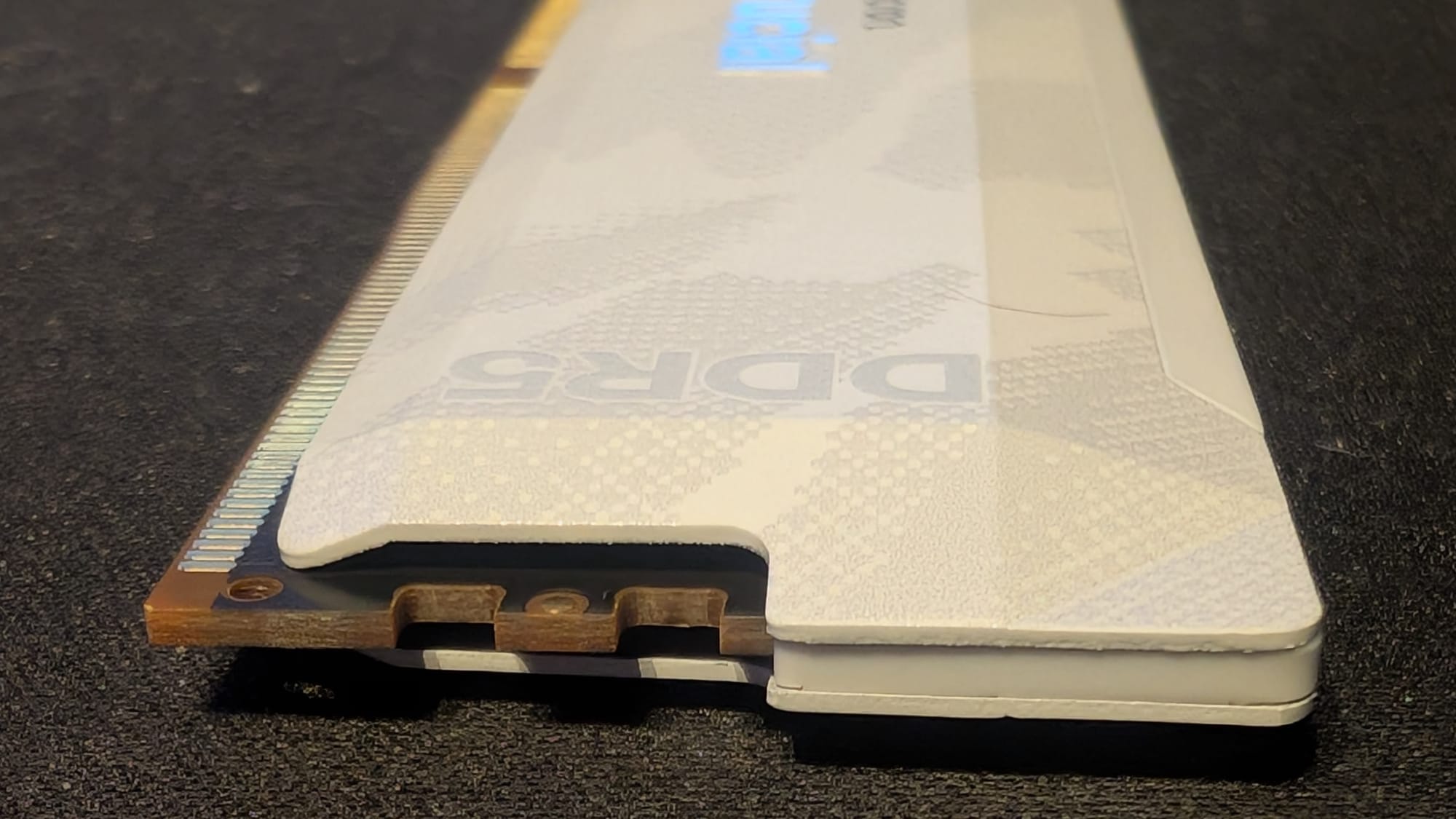
Before we get into the tests, let’s talk about the specifications on these modules. As mentioned, they are from Crucial, with Micron’s own DRAM integrated circuits, complete with their integrated Power Management Integrated Circuit, or PMIC, rather than using a third party controller solution, like Samsung or Hynix. This Renesas P8911 PMIC controller plays a crucial role in stability, compatibility, and overclocking performance. Other manufacturers like Samsung or Hynix might have higher frequencies or more extreme overclocking headroom, but Micron is serving something more important – stability. This makes it a balanced and reliable module, not just one that can go fast until it veers off the road and explodes.
Performance Specs:
- Speed: 6400 MT/s
- Timings: CL32-40-40-103
- Voltage: 1.35 V
- Supports both Intel XMP 3.0 and AMD EXPO profiles for easy tuning.
- Available in 32GB or 64GB capacities
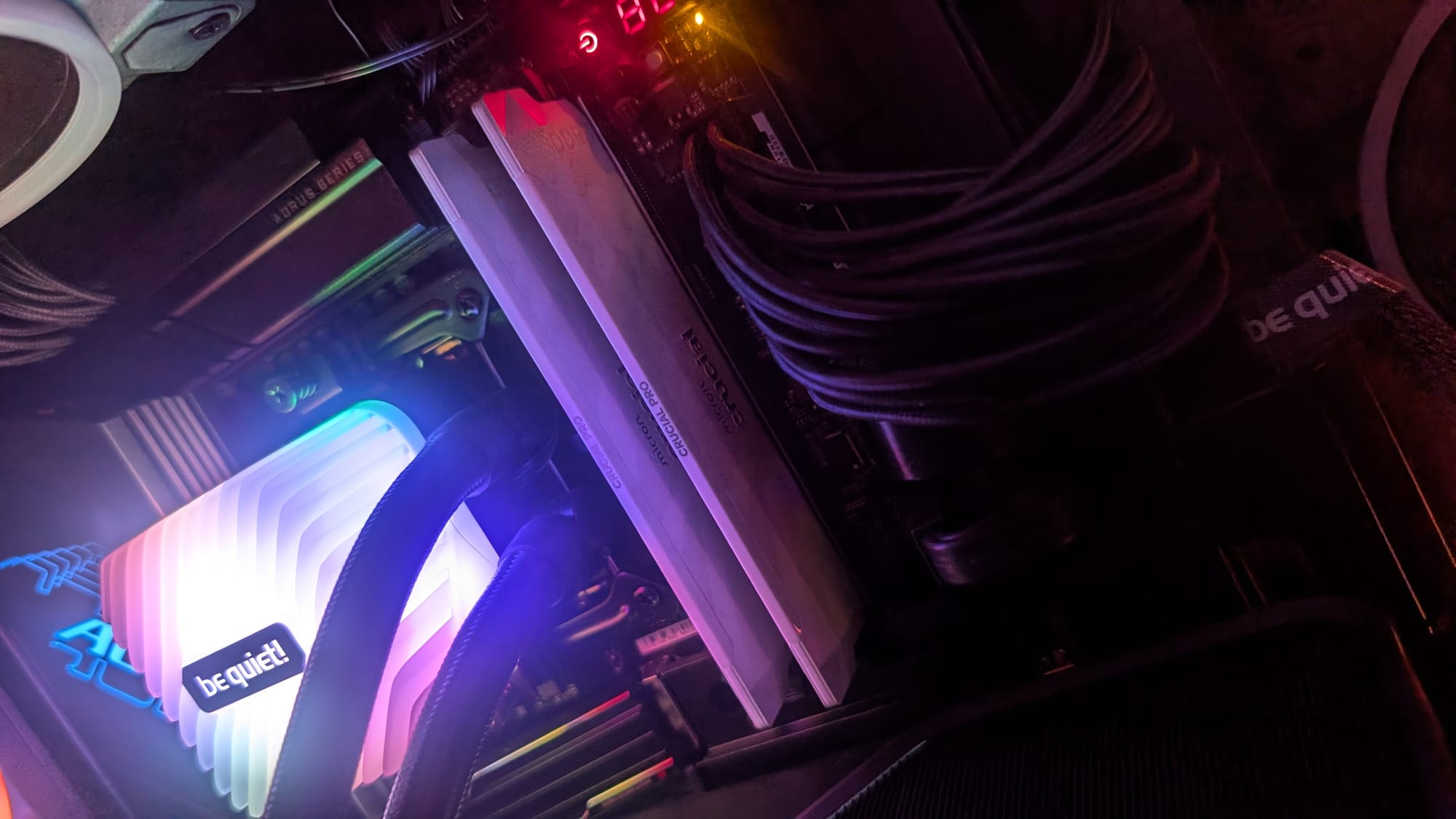
- Available in Snow Fox White or Stealth Matte Black camo
If you need a bit of a refresher, let’s demystify the numbers associated with this memory module, since they’re central to the value proposition. The first number, 6400 MT/s, means a data transfer rate of 6400 megatransfers per second. Megatransfers are what the mathematical name suggests – one million transfers per second. This is a more accurate measurement of performance than Megahertz because that only measures clock cycles. DDR, or double data rate, transfers data twice per clock cycle, so this RAM being advertised as 6400 MT/s means the clock speed is half that - 3200 MT/s. It’s also why they operate in pairs. While the real world measurements are documented as the amount of data something can push in the time it can achieve it, it’s worth noting the difference between.
The next value is the timings, which is where the rubber meets the road, so to speak. CL32 is the CAS latency. CAS latency is the amount of time, in clock cycles, it takes for the RAM to respond to the CPU’s request for data. In this case, 32 clock cycles. The next value, 40, is RAS to CAS delay or tRCD. This is the amount of time between when a row of memory is opened and when the columns within the row are accessed. If that’s confusing, hold onto that thought. The next value, also 40, is Row Precharge Time, (tRP), the number of clock cycles needed to close the current row of memory and then open a new one. The final value, Row Active Time, is the minimum value of time a row must be kept open to ensure that all of the data within that row can be accessed. Now let’s use an analogy to bring it all together.
Let’s say you have a chest of drawers that is three rows across and three columns. If I ask you to go get several pieces of clothing from the dresser drawer, that’s the CAS latency – the amount of time from when I ask to when you get to the dresser. Assuming the premise of the analogy, from there you’ll need to select the drawer in the correct column - 1, 2, or 3 – that’s tRCD. You select a piece of clothing in row 1, drawer 2. You now need another piece of clothing in row 3. tRP is the time it takes you to close the drawers in the current row, select a new row, and begin opening drawers there. The final value, tRAS, is the Row Active Time (RAT as an acronym would make sense, but sorry – that’d just make sense, so none of that) is the amount of time we will leave the drawer open to pull out the items you need. In summary - get to the dresser, choose a row and drawer, open the correct drawer and extract the item, choose a new row, get those items, and so on. Hopefully that simplifies things a bit, but why does it matter?
At CL32, you have a balance between ultra-high transfer connections and responses, and the timings that will push the envelope without sacrificing stability. There are modules out there at higher speeds or tighter timings, but combining both ensures you can operate them at this high speed for sustained periods. Moreover, it can execute more transfers in the same time. This is especially useful in bandwidth-hungry applications like 3D rendering, multi-tasking, video editing, running a million browser tabs (in both Edge and Chrome simultaneously) and yes – gaming.
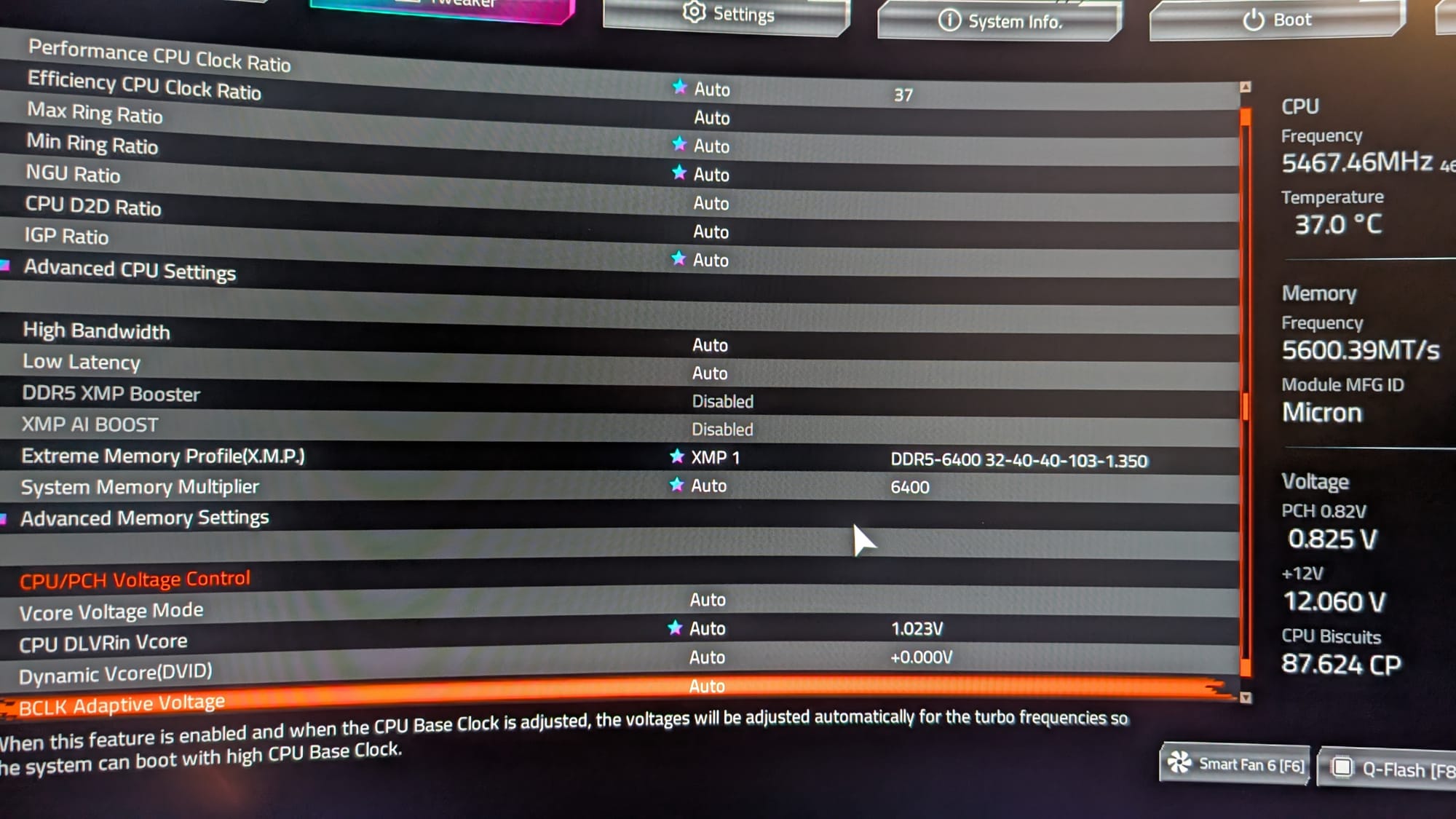
There is another benefit from timings built around high-quality integrated circuits – overclocking. As these are built with the best materials, these are built to withstand the rigors of overclocking. Using a board like the Gigabyte AORUS Z890 Master (the board I’m using), you can use the AI Snatch functionality to push these modules harder and faster, though you are risking that vaunted stability if you do – tradeoffs. In practice, I was able to push the modules comfortably to 6600 MT/s while maintaining the same latencies and stability. I did add around 5 degrees of heat to the overall proceedings, but that was nothing my cooling couldn’t handle.
To enable all of this power you’ll need one of two technologies that should be present on any X890-based motherboard – XMP 3.0 or AMD EXPO. You’ll need to enable this in the BIOS to realize the speeds and timings available to these modules. In the case of the aforementioned AORUS Z890, you can also use AI Snatch to have AI determine the best possible configuration.
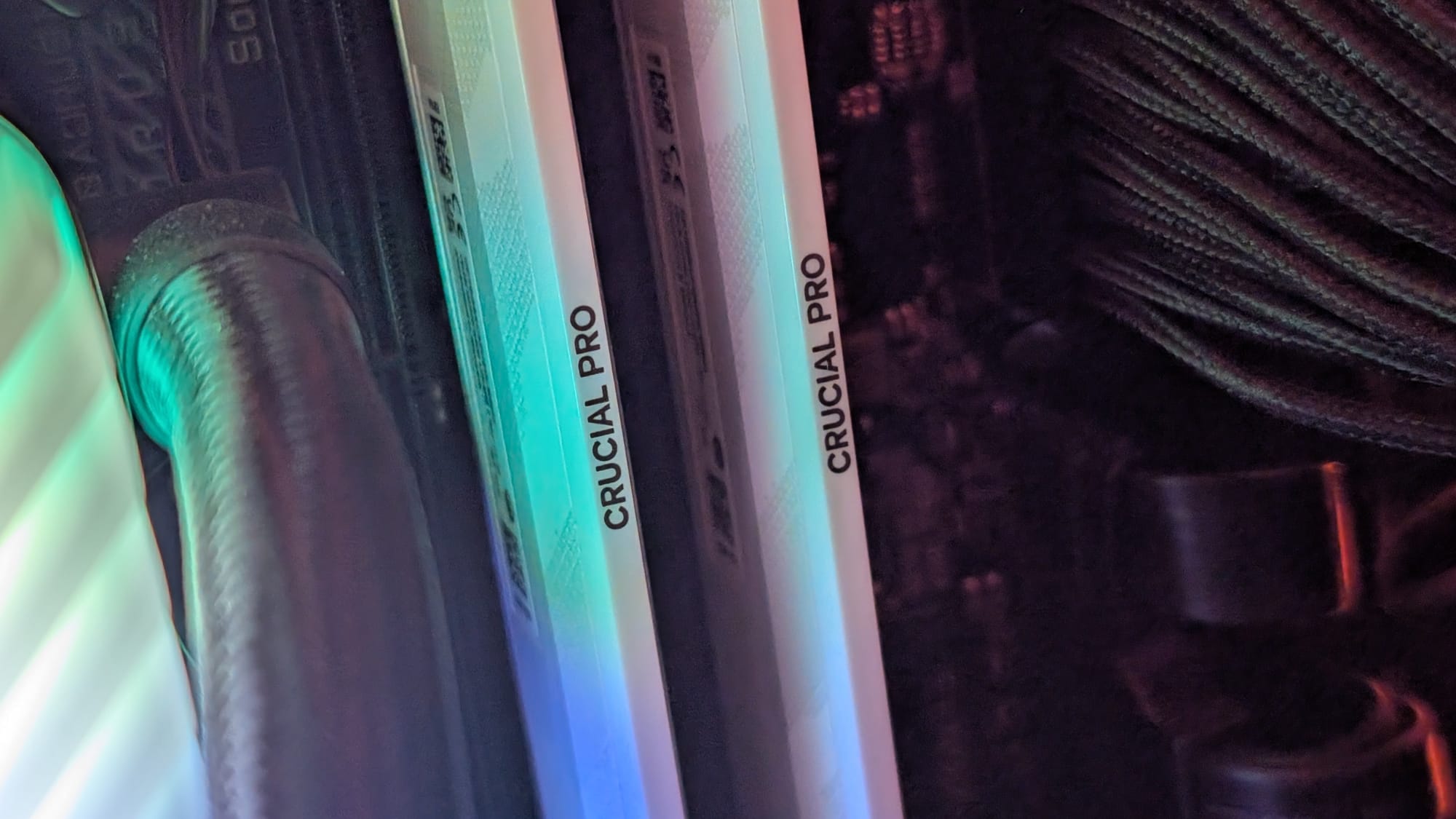
Before we get into benchmarking, synthetic and otherwise, it’s worth noting that you’ll need a complete chain from end to end to realize this speed and performance with no bottlenecks. To assess the performance of the Crucial DDR5 Pro OC 6400 CL32 memory, we paired it with a high-end test platform featuring an Intel Core Ultra 9 285K Processor on an AORUS Z890 Master motherboard, an RTX 5080 graphics card, and a set of Gen 5 NVMe SSDs. This configuration ensures there are no bottlenecks in performance, providing a platform that fully pushes the boundaries of the Crucial DDR5 memory’s capabilities.
The most comprehensive look at the performance of memory comes from AIDA 64’s Engineering Suite of tools. It benchmarks the memory, pushing the memory to its maximum values. It may not reflect the day to day transfer speeds, but it does show the speed limit. It also provides another deeper look at the multipliers, the frontside bus, the clock, stepping values, northbridge, and much more. It also gives us a way to do head to head reviews like the ones you see below. Let’s first take a look at a synthetic test - AIDA 64.
AIDA64:
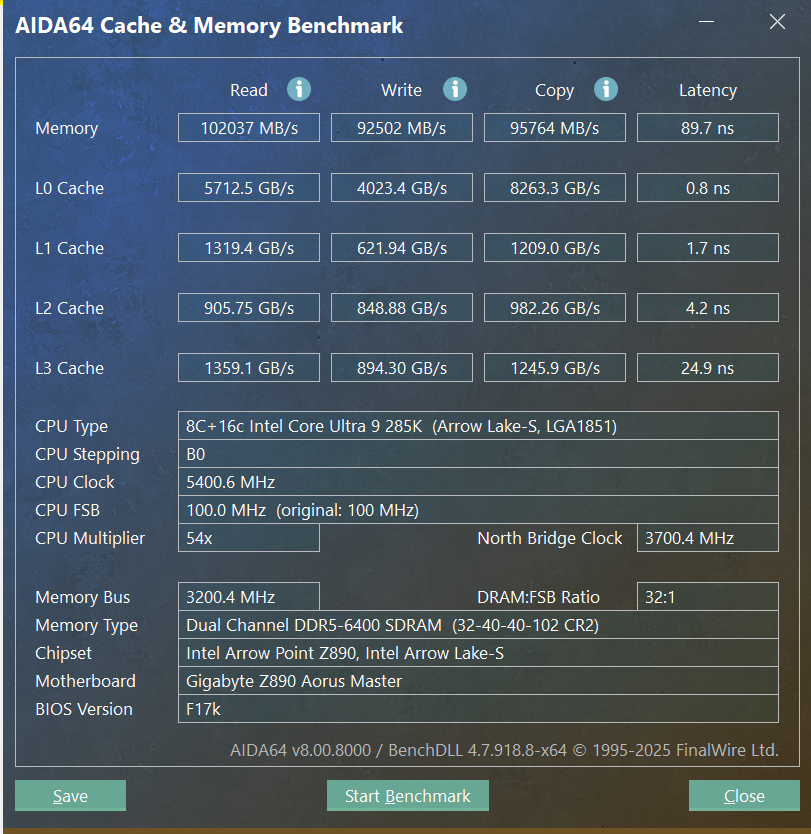
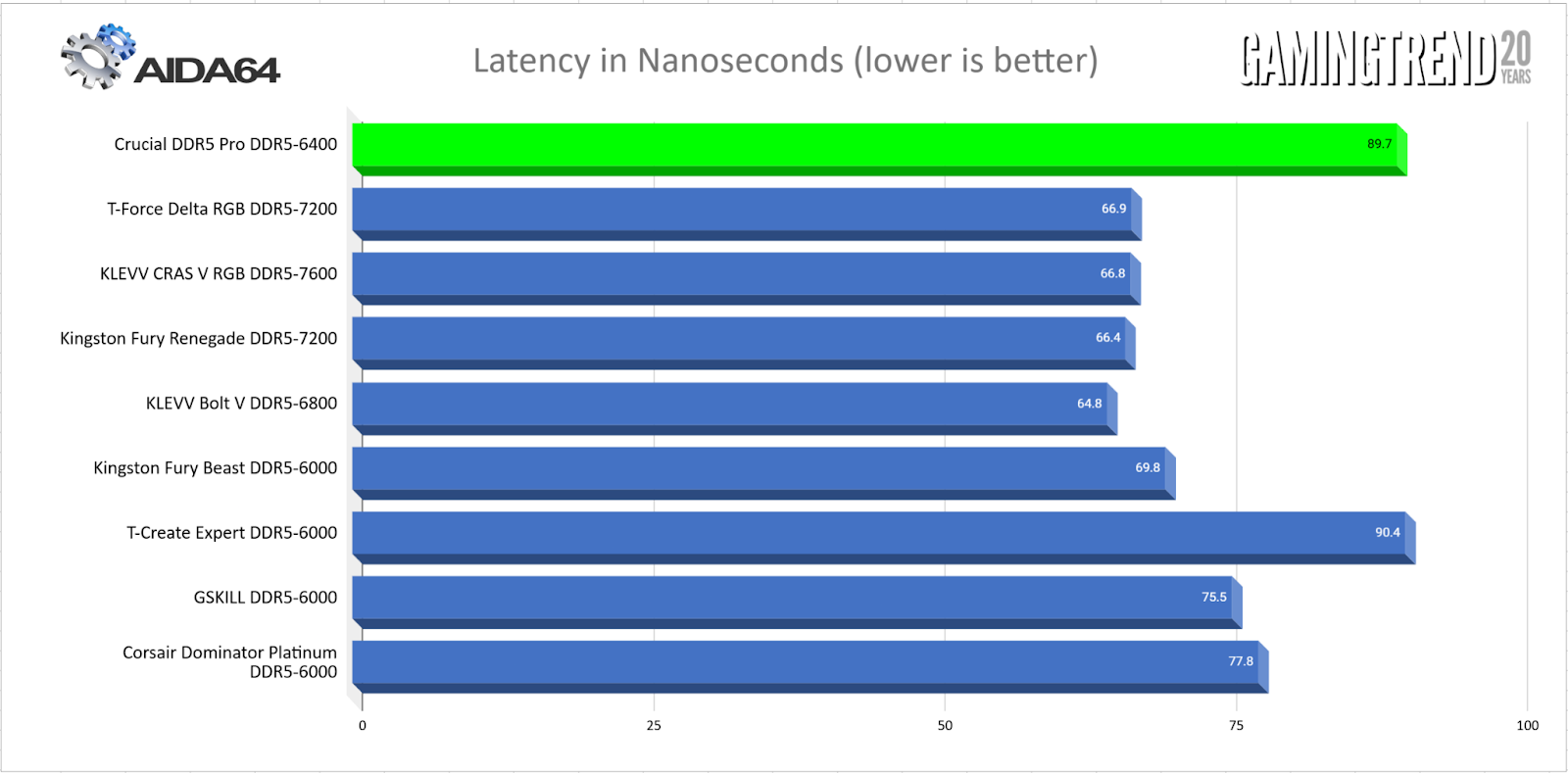
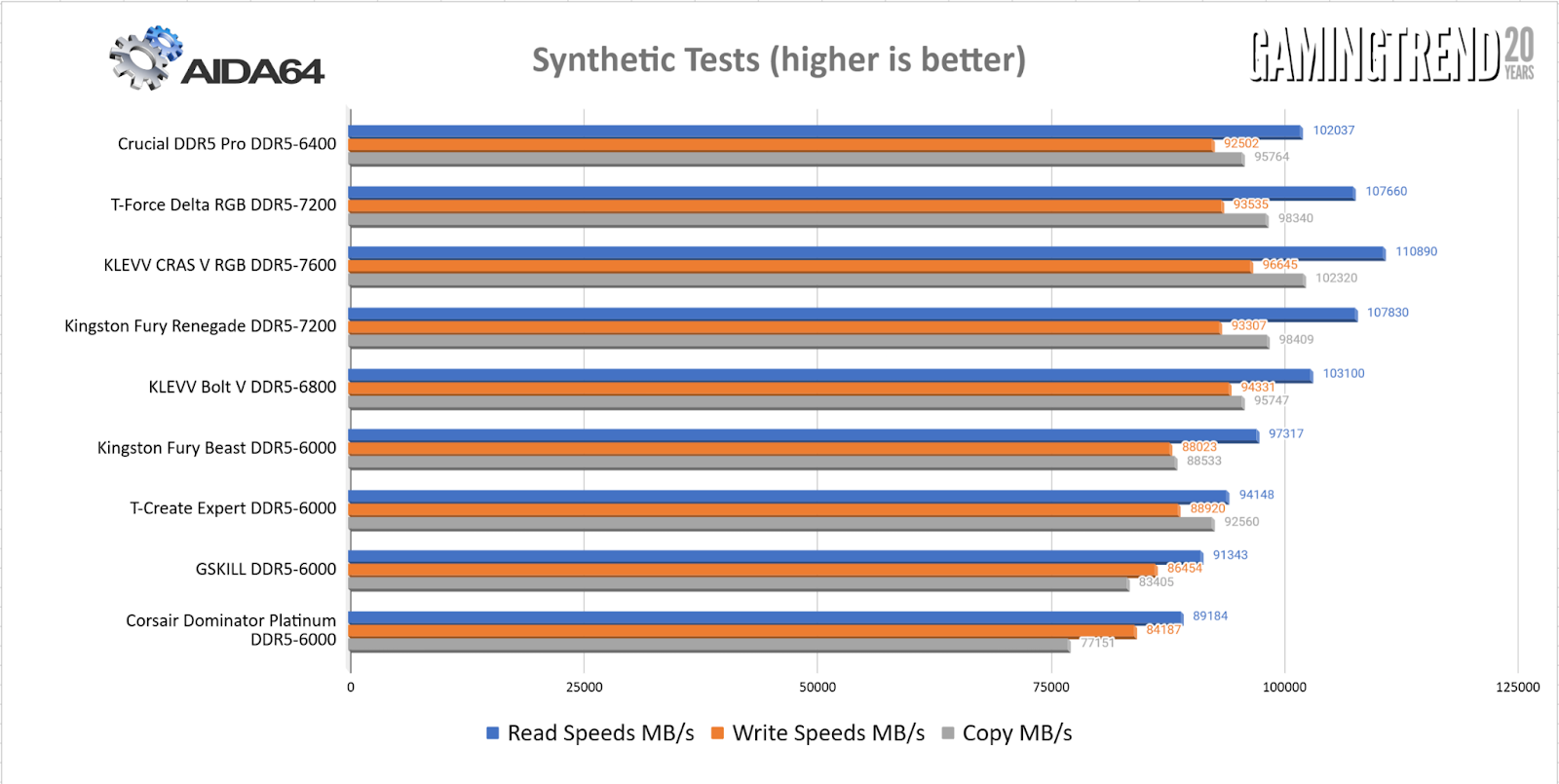
This is directly in line with what I described above. The latency is among the higher values, but the additional cycle speed makes such a huge difference that the transfer speeds are keeping up with RAM with FAR more aggressive timings. Even at stock clock speeds, it’s holding a pace that is normally occupied by RAM clocked at 6800 MT/s – impressive!
3DMark Time Spy:
For GPU-bound workloads and gaming, tests like Time Spy from 3DMark are useful for demonstrating differences in performance. Here we see the Crucial DDR5 Pro sustaining around 3% improvement over similarly specced DDR5 modules - within the margin of error. This translates, at least somewhat, to games like The Witcher III: Wild Hunt where open worlds need to stream constantly and consistently. It scored 15,504 or thereabouts for the Extreme version of the test. As close as I could get in similarly specced DDR4 scored far closer to the 10,000 mark, showing a solid generational leap.
Real World Performance:
Heading to the real world we have games like Cyberpunk 2077, The Outer Worlds 2, Dune: Awakening, and Kingdom Come Deliverance II that require complex AI, amazingly detailed worlds with large texture, and a large open world. Each game is as complex as it is different in the applications that bring it to life, so the numbers individually don’t matter as much as the whole. Additionally, patches can make or break these numbers, so the values today don’t necessarily match when you might run them for yourself. As the ancient Greek philosopher Heraclitus once said, "you can't step in the same river twice”. As such, I measured multiple DDR5 module sets at 6400 MT/s, but with a variety of timings. Here, the Crucial DDR5 Pro OC stood out almost universally at roughly 5% above the competition at similar clock speeds. Against DDR4 it wasn’t even a fight – in some games I saw gains upwards of 25%.
If you’re a content creator or video editor you’ll be happy to hear that these are incredibly powerful for those applications. Blender and DaVinci Resolve both saw an 8-10% improvement in render speeds against similar DDR5. Sustained, stable, and high-speed reads and writes that are reliable when you’re building hours of video are crucial, so these again prove their value proposition for both gaming and productivity. Doubling these up for 64GB will give additional headroom for larger video productions.
I shouldn’t be surprised at the performance from this memory kit. Crucial has long been a provider of reliable and stable memory, and this kit maintains that tradition nicely. Whether you’re overclocking, gaming, producing content, or anything and everything in between, these are going to be a very worthwhile investment in speed and reliability.
Crucial DDR5 Pro OC 6400 CL32 RAM
Excellent
While RAM prices are all over the place, you’ll want versatile and reliable memory that can withstand any and all workloads, as well as AAA gaming. The Crucial DDR5 Pro OC handles that easily, and more. There may be lower latency modules on the market, but none with the rock-solid stability of these ones.
Pros
- Excellent overclocking potential
- Remarkably stable
- Consistent speeds and MT/s values
- Solid generational leap over DDR4
- Aesthetics to match in black and white camo
Cons
- Latency is a touch on the high side
This review is based on a retail version provided by the manufacturer.