Over the past few months, I've really grown to appreciate high quality gaming keyboards. In my experience, whether mechanical or magnetic, full-sized or tenkeyless, there's a place for each, though some clearly excel in different areas. Enter the MonsGeek M1 V5 TMR, a slick little aluminum-bodied keyboard with magnetic switches that's a pleasure to use.
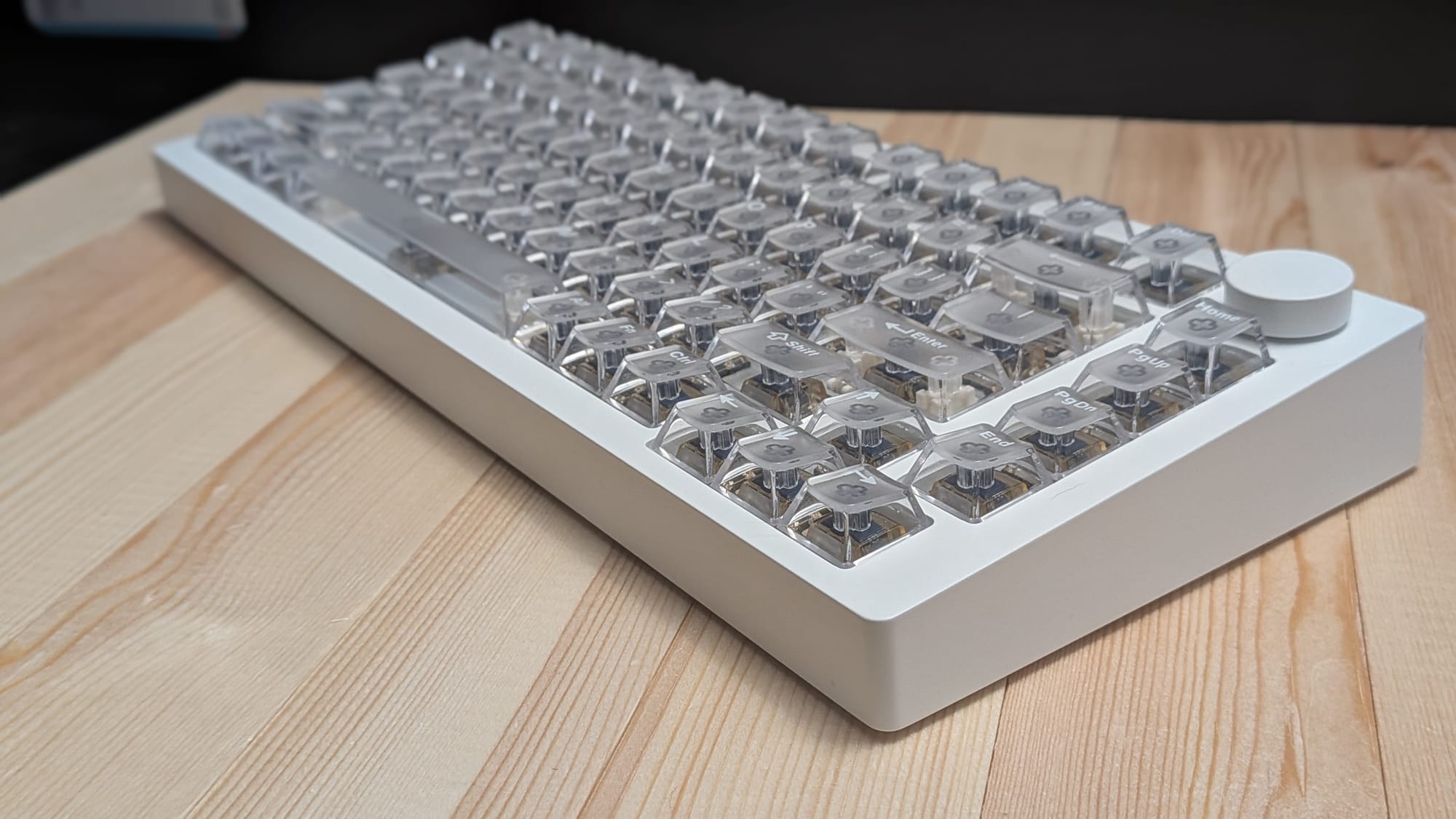
One of the first things I noticed about the MonsGeek M1 V5 TMR (which I'll refer to as the M1 V5 for the sake of brevity in the rest of this review) was the weight of the package. It immediately reminded me of the Womier SK75. At 4.85 lbs, the M1 V5 actually clocks a bit heavier than Womier's 4.4 lbs. Given that the M1 V5 is a tenkeyless peripheral, this it's even more impressive. The weight, in conjunction with some nice, wide rubberized feet on the back, ensures the keyboard will stay put on whatever flat surface you throw it on.
The weight, combined with the M1 V5's aluminum body, instantly give the keyboard a satisfying, premium feel in your hands. You can tell this hardware was built to last by a company that wants you to enjoy the experience.
Speaking of enjoying the experience, let's talk about the switches and keycaps that come with the M1 V5. The version I reviewed came with MonsGeek's white transparent keycaps and their Akko Astrolink magnetic switches. The switches offer 3.4mm of total travel, requiring only 36gf (grams-force) for initial activation and requiring 50gf for full activation. In layman's terms, key presses require little force, which translate into easier rapid key pressing for more responsive gaming. In action, the Astrolink switches feel fantastic. The sound profile reminds me somewhat of those marshmallowy mechanical keyboards, but with a little more satisfying bite on the backend.
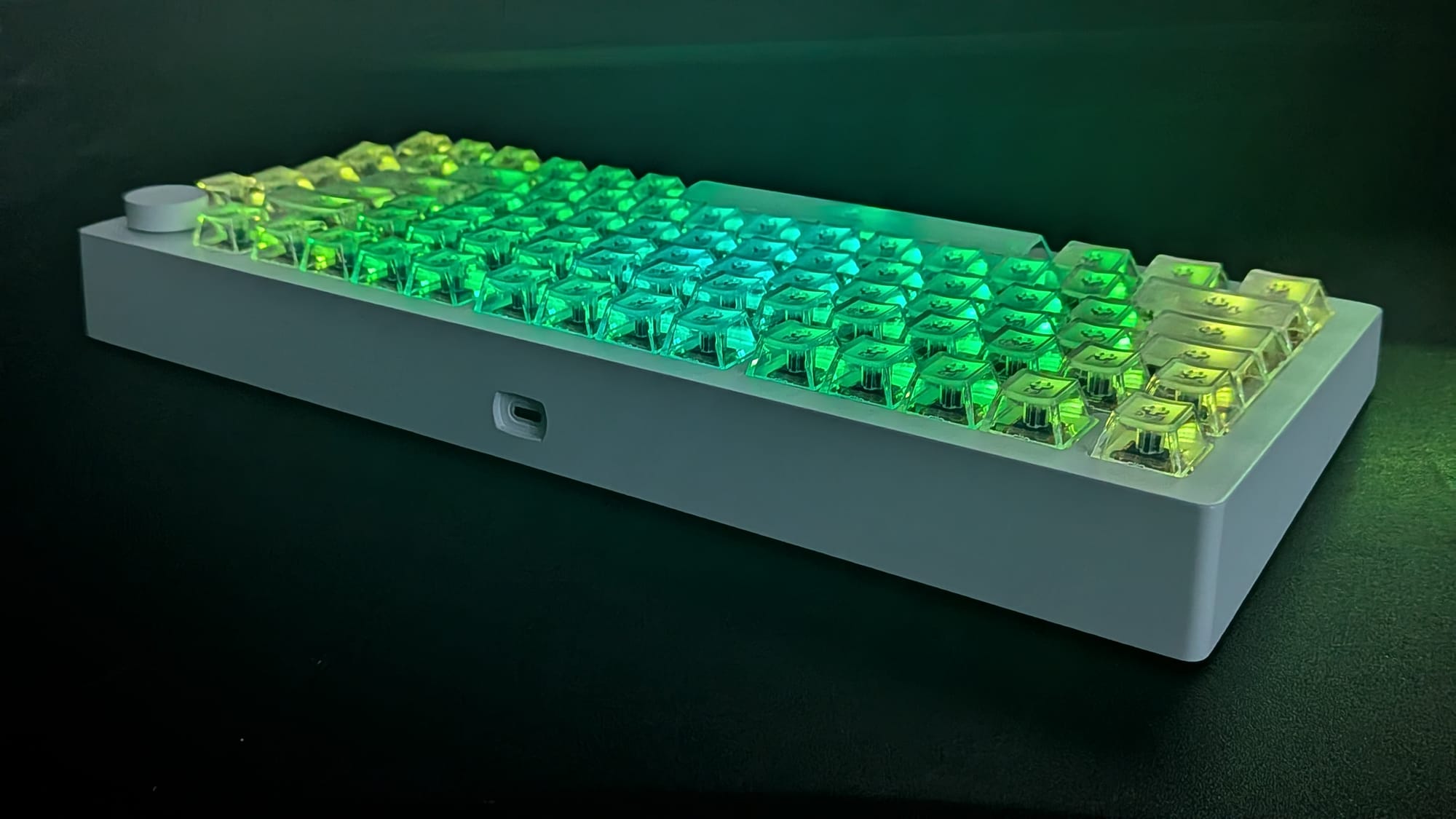
MonsGeek's transparent keycaps are mesmerizing. The switches themselves offer a full range of RGB options, and the transparent keycaps help all those colors shine through (if you want them). The M1 V5's aesthetic actually feels a bit like a fusion between sleek, modern design and some mildly retro sensibilities, almost like the comfort of those big retro bulbs we used to put on our house at Christmas. It's comforting and nostalgic while still speaking to my tech-nerd sensibilities. My one reservation with the keycaps are that they're almost a little too smooth for my own sensibilities - a personal preference, to be sure. I tend to lean toward coarser plastic on my keycaps so I get more tactile feedback. That said, keycaps can always be replaced if need be, and it's not enough of a deterrent that I would want to shelve this workhorse. It's a joy to use.
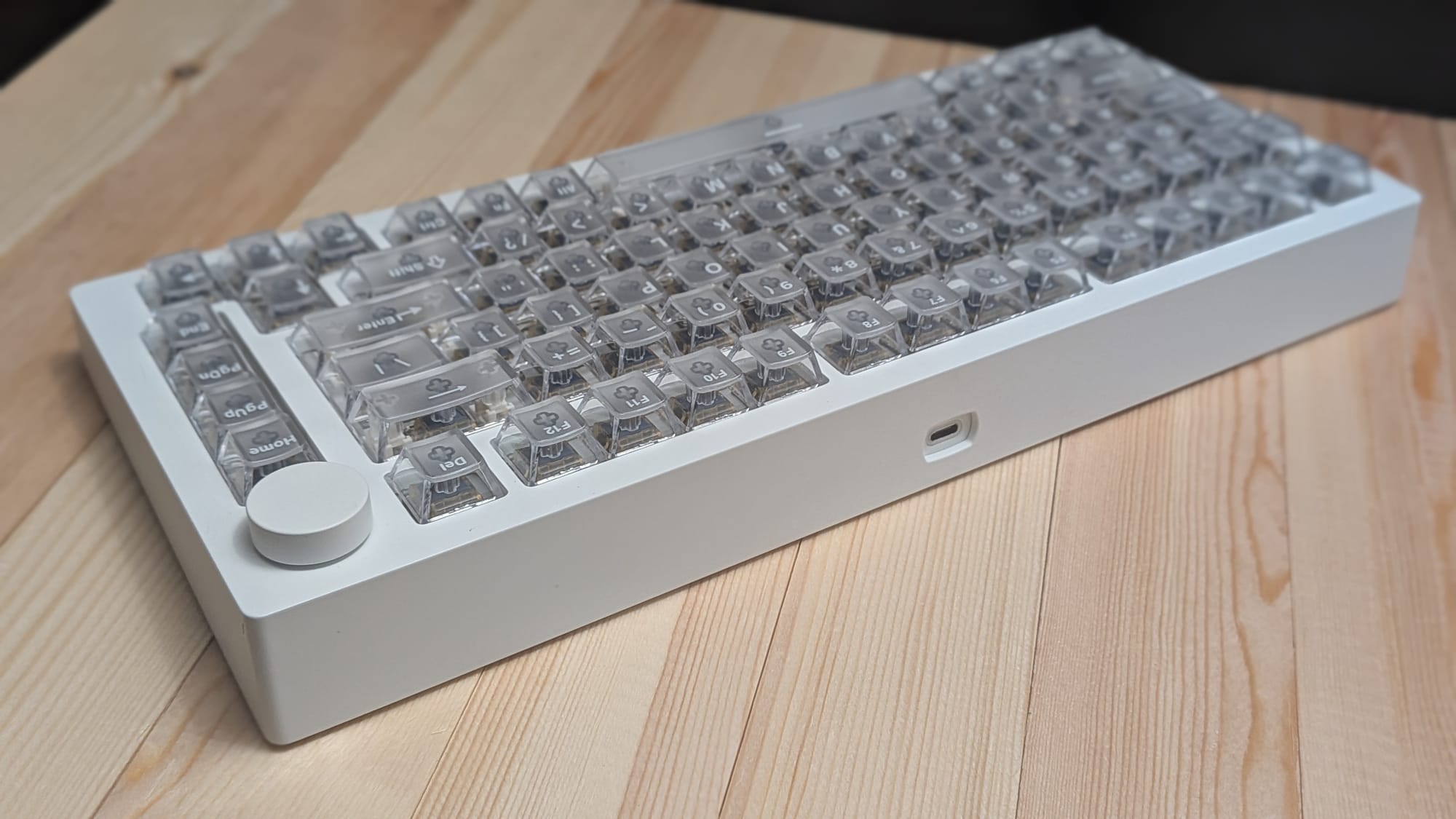
I want to take some time to focus on some of the M1 V5's standout features (and a lot of the reason you should seriously consider this keyboard for your own arsenal). First, the M1 V5 features a 32K universal scanning rate. That means the keyboard itself scans for positional changes 32,000 times per second. This has become the new standard for high-end gaming keyboards and MonsGeek has ensured you won't experience any performance issues here.
Along with the 32K scan rate, the M1 V5 touts an 8K polling rate, meaning it can send keypress information to your computer, phone, tablet, or whatever it's connected to 8,000 times a second. In the modern landscape where speed and precision rule the online gaming space, MonsGeek's hardware ensures you won't be held back by inferior hardware.
Whether you're considering the M1 V5 for a gaming computer, tablet, phone, or other device, the M1 V5 has you covered. The keyboard features tri-mode connectivity, allowing you to employ your hardware to any battlefield. USB-C, 2.4G wireless, and bluetooth connectivity all make sure you'll have your weapon of choice handy no matter the battlefield. And with the scan and polling rates mentioned earlier, the M1 V5 remains as fast and reliable wirelessly as it does plugged into your machine with a cable. It also features an 8000mAh battery for nice, long life between charges. With a few dozen hours of gaming and typing to its credit of the last week or so (and with the RGB lighting cranked to the max brightness), I'm still over 70% battery life.
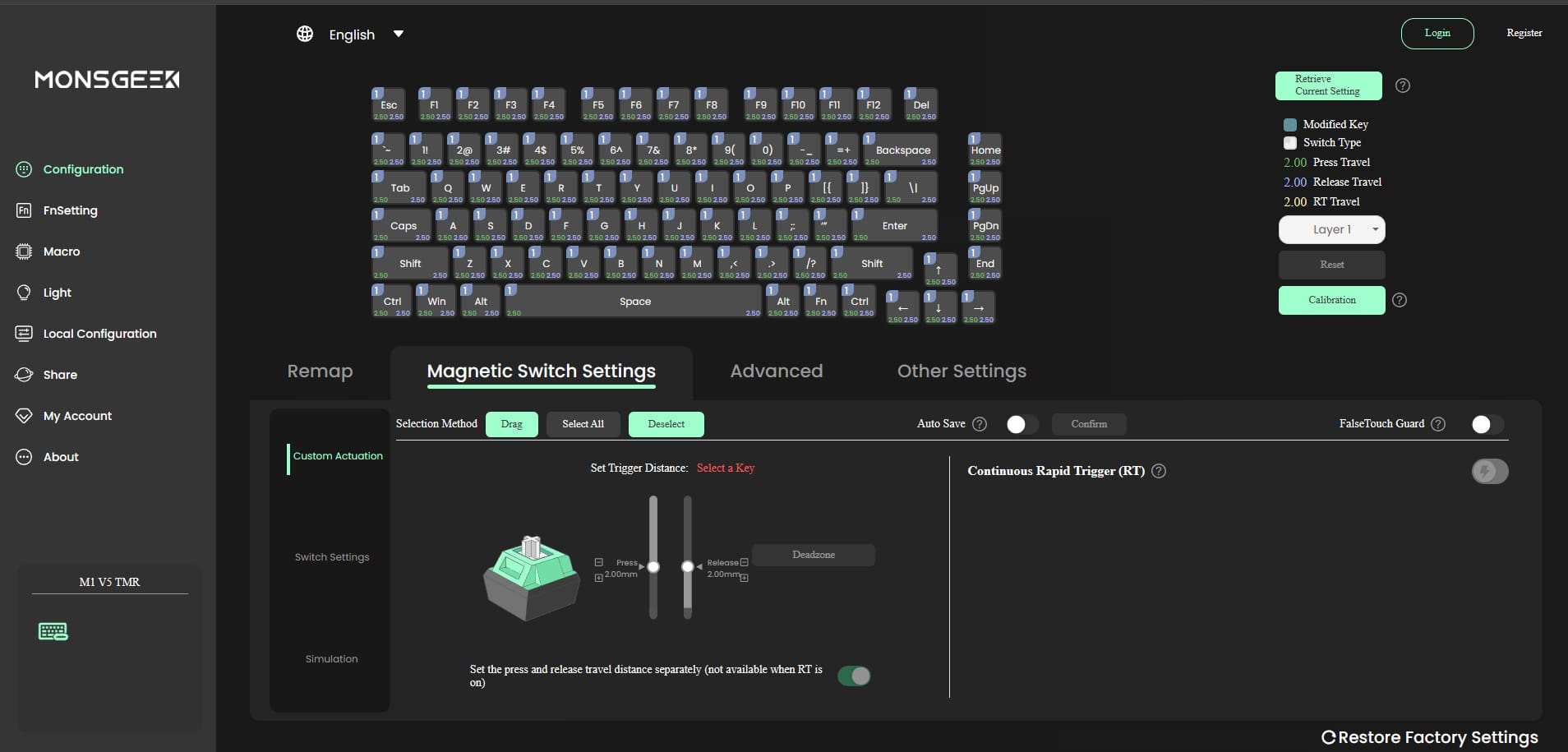
One of the features I've come to love with TMR keyboards is the range of motion you can customize for. With great software, which MonsGeek provides via their web app, you can adjust the range required to activate each key as well as the distance required to release a key press. This also allows you can update firmware, adjust the rapid trigger feature, setup macros, and play with the lighting scheme to your heart's content. It's a fully featured suite that gives you the power to customize the experience to your liking.
My reservations with this keyboard are minor. The M1 V5 offers the ability to use either a Windows or Mac layout, for example, but the rocker switch needed to change those modes is hidden under the Caps Lock key, so you'll need to physically pop the keycap off to make that swap. Apart from that, my only personal reservation are the smooth keycaps, but that's more a personal preference thing than a real concern. I did notice a couple minor oddities with the spacebar's RGB sticking to red in a handful of instances, and the keyboard's control knob feels limited in its usefulness (which includes adjusting RGB brightness and computer volume, but little else).
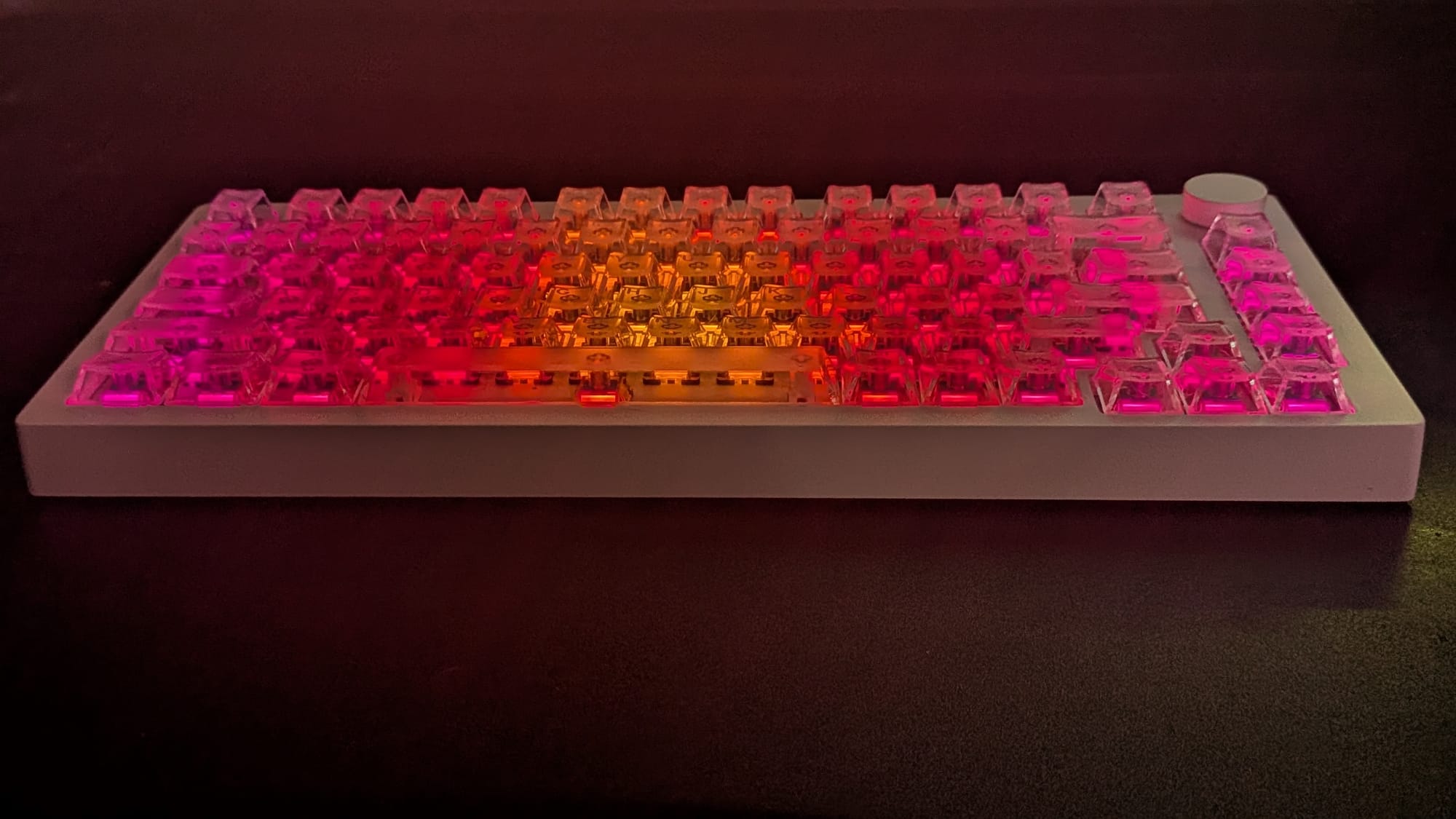
At $170, I think the MonsGeek M1 V5 is a great keyboard. It's priced to compete with other premium gaming keyboards, but it has the chops to justify the price point. The construction is hefty and built to last, the switches are responsive and feel great, and I love the keyboard's aesthetic. Whether wired or wireless, it's a great option for both work and gaming, though it's clearly been built to give gamers an edge on the battlefield with its premium features. If you're in the market for a great gaming keyboard, enjoy the aesthetic, and want to experience the joy of magnetic switches, you should give serious consideration to the MonsGeek M1 V5.
MonsGeek M1 V5 TMR
Good
The MonsGeek M1 V5 TMR is a great keyboard for gamers looking for a premium product with a satisfying, responsive feel, smooth aesthetic, and top-notch performance. Anyone looking to update their arsenal should give this little beast serious consideration.
Pros
- Aluminum case looks and feels high quality
- Magnetic switches feel great
- Keyboard customization offers plenty ways to make it your own
- Fast, responsive performance with 32K scanning and 8K polling, even wirelessly
Cons
- Keycaps are a bit too smooth for my personal taste
- Windows/Mac switch requires removing a keycap
- Usefulness of the knob feels limited
This review is based on a retail copy provided by the publisher.