It's no secret that Logitech makes some of the most advanced, consumer-friendly peripherals in the gaming space. From sleek keyboards to crisp headsets and precise steering wheels for racing sims, Logitech has it all in terms of gear. So when I tell you that the Pro X2 Superstrike is a truly best-in-class wireless gaming mouse, I mean it. Lightweight, extremely customizable, and beautifully designed, this mouse has it all.
The Pro X2 Superstrike comes with a few things when unboxed: the mouse itself, a USB wireless receiver, a receiver extension adapter, a USB charging cable, grip tape, and user's manual. I love when a mouse comes with grip tape straight out of the box, and it seems like it's become more and more common nowadays. The adapter is also a welcome bonus, as the option for extra versatility never goes unnoticed. In terms of out-of-the-box hardware, the Pro X2 Superstrike has just about everything you need to jump straight into your favorite games, no supplemental purchases required.
Upon preliminary use, the first thing you'll notice about the Pro X2 Superstrike is the incredible lightweight feel. Because this is a cable-charged, wireless device, there aren't any heavy batteries to weigh this bay boy down, so it is genuinely light as a feather. Gaming mice always perform their best when they're able to glide across a mousepad, and the lack of heavy components or extras within the Pro X2 Superstrike ensure its possible. In terms of the actual design of the mouse, it's undoubtedly slick, but there are no frills here: no cushions, divots, or finger rests for longer sessions. While I do prefer my gaming mice to have a thumb rest for the sake of comfort, the classic, pared-back design is tried and true, and helps to not add any extra weight.

Now, I know it's expertly designed, but how does it look? Well, to start, I like the black and white color palette of the device; it allows the mouse to blend into the average desk set up. The Logitech logo is of course front and center, accompanied by some Pro X2 decals. But beyond this, the actual look of the device isn't anything special. No LEDs, bright colors, pictures or sprites; nothing but pure performance. I don't see this as a super bad thing, as some people prefer their tech in clean black, white, and gray. But there are also those who like their mouse to have a little more personality, which is completely understandable, as it is your setup, after all. For the Pro X2 Superstrike, though, it's function over form.
The mouse is also durable, which I learned sort of by accident. Unfortunately for me, I actually dropped the mouse from standing height within 10 minutes of opening the box. Luckily, Logitech builds their gear to last. When I picked it up, there were no scratches, dents, or discolorations, and it still performed excellently in-game. The battery also lasts a super long time. I've been using the mouse for a few hours while gaming and writing this review, and the battery currently shows 79% remaining. Impressive!
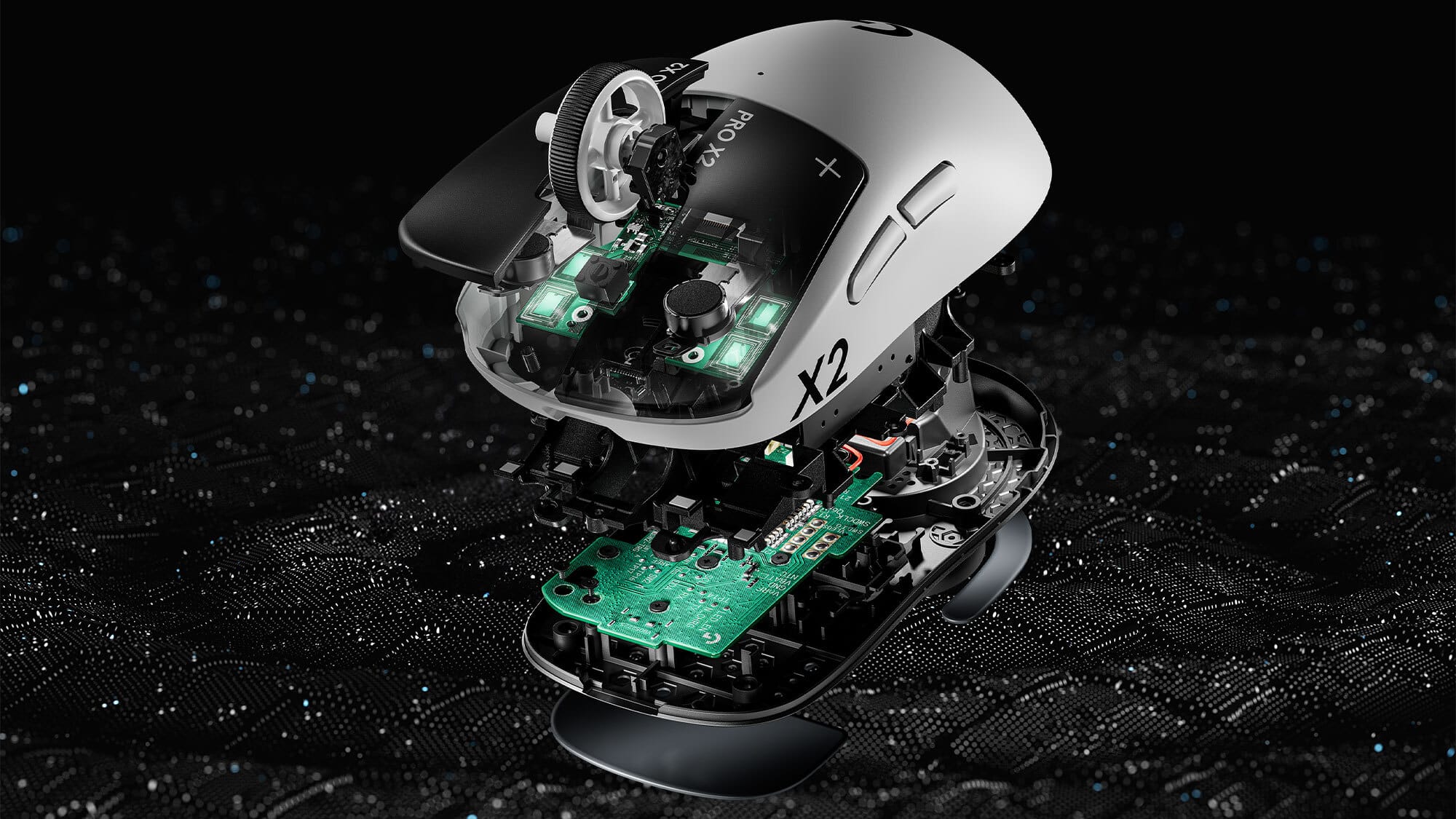
So, how does the mouse actually perform? I did most of my testing within Battlefield 6, and I'm happy to report that the Pro X2 Superstrike plays like a dream. Snapping to different targets felt great, and I almost never have to lift the mouse off my desk to reposition. And the clicking just feels so good; it's almost silent, and has just the right amount of feedback. The two extra side buttons are also much appreciated, as I'm one of those weirdos who sometimes ties the melee button to one of these for frantic CQC. I typically like to see gaming mice come with more than just two extra buttons, but I'll admit that I never really need more than two. I guess I'm just greedy!
The lightweight design encourages a high look sensitivity, so I had a blast experimenting and fine-tuning it via the Logitech G HUB app. The app offers a plethora of customization options, all savable via presets. DPI (cursor speed), BHOP scrollwheel sensitivity (for in-game "bunnyhopping"), and even game type (options like MMO, shooter, simulation, etc.) are all customizable down to the minute details. You can even tie the sensitivity of the mouse to the refresh rate of your monitor, which was a first for me. The G HUB app also allows you to search for community-made presets as a time saver. Overall, I was super satisfied with the customization options of the device, and will definitely be trying out new combinations in the future.
The Logitech Pro X2 Superstrike currently retails on Logitech's website for $179.99 USD. This is definitely a steep asking price, but for the package you're getting here, I think it's generally worth it. While there are a handful of features missing that I typically like see on my gaming mouse, the Pro X2 Superstrike delivers in the most important areas.
Logitech Pro X2 Superstrike Wireless Mouse
Great
The Logitech Pro X2 Superstrike is a compact, no-nonsense mouse with excellent performance across the board. What the mouse lacks in artistic personality is abundantly made up for in capability and convenience.
Pros
- Functional, lightweight, and durable
- Great performance and responsiveness
Cons
- Lacking distinct colors and flair
- An extra button or two would round out the package
This review is based on a retail copy provided by the publisher.