I recently got to attend PAX East, where I was constantly running around playing games and writing up previews. It was a tad bit stressful. That’s why I really appreciated my time with Shanty Town, a cozy town building game with a few twists on the genre. This game gave me a cozy reprieve from the convention chaos and lowered my blood pressure by at least 5%. Let's jump into the preview.
There are two modes of play, a main, campaign type of mode and a creative mode. The main mode has you moving from location to location, building up little urban areas, and the creative mode allows players to free build. Let's start with the main mode. For the first location, we start off with a small, flat foundation surrounded by a beach, a cliff, and the ocean. It’s a bit of a tight spot. The controls are standard for the genre, with our camera floating above the area we’ll be developing. We can zoom in and out, pan the camera around, and move up and down. We immediately start with a structure to place, and we can rotate whatever we’re placing with the Q and E keys.
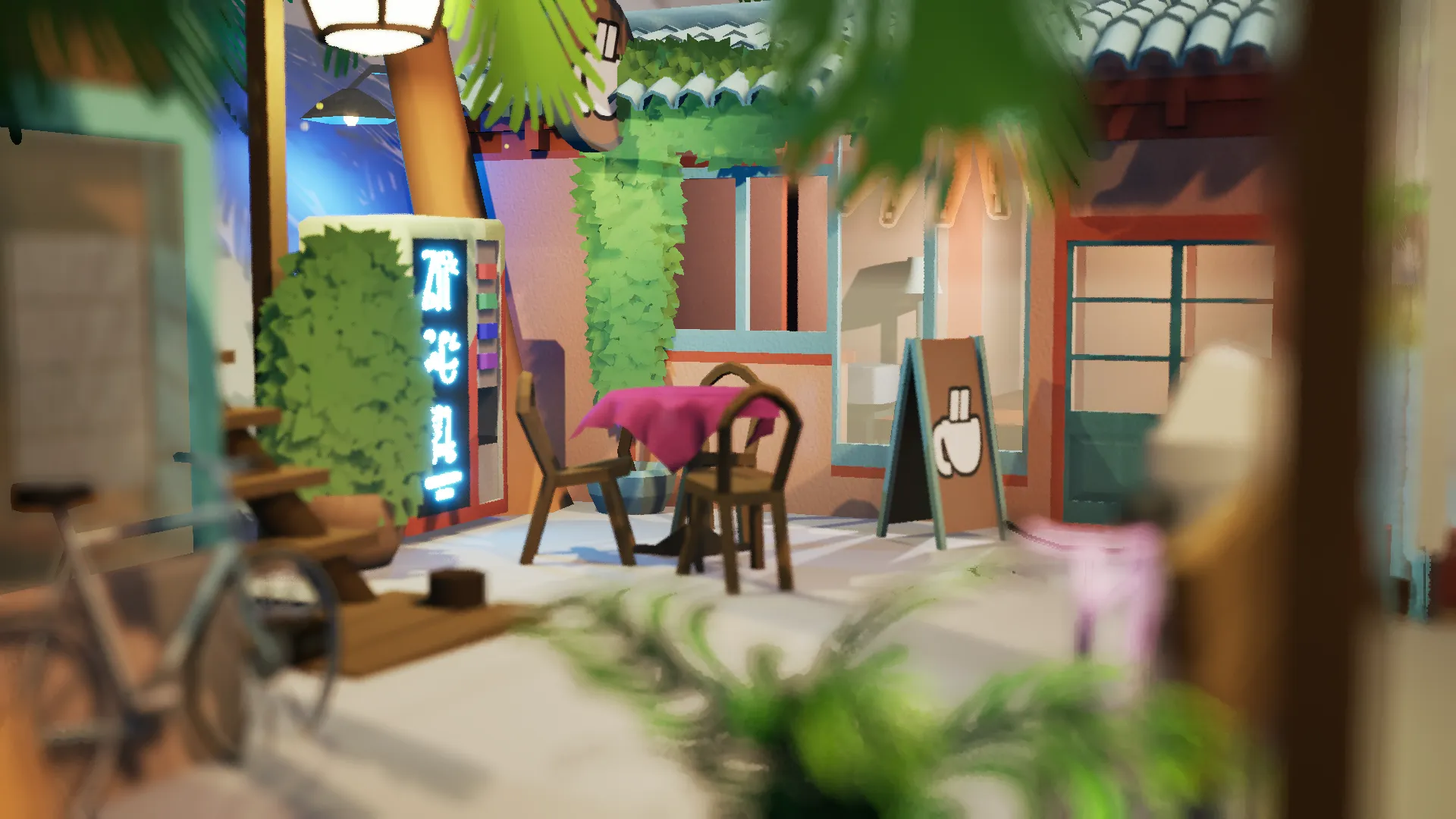
The game first gave me the task of placing a house. Given that we’re working in tight quarters, I moved the house off of the platform a bit, and it immediately adjusted by adding support beams. The game then threw more buildings and features at me, all of which go in a little inventory tab on the bottom of the screen. You don’t need to buy them; they just keep appearing. Buildings, benches, vending machines, signs, windows, and more will all appear instantly in your inventory. You can see upcoming items and features in a stack on the left of your screen. All of these items fall into one of three categories, which include light, utility, and decor. Buildings are upgraded once they have enough of each category of item nearby, which boosts your level progress. Upgrading will also grant you additional items to place from a small pool of varying rarity.
As you build up your little urban space, a meter fills in a circle around a camera icon. Once you’ve sufficiently upgraded your buildings and placed your items, the meter fills entirely, allowing you to take a picture. There are multiple camera modes, like the default camera, which is essentially just your default POV with a camera overlay. Then there’s the drone mode, which locks you in place and increases your FOV. Finally, we’ve got the walking mode, which is where you plink down a little guy like it’s Google Maps and see what it looks like from a pedestrian's POV. All of these camera modes come with a small focusing square that you can move around the frame. You also have two overlays, a target overlay and a rule of thirds overlay. When you’ve got your optimal framing down, you can snap the picture and move on to the mission complete screen. When you complete a level, the items you placed will be unlocked for the creative free-build mode.
After finishing an area, you move on to the next one, where you build again. Sometimes you’ll have a lot of space to work with, and sometimes you’ll have very little. Play around with variations of items and buildings, like color, alteration, and placement. There are various color schemes and different forms an object can take. By pressing V you can switch between these forms, for example, making a window go from a small opening to a larger one spanning the side of a building. An electric sign could be curvy or square, upright or handing off the side of a building. It’s fun to play around and see what works. Structures can stack on top of each other, lending to some cool vertical settlements, and placing objects like vending machines or tables on roofs creates flat patio areas. It’s important to note that you can only undo up to one action, so you might want to plan ahead a little. The developer, Erik Rempn, told me, “In this game you kind of live with your mistakes. You're finding the beauty in chaos,” which is a perfect description from what I’ve played. I often found that improvising around a “mistake” ended up making the area I was working on even more endearing. Erik has lived in various places in Asia where he’s watched urban spaces grow organically over time, giving him the inspiration for this game.
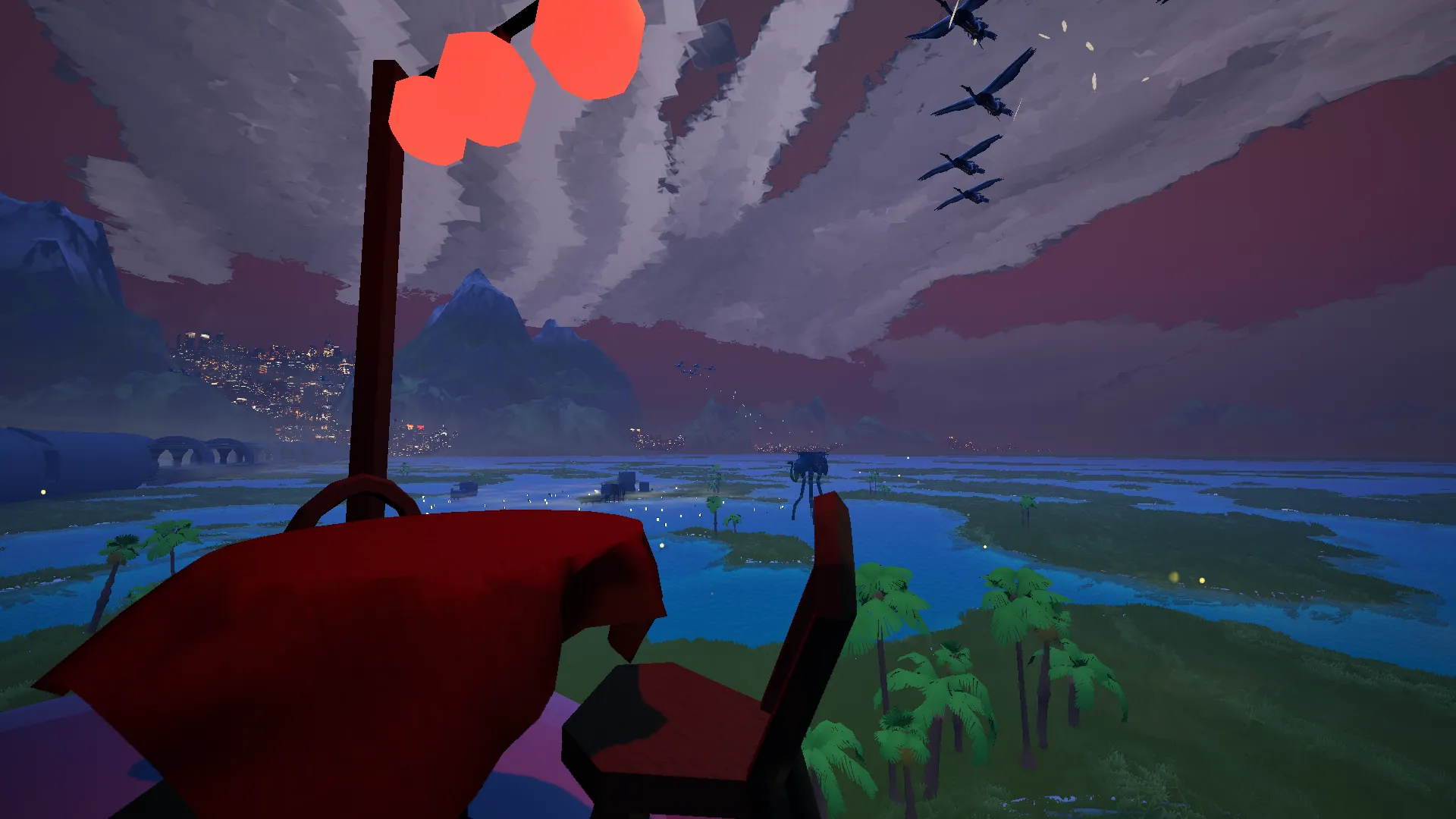
Back to the game, the visuals are simplistic yet quite stunning on account of the Shanty Town’s sense of scale, quality lighting, and air of mystique. You’re not building your urban area in a stale, lifeless world. Birds fly around, leaving trails of feathers in their wake. Mysterious creatures move around in the background, some of which look like the Silt Striders from Morrowind. There are entire cityscapes in the background that emit a warm glow as day turns to night. The world you inhabit feels as interesting as the town you’re building, and it’s fun to move around the map and see the sights it has to offer. I like the light sci-fi touches like the airships that fly by at random and the train that rushes by in the giant metal tube. Most of all, I like seeing areas I’ve already worked on in the background. I felt like I was really making progress in my quest to build the area up. Shanty Town might have straightforward gameplay, but it has this air of freedom to it that feels so refreshing.
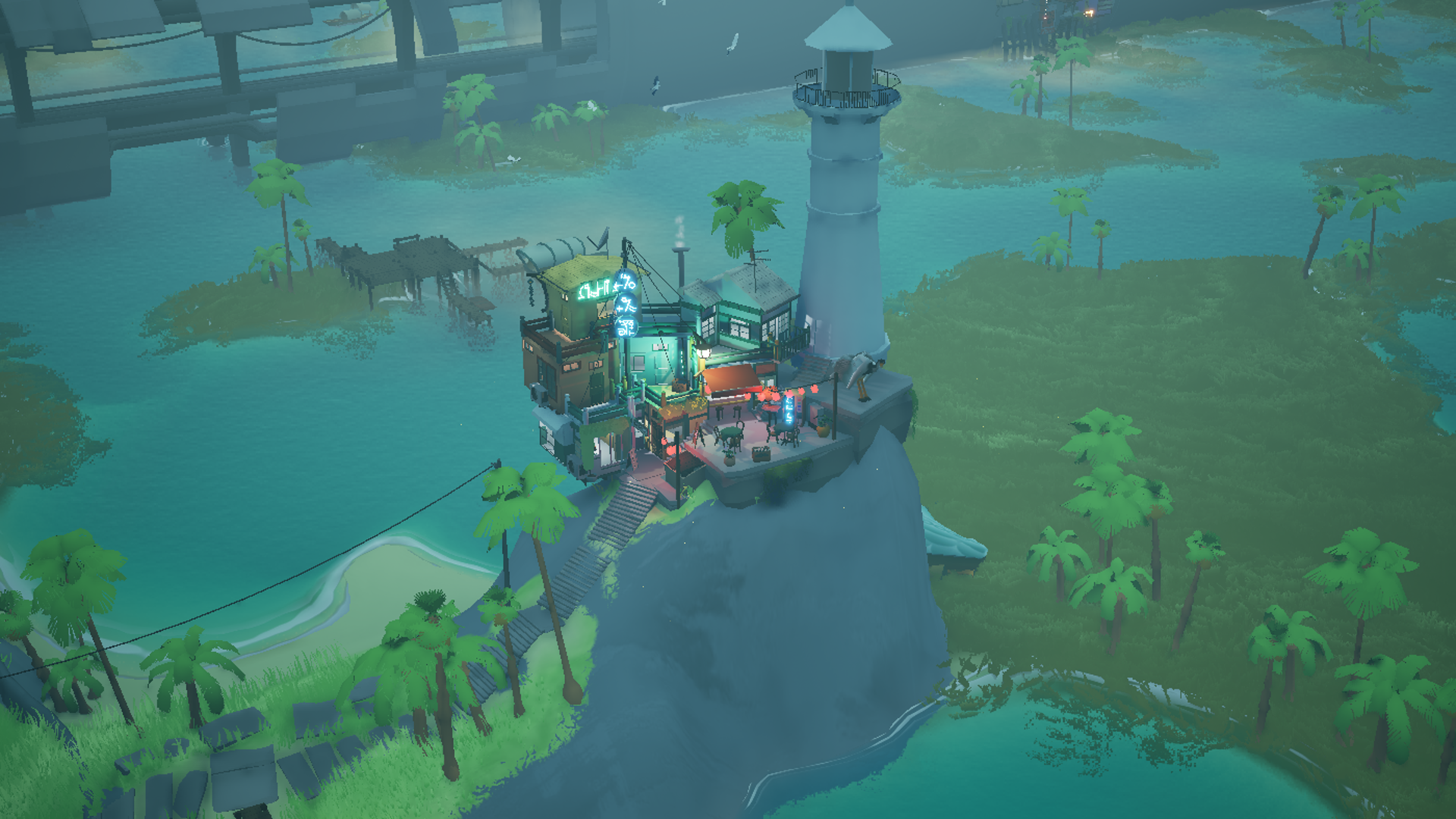
On top of the lovely visuals, the game also has strong audio design. It’s pleasant to hear boats motor by, or hear the birds fly overhead, or listen to the subtle changes in bug and frog chirps throughout the day. The game sounds lively and lived-in. You can even change the weather to make it foggy, sunny, overcast, stormy, or rainy! I love listening to the wind blow or the rain pitter-pattering on the tiled rooftops. Finally, there’s the music, which is consistently plucky and upbeat. I have no idea what genre it is, but I’m tempted to compare it to lo-fi.
I’m quite excited for Shanty Town’s release date. The game really does an excellent job of fitting right in with the cozy game genre, but with its own twists, aesthetics, and sublime atmosphere. The Steam release date is set for April 16th, 2026, so it’s right around the corner at the time of writing this! For those of you who want to dive in now, you can try the demo on Steam.