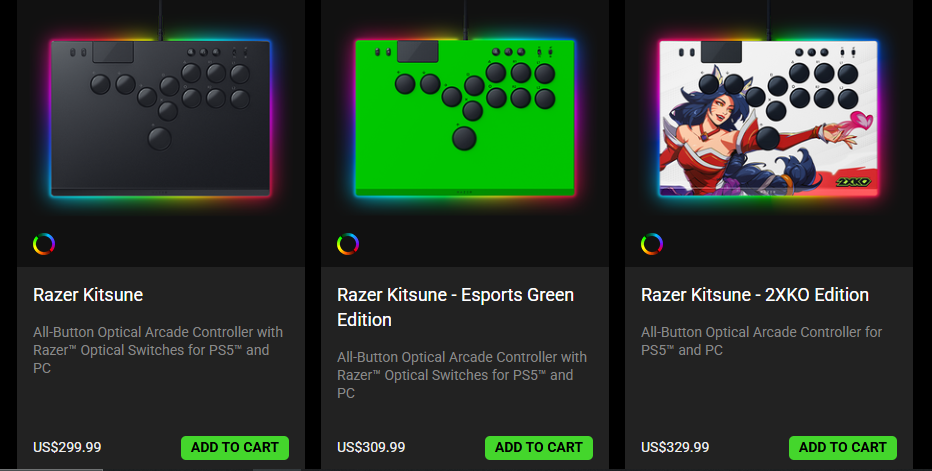
Starting at $299.99, the Razer Kitsune all-button optical arcade controller has a gorgeous build, and the quality is superb. I normally don’t get new controllers or use anything fancy for any of the games that I play, but this fight pad has completely changed my perspective on using specific controllers for specific kinds of games. The Razer Kitsune comes with a 3.1 m / 10.1 ft wired USB Type-C to USB Type-A cable, the controller itself, and the product information guide. So the setup was extremely quick and very easy - just plug it in and go.
Controller Introduction
Before I dive into the good stuff, there are a few things that I was curious about. This fight pad can be used with the PlayStation 5; my PlayStation 4 is on life support, so I wasn’t able to test if it worked there, too. You can also use it with your PC, which I was able to test a little bit. For curiosity's sake, I did plug it into the Steam Deck using a dock, and it kind of worked, but this is not a reliable way to use the controller. I also tried to plug it into my Xbox Series S, and it didn’t work at all, which didn’t surprise me. The box is very clear about what the fight pad will work with.
This fight pad is also portable. I carried it around for a bit, and it was hardly noticeable in my backpack. It’s also slim. I keep mine in the box when I’m not using it, and the box fits perfectly with other items in my collection.
The Razer Kitsune has what they’re calling “Cable Security Clasp and Tournament Lock Switch”. What that means is that this controller has a built-in lock that holds the cable in place, which I love. You can also use the lock switch to disable non-essential buttons. That might not sound important, but there were many times when I was learning to use the controller that I almost hit buttons that would interrupt my match. So I like this locking feature, but you have to remember to turn it off when you’re done.
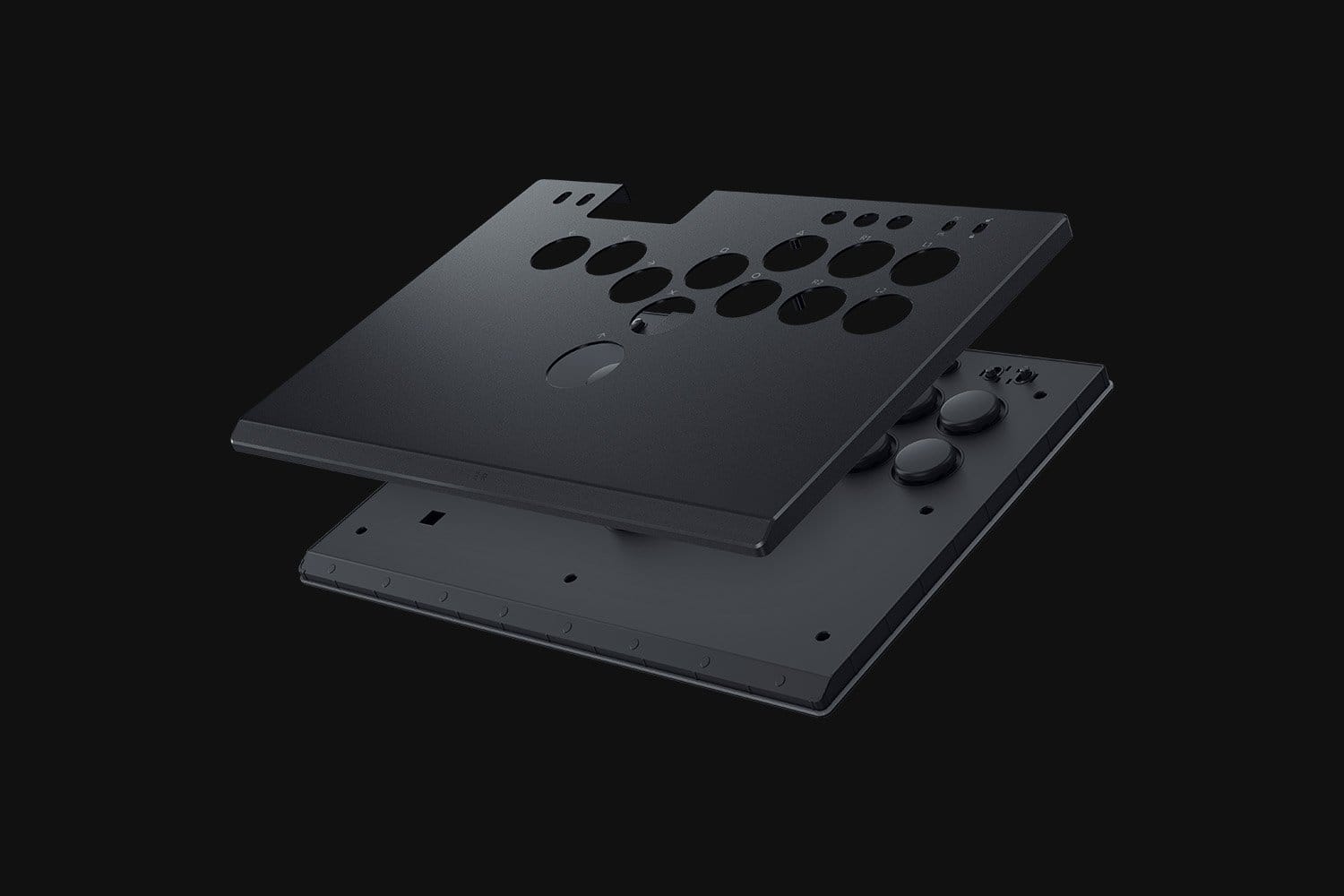
You can also remove the plate on the top and replace it with a custom one (they have a template for you to use) or use one that they offer. This controller also comes with built-in RGB, which I was not a fan of at first, but it grew on me. The light is not intrusive at all, and I honestly forgot it was a feature during my matches.
The biggest thing that I dislike about this controller is the awful plastic and metallic smell that I can’t get to go away. Right out of the box, this thing smelled awful, and that smell still hasn’t gone away even after a lot of use.
Let’s talk Tech Specs
The Razer Kitsune connects with a USB Type-C to USB Type-A cable and has a cable lock and a lock switch. The cable has an amazing length, but it was honestly starting to drive me crazy. I play at a desk, so there is a lot of wire left over. Including a shorter wire would’ve been a huge boon for this controller.
This controller only works with the PlayStation 5 and a Windows PC. Trying to use it on the Steam Deck was really pushing it and came with a whole host of issues. The controller will not work at all on the Xbox. Again, the box makes these things very clear.
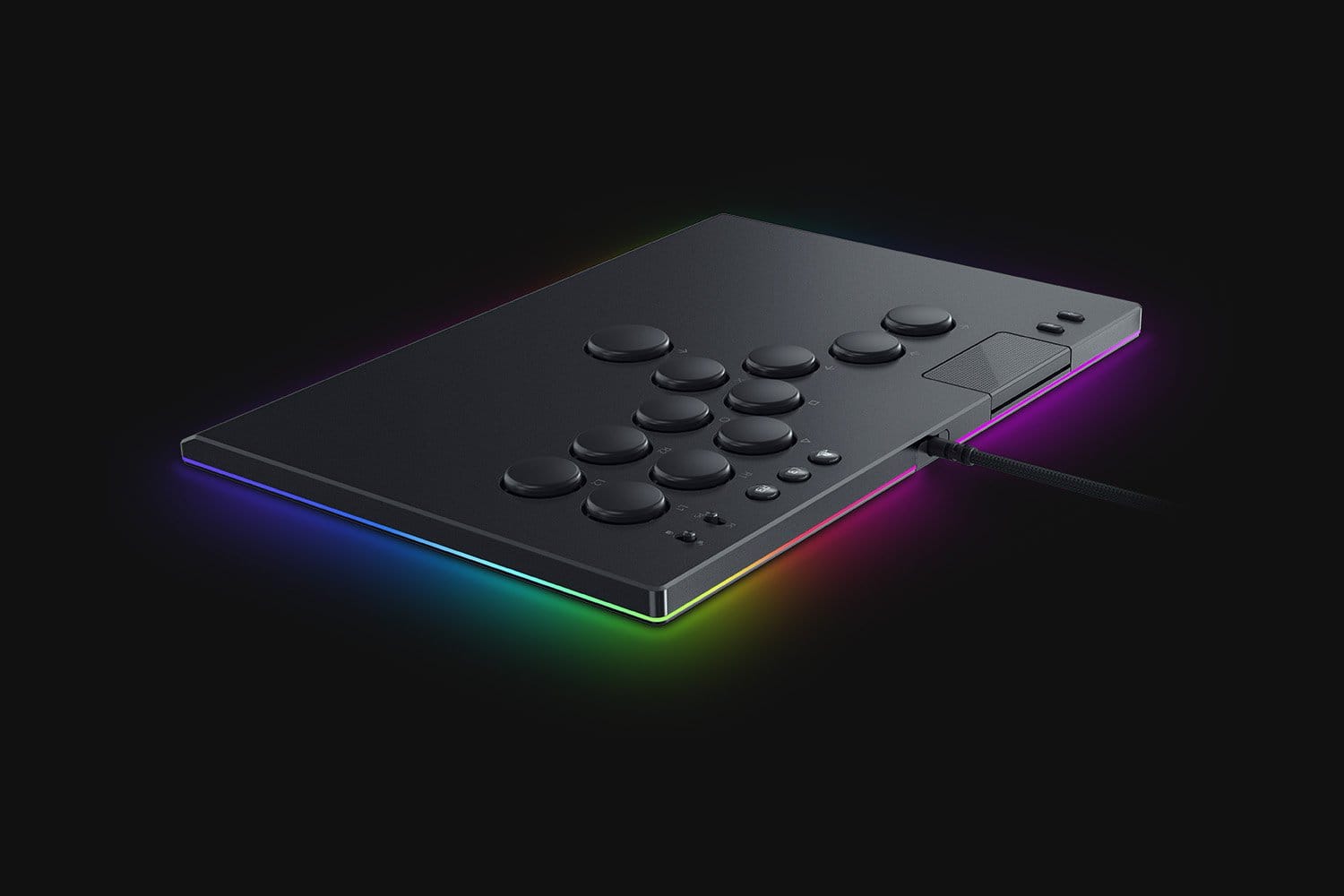
The Razer Kitsune has Razer Chroma Lighting, which is gorgeous when the controller is at rest, but is easily forgettable during a match. This controller has Mechanical Action buttons, which offer a Precise Quad Movement Button Layout that I'm not a fan of. The button layout, to me, has a large learning curve, which I cover further in the review. It also has Razer Low-Profile Linear Optical Switches.
The Razer Kitsune does not offer Multi-Functional Buttons, a Quick Control Panel, or an Interchangeable D-Pad. If you want a D-Pad, this is not the controller for you, but I can say that menu navigation works just fine with the buttons provided. There are no Interchangeable Thumbsticks, no Trigger Stops, and no Microphone Input. There's no audio output, battery, or configuration app either.
You can customize the artwork, though, because it comes with a removable aluminum top plate. There is no carrying case included, but the controller is slim and fits into all of my backpacks without any issues.
The Razer Kitsune dimensions go as follows: Length: 296 mm / 11.66”, Width: 210 mm / 8.27”, Height: 19.2 mm / 0.75”, and it weighs approximately 800 g.
Gameplay
Gameplay testing included:
- Tekken 8 (PlayStation 5)
- Streets of Rage 4 (PC and Steam Deck)
- Injustice 2 (PlayStation 5)
To consider each game to the best of my abilities, I played 10 matches on Tekken 8 and Injustice 2, ensuring that I did not play the same character twice. Streets of Rage 4 was tested through four different stages on PC, and I could not pass stage one on the Steam Deck.
Tekken 8
I bought Tekken 8 specifically to test it with this controller, and my experience was pretty subpar the whole time that I was playing the game. The biggest thing that stood out to me during my Tekken playtime was how soft the Razer Kitsune’s buttons are. They feel great to use while you’re playing, but the buttons don’t offer much feedback, which I really need to enjoy Tekken. The buttons are also smooth; there is no nice divot for your fingers to rest. Both of these things could be fine, but the buttons are far too sensitive.

Moving around in the 3D plane doesn’t feel right with the button setup. Don’t get me wrong, it’s still possible, but it's not fluid, and it was not fun to learn. However, it is far easier to get combos off. Your hand has to be fast to use this controller because of the button layout, which I found to be extremely weird. One of my biggest criticisms is where the buttons are placed, as they don’t feel comfortable in the heat of the moment in this specific game. Note: I have small hands, so your experience may vary.
Menu operation, fighter selection, and everything else are fine. But the Razer Kitsune does not feel like the most comfortable option for Tekken 8.
Injustice 2
Injustice 2 was a completely different story. I was getting combos off that I had never seen before, having the most fun I had ever had with the game. The Razer Kitsune offered a superb experience. The buttons are still far too sensitive for my taste, and I wish they weren’t so smooth, but the experience is better in this game.

Streets of Rage 4
The Razer Kitsune felt like it was made for games like Streets of Rage 4; it made playing the game so much easier over the traditional controller. Traversing the maps and dodging is especially easy with this controller. Streets of Rage 4 also feels just fine with the sensitive buttons.
Final Thoughts
The Razer Kitsune has amazing build quality, and it can take a beating. Even as I was going crazy on Injustice 2, I was having a fantastic time. I will not play a fighting game without it now, and have even realized that I would love a controller with a stick as well.
If you’re new to fighting games or don’t play them often, there is a steep learning curve here. Be aware that with smaller hands, you might have a hard time getting around the controller at a good pace.
Razer Kitsune All-Button Optical Arcade Controller
Great
The Razer Kitsune is a great controller with amazing build quality. The metal shell is exquisite, and I enjoyed playing Injustice 2 and Streets of Rage 4.
Pros
- Fantastic build quality
- Responsive buttons that offer fluid gameplay
Cons
- The controller smells horrible
- The button layout is weird and often feels random
This review is based on a retail copy provided by the publisher.