I've only recently become aware of Rapoo and what they have to offer, but the V700DIY-75 is my first time getting hands-on time with one of their keyboards. While it's not perfect, this slick little mechanical keyboard has a lot to offer, especially at such a reasonable price point. They're one of the world's leading wireless peripheral manufacturers for a reason.
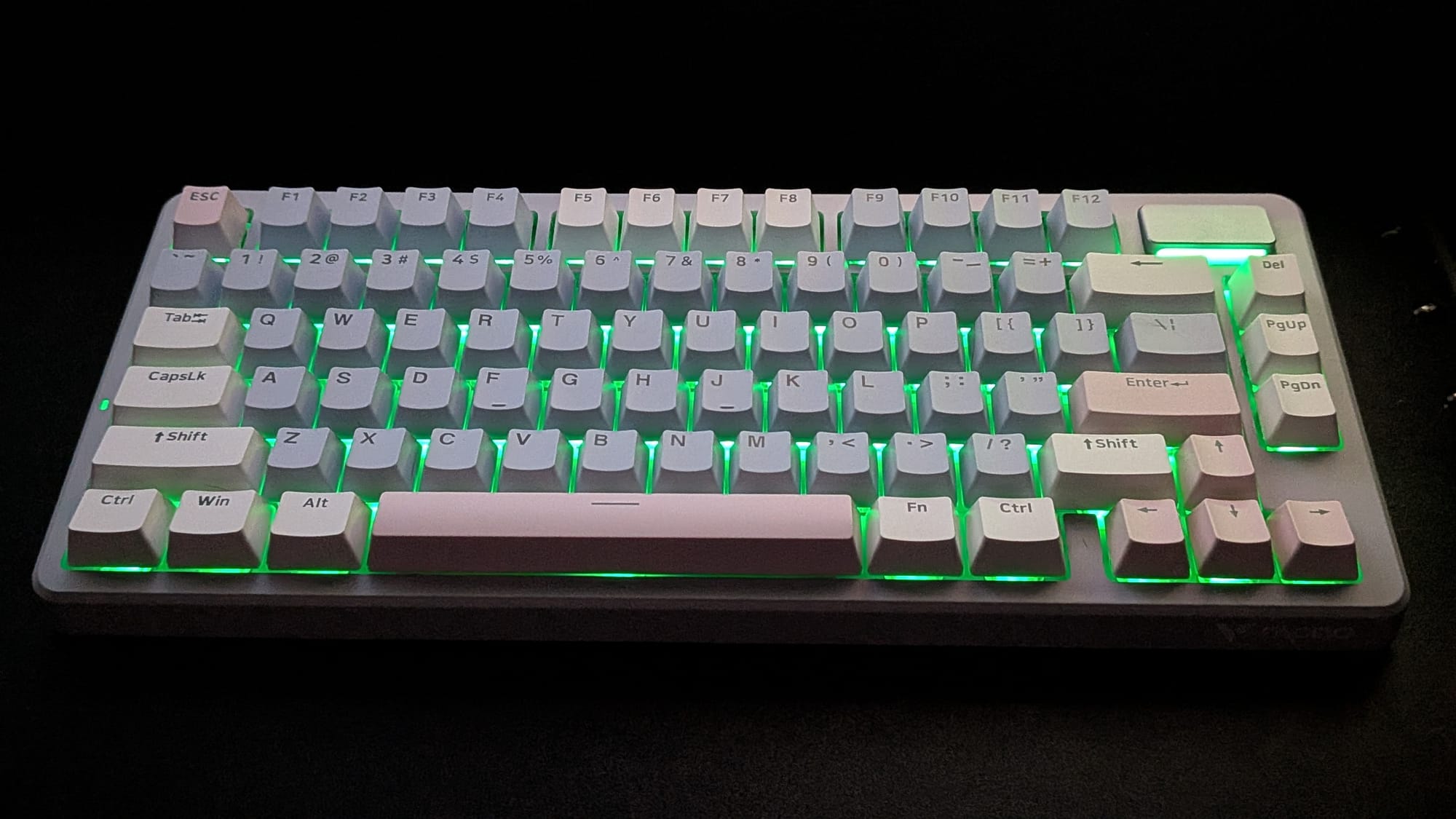
The V700DIY-75 is Rapoo's most compact wireless gaming keyboard. A 75% keyboard, as the 75 in the name suggests, chucks the numpad and shifts placement of a few other functional keys to offer a streamlined package everyone but spreadsheet jockeys will find useful. The V700DIY-75 (a mouthful of a name I'll be referring to as the "V700" going forward) is a smooth, lightweight wireless gaming keyboard that packs some serious punch without a heavyweight price tag.
From a usability standpoint, the V700 is a mechanical keyboard aimed at gamers. It features creamy mechanical switches that sound satisfying. I'm a bigger guy, but as a software developer and writer, I spent a lot of time with my keyboard. Whether I'm on the go or at home, the V700DIY-75 is easy transport and stays where it's put.
If you're going to be using the V700DIY-75 for typing work, I think it's a great option that feels quick and responsive. That said, the pressure needed to activate these switches is a bit on the light end, which can affect gaming sessions in unexpected ways. In several of my heavy sessions with action games and shooters, I noticed myself drifting or executing a maneuver I didn't intend to perform. The keyboard was picking up key presses I never intentionally delivered. It just took the slight pressure of a resting finger to activate it. If you're using this for gaming, I would encourage you to keep that in mind.
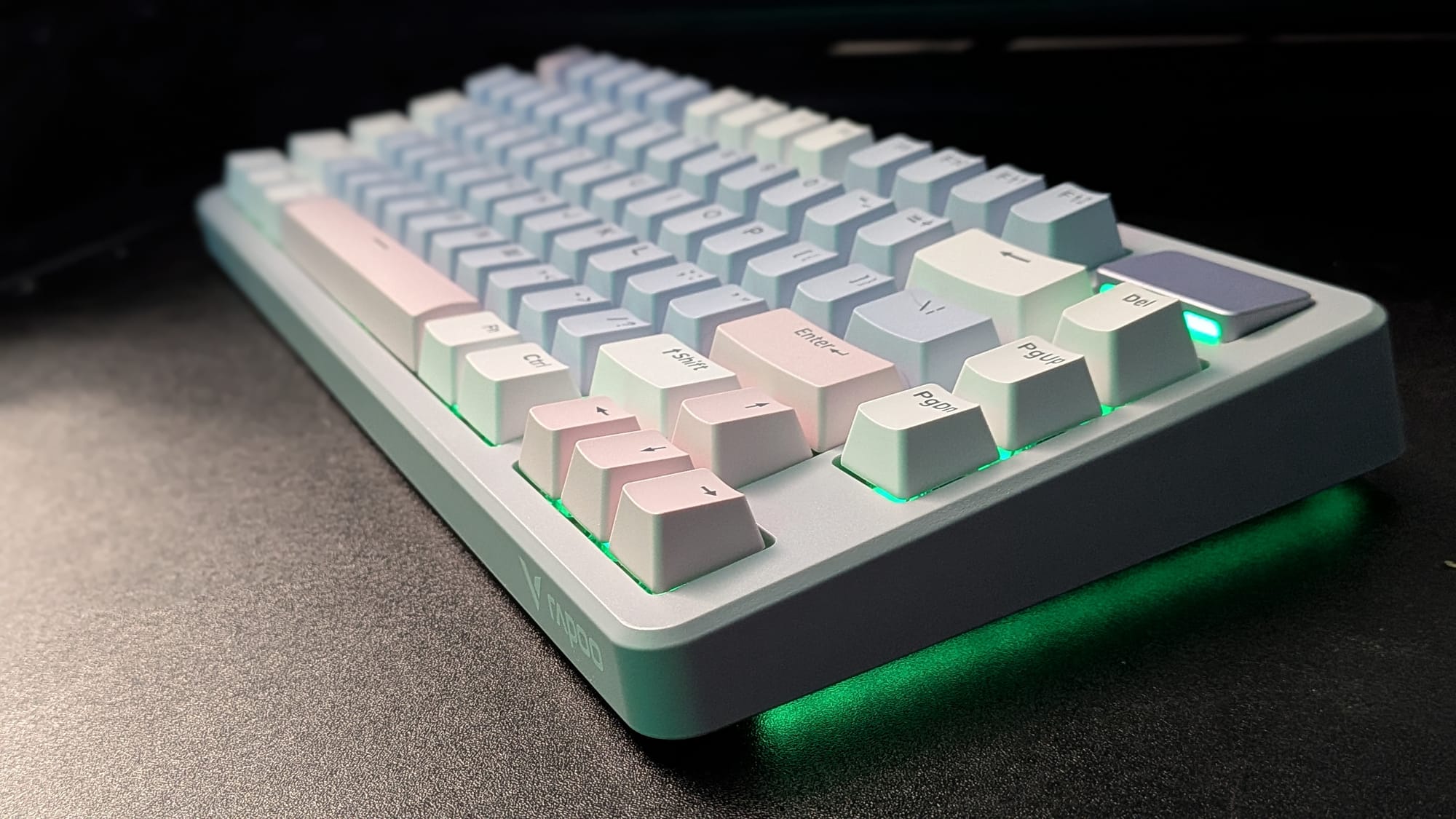
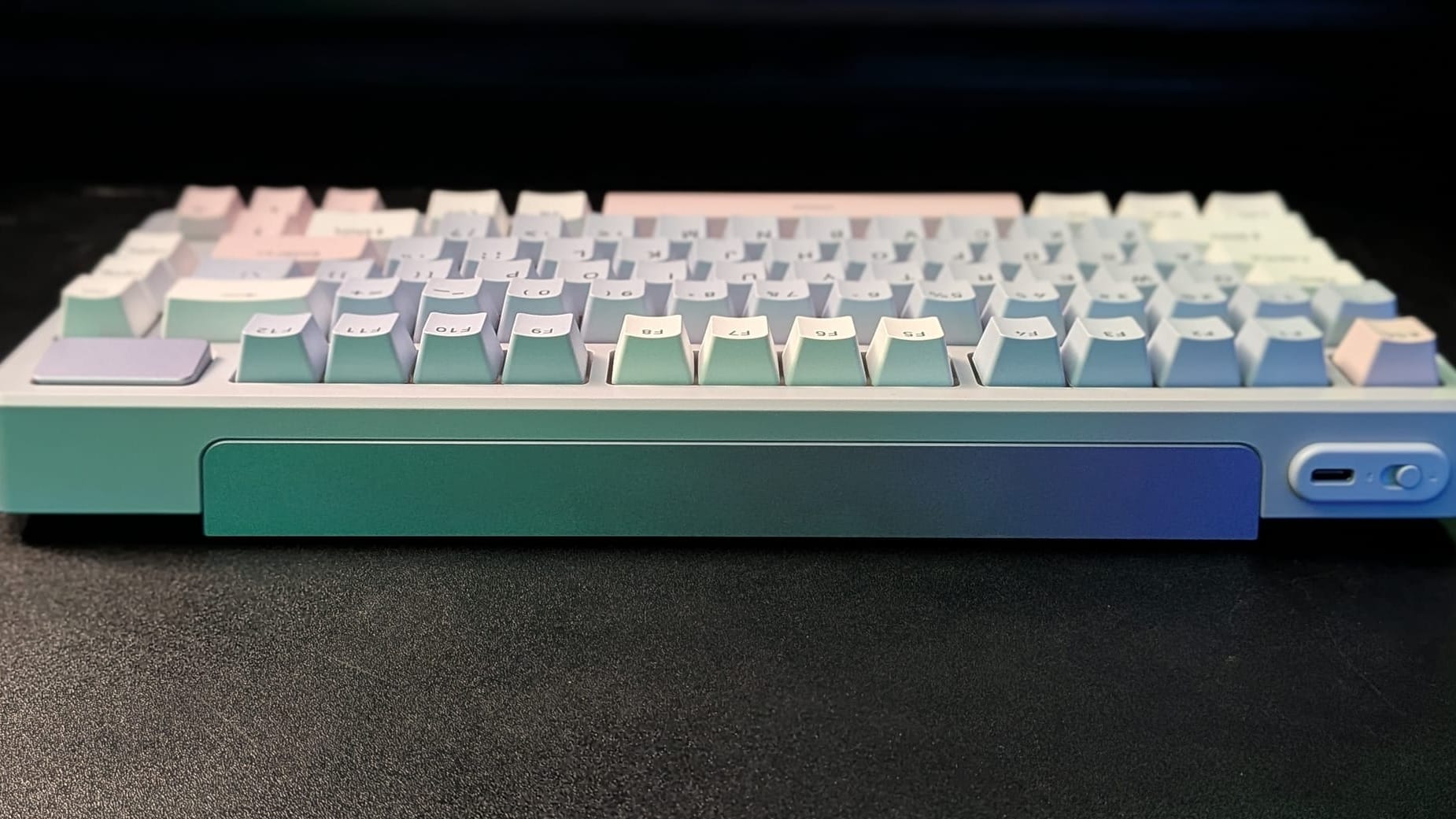
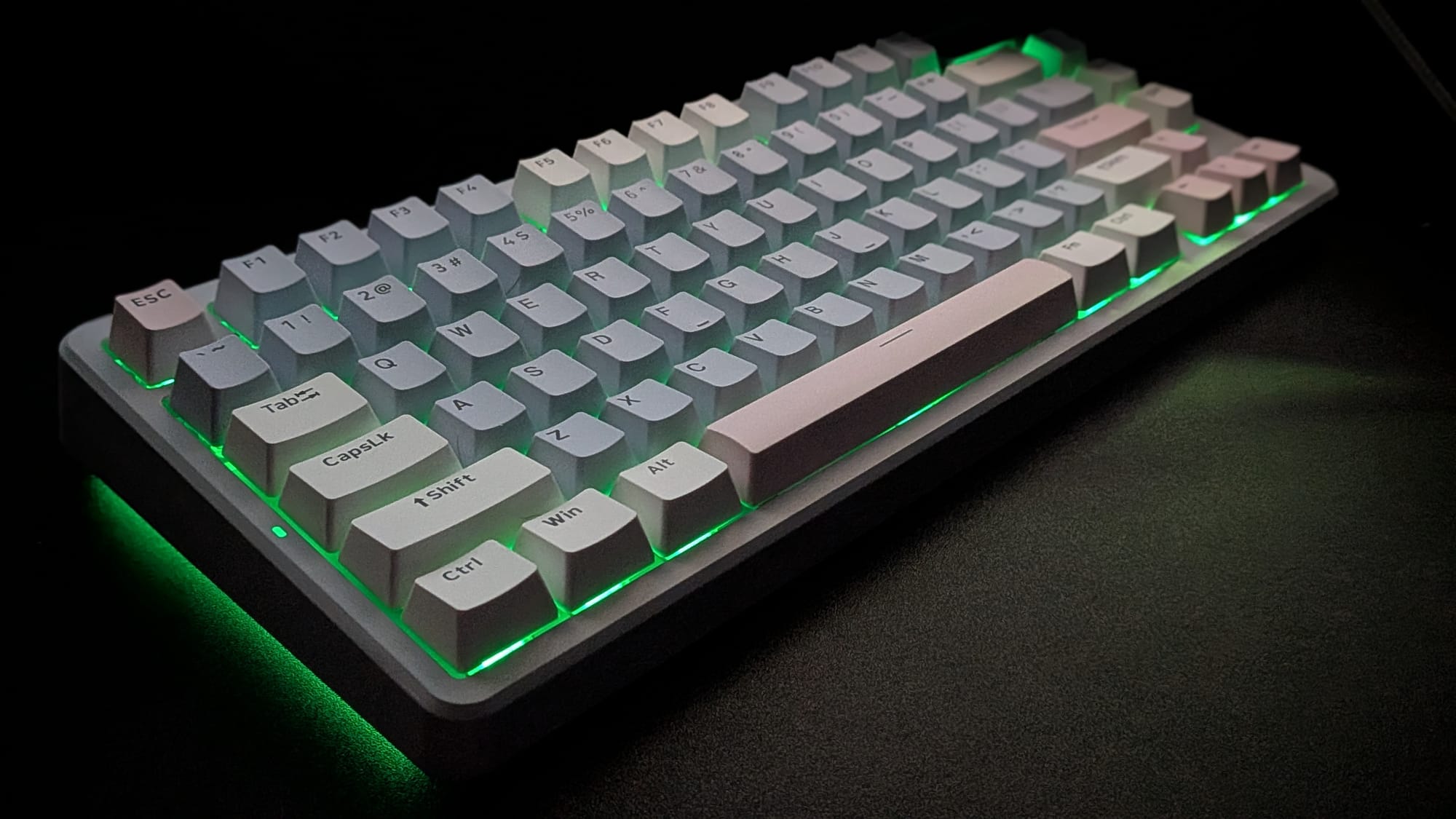
The body itself is made of smooth, matte plastic. The PBT double-shot keycaps are gentle to the touch and visually appealing. The unit I was sent has a gray shell with a few off-white functional keys, soft pink arrow, space, and enter keys, and the rest of the keys are a gentle powder blue. The top-left of the keyboard has a USB-C port and a 3-way switch so you can quickly swap between wired, Bluetooth, and 2.4 GHz wireless connectivity. The top-right of the keyboard's face has a smooth, raised surface with an LED bar in front of it that, when removed, cleverly conceals the wireless dongle and otherwise just adds to the V700's aesthetic.
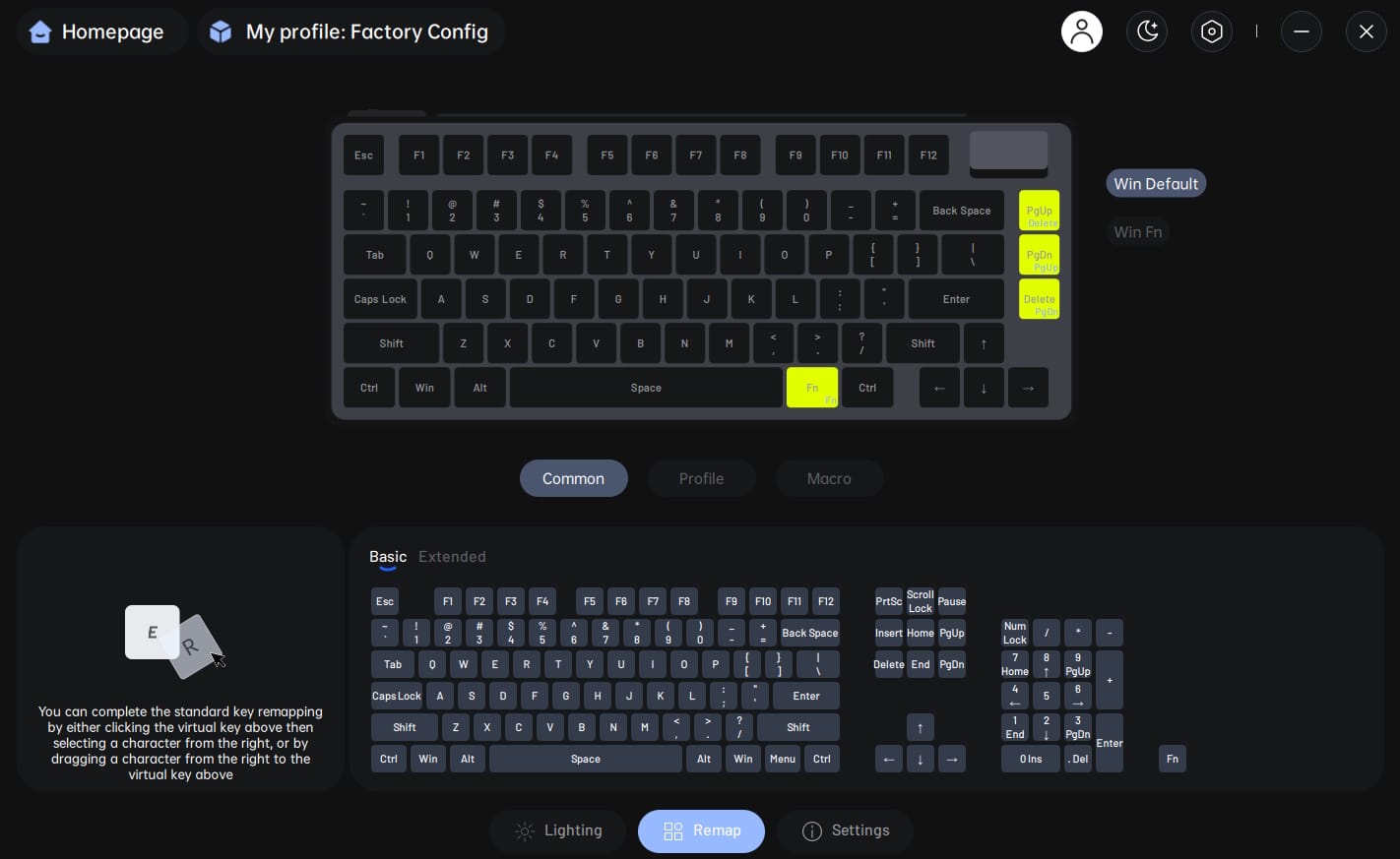
There are a few standout features I want to mention with regards to the V700. First, Rapoo has their "A HUB" software, which is impressively similar to Logitech's G Hub software. Like the G Hub, you can check battery life and personalize your keyboard, whether by layout, RGB customization, or wireless response rate. Given the V700 is a mechanical keyboard and not magnetic, it's probably no surprise you can't customize the keystroke distance to activate the switches. It would've been nice to have more control over that aspect (especially given the previously mentioned concern with accidental key presses).
In terms of the keyboard's RGB functionality, everything we've come to expect from a standard RGB keyboard is there. All the familiar color patterns are intact. The V700 (and a few other keyboards I've recently seen) offer a side-lighting addition that can be customized. This effectively gives the keyboard a sharp ground-effects vibe, similar to aftermarket upgrades on cars from the early 2000s. Is it necessary? No, of course not, but it's pretty freakin' cool. I'm also a fan of the RGB Indicator bar at the top-right of the keyboard's face, which I mentioned earlier. At first glance, you'd think it only offered a bit of aesthetic juice to the package, but it actually doubles as a charging-light indicator for when you need to get that battery ready to go again.
Speaking of the battery, I'm a little dumbfounded with the V700's battery life claims. According to their documentation, the keyboard can operate wirelessly for nearly FOUR HUNDRED HOURS between charges. I charged it to about 90% when I first received it, and I've been using it heavily for the better part of a week. The current charge is at 85%. While I'm sure the number they mentioned assumes the RGB is all turned off, I'm running my keyboard with royal blue lighting at 20% intensity, so I'm sure that draws a little extra juice. Still, I expect this little beast to operate 100+ hours between charges without any problem at all.
The Rapoo V700DIY-75 is a sharp, compact little workhorse that offers a satisfying typing experience with enjoyable creamy jade switches. Rapoo's A HUB software offers loads in customization and the keyboard has quick response time and impressive battery life. The switches feel a bit too sensitive, which could be frustrating if it hits you in the middle of an intense gaming session. Still, for the price point, the V700DIY-75 is a good option for anyone looking for a responsive wireless mechanical keyboard on a budget.
Rapoo V700DIY-75
Good
Rapoo's V700DIY-75 is sleek with inviting aesthetics. The compact design and long battery life make it great for travel or as a wireless desktop replacement option that's a little more friendly with your wallet. The creamy jade switches are audibly satisfying, but they feel hyper-sensitive in a way that could cause frustration when playing games. Still, if you need a good wireless mechanical keyboard for typist work or you want to give wireless options a try, the V700DIY-75 could be a great option.
Pros
- Creamy jade switches sound great
- Compact design and long battery life make it a good option for portability
- Rapoo's A HUB software is well-done and offers personalization
- Affordable
Cons
- Switches don't require much force to activate
- Great for typing, but gaming could be frustrating
This review is based on a retail copy provided by the publisher.