By day, I'm a software developer. By night, I play games. While I'm no network engineer, I knew my setup was long past time for an upgrade. With its impressive tech, promise of sustained power, and smooth tool set, I knew ASUS's new ROG STRIX GS-BE18000 would be just the ticket to bring my home network into the modern age.
First, let me paint a picture so you know what we're working with. I live in a home with approximately 2800 square feet of livable, usable space, including a basement and bedrooms on both floors. Thanks to the age of the house, there's only a single coax cable running into the house, so options for my cable modem were limited. As such, my Motorola Surfboard and Nighthawk X4S AC2600 were housed on the top floor, approximately in the center of the house. I then ran a 100' CAT-5 cable to the basement, over a dropped ceiling to another router I'm using as a downstairs relay. This is important because, apart from my home office upstairs, all of the serious network traffic takes place in our game room downstairs, about as far from the Nighthawk as it could get.
While the setup I mentioned above worked, a lot of it was just me trying to get the most out of what I had without needing to run new lines and drop cables into every room. Again, I'm a programmer and gamer, not a network engineer, so the finer points can be lost on me so long as it all works as expected.
As you might have guessed, my Nighthawk X4S AC2600 (which hit store shelves in 2016) has been a workhorse, but it's been starting to show signs of its age. In the basement and along some of the outer walls of the house, my signal strength could get fairly spotty, with download speeds nearly grinding to a halt at times. Over Wi-Fi, device access was impossible with any meaningful speed or reliability. Now, with the GS-BE18000, my whole home network has gotten a significant upgrade.
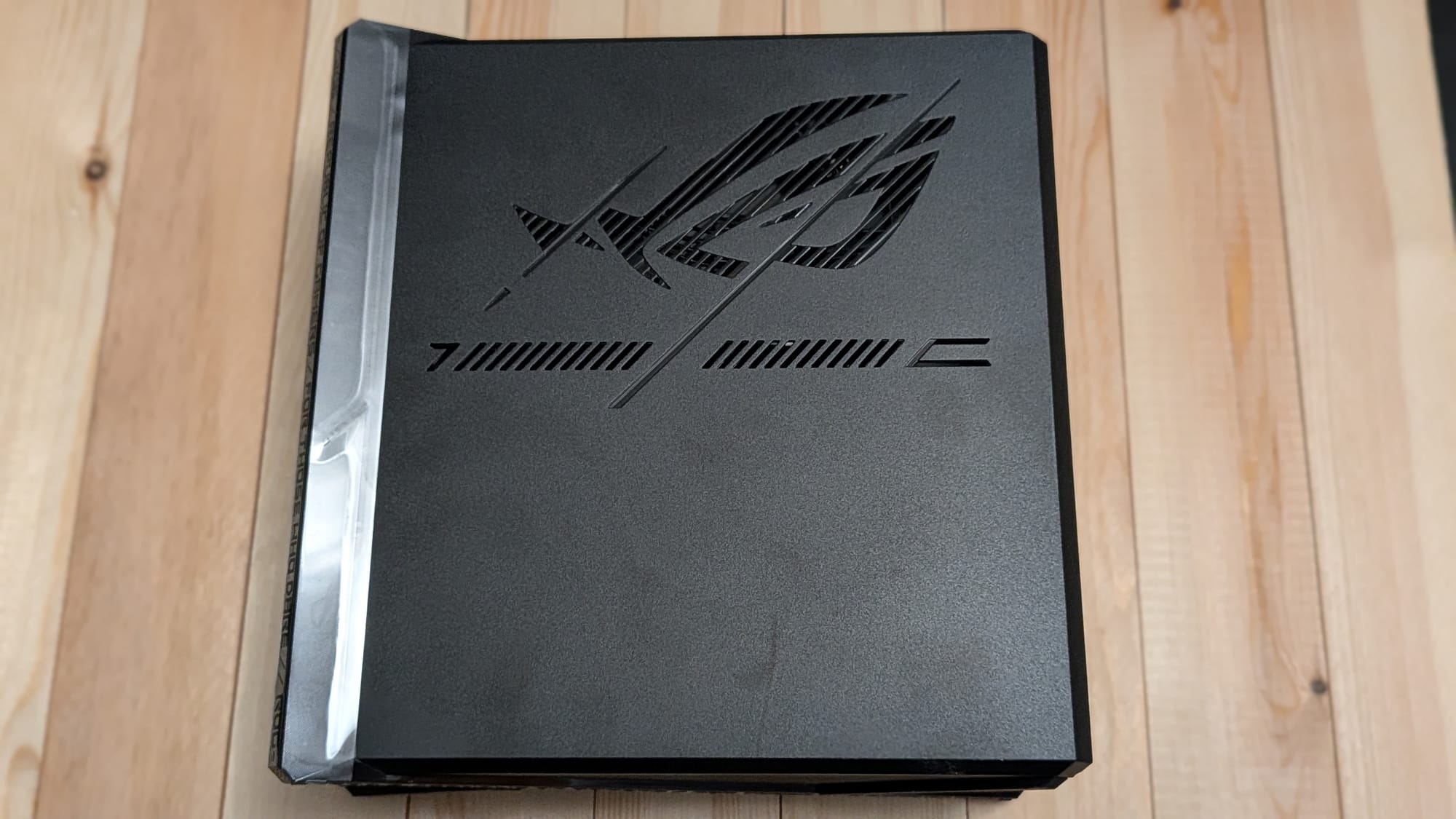
What's in the box?
When I first opened my GS-BE18000, I had mixed feelings. I'm used to gaming routers that look like someone stripped them off the side of the Nebuchadnezzar from the Matrix movies. The GS-BE18000 looked like an angry box with some sharp edges. It had those menacing eyes ROG is known for, but it was an otherwise unassuming cuboid. It was also light as a feather—something my brain doesn't typically associate with hardware and quality. Thankfully, that mental presupposition was dead wrong here. The GS-BE18000 is a Stargate to the future.
Setup was a breeze. Using the included QR Code, you'll download the ASUS Router app. Set up the app, connect your router to the modem as they show, and soon you'll have things up and running. I love ASUS's attention to quality of life, too. The router had me setup a new network that uses WiFi 7, but, as a boon to all of us who've been running older devices for a while, they grant an easy way to create a sub-network that caters to backward compatibility. I set up my subdomain to match my previous router's primary network, and none of my old devices needed to be altered to take advantage of the GS-BE18000.
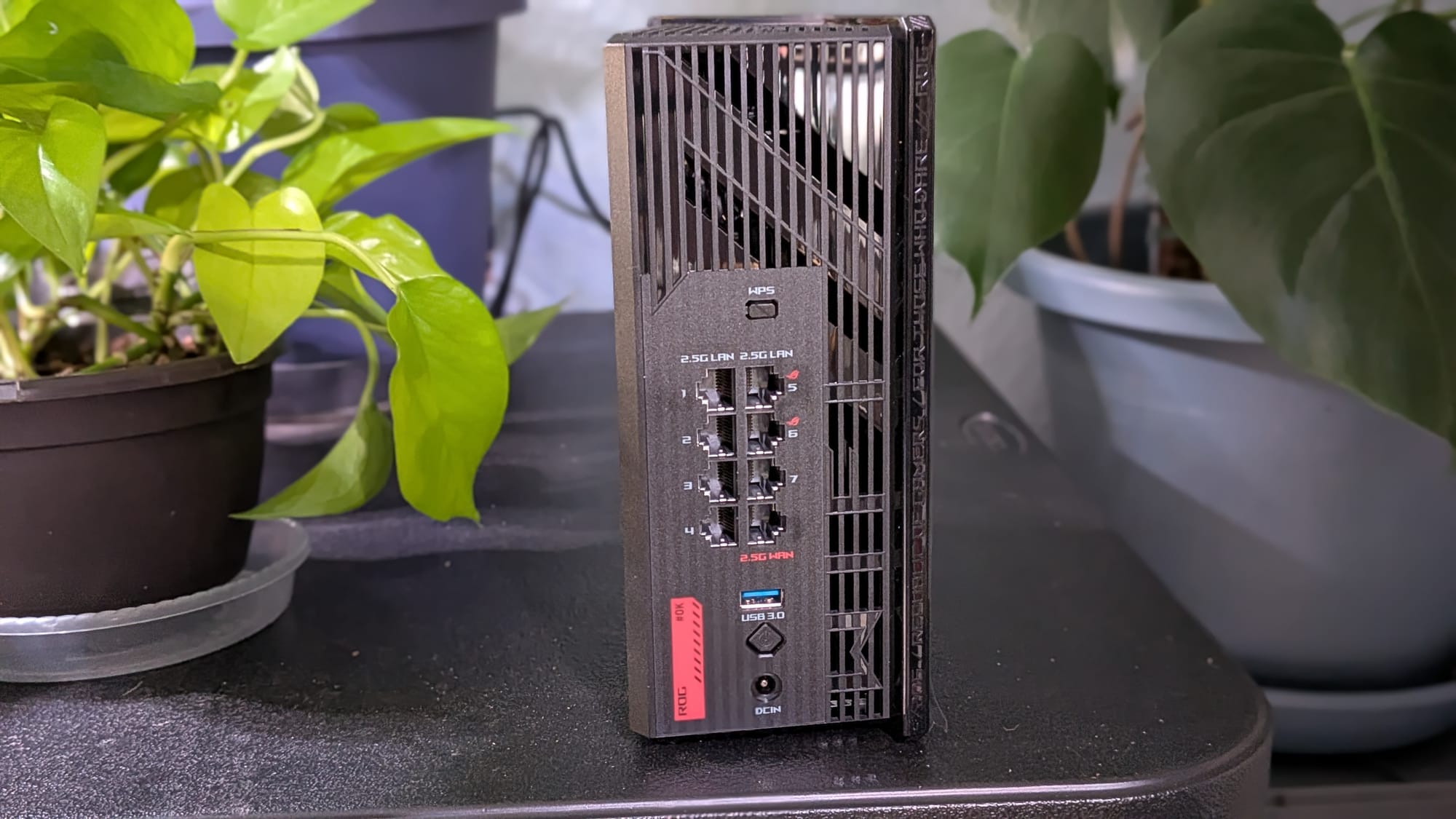
It was all really that easy to get up and running, but ASUS went above and beyond. The router comes with 8 2.5G ports, two of which are dedicated gaming LAN ports that prioritize network traffic to ensure lag won't be a problem. The router can even take advantage of ASUS's "Smart AiMesh" to keep things sharp wirelessly from anywhere a single access point may not be able to reach.
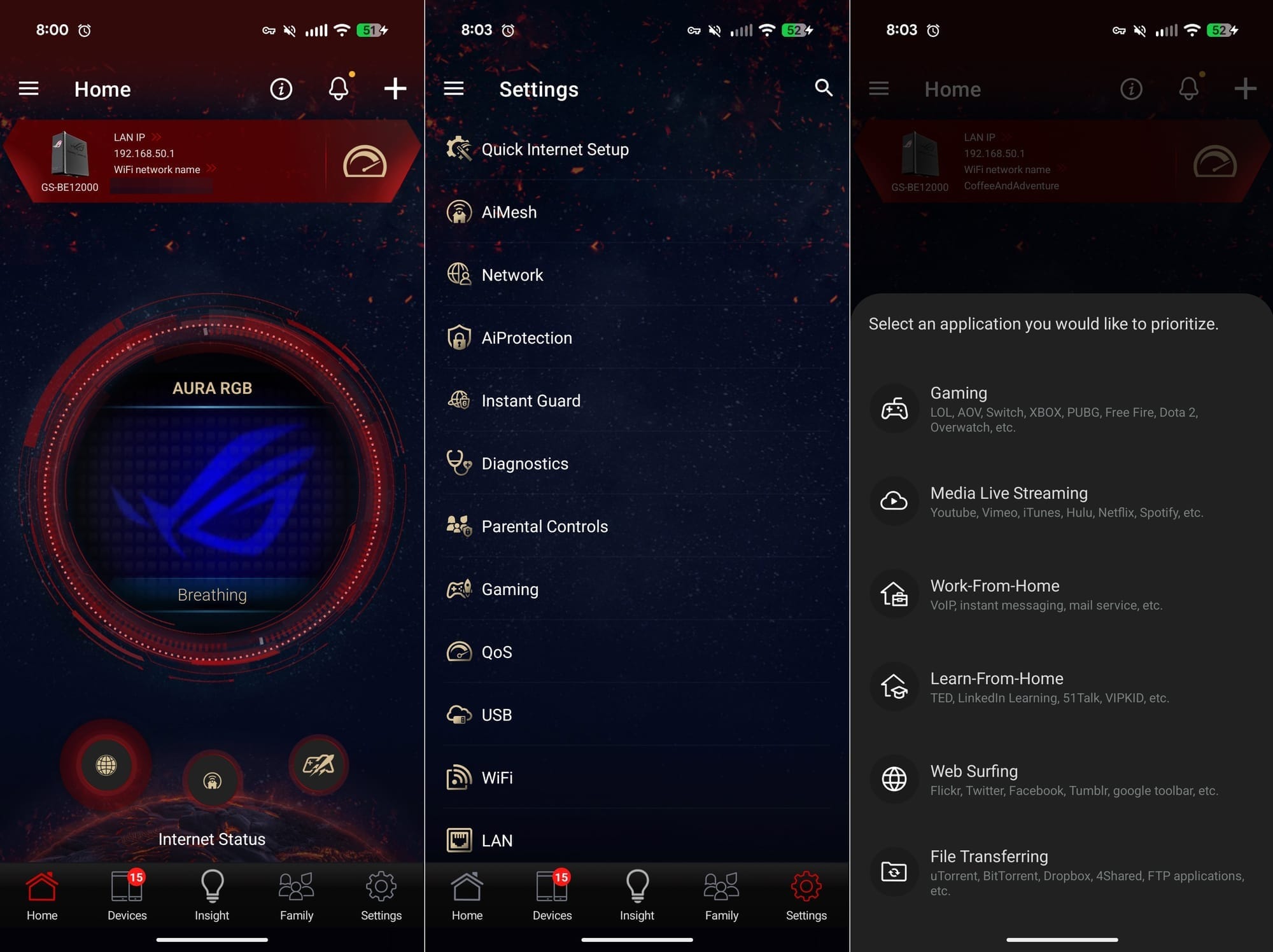
Before we get into the numbers, I want to make sure I call out ASUS's excellent app for router access. The ASUS Router app offers an impressive set of options to give you the best experience possible. You can prioritize traffic based on whether you're gaming, streaming, or more. You can get a full picture of what devices are logged onto your network. The app will also let you create and assign family member profiles and activate intelligent AiProtection to up your network security. Heck, as any gamer will tell you, RGB adds a tenfold increase to whatever you're trying to do; the STRIX grants you the ability to adjust the lighting and light patterns for the router itself, so you know it's legit gaming hardware (as if the raw power of this beast didn't do that for you).
One of the STRIX's primary selling points is that it's a Tri-band WiFi 7 gaming router. Where my Nighthawk used 2.4 GHz and 5 GHz bands, the STRIX also adds a 6 GHz band. Those three bands combined add up to right around 18000 Mbps, which is where the router's name comes from. When you combine that with ROG's Multi-Link Operation, the GS-BE18000 ensures your devices will always have the highest speed available per device. The new 4K-QAM (a way they package the data packets) allows for an up-to-20% efficiency boost over WiFi 6's 1024-QAM, too. Long story short, everything is bigger, faster, and stronger.
Before and After
Just to get a baseline, I downloaded a few apps and tried to map the quality of my home network. I started within a couple feet of the router and had no issues. As I moved further away, though, I noticed a significant drop-off in signal strength around much of my home's perimeter. Lying in bed, the signal got weak. From my home office, it was surprisingly weak. The garage? Yep, higher latency. When I moved to the basement, I found a weaker mirror of the upstairs layout with, surprisingly, a bump in our game room.
Much to my pleasure, the signal strength map is much more favorable for my home after the upgrade, which still has our router in the same location—it's just a newer, better piece of equipment that loves me more. While I still have a little weakness in the garage and laundry room, the rest of my upstairs gets a strong, steady signal in my home office, bedroom, and living room (where the GS-BE18000 stands vigil). Moving downstairs, things are still a little weak on the far end of the house, but much of the coverage shows a respectable improvement from its predecessor.
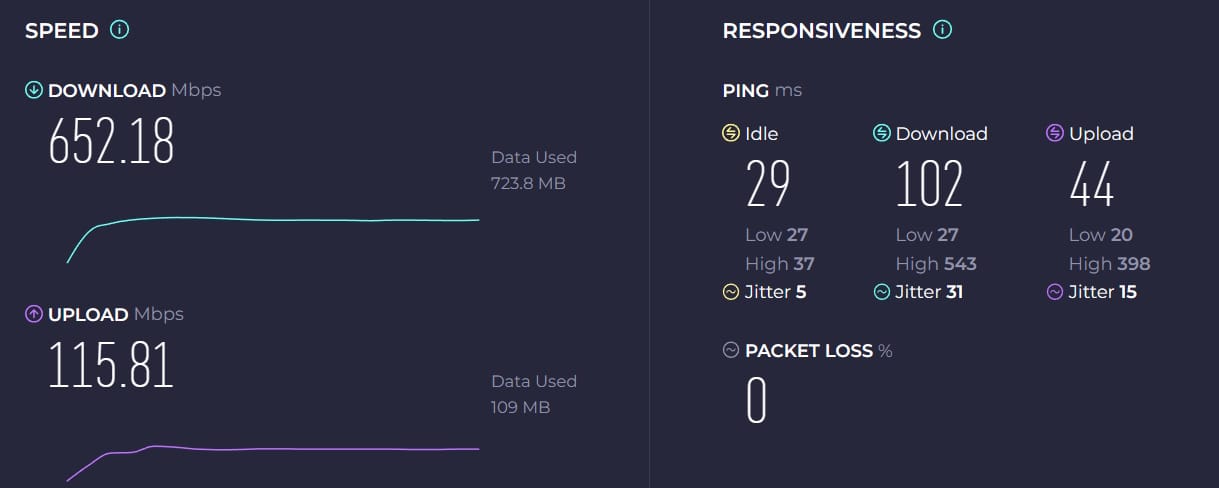
Using Speedtest.net, I ran a series of wireless tests from various spots in my house before and after the upgrade. The changes made me audibly laugh. Standing directly next to my Nighthawk, I was getting 62.5 Mbps down. After the swap, the same device was getting a tenfold increase of 652.18 Mbps down (and my wife's phone actually saw as much as 900 Mbps down at times from the same location!) From our bedroom upstairs, the Nighthawk offered 61.9 Mbps down but the STRIX gave us a blistering 445.2 Mbps down. Even my garage, which struggled with latency, gave 31.5 Mbps down on the old hardware and an impressive 401.06 Mbps down with the ROG STRIX in place.
The basement, which struggled with WiFi signal before, showed marked improvement too. My gaming PC managed to eke out a ridiculous 4.8 Mbps down with the Nighthawk.While it doesn't touch the improvements elsewhere in the house, the same hardware was reaching 62 Mbps with the ROG STRIX—the speeds we were getting standing NEXT TO the Nighthawk before. I'd say my basement may be a good candidate for a Smart AiMesh upgrade soon, too.
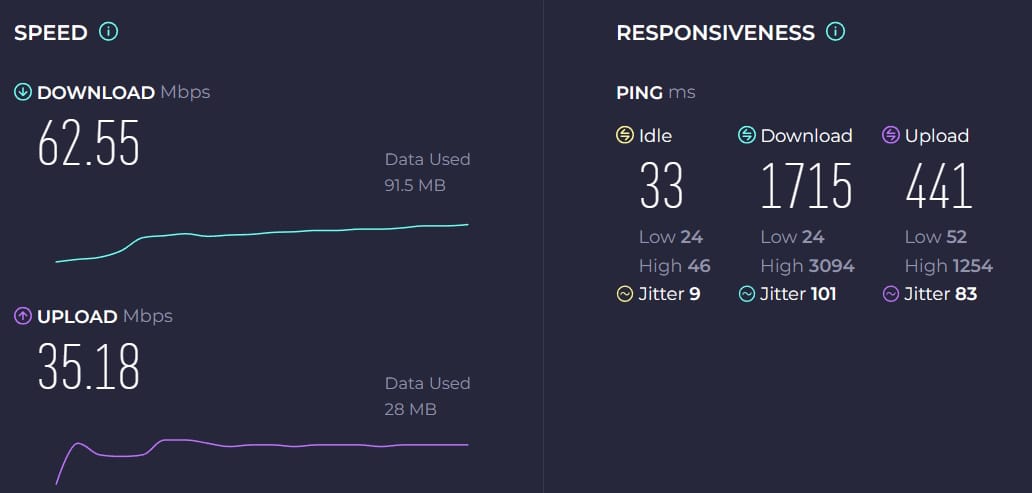
While wireless advancements are at the forefront of what we're looking at with the GS-BE18000, I'd be remiss if I didn't discuss wired traffic. As I mentioned with my setup before, our house runs a CAT-5 cable from the router down to a repeater in the basement for our gaming PCs. On the Nighthawk, I gave Ubuntu 24.04.4 LTS a download and it took right around 3:38. With the STRIX running things, that number was halved at 1:18. I also tried downloading some Lords of the Fallen on Steam to see what kind of speeds we were getting. As the screenshots below show, the Nighthawk was helping me pull upward of ~340 Mbps. While that's nothing to sneeze at, the ROG STRIX pushed those same speeds to just over ~800 Mbps, a much welcome upgrade indeed!


I honestly thought my internet was plugging along fine. Thankfully, the ASUS ROG STRIX GS-BE18000 knew better. Literally everything about my internet experience has improved thanks to this fantastic piece of hardware. I have better coverage from everywhere in my ~2800 square foot two-story home. My wireless speeds increased significantly, at times by an order of magnitude. The existing wired internet in my house has doubled in speed or more, too. Setup is a breeze, and the mobile app grants you full control with some added flavor. While it can be a little pricy, if you're in the market for a high-end gaming router, you should absolutely consider the ASUS ROG STRIX GS-BE1800. This is the sort of product that turns enthusiasts into lifelong fans.
ASUS ROG STRIX GS-BE18000
Excellent
The ROG STRIX GS-BE18000 ups the ante with WiFi 7, intelligent multi-link operation, and blistering speed increases. It was easy to setup and offered a simple path to keep your existing devices going. The sheer speed increase I saw was enough to make my jaw drop. It can be a little on the pricey side, but serious gamers looking for high-end hardware they'll use for years will find the GS-BE18000 well worth the money. This is an easy recommendation.
Pros
- Better, faster, stronger—an upgrade in every way
- Blisteringly fast
- Easy to setup
- The RGB makes it go EVEN FASTER (this is a joke... it's already insanely fast!)
Cons
- Could be a bit pricey for your average consumer
- While it claims to cover 3000+ sq ft, some slight performance degradation was noticed on the edges of a 2800 sq ft home
This review is based on a retail copy provided by the publisher.