I must admit, ASUS wasn’t the first brand to come to mind when considering my next higher-level audio solution. The typical contenders are SteelSeries, HyperX, and Turtle Beach, the latter being the manufacturer of my current primary headset, the Elite Pro 2. However, a ROG device came floating across my comms radar that I just couldn’t ignore (thank you David); the ASUS ROG Pelta. This headset has started to change my perspective when it comes to defining elite sound. From gaming to music, at the desktop or on the go, this headset is a massive upgrade from even its closest competitors.
 David Burdette
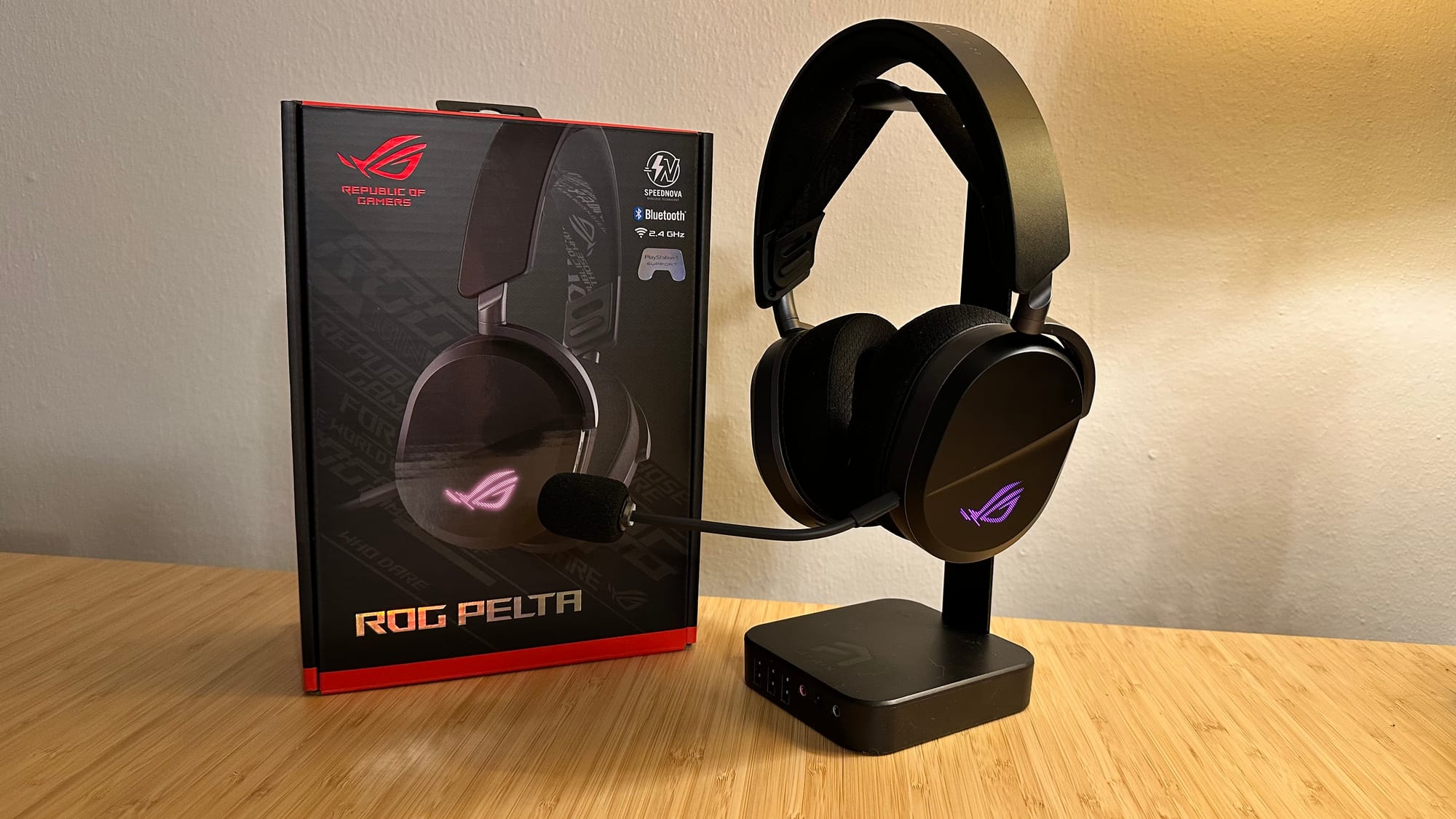
The ASUS ROG Pelta is a wireless gaming headset with a boatload of features that put gamers in full control of their audio experience. It comes neatly packed in its box, tucked inside a simple dust bag, alongside the USB-C cable (used for charging as well as wired connections), detachable 10mm boom microphone, and USB wireless receiver. You’ll also find instructions for installing the Armoury Crate Gear desktop application, which is used to keep the headset firmware updated, monitor battery health, and adjust headset settings.
You can fire this headset up right out of the box – the model I received had an almost full charge when it arrived – able to connect via Bluetooth to any compatible device or via 2.4Ghz ROG SpeedNova wireless with the included USB receiver. After sliding the switch to select my connectivity method, I was met with a “Powered on, connected” message, letting me know I was ready to rumble. Of course, the first game I fired up to see what was under the hardware was Rainbow Six Siege.
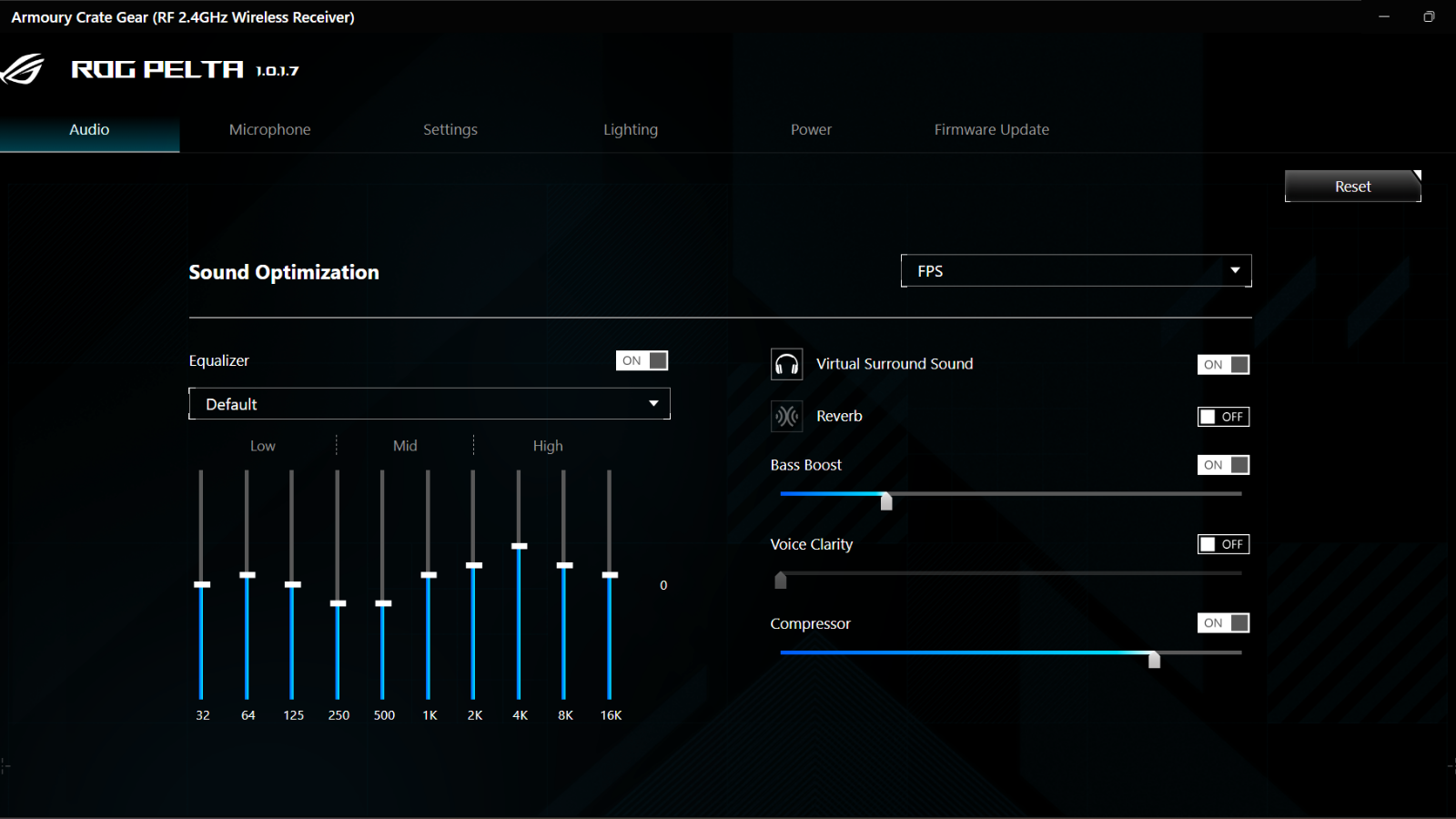
It took a while for me to find the right configuration for my needs and desires. The default audio settings are very basic stereo sound, which was very unimpressive as a first impression, casting some serious doubt about what I’d gotten myself into. I was a little intimidated by the Armoury Crate Gear application as well, especially when it came to trying to adjust settings as I still don’t understand trying to balance sound. Thankfully, there are quite a few presets to use as a starting point, and then you can tweak your low, mid, and high range until you find that sweet spot. Some sounds are still a bit sharper than I’d like, particularly drone audio like when the jump action resets (it makes a sort of loud clicking noise), but with continued tweaks I’ve managed to nail down an audio profile that has really amped up my Siege audio experience.
Directional audio is a huge deal in Rainbow Six Siege, and I judge most audio devices I use based on how my Siege audio is delivered. Being able to decipher the various audio cues, such as downed versus prone, weapon sounds, and footsteps, can make all the difference when in tight situations. One of the first things I noticed while experimenting with settings was the sounds I’d never noticed before, and how clearly I was hearing them. I could easily hear an enemy player moving below me, pinpointing almost exactly where they were, and what direction they were going. I started to notice this more with other sounds within the game as well, such as where walls, doors, or windows were being broken, which I’d always been able to hear before, but not with nearly as much clarity as I was getting now.
I’ve become more in-tune with Siege audio since the Siege X release back in June. While it’s still not a perfect system, Siege’s newer audio coupled with the ROG Pelta has led me to take a dive down the sound rabbit hole to see how much further sound can really go, both figuratively and literally. This headset has been a massive leap forward in that endeavor.
While they’re not quite as portable as earbuds, the Pelta has become my go-to for on-the-go audio as well. When switching to the Bluetooth connection, it quickly links up with my iPhone, where I can then enjoy some music or video streaming. The same audio settings I use for gaming have worked well in this instance, although I’ve found that I can’t have the volume up as high as I normally do with my BOSE earbuds. I say “can’t”, but I guess I mean that I don’t need to have the volume up as high. At higher volumes, I noticed the audio peaking uncomfortably, distorting and all-around being unpleasant, which has encouraged me to keep the volume lower, therefore preserving my hearing. So, thank you, ASUS ROG Pelta, for teaching me that loud isn’t always better.
Sound isn’t the only way this headset has managed to impress me, however. The Pelta is an incredibly light-weight headset, weighing only 309g (a little more than half a pound). It’s made of durable, flexible plastic, with exceptionally soft cushions on the earcups. On my head, this headset feels as light as a feather, especially thanks to the elastic headband that helps to redistribute the (lack of) weight, preventing pain and discomfort that I typically feel on top of my head during longer gaming sessions. Of course, this headset is also very accommodating for people with glasses as it doesn’t apply much pressure to the sides of the head either, although I do notice the right earcup sometimes catches the end of the arm of my glasses. I guess I’m a little off-center, because it is just the right side that I have this issue with. The overall comfort while using the Pelta has been nothing short of spectacular.
 David Burdette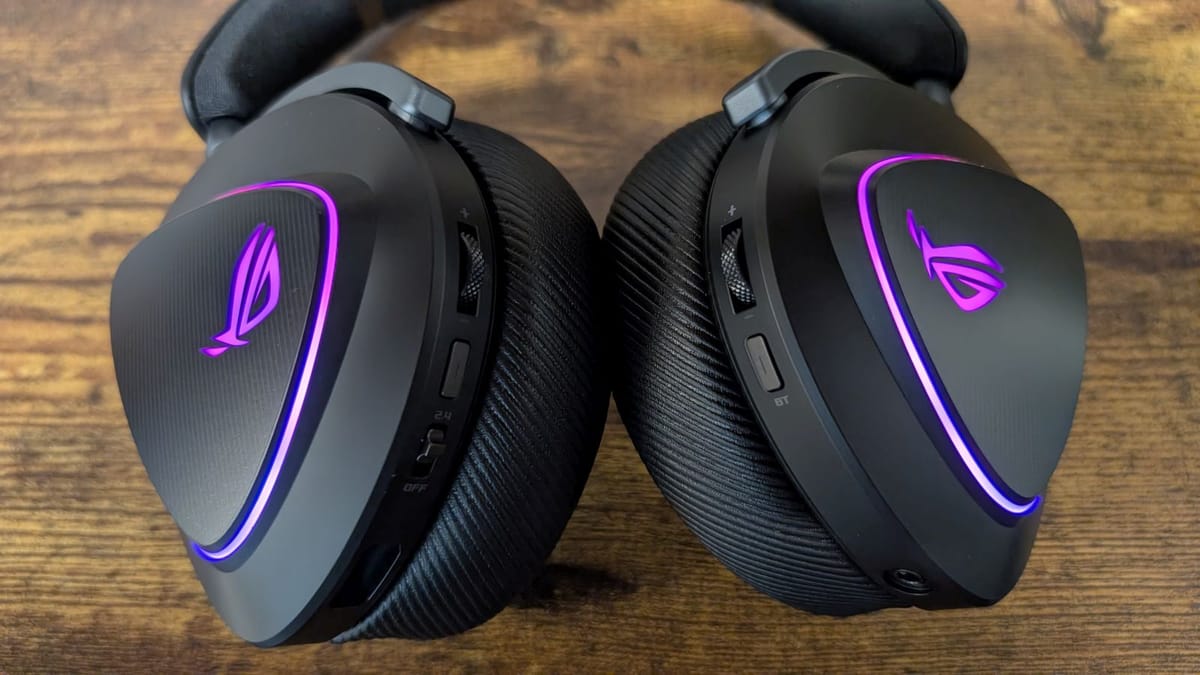
Like I mentioned before, this headset already had an almost full charge right out of the box. What was even more impressive was how long I used it before needing to charge it. I used this headset for multiple gaming sessions over the course of a couple of weeks before finally getting a low battery indicator. I left the headset plugged in overnight for a full recharge, though it definitely doesn’t need that long, and I haven’t charged it again since, which has been another week or so of intense gaming. With up to 80 hours of battery life on a full charge, you can easily go for days without having to worry about it.
The ASUS ROG Pelta is compatible with PC, MAC, PlayStation 4 & 5, Nintendo Switch, Apple & Android devices, and other Bluetooth capable devices. The standard retail price is $154.99, putting it right on the edge of economic versus premium pricing, though I believe it is well worth the cost either way.
ASUS ROG Pelta
Excellent
The ASUS ROG Pelta is an impressive wireless headset that delivers sound like I've never heard before. It's incredibly comfortable and versatile, and will carry you through days of gaming on a single charge. This headset will take your audio experience to the next level.
Pros
- Lightweight and comfortable
- Impressive sound clarity and depth
- Compatible with many devices
- Long battery life
Cons
- Default sound settings are rough
- Earcups may catch glasses
This review is based on a retail sample provided by the manufacturer.