Today, Razer unveiled the Razer Pro Type Ergo, and ergonomic wireless keyboard. The device features a sloped or cascading key layout designed to make long days at your computer desk more comfortable.
Pro Type Ergo is Razer’s answer to a productivity market that has barely moved: a split-ergonomic layout keyboard that feels familiar from the first keystroke, cuts strain over time, and builds powerful workflow tools directly into the layout. For professionals who live on their keyboard, it is built to support comfortable, focused work all day, every day.
“At Razer, we build hardware for people who live on their gear, not just for a few hours at a time,” said Barrie Ooi, Head of Razer’s PC Gaming Division. “With Pro Type Ergo, we have taken the same performance-driven approach from our gaming keyboards and applied it to modern work. It keeps your hands and shoulders in a more natural position, reduces strain over long sessions, and bakes powerful controls like the Command Dial and AI Prompt Master straight into the keyboard. The result is less discomfort, fewer interruptions, and a faster path through everything you do, whether that is spreadsheets, code, or creative projects.”
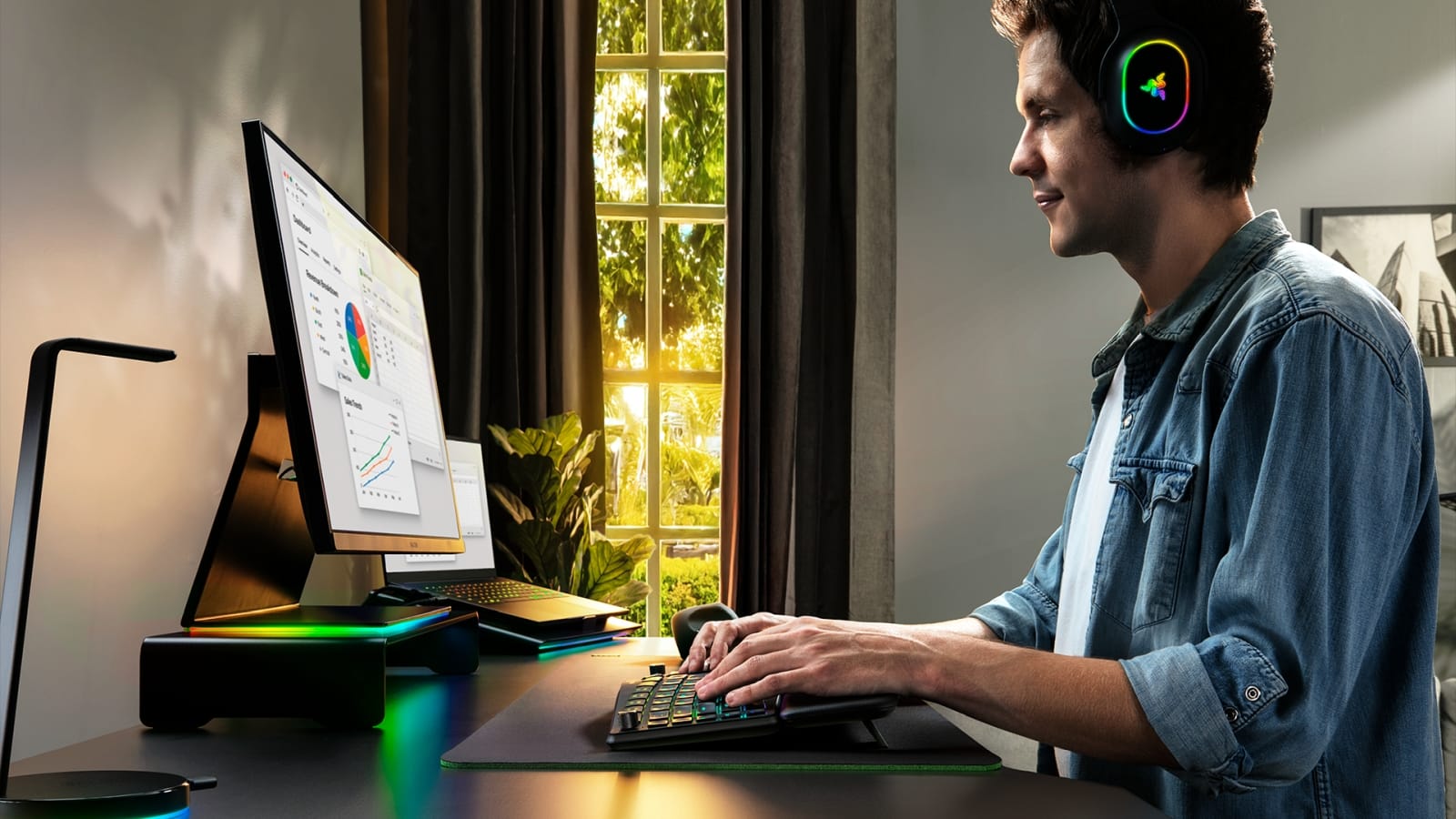
Ergonomics Designed for Natural Typing
The split ergonomic layout on Pro Type Ergo keeps hands and arms in a more natural alignment, minimizing sideways reach and helping reduce strain during extended use. The layout is tuned to feel familiar from day one, so users can adopt a split keyboard with relative ease.
A 10° base slope and five adjustable typing angles flat (0°), front tilt at 4° or 7°, and rear tilt at +4° or +7° allow fine-tuning across seated and standing setups. The built-in plush wrist rest provides forearm support and helps relieve pressure on the wrists throughout the day.
To allow for greater productivity, dual “B” keys, dual space keys, and a center backspace lets both thumbs handle frequent actions more comfortably, reducing finger crossover and unnecessary reach. This is especially helpful for users who spend long hours writing, coding, or working across documents and spreadsheets.
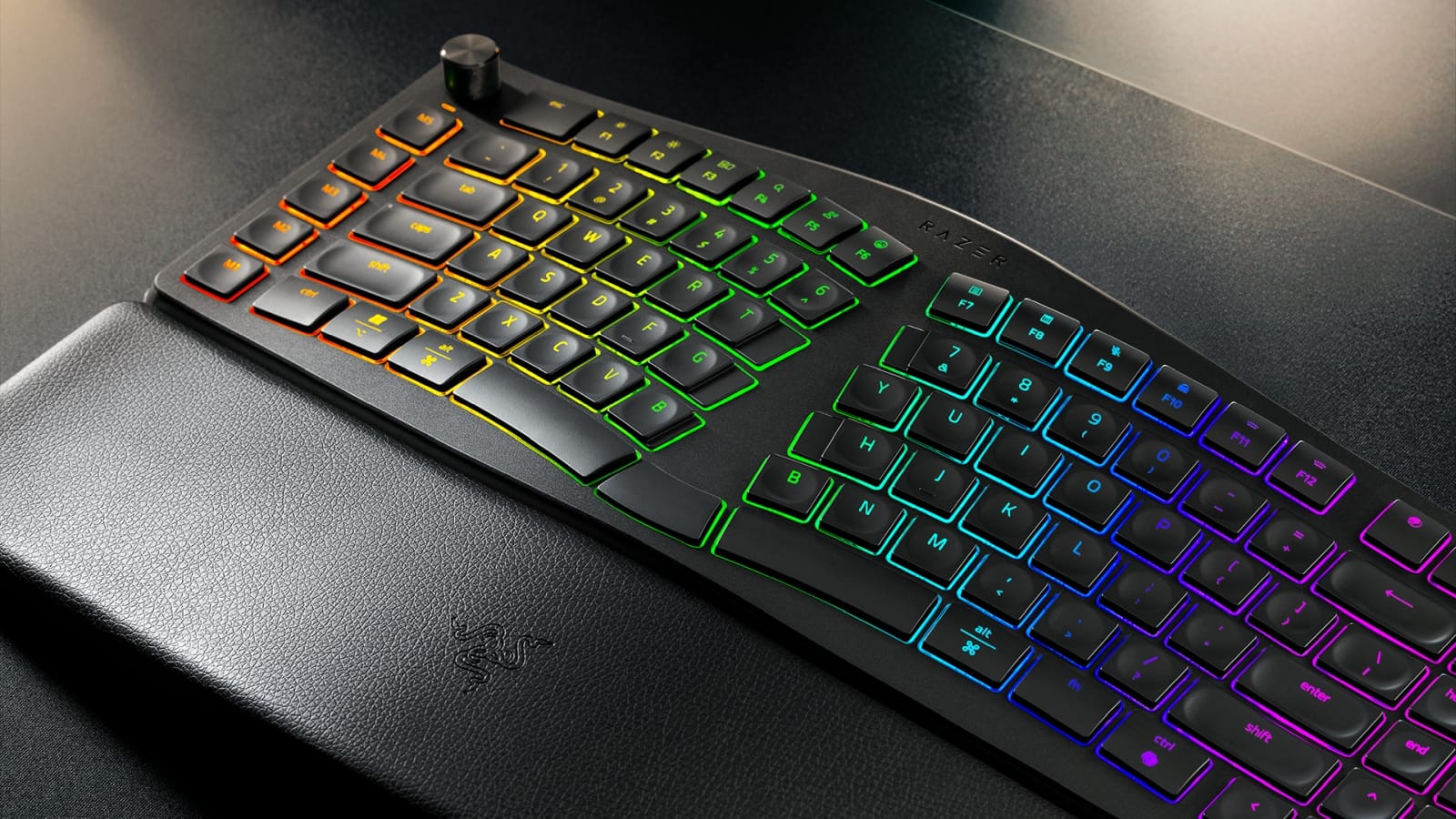
Low‑Profile Keys Tuned for Long Work Sessions
Designed for sustained productivity, the Pro Type Ergo uses ultra-low-profile, fingertip-shaped keycaps with shorter key travel to reduce finger movement and effort on every keystroke. Subtle spherical indents guide fingertips into position for improved comfort and accuracy.
Inside, sound-dampening layers and tuned stabilizers deliver a quiet, controlled typing experience, ideal for home offices, open workspaces, and calls.
Built‑In Productivity Controls, Ready Out of the Box
To cut everyday friction, Pro Type Ergo integrates five dedicated macro keys, a dedicated mic-mute button, and the Razer Command Dial directly into the board.
Out of the box, the keyboard comes pre-configured with functions for common workflows such as document navigation, media control, and app-specific shortcuts across popular productivity and creative tools. Users can get immediate benefits without extensive setup.
For deeper customization, the macro keys and Command Dial can be tailored through Razer Synapse. The dial supports multiple default functions and can expand into dozens of custom actions, turning tasks like scrolling long pages, zooming, scrubbing timelines, or switching tools into simple, repeatable gestures that keep hands anchored on the keyboard.
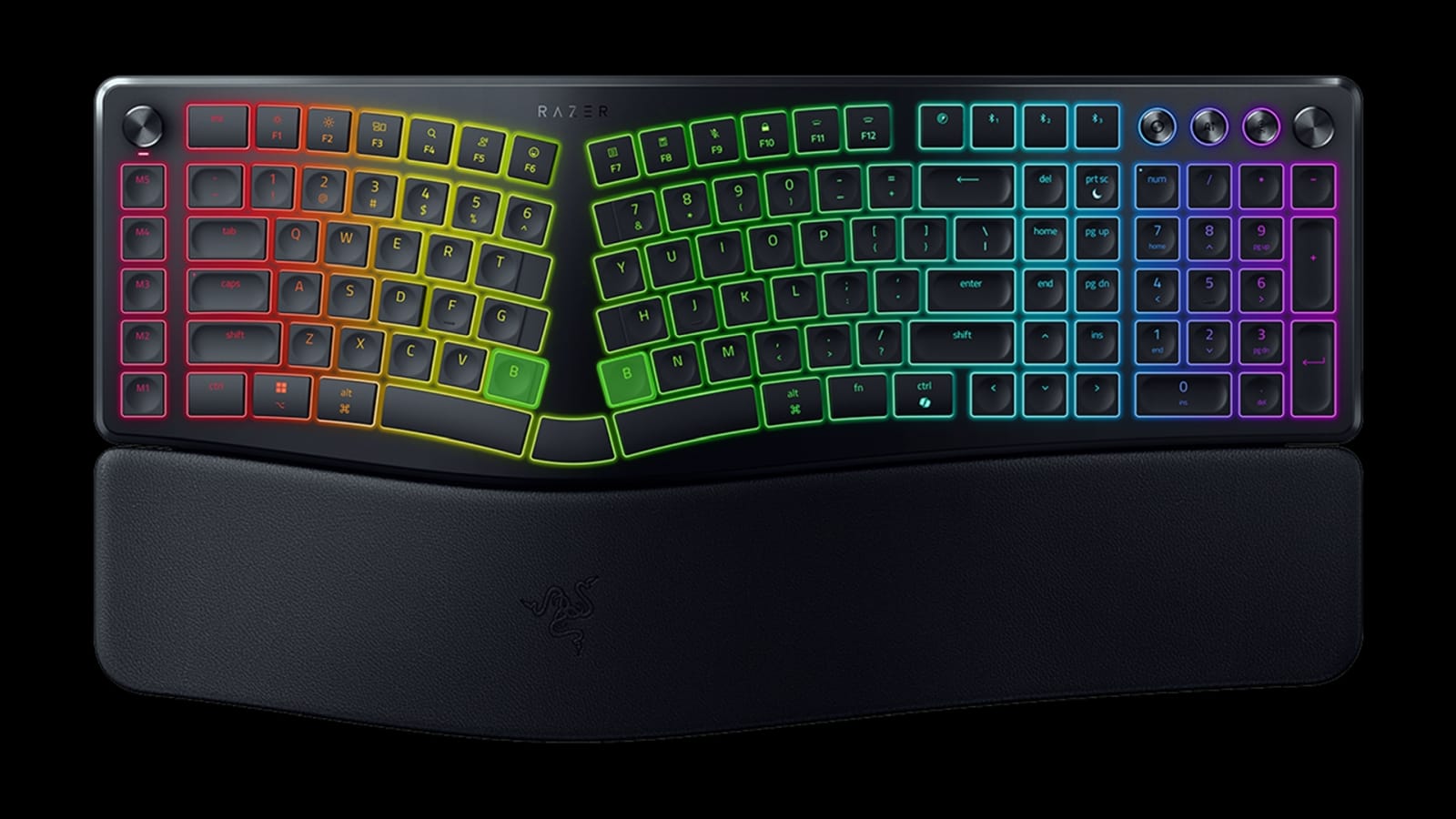
At the same time, AI Prompt Master enables fast access to AI-powered actions through a single key. Users can summarize text, draft emails, or jumpstart research and ideation without constantly switching windows.
By integrating AI prompts into the keyboard rather than a separate app flow, the Pro Type Ergo positions AI as a workflow accelerator that helps users move faster, while keeping them in control of the final output.
Designed for Modern Workspaces
With 5-way multi-device connectivity, Pro Type Ergo lets users move smoothly between desktops, laptops, and tablets using Razer HyperSpeed Wireless (2.4 GHz), three Bluetooth profiles, or USB-C wired mode. This flexibility supports hybrid work where one keyboard must handle multiple devices and locations.
A rechargeable battery delivers up to three months of typical office use on a single charge, cutting back on disposable batteries and keeping the keyboard ready for extended stretches of work.
Finished in a clean, minimalist aesthetic, Pro Type Ergo fits naturally into professional setups. Chroma RGB backlighting adds per-zone illumination that aids visibility and orientation across changing lighting conditions, from bright offices to late-night sessions, while remaining subtle enough for business environments.
Ergonomics. Productivity. Performance.
By combining split ergonomic comfort, built-in workflow tools, AI-assisted shortcuts, and fast, reliable wireless performance, the Razer Pro Type Ergo goes beyond what typical ergonomic keyboards offer. It is designed as a complete work companion for users who demand comfort, control, and speed in every workday.
Aside from the AI stuff, which can surely be reassigned, this looks like a very interesting keyboard. As someone who spends a lot of time at my desk, I'm always looking to make my work a bit healthier, or at least less damaging to my body. The Razer Pro Type Ergo is certainly interesting in that regard. For more on all things Razer, stay tuned to GamingTrend.